Sometimes, you just do not want a boss fight or a sweaty min-max session. Instead, you crave a heartwarming base, soft ambience, good food, and little details that make your world feel lived in. The mods below lean into that cozy Minecraft energy, whether you are decorating a cottage, cooking a big meal, or turning your survival run into a chill home-building sim.
1. Comforts
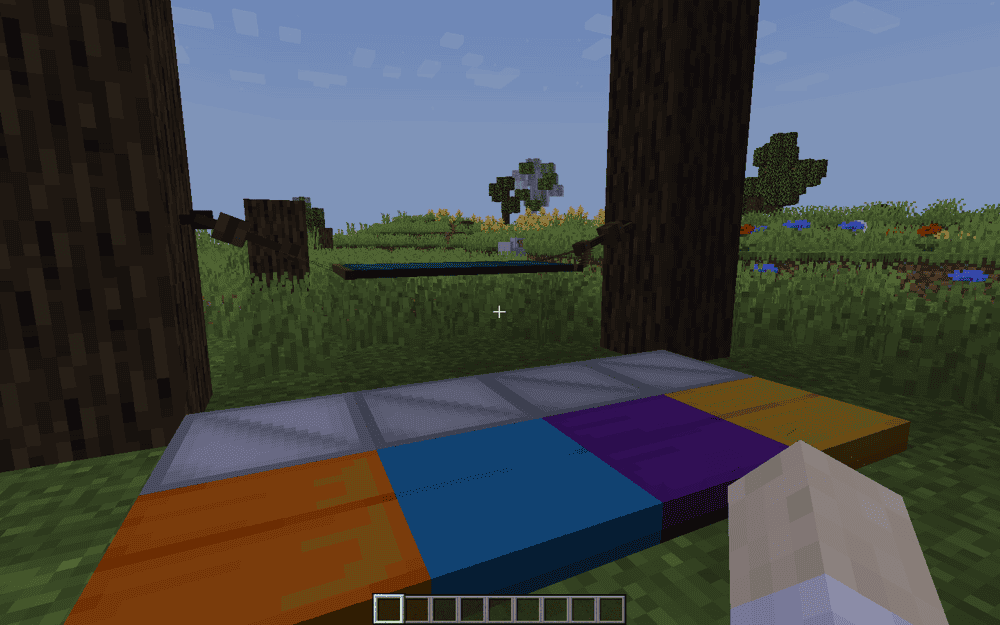
Comforts is a cozy quality-of-life upgrade for anyone – from those who treat their base as a home to those who love nothing more than wandering and exploring. The mod does this by adding sleeping bags that work like beds, but without setting a new spawn point, so you can keep your home spawn untouched. These bags also come in 16 colors and can be stacked, making them easy to pack for road trips.
Comforts also adds hammocks – an extra cozy addition that acts like an inverse bed – turning days into nights, which is perfect for when you want to build and chill in that slightly spooky night time atmosphere without waiting around.
2. Farmer's Delight
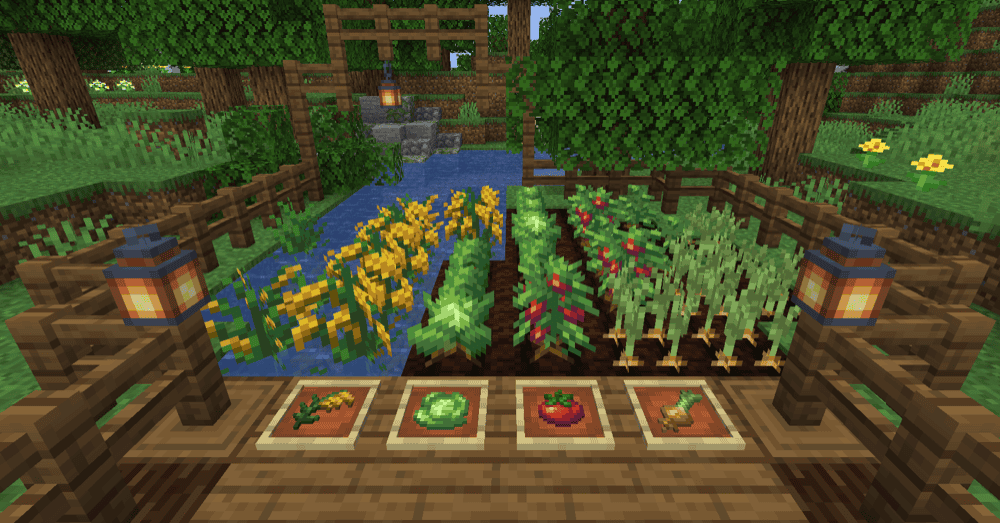
Farmer's Delight is pure cozy Minecraft energy, turning your basic smoker setup into a real kitchen where farming and cooking feel rewarding. It gently expands the food loop with a simple cooking system that lets you make hearty meals like salads, stews, desserts, and one-block feasts, so you can live off more than just steak while you build and chill.
The mod also adds handy rustic utilities and decorations to support that slow-life playstyle, including ways to improve the soil your crops grow in, new tools for scavenging resources, and extra blocks and items that make farms and villages feel warmer.
3. Supplementaries
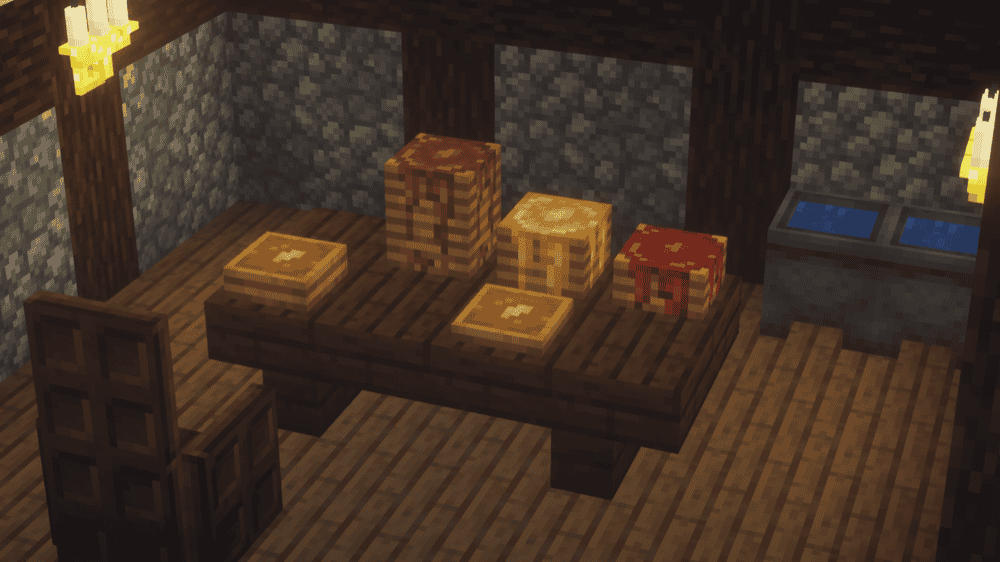
Supplementaries is a vanilla-plus cozy boost that fills in those "why is this not in Minecraft" gaps with homey details like jars, signposts, faucets, weather vanes, sconces, planters, lights, and just more decoration in general.
The mod is a great pick for when your build is all about vibes and function blending together, all without changing the core Minecraft feel.
4. Tropicraft
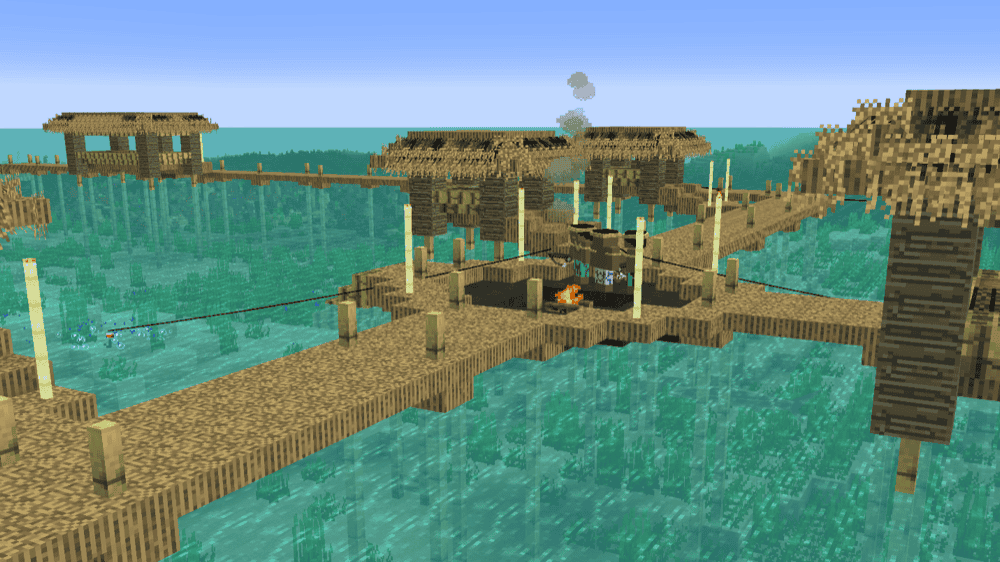
Tropicraft adds a tropical getaway dimension that is perfect for cozy play, especially when you want a break from long mining sessions and just want to build something bright and relaxing on the beach. The mod is designed around exploring tropical rainforests and beaches, so it naturally fits a vacation-base vibe.
To reach the Tropics, you craft a beach chair and a Pina Colada, then sip it while sitting in the chair at sunset, which makes the whole trip feel like a little ritual instead of just another portal.
5. Handcrafted
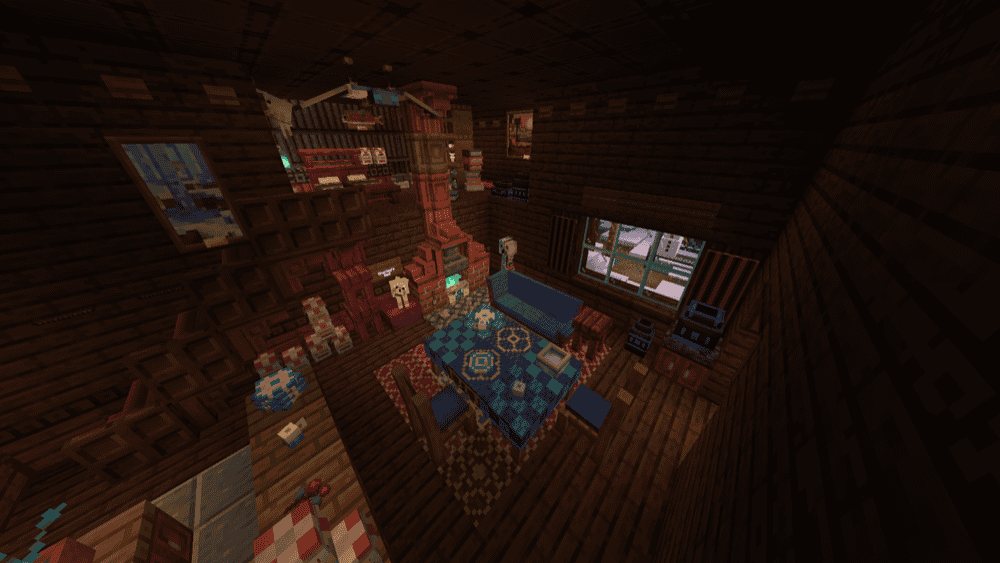
Handcrafted is a cozy builder staple that helps your base feel like an actual home by adding a huge variety of furniture pieces you can mix into any style, from vanilla-friendly cabins to fantasy, medieval, or even steampunk interiors.
This mod is perfect for finishing touches like kitchens, bedrooms, and little reading corners, where a few well-placed chairs, tables, and decor pieces make your build feel warm and lived-in.
6. Macaw's Furniture

7. [Let's Do] Vinery
![[Let's Do] Vinery Mod](https://blog.curseforge.com/content/images/2026/03/lets-do-vinery-1.png)
[Let's Do] Vinery brings cozy vineyard life into your world with a full wine making loop that feels slow and satisfying. You harvest grapes, press them, ferment the juice, and let time age the wine, which makes it a great addition to any cozy farmhouse. Besides grape wine, the mod also adds apple juice, cherry wine, and cider to further expand your beverage collection.
[Let's Do] Vinery also leans hard into cottagecore vibes with decorative pieces for vineyards and homes, plus extras like cherry trees, cherry wood, and winemaker-themed items that fit perfectly in a warm, lived-in build.
8. Chimes
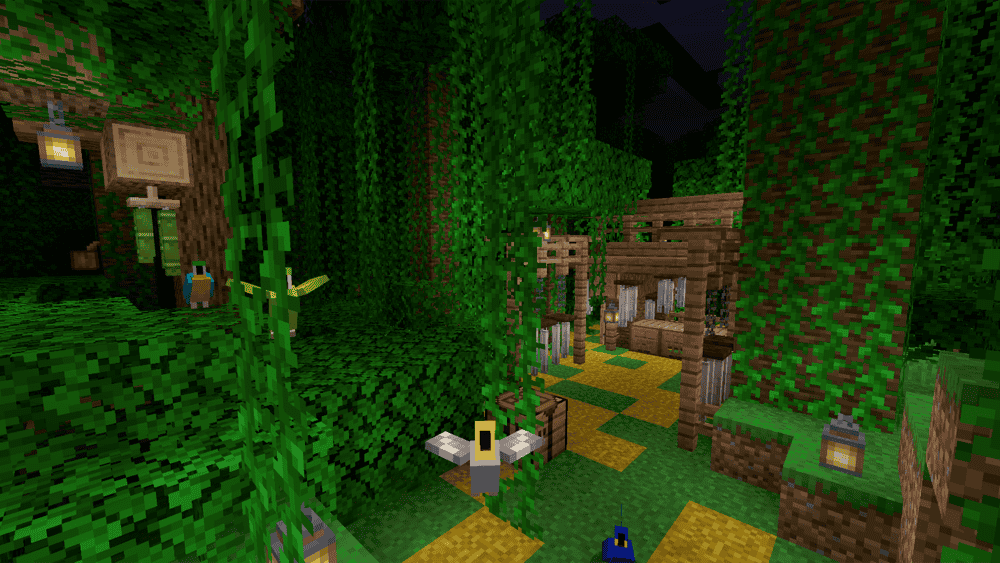
Chimes adds wind chimes you can hang around your base for gentle ambient sounds and animations. It is a no-brainer if you're really into little exterior nooks like porches and entryways.
As a bonus, a chiming wind chime will repel Phantoms when you are nearby, and you can tie or untie some of the chimes by crouching and right-clicking with an empty hand to toggle that effect.
9. Presence Footsteps
10. Blur+
11. Ribbits
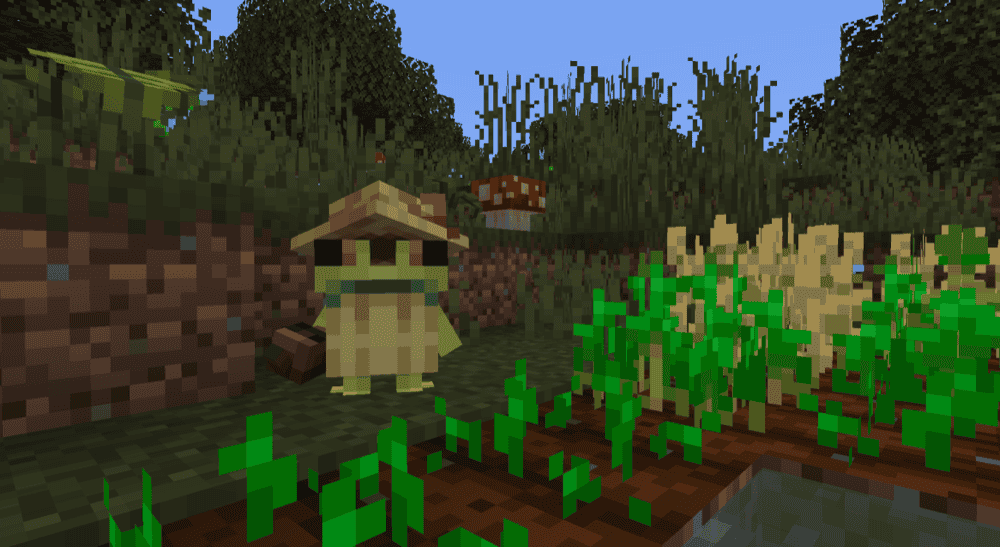
Ribbits adds swamp villages full of tiny frog villagers called ribbits, and some of them will sit together to play music that you can join in on, which is an instant cozy vibe for a world that feels more alive.
Merchant and fisherman ribbits can trade items like special plant blocks and maracas, sorcerer ribbits can occasionally buff you, and gardener ribbits will water crops. Ribbits return home at night, and you can reset a ribbit's home point by right-clicking it with amethyst if you want to relocate them.
12. Beautify!
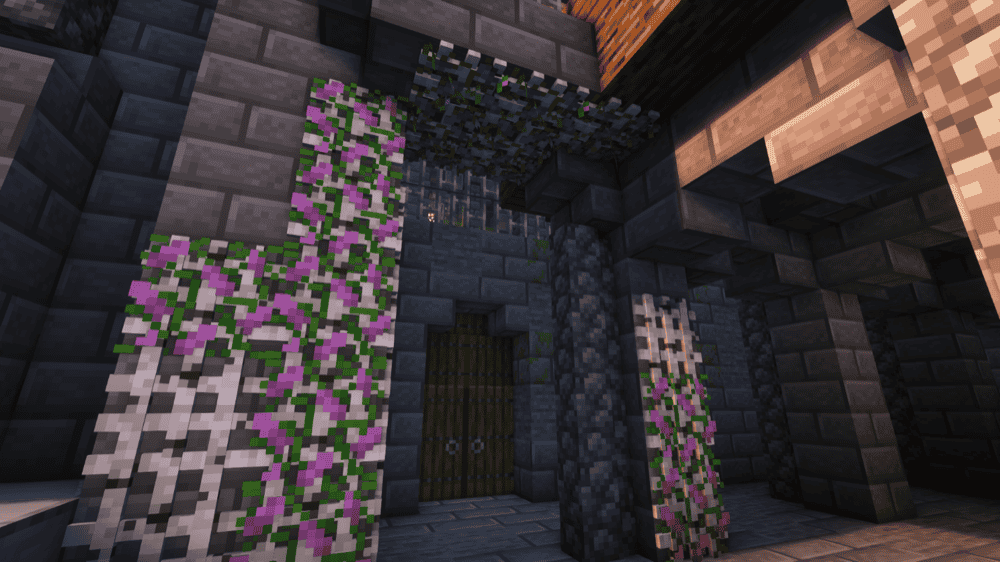
Beautify! is a cozy, vanilla-styled decorating upgrade that adds lots of small details to make your builds feel warmer without losing that classic Minecraft look.
The mod includes things like hanging pots, book stacks, blinds, picture frames, lattices, rope, and extra light sources like bamboo lanterns and candelabras, so your cabin, cottage, or town build instantly feels more finished.
It also sneaks in a few handy quality-of-life touches, like potted plants that can be duplicated with bone meal, which is perfect for filling out gardens and interiors.
13. Ghosts
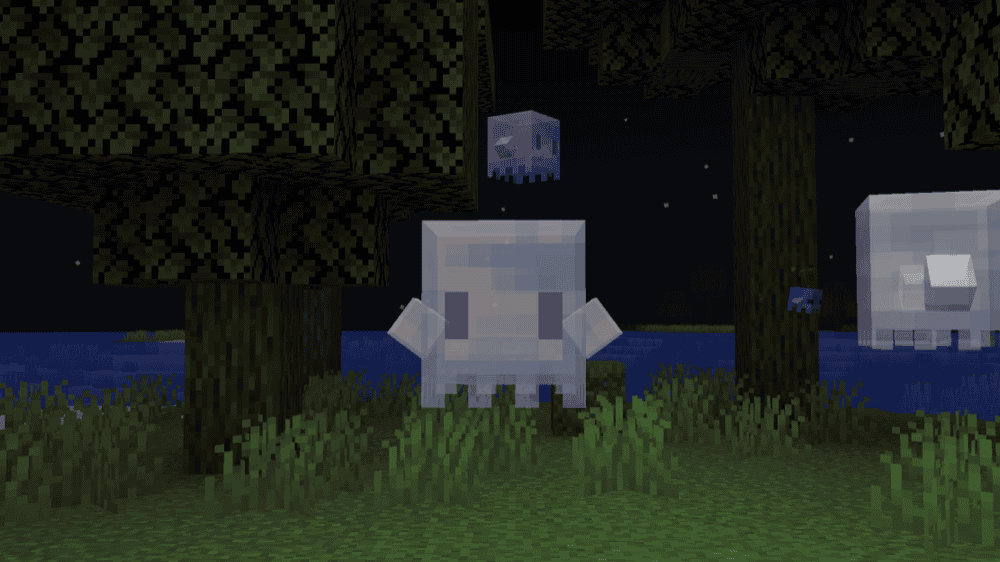
Ghosts adds a variety of ghost mobs that fit a cozy forest vibe, aiming for cuteness over scare factor. They are especially handy if you like building cabins, lantern paths, and little hidden groves.
Regular ghosts spawn in forests at night, can be tamed with glow berries, and once they are your buddy, you can hand them items so they do helpful tasks like placing torches in dark spots.
The mod also adds forest spirits and haunted blocks for extra atmosphere and gentle utility, including seedling ghosts that pick up dropped saplings and try to plant them, plus haunted trees with haunted eye blocks that can output redstone signals when they detect entities.
How to Install Mods
How to Install with the CurseForge App
- Open CurseForge → Minecraft and create a profile with the mod loader and version you need (Fabric, Quilt, NeoForge, or Forge).
- In the profile screen, click "Add More Content" (or open the three dots menu next to "Play" and choose "Add More Content").
- Click on "Add More Content" from the available options.
- Search for the mod you need and click "Install".
- Play from the CurseForge app.
How to Install Mods Manually
- Install a mod loader that matches your Minecraft version (Fabric, Quilt, NeoForge, or Forge).
- Run the installer to add a new profile in the Minecraft Launcher.
- Download the mod’s .jar file from its project page. Make sure both the Minecraft version and loader version match.
- Drop the .jar into the mods folder inside your ".minecraft" directory (create the folder if it doesn’t exist).
- Launch Minecraft using the new loader profile.
Note: Make sure to check if the mod has been recognized by the game. On the title screen, click “Mods”. If the mod lists any required dependencies (like Fabric API), install those too. Please also note that if using Fabric, the "Mods" button will only appear if the "Mod Menu" mod is installed.
Common mods folder locations:
- Windows: %AppData%\.minecraft\mods
- macOS: ~/Library/Application Support/minecraft/mods
- Linux: /home/<your-username>/.minecraft/mods
Common issues and quick fixes
The game will not launch after adding mods
Most launch failures come down to a mismatch between your profile’s modloader or Minecraft version and what a mod supports. In the CurseForge app, double-check the profile’s loader (Forge, Fabric, NeoForge, Quilt) and Minecraft version, then make sure every mod you added matches both. If they do not match, install the mod into a compatible profile instead of forcing it into the current one.
“Missing required mod” or “depends on” errors
If you see an error that a mod is missing, it usually means a required dependency is not installed, or the dependency version is wrong for your Minecraft version. Start with the mod’s CurseForge page and check "Relations" → "Dependencies", then install the required libraries and try again. Fabric setups usually require Fabric API, and crash reports often call out missing dependencies directly.
Game crashes after the Minecraft window opens
When Minecraft crashes, the problem-causing mod is usually mentioned in the crash report or latest.log. To fix this, open the crash report, scroll until you find the section pointing to the mod that failed, then remove that mod or update it to the correct version for your loader. Fabric’s troubleshooting docs recommend using crash reports and logs as the starting point for identifying conflicts and missing dependencies.
If you want an easier way to collect and share logs, Crash Assistant is a popular helper that surfaces the relevant logs right after a crash and can upload them for easy sharing.
Performance dips after adding decor and ambience mods
Cozy packs can add a lot of models, sounds, and world content, and that can reduce FPS on lower-end systems. If performance tanks, you could try removing or reducing the heaviest additions first (usually furniture mods) before testing again.