
Minecraft is already a near-perfect playground, but mods can make it even easier for kids to jump in, build big, and explore without getting stuck on the tricky stuff. Think recipe helpers that make crafting click faster, backpacks that keep inventories from turning into chaos, and adorable critters and decor that turn every base into a place they actually want to hang out in.
This list sticks to mods that add fun, creativity, and “look what I found” moments, with a focus on stuff kids tend to do in-game: building homes, collecting pets, cooking food, and roaming farther afield without losing their way (most of the time, that is).
1. Just Enough Items
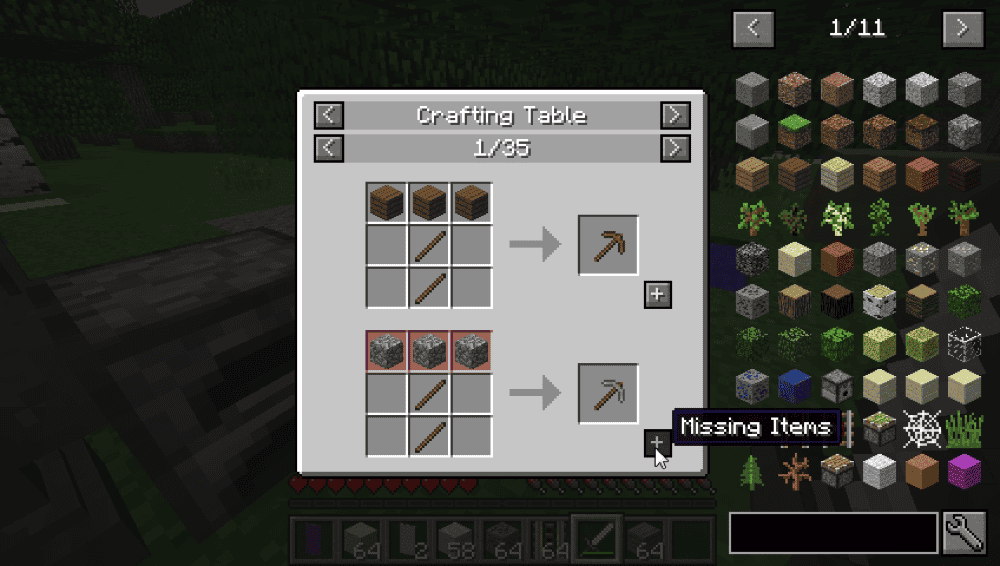
Just Enough Items makes Minecraft less frustrating and more kid-friendly by allowing players to view items and recipes right inside Minecraft without needing to use Google, all while delivering top-notch stability and performance even on less powerful systems. To use it, simply hover an item and press "R" to see recipes or "U" to see its intended uses to instantly make crafting way less frustrating.
The mod also supports fast searching so young explorers can quickly find what they need without scrolling forever, while the "[+]" button can help move items into the crafting area (assuming that feature is available for the version and server setup you are using).
2. Biomes O' Plenty
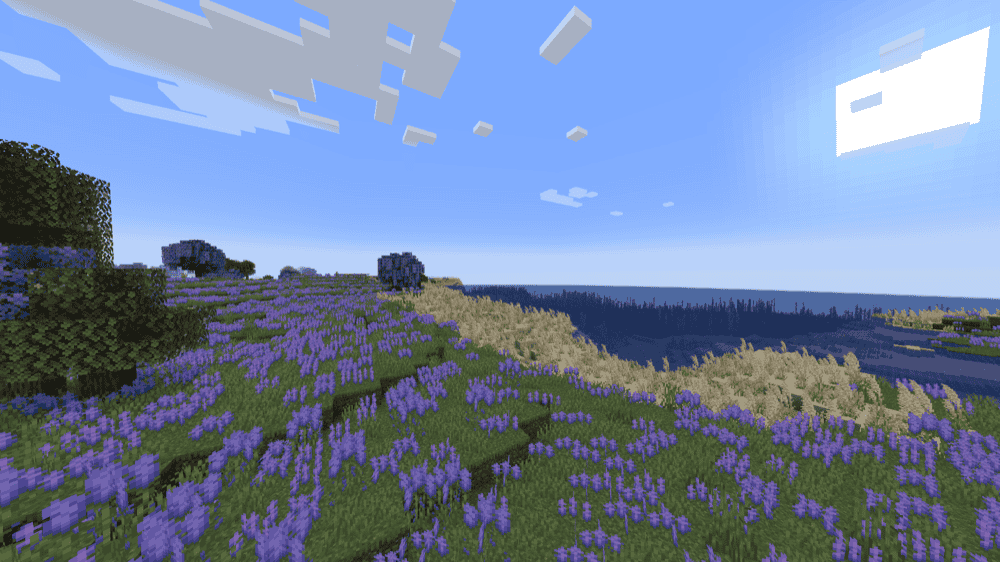
Biomes O' Plenty adds more than 50 unique biomes across the Overworld, Nether, and End, along with new plants, flowers, trees, and building blocks that maintain the vanilla-style feel while still adding something new. For kids, the mod makes exploration feel like a treasure hunt, and it gives them loads of new colors and materials for building themed houses and cozy bases.
Note that for Minecraft 1.18 and above, you typically do not need to change server.properties to get the biomes generated on a server, which makes it easier to set up for shared co-op world sessions.
3. Xaero's Minimap
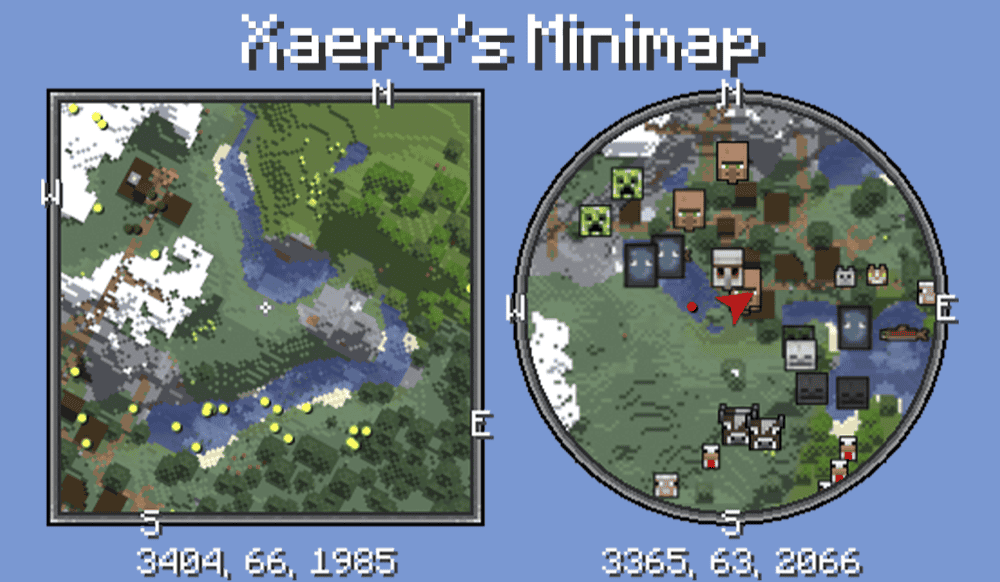
Xaero's Minimap puts a minimap in the corner of the screen that shows nearby terrain and can display entities like players, mobs, and items. For kids (and adults, if we're being honest), this one is a big confidence boost because they can now bravely explore their surroundings without constantly getting lost, while waypoints make it easy to mark their home, villages, and any cool finds.
Using this mod is child's play: press "B" to create a waypoint, press "U" to open the waypoint list, and press "Y" to access the included settings.
The mod also perfectly blends in with the vanilla Minecraft look so it feels like a natural extension of the game, plus it supports cave mode for underground exploring and has options like a circle minimap or locking north, which can keep the minimap from constantly rotating while you move.
4. Sophisticated Backpacks
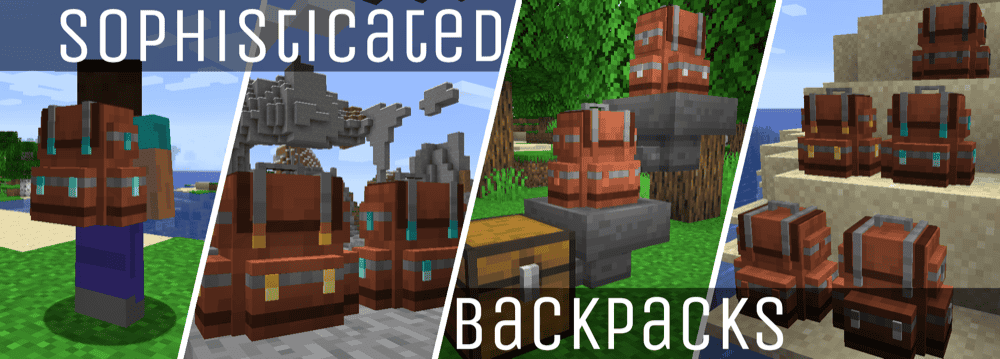
Sophisticated Backpacks adds upgradable backpacks that players can wear for extra storage or place in the world like a block. It is great for kids because it cuts down on inventory management. The backpacks are also easy to recognize since you can dye them with a main color and an accent color. You can open the backpack with the open key, which is "B" by default, or by right-clicking it while holding it in your hand.
Backpacks also grow with the player through tiers ranging from Leather up to Netherite, and there are lots of upgrades that can make everyday play smoother, like automatically picking up items or feeding the player using food stored inside.
5. Farmer's Delight
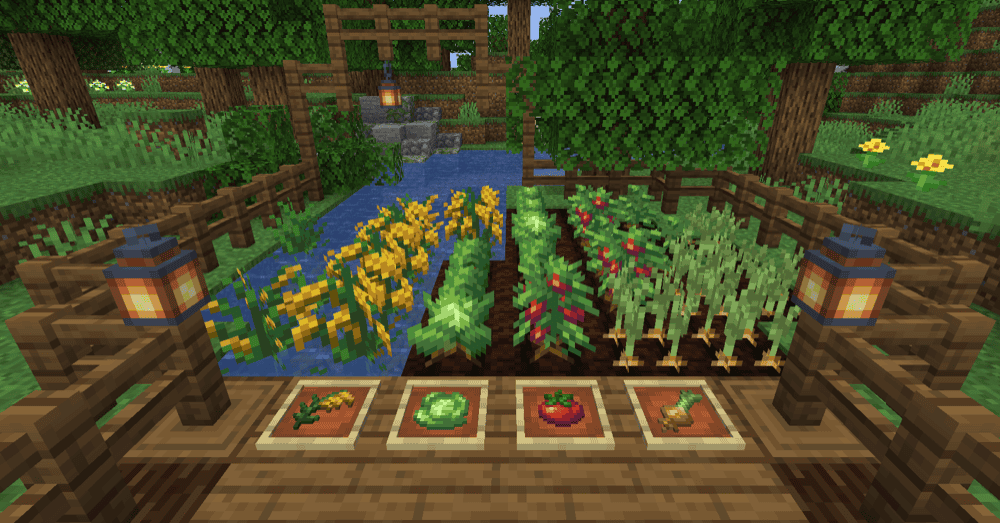
Farmer's Delight gently expands farming and cooking, letting you turn simple ingredients into a bigger menu of hearty meals, like sandwiches, salads, stews, desserts, and full feasts. The mod is great for kids who prefer a cozy playstyle because it gives them fun goals that are not just about fighting mobs, like building a kitchen, running a farm, and "cooking tonight's dinner" for the base.
Getting started is also kid-friendly because progression is guided through Advancements, which are opened with the key "L" by default.
6. MrCrayfish's Furniture Mod: Refurbished

MrCrayfish's Furniture Mod: Refurbished is the next generation of MrCrayfish's Furniture Mod, rebuilt with new blocks (some interactive), models, and original sound effects, effectively adding over 440 functional and decorative items for building houses or cozy spaces to relax in. The mod is especially great for kids who love nothing more than to build things alone or with friends.
In addition to everything mentioned above, it also implements a dedicated electricity system for powering appliances and electronics, as well as a mailbox for sending and receiving items alongside an "in-game computer" that supports simple kid-friendly apps like a calculator.
7. Critters and Companions

Critters and Companions adds a bunch of vanilla-style animals that make the Overworld feel friendlier and more fun for kids who love exploring and collecting cute companions. The mod includes creatures like otters in rivers that can open clams with a 5 percent chance of finding pearls, ferrets you can tame with raw rabbit, koi fish that can give the player luck when in groups, and even leaf insects that dance to music.
It also sneaks in some helpful moments for younger players, like dumbo octopuses that can help when a player is drowning by giving them a bubble helmet, plus red pandas that can scare away most aggressive neutral mobs after they are tamed. That makes adventuring feel a little safer, while still keeping the focus on animals and discovery.
8. Ultimate Car Mod
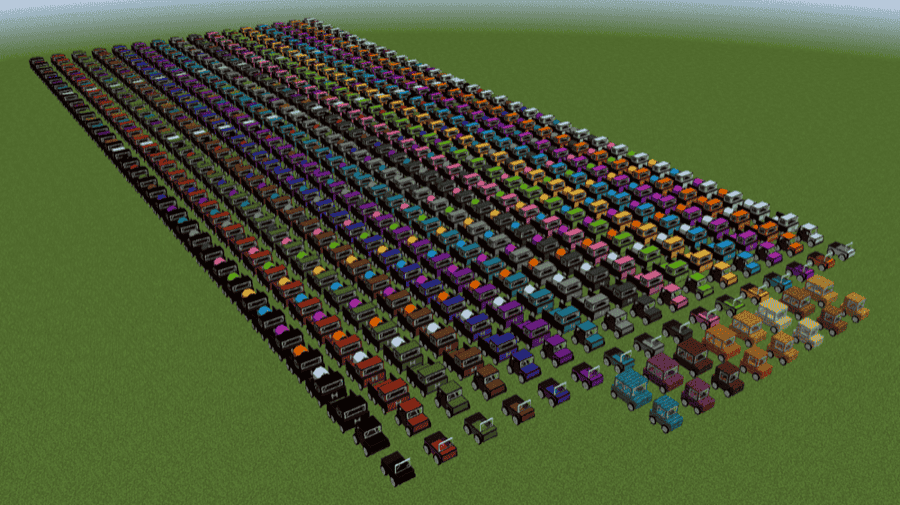
Ultimate Car Mod adds cars, road construction, and a biodiesel fuel system, so kids can build their own little towns and drive around them instead of just looking at the streets. The mod includes lots of vehicle options and supports things like car sounds, damage indicators, a speedometer and fuel gauge, horns, and luggage space, which makes vehicles feel like real projects they can build and take care of.
After you get fuel production going, road building becomes a fun creative loop in itself: different asphalt blocks, road markings, barriers, and custom signs make it easy for kids to design highways, racetracks, and neighborhood streets. The fuel side is a bit more involved since it is based on biodiesel production, so it works best for older kids or for younger kids playing with a parent who can help with the initial setup.
9. Chococraft
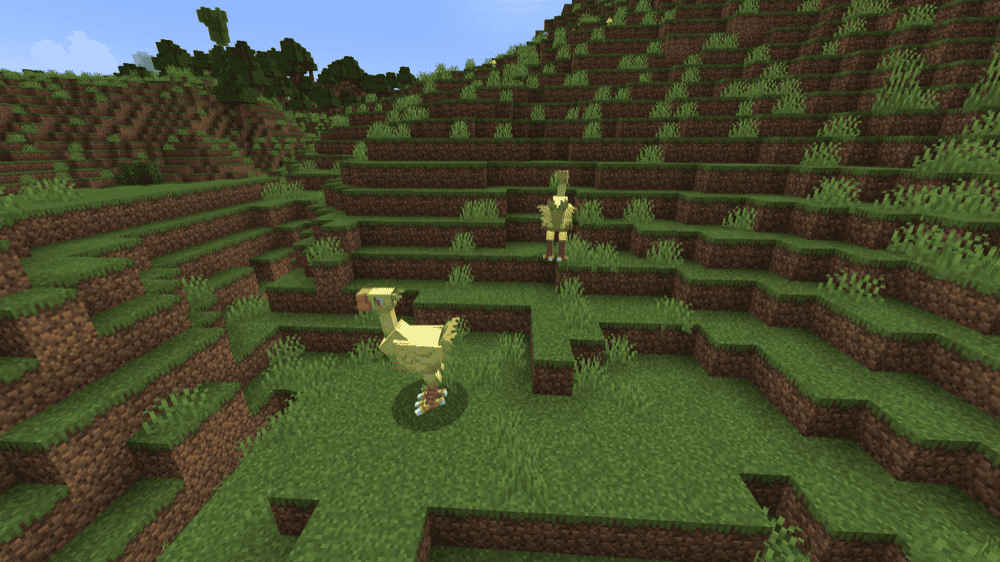
Chococraft adds Chocobos to Minecraft, including different colored types with different attributes in both grown-up and juvenile forms. For kids, it is a fun mix of cute creature collecting and simple care-taking, since you can find wild Chocobos and tame them using Gysahl Greens that you can also grow by planting Gysahl Seeds.
Breeding is a big part of this mod's long-term gameplay loop: Chocobos can have offspring called Chicobo, and Chicobos can inherit a parent type or mutate into new types, so kids can keep experimenting to discover more. If you want an in-game guide, installing Patchouli alongside can unlock more info through the Chocopedia.
10. Doggy Talents Next

Doggy Talents Next turns Minecraft wolves into a more companion-like buddy by making them smarter and more reliable when following you around the world. The mod leans into the pet adventure buddy fantasy with life-like animations, the ability to pet your dog, and lots of customization so kids can make each pup feel unique.
It also adds a training style loop where dogs can learn talents that range from helpful utilities to combat abilities, plus features designed to keep you from losing your pets, like tracking tools and ways to keep them at your side. That is great for kids who get attached to their animals and want their dog to feel like a real teammate.
11. More Babies
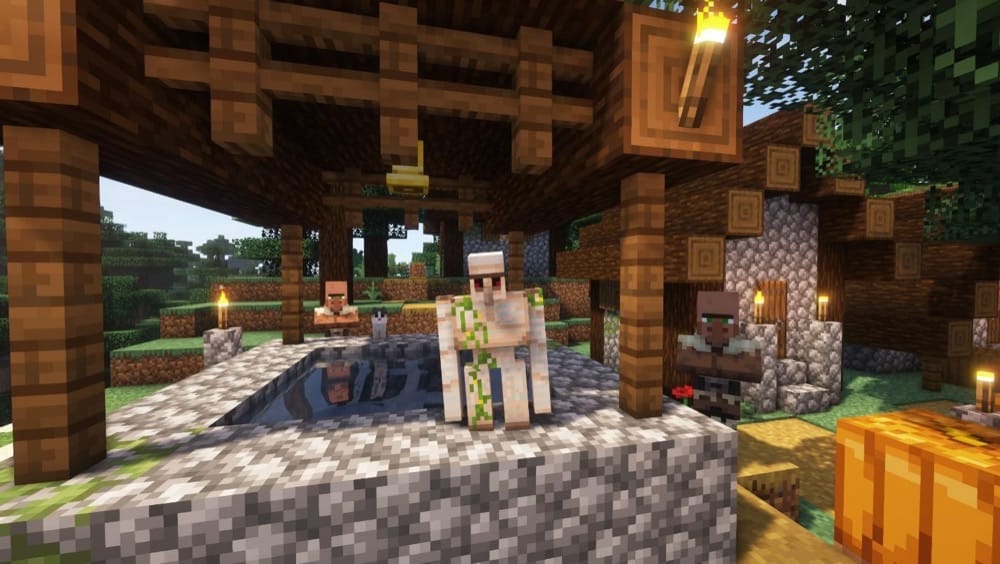
More Babies adds 33 new baby versions of mobs, so kids will keep running into "wait, why is that tiny" moments while exploring. The spawn chance is configurable (5 percent by default), and there is also a speed modifier setting (150 percent by default), so you can tune how often babies show up and how chaotic they feel.
The mod also includes two items, including the Cursed Clock On A Stick, which lets you convert between adult and baby mobs, making it a fun pick for creative play and mob-spotting challenges. Just keep in mind that some baby mobs can still be tricky to fight, so it works best when kids are exploring with good gear, playing on an easier difficulty, and therefore focusing on the cute discoveries over combat mechanics.
12. MOA DECOR: TOYS
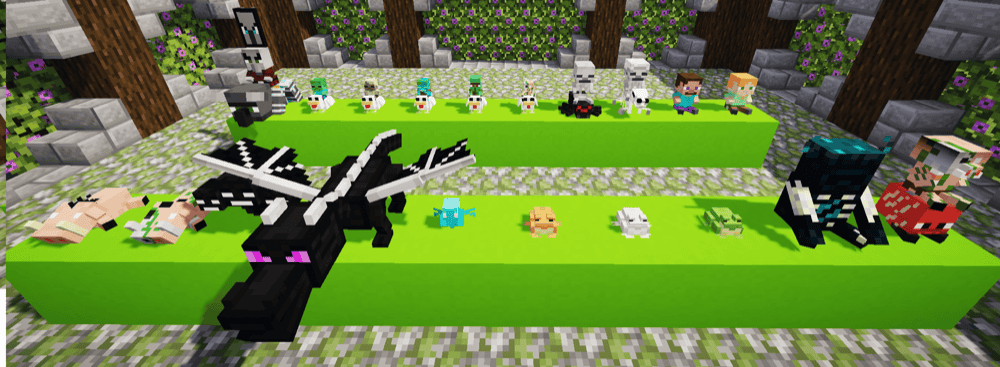
MOA DECOR: TOYS introduces toy-themed decorative models you can place in your builds, making it perfect for anyone (both kids and adults) who love adding plushies in their builds. It is designed to complement furniture mods by giving you a big pile of extra props to tell stories with.
Crafting is simple and survival-friendly: combine lime dye and an emerald to get 9 Toys Gems, then use those gems with other materials to craft the toy decorations. On the whole, this mod adds 191 different items in total, so kids can keep collecting new decor pieces and make their base decoration as their long-term goal rather than something to do on the side.
13. Playdate
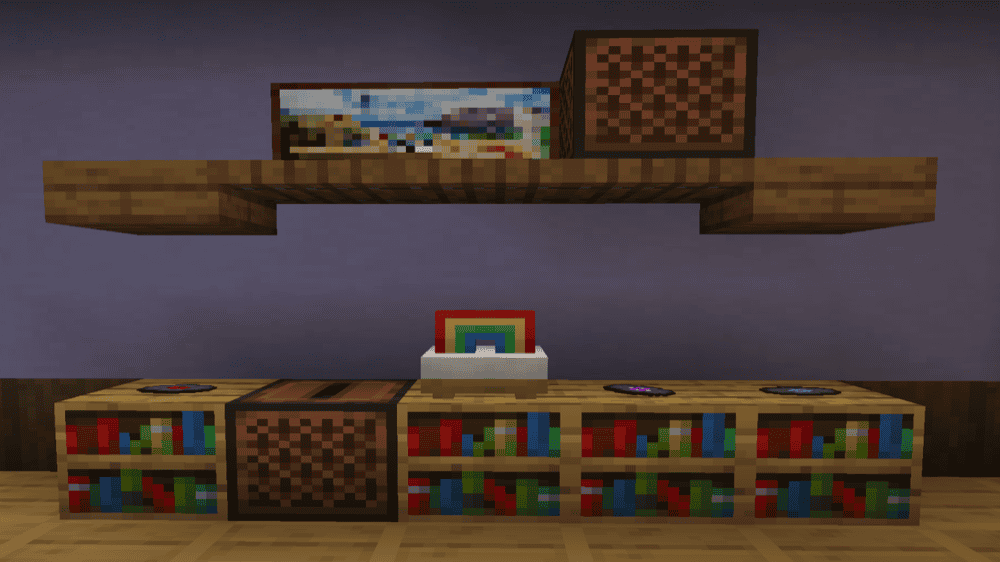
Playdate is a vanilla-style decor mod that adds lots of toy-themed blocks so kids can build rooms that feel like play spaces, like a child's bedroom, a classroom corner, or a toy shop. The horror aspect was removed as of the 1.19 release, so the vibe stays focused on playful decoration.
Instead of using a regular crafting table, toys are crafted using a dedicated Toy Bench, which helps keep the toy recipes organized and makes it easier for kids to understand what is for toys versus what is for survival progression. If you want the smoothest recipe viewing experience, pairing it with JEI or REI makes learning the recipes much simpler.
14. Adorable Hamster Pets

Adorable Hamster Pets adds hamsters with over 70 fur variants, cheek pouch inventories, lots of animations, and unique personalities, which makes it a fun "collect them all" pet mod for kids who love cute companions. Hamsters can ride on your shoulders or head, help reduce inventory clutter with their cheek slots, and even sniff for diamonds while you explore.
The mod also has a goofy action move called Hamster Yeet, where you press "G" to launch a shoulder hamster as a projectile, turning exploration into a silly mini game when kids want something more playful than mining. If you want a clearer learning path, the mod includes a custom advancement tree and an in-game guidebook through its Patchouli support.
15. Bouncing Balls
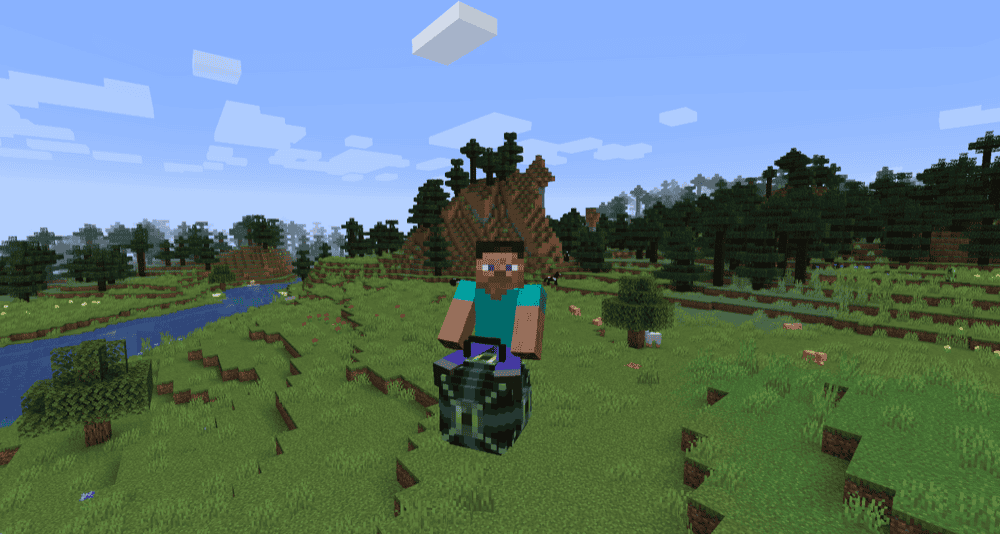
Bouncing Balls lets you hop around the world on bouncing balls to reach higher places more easily, and it significantly reduces fall damage, which is great when kids miss jumps or get a little too brave with parkour. Some balls can even float in water and lava, so exploring feels more playful and less punishing.
To use a ball, simply hold and right-click it. Crafting in this mod is simple, too: just put a slime block in the center of the crafting grid and surround it with another material to make a ball.
How to Install Mods
How to Install with the CurseForge App
- Open CurseForge → Minecraft and create a profile with the mod loader and version you need (Fabric, Quilt, NeoForge, or Forge).
- In the profile screen, click "Add More Content" (or open the three dots menu next to "Play" and choose "Add More Content").
- Click on "Add More Content" from the available options.
- Search for the mod you need and click "Install".
- Play from the CurseForge app.
How to Install Mods Manually
- Install a mod loader that matches your Minecraft version (Fabric, Quilt, NeoForge, or Forge).
- Run the installer to add a new profile in the Minecraft Launcher.
- Download the mod’s .jar file from its project page. Make sure both the Minecraft version and loader version match.
- Drop the .jar into the mods folder inside your ".minecraft" directory (create the folder if it doesn’t exist).
- Launch Minecraft using the new loader profile.
Note: Make sure to check if the mod has been recognized by the game. On the title screen, click “Mods”. If the mod lists any required dependencies (like Fabric API), install those too. Please also note that if using Fabric, the "Mods" button will only appear if the "Mod Menu" mod is installed.
Common mods folder locations:
- Windows: %AppData%\.minecraft\mods
- macOS: ~/Library/Application Support/minecraft/mods
- Linux: /home/<your-username>/.minecraft/mods
Common Issues and Quick Fixes
The game crashes on launch or a mod does not show up in-game
Most of the time, this comes down to one of three things: the wrong mod loader, the wrong Minecraft version, or a missing required library. Double-check that every mod matches your loader (Forge, NeoForge, Fabric) and that all mods are for the exact same Minecraft version. If you are using Fabric, make sure Fabric API is installed because many Fabric mods rely on it.
My game feels laggy or unresponsive
If you use multiple mods that are all adding new entities, this could quickly become demanding for your system. JEI and any other block-adding mods in particular can be heavy on the RAM usage, so make sure that you’ve allocated enough RAM to the game.
JEI is installed, but recipes are missing on a server
If you are playing on Minecraft 1.21.2 or newer, recipes are stored on the server, not the client. That means JEI needs to be installed server-side too so recipes can sync to the client properly.
Biomes O’ Plenty biomes are not generating
This is almost always a missing required dependency for your Minecraft version. For 1.18 and above, TerraBlender is required, and for 1.20.4 and above GlitchCore is required (plus Fabric API on Fabric). Once those are in, generate a new world to test, since worldgen mods will not apply to areas that are already generated (though you can still explore new chunks to find the new biomes in an existing world).
Keybinds do nothing or two mods use the same key
This happens a lot in modded Minecraft, and it is an easy fix. Go to "Controls" and search for the key name, then rebind one of the conflicts.
- JEI commonly uses keys like "R" and "U" for recipes and uses.
- Xaero’s Minimap uses keys like "B", "U", "Y", and "Z" depending on the feature.
If a kid is using a smaller keyboard or playing on a laptop, rebinding a few keys to nearby buttons can make the whole setup feel smoother.
Xaero’s Minimap crashes or acts weird after adding extra add-ons
You should avoid using XaeroPlus with Xaero’s Minimap. The author warns it is not affiliated, can cause critical untrackable bugs and crashes, and is allegedly linked to a server griefing group that can put server builds at risk.