If you are the kind of player who names your wolf, builds it a bed, and then panics the second it takes fall damage, pet mods are your next obsession. These mods turn companions into real sidekicks – all the cute, helpful, and weird little guys you’ve collected on your travels now finally get to have their own end game!
This list rounds up pet mods that are popular on CurseForge, so you can grab a new buddy fast – whether you want more critters to collect, smarter tameables that feel less janky, or companions with a unique vibe to them.
1. Critters and Companions

Critters and Companions adds a bunch of vanilla-style overworld animals that feel like they could have shipped with the game, like otters, ferrets, koi fish, dumbo octopuses, sea bunnies, dragonflies, red pandas, shima enaga, and jumping spiders. A lot of them come with useful perks, like koi groups giving you Luck and dumbo octopuses helping you out when you are drowning.
But perhaps some of the best companion moments come from the tameables. Ferrets can be tamed with raw rabbit and will dig for loot on a timer, dragonflies can be tamed with spider eyes and will protect you (plus you can give them armor), and red pandas can be tamed with sweet berries and can scare away most aggressive neutral mobs.
2. Domestication Innovation
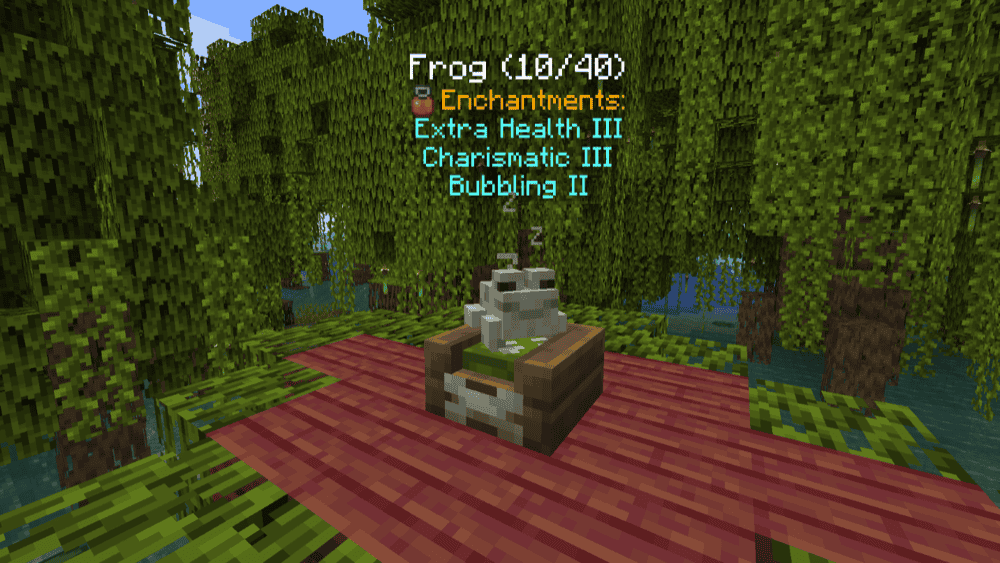
Domestication Innovation turns taming pets into a real playstyle instead of a cute side activity. The mod improves tameable mobs from vanilla and can also apply to tameables added by other mods, then stacks on extra pet-focused systems like pet beds, pet commands, and a full Pet Enchanting setup so your companions stay useful as your world gets harder.
If you want pets that actually come with you, this one is built for that. You get things like Wander, Stay, and Follow states for multiple vanilla animals, protections that help you fight alongside your pets without accidentally hitting them, and more tameable options like axolotls, foxes, rabbits, and frogs so your pet lineup does not have to be just wolves and cats.
3. Petrock
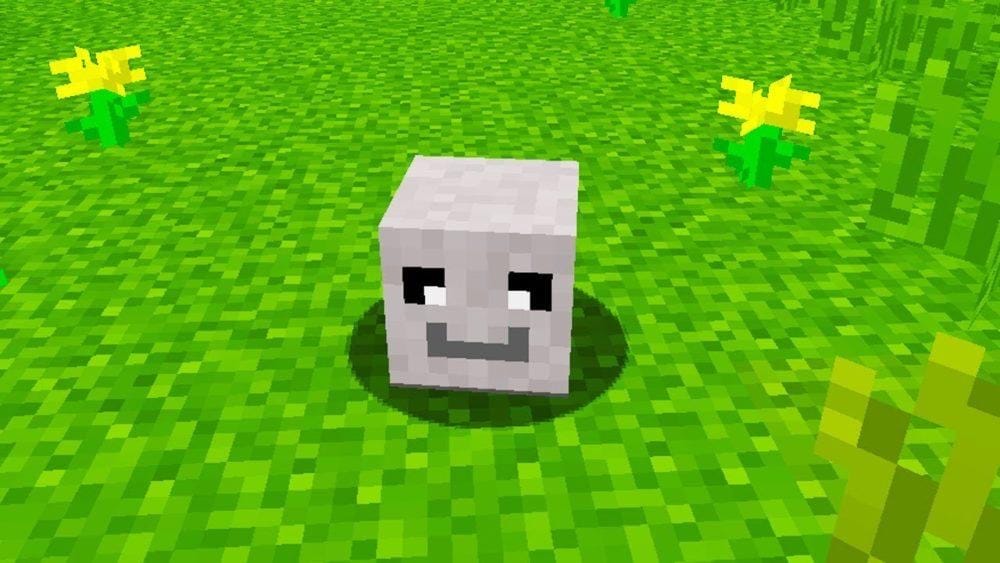
Petrock gives you a pet rock companion that is meant to be simple and low-maintenance. The pitch is basically that you do not need to feed it, walk it, groom it, or worry about it running off, making it perfect for players getting their toes wet with their first pet-focused world.
You start by getting a pet rock in a box, then you can spawn an untamed pet rock and tame it using Stoneium from Stoneium Ore. If it takes damage, Rock Kibble is the mod’s way to heal it back up.
4. Doggy Talents Next

Doggy Talents Next turns wolves into the kind of companion you actually want to bring everywhere. It focuses on making your dogs smarter and more reliable, with a big emphasis on keeping them alive in the places pets usually struggle like cliffs, lava, and underwater situations.
The mod also leans hard into the fun side of having a pet in Minecraft, with immersive dog animations, petting interactions, lots of dog outfits, and a talent system that lets you train your dogs for utility and combat.
5. Player Companions

Player Companions adds a lineup of companion creatures that are meant to stick with you and actually do things besides just looking cute. This mod focuses on helpers that follow, protect, or support you, with different companion roles like collector, follower, guard, and healer, plus multiple variants and colors so your crew does not all look the same.
A big part of the vibe here is building your own little squad: some companions are designed to defend you, while others lean into utilities like picking up items or lighting your path. You can also spawn and de-spawn them using their corresponding companion item, which makes it easy to swap out companions as you go depending on what you are doing.
6. Faunify
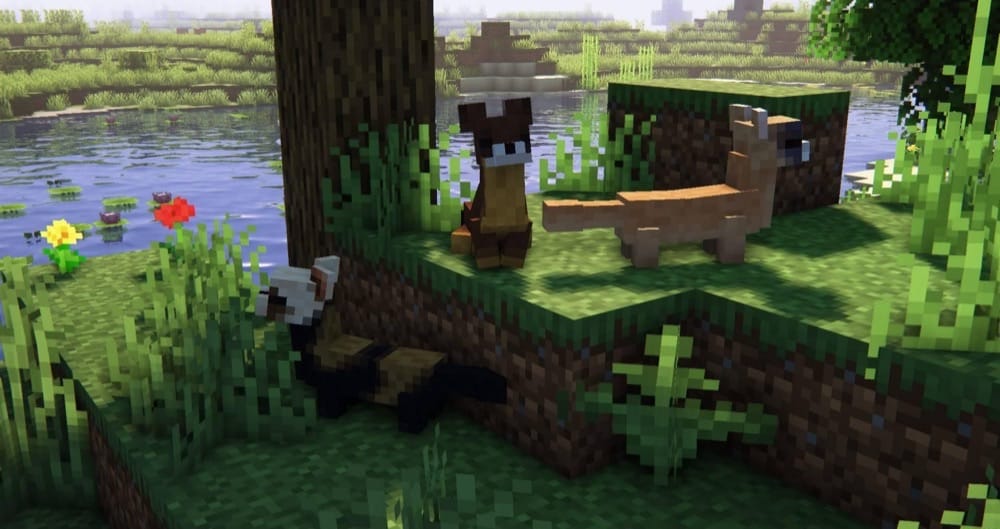
Faunify adds a small collection of cute, tameable animals that feel right at home in a survival world, plus a big batch of ambient critters to make biomes feel busier. It is the kind of pet mod you install when you want more companions in your day-to-day loop, but not a full-on overhaul.
The tameables have their own little pet personality hooks: weasels can be tamed with raw rabbit and dig for resources, chinchillas can bathe in gravel and turn it into Dust you can use against monsters, fennec foxes can be tamed with raw chicken and warn you about nearby mobs, and ringtail cats can tag along on mining trips and give you Haste.
7. Pet Shop
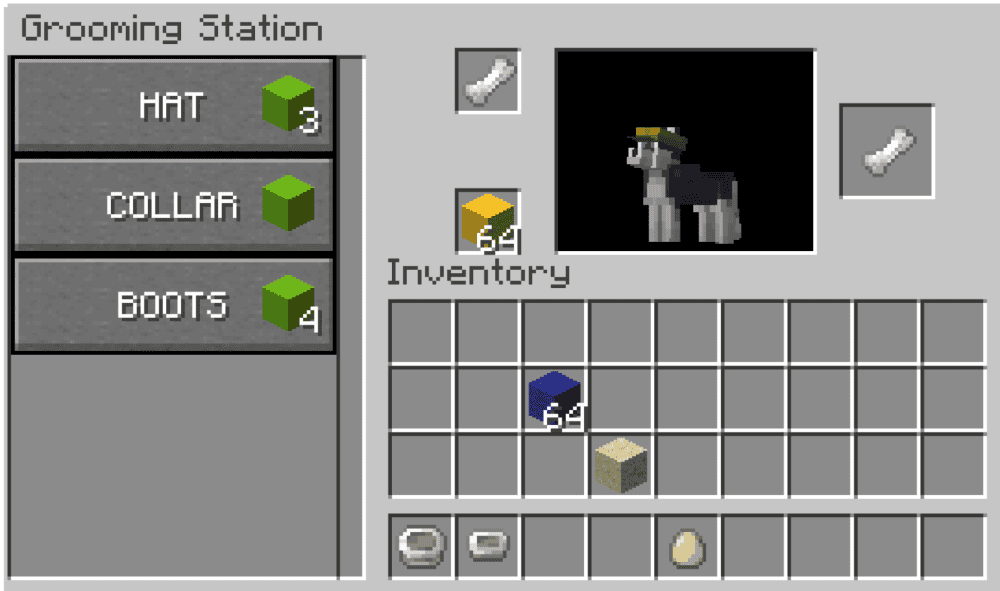
Pet Shop is a mod that adds a pet shop to villages so you can adopt custom pets instead of relying on random spawns. It includes multiple pet categories you can pick from, including cats, dogs, parrots, dragons, and a miscellaneous group, with the goal of making them feel like proper companions through animations and more involved behavior.
Pets come with different interaction loops like mode switching (Stay, Follow, Wander), care systems like hunger and thirst, and extra activities like sleeping in pet beds and playing fetch. It is a great fit for a pet mods list because it is built entirely around the day-to-day experience of owning pets in Minecraft.
8. Ghosts
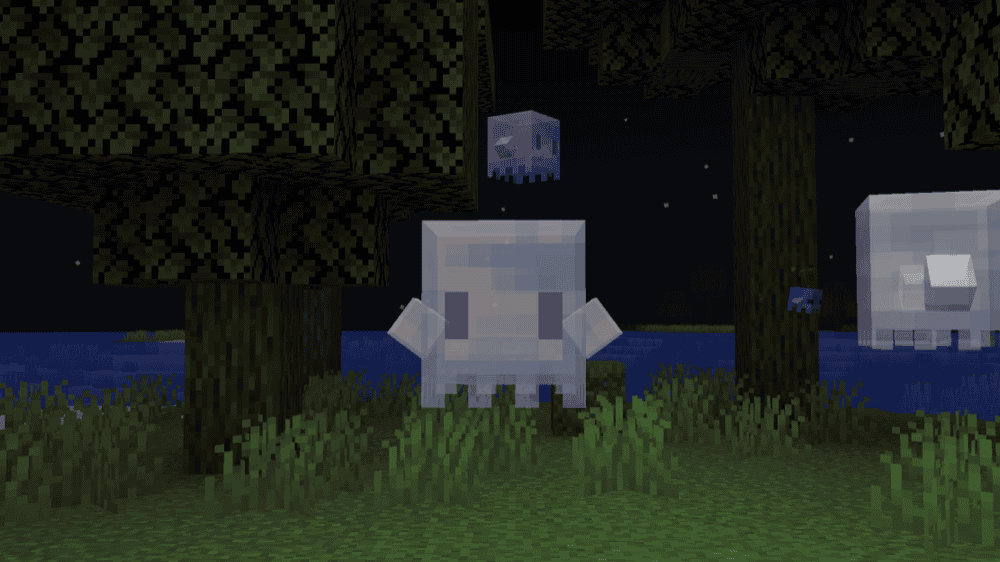
Ghosts adds forest ghosts you can tame with glow berries and then “equip” by handing them items so they help out in very specific ways. A tamed ghost can place torches in dark areas, trigger a Totem of Undying for you, or strip a random enchantment off an enchanted item and pay you back in XP in a grindstone-style tradeoff.
The mod also expands the vibe past just one companion type, with seedling ghosts that plant saplings, kodama that trade saplings for amethyst shards (including haunted saplings), and haunted trees that introduce haunted eye blocks for entity-detecting redstone setups.
9. Adorable Hamster Pets

Adorable Hamster Pets adds hamsters that are pure chaos in the best way possible, with a huge set of fur variants, loads of animations, and little personality touches that make them feel like actual tiny companions instead of background mobs. It leans into the full pet fantasy – more than just cute, your pets are also interactive, expressive, and constantly doing something.
You can carry them on you, use them for perks like sniffing out diamonds, and even stash items in their cheek pouch inventory when you are out and about exploring. It also has a wander mode tied to hamster beds, which is perfect when you want your rodents living their best base life instead of simply tailing you everywhere.
10. Polly’s Pets
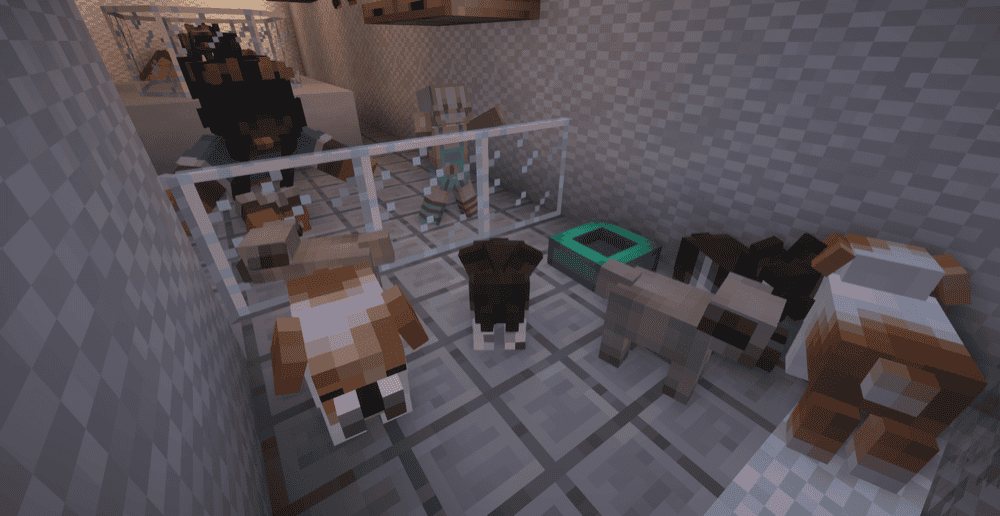
Polly’s Pets is all about filling your world with more pets to tame and collect, with a big focus on everyday companions like dog breeds, kitty breeds, and smaller critters like hamsters and ferrets. It is the kind of mod that makes your base feel instantly more alive because there is always a new friend to hunt for, tame, and bring home.
Dogs can be tamed and bred with raw beef, cats with raw salmon, hamsters with beetroot seeds, and ferrets with raw chicken, but only once they are adults, so you have to raise them up instead of speed-running a full pet army in five minutes. There are also extra creature types like snakes, plus pet furniture like dog houses, pet bowls, and litter boxes to lean into the full pet owner vibe.
How to Install Mods
How to Install with the CurseForge App
- Open CurseForge → Minecraft and create a profile with the mod loader and version you need (Fabric, Quilt, NeoForge, or Forge).
- In the profile screen, click "Add More Content" (or open the three dots menu next to "Play" and choose "Add More Content").
- Click on "Add More Content" from the available options.
- Search for the mod you need and click "Install".
- Play from the CurseForge app.
How to Install Mods Manually
- Install a mod loader that matches your Minecraft version (Fabric, Quilt, NeoForge, or Forge).
- Run the installer to add a new profile in the Minecraft Launcher.
- Download the mod’s .jar file from its project page. Make sure both the Minecraft version and loader version match.
- Drop the .jar into the mods folder inside your ".minecraft" directory (create the folder if it doesn’t exist).
- Launch Minecraft using the new loader profile.
Note: Make sure to check if the mod has been recognized by the game. On the title screen, click “Mods”. If the mod lists any required dependencies (like Fabric API), install those too. Please also note that if using Fabric, the "Mods" button will only appear if the "Mod Menu" mod is installed.
Common mods folder locations:
- Windows: %AppData%\.minecraft\mods
- macOS: ~/Library/Application Support/minecraft/mods
- Linux: /home/<your-username>/.minecraft/mods
Common Issues and Quick Fixes
The game will not launch at all
Most launch failures come down to a mismatch between your Minecraft version, your mod loader, and the mod file you downloaded. Start by checking if the mod page supports your exact loader (Forge, Fabric, NeoForge, or Quilt) and if you grabbed the right file for your Minecraft version.
Missing dependency or library mod errors
Some mods require extra library mods to load. If a required dependency is missing, Minecraft usually tells you at launch with an error that names the missing mod. The fix is simple: install the required dependency listed on the mod’s Relations or Dependencies section, then relaunch.
Fabric performance mods and rendering add-ons
If you use Sodium on Fabric, some setups also mention Indium because it provides Fabric Rendering API support for mods that rely on advanced rendering features like Doggy Talents Next.
Crashes after adding one new mod
If the game was fine and then crashed right after you added a mod, remove the last mod you added and launch again. If that fixes it, re-add it only after double-checking version, loader, and dependencies. This is also where mod conflicts show up, especially when multiple mods touch similar systems like AI, rendering, or worldgen.
Modpack launches but runs badly
If you can load into the world but it stutters, freezes, or takes forever to load chunks, the issue is usually tied to hardware. The most common culprits are not enough allocated RAM for the pack, corrupted files, or a heavy set of mods fighting for performance headroom.