
If you want Minecraft to feel less like a game world and more like a place, realism mods are the easiest way to get there. These picks lean into believable rules and details – light that needs maintaining, seasons that affect the land, animals and mobs that behave more naturally, and physics that makes explosions, trees, and movement feel heavier. Some are subtle immersion upgrades, others reshape survival into something closer to a survival run that feels more true-to-life.
1. Realistic Torches
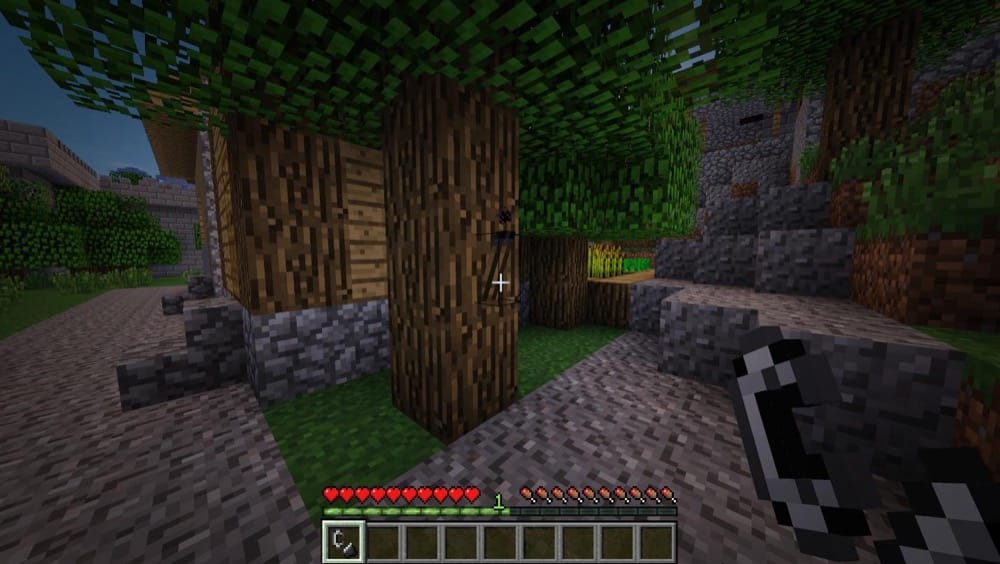
This mod makes early survival tougher by turning torches into a limited resource. Crafted torches start unlit, so you'll need a matchbox or flint and steel to light them, and they can burn out over time (60 minutes by default) or get extinguished by rain. Even torches in vanilla structures show up unlit, so you can't rely on free lighting. The good news is you can upgrade to permanently lit torches using glowstone, so your lighting gets more reliable as you progress.
2. Realistic Bees
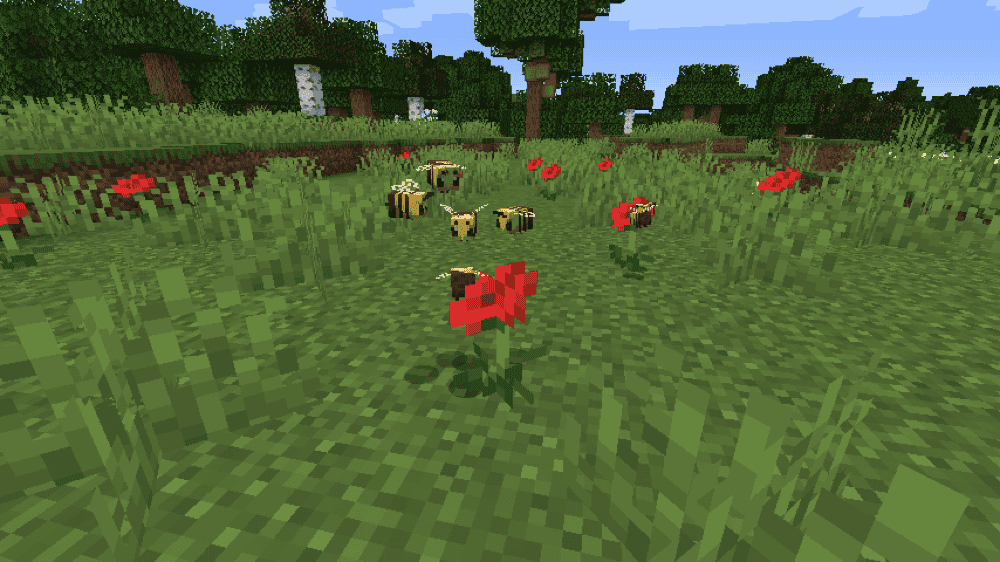
This mod tweaks vanilla bees to feel more natural without adding new items. Bees are smaller by default (25% size), hives can hold way more bees (20 instead of 3), and natural bee spawns can create extra bees so they're not so rare. It's also nicely configurable, so you can keep the tiny-bee vibe, scale them back to normal size, or just use the spawn/hive changes.
3. Realistic Horse Genetics
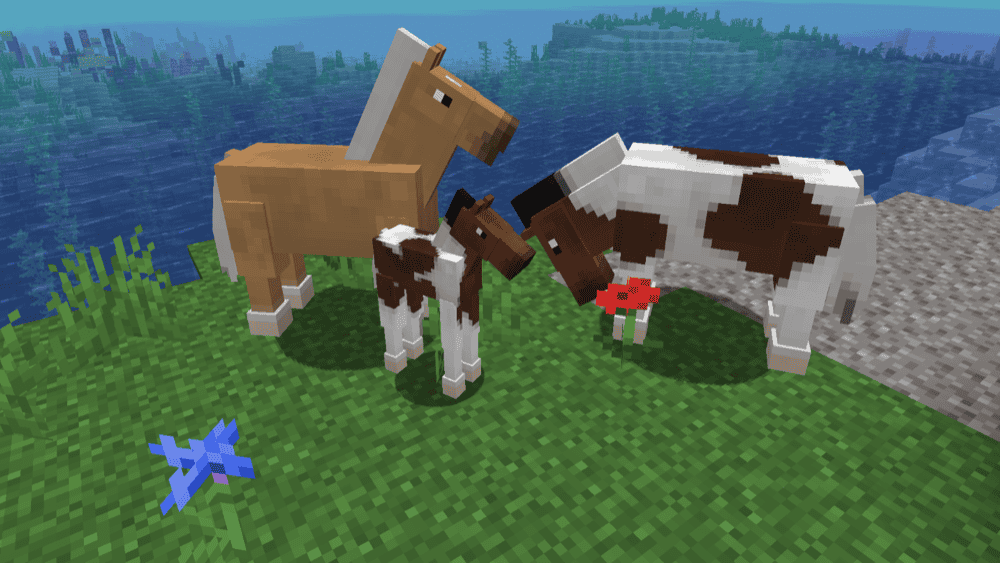
This mod adds biologically accurate genetics to horses, donkeys, and mules, so breeding becomes something you can actually work toward instead of pure luck. Coat colors follow real gene behavior (including recessives), and stats like speed, health, and jump strength are influenced by genetics too, meaning good breeding can produce genuinely better horses over time. It also adds size variation (so you can end up with anything from mini horses to big draft-style builds) and lets you check detailed traits by right-clicking a tamed horse with a book.
4. Realistic Terrain Generation
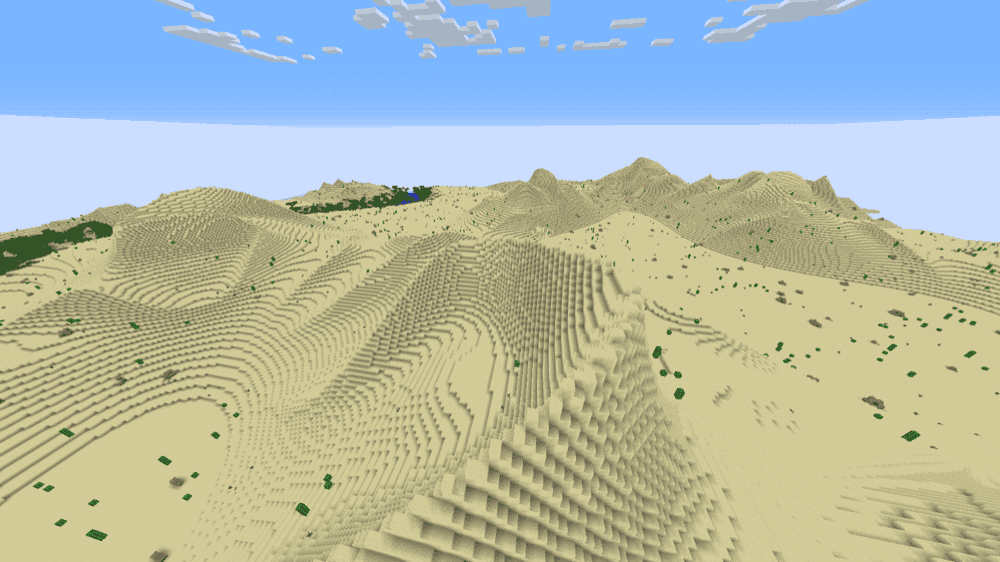
Realistic Terrain Generation adds a new world type that reshapes the Overworld into more natural-looking landscapes, without adding new blocks, mobs, or biomes. Instead, it upgrades the terrain for existing biomes (including modded ones). Making landscapes feel more natural, with shapes and elevation that better match real-world terrain.
5. Steve's Realistic Sleep
This mod changes sleeping from a hard skip to morning into a smoother system that speeds up time while you sleep. Nights pass naturally instead of instantly flipping to day, which keeps the world feeling consistent, especially on servers where time skipping can get messy. It also supports the vanilla "PLAYERS_SLEEP_PERCENTAGE" gamerule, so you can control how many players need to sleep before time speeds up. It won't play nicely with mods that heavily change sleeping (sleep voting or sleep mechanic overhauls), but mods that just add wake-up effects usually work.
6. Physics Mod
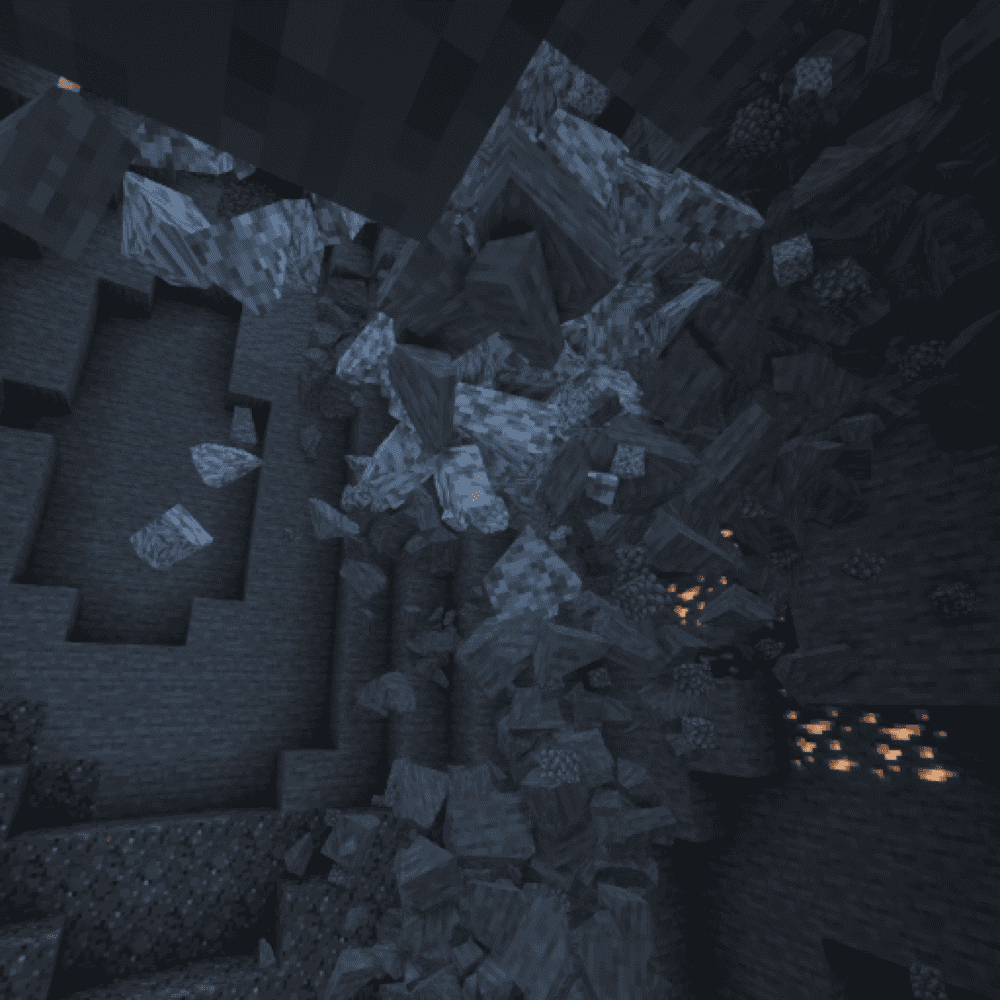
Physics Mod is all about making Minecraft feel less "static." It adds real physics to both mobs and blocks, you'll have ragdoll mobs, fractured/blocky effects, and blocks that crumble instead of popping out cleanly. It also upgrades smaller details like item physics (no more floating drops) and lets you tweak gravity for different vibes, from low-grav moon jumps to heavier, grounded movement. If you want chaos, you can even push it further with collapsing structures, just keep in mind the more effects you turn on, the more performance can drop.
7. Presence Footsteps (Forge)
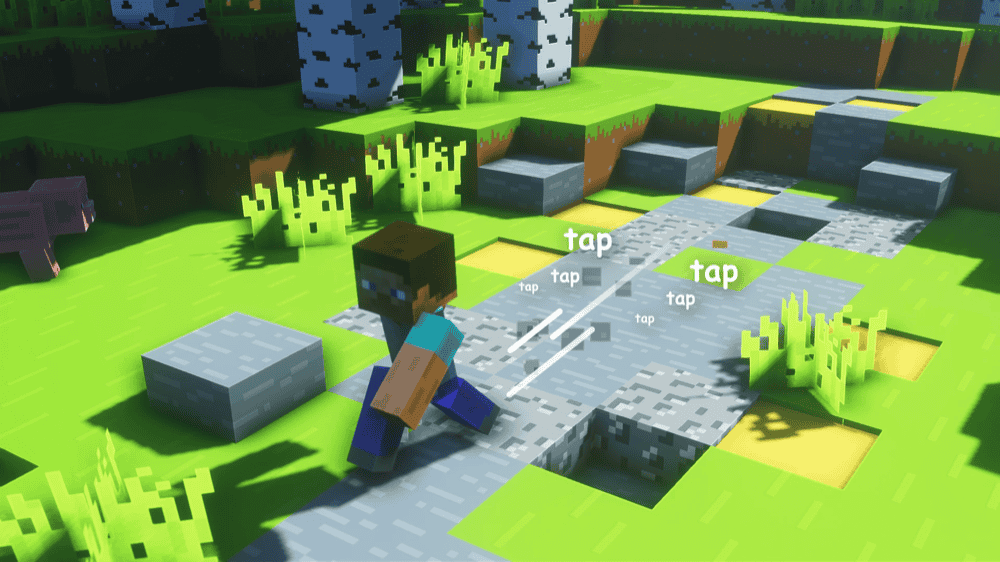
This mod improves footsteps and movement audio so the blocks you walk on actually sound different, making the world feel more alive without changing gameplay. It adds a lot of subtle immersion, caves feel tenser, forests feel calmer, and builds feel more real just from the soundscape. It's also available for a wide range of Minecraft versions, so it fits easily into most Forge/Fabric setups.
8. Panda's Falling Trees
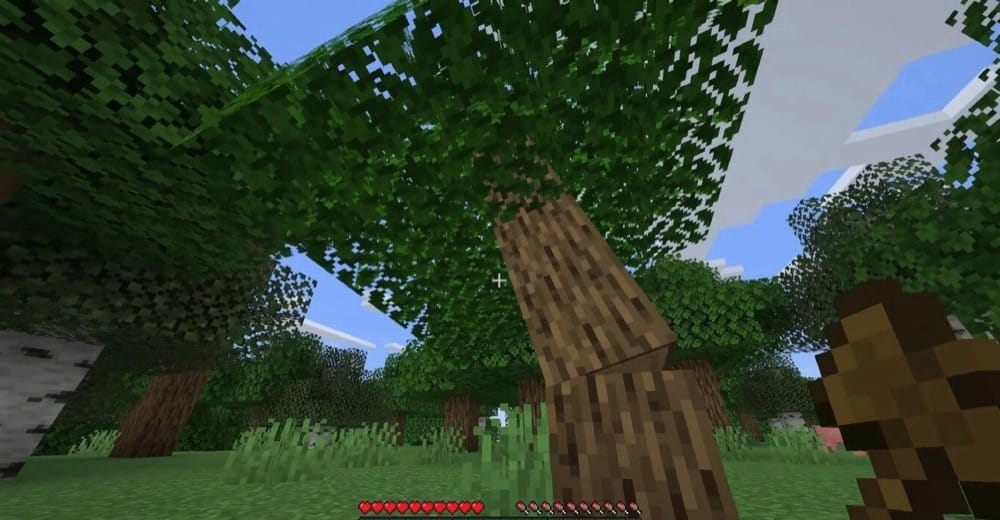
This mod makes chopping wood feel way more natural by having trees fall when you cut them, instead of leaving floating logs behind. It's a simple change, but it makes early-game gathering and big clearing projects much smoother. It also plays nicely with many modded trees – as long as their logs and leaves are tagged properly, the falling behavior should work the same way.
9. Legendary Survival Overhaul

This is a highly configurable survival overhaul mod that adds temperature, thirst, limb damage, and a revamped health system. Temperature reacts to the environment and your gear, with armor coatings and new items that help you handle extreme biomes. Thirst introduces a hydration bar that ties into temperature (heat makes you thirst faster), with options like drinking from water sources, purifying water, and using canteens. The limb system tracks localized injuries with real drawbacks, while the health overhaul adds bonus hearts plus mechanics like broken and shield hearts to balance the tougher difficulty. It also pairs well with Serene Seasons for full seasonal survival.
10. Serene Seasons
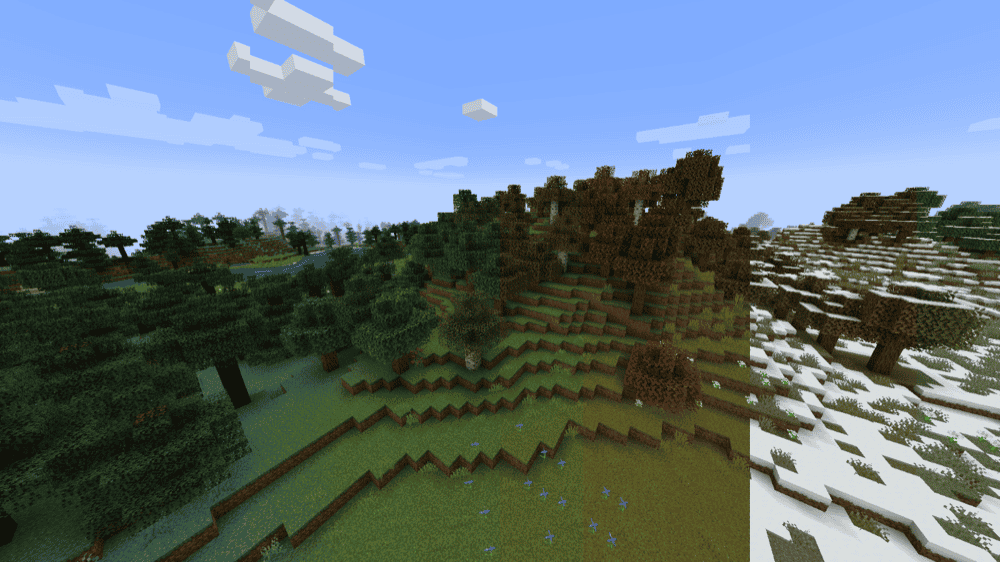
This mod adds a full seasonal cycle to Minecraft, changing grass and foliage colors through the year and shifting temperatures as seasons pass. Winter can bring snow to biomes that normally never see it, and seasons also affect things like crop growth and weather, which makes farming and long-term survival feel a lot more dynamic.
11. Weather, Storms & Tornadoes
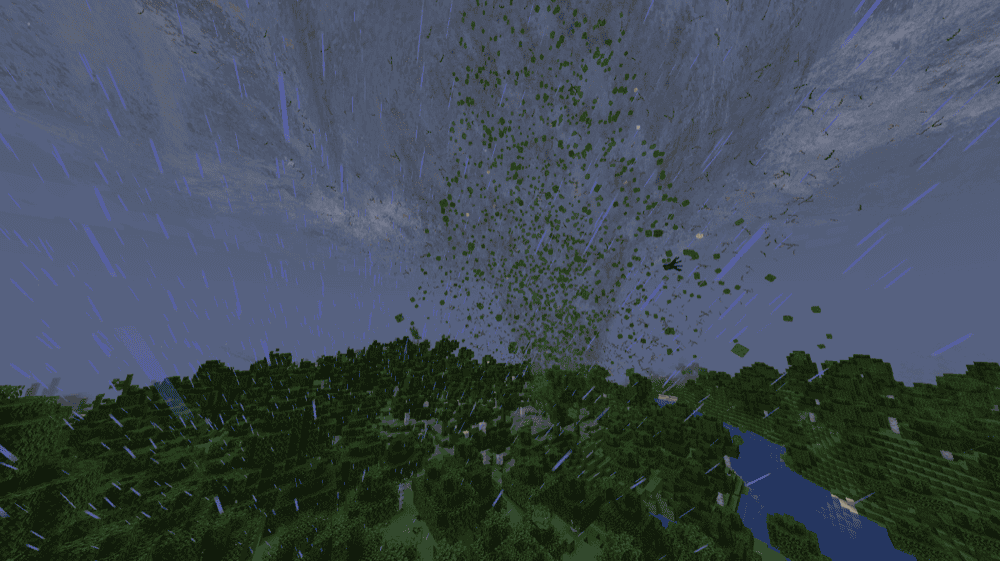
This mod replaces vanilla weather with localized storm systems you can actually see rolling in from a distance. It adds shifting particle-based clouds, wind-driven rain/snow, and bigger events like tornadoes, blizzards, and sandstorms, plus tools and blocks to track or control storms (like the forecast-related blocks and storm deflectors, depending on version). It's a great realism pick if you want weather to feel like a real threat and a real reason to build a smart shelter.
12. No Tree Punching
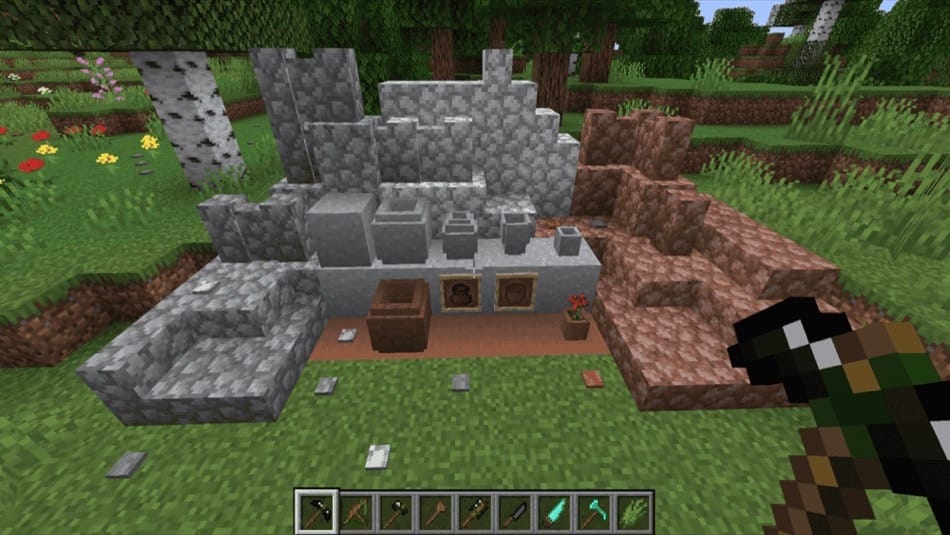
This mod makes the first day or two feel more believable by changing early progression, blocks won't drop items unless you use the right tool, so you can't just punch a tree and instantly start crafting. Instead, you start by gathering sticks from leaves, collecting flint from gravel, and knapping flint shards on stone to craft basic tools like a flint knife and flint axe – then you work your way up to a crafting table and proper gear. It also reworks a few vanilla recipes and adds practical early tools (knives, saws, mattocks) to keep progression consistent with the mod's survival vibe.
13. Fishing Real
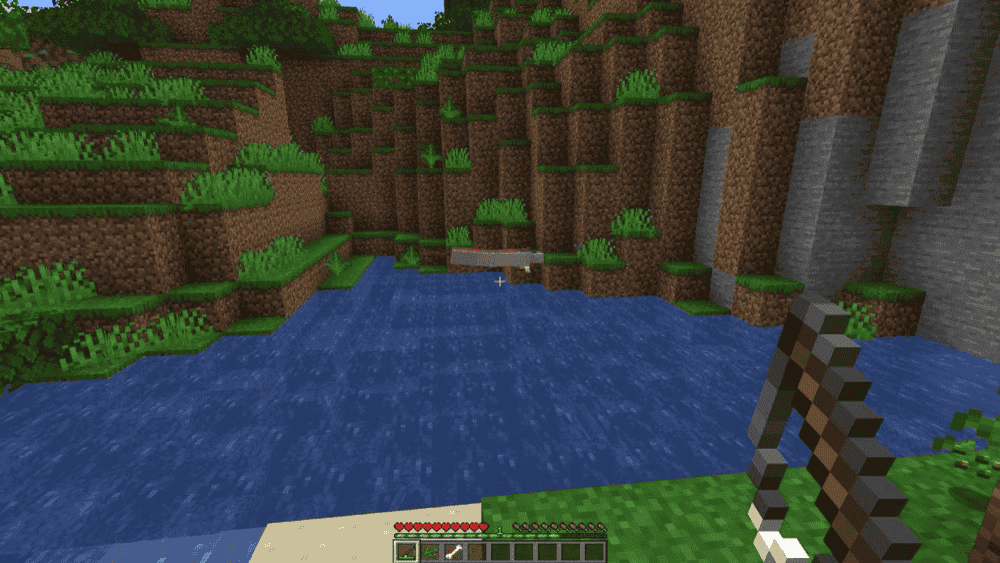
This mod makes fishing feel more like fishing by spawning live entities instead of giving you the item version. So if you would normally pull up a salmon item, you'll reel in an actual salmon entity instead. The best part is how customizable it is, the entire item-to-entity conversion system is datapack-driven, so you can add or change what gets fished up (and even set entity Named Binary Tag for specific variants) without needing another mod.
14. Eureka! Ships! for Valkyrien Skies
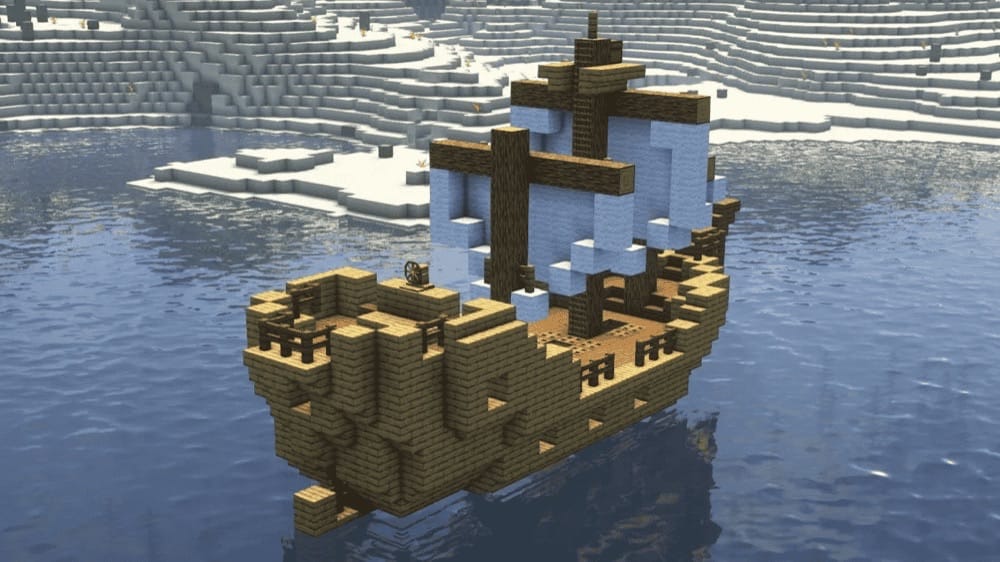
Eureka! is a Valkyrien Skies add-on that lets you build working ships and airships out of normal Minecraft blocks. You design your build like usual, place a Ship Helm, then shift + right-click to assemble. After that, your creation becomes a moving physics object instead of a static build. It keeps a vanilla-friendly feel and is designed to be easy to use, with ship helms applying stabilizing force so ship-building stays fun rather than overly technical.
15. MrCrayfish's Furniture Mod: Refurbished

This is the next-gen version of the classic furniture mod, rebuilt with new models, sounds, and gameplay features. It adds 440+ functional and decorative blocks to make bases feel properly lived-in, plus 70+ custom sound effects for extra immersion. The big upgrade is the electricity system, letting you power appliances, lights, and electronics, and it even includes fun utilities like a working mailbox and a computer with apps.
How to Install Minecraft Mods
How to Install with the CurseForge App
- Open CurseForge → Minecraft and create a profile with the modloader and version you need, Fabric, Quilt, NeoForge or Forge (depending on which mods you are looking to install).
- Open your profile and click the three dots next to "Play".
- Click on "Add More Content" from the available options.
- Search the mod you want and click "Install".
- Play from the CurseForge app.
How to Install Mods Manually
- Install a mod loader that matches your Minecraft version (Fabric, Quilt, NeoForge, or Forge).
- Run the installer to add a new profile in the Minecraft Launcher.
- Download the mod’s .jar file from its project page. Making sure both the Minecraft version and loader version match.
- Drop the .jar into the mods folder inside your .minecraft directory (create the folder if it doesn’t exist).
- Launch Minecraft using the new loader profile.
Note: Make sure to check if the mod has been recognized by the game. On the title screen, click “Mods” (or “Mod Menu” if you’re using Fabric). If the mod lists any required dependencies (like Fabric API), install those too.
Common mods folder locations:
- Windows: %AppData%\.minecraft\mods,
- macOS: ~/Library/Application Support/minecraft/mods
Common Issues & Quick Fixes
Game crashes on launch / stuck on “Loading…”
- Make sure every mod matches your Minecraft version and the same loader (Forge vs Fabric vs NeoForge).
- If you updated one mod, update its required libraries too (Framework, Fabric API, Cloth Config, Valkyrien Skies, CoroUtil, etc.).
- Quick test: remove half your mods, launch, then narrow down the conflict.
“Missing dependency” warning
- That usually means a required library mod isn’t installed. Re-check the mod page for “Requires” and install those.
Mod doesn’t show up in-game
- You likely installed the wrong loader file (Fabric file on Forge, or vice versa).
- Confirm you’re launching the correct profile in the launcher (or the correct CurseForge profile).
Worldgen changes aren’t showing (RTG / terrain mods)
- Worldgen mods usually only apply to new chunks. Start a fresh world or travel far enough to generate new terrain.
Weather2 storms look weird with shaders / fog effects missing
- Some shader setups change rendering in ways that can break certain storm visuals. If storms look off, try launching without shaders first, then re-enable and test.
Performance drops after adding realism/physics mods
- Physics-heavy mods can cause a noticeable performance drop depending on your settings. Turn down the most demanding options (block fracturing, collapsing structures, extra particles) and test again.
Multiplayer sleep isn’t working how you expect (Steve’s Realistic Sleep)
- Avoid combining it with other mods that alter sleeping mechanics (sleep voting/sleep overhauls).
- Use the vanilla gamerule playersSleepingPercentage to control how many players need to sleep.
Fishing Real isn’t spawning the entities you expected
- If you’re using datapacks, make sure the JSON is placed in the correct folder structure and reload datapacks after changes.
- Check for typos in item/entity IDs.
Eureka ships won’t assemble / won’t move
- Double-check Valkyrien Skies is installed and you’re using the correct dependencies for your loader/version (Forge vs Fabric).
- Assemble the ship exactly as intended (Ship Helm → shift + right-click) and test in a clean world if you’re troubleshooting conflicts.