Minecraft hits differently when your character actually moves like you expect. The right animation mods make small moments feel better – rowing a boat, sprint-jumping a hill, swinging a sword – heck, even just standing still in third-person.
So, whether you want subtle vanilla-style polish or a full combat makeover with big, readable attacks, the list below contains some of the most-downloaded animation mods on CurseForge.
Just note that when using animation mods, you may not use more than one animation mod per type (e.g. player, cape, mobs) unless a specific compatibility or a related add-on exists.
1. Not Enough Animations
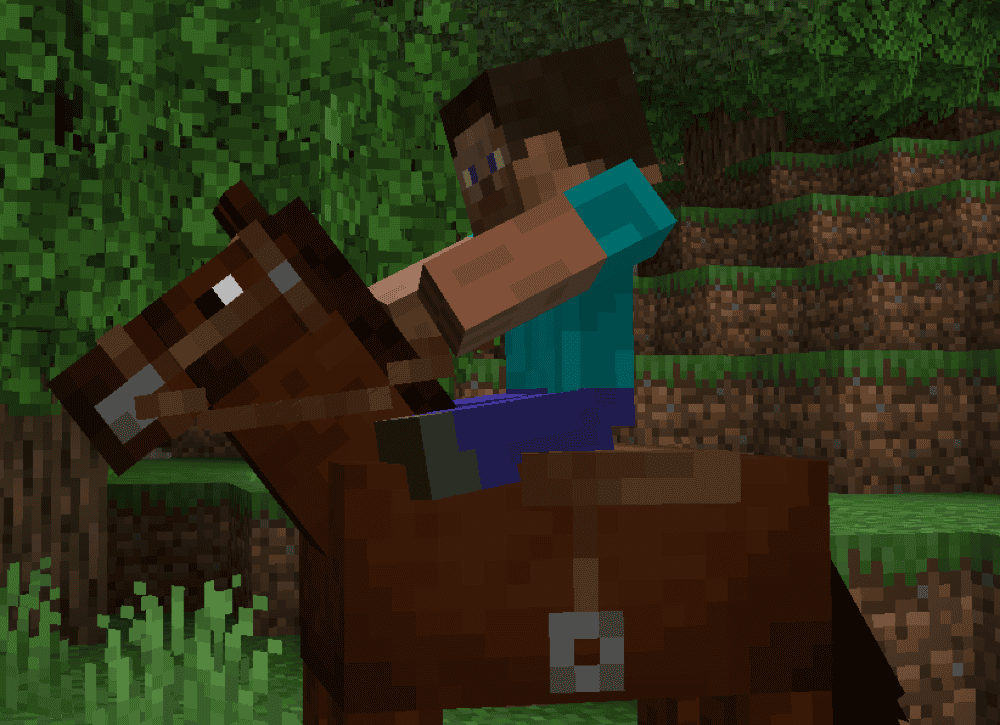
Not Enough Animations brings first-person actions into third-person by adding and fixing a bunch of missing animations, so your character looks like it is actually doing what you are doing. That includes things like eating and drinking, rowing a boat, climbing ladders, crawling on land, as well as smoothing arm transitions.
The mod also tweaks a few classic visuals so they feel more natural, like shields lining up with where you are looking, plus cleaner handling for two-handed actions and small touches like checking a compass or clock.
2. Better Combat
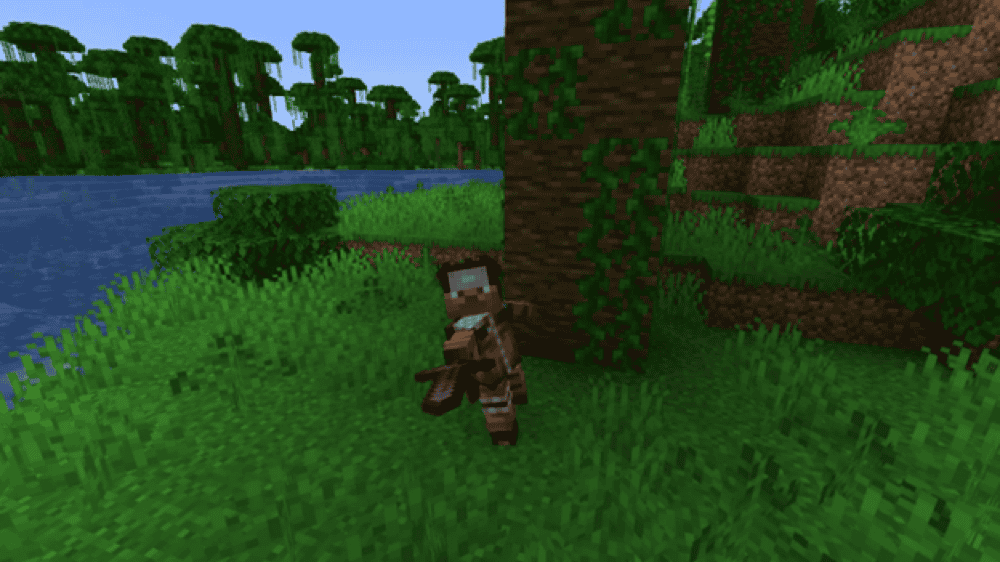
Better Combat brings Minecraft Dungeons-style melee combat into Minecraft with fancy attack animations for one-handed, two-handed, and dual-wield setups. It also adds weapon combos for certain weapons and a more natural swing timing, where attacks have an upswing before the hit lands.
The mod also feels cleaner moment to moment thanks to collision detection that reduces cursor pixel hunting, plus features like reworked Sweeping Edge behavior, hold-to-attack on cooldown, and options like swinging through grass. If you like third-person fighting, this is one of the most animation-forward ways to make it feel good.
3. Mo' Bends
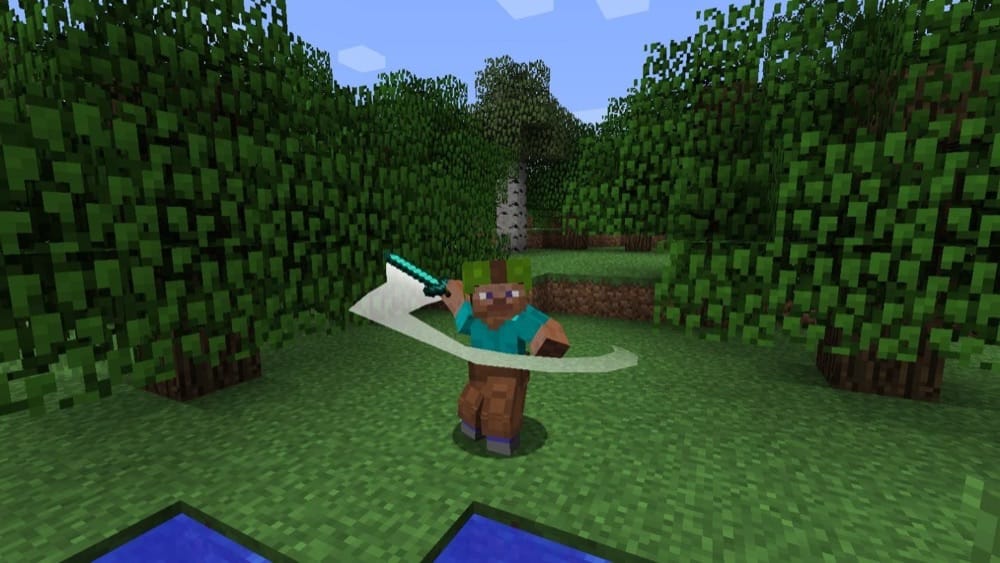
Mo' Bends replaces stiff, rigid movement with more expressive animations for both players and a few classic mobs, so the game looks way more alive even when you are just running around. It updates a lot of the basics like sprinting, jumping, swimming, sneaking, archery, and climbing ladders, plus combat swings like sword slashes and fist punches.
In addition to player animations, the mod also adds animations for mobs like spiders, skeletons, and zombies, with extra visual flair like arrow and sword trails that make fights look more dramatic.
4. Epic Fight
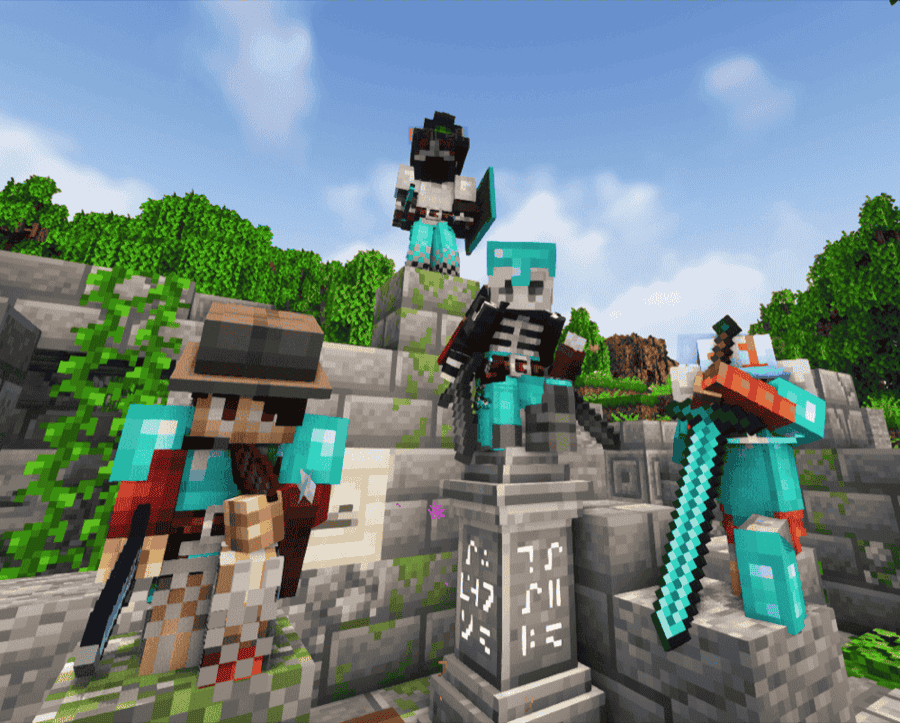
Epic Fight turns Minecraft combat into a soulslike-style system with its own animation handling, so fights look and feel completely different from vanilla. Its core feature lies in battle mode, which enables dodging, special attacks, and weapon-dependent fighting styles, with combat built around timing and committed swings instead of simple click-for-click trading.
The mod also adds new combat-focused attributes on weapons that could re-shape how encounters play out, like impact and stun behavior, stamina-based skills, and restrictions for two-handed weapons. If you want animation-first combat where every hit has weight and every weapon has a distinct rhythm, this is one of the biggest upgrades you can install.
5. Better Animations Collection
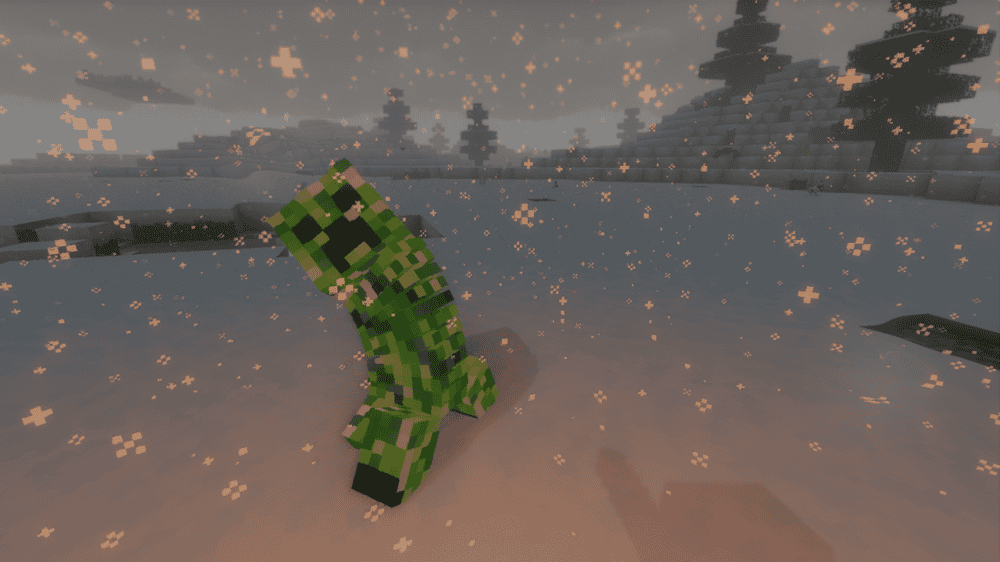
Better Animations Collection tweaks vanilla's models by giving mobs and animals subtle animation upgrades. It is not trying to turn Minecraft into a different game, instead focusing on small touches like oinking pig noses, squiggly squid movement, wiggly villager noses, and breathing extra life into common animals like cats, ocelots, wolves, cows, chickens, llamas, and horses.
A lot of these changes are of the kind you can't go without once you have them, like tails that flow and wag, mobs that react a bit more naturally, and little physics effects that add atmosphere without turning every fight into a cutscene. If you want animation upgrades that still feel vanilla-friendly, this one is really a no-brainer.
6. ParCool!
7. Wavey Capes
8. Animation Overhaul
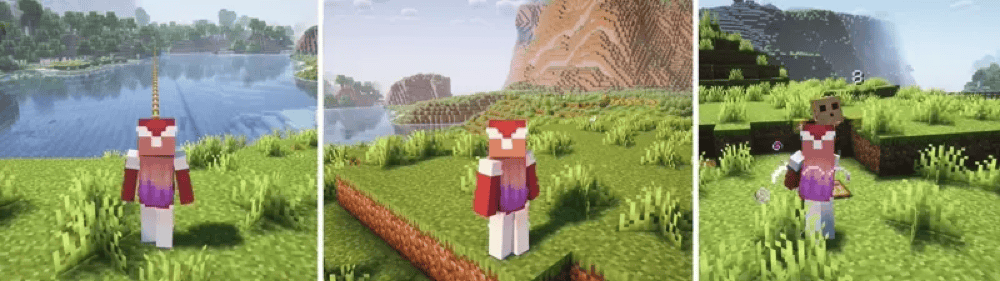
Animation Overhaul overhauls player animations with smoother movement that makes routine Minecraft actions, like getting around and fighting, look less stiff and more natural. It is built to be configurable, letting you enable specific animations and tweak things like speed and transitions if you need to – or outright replace them if needed.
The mod heavily leans into compatibility, with special support for other popular animation mods like Better Combat, Emotecraft, and Spell Engine.
9. JumpAnimation
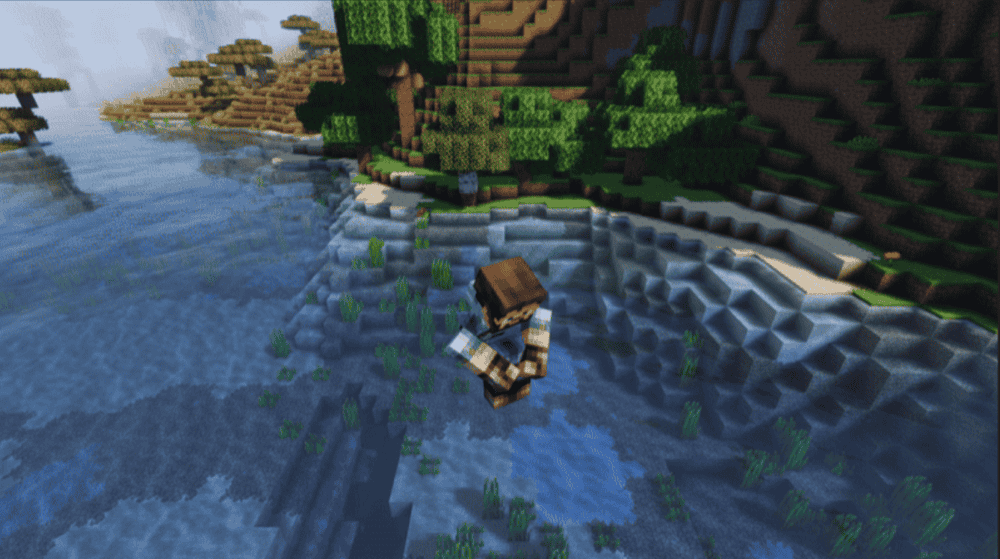
JumpAnimation adds proper jumping animations for the player, with a different animation for jumping while walking, sprinting or idle so your character looks and feels less stiff while in motion.
The mod also includes optional mechanics tied to falling and momentum, like a brief slow-down after fall damage with a stronger penalty for big drops, and a dive move you can trigger right after jumping to lessen the effects of your fall. Individual animations or features can be disabled in the configuration file as well in case you feel that some of them are a bit too much.
10. Punchy!
How to Install Mods
How to Install with the CurseForge App
- Open CurseForge → Minecraft and create a profile with the mod loader and version you need (Fabric, Quilt, NeoForge, or Forge).
- In the profile screen, click "Add More Content" (or open the three dots menu next to "Play" and choose "Add More Content").
- Click on "Add More Content" from the available options.
- Search for the mod you need and click "Install".
- Play from the CurseForge app.
How to Install Mods Manually
- Install a mod loader that matches your Minecraft version (Fabric, Quilt, NeoForge, or Forge).
- Run the installer to add a new profile in the Minecraft Launcher.
- Download the mod’s .jar file from its project page. Make sure both the Minecraft version and loader version match.
- Drop the .jar into the mods folder inside your ".minecraft" directory (create the folder if it doesn’t exist).
- Launch Minecraft using the new loader profile.
Note: Make sure to check if the mod has been recognized by the game. On the title screen, click “Mods”. If the mod lists any required dependencies (like Fabric API), install those too. Please also note that if using Fabric, the "Mods" button will only appear if the "Mod Menu" mod is installed.
Common mods folder locations:
- Windows: %AppData%\.minecraft\mods
- macOS: ~/Library/Application Support/minecraft/mods
- Linux: /home/<your-username>/.minecraft/mods
Common Issues and Quick Fixes
Minecraft does not launch, or Play does nothing
If you are launching from the CurseForge App and clicking Play does nothing, try the "Repair Installation" option from the app menu, then launch again. This is one of the standard fixes CurseForge Support recommends for modpack launch problems.
If the game still will not start, try to identify a loader or Minecraft version mismatch. This warning can appear when a mod file is not compatible with your modloader (Forge, Fabric, etc.) or when a newer mod file dropped support for that loader. In that case, you can swap to a compatible file or roll back to an earlier version that matches your loader.
Missing dependencies
A lot of animation and combat mods rely on libraries, so the game can load the mod but fail at startup if a dependency is missing. On CurseForge, check the "Relations" → "Dependencies" tab for each mod. For example, Better Animations Collection lists Puzzles Lib on all loaders plus Fabric API and Forge Config API Port when on Fabric as required dependencies.
Keybinds do not trigger, or actions feel inconsistent
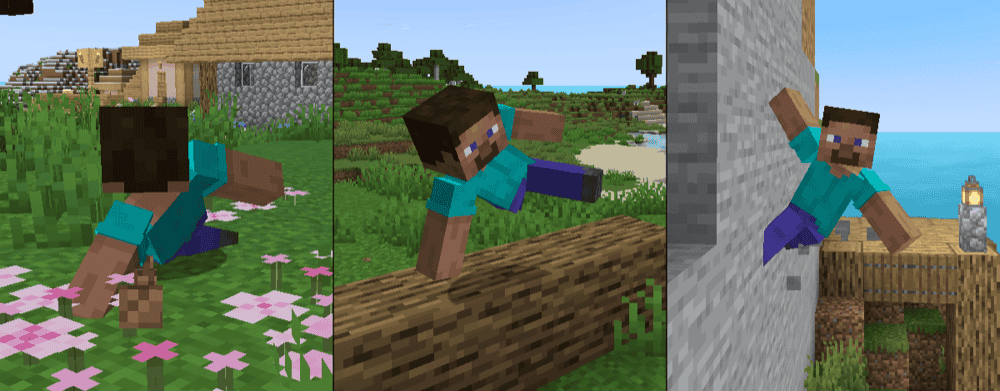
Mods that add movement systems often come with their own settings menus and keybinds. You could open the keybinds menu using the controls button in the pause menu to find if there are any conflicts, or look into each mod’s configuration file (or menu, if available).
If you are using combat overhauls, also check whether the mod has modes that affect input. Epic Fight uses a building and battle mode toggle (default key is "R"), with its combat system being enabled only in battle mode.
Animation conflicts or weird visuals
When multiple mods interact with the same animations or combat behaviors, you can get overlapping animations, missing poses, or odd timings causing snapping. A good way to narrow it down is to disable one animation or combat mod at a time and re-test until the behavior is either fixed or gone, then decide which of the overlapping mods you want to keep (this is especially relevant if you mix broad player animation overhauls with combat animation systems).