
Survival in Minecraft is already a balancing act, but these mods lean into that feeling in smart ways, tweaking stamina, death, inventory, exploration, and even the entire progression curve. Here are 12 survival-focused mods that layer nicely into a mostly vanilla experience or a bigger modpack without turning the game into something unrecognizable.
1. Stamina
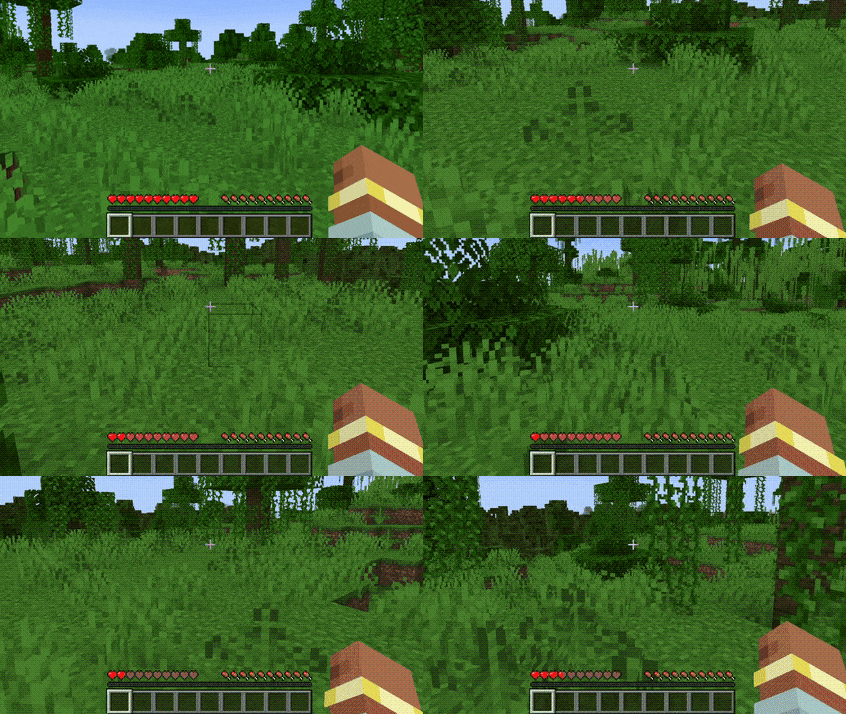
This mod adds a simple stamina system for sprinting and swimming, tied to your current health so the more hearts you have, the larger your stamina pool. A segmented overlay on the health bar shows how much stamina you have left, and once it runs dry you cannot sprint again until it refills. Once you unlock enchanting, a new Vigour chestplate enchantment can increase your maximum stamina.
2. Gliders
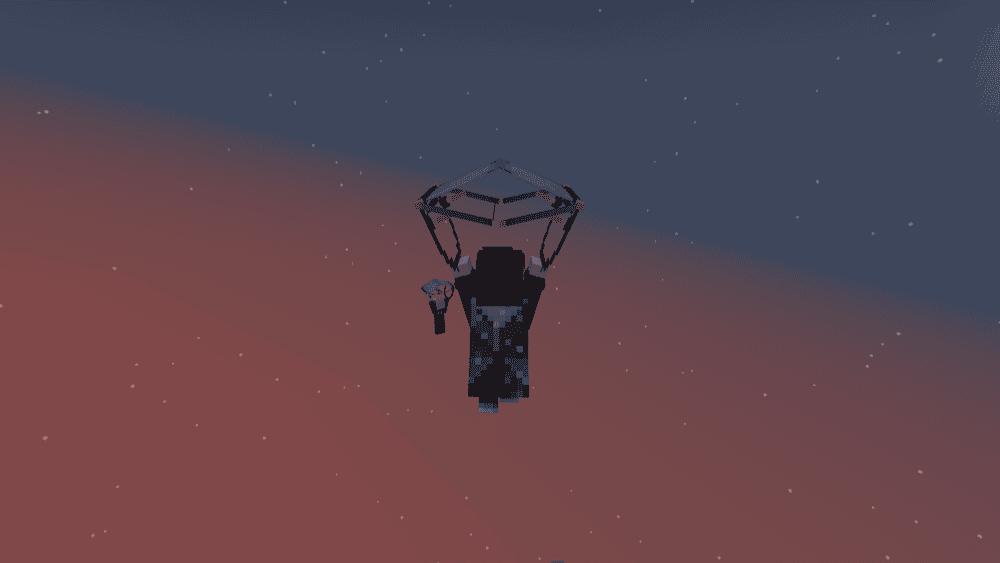
This mod adds tiered gliders (wood through netherite) as an early to mid-game alternative to elytra, crafted with different tiers of reinforced paper so you can start gliding long before you reach The End. Gliders can also be repaired with the same tier of reinforced paper used to craft them. In this mod, fire and magma create updrafts to get you back into the air, while gliders can be upgraded or enchanted to improve durability and control. If Curios is installed, then gliders can also be placed in dedicated accessory slots so you don't have to replace your chestplate slot.
3. Moar Advancements
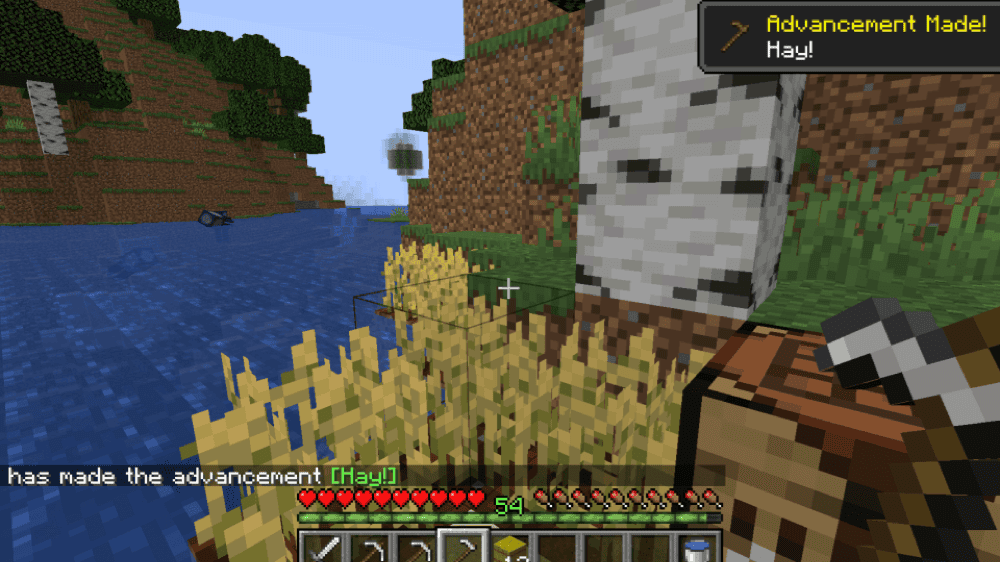
This mod expands the vanilla advancement tree with 55 extra goals ranging from grindy (collect 64 diamond blocks) to simple ones, such as making beetroot soup. All in all, this is a great mod for people who want clearer targets and milestones to chase within the game.
4. Better Respawn
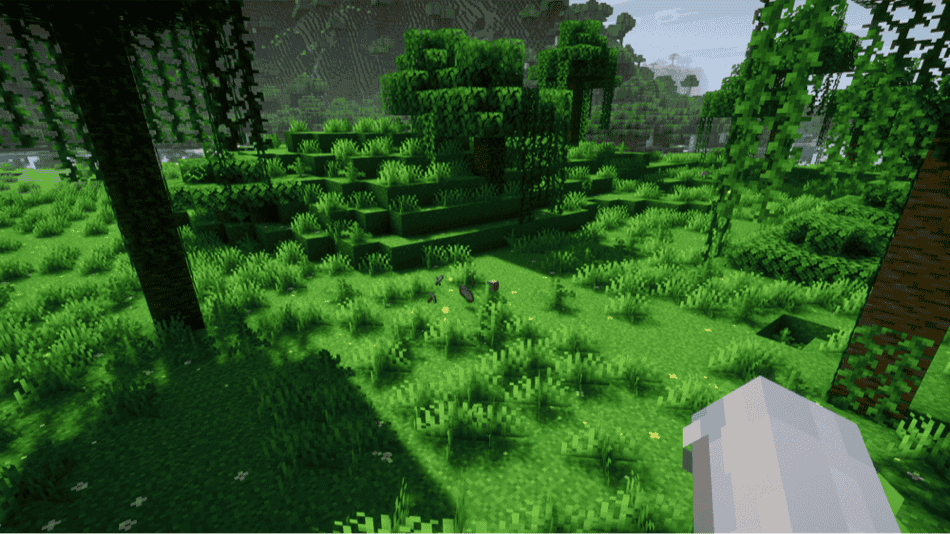
This mod lets players respawn near where they died instead of miles away at world spawn. A configurable min and max radius defines a ring around the death point where the mod can place you so it's easier for you to recover your items (but not too easy). Beds or respawn anchors will still function when close enough, or in special situations such as when returning from The End.
5. Death Sorter
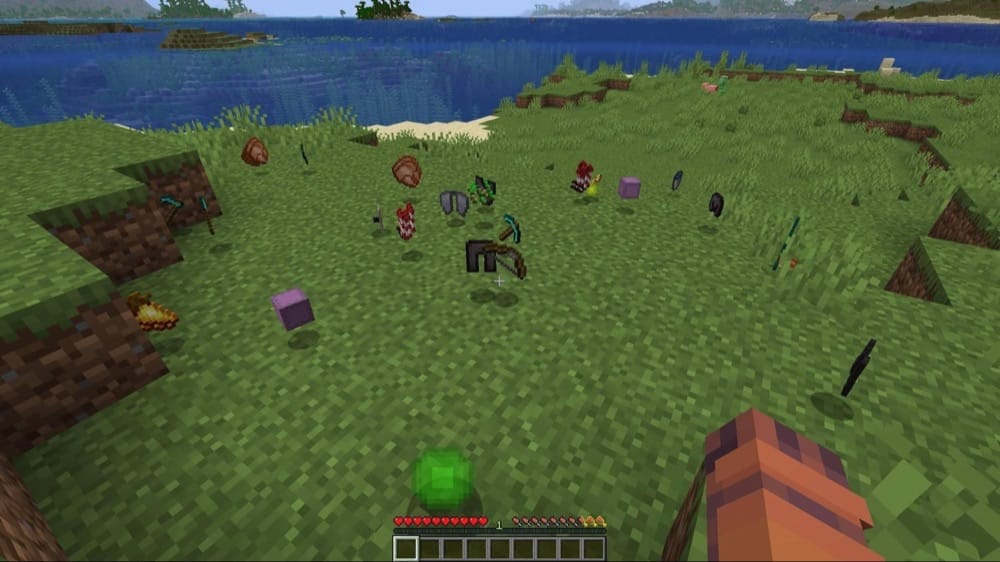
Death Sorter is an inventory restore mod that maintains the vanilla death system of dropped items. However, once you pick them back up, your items automatically return to the exact slots they occupied before your death, including special slots like armor – so long as these aren't already filled. You would still have to reach your death spot in time, but with this mode you can at least skip the annoying post-death reshuffling "minigame".
6. MVS – Moog's Voyager Structures
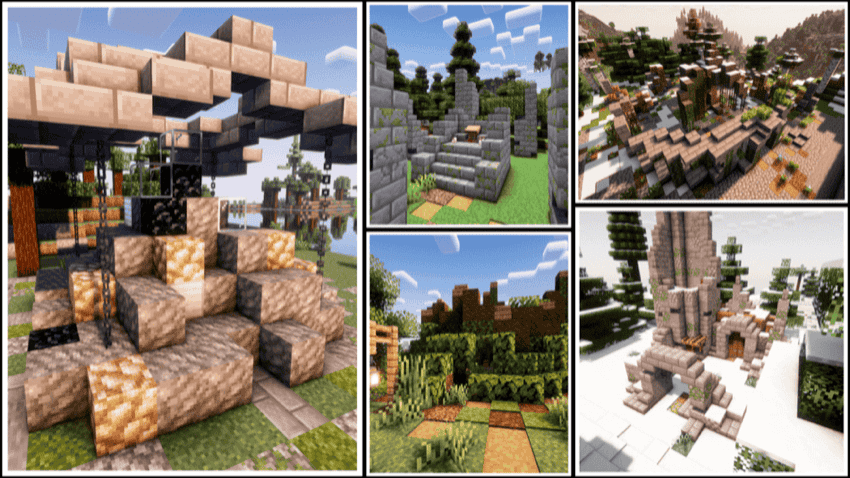
Moog's Voyager Structures scatters 160+ handcrafted structures across your world including outposts, ruins, camps, markets, towers, and more. Structures are built entirely from vanilla blocks so they can blend cleanly into any vanilla-focused pack. Everything from spawn rates to structure sets is configurable via datapacks.
7. Natural Charcoal
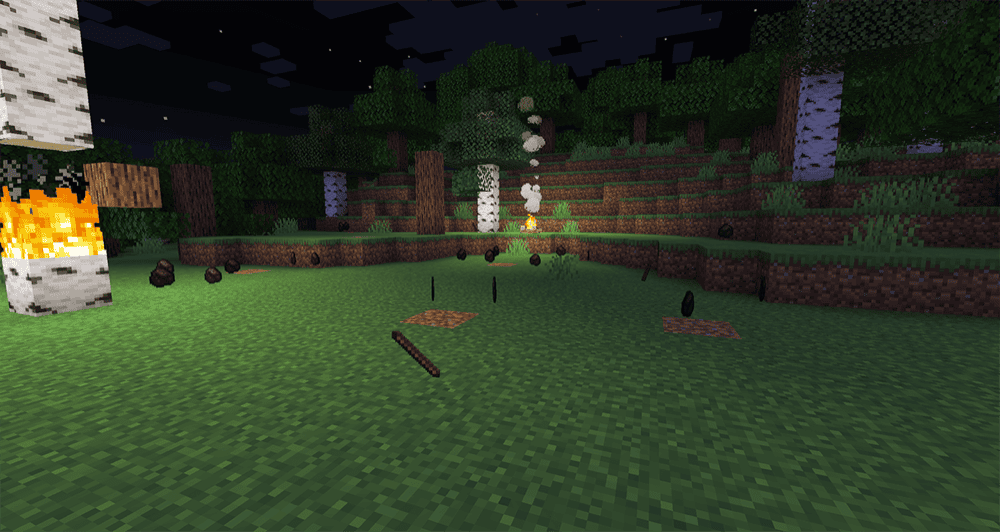
Natural Charcoal makes wildfires and campfires a source of fuel. When a log block burns away, it has a configurable chance to drop charcoal, which is immune to fire so it won't be destroyed by the flames that created it. You can also line logs around a campfire to convert them into charcoal slightly faster than a furnace.
8. Scout
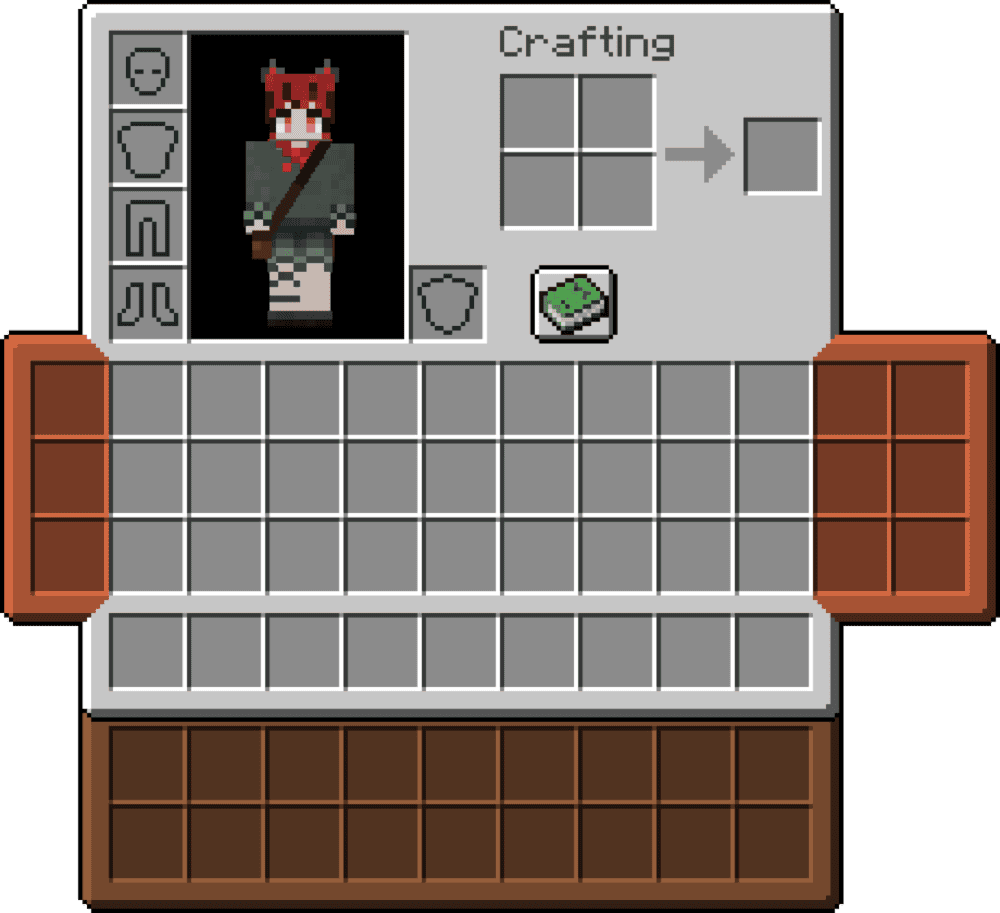
This mod extends your inventory with wearable bags and pouches equipped into trinket slots so that extra space lives on gear rather than as invisible slots. Each bag stores its contents on the item itself, but also serves as an extension to your regular inventory so you can see them directly. The mod also offers a small tooltip preview to see what is inside each bag.
9. Forager Bow Enchantment
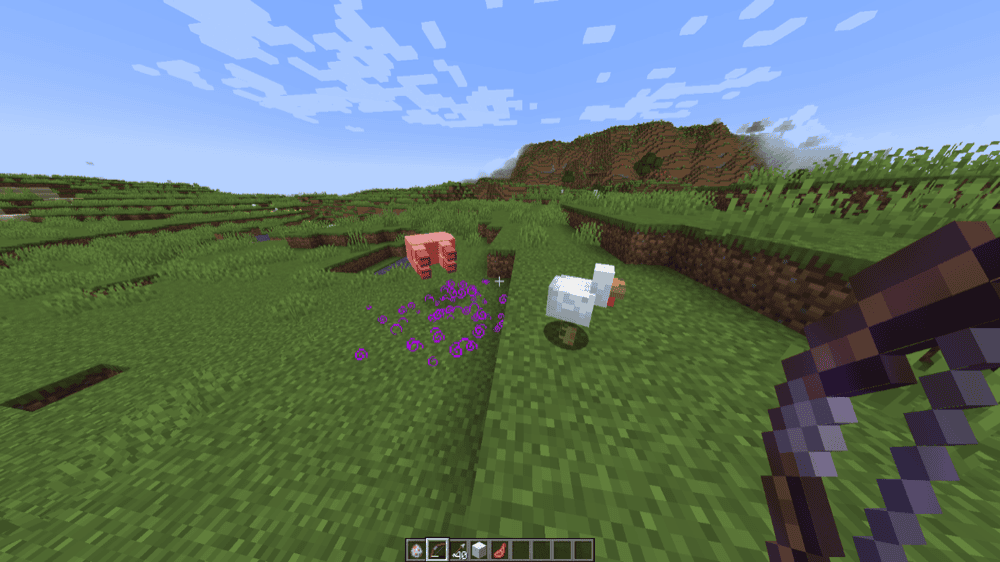
This mod adds a new bow treasure enchantment, Forager, that pulls loot straight to you. It can only be obtained from End City chests and has two levels. Forager I only teleports XP orbs on kill while Forager II will also teleport item drops, complete with Enderman-style particles and sounds.
10. Ancient Manuscripts

This mod scatters torn pages from long-lost magical tomes throughout chests, villager and wandering trader trades, and witch drops. By collecting these pages and using a Binding Table with enchanted book glue you can bind them into enchanted books, with more pages giving higher-rarity enchants. The mod is incredibly configurable via its configuration file and datapacks, letting you fine-tune gameplay behavior and balance to fit your modpack or playstyle.
11. Sweety's Archaeology
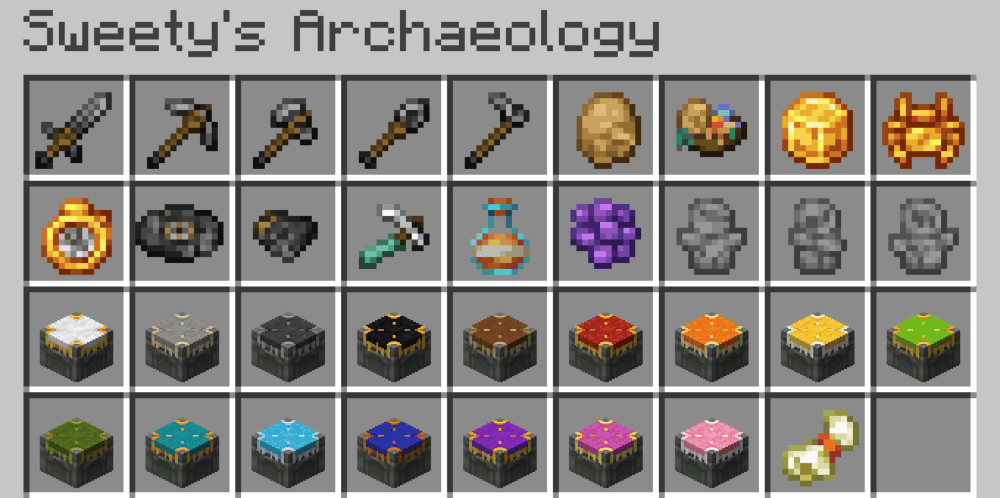
Sweety's Archaeology is a small, vanilla-style expansion to Minecraft's archaeology that adds new ancient structures and relics – ruined mineshafts, prehistoric fossils, stone-circle ritual sites and more, with each hiding themed loot like climbing axes, spider amulets, a weather idol, and more. Brushing archaeology blocks now grants configurable XP and will drop more common resources in larger amounts than in vanilla Minecraft. In addition to these structures, Sweety's archaeology also adds tuff podiums to show off your finds or other important items as an alternative to item frames that are a little bit more present in the world.
12. TerraFirmaCraft
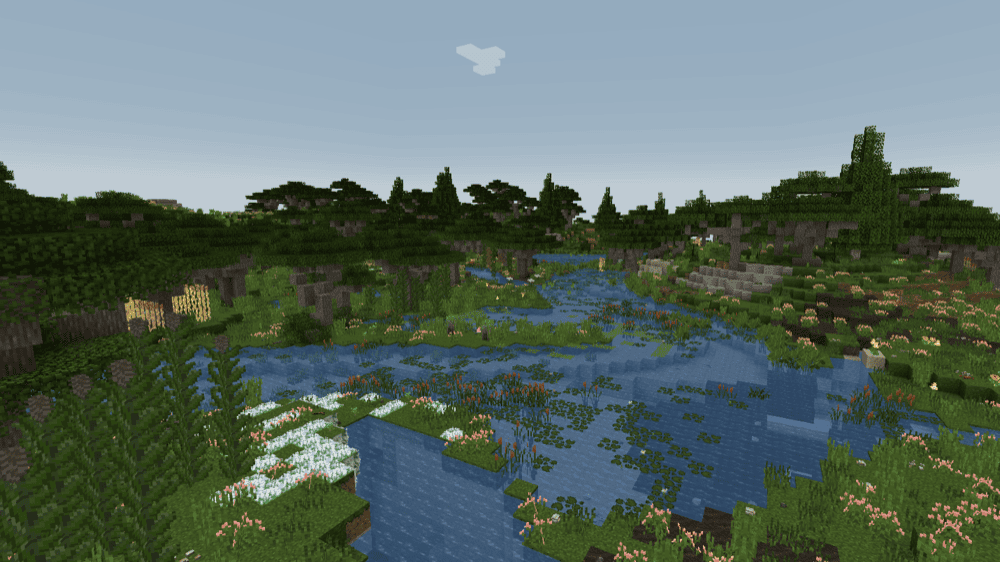
This is a total-conversion survival mod that rebuilds Minecraft around realism. World generation is based on a continent system with proper geological features – such as layered rock strata and large ore deposits – that can be found by exploring or prospecting. In addition to the worldgen features, there is also a full tech tree starting from knapped stone and pit kilns to iron, tool forging, a blast furnace for making steel. In case all of this is not enough for you, the mod also features full seasons and dynamically changing climates, which when combined with its nutrient and thirst systems forces you to plan your farms, stockpile through the winter, and actually learn the world using the built-in Field Guide. It is a great mod to slow down progression and playing it with friends is an amazing experience as you all learn how to survive and thrive together in this new world, just like when you first started playing the game.
How to Install Mods
How to Install with the CurseForge App
- Open CurseForge → Minecraft and create a profile with the modloader and version you need: Fabric, Quilt, NeoForge or Forge (depending on the gun mods you’d like to install).
- Open your profile and click the three dots next to "Play".
- Click on "Add More Content" from the available options.
- Search the mod you need and click "Install".
- Play from the CurseForge app.
How to Install Mods Manually
- Install a mod loader that matches your Minecraft version (Fabric, Quilt, NeoForge, or Forge).
- Run the installer to add a new profile in the Minecraft Launcher.
- Download the mod’s .jar file from its project page. Making sure both the Minecraft version and loader version match.
- Drop the .jar into the mods folder inside your .minecraft directory (create the folder if it doesn’t exist).
- Launch Minecraft using the new loader profile.
Note: Make sure to check if the mod has been recognized by the game. On the title screen, click “Mods” (or “Mod Menu” if you’re using Fabric). If the mod lists any required dependencies (like Fabric API), install those too.
Common mods folder locations:
Windows: %AppData%\.minecraft\mods,
macOS: ~/Library/Application Support/minecraft/mods
Common Issues & Quick Fixes
Game crashes or won’t start after adding mods
- Double-check loader + version for every file (Forge vs Fabric vs NeoForge, 1.20.1 vs 1.21, etc). A single wrong loader or MC version is the #1 cause of crashes.
- Make sure you don’t mix client-only mods (like Wild Tool Access, Scout) on servers.
“Missing dependency” or mod not showing up
- Install the listed dependencies, making sure to get the specific dependency for that version (a newer one might sometimes also work).
- For mods not showing up, make sure you are using the right Minecraft version and have installed the correct mod loader for the specific mod jar and version you chose.
New worldgen (TFC, MVS, Sweety’s Archaeology) isn’t appearing
- Simple worldgen mods like ones that add structures only affect newly generated chunks.
- For overhaul mods like TFC, you should start a new world as they completely change how the in-game world generation works.
Keybinds and UI are not working
- Open "Controls" within the "Options" menu and then choose "Keybinds" and look for conflicts (red entries). If any are found, you would need to rebind the overlapping keys. If you don’t need a particular keybind, simply press "Esc" to remove it and free up the key.
- Mods with UI or HUD overlays often have configs for changing their position so they don’t overlap.