
Worldgen mods are the fastest way to make Minecraft feel new again. Some keep the vanilla vibe and just add more variety. Others reshape the terrain so exploration (and even basic resource runs) turns into a whole different kind of adventure. Below are 20 solid picks, Overworld, caves, ocean, Nether, and End, depending on how far you want to push it.
1. Terralith
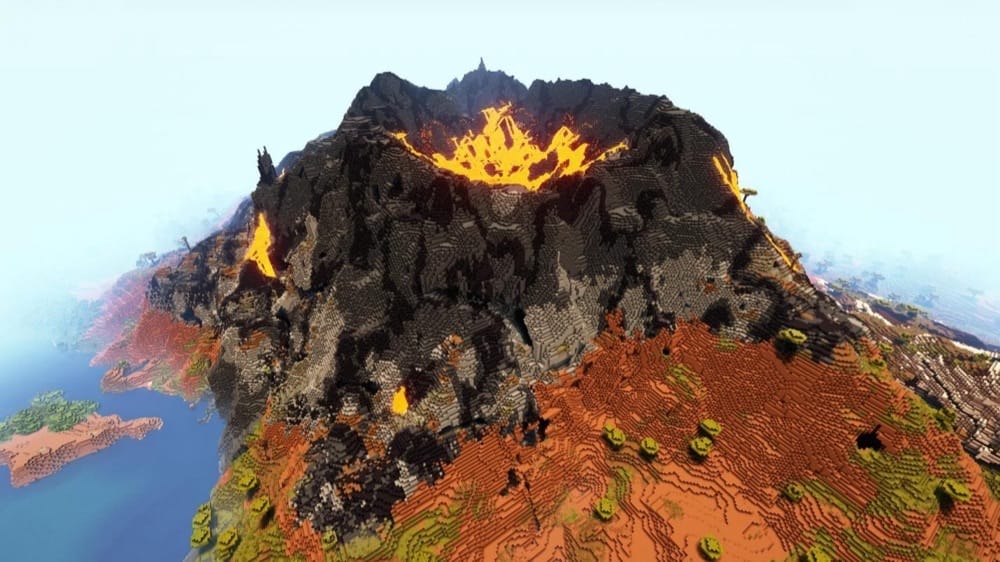
Terralith is a huge Overworld upgrade built around 1.18+ worldgen. It adds 95+ new biomes, improves most vanilla biomes, and introduces new terrain styles like canyons, floating islands, shattered landscapes, and deep ocean trenches. It also includes custom cave biomes, so the underground feels more varied and interesting.
When using it you should start a new world, as it massively changes how the overworld generates. Terralith can work alongside other biome mods, but if TerraBlender is involved (a required dependency of most other worldgen mods), Terralith biomes may generate smaller in size and could be rarer to come across. The mod is also compatible with the mod version of Tectonic, although if you're using it as a datapack, you need to use Terratonic instead.
2. Biomes O' Plenty
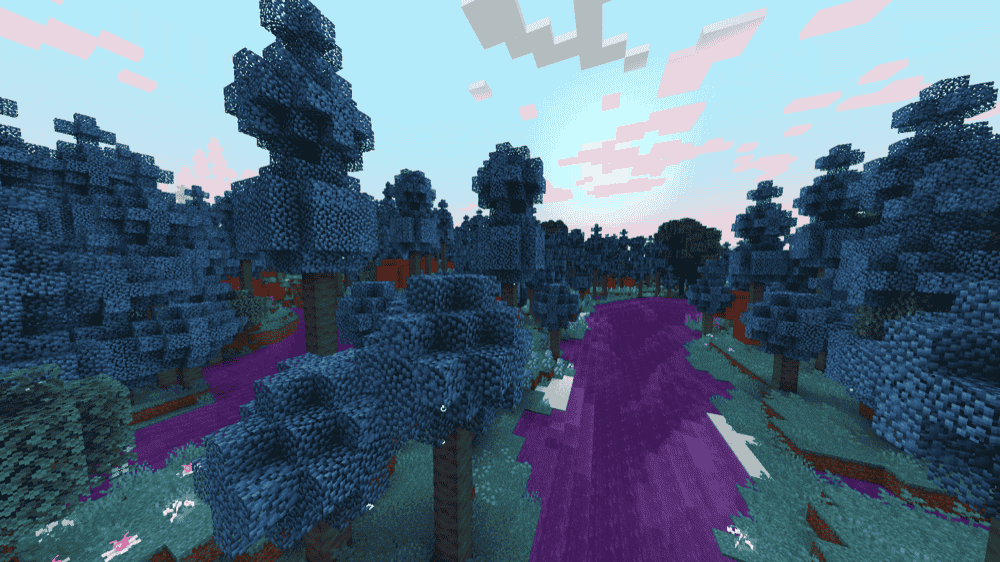
Biomes O' Plenty is a classic biome expansion that adds 50+ new biomes across the Overworld, plus extra content for the Nether and End. Along with the new biomes, you get a ton of matching plants, trees, flowers, and building blocks, so exploration and building both benefit.
For modern versions (1.18+), the mod works automatically on servers and in singleplayer. On older versions, you may need the right world type set during world creation or in the server properties, otherwise the biomes won't generate.
3. Oh The Biomes We've Gone

4. Regions Unexplored
5. Tectonic
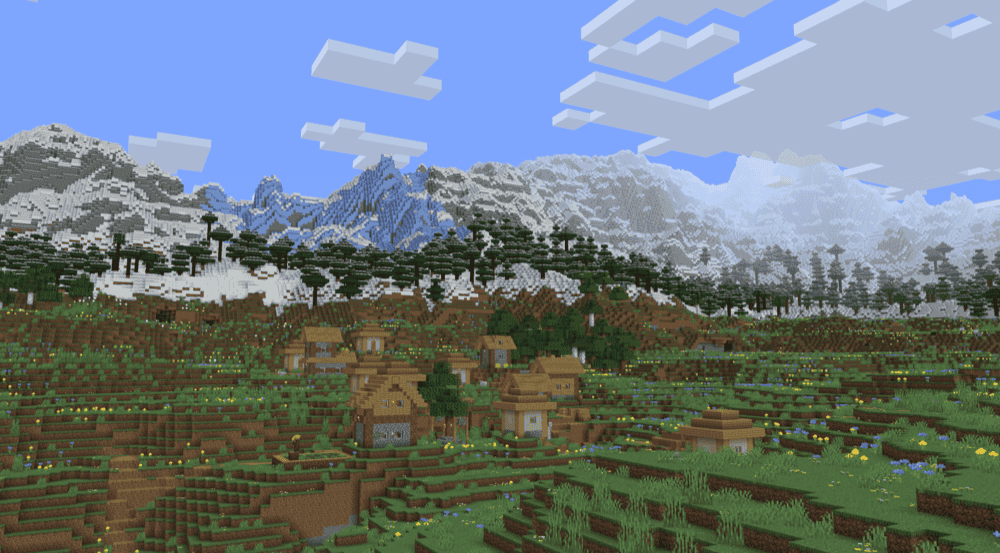
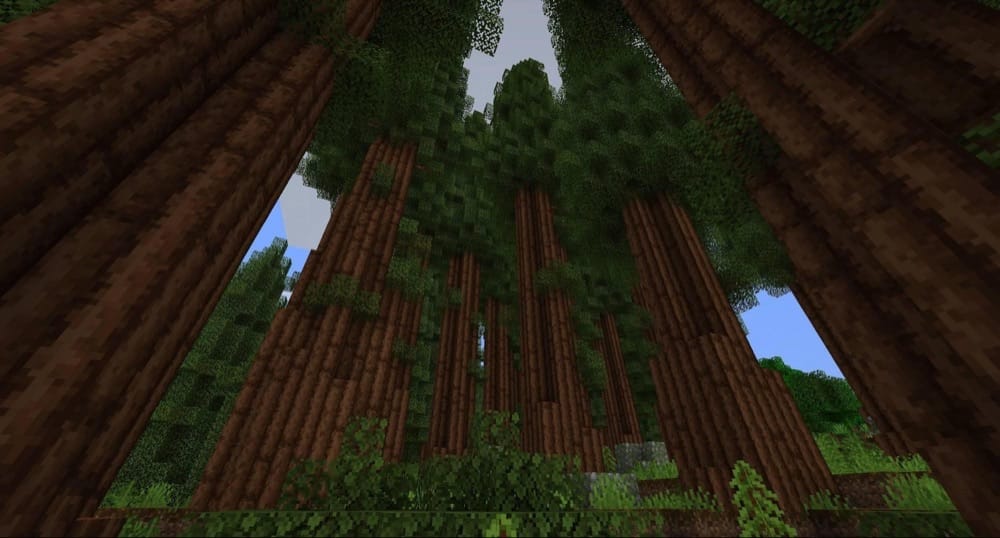
Tectonic is all about terrain shaping, bigger mountain ranges, deeper oceans, and continent base geography. You'll see huge ridgelines that run for thousands of blocks, deserts with smoother dunes, badlands canyons, tiered plateaus, and even valleys that form naturally around certain biomes.
The mod also plays nicely with most biome mods (including ones that use TerraBlender/Biolith), and particularly well with Terralith (although if you are using the datapack versions, you will need the specific Terratonic datapack).
6. Geophilic
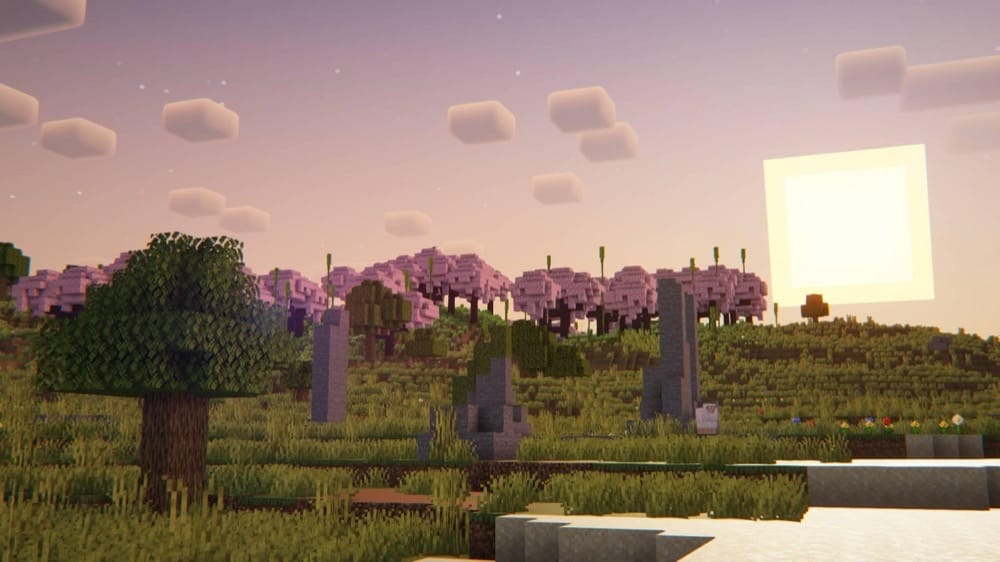
Geophilic is a light overhaul for the Overworld, based on unused concept art from Mojang. However, it doesn't really add new biomes, blocks, or items. Instead, it reworks vanilla biomes with extra details like fallen trees, clearings, boulders, stumps, bushes, and moss, while keeping the same progression and overall feel.
The mod is also very compatible with terrain mods since it mainly edits vanilla biome files, so it pairs well with packs like Tectonic. If you want to run it alongside Terralith, you need to also use the dedicated Terraphilic compatibility mod.
7. Ecologics
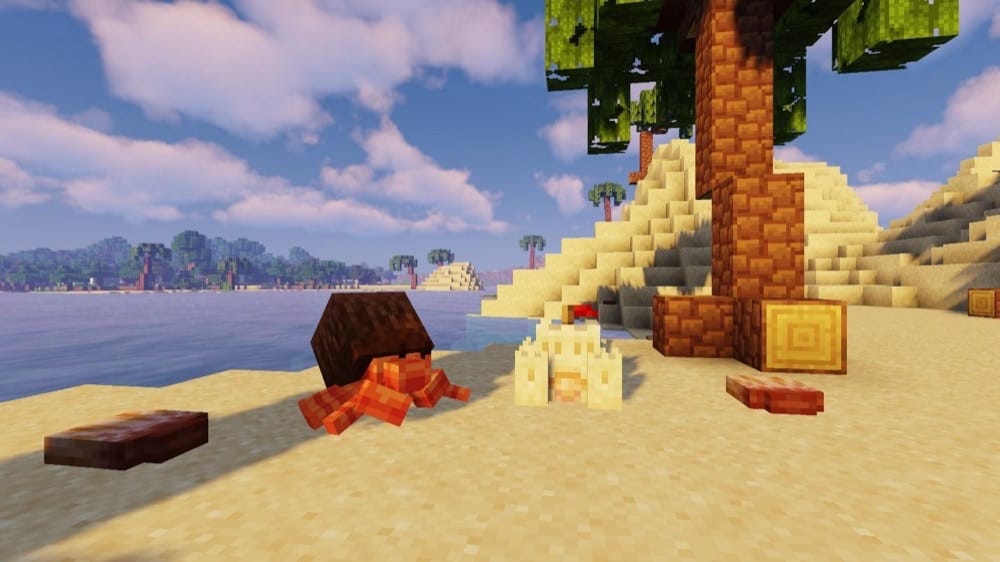
Ecologics stays true to vanilla – instead of adding brand-new biomes, it upgrades existing ones with new mobs, blocks, and small features that fit Minecraft's original style, so the world feels richer without looking heavily modded.
The mod overhauls beaches to give them seashells and sandcastles to protect turtle eggs and coconut trees (watch out for coconut crabs). Deserts get camels, prickly pears, and new desert ruins, snowy biomes get penguins, thin ice, and new brick blocks while plains get walnut trees and squirrels to make them a little more lively, but still the perfect flat area for starting a base in.
The underground areas have been tweaked as well, with lush caves getting azalea wood and a new moss block that can be stacked like snow for extra mossy detail. Ecologics plays well with building-focused mods thanks to compatibility support for its new wood types.
8. William Wythers' Overhauled Overworld

William Wythers' Overhauled Overworld reworks every vanilla biome and adds sub-biomes to make the Overworld feel more realistic and atmospheric, with smoother transitions between regions. It sticks to vanilla blocks, so it's server-friendly, and your friends can join in on the fun with a vanilla client if the server has it installed.
The mod also includes optional add-ons you can toggle in the configuration file (like navigable rivers, better coastlines, and towering tabletop mountains) if you want to push the world a bit further without switching to a full biome pack.
9. BetterNether
10. Incendium
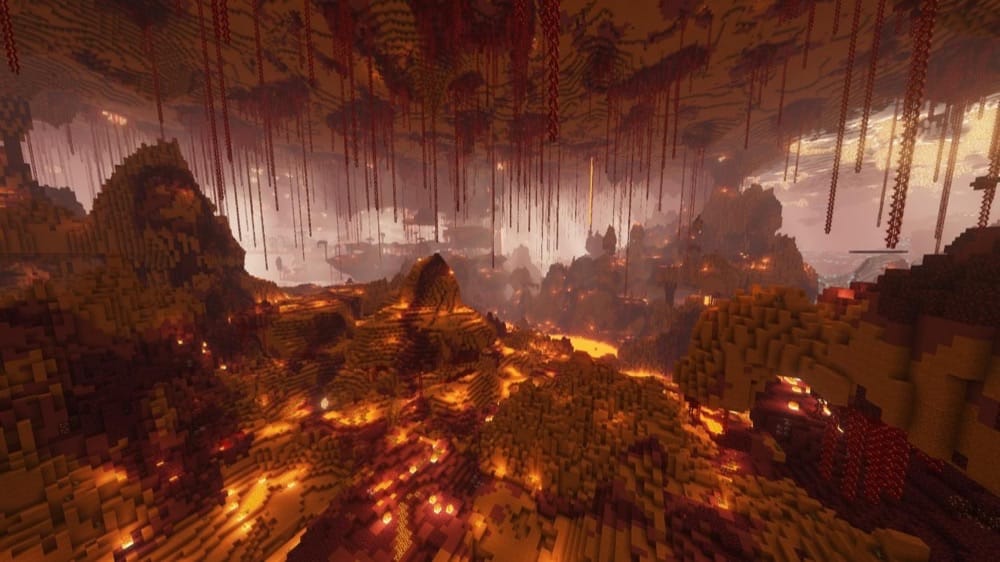
Incendium is a full Nether overhaul for 1.18+ that sticks to vanilla blocks, so it keeps the Minecraft look while making the Nether way more interesting. It boosts Nether generation height by another 64 blocks, adds 8 new biomes and 9 structures, and reshapes the terrain with jagged mountains, twisting caves, and more dramatic layouts.
The mod also works server-side, meaning a server can run Incendium while players join through a vanilla client. Expect a tougher Nether overall, but with better rewards and bigger, more dangerous structures like the Nether Reactor, Sanctum, and Forbidden Castle. Of course, this extra danger comes with the expected extra loot – after all, you can't be risking your life for nothing!
11. BetterEnd
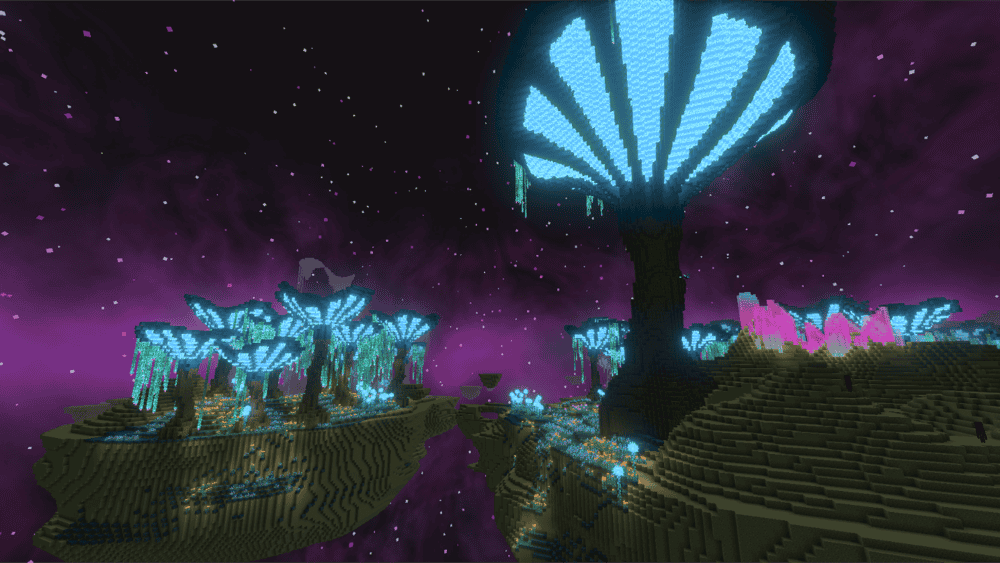
BetterEnd turns the End into a real place to explore instead of an endless desert to be traversed once for an Elytra. It adds 24+ new biomes (and tweaks existing ones), each with its own atmosphere, resources, and custom sky visuals, music, sounds, and effects that make the dimension feel alive. Inhabiting the new biomes are new mobs to encounter on your journey.
The mod also comes with a custom End terrain generator, so islands can generate at different heights with varied shapes, and you can even find caves inside them with unique resources. On top of that, you get a huge building and progression upgrade, multiple new wood and stone types, new items and gear, and extra mechanics to discover, like infusion rituals and End-focused tool progression options.
12. Nullscape
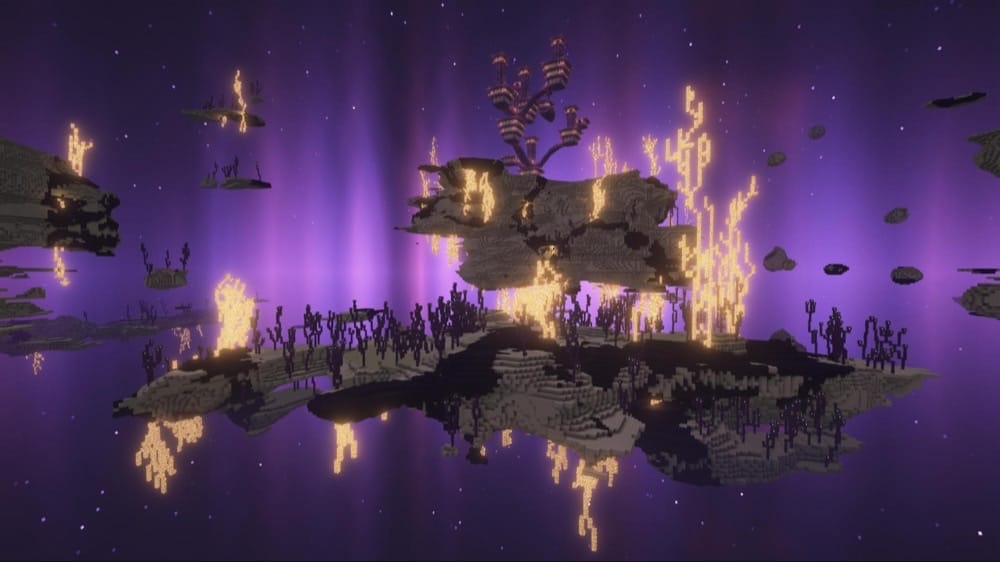
Nullscape is an End overhaul that keeps the same bleak identity, no colorful fantasy biomes, just a much more interesting landscape to travel through. It raises the End's generation height to 384 and uses modern 1.18+ worldgen features to create far more varied terrain such as shattered islands, floating valleys, crystallized peaks, and huge formations that make the void feel even larger.
Newer versions also build terrain variety on a large-scale region system, so different areas of the End generate with different shapes and textures, keeping exploration fresh the farther out you go. Additionally, it only uses vanilla blocks and can be used completely server side.
13. Galosphere
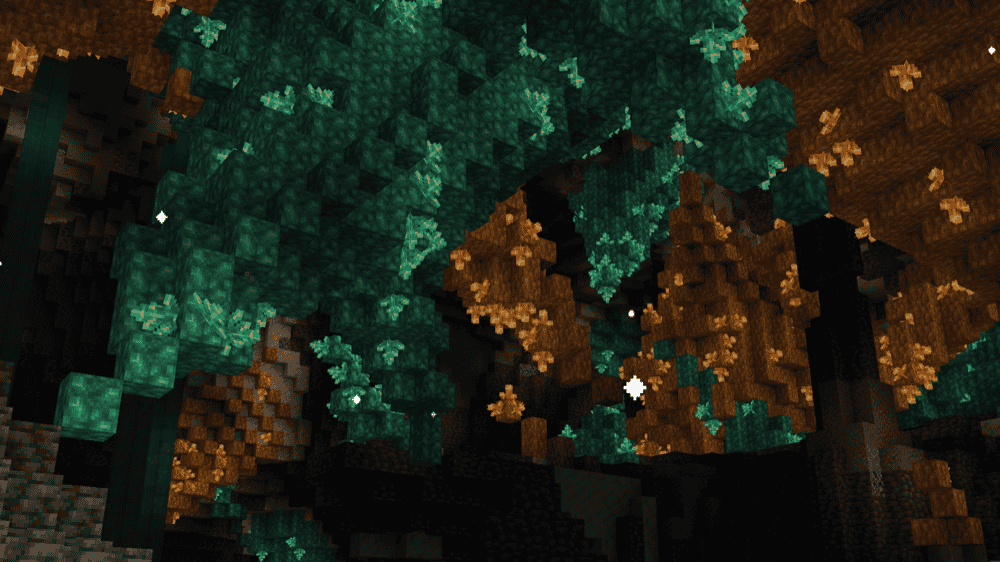
Galosphere focuses on improving the underground to add more reasons to explore beyond ore mining. It adds new cave biomes like Crystal Canyons, Lichen Caves, and Pink Salt Caves, plus new mobs to keep caves from feeling empty. On top of that, the mod also introduces new building blocks for resources new (like Allurite, Lumiere, and Silver) and old (Amethyst gets the same treatment as the mod's built-in crystals) and a bunch of extra gear, utility trinkets, foods, and Sterling armor (leather upgraded with silver) set that lets you carry a banner. It even has a horse armor variant, letting you and your horse match banners!
If you want caves that feel more than "mine until diamonds", Galosphere is an easy way to get there.
14. Let's Do: BloomingNature
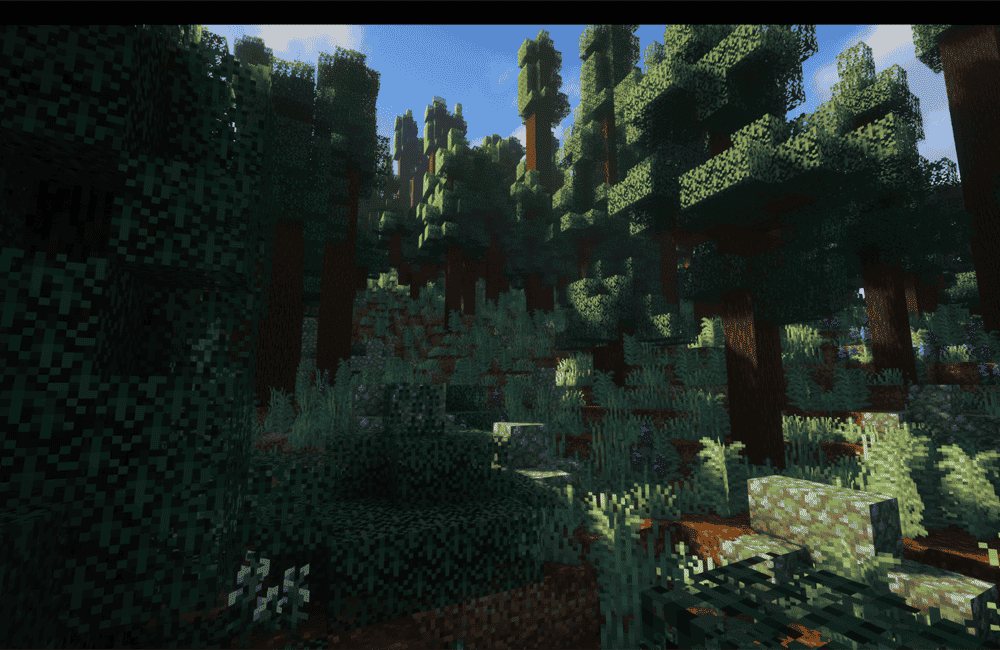
Let's Do: BloomingNature makes the Overworld feel wilder and more alive by overhauling vanilla biome features, new tree shapes and variants, tons of new flowers, and extra natural detail across nearly every biome. The mod also adds new materials and build options, like the Laterite and Travertine stone variants, craftable Mushroom Bricks, blocks like Quicksand, Marsh Blocks, and Forest Moss, plus several new wood sets with matching windows.
The mod doesn't change biome placement or terrain generation, it swaps and replaces vanilla features inside biomes in a non-destructive way. That's why it plays nicely with bigger worldgen mods like Terralith, Regions Unexplored, and WWOO, letting you stack better terrain or more biomes with better vanilla biome detail.
15. Nature's Spirit

Nature's Spirit expands the Overworld with new biomes inspired by real-world regions, aiming for a more immersive vanilla-plus feel. It also adds a big building upgrade: Kaolin (a dyeable clay-type block) and Chalk (a dyeable pastel blockset), so you get both muted and bright palettes for builds.
It's not just scenery either – Nature's Spirit adds a few fun automation-friendly mechanics like calcite crystal growing, lotus elevators, and simple crafting tricks, plus new biome-themed villages, including Wisteria, Coconut, Adobe, and Cypress villages that spawn in their matching regions.
16. Towns and Towers

Towns and Towers expands the Villages and Pillage update with 50+ new structures, upgraded villages, bigger pillager outposts, and even ocean ships, all designed to fit the vanilla style instead of looking out of place. It also works server-side, so servers can run it while vanilla clients still join.
You can add the mod to an existing world, but the new stuff only shows up in newly generated chunks so you will have a better experience with a fresh world. It also has built-in compatibility with big worldgen mods like Terralith, Biomes O' Plenty, Regions Unexplored, and Tectonic, including some structure variants that only appear when those mods are installed.
17. Structory
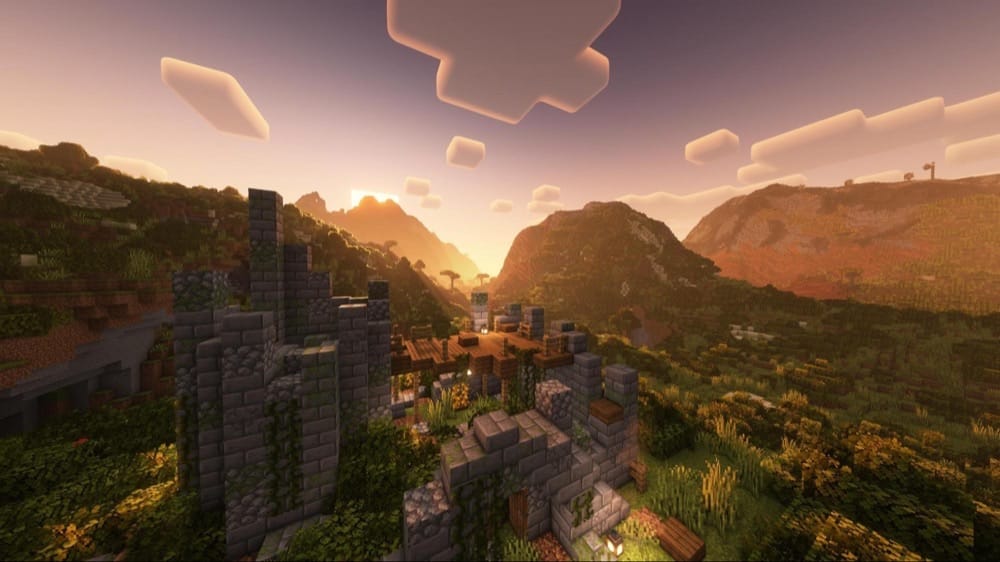
Structory is an atmospheric structure mod that focuses on adding visible traces of life rather than big loot-pinata dungeons. It adds things like ruins, firetowers, cottages and stables, graveyards, settlements, and boats, with light lore and seasonal content updates.
The mod is also built to play nicely with worldgen overhauls such as Terralith, so you can run it alongside terrain/biome mods. Additionally, it can be configured to work only server-side for seamless vanilla client support.
18. MVS, Moog's Voyager Structures
19. Explorify, Dungeons & Structures
How to Install Mods
How to Install with the CurseForge App
- Open CurseForge → Minecraft and create a profile with the modloader and version you need, Fabric, Quilt, NeoForge or Forge (depending on which mods you are looking to install).
- Open your profile and click the three dots next to "Play".
- Click on "Add More Content" from the available options.
- Search the mod you need and click "Install".
- Play from the CurseForge app.
How to Install Mods Manually
- Install a mod loader that matches your Minecraft version (Fabric, Quilt, NeoForge, or Forge).
- Run the installer to add a new profile in the Minecraft Launcher.
- Download the mod’s .jar file from its project page. Making sure both the Minecraft version and loader version match.
- Drop the .jar into the mods folder inside your .minecraft directory (create the folder if it doesn’t exist).
- Launch Minecraft using the new loader profile.
Note: Make sure to check if the mod has been recognized by the game. On the title screen, click “Mods”. If the mod lists any required dependencies (like Fabric API), install those too. Please also note that if using Fabric, the "Mods" button will only appear if the "Mod Menu" mod is installed.
Common mods folder locations:
- Windows: %AppData%\.minecraft\mods
- macOS: ~/Library/Application Support/minecraft/mods
- Linux: /home/<your-username>/.minecraft/mods
Common Issues and Quick Fixes
Nothing is generating in my world
Most worldgen changes show up in new chunks only. Walk far out or start a new test world to confirm it’s working.
Terrain/biome mods aren’t showing up correctly together
Don’t stack multiple big biome mods unless you know they’re meant to mix. If you do combine them, expect some biomes to become rarer or smaller.
TerraBlender / BCLib / GlitchCore missing
If a mod lists a required library, make sure to install it or the game will crash on launch.
Wrong loader (Forge vs Fabric vs NeoForge)
A Forge mod won’t load on Fabric, and Fabric mods won’t load on Forge. Make sure to double-check both your Minecraft and loader version for every file, although simpler worldgen mods that only use vanilla blocks will often have one file that works with all loaders due to being vanilla-based datapacks.
My in-game structures are overlapping
If you’re running several structure mods, you may want to lower structure frequency in configs/datapacks to prevent structure clutter.
Generating new chunks is very slow or exploration lags the world
Too many worldgen mods can massively slow down world generation. There are a few ways to solve this:
- Pregenerate a large segment of the world using a pregeneration mod. Note that this requires quite a bit of disk space and will take many hours during which Minecraft must be running.
- Install worldgen-related performance mods (though beware of compatibility and stability issues with performance mods).
- The most effective option is to uninstall some worldgen mods, particularly large ones or ones that make the world taller. However, this will require you to start a new world and would mean that you won’t be able to play with those mods enabled.