Gun mods in Hytale fall into a few clear styles. Some keep things simple with vanilla-friendly ranged weapons, basic ammo, and straightforward bench progression. Others add deeper weapon systems with reload mechanics, multiple ammo types, custom workstations, and more involved progression. Then you have the flashy standouts: signature-heavy weapons with charged attacks, unique effects, and custom mechanics.
This list covers the 10 most-downloaded gun mods on CurseForge. From blunderbusses and flintlocks to modern rifles and sci-fi rayguns, each mod brings its own unique spin to Hytale combat that you simply must experience.
Important: This article was originally published in April 2026.
Please be aware that the mods listed below were popular at the time of writing, but may have since become outdated or incompatible due to subsequent game updates. While we include them here as noteworthy examples of the modding community's work, we cannot guarantee their complete functionality.
For a list of the most recent and fully playable Hytale mods, please visit the official Hytale mods page.
1. H1Z's Blunderbuss n' More
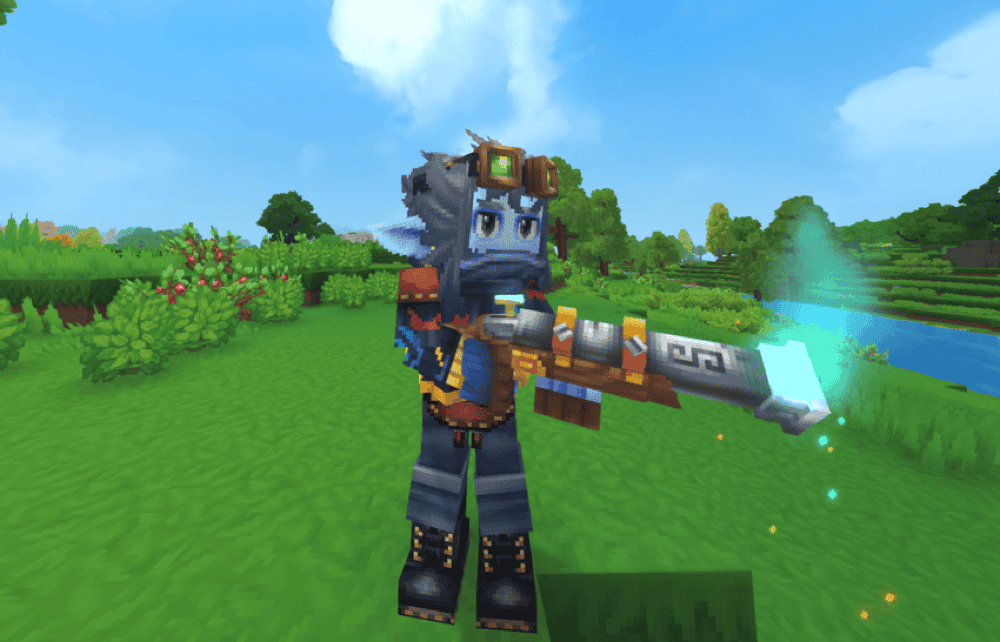
H1Z’s Blunderbuss n’ More is a compact gun mod that adds two ranged weapons – the Blunderbuss and the Flintlock – both built around Buckshot ammo and signature attacks. The Blunderbuss is the heavier-hitting option, while the Flintlock gives you a faster and lighter sidearm-style weapon with a three-shot burst signature.
The mod keeps things simple by focusing on two firearms rather than turning combat into a larger gun-focused system.
2. Hyguns
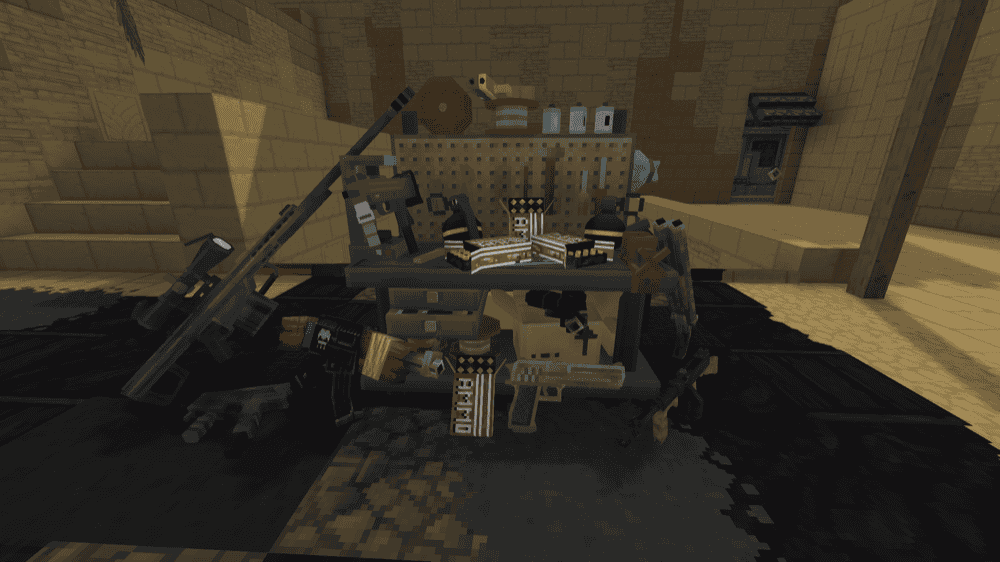
Hyguns is a large weapon mod built around variety. It features detailed firearms, fantasy weapons, and melee weapons, giving players a broad set of options that can fit different time periods, styles, and world ideas. This makes it a stronger pick compared to a typical small one-weapon add-on if you want a mod that expands combat in a more noticeable way.
What makes Hyguns stand out is the range it brings. This is the kind of mod you install when you want a bigger armory feel rather than just a couple of extra guns, and that wider scope helps it feel more flexible than smaller weapon mods.
3. Guns and Stuff
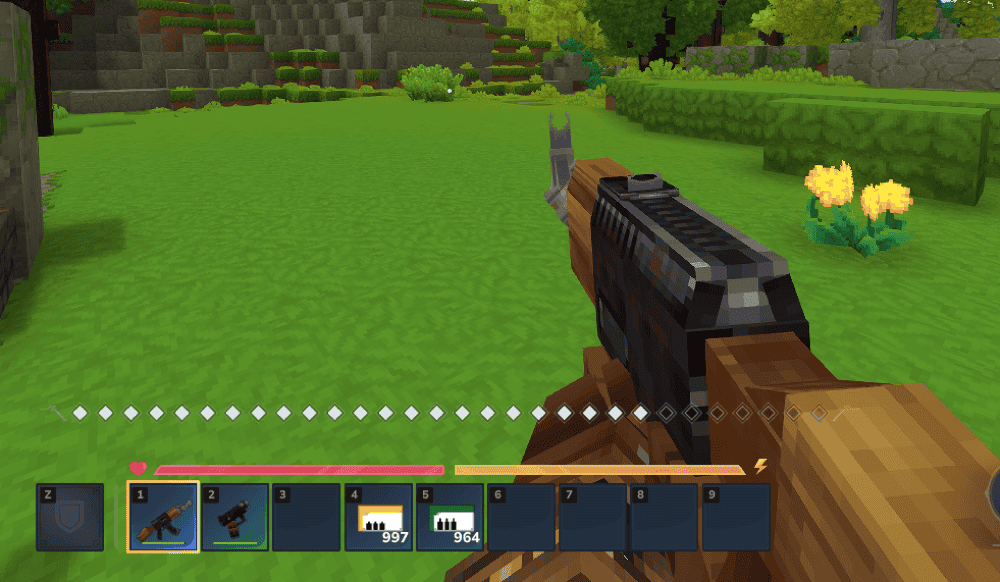
Guns and Stuff adds new firearms while staying true to the vanilla experience. It focuses on craftable guns, craftable ammo, reload mechanics, and weapon durability, making it a good fit for players who want gun combat to feel straightforward without turning the whole game into a full weapon overhaul.
This mod keeps things simple in a good way. It splits its weapons into light, medium, and heavy ammo types, and its lineup includes options like the Handmade Pistol, Handmade SMG, Handmade Rifle, Refined Rifle, Handmade Revolver, and Handmade Bolt Action Rifle. In short, you have enough variety here to keep things interesting while still keeping everything more grounded and manageable than some of the bigger Hytale gun mods.
4. Owen's Hand Cannons
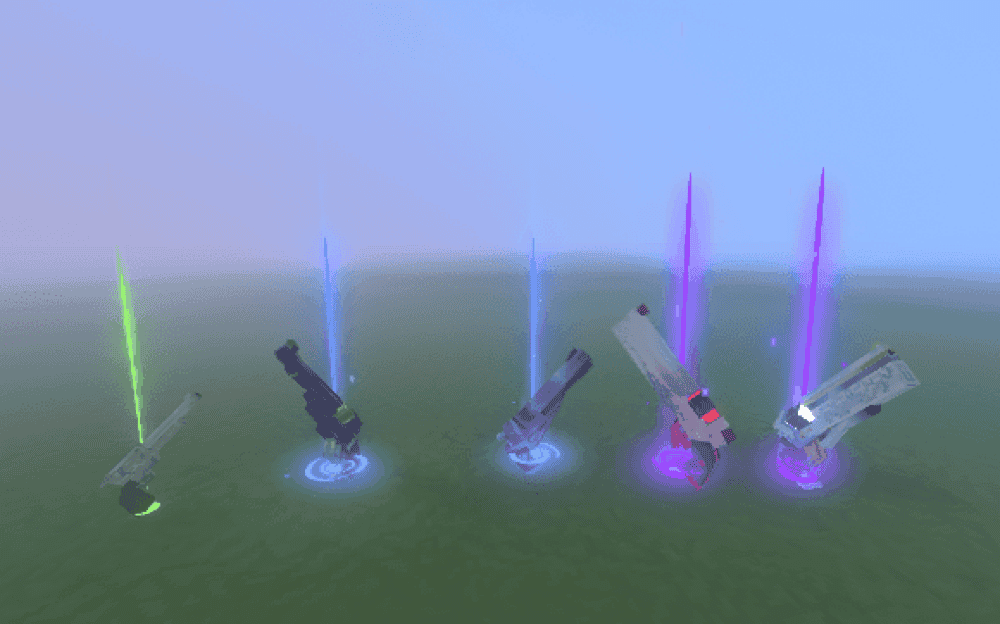
Owen’s Hand Cannons adds a lineup of revolver-style weapons built around tiered upgrades, charged attacks, and signature moves. The main set includes Big Iron, Briar, Lament, Rose, and Requiem, with each one upgrading the previous tier and giving the mod a stronger sense of progression than a simple one-off weapon add-on.
Compared to more basic firearm mods, this one feels more involved due to the added mechanics. For instance, you get dashes, parries, charged attacks, and weapons that use both stamina and bullets. Owen’s Hand Cannons is a strong pick if you want guns that seamlessly blend into Hytale’s existing combat systems rather than just being added on top.
5. Guns
6. Trin's Armory
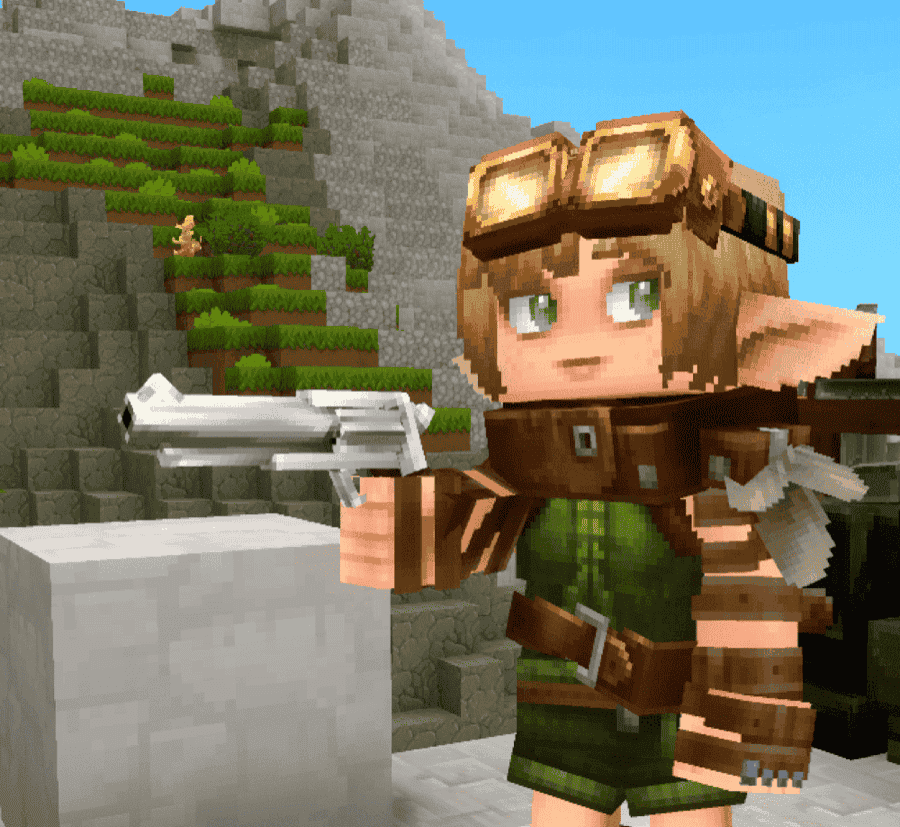
Trin’s Armory adds a small but growing lineup of craftable weapons made at the Weapon’s Bench, including a claymore and a revolver. For a gun-focused list, the revolver is the main reason it stands out, giving you a straightforward firearm option inside a mod that also includes melee weapons instead of focusing only on guns.
This mod works well if you want a simpler firearm option inside a broader weapon mod rather than a full gun-focused setup.
7. Starky's RayGun
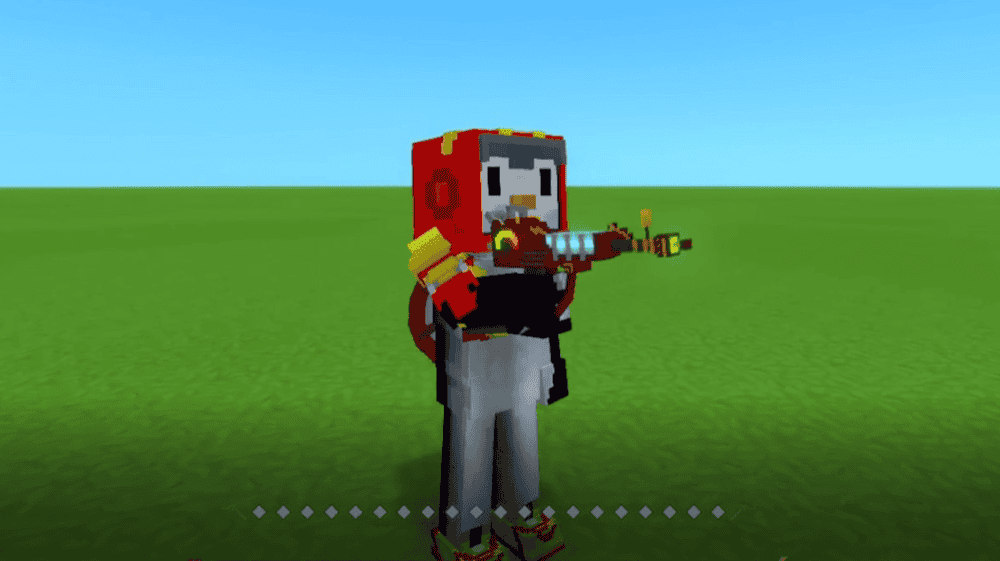
Starky’s RayGun brings the RayGun from Call of Duty Zombies into Hytale with its own custom model, animations, dedicated ammo, and custom mechanics like reloads, melee attack, and a temporary Pack-a-Punch upgrade. Rather than adding a full set of firearms, it focuses on making one iconic weapon feel distinct, flashy, and more fully featured than a basic gun add-on.
This mod works best if you want something more stylized than a vanilla-friendly firearm. The RayGun uses its own ammo, can be reloaded at any time, deals splash-style damage, and becomes stronger for a short period once its Signature Energy is full, which helps it feel more like a special weapon than a standard ranged option.
8. Rocket Launcher Gun RPG — Explosives Pack Addon
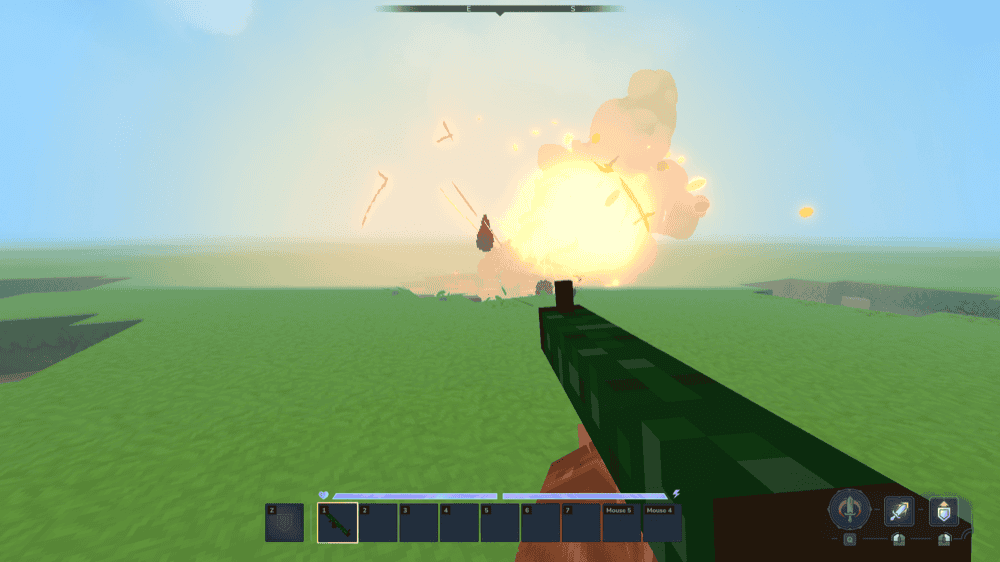
Rocket Launcher Gun RPG adds a military-style rocket launcher with custom visuals, custom sounds, and dedicated ammo. Instead of acting like a standard gun, it fires physical projectiles that explode on impact and damage both entities and blocks.
This mod works best if you want a true heavy-weapon option in survival. Its rockets are built around aim, timing, and ammo use, so the rocket launcher feels powerful without being completely free to spam, and that makes it a good fit for players who want explosive firepower with a bit more weight behind it.
9. TechHyGuns
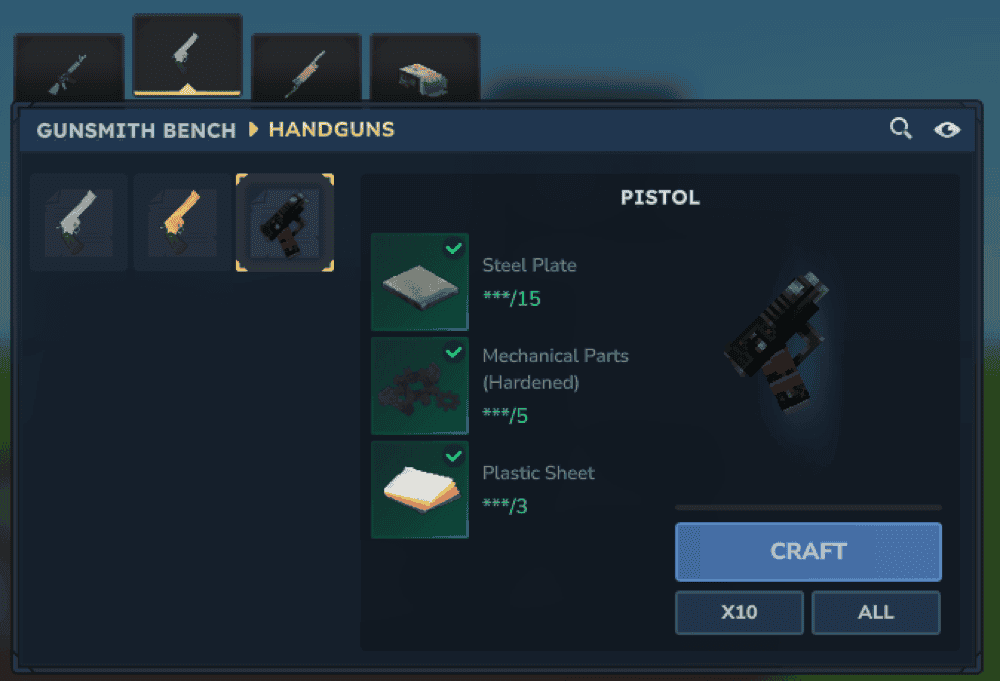
TechHyGuns adds a larger lineup of balanced firearms inspired by the Techguns Minecraft mod, reworked to fit Hytale’s style. It brings in 9 new weapons, 4 ammo types, and 4 workstations, so it feels much more than just a few extra guns slapped onto a game. The weapon list includes options like the M4A4, Revolver, Gold Revolver, Handmade Shotgun, Heavy Shotgun, Bolt Rifle, and Laser Rifle, giving you a wide arsenal to choose from.
This mod works well if you want something with more crafting and progression built into it. Alongside the guns, it also adds a few extra gear pieces, such as Night Vision Goggles and an Oxygen Mask.
10. Better Guns
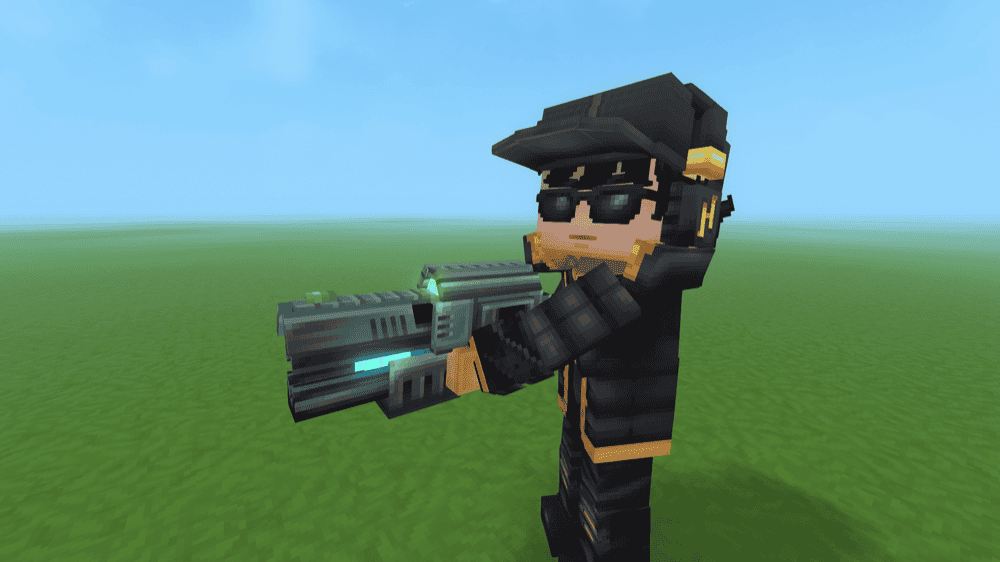
Better Guns reworks Hytale’s existing weapons to make them feel more balanced, functional, and easier to fit into normal vanilla progression. Instead of just adding a few extra firearms, it focuses on rebalancing how weapons perform, which gives the whole system a more consistent feel.
This mod works best if you want firearms and ranged weapons to feel like a more natural part of the base game instead of a separate layer on top of it. Weapons are crafted at the Workbench, and the current setup covers five weapon categories, including the Handgun, Rusty Blunderbuss, Blunderbuss, Gun, and Assault Rifle.
How to Install Hytale Mods
How to install with the CurseForge app:
- Open the CurseForge app and select Hytale.
- Go to "Discover" or "Browse". In "Browse", you can filter by Mod type and Game version.
- Find the mod you want and click "Install". If the mod is not supported directly in the app, CurseForge may show "Download" instead.
- Launch Hytale from CurseForge or from the official launcher.
- Enable the mod for the world where you want to use it. For a new world, go to "Create World" → settings cog → select mods → "Apply Settings" → "Create World". For an existing world, right-click the world → select mods → "Save world settings".
How to install mods manually:
- Download the mod file from its CurseForge project page.
- Open the Hytale tab in the CurseForge app and use the menu there to open the Hytale mod folder on your computer. If you prefer, you can also open that folder manually using the common locations listed below.
- Drop the downloaded mod file into the "Mods" folder.
- Launch Hytale and enable the mod for the world where you want to use it. For an existing world, right-click the world → select mods → "Save world settings".
Common mods folder locations:
- Windows: %AppData%/Hytale/UserData/Mods
- macOS: ~/Application Support/Hytale/UserData/Mods
- Linux: $XDG_DATA_HOME/Hytale/UserData/Mods
Common Issues and Quick Fixes
The mod is installed, but nothing changes in-game
With Hytale mods, installation is only part of the process. The mod also needs to be enabled for the specific world being played. If nothing seems different after installing a mod, the issue may simply be that the world settings have not been updated yet.
The CurseForge page shows "Download" instead of "Install"
This usually means the mod is not available for direct in-app installation. When that happens, the mod is generally meant to be downloaded manually and placed within the Hytale mods folder instead. After that, it can be enabled for your world as usual.
My in-game weapon won’t fire
A weapon not firing does not always mean the mod is broken. Many gun mods use their own ammo systems, reload inputs, or weapon rules, so the issue may come down to a missing ammo type or a different reload mechanic than is expected. In a lot of cases, the weapon starts working once the correct ammo and input setups are in place.
A dependency-based mod does not seem to work
Some mods rely on other required files to function properly. When a dependency is missing, the mod may load without showing its items correctly, or it may not seem to do anything at all. In those cases, the problem is often not the main mod itself, but one of the required supporting mods not being installed alongside it.
Recipes or items are missing
If a recipe or item is not showing up, it may be tied to a specific crafting station, a higher bench tier, or a different version of the mod. Some Hytale gun mods use the standard Workbench, while others add their own stations or require more advanced crafting progress before their items can appear in-game.
Ammo disappears or reload behavior feels odd
This can sometimes come from known quirks in the mod rather than user error. Certain mods already mention small issues on their pages, especially around loaded weapons, ammo tracking, or slot-swapping behavior. When something feels inconsistent, it may simply be part of the mod’s current early version, so it’s a good idea to check the official mod page for any documented issues.
A mod worked before, then stopped working after an update
That can happen a little more often in Hytale Early Access. Game updates sometimes change how mods, plugins, or file validation all behave, which can leave older files temporarily out of sync. In those situations, the issue is often down to version compatibility rather than anything wrong with the Hytale world itself.