If you’re looking for Hytale house ideas, prefabs are one of the fastest ways to upgrade your world. Instead of building every wall, roof, and room from scratch, you can place a ready-made cottage, tavern, tower, mansion, or castle and start building around it right away.
This list covers 15 of the best Hytale house prefabs on CurseForge by community downloads, with a mix of cozy starter bases, detailed town buildings, and larger landmark-style structures. Some come fully furnished and ready to use, while others give you a solid shell to further customize with your own layout and style.
Important: This article was originally published in April 2026.
Please be aware that the mods listed below were popular at the time of writing, but may have since become outdated or incompatible due to subsequent game updates. While we include them here as noteworthy examples of the modding community's work, we cannot guarantee their complete functionality.
For a list of the most recent and fully playable Hytale mods, please visit the official Hytale mods page.
1. HyTiny's Cozy Prefabs
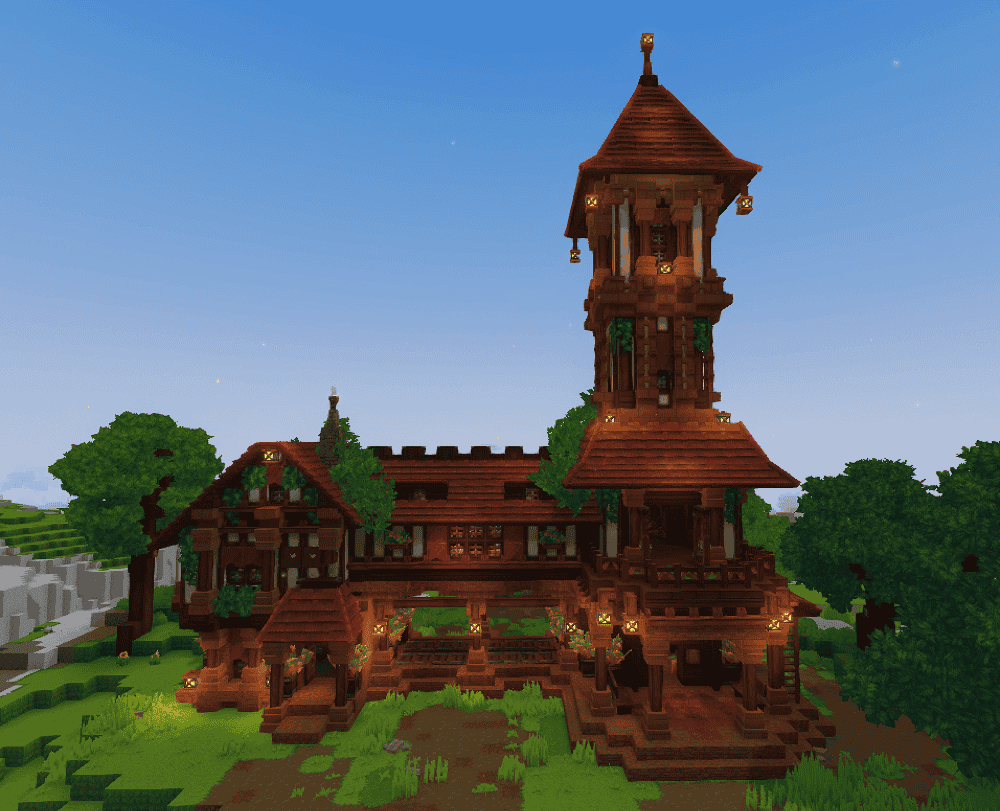
HyTiny’s Cozy Prefabs is a pack of 14 furnished builds for Hytale, with a mix of homes, shops, utility buildings, and larger landmark-style structures. The lineup includes smaller builds like the Cozy Cottage, Witch Hut, and Japanese Teahouse, alongside bigger pieces like Sandswept Castle and Medieval Castle, so it gives you plenty of variety in one download.
What makes the pack especially useful is that the builds are already furnished, which makes them feel ready to place and use instead of just acting as empty shells. It is a strong pick if you want multiple prefab styles that can help shape a town, base area, or themed world more quickly.
2. Medieval Tavern House
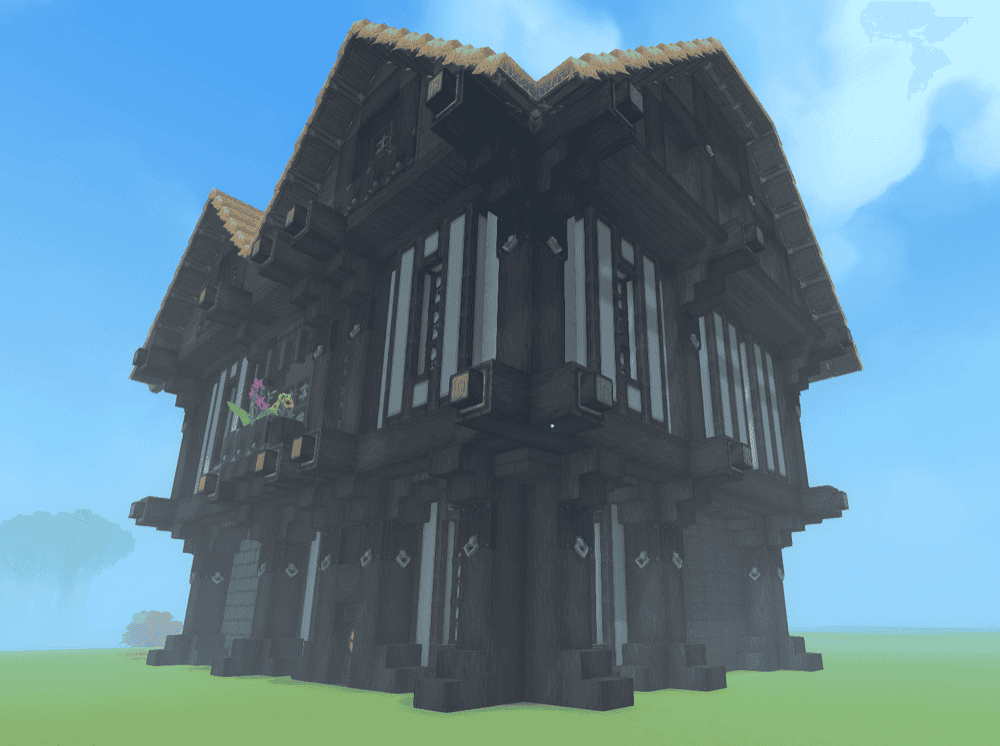
Medieval Tavern House is a custom-made prefab built to slot easily into almost any Hytale project. The main structure measures 20×25×19 blocks and uses oak blocks for a classic medieval look, which helps it blend naturally into villages, market streets, and fantasy town builds.
What makes it stand out is how focused it is. Instead of trying to be a huge landmark or a full prefab pack, it gives you one clean tavern build that adds character without being difficult to place. It is a simple, flexible pick for anyone building a medieval settlement.
3. Hobbit Hole [Proto's HyFantasy Series]
![Hobbit Hole [Proto's HyFantasy Series] Prefab](https://storage.ghost.io/c/9f/8d/9f8d5b30-70cc-4195-b81c-9da992a9b9dc/content/images/2026/04/protos-hyfantasy-series-hobbit-hole-player-base.png)
Hobbit Hole is a compact fantasy starter home designed to feel warm and lived-in from the start. It comes with a small farm and the workbenches you need for early progression, which makes it more practical than a prefab that is only there for looks.
The style is the main draw here. It leans fully into that tucked-away hobbit vibe, so it works especially well in peaceful survival worlds and fantasy-themed builds. Since it is part of ProtoGenesys’ HyFantasy series, it also fits nicely alongside the author’s other themed prefabs if you want a more consistent world style.
4. Dark Gothic Cathedral
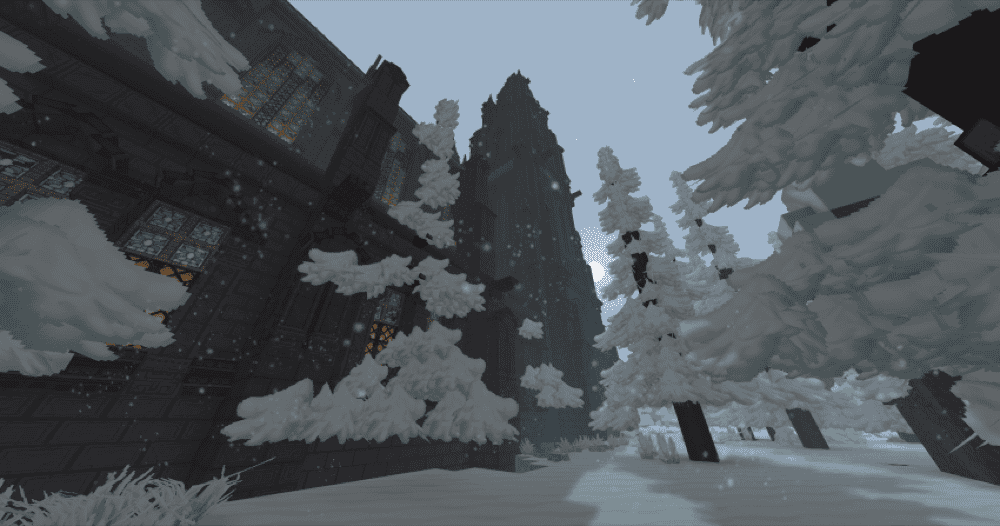
Dark Gothic Cathedral is a massive volcanic-stone landmark designed to dominate the skyline. The build is inspired by real cathedrals and gothic architecture, with tall black towers, rich exterior details, and a scale that makes it feel more like a world landmark than a simple house prefab. The full structure measures 147 blocks long, 47 blocks wide, and 105 blocks high, so it works best in projects where you want one build to define the whole area.
What really makes it stand out is the amount of detail packed inside. The cathedral comes with a fully furnished interior that includes a golden tabernacle, confessionals, side altars, a large organ instrument, a carillon, and even walkable attics, which gives it more depth than a prefab that only looks good from the outside.
5. Medium House 1
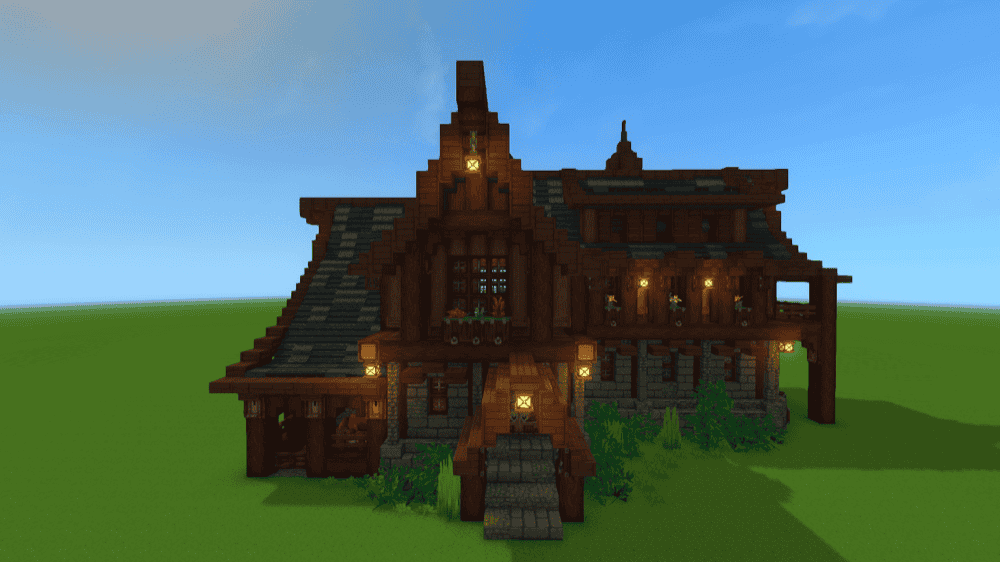
This medium house is a straightforward two-story house that works well as a general-purpose home base. It has a 39×30 floor area, which gives it enough space to feel useful without pushing into mansion territory, and the large open floor plan leaves plenty of room to shape the interior the way you want.
A small horse stable is the main extra feature, which helps the build feel more like part of a working settlement instead of just a standalone house. It is a solid pick if you want something practical, easy to place, and flexible enough to use in both solo worlds and village-style builds.
6. Tavern of the Beginning
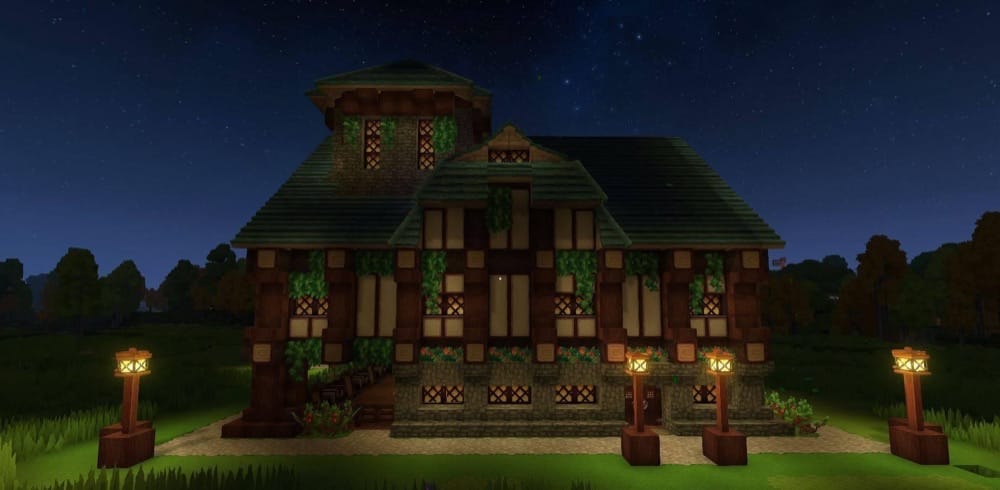
Tavern of the Beginning is built as a starter tavern you can use right away with a small group. It comes with 4 bedrooms, level 1 crafting benches, farms and animals, and plenty of storage, so it covers a lot of the basics you need at the start of a Hytale world.
What makes it stand out is how clearly it is designed for group play. Instead of feeling like a decorative tavern shell, it is set up as a practical base for you and your friends, with a built-in memory statue that makes it even more convenient as a starting hub.
7. Large Wizard Tower
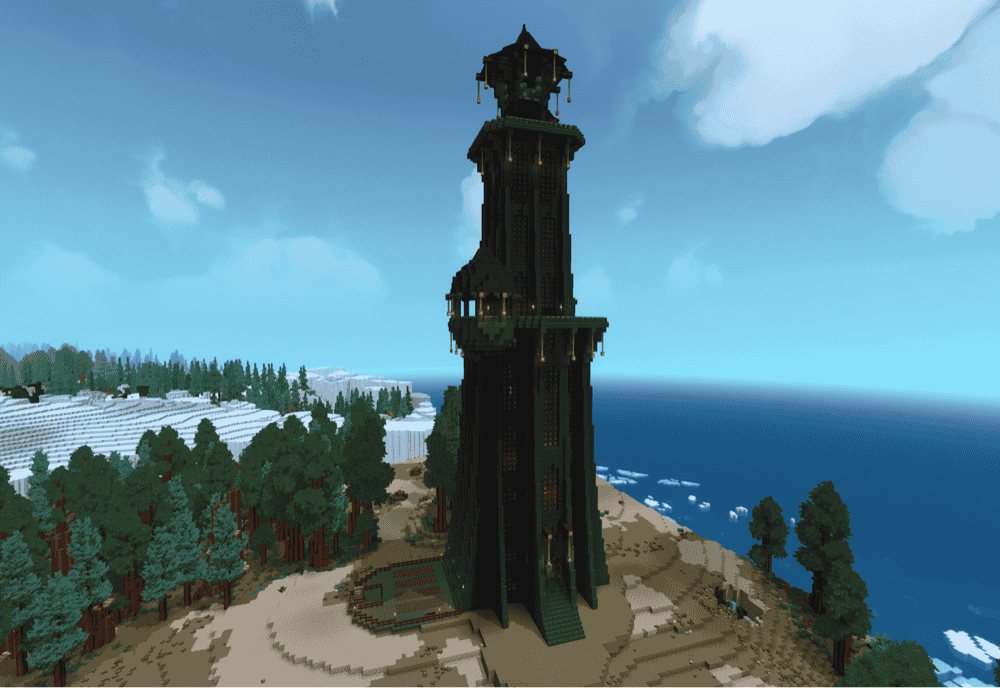
Large Wizard Tower is a massive player-home prefab build, which makes it easier to customize than a more fixed structure. The author specifically notes that floors and sections can be swapped around with the selection tool, and the current version adds circular wall, path, and window details to give the tower a more polished exterior.
Inside, it is set up more like a full fantasy headquarters than a simple tower shell. The layout includes a workshop, library, arcane workshop, alchemy lab, kitchen and mess hall, plus extra spaces like classrooms, dormitories, bedrooms, study areas, an entrance hall, a prison, and balcony areas. That makes it a strong pick if you want a wizard base that already has distinct rooms but still leaves space for your own changes.
8. Djego's Medieval Castle
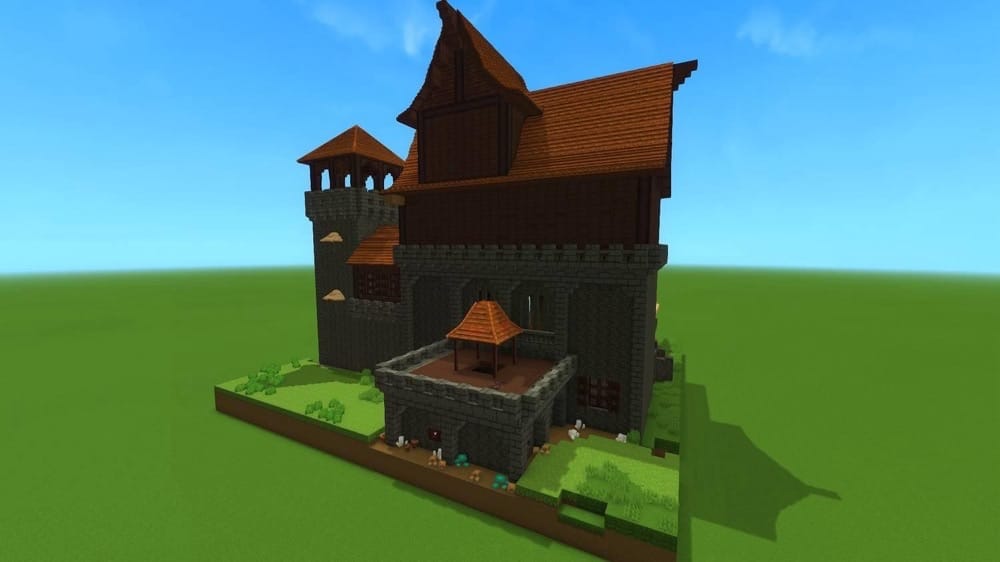
Djego’s Medieval Castle is a survival-built castle prefab designed to feel like a proper stronghold rather than just a decorative shell. It includes two large open rooms, two smaller rooms, a watch tower, kitchen, chapel, anvil/forge, royal room, treasure room, and a yard, so it already has the structure of a full base.
What makes it stand out is that it balances scale with usability. Instead of being one giant empty landmark, it gives you a castle layout with distinct spaces you can build around, which makes it a strong fit for players who want a medieval base that already feels organized from the start.
9. Small Wizard Tower
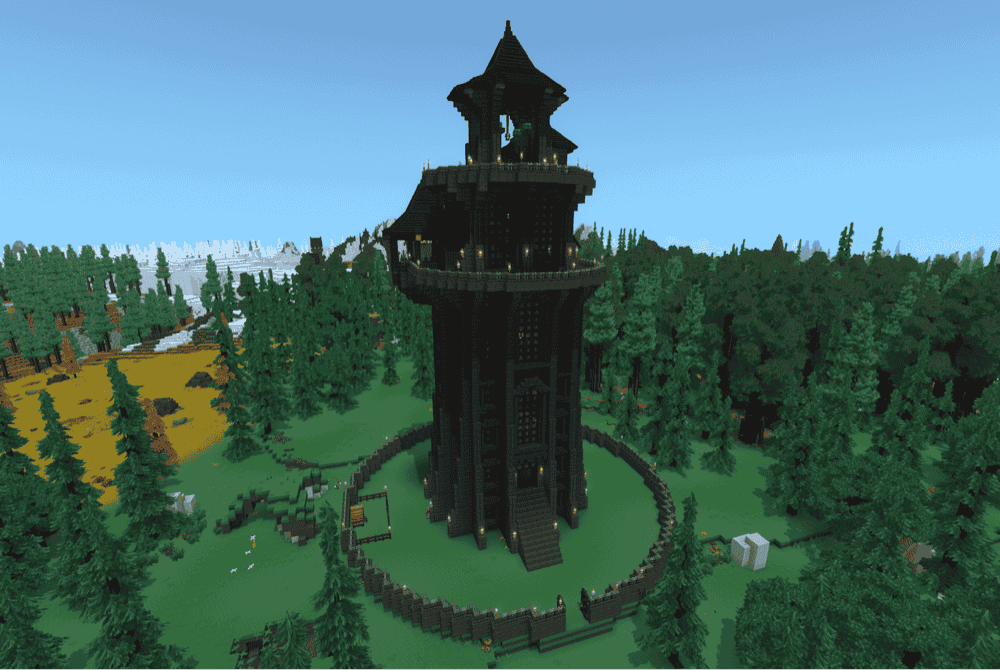
This wizard tower is the more compact version of vvvitch’s larger wizard tower, built for players who want a magical home base without the footprint of a full tower complex. It is designed to be flexible, so you can use it as a ready-made base or customize it for whatever role fits your world best. A greenhouse version is also available, though that variant uses Osly’s Glass Window Roofs.
Even with its smaller size, this tower still includes a strong set of built-in spaces, including a workshop, library, arcane workshop, alchemy lab, kitchen and mess hall, dormitories, study areas, entrance hall, prison, balcony areas, and a walled garden area. All of this helps it strike a nice balance between atmosphere and utility, especially if you want a wizard-themed base that already feels complete.
10. Large House 1
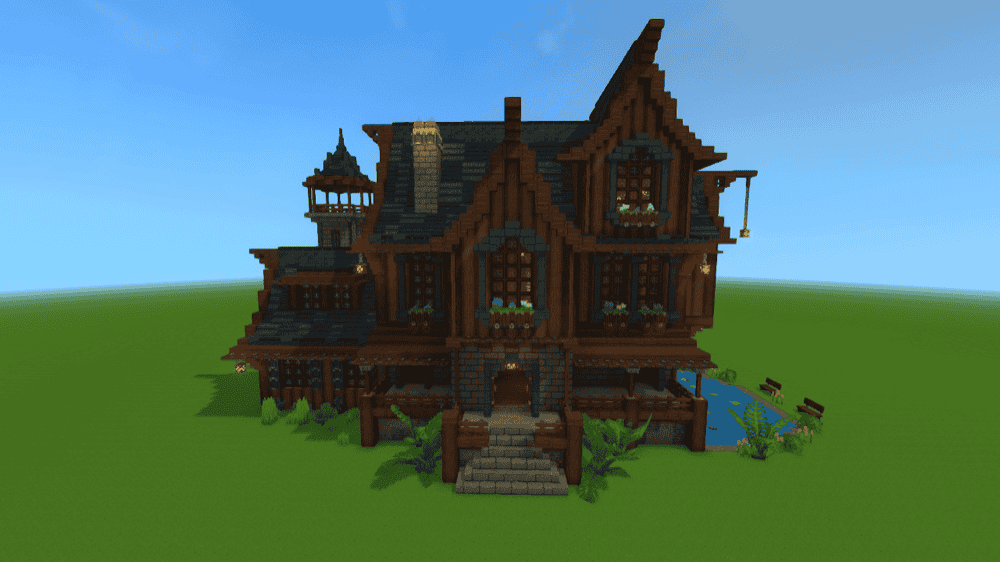
This prefab covers a 54×26 floor area built to work as a more spacious long-term base than a standard starter home. The building includes multiple rooms, a water feature, a lookout tower, and a basement. Overall, this house type provides a bit more variety than a simple boxy house build.
What makes it useful is that it sits in a nice middle ground between a practical house and a more decorative showcase build. The extra rooms and tower make it feel better suited to players who want a larger home base with a few standout details, while still keeping the overall structure straightforward and easy to place into a settlement.
11. House Modern
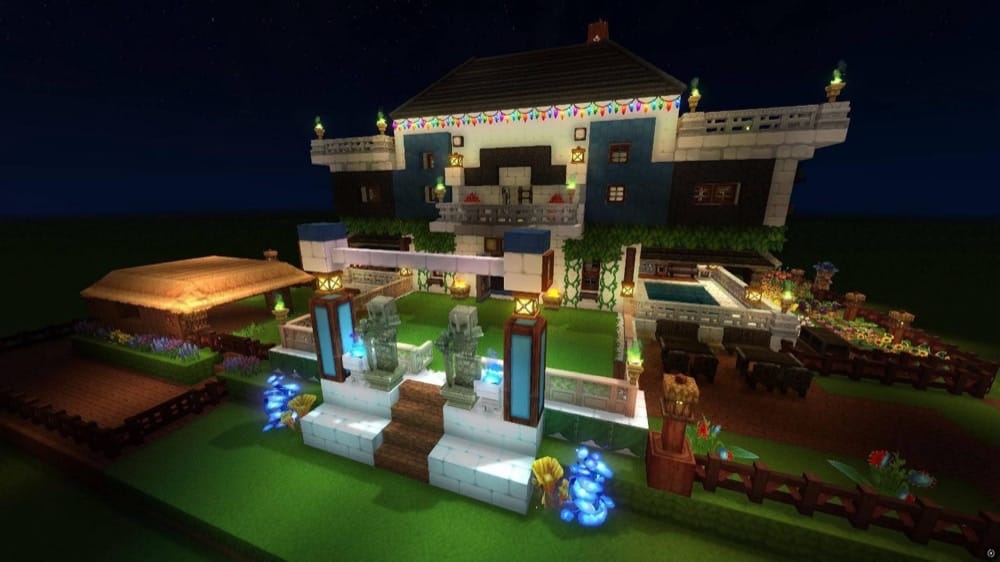
House Modern is an elegant house prefab that mixes modern design with a few medieval-inspired touches. It uses a balanced palette of blue, white, and dark wood with a symmetrical front design, a detailed central balcony, and enough greenery to keep the build from feeling too rigid or flat.
What helps it stand out is the exterior presentation. The build adds decorative lighting, a front garden, a small side pool, and a monumental entrance with statues, so it feels more like a display home than a basic starter base.
12. Mansion 1
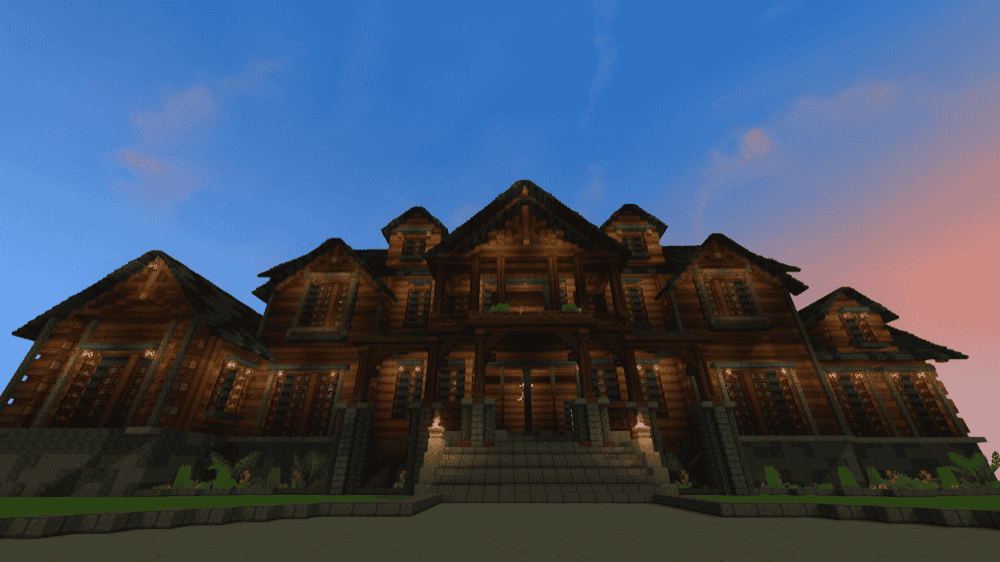
This prefab is a large wooden mansion with 2 floors and a basement, built more as a spacious shell than a fully finished home. It has a 100×40 floor area and an open floor plan which gives you a lot of room to shape the interior around whatever kind of base you want.
What makes it useful is that it does not lock you into a specific layout or furnishing style. Since it comes without furnishings, it works best for players who want the structure done for them but still want full control over how the inside looks and functions.
13. Mystical Tower
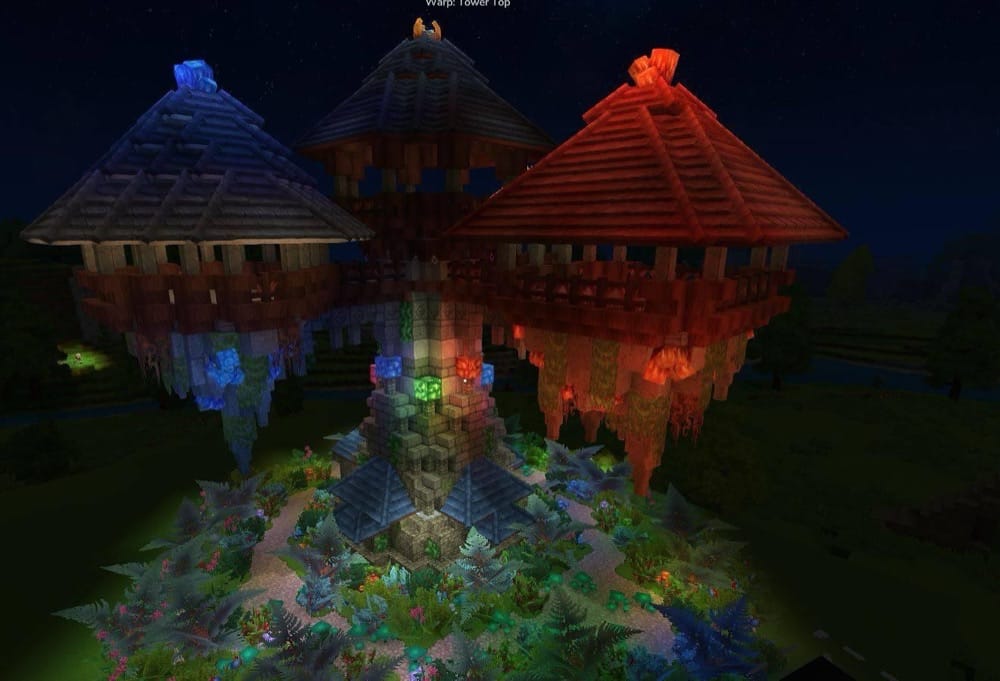
Mystical Tower is a simple wizard tower prefab made for fantasy-themed Hytale worlds. The project page keeps the description broad, which makes the build easier to use in different ways, whether you want a magical home base, a quest location, or just a tower that adds character to the landscape.
What makes it useful is that it is not locked into one specific role or setup. Compared with more detailed prefab pages, this one leaves more room for your own ideas, so it works best if you want a magical structure you can place first and shape around later.
14. Abandoned Castle Tower
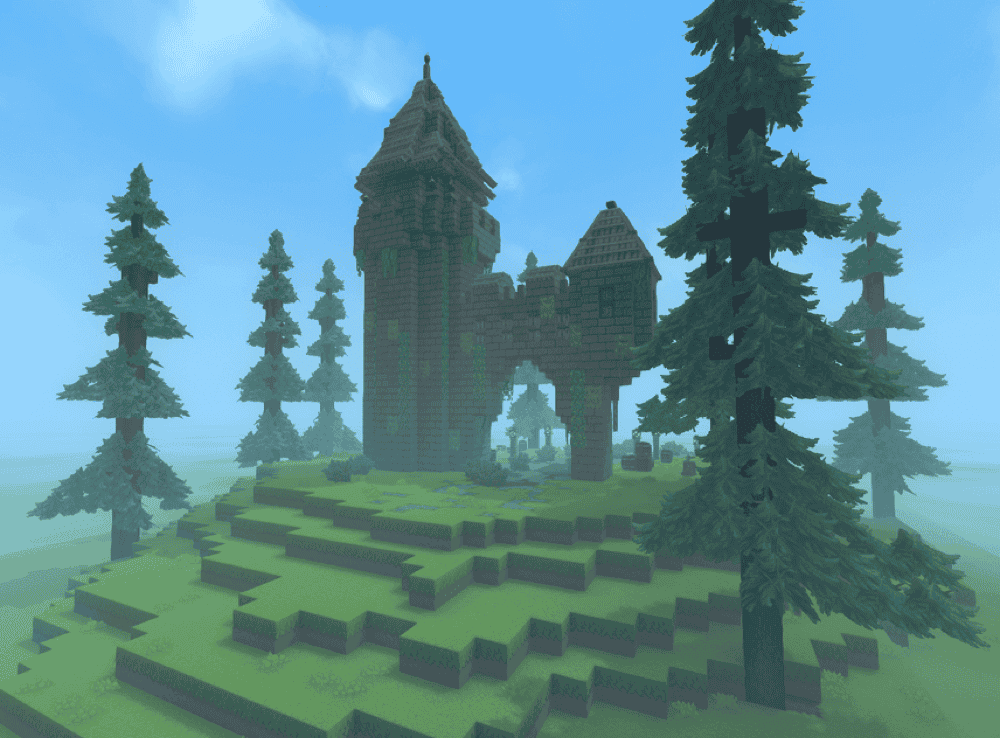
Abandoned Castle Tower is a ruined castle tower prefab built for atmosphere first. It leans into an old, overgrown look with weathered stone, crumbling walls, and vines, making it a natural fit for adventure maps, survival worlds, or roleplay servers. The author also notes that it is designed to blend into forests, mountains, or plains, so it works well as a structure you discover out in the world rather than a polished town centerpiece.
What makes it useful is how flexible the concept is. It can work as a dungeon entrance, a hidden loot location, or simply a haunting landmark that adds story to the landscape. The prefab also includes pre-placed torches and lanterns for extra atmosphere, and the author notes that it is easy to modify or expand if you want to build around it.
15. Cozy Tavern
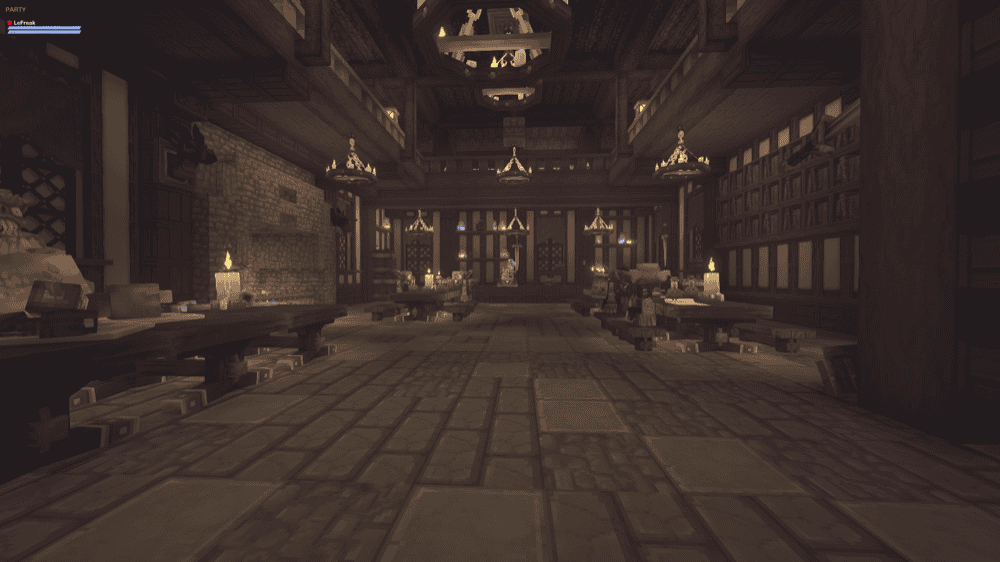
Cozy Tavern is a tavern prefab inspired by Hytale’s “New Entity Tools” video, recreated in the author’s own style. The main appeal here is that it already gives you the full tavern structure while still leaving room to tweak the layout and details to better fit your world.
What makes it useful is that it is intentionally only part decorated so it feels more flexible than a locked-in showcase build. That makes it a good fit for village projects, roleplay towns, or for anyone who wants a tavern they can place quickly and then finish with their own personal touches.
How to Install Hytale Prefabs
At the moment, Hytale prefabs are installed manually. Even if you download a prefab through the CurseForge app, you still need to place the prefab file into your world’s "prefabs" folder yourself.
How to Install Prefabs Manually
- Download the prefab from its CurseForge project page.
- If the download comes as a .zip archive, unzip it first and look for the json prefab file inside, often named ".prefab.json".
- Open the save folder for the world where you want to use the prefab.
- Open the "prefabs" folder inside that world. If it does not exist yet, create it manually.
- Move the prefab JSON file into that "prefabs" folder.
- Launch Hytale and open that world.
- Enter "Creative Mode" if needed, then press "B" to open "Creative Tools".
- Go to "World" → "Prefab List".
- Change "Assets" to "Server".
- Select the prefab and place it in your world.
Common prefab folder locations:
- Windows: %AppData%/Hytale/UserData/Saves/[WORLDNAME]/prefabs
- macOS: ~/Library/Application Support/Hytale/UserData/Saves/[WORLDNAME]/prefabs
- Linux: ~/.local/share/Hytale/UserData/Saves/[WORLDNAME]/prefabs
How to install prefabs on a server:
- Download the prefab file from its CurseForge project page.
- Upload the json prefab file to "/hytale/Server/prefabs" at the root of your server files.
- Launch the server and join in-game.
- Use "/prefab load <filename>" to load the structure.
Common Issues and Quick Fixes
The prefab does not show up in the list
This usually means the file is in the wrong world folder, the "prefabs" folder is missing, or you are still viewing "Assets" instead of "Server" in "Prefab List". Move the prefab json file into the correct world’s "prefabs" folder, then open "Creative Tools" and switch the source to "Server".
There is no "prefabs" folder in my save
That is normal. Some authors point out that the folder only appears after you make a prefab in that world, so if it is missing, just create a folder named "prefabs" yourself and place the file there.
The prefab preview does not appear, or placement looks wrong
A few prefab pages mention small placement quirks. Some builds need to be lowered into the ground with "PageDown", while others may need you to rotate the prefab with "R" once before the preview appears properly.
The terrain around the build looks messy
Large prefabs can include empty blocks or overwrite surrounding terrain, which can leave rough edges or odd gaps after placement. The quick fix is simple: place the prefab first, then do a small cleanup pass and terraform around it so it blends into the landscape properly.
Parts of the prefab are missing
Check the project page for version notes or extra requirements. For example, the greenhouse version of Small Wizard Tower uses Osly’s Glass Window Roofs, and Medieval Tavern House v0.3 fixed a missing top roof layer from an earlier file.
Some decorations cannot be moved or removed
This usually happens with entity decor. Which means decorative objects placed as entities rather than regular blocks. HyTiny’s Cozy Prefabs specifically notes that some builds use entity-based decoration, and those pieces cannot be moved or removed in Adventure Mode.
The inserted prefab causes lag on a server
Heavy decorative prefabs can hit performance harder than simple house shells. HyTiny’s Cozy Prefabs warns that the Japanese-Inspired Flower Shop uses hundreds of entities as decor and may cause lag on servers, so it is worth testing larger or more detailed builds before committing to them.
A small visual detail is missing after placement
Sometimes the issue is prefab-specific rather than a broken install. Dark Gothic Cathedral notes that one small water detail near the entrance may not appear correctly after placement, and that the nearby baptismal font may need a cube added manually.