Dinosaurs make Minecraft feel brand new. One minute you are chopping wood, the next you are digging up fossils, spinning up a DNA lab, and hearing something huge stomping behind the trees.
This list covers 15 dinosaur mods. Some are full park builders with breeding and machines, some drop dinos straight into survival, and a few reshape exploration with prehistoric biomes and new worlds to discover.
1. Alex’s Caves

Alex’s Caves turns the Primordial Caves into your underground dinosaur zone, a rare cave biome where you’ll hear distant dino calls and run into prehistoric creatures instead of the usual cave mob routine. Expect a lost world vibe with limestone caverns, ancient plants, and dinos that can go from cool discovery to full panic sprint real fast.
To find it, you’ll need an Underground Cabin in the Overworld so you can grab the Cave Compendium and cave tablets, then start tracking the Primordial Caves like a treasure hunt.
Heads up: the biome’s fog and lighting effects are a big part of the atmosphere, so shaders can potentially lead to visual glitches.
2. Fossils and Archeology: Revival

Fossils and Archeology: Revival is the classic dino lab loop. Dig up fossils, extract DNA, create embryos, hatch eggs, and build up a world full of prehistoric animals. It is not just dinosaurs either. You can also bring back creatures like mammoths, smilodons, terror birds, dodos, and more.
This mod also has an archaeology progression that can push into endgame territory, eventually leading to Anu, a late-game boss encounter tied to ancient relics and exploration.
3. JurassiCraft
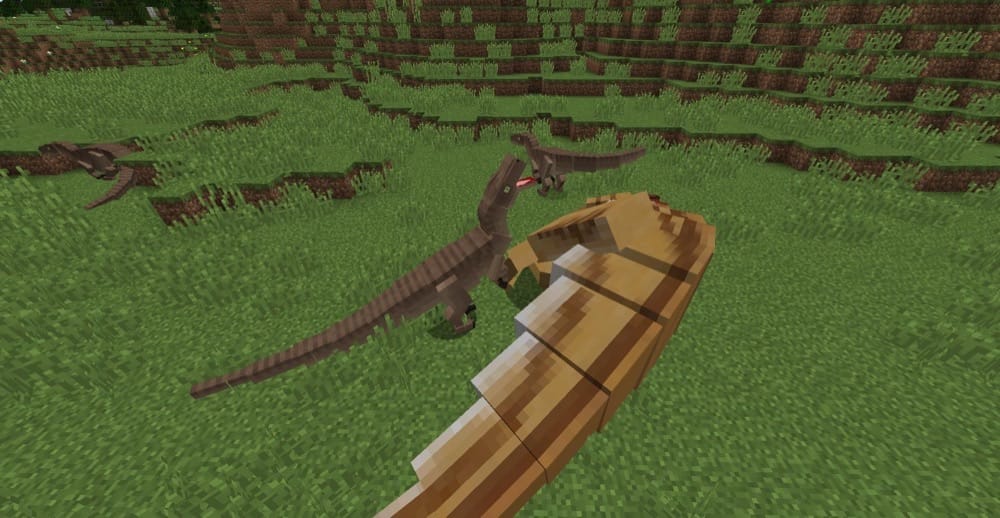
JurassiCraft brings the classic dinosaur park fantasy into Minecraft by letting you revive dinosaurs from fossils and amber. You collect materials, extract DNA, run it through the mod’s machines, and hatch baby dinos you can raise and show off in custom enclosures.
This mod also goes beyond dinosaurs with prehistoric plants to fill out pens, plus decorations, vehicles, and skeleton displays so you can build a full park and museum setup instead of just adding a few mobs.
4. Jurassic Reborn
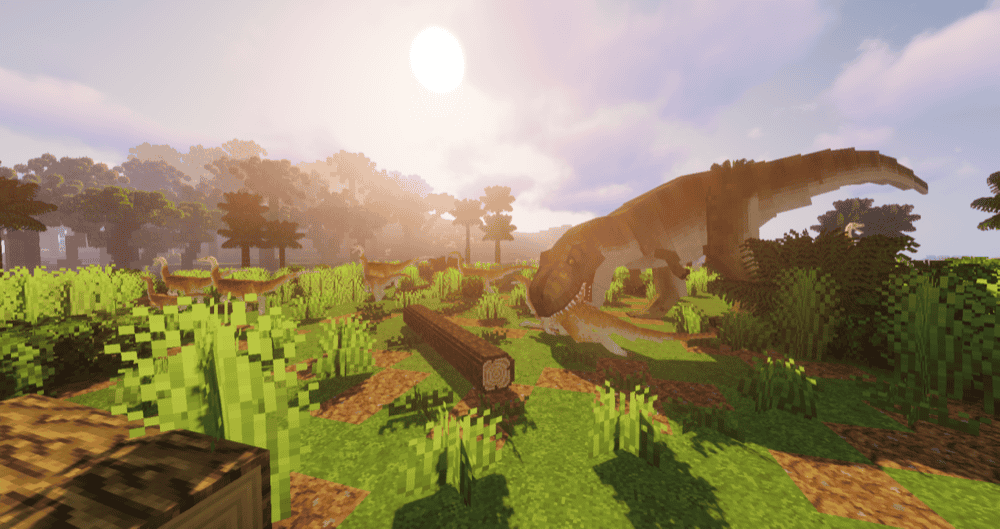
Jurassic Reborn aims to deliver the full Jurassic World vibe with a massive roster of prehistoric creatures, from dinosaurs and marine reptiles to prehistoric fish and hybrids. With unique AI, animations, textures, and models, your park feels alive and can get chaotic fast.
This mod is also great for builders, since it works perfectly with enclosures, a lab-style base, and a museum setup, so you can keep expanding your lineup as your park grows.
5. The Dawn Era Legacy
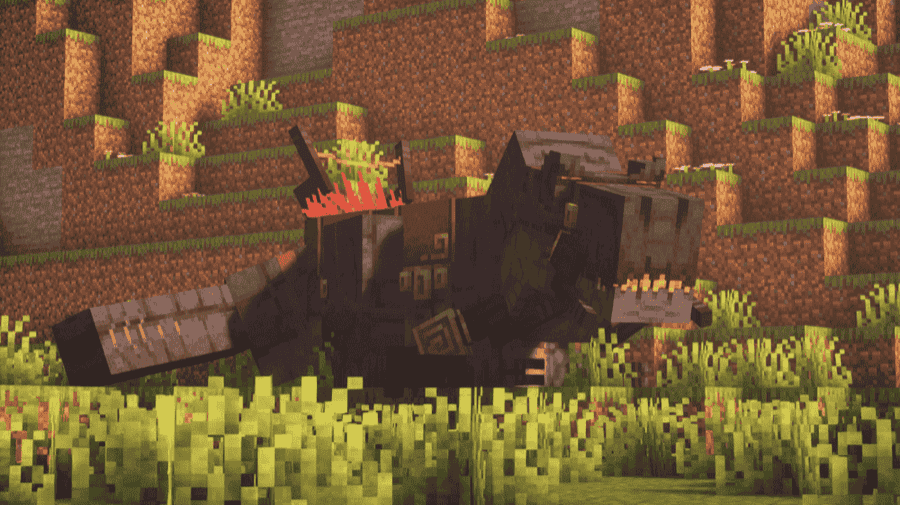
The Dawn Era drops prehistoric creatures straight into your survival world, with new mobs that spawn naturally and make exploration feel way more dangerous. You will be tracking, hunting, and taming ancient animals while the world feels wilder and more untamed than vanilla.
It is a great mod if you want dinosaurs and prehistoric wildlife to be part of everyday gameplay and not locked behind a lab system, so every trip outside your base can turn into a genuine survival moment.
6. Prehistoric Nature
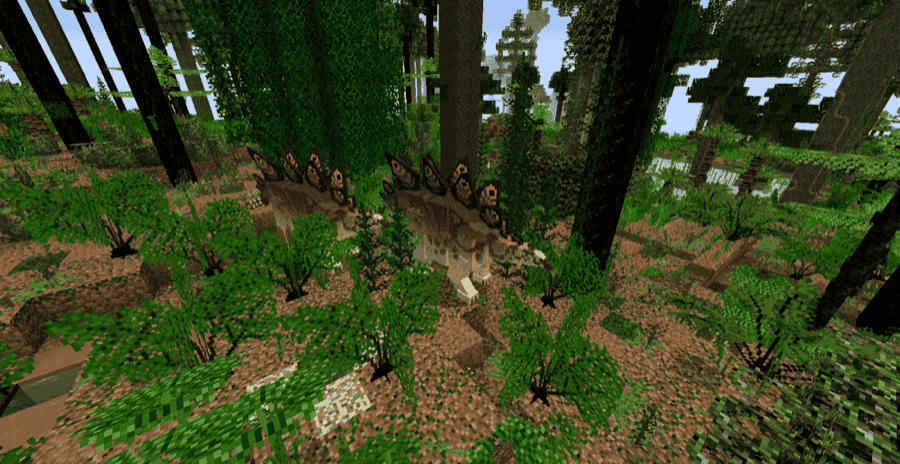
Prehistoric Nature is the go big option if you want dinosaurs to feel like part of a full prehistoric world and not just a handful of random mobs. It packs in well over 1000 creatures and plants, plus extra dimension downloads that let you explore whole time periods, so your dino adventure can turn into a full timeline tour.
Your best friend early on is the Palaeopedia guidebook as it helps you learn creatures and track what you are looking at in-game. For a smoother game performance, VintageFix is strongly recommended, especially once your world is full of prehistoric life.
7. Prehistoric Fauna

Prehistoric Fauna is all about dinosaurs shown through the lens of a time travel adventure. You can explore three Mesozoic-themed dimensions with era-based biomes, then bring prehistoric animals back to your main world or try surviving in the ancient landscapes. It adds a huge lineup of extinct species, from early ancestors to big name dinosaurs like Triceratops and Tyrannosaurus, plus lots of prehistoric plants and trees to make each zone feel alive.
To unlock the time travel part, you need to defeat the Henos boss to earn a Time Gem. Combine it with fossils to craft a totem for a specific period, then build a portal similar to an upright End Portal to jump into that era.
8. AlternaCraft

AlternaCraft adds dinosaurs from a mix of well-known franchises plus a few original creatures, so your Overworld starts feeling like a living dinosaur habitat instead of a normal mob loop. You will run into over 20 unique dinosaurs across land, with more variety planned as the project keeps growing.
It is also a solid dino park pick because the focus is on creatures coexisting in the same world, so you can build enclosures, set up a themed base, and keep expanding your lineup over time. If you are brave, the ocean side gets spicy too, with a colossal Mosasaurus waiting in the deep.
9. Ancient Nature | A Prehistoric Experience!

Ancient Nature | A Prehistoric Experience! adds prehistoric animals and plants that make your world feel ancient, with creatures pulled from different eras, including Cretaceous life like Jakapil plus ocean predators and weird early critters you will not see in vanilla.
You can build a proper prehistoric-themed playthrough by reviving creatures and exploring with a paleontology vibe, then filling your base and builds with new flora, tools, armor, and resources that match the time period.
10. Jurassic Additions
11. Prehistoric Legacy
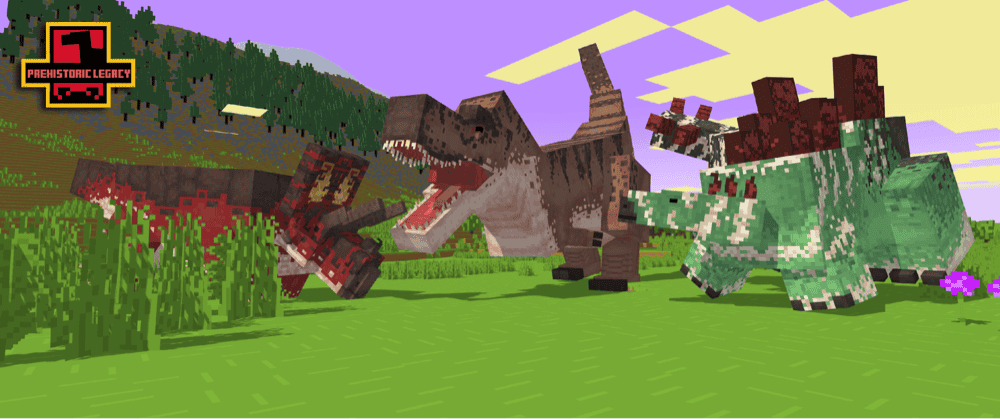
Prehistoric Legacy brings dinosaurs to life with a modern remake built for newer Minecraft versions, adding 18 prehistoric species plus extra items and mechanics that make survival feel more adventurous without replacing the whole game.
You can play it as a classic dinosaur experience where you work toward bringing creatures back, or flip the "doDinoSpawn" game rule so dinosaurs can naturally coexist in the Overworld while you explore, build, and expand your collection over time.
12. Jurassic Revived
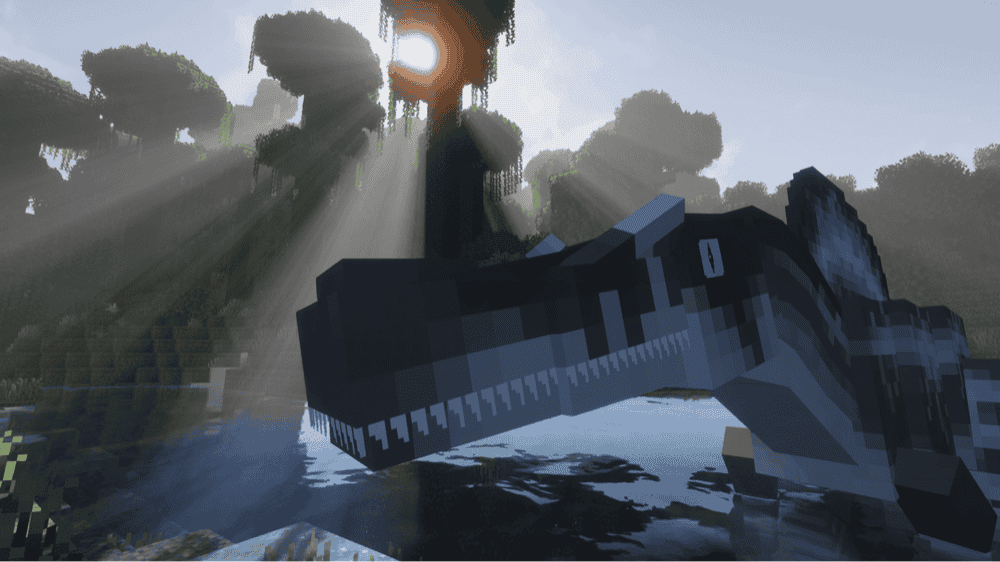
Jurassic Revived is a direct inspiration of JurassiCraft made for 1.20.1 and 1.21.1, bringing back the classic fossil to dinosaur journey with a modern twist. You dig up fossils, extract DNA, run it through machines, then hatch and raise dinosaurs with species specific behavior like roaming, herding, fleeing, and aggression.
This mod is also built for park builders, with tools that make it easy to set up enclosures, labs, research areas, and viewing zones, so you can grow your prehistoric park over time instead of just collecting mobs.
13. DragN’s Deadly Dinos Reconstructed

14. Jurassic Saga
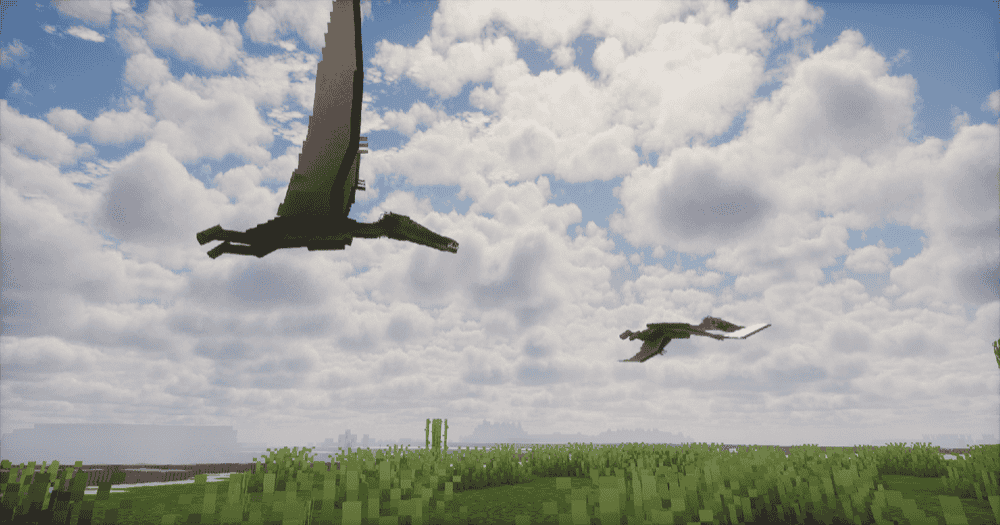
Jurassic Saga is a Jurassic Park-style progression mod where you work your way up from fossils and amber to DNA, then bring dinosaurs and prehistoric plants back to life as you build your own park.
The mod leans hard into management and immersion, with creature behavior that reacts to stress and their environment, plus genetics and hybrid options, so containment and care matter if you want your park to stay standing.
15. The Prehistoric World

The Prehistoric World drops you into a dinosaur-focused survival run with a roster of classic dinos like Tyrannosaurus, Stegosaurus, Triceratops, and Velociraptor-style threats, plus a few unique picks like the Titanus Carnotaurus. The animations and textures aim for a high-quality creature feel, and some dinos come with special abilities that make fights a lot less predictable.
This mod also gives you a simple park-style progression loop where you hunt fossils, extract DNA, incubate eggs, and build up your own lineup while exploring prehistoric structures that can help you gear up.
How to Install Mods
How to Install with the CurseForge App
- Open CurseForge → Minecraft and create a profile with the mod loader and version you need (Fabric, Quilt, NeoForge, or Forge).
- In the profile screen, click "Add More Content" (or open the three dots menu next to "Play" and choose "Add More Content").
- Click on "Add More Content" from the available options.
- Search for the mod you need and click "Install".
- Play from the CurseForge app.
How to Install Mods Manually
- Install a mod loader that matches your Minecraft version (Fabric, Quilt, NeoForge, or Forge).
- Run the installer to add a new profile in the Minecraft Launcher.
- Download the mod’s .jar file from its project page. Make sure both the Minecraft version and loader version match.
- Drop the .jar into the mods folder inside your ".minecraft" directory (create the folder if it doesn’t exist).
- Launch Minecraft using the new loader profile.
Note: Note: Make sure to check if the mod has been recognized by the game. On the title screen, click “Mods”. If the mod lists any required dependencies (like Fabric API), install those too. Please also note that if using Fabric, the "Mods" button will only appear if the "Mod Menu" mod is installed.
Common mods folder locations:
- Windows: %AppData%\.minecraft\mods
- macOS: ~/Library/Application Support/minecraft/mods
- Linux: /home/<your-username>/.minecraft/mods
Common Issues and Quick Fixes
Game will not launch
- Confirm you are using the right mod loader for the file you downloaded (Forge mods need Forge, Fabric mods need Fabric, and so on).
- Check for missing required mods. A lot of dino mods will not load without library mods like GeckoLib.
- Remove duplicates and old files. Having two versions of the same mod in your mods folder is a common crash cause.
Biomes, structures, or dimensions not showing up
World generation content usually will not appear in chunks you already explored, so travel far away or start a new world.
Shaders or performance mods cause crashes
If you crash with OptiFine, try removing it first. Many modern mods also expect a different rendering setup, so start troubleshooting with shaders and render mods turned off.
My world is laggy ever since I installed these mods
Mods that add new entities are likely to cause in-game lag spikes. This is especially true for MCreator mods. To fix this, try adding performance mods like ServerCore, AI Improvements, ModernFix, FerriteCore (NeoForge)/(Fabric), Saturn, Lithium, or Canary. Typically, any of these should get along with your dinosaur mods while also fixing some of the lag-related issues.
Recipes and progression feel too complex
A lot of these mods are progression-heavy, so you can install a recipe viewer to make DNA machines, books, and crafting chains much easier to follow.