If your pack’s gotten a bit too serious, these mods add some warmth back in. These picks lean into the cozy side of Minecraft: plushies for decorating, tiny critters you’ll get attached to, prettier skies, friendlier villages, and small details that make a base feel lived-in instead of just functional.
1. Plushie Mod
This mod does exactly what you expect – it adds over 80 cute, placeable plushies you can use to decorate bedrooms, shops, cozy corners, shelves, and just about anything else that needs a bit of cuteness. While relatively small additions, these cute critters are bound to instantly make your builds feel infinitely more adorable.
2. Critters and Companions

This mod drops a handful of adorable new animals into the Overworld and in oceans that aren't just there for looks. Otters crack clams for pearls, ferrets can be tamed and sent digging for loot, koi schools can give you a little Luck boost, and dumbo octopuses can save you with air bubbles when you're drowning. This mod is cozy, useful, and feels like a natural extension of the vanilla world.
3. [Let's Do] Beachparty
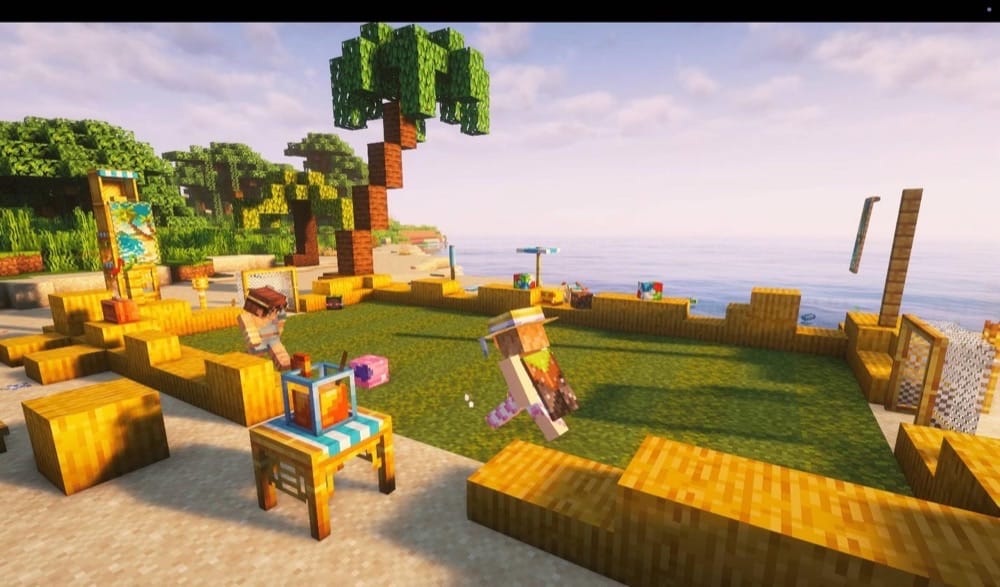
This mod overhauls the often overlooked Beach biome by adding coconut trees and new structures, such as beach huts and extra buried treasure. In addition to the worldgen buff, Beachparty also introduces a lot of beach-themed items for powering up your beachside activities. These include trunks, bikinis, sunglasses, and other trinkets (often with small bonuses), as well as a variety of beach furniture (chairs, tables, a palm bar for mixing cocktails, etc.).
4. Ribbits
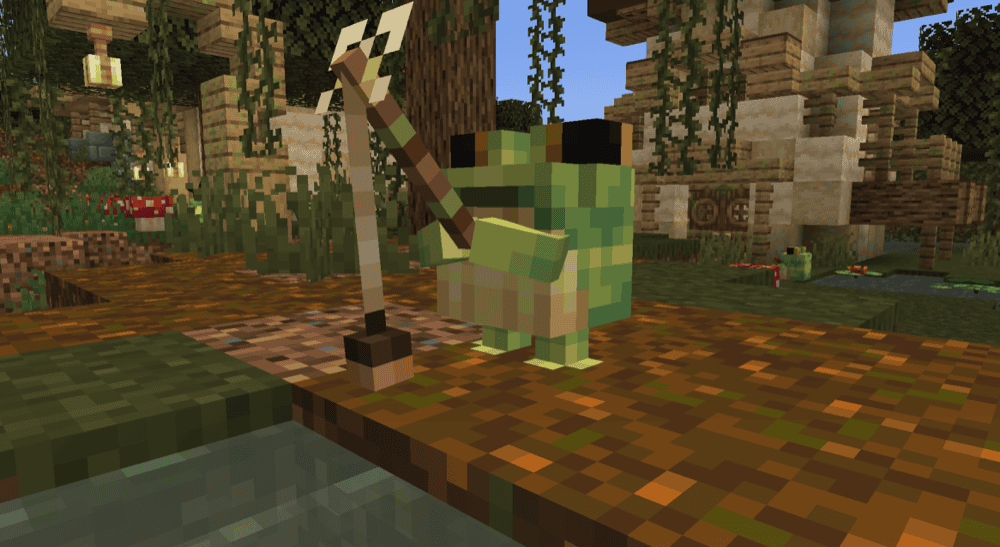
Ribbits adds swamp villages populated by tiny frog villagers called ribbits, and it's as wholesome as it sounds. You'll catch them sitting in little groups playing music, and you can actually join in, which makes swamps less of a "get slime and leave" biome. Different ribbit types also do their own thing: merchants and fishermen trade useful items (including ribbit-themed plant blocks and maracas), sorcerers occasionally buff you with spells, and gardeners help by watering crops. Ribbits can also be convinced to relocate, in case the swamp isn't your ideal homeland.
5. Auroras
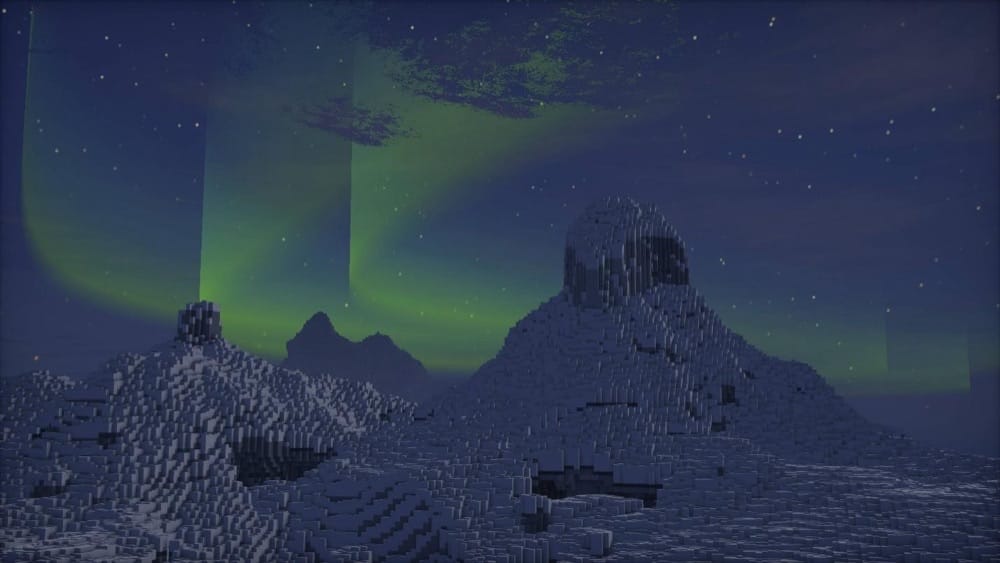
Auroras is a pure vibe mod that adds dynamic auroras to the night sky. All sorts of auroras can appear – from curtains to rays and spirals. It also works without shaders, so you get the effect even on a mostly-vanilla setup. What makes it nice for modpacks is how configurable it is. You can tweak how often auroras show up, how they move, their brightness, and the color. It also ties aurora visibility to latitude-style positioning by default (based on your Z position), so they feel like a real-world phenomenon instead of popping up absolutely everywhere. On the off chance you do want auroras to show up everywhere and on every night, then the main config file has a couple of dedicated options just for you!
6. Beautify!
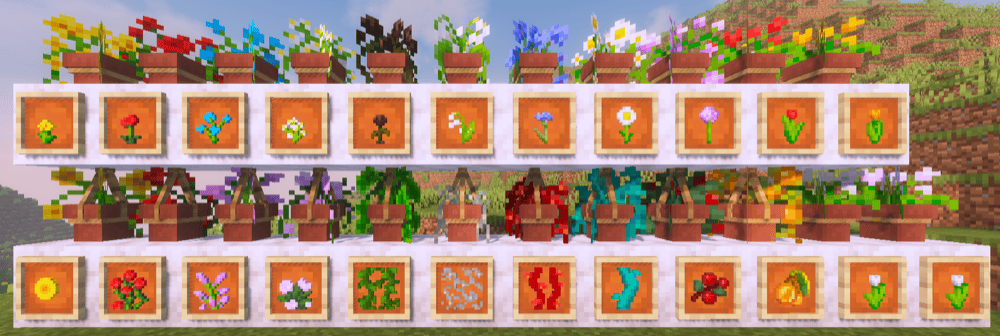
This is a vanilla-style decoration mod that adds a bunch of small build details using custom models, without turning Minecraft into a furniture mod. The lineup is super practical for interiors: hanging pots with nicer plant models, book stacks that work for powering enchantment tables, blinds for windows and doorways, and picture frames for paintings. The mod also adds ropes you can climb, a handful of new light sources (lanterns, candelabras/chandeliers, jars, bulbs), and lattices for decorating walls and ceilings with plants. Little bonus touches are baked in too, like being able to duplicate tall potted flowers with bone meal, so these cute additions have practical use as well.
7. Snuffles
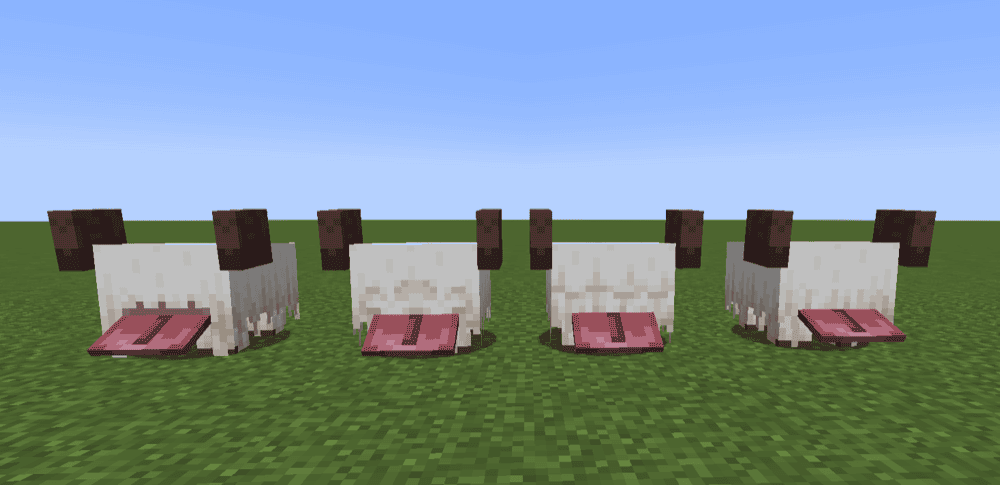
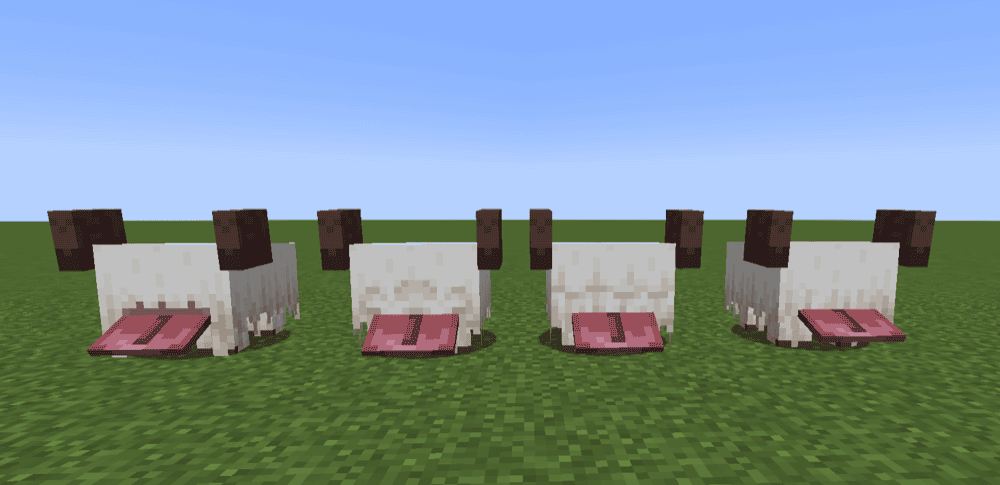
This mod adds a fluffy new mob to snowy biomes with frosty fur and a giant tongue. Breed them with potatoes, and if you're holding one, they'll do that little tongue-flap sprint straight at you. Frosty Snuffles leave snowflake trails, and you can warm them up with magma cream or fire, then turn them frosty again by being out in snowfall or stepping into powder snow. You can shear them for Snuffle Fluff (for carpets/blocks), use slimeballs to swap between four hairstyles, and the frosty fluff blocks add snowflake particles when stepped on, great for that cozy winter vibe.
8. Lil' Wings
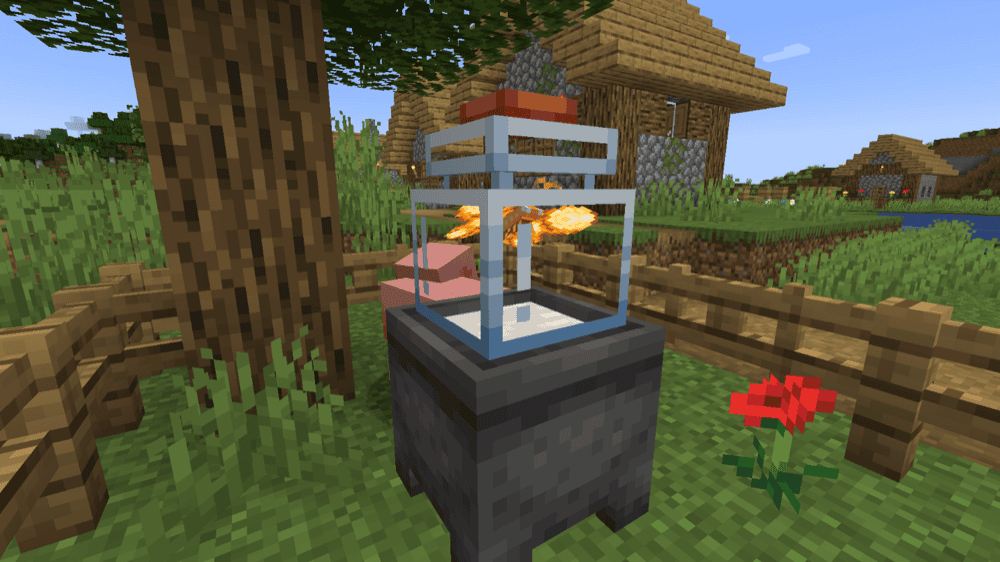
This mod adds 12 butterflies plus a pile of butterfly-themed items and a few blocks, mostly aimed at cozy collecting and base decorating. The main hook is the jar system – catch butterflies, place a glass jar in the world, and store them inside. Different butterflies also offer different perks while captured. This includes things like helping you out with small tasks, interacting with blocks, or supporting nearby players. If you want to view all the details in-game, it's documented in "The Great Butter Book" through Patchouli.
9. Player Companions

This mod adds tameable creatures that stick with you and actually do things, follow you around, protect you, or help out depending on the companion type. You can get collectors, guards, healers, and basic followers, with different sub-types and color variants, plus better control than the usual "sit/follow" pet behavior. It's also built to be convenient, companions are persistent, you can spawn/de-spawn them using their related items, and it includes friendly-fire options so your own pets don't turn fights into a mess. The in-game guide book, available when Patchouli is installed, provides information on each companion, their behaviours, and how to control them.
10. Mystic's Biomes
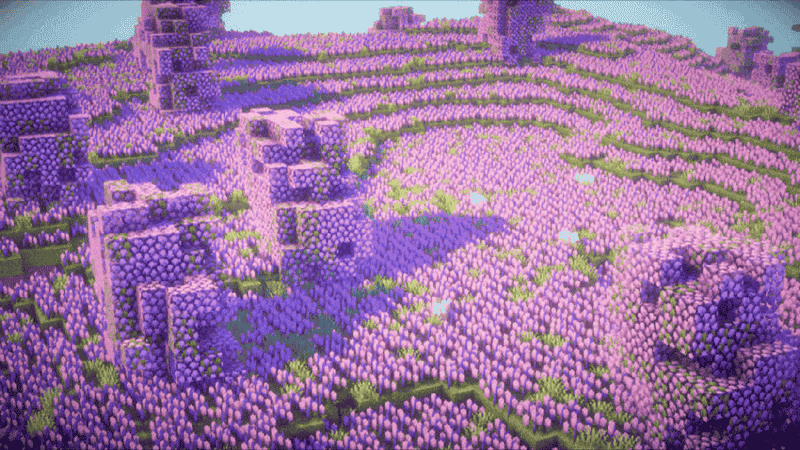
This mod is all about adding bright and cozy Overworld variety. It has seven new biomes, each packed with its own plants, trees, and building blocks, but still close enough to vanilla that it doesn't feel like a different game. The biome lineup is: Strawberry Fields, Lavender Meadow, Bamboo Blossom Forest, Autumnal Grove, Lush Oasis, Lagoon, and Tropics. It also comes with a small cast of "Why is this so cute?" mobs to match the vibe, like strawberry cows, rainbow chickens, red pandas, sea otters, and butterflies that add a bit of life to the new areas.
11. Ghosts
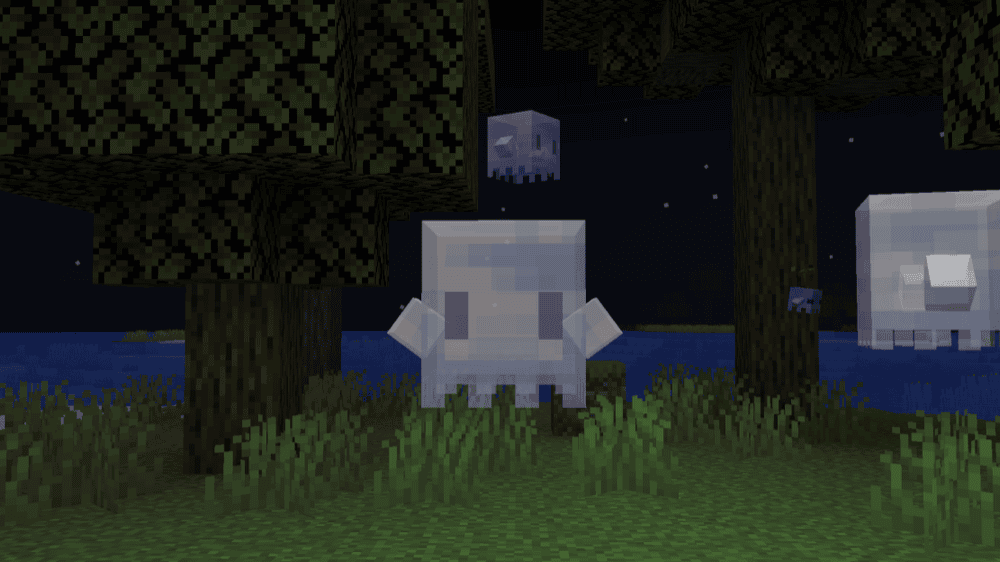
This mod adds two friendly night-time mobs that are helpful instead of scary. The main Ghost spawns in forests at night and can be tamed with glow berries. Giving it an item will set its role: torches to light up dark spots, a totem of undying to save you upon death, or an enchanted item to strip a random enchantment and give you XP. The Mini Ghost shows up in places like dark forests and swamps, quietly seeks out saplings to replant, and hides during the day by blending in as a plant.
12. Monsters&Girls: Secrets of Mermaids

Secrets of Mermaids adds a few mermaid species plus extra aquatic mobs, all styled after real sea life. Mermaids can be tamed, but they stay in the water, you can toggle them to stay or wander instead of following you on land. You'll find an aggressive Abyssal Mermaid in deep oceans and a calmer Tropical Pygmy Mermaid in warm oceans that can dig up shiny loot when fed. It also includes Crab Girls in beach biomes that can only be found by digging through the sand with your bare hand (or with a special pearl shovel), plus pearls and shells used for decorative blocks, water-focused tools, and armor with helpful effects (with more effects when you are underwater).
13. Valentine's Blessing
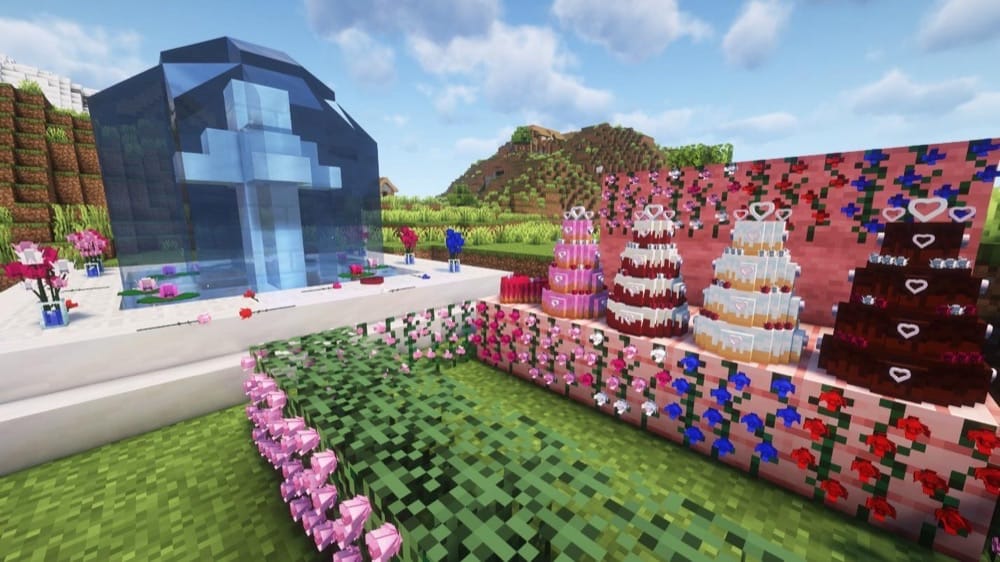
This is a small, cozy decor mod that adds a variety of Valentine-themed things for your world. The main attraction is lily pads which generate in swamps and rivers and come in different varieties, with a special white lily pad variety floating only in icy rivers. The mod also adds Valentine-themed decorations you can craft using vanilla materials, like rose wall decor, wedding-style cakes, and other sweet treats.
How to Install Mods
How to Install with the CurseForge App
- Open CurseForge → Minecraft and create a profile with the modloader and version you need, Fabric, Quilt, NeoForge or Forge (depending on which mods you are looking to install).
- Open your profile and click the three dots next to "Play".
- Click on "Add More Content" from the available options.
- Search the mod you need and click "Install".
- Play from the CurseForge app.
How to Install Mods Manually
- Install a mod loader that matches your Minecraft version (Fabric, Quilt, NeoForge, or Forge).
- Run the installer to add a new profile in the Minecraft Launcher.
- Download the mod’s .jar file from its project page. Making sure both the Minecraft version and loader version match.
- Drop the .jar into the mods folder inside your .minecraft directory (create the folder if it doesn’t exist).
- Launch Minecraft using the new loader profile.
Note: Make sure to check if the mod has been recognized by the game. On the title screen, click “Mods” (or “Mod Menu” if you’re using Fabric). If the mod lists any required dependencies (like Fabric API), install those too.
Common mods folder locations:
- Windows: %AppData%\.minecraft\mods,
- macOS: ~/Library/Application Support/minecraft/mods
- Linux: ~/.minecraft/mods
Common Issues & Quick Fixes
Mods worldgen not showing up in an existing world
Most worldgen or content mods only spawn structures and features like trees in new chunks. Walk out to unexplored areas or start a quick test world to confirm if all works as intended.
I get a “Missing dependency” crash
You likely need to install the required library mod for your version and loader. If you’re on Fabric, Fabric API is the usual culprit.
Wrong loader/file version or mod not appearing in the in-game mod list
Double-check you got the right build for Fabric vs. Forge vs. NeoForge, and that it matches your exact Minecraft version (1.18.2, 1.20.1, etc.).
Nothing spawns in-game (new mobs/structures feel “too rare”)
Some mods are intentionally light. Try flying around in a creative test world, or try disabling some biome and structure mods if you have too many enabled all at once. Some mods may also have config options to make structures more common, or require you to create a datapack before you can tweak their values.
I don’t know how to craft any of the blocks or items
Your best bet is to install a recipe viewer (JEI/REI/EMI) as it will save you a ton of time, especially if using mods that add lots of small craftables.
Performance dips after adding biome/worldgen mods
Consider cutting back on big worldgen mods, lowering your view distance, and doing a few sessions with performance mods enabled.