
If your worlds are starting to blur together, biome mods are the fastest way to make exploration feel fresh again. Some of these mods add a colossal list of new biomes so the environment feels entirely new at least half of the time, while others focus on keeping things simple by making subtle improvements to the existing biomes.
Whatever you pick though, you’re guaranteed to have fun!
1. Biomes O’ Plenty
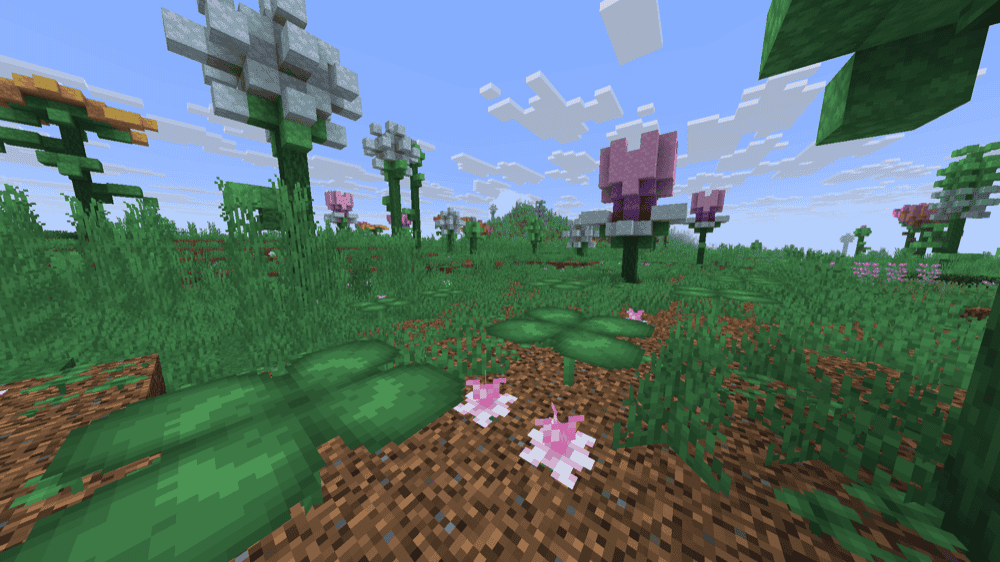
Biomes O’ Plenty is a classic biome pack, it adds 50+ new biomes to the Overworld, with extra content for the Nether and End too. You also get a big set of matching plants, trees, flowers, and building blocks, so it helps both exploration and building.
On newer versions (1.18+), it works normally in singleplayer and on servers, but like most worldgen mods it’s best on a new world (or in newly generated chunks). On older versions, you may need the correct world type/level-type setting, otherwise the biomes won’t generate.
2. Terralith
3. Alex’s Caves

Alex’s Caves is a Forge mod for Minecraft 1.20.1 that adds six rare cave biomes to the Overworld. They’re not meant to be everywhere, each one is more like a hidden destination with its own blocks, mobs, items, and mechanics. The biomes are Magnetic Caves, Primordial Caves, Toxic Caves, Abyssal Chasm, Forlorn Hollows, and Candy Cavity.
To get started, you’ll need to find an Underground Cabin somewhere in the Overworld. Inside, you can grab cave tablets and the Cave Compendium, which points you toward the biomes and explains how they work. Since the mod uses a custom atmosphere (fog, particles, lighting, etc.), it’s usually best experienced without shaders, some shader packs can mess with how the caves are supposed to look.
4. BetterNether
5. BetterEnd
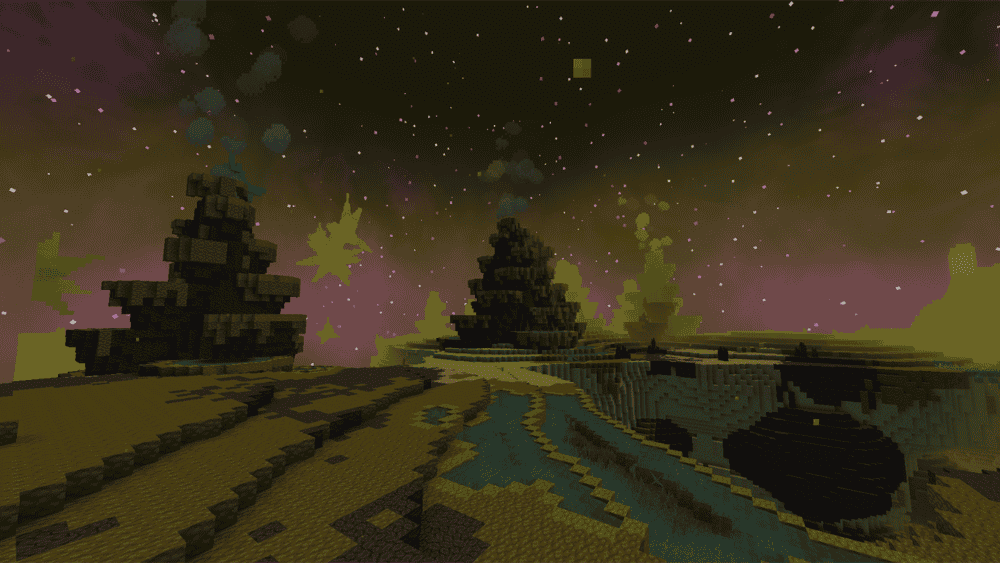
BetterEnd turns the End into a real dimension instead of a quick dragon stop. It adds 24+ new biomes and reworks existing ones, each with its own atmosphere, resources, and mobs. The End sky also gets a custom look, with new visuals plus custom music and ambient effects so exploring doesn’t feel empty.
The mod also replaces vanilla End generation with a custom, configurable generator, so islands vary more in shape, height, and terrain, and you’ll even find caves inside them with unique resources. On top of that, you get a big block and item lineup (new wood and stone types, food, tools, armor, weapons) and extra mechanics like infusion rituals and End progression to give you reasons to stay longer.
6. Gardens of the Dead

7. Incendium
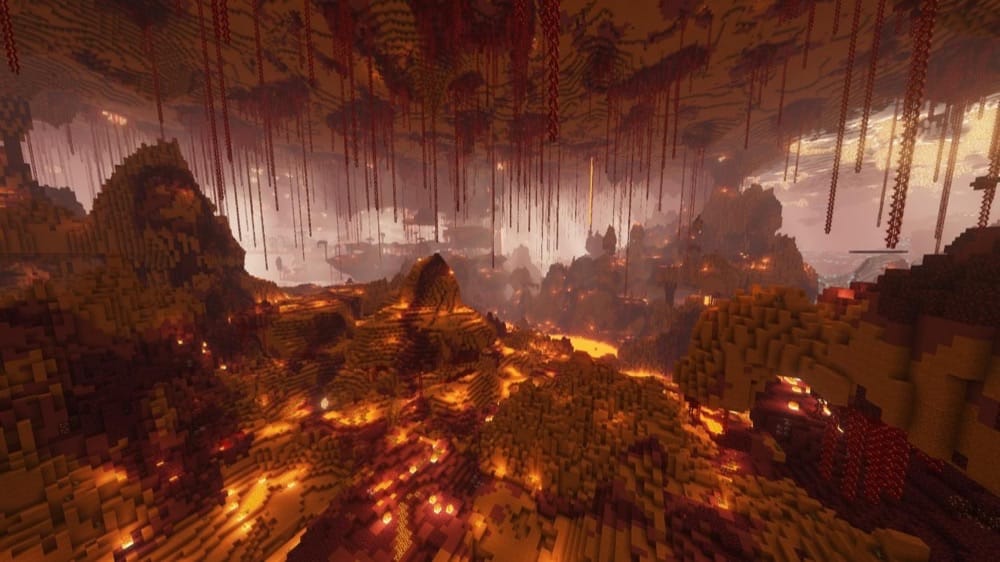
Incendium is a Nether overhaul (datapack-style, packaged as a mod) that uses only vanilla blocks, but still makes the Nether feel completely different. It boosts Nether height to 192, adds 8 new biomes and 9 structures, and reshapes the terrain with jagged mountains and deeper cave systems.
The mod also works server-side, meaning players can join with a vanilla client while the server runs it. The Nether ends up tougher, but much more rewarding, with high-value structures like the Nether Reactor, Sanctum, and Forbidden Castle. Just don’t pair it with Amplified Nether mod.
8. Regions Unexplored
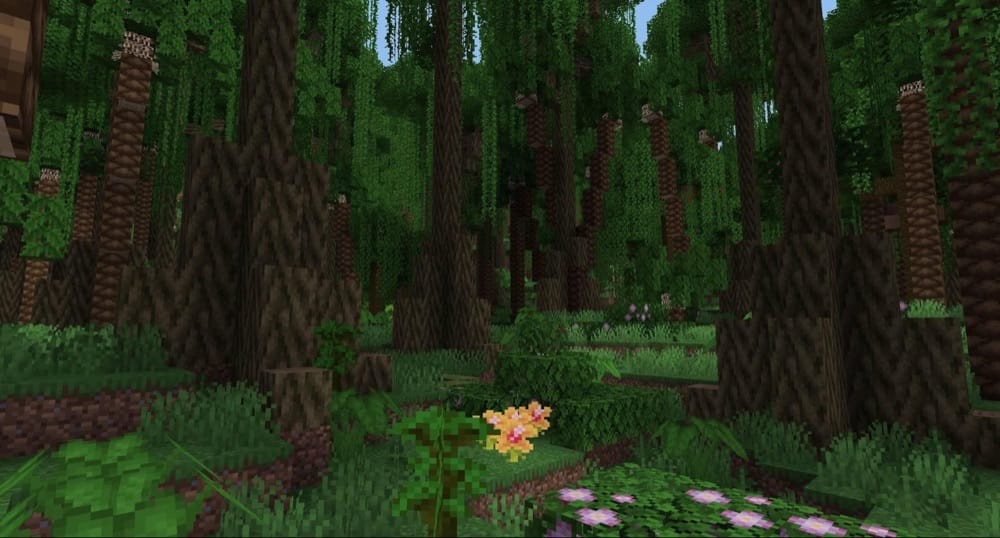
Regions Unexplored is a big biome mod that refreshes both the Overworld and Nether with 70+ new biomes, plus dedicated cave biomes so the underground feels less repetitive. The range is wide, realistic picks like Redwoods, Bayou, Chalk Cliffs, and Joshua Desert, alongside more stylized spots like Alpha Grove, which is a rare throwback biome with old-school Minecraft vibes.
The mod is also great for builders. Along with the new landscapes, you get plenty of new plants, stone types, and multiple wood sets.
9. Nature’s Spirit

Nature’s Spirit is an Overworld biome mod that adds new environments inspired by real places, but keeps the vanilla feel. Alongside the biomes, it’s also a builder’s mod, its block palette leans into softer, muted colors with dyeable Chalk sets and Kaolin (a clay-style block) for clean, pastel builds.
The mod has a bunch of small mechanics that make it stand out too, like coral-based calcite generators, lotus elevators that raise/lower you, and a few fun crafting extras. On top of that, it adds new village types that match the new biomes, like Wisteria, Coconut, Adobe, and Cypress villages.
10. Nullscape
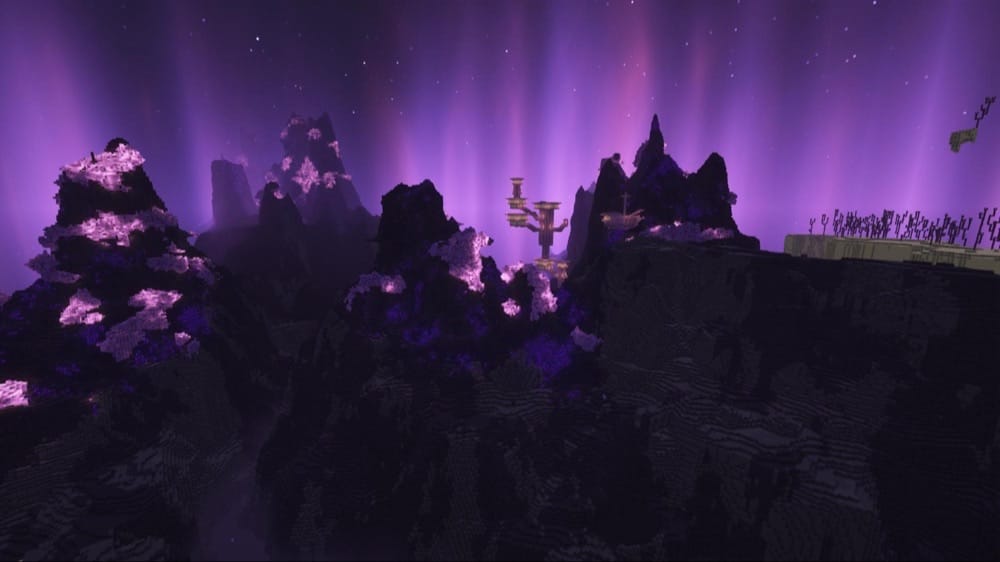
Nullscape is an End terrain overhaul that keeps the End’s core identity (empty, harsh, and vast). It doesn’t try to make the End colorful or friendly, it just makes the terrain way more interesting to travel through.
The mod boosts End height up to 384 and uses modern worldgen to introduce a wide shape variety – from shattered islands and floating valleys to sharp, crystallized peaks. Newer versions also use a large-scale terrain system so different regions feel physically different, which helps the End stay unpredictable the deeper you go without turning it into a totally different dimension.
11. Ecologics
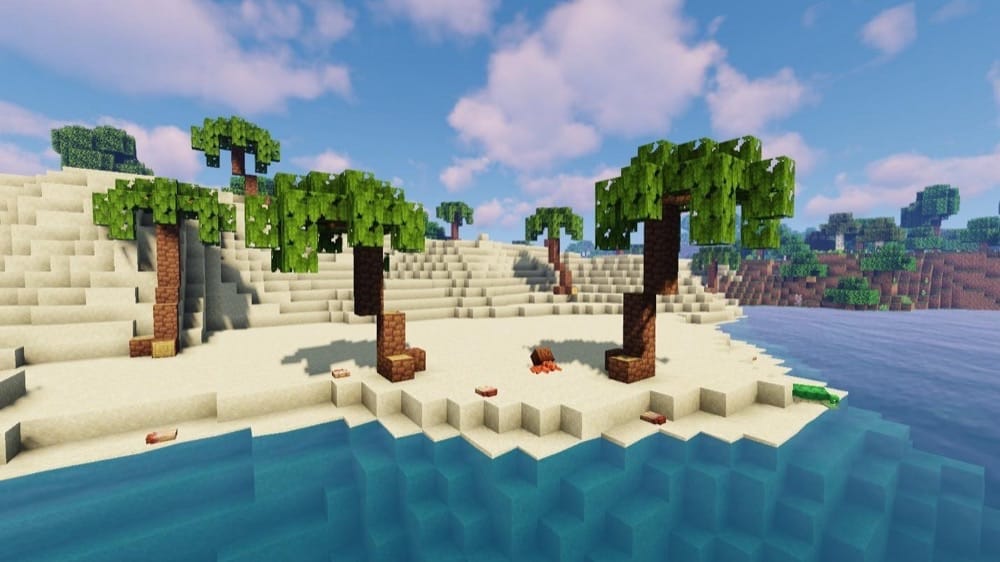
Instead of dumping in dozens of new biomes, Ecologics upgrades the existing ones with new mobs, blocks, and small features that make the game look nothing short of idyllic.
The mod is split into themed additions: beaches get coconut trees (with falling coconuts), seashells, sandcastles, and even coconut crabs, deserts get camels, prickly pears, and new ruins with loot pots, snowy biomes get penguins, thin ice patches, and new ice/snow building blocks.
Plains get walnut trees and squirrels, and lush caves get azalea wood variants, plus mossy details like stackable moss carpet and surface moss you can layer onto blocks.
In short, everything to make your vanilla world feel more alive is likely contained here!
12. The Endergetic Expansion
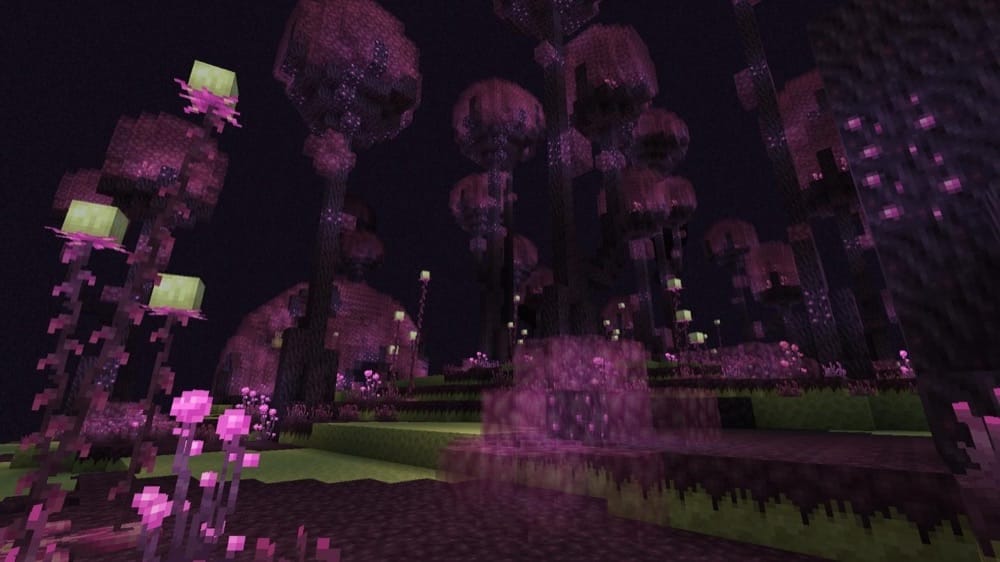
The Endergetic Expansion is an End-focused mod that improves the dimension’s look and feel, with the long-term goal of making the End feel more varied and biome-driven. It adds a standout new outer islands biome called the Poise Forest, with its own visuals and mechanics, and it also upgrades some vanilla End visuals like the central exit and gateways.
The Poise Forest shows up semi-rarely in the outer islands (in the same general region where chorus biomes can generate).
13. Cinderscapes
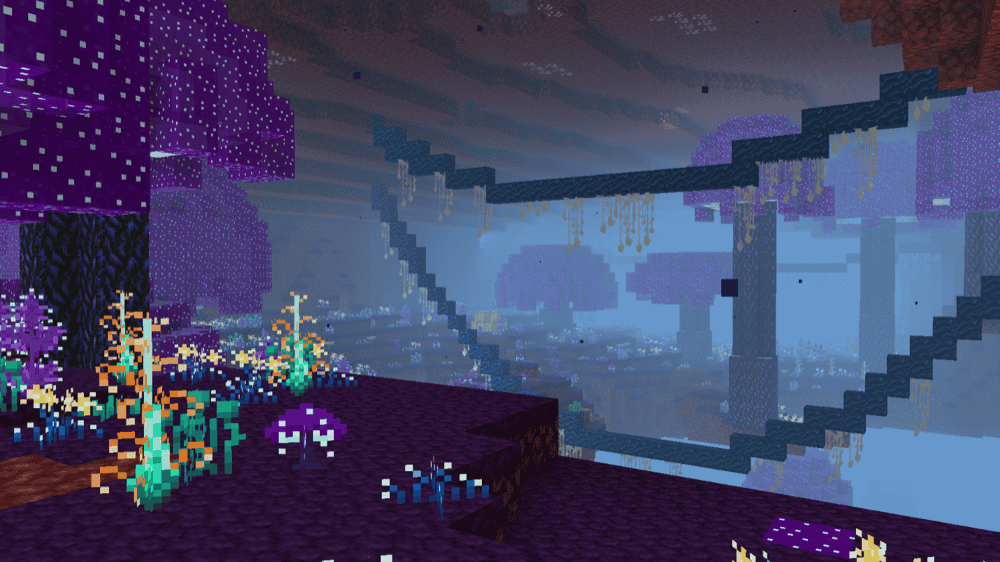
Cinderscapes is a Fabric nether biome mod that adds a small set of highly polished biomes, aiming for quality over quantity. It expands the Nether with four new areas, Ashy Shoals, Blackstone Shales, Luminous Grove, and Quartz Cavern, all designed to blend with vanilla’s style instead of feeling modded-in.
Along with the biomes, the mod adds a handful of new building blocks (so you actually bring something back from exploring), and it even includes extra music to match the atmosphere. It’s a great fit if you want the Nether to feel richer without stacking a bunch of massive biome overhauls.
14. Biome Makeover
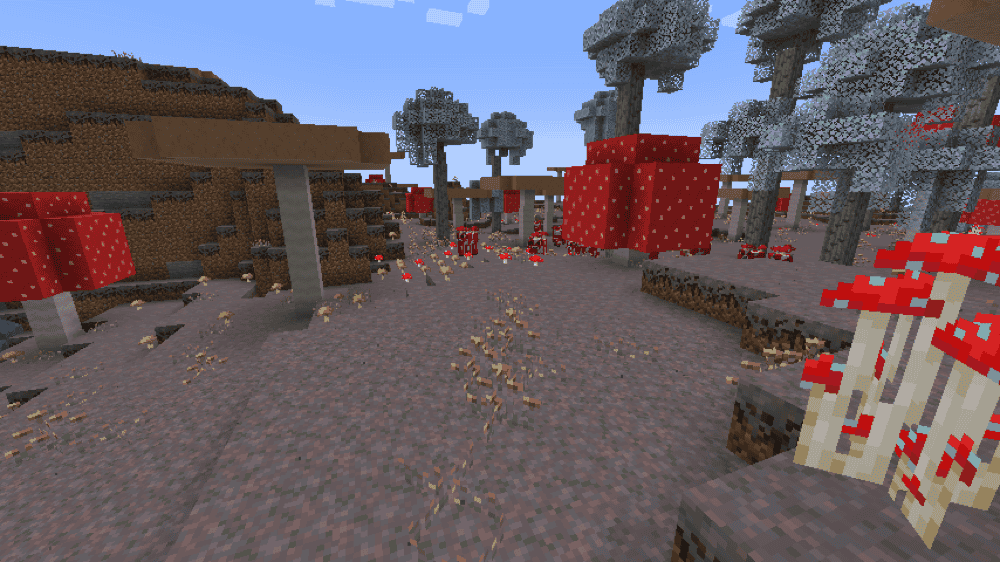
Biome Makeover is a vanilla-friendly mod that reworks specific biomes instead of adding a giant biome list. The idea is simple: take biomes that can feel a bit plain and give them more character, while still fitting into normal survival and modpacks.
Right now the mod focuses on four makeovers, Dark Forest, Swamp, Badlands, and Mushroom Fields, and each one comes with its own mix of new plants, structures, mobs, and small mechanics to make the biome feel like an actual place you want to explore.
15. Wilder Wild
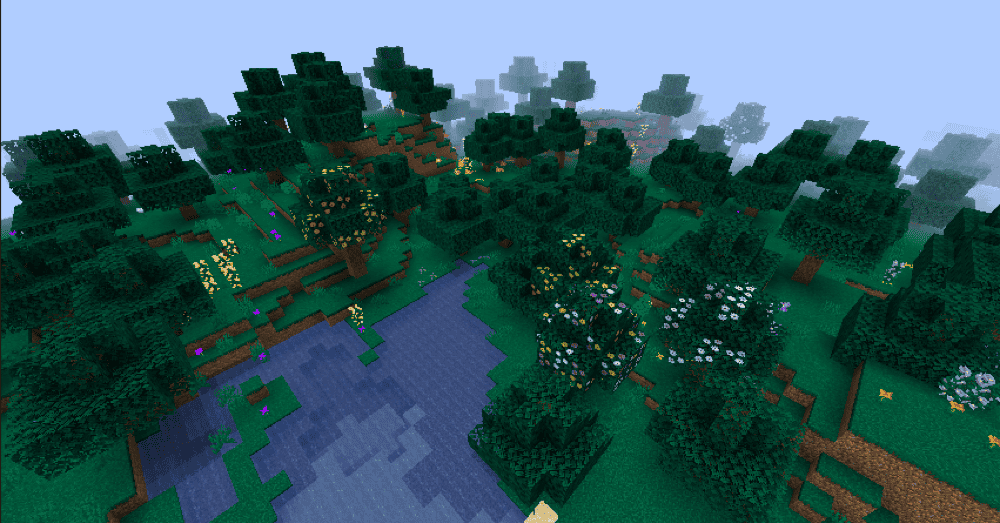
Wilder Wild is basically a wild update, but more complete. It adds new biomes (like Cypress Wetlands, Jellyfish Caves, and Oasis), plus a bunch of smaller upgrades to existing ones, especially forests, swamps, and birch areas, so the world feels more alive without looking out of place.
The mod also brings in extra details that you notice while playing such as fireflies, new trees and wood sets (like cypress and baobab), more plants and decorations (pollen, cattails, shelf fungus, flowering lily pads), and a few new mobs and structures to make exploring feel more exciting.
How to Install Mods
How to Install with the CurseForge App
- Open CurseForge → Minecraft and create a profile with the modloader and version you need, Fabric, Quilt, NeoForge or Forge (depending on which mods you are looking to install).
- Open your profile and click the three dots next to "Play".
- Click on "Add More Content" from the available options.
- Search the mod you need and click "Install".
- Play from the CurseForge app.
How to Install Mods Manually
- Install a mod loader that matches your Minecraft version (Fabric, Quilt, NeoForge, or Forge).
- Run the installer to add a new profile in the Minecraft Launcher.
- Download the mod’s .jar file from its project page. Making sure both the Minecraft version and loader version match.
- Drop the .jar into the mods folder inside your .minecraft directory (create the folder if it doesn’t exist).
- Launch Minecraft using the new loader profile.
Note: Make sure to check if the mod has been recognized by the game. On the title screen, click “Mods”. If the mod lists any required dependencies (like Fabric API), install those too. Please also note that if using Fabric, the "Mods" button will only appear if the "Mod Menu" mod is installed.
Common mods folder locations:
- Windows: %AppData%\.minecraft\mods,
- macOS: ~/Library/Application Support/minecraft/mods
- Linux: /home/<your-username>/.minecraft/mods
Common Issues and Quick Fixes
Biomes aren’t showing up
Most biome/worldgen mods only affect new chunks. Start a new world, or travel far enough to generate fresh terrain.
Worldgen mods fighting each other
If you stacked multiple biome/terrain mods, expect weird borders or missing features. Cut back to one main worldgen mod, then add smaller add-ons after.
Missing dependencies (game won’t launch)
If it crashes on startup, double-check you have the required libraries (like Fabric API, Architectury, TerraBlender, etc.) for the exact Minecraft version you’re on.
Performance tanks after adding biome mods
Biome mods add more blocks, structures, and features, which could worsen in-game performance. To fight this, try lowering view distance, turning down fancy graphics, and don’t run multiple heavy worldgen mods together – unless you really need to. Other solutions involve adding ModernFix, FerriteCore, and Embeddium, as well as upgrading your machine with more RAM.
I encounter an error in currently selected datapacks
It is entirely possible to corrupt your existing world if you update, remove, and sometimes add a worldgen mod to it. To solve this issue, create a new world or revert the changes. Note that it’s also possible that some biome mods are not compatible with each other.