
A good base isn’t just walls and a roof, it’s the little details that make it feel lived-in. The mods below focus on furniture, clutter, cozy vibes, and the finishing touches that pull everything together.
1. Handcrafted
2. Macaw’s Paintings
3. Macaw’s Windows
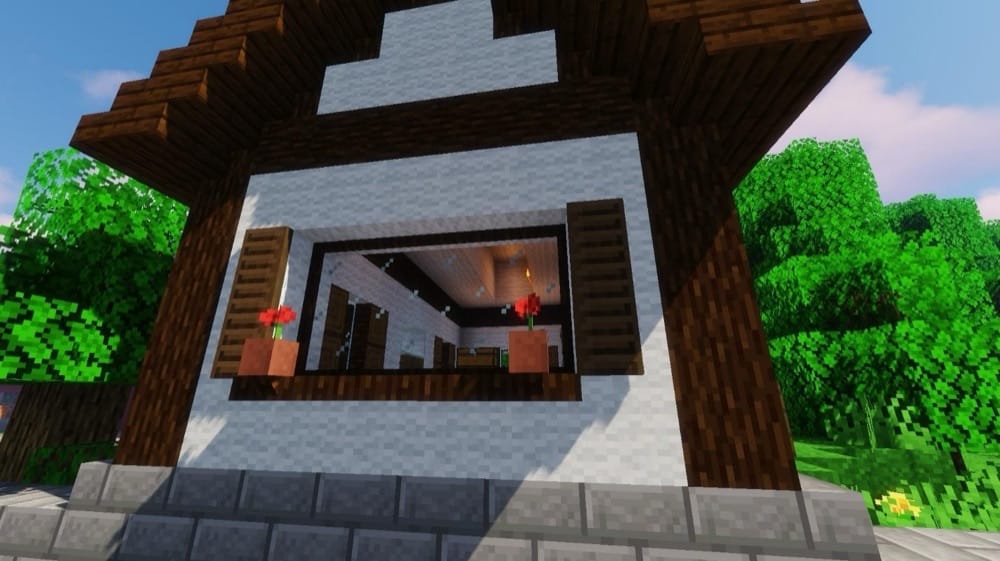
Macaw’s Windows is a straight-up window upgrade mod. It adds a big selection of window styles and the extra parts that make them feel finished. You get things like mosaic glass (and panes), blinds, shutters, curtains + curtain rods, gothic windows, plus architectural details like sills/parapets, and even arrow slits for castle builds.
It’s one of those mods that quietly improves every build style. Modern houses look cleaner, medieval builds get more character, and big town projects stop feeling like each house has been copy-pasted because of the large window-style variety now available.
4. MrCrayfish’s Furniture Mod: Refurbished

MrCrayfish’s Furniture Mod: Refurbished is a redesigned, next-generation furniture mod that focuses on decorating your builds with a mix of functional and cosmetic blocks. It includes 440+ blocks for furnishing rooms – ranging from regular tables and chairs to appliances and lighting – so that rooms can feel more lively instead of purely decorative.
It’s not just all decorations though! This mod also adds an electricity system for powering lights and electronics (with generators, switches, and more), plus extra decor features like a mailbox for sending/receiving items and a computer block with useful apps.
5. Plushie Mod
6. Immersive Paintings
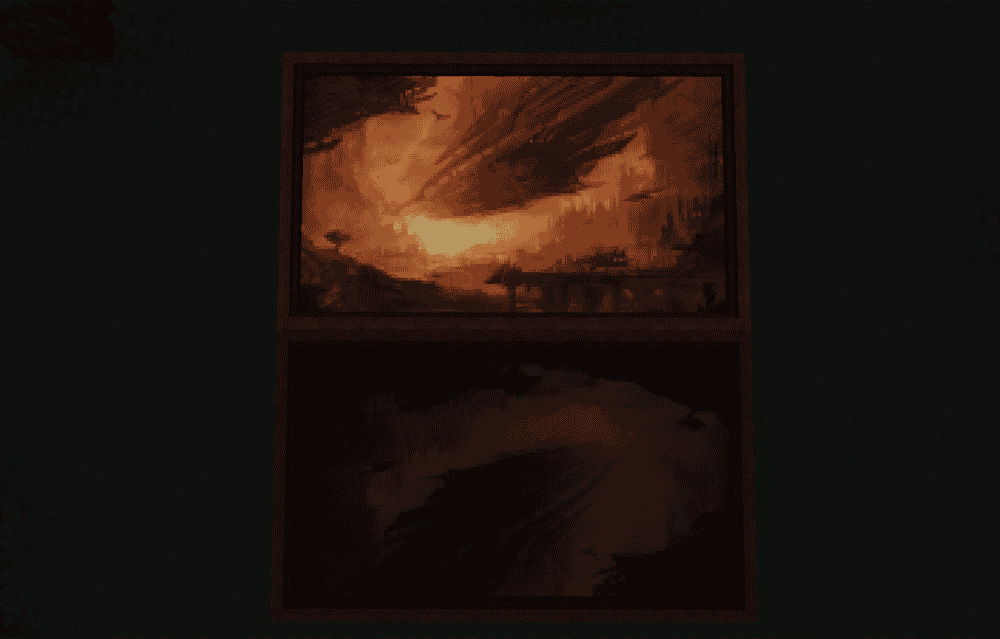
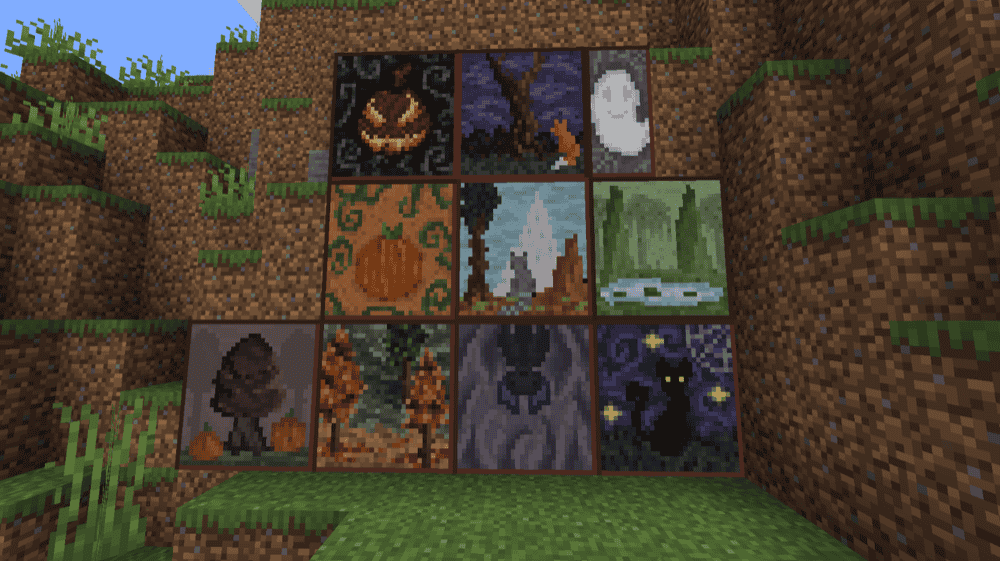
Immersive Paintings lets you use your own artwork as in-game paintings without needing a resource pack. You can add images through drag-and-drop, datapacks, screenshots, or a URL, then use a selection GUI to pick and place them with precise position and sizing control.
The mod helps your images blend into Minecraft by letting you pixelate them and apply post-effects like dithering and colour reduction, and it also gives you multiple frame styles and materials to match different build themes. It’s multiplayer-friendly (with configs available for server admins), supports fullbright paintings via glowing paint, and even lets you use transparent images as graffiti you can spray on walls.
7. [Let’s Do] Beachparty
![[Let’s Do] Beachparty Mod](https://blog.curseforge.com/content/images/2026/02/lets-do-beachparty-1.png)
[Let’s Do] Beachparty adds a ton of beach themed decorative blocks, new collectibles and trinkets like trunks, bikinis, and sunglasses.
Included in the decorative suite are beach chairs in multiple styles, palm tables, a functional palm bar for making cocktails, placable cocktails, and a new wood set from the palm trees now found on beaches.
8. Paladin’s Furniture

Paladin’s Furniture is a modern furniture pack focused on functional decoration, adding 1,000+ furniture pieces you can use to furnish builds. Available furniture blocks include the standard table, chairs, and lights but also some extras, such as some fridge variants, trash cans, and mirrors.
Furniture is crafted through a Wood Working Table, and the mod supports modded wood types and common recipe viewers, making it easy to match furniture with the materials you’re already building with.
9. Convenient Decor
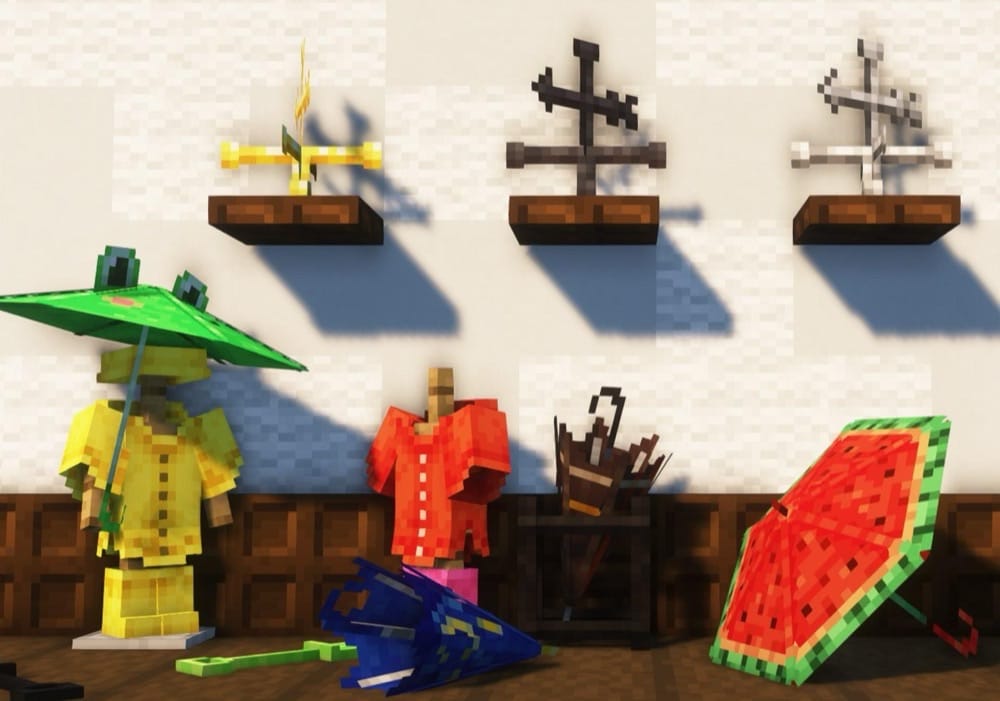
Convenient Decor adds decorative blocks that also do useful things, so you’re not just placing props. Highlights include 16 lightning-attracting umbrellas, a watering can that can keep farmland permanently hydrated, and leaf/hay piles that you can walk through while monsters can’t.
The mod also adds weather vanes that predict weather changes using redstone signals, and rain gear – such as a raincoat and rain boots – which gives buffs when worn in the rain.
10. Skart’s Decorations
11. Builders Crafts & Additions
12. Beautify!
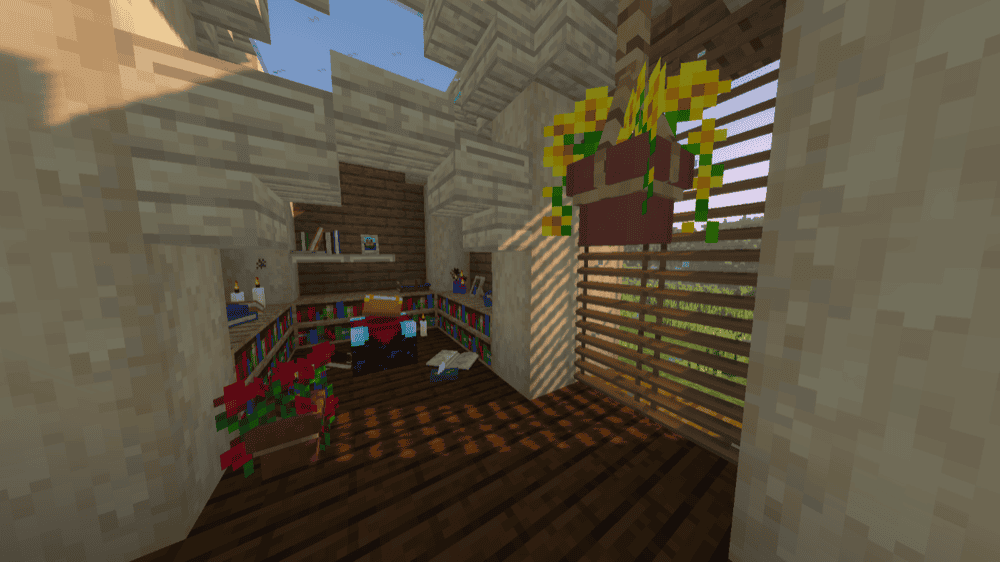
Beautify! adds plenty of vanilla-styled decorative blocks with custom models, so you can add detail to builds. Many blocks also include small quality features, like potted plants that allow for flower duplication via bone meal so decorating with lots of the same type of flower isn’t a chore, and light bulbs that can be toggled with a right click.
The mod includes things like hanging pots (with many supported plants), book stacks (that can power an enchantment table), blinds, picture frames, climbable rope, lattices for wall/ceiling greenery, and several other new light sources like bamboo lanterns, candelabras/chandeliers, and glowessence jars.
13. ’Dustrial Decor
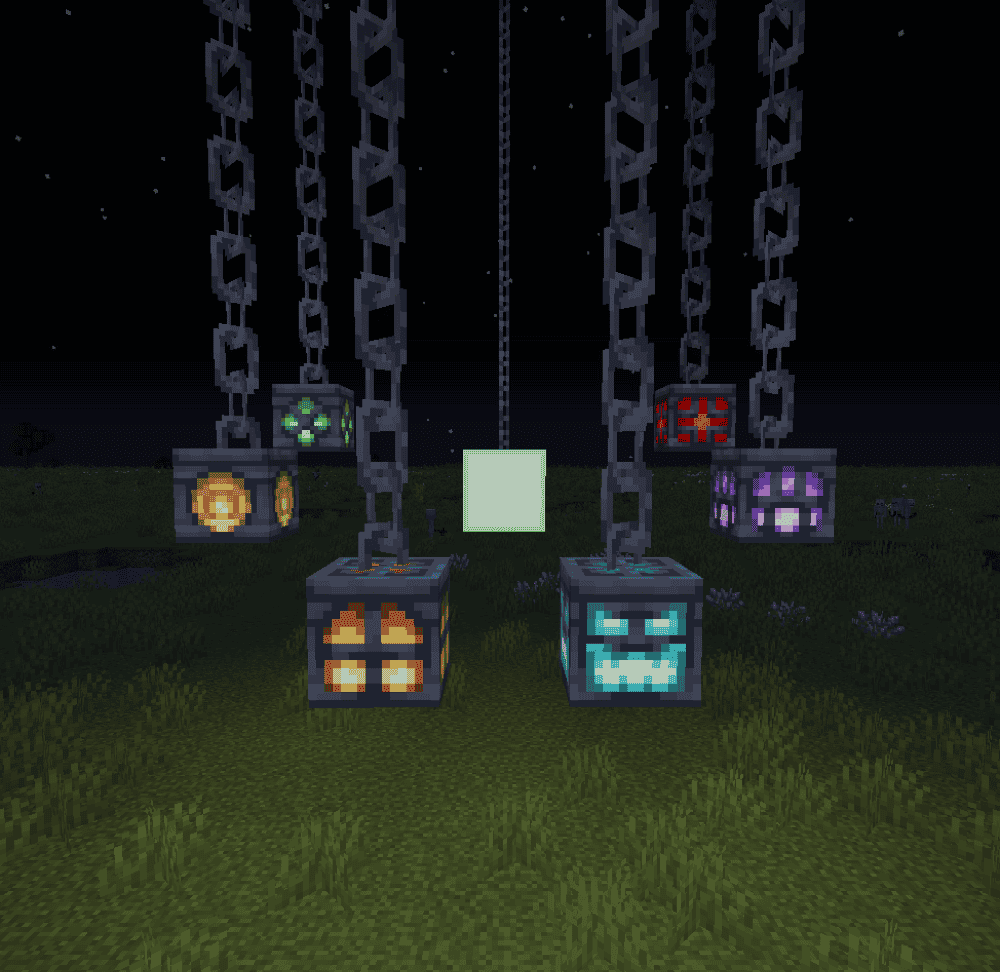
’Dustrial Decor adds industrial-looking blocks for decorating factories and darker-themed builds, with sets like padding blocks that reduce fall damage, climbable chain link fences (including a sharp barbed variant), and darker industrial iron, sheet metal and rusty sheet metal.
The mod also includes cinder blocks that fall, cardboard blocks and boxes, plus bigger decor pieces like large chains, large lanterns, and neon lights in multiple colors. All of this makes the mod perfect for factories, laboratories, moon bases, and evil lairs!
14. Lucky’s Cozy Home: Stone & Waterworks Update
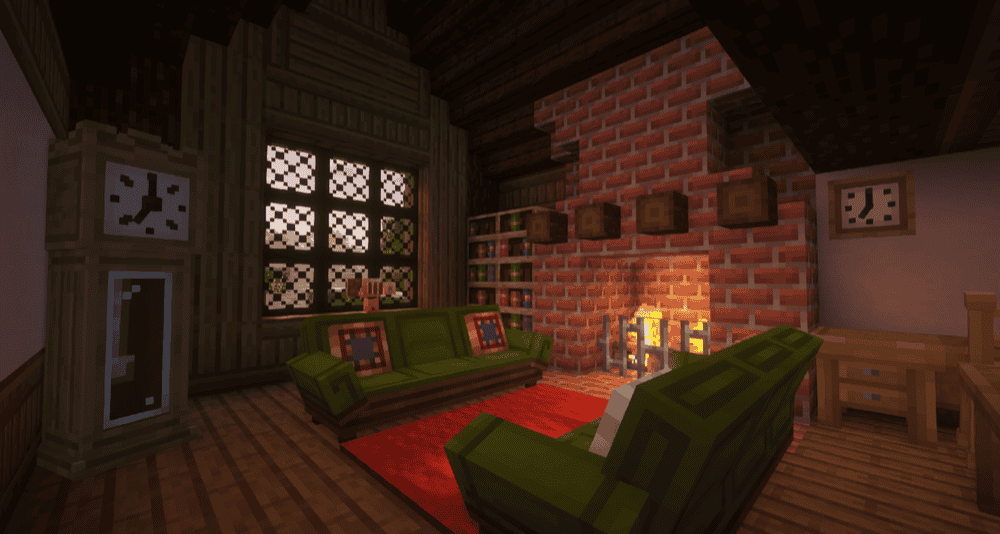
Lucky’s Cozy Home: Stone & Waterworks Update adds a big vanilla-friendly furniture set for decorating real-feeling homes with pieces you can actually use, like functional chairs, drawers that store things, tables that hold decor, kitchen counters with optional sinks, lamps, sofas, desks, mirrors, and many clocks.
The mod also includes atmosphere pieces like fountains that can hold water or lava and you can connect them together, spouts that pour liquid for better water features, plus fireplaces and chimneys that emit smoke when paired with a smoke source.
15. Fetzi’s Asian Decoration

Fetzi’s Asian Decoration adds a huge collection of Asian-styled decoration and building blocks, including roof blocks (10 styles in 17 colors, with wood-type variants), paper lanterns in Minecraft’s dye colors, and matching fences/fence gates across color sets.
The mod also includes pagodas and pagoda lanterns, panels based on trapdoors, seat blocks like cushions and floor chairs, plus extras like zen sand/gravel, colored mud bricks, and more for themed towns and temples – or just enhancing your builds.
16. Furnitury - Vanilla Styled Furniture

Furnitury - Vanilla Styled Furniture expands decorating with 200+ furniture and decoration items, built to keep a vanilla-friendly look while still giving you more variety for interiors. It includes functional sofas, chairs, lamps, and cloths, with plenty of color options so you can match different rooms and themes.
The mod also leans into practical decorating with storage-style pieces like shelves, displays, crates, and counters, so your base can both be organized and look pretty. The mod adds 50+ new items used for crafting furniture and decorations, which helps keep everything tied into normal progression.
17. Decorative Storage
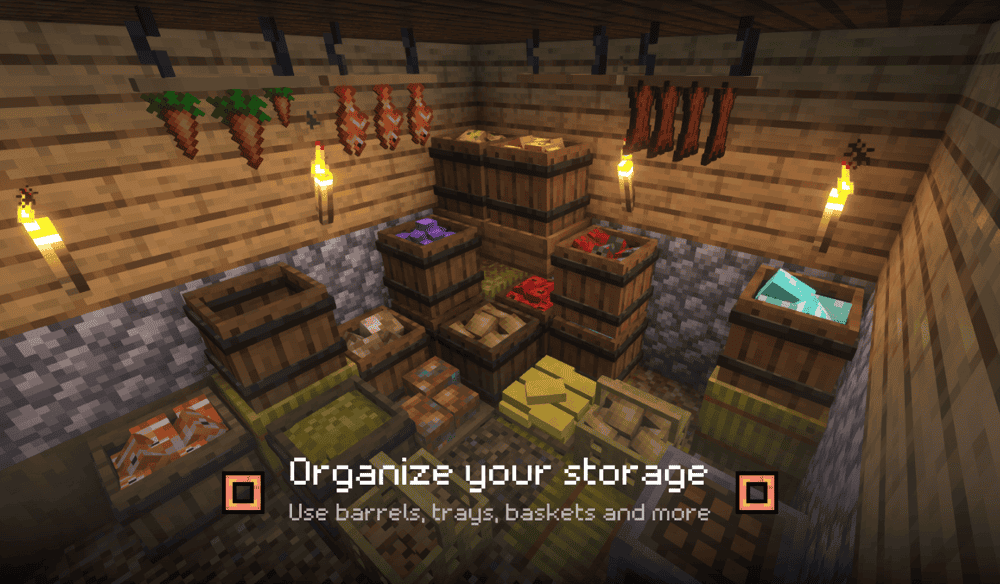
Decorative Storage adds decorative storage pieces like barrels, baskets, and trays, giving you more ways to organize resources without turning your base into a wall of identical chests. The focus is on storage that looks like it belongs in the room and represents what it stores, so it works great for kitchens, pantries, workshops, and market builds.
The mod also includes multiple barrel types for when you have a few stacks of a specific resource, plus baskets and trays that function as containers while also acting as small decor props to personalize your interior spaces.
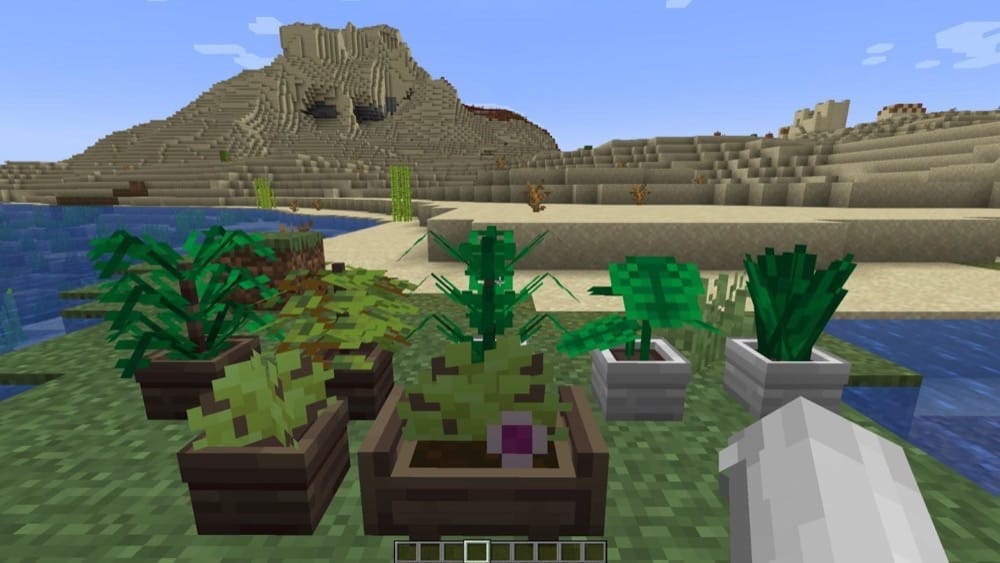
18. Pot Leaves
19. Yuushya Townscape
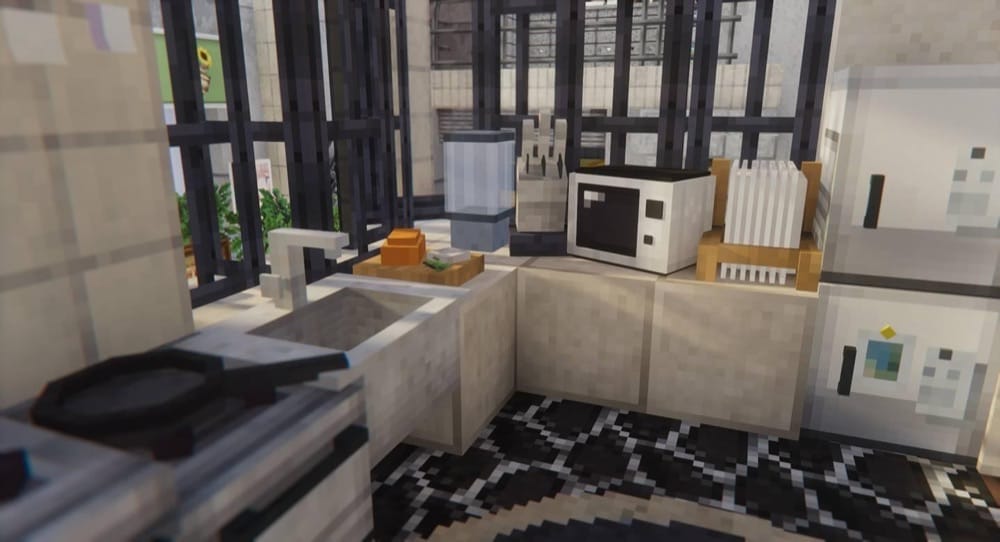
Yuushya Townscape is built for creating detailed towns, with 2600+ building materials and decorations designed to work alongside the Yuushya texture pack. The focus is on making streets, alleys, and cities feel bustling with life, with unified textures and extra features to help with getting things looking just right like block model relocating, which supports blocks from any mod!
To get the full look working properly, you’ll need the resource pack plus a CTM-support mod (such as CTM, Continuity, or Optifine (though beware of Optifine potentailly breaking other mods).
How to Install Mods
How to Install with the CurseForge App
- Open CurseForge → Minecraft and create a profile with the modloader and version you need, Fabric, Quilt, NeoForge or Forge (depending on which mods you are looking to install).
- Open your profile and click the three dots next to "Play".
- Click on "Add More Content" from the available options.
- Search the mod you need and click "Install".
- Play from the CurseForge app.
How to Install Mods Manually
- Install a mod loader that matches your Minecraft version (Fabric, Quilt, NeoForge, or Forge).
- Run the installer to add a new profile in the Minecraft Launcher.
- Download the mod’s .jar file from its project page. Making sure both the Minecraft version and loader version match.
- Drop the .jar into the mods folder inside your .minecraft directory (create the folder if it doesn’t exist).
- Launch Minecraft using the new loader profile.
Note: Make sure to check if the mod has been recognized by the game. On the title screen, click “Mods”. If the mod lists any required dependencies (like Fabric API), install those too. Please also note that if using Fabric, the "Mods" button will only appear if the "Mod Menu" mod is installed.
Common mods folder locations:
- Windows: %AppData%\.minecraft\mods,
- macOS: ~/Library/Application Support/minecraft/mods
- Linux: /home/<your-username>/.minecraft/mods
Common Issues and Quick Fixes
Mod won’t launch / crashes on startup
- Make sure you’re using the right loader (Forge vs NeoForge vs Fabric)
- Double-check your Minecraft version matches the mod version.
- Install all required libraries for each mod.
“Missing dependency” error
Read the crash message and install whatever it names (it’s usually a library mod). If you’re on Fabric, a lot of mods here need Fabric API which will be automatically installed when using the CurseForge app (though it may need updating occasionally).
Recipes don’t show up / can’t find crafting
- Install a recipe viewer: JEI / REI / EMI (many mods assume you have one).
- Some mods use special crafting stations, so a recipe viewer helps you find the right table and materials.
Updating the mod broke the world
Some updates aren’t save-safe. Watch out for changes in the first number in the version, as this usually indicates a very big change. For example Builders Crafts & Additions v2.x.x isn’t a drop-in replacement for v1.x.x (block IDs changed), so don’t swap versions in an existing save.
If you have accidentally opened a world with the wrong mod version, close the world as quickly as possible and install the previous version that you know was working. There is a good chance that most of the blocks will still be there, although they may have lost some data, such as rotation or chest contents, especially if you mined or placed any blocks with the wrong version installed.