If Windrose’s roaring Early Access debut can tell us anything, it’s that gamers all over the world were long overdue for a new pirate adventure – and boy did they get one.
But if you’ve spent the past few weeks fully immersed into this world of unbridled buccaneering and ships filled to the brim with rum, riches, and maybe an apple, you might start to find the scenic views a bit repetitive, the long point A to B walks – rather tiresome, and the inventory management mini game… Well, let’s not get into that one.
Luckily for you, the Windrose modding community has been hard at work since day one to resolve many of the issues you’re likely experiencing right now. In fact, with so many game-improving mods available, it’s never been a better time to roleplay Jack Sparrow and make a name for yourself in the vast archipelago of Windrose.
So, join us as we explore some of the best mods you can get for the game at the time of writing this article – you’ll thank us later!
Important: This article was originally published in May 2026.
Please be aware that the mods listed below were popular at the time of writing, but may have since become outdated or incompatible due to subsequent game updates. While we include them here as noteworthy examples of the modding community's work, we cannot guarantee their complete functionality.
For a list of the most recent and fully playable Windrose mods, please visit our Windrose mods page.
First Person Camera
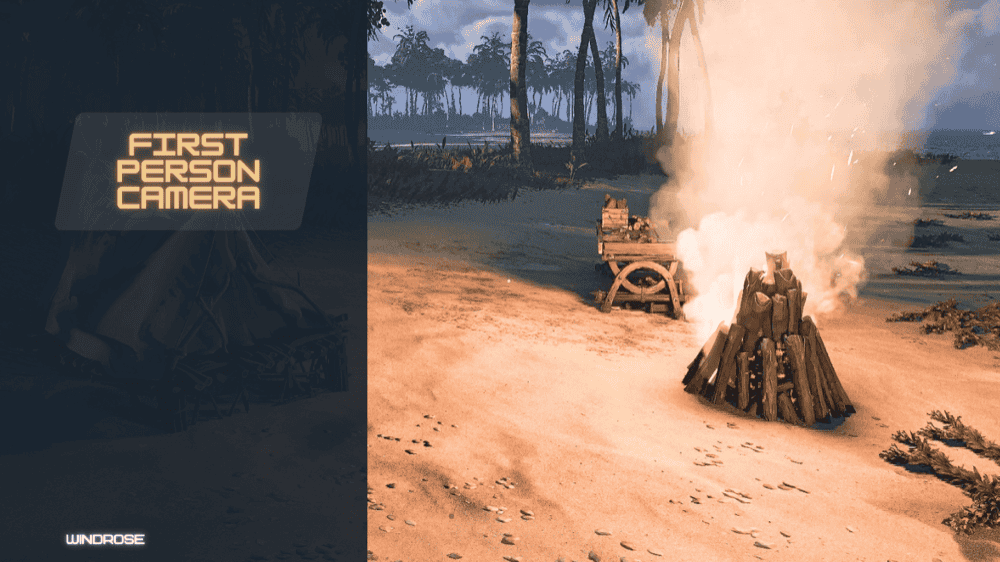
As fun as it is to always have your sights on your cool-looking character, at some point it can get old. This is where the First Person Camera mod comes in, which allows you to experience the vivid and unforgiving world of Windrose the same way you would with the howling fjords of Skyrim – that is to say from a first-person perspective.
It’s surprising how a small change like this can make everything from exploration to sea combat up close and personal. This mod also lets you change the FOV (field of view) slider from within the game settings to get the best result (the default mod value sits at around 75).
That being said, perhaps the only immersion-breaking drawback of this mod is trees becoming transparent once you try to chop them down, which is something the author of the mod admits they cannot currently fix as it is an issue native to the game itself.
Better World Generation
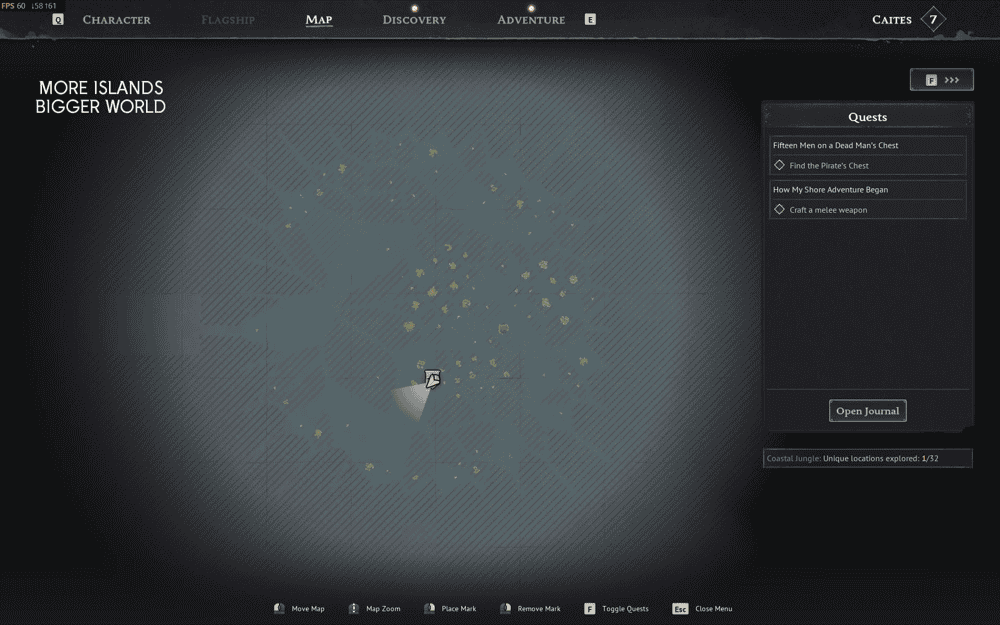
Important: if you do decide to use this mod, keep it installed throughout the entire playthrough or else you risk corrupting your world!
Disable fog of war
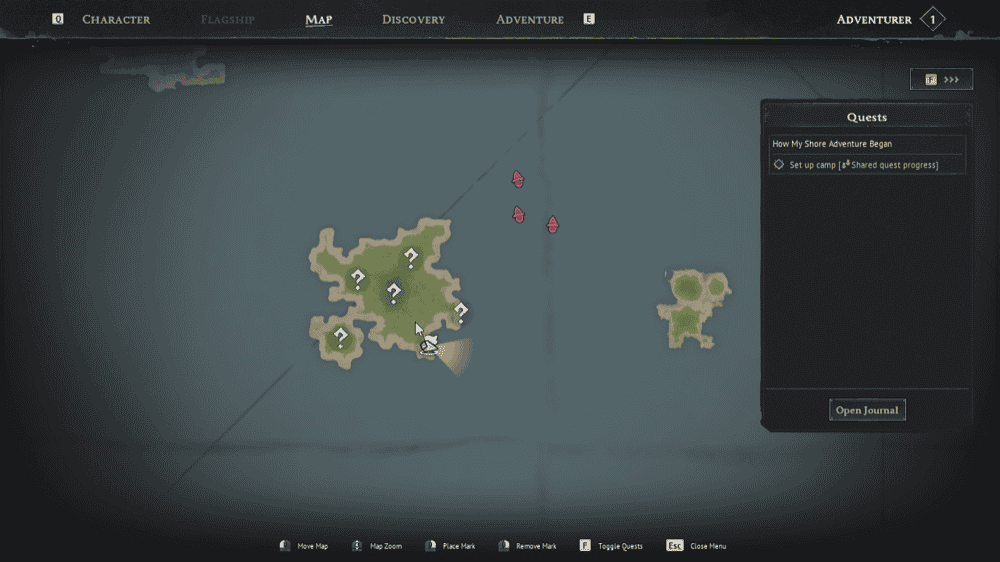
Simple but effective, Disable fog of war is a mod that removes the foggy unexplored regions of your map and minimap, making it appear as if you’re a hardened sea dog who has seen it all. This is useful if you want to determine how far away you are from the nearest island, as well as if there are any enemy ships nearby. The drawback is that you may not remember which places you have previously visited and which are still uncharted territory, so use this at your own risk.
Hero Reforged
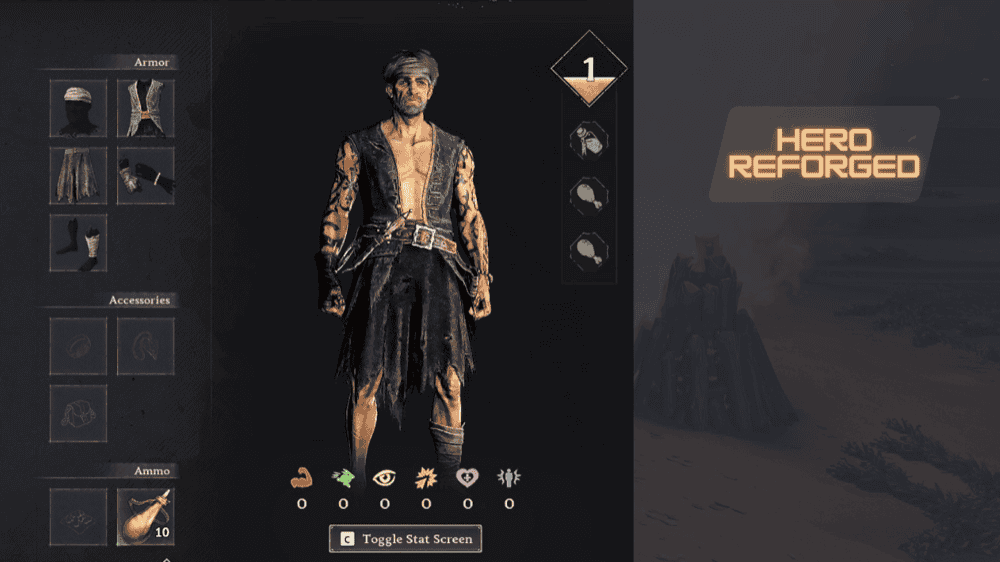
With stats like these, next time you encounter some enemies, we’re pretty sure they'll be running away from you.
Custom fast travel and signal fire building limits
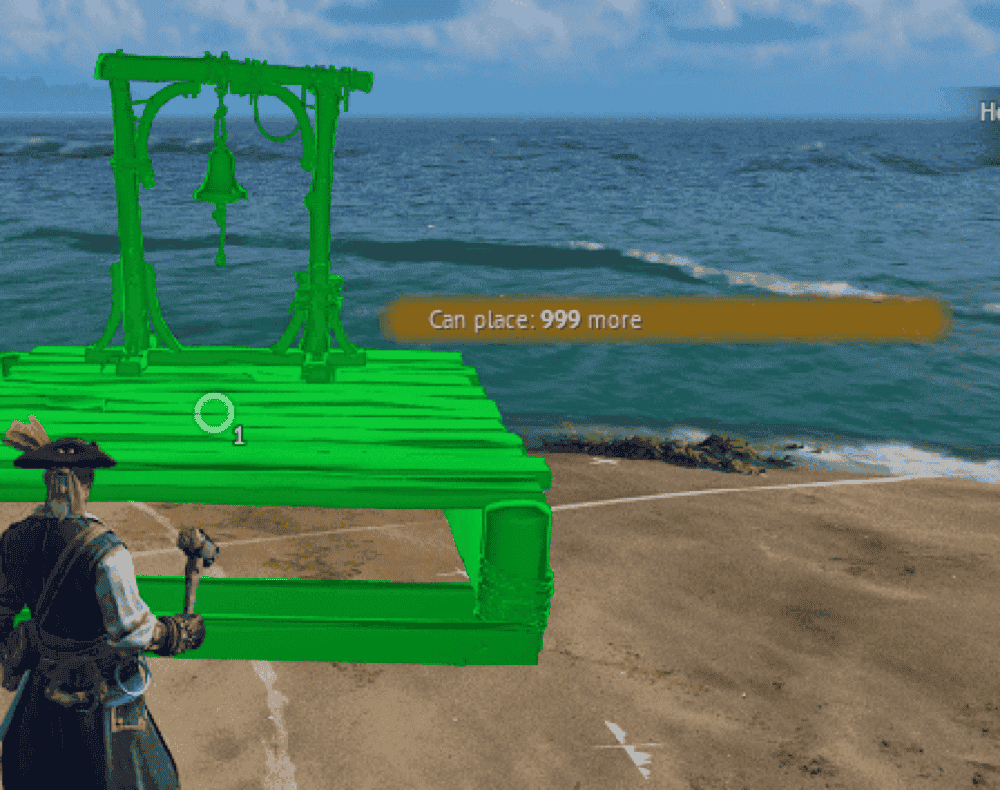
As your swashbuckling influence expands, you’ll likely catch yourself spending more time on self-imposed business trips than doing all the regular pirate stuff you enjoy. With this fast travel mod, you can build more fast travel and signal fire points. So, instead of being weighed down by vanilla’s hard-coded build limit, this mod unlocks endless possibilities for your adventure.
Hair Collection
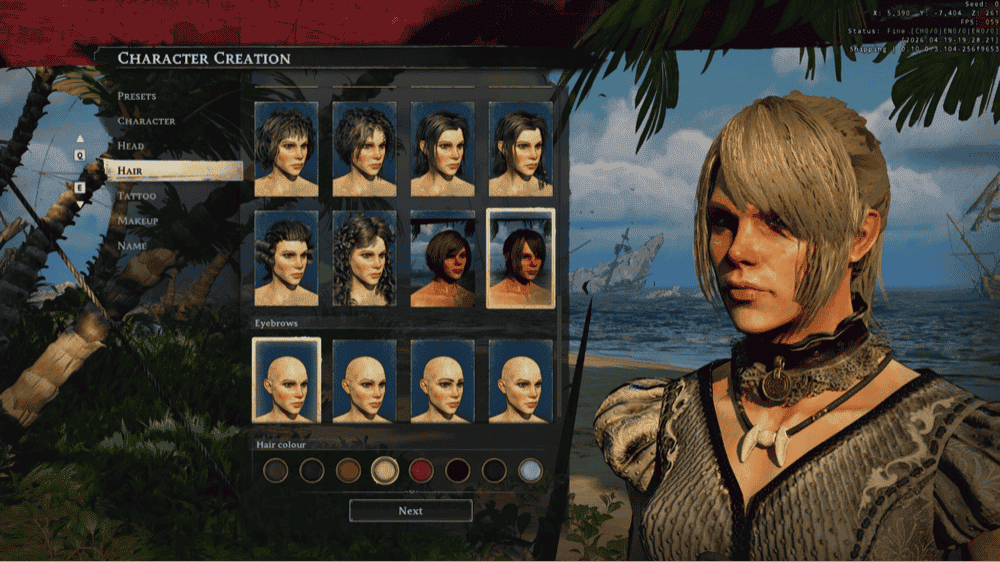
Who said pirates can’t be fashionable? With the Hair Collection mod, you can expand the basic vanilla character creation process with new male and female hairstyles – anything from simple hair color change to adjustable head shape sliders, eyebrow adjustments, and beard changes.
The mod even pairs each hairstyle with a unique accessory like a hat, bandana, or headband, so it’s also fully compatible with the game’s headgear system. And before you ask – yes, it even includes the classic feathery pointy hat we’re so used to associating with the black flag sailors.
Photomode

Sometimes, you just need a bit of peace to appreciate the scenery. With Photomode, you can make the ultimate shooting gallery that you can later show off to your friends or share online – all at the click of a button.
By default, the Photomode is triggered by pressing "F7", and you can also freeze the mode with "F8", which essentially puts the game in slow motion. Camera movement is done with the "W", "A", "S", and "D" keys, and you can also move the camera up ("Space") and down ("X") at will.
Once you’ve found the perfect angle, simply left-click to capture a high-resolution screenshot and then right-click to exit Photomode. For the best experience, make sure to check out the complete Photomode controls available on the official mod page.
Night Vision
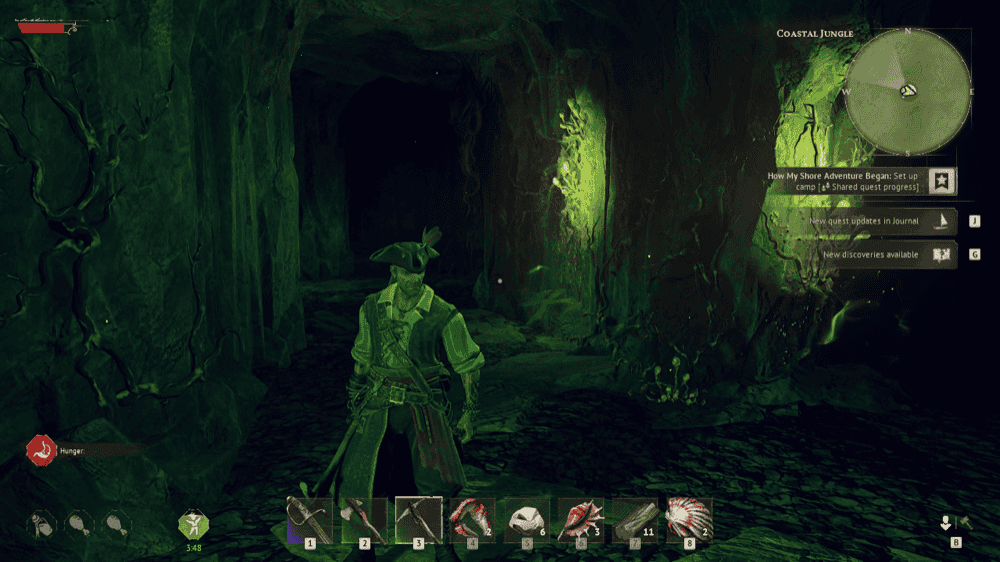
Tired of carrying your Oil Lamp everywhere with you? Night Vision has your back – simply install it and press "N" to see through imaginary night vision goggles a la Splinter Cell, no special agent training required!
Bigger Stacks
As the name suggests, Bigger Stacks makes the one small, but life changing, change of letting you stack resources from the rather miniscule default values to 100 or even 999 resource items per stack. So, if you’re getting tired of constantly having to interrupt your adventures just to drag resource stacks back and forth between your home base, this mod has you fully covered.
Bigger Inventory and Backpacks
Unlike Bigger Stacks, this mod doesn’t touch your stack sizes but instead offers you more inventory slots instead – up to 36 or even 48 slots for all your items! This gives you plenty of room for all your glorious booty. Seeing that half of the game is about looting and building items, it only makes sense that both of these mods rightfully sit at the top of every Windrose player’s mod list!
How to Mod Windrose With CurseForge
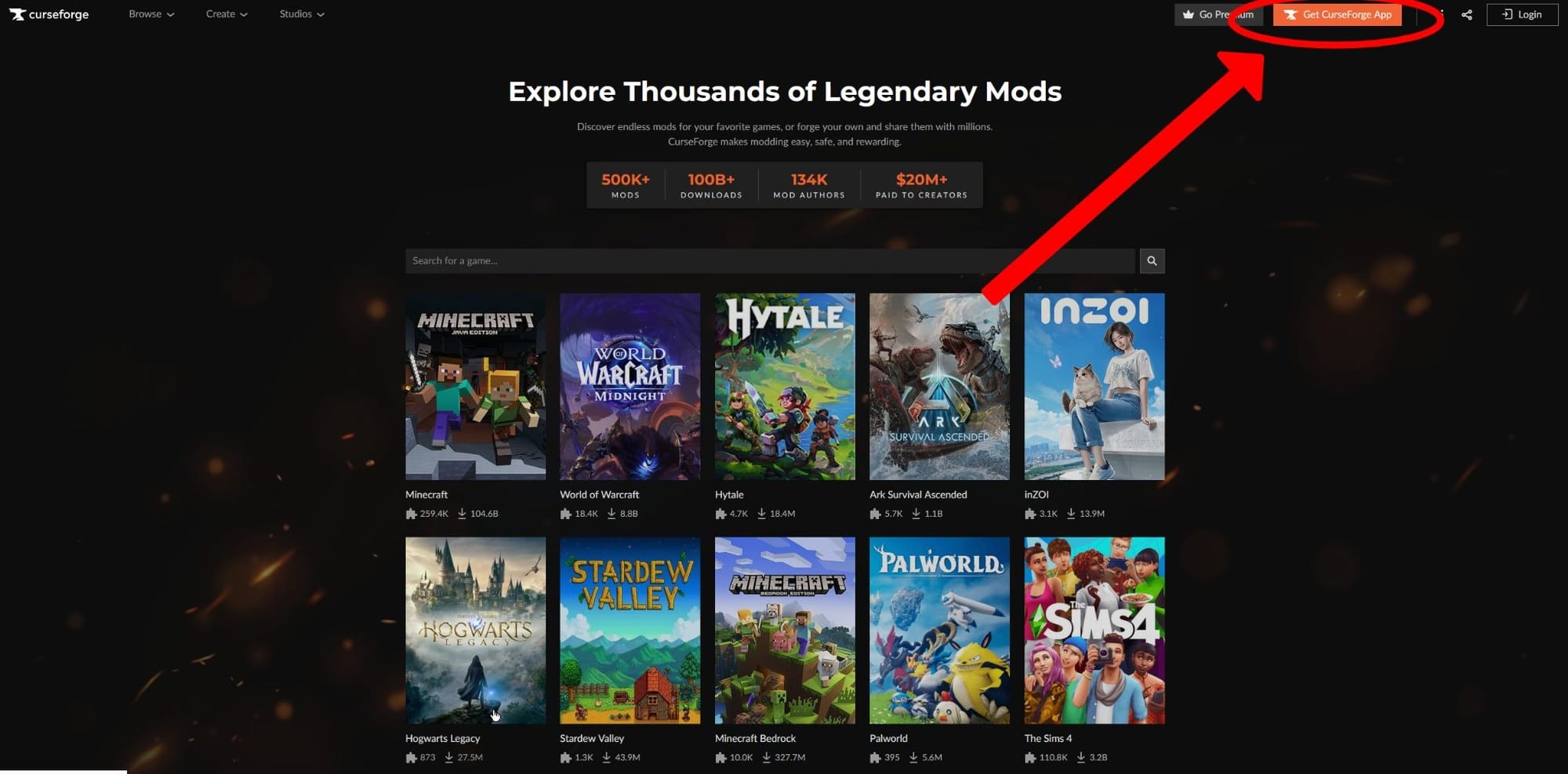
- Download and install the CurseForge desktop app.
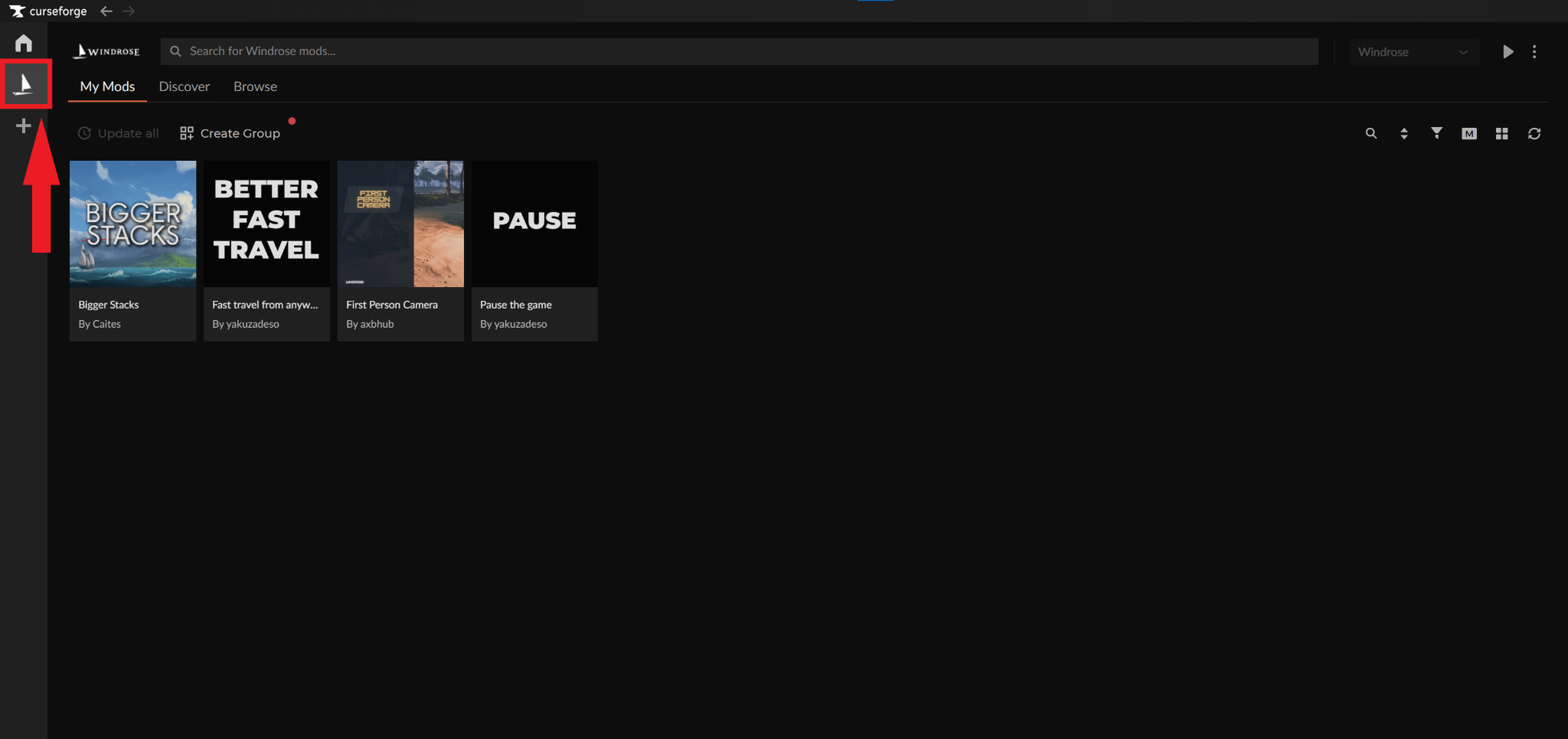
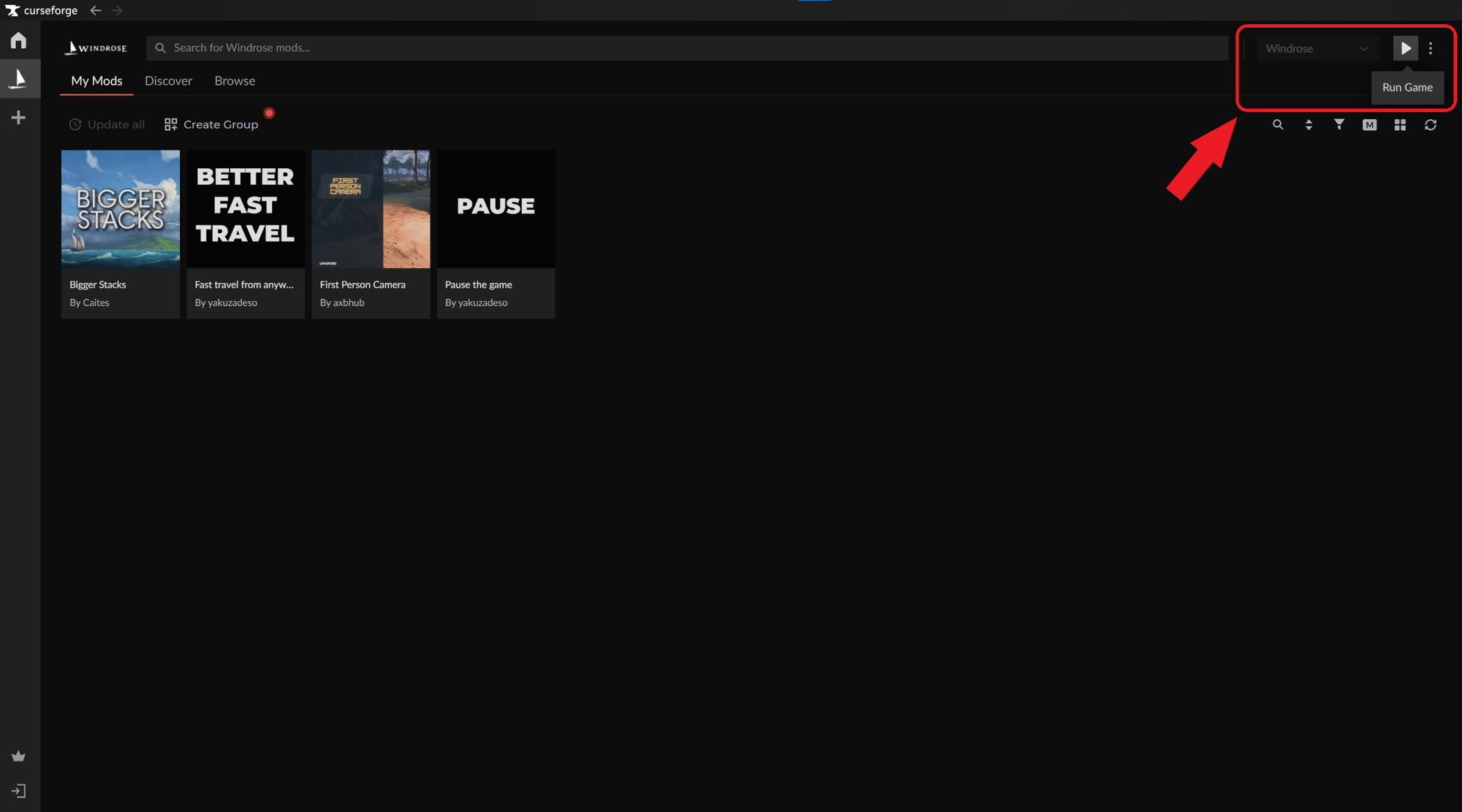
- Launch the app and select the Windrose game icon on the left (CurseForge will automatically detect your Windrose game copy).
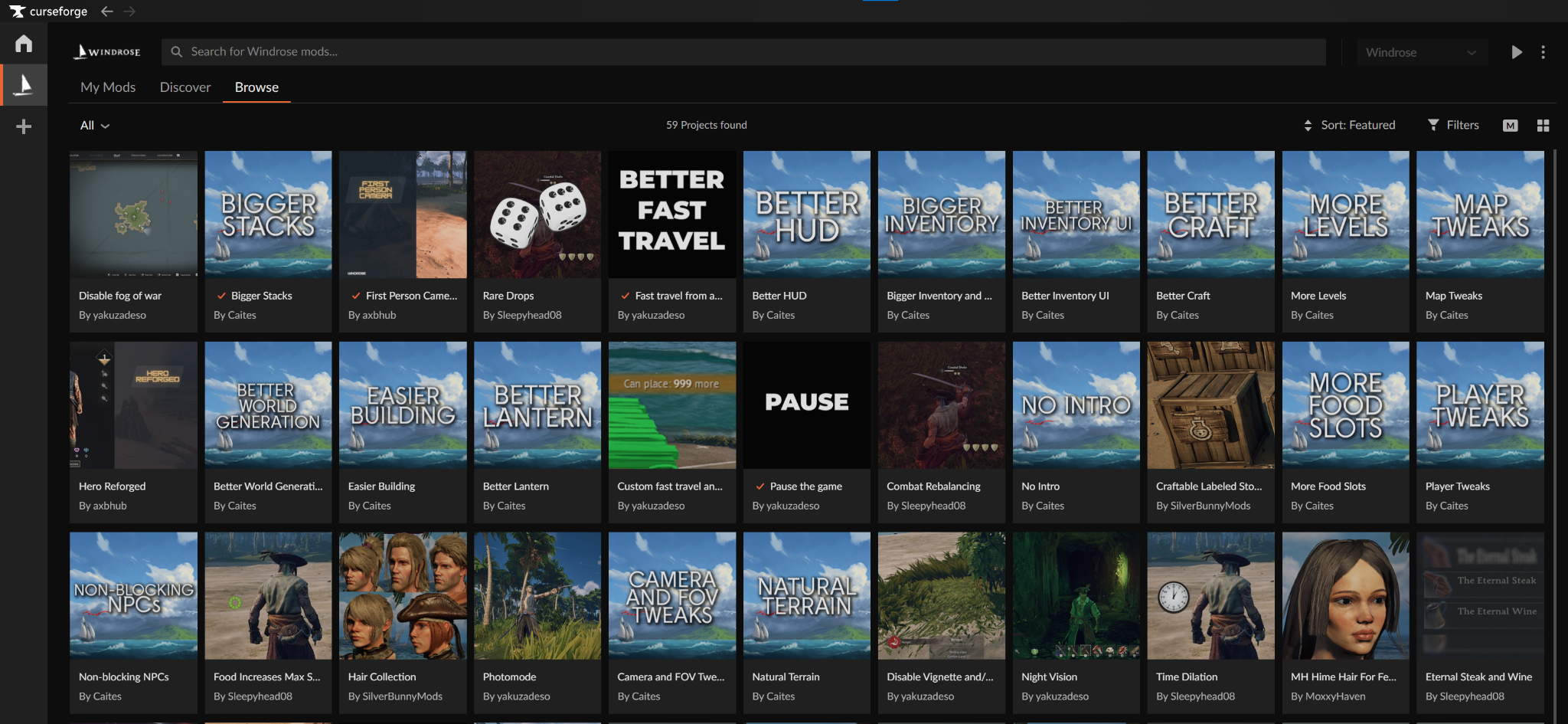
- Select the "Browse" tab and choose the mods you want to add into your game.
- Click the “Install” button under each mod to activate it, then click the "Run Game" triangle icon in the top right.
How to Mod Windrose Without CurseForge
- Find and download the mods you want from a reputable site like CurseForge. These will usually be a .pak file.
- Unzip the archive to extract the .pak files contained within.
- Navigate to your game installation folder and then to "R5" → "Content" → "Paks" → "~mods". If you don’t see a "~mods" folder inside, create one.
- Paste the .pak file(s) within the "~mods" folder.
- Launch the game.
The next time you start up Windrose, any mods in that folder will be automatically read by the game.
Important: Not all mods use the .pak format. If a mod contains different file types, it likely requires a specific installation process, so always check the individual project page for unique instructions.
Common Issues and Quick Fixes
My mods do not work in-game
This may be due to misplaced files. Make sure that all your mod files are placed within the game’s "~mods" folder, otherwise Windrose won’t recognize them. If you don’t find a "~mods" folder, create one and place all of your mod files there.
My game freezes once it reaches the main menu
If this happens to you, check if you placed all mod files within the "~mods" folder as this issue can stem from incorrectly installed mods.
My Windrose client constantly crashes
While the developers are working hard to make the game as stable as possible on a wide range of systems, the unfortunate reality is that Windrose modding is still not supported officially. This means that installing any mod or multiple mods can potentially lead to in-game bugs or game-breaking issues like unstable performance and Windrose crashing to your desktop.
This is why we recommend that you constantly back up your game worlds and saves, especially if you’re heavily modding the game as Windrose gets frequently updated, often making older mods incompatible with the latest version.
Some of the mod additions are missing or broken
Check each official mod page for any required dependencies or mod conflicts – the mod creators often list which mods play well with theirs and which don't.
The mods are not active on my server
Restart your server and try again as this is the usual culprit. If you keep the server on while installing the mods, the game won’t recognize them until the next reboot.