Minecraft is already quite the adventure. But when you compare it to the average role-playing game and the environmental theming, sense of progress, and rich variety of loot, monsters, and boss battles on offer, the game can sometimes pale by comparison.
Fortunately, there’s a way to get all of that with Minecraft Bedrock, too: addons!
A good RPG addon can transform your Minecraft world into a place of wonder, fear, and excitement – in short, a place that needs a hero. That means having a stronger narrative, environmental hazards to overcome, and places to explore.
It needs to have rewarding combat, too, like dangerous enemies or boss encounters with rare loot drops. If you’re up to the challenge, we’ve collected a list of all the best and most popular RPG addons that do all that and more.
1. SERP Pokédrock
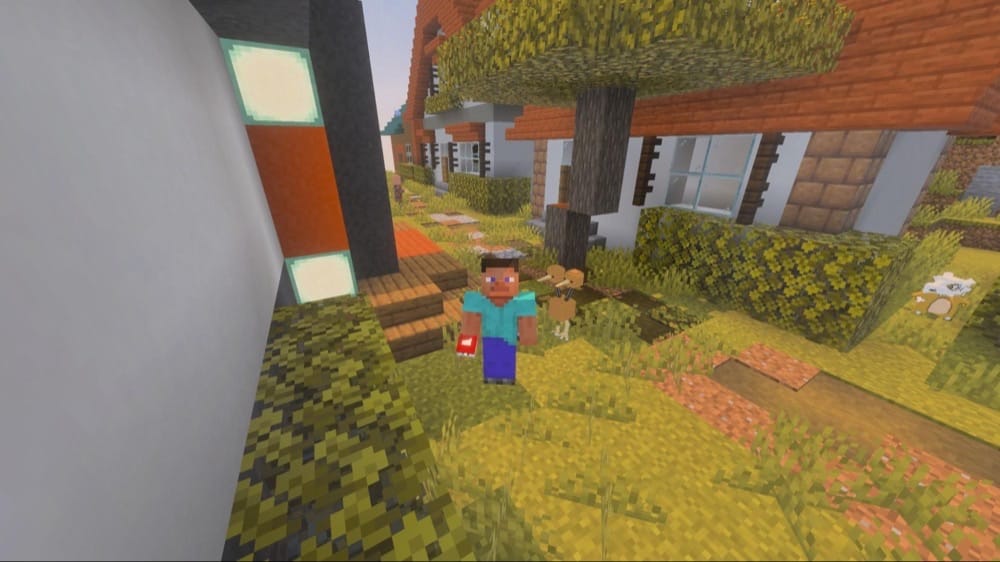
It’s Pokemon! Do we even need to say more? The “SERP Pokédrock” addon transforms Minecraft into a full open-world version of the most popular RPG series in the entire world. Throw Pokeballs to collect wild Pokemon, add them to your team, level them up, and even fight other trainers in Pokemon battles.
Certain types of Pokemon will only appear at certain times or in specific biomes, encouraging you to explore every corner of your Minecraft world to collect them all. It’s the complete Pokemon experience, all contained inside the endless sandbox world of Minecraft.
2. True Survival - Zombie Apocalypse
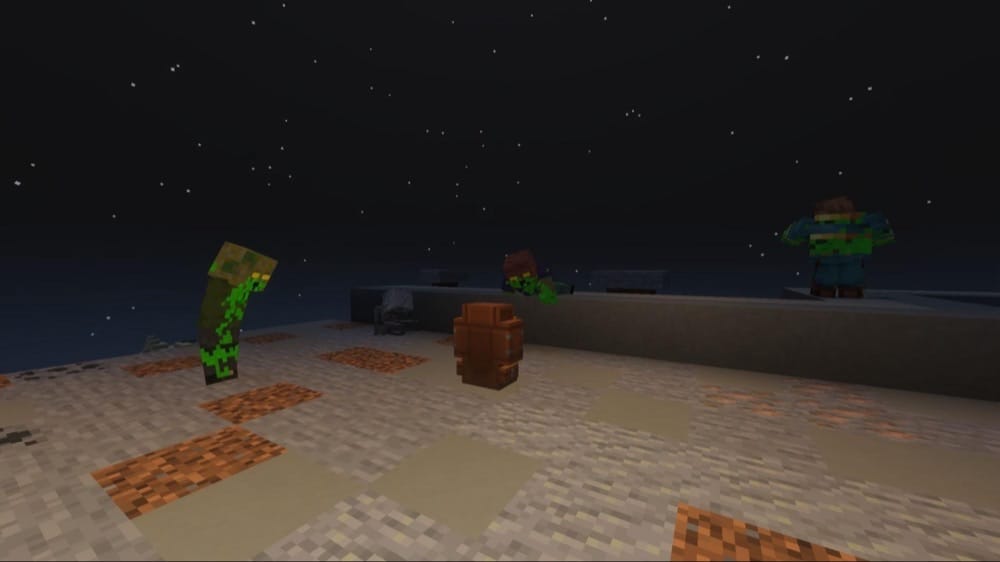
There’s a reason that the “True Survival - Zombie Apocalypse” addon ranks highest out of all the other zombie-based RPG addons. More than just buffing zombie mobs, the pack introduces an entire survival RPG system, where you have to manage things like energy and toxicity.
You can explore long abandoned buildings, find tools like chainsaws and nail guns, summon supply drops, and even restore broken vehicles to drive around. And there’s still the classic zombie experience to be had, of course, as zombies can spawn just about anywhere, sporting new animations and dropping special loot upon death.
3. Dragon Evolution
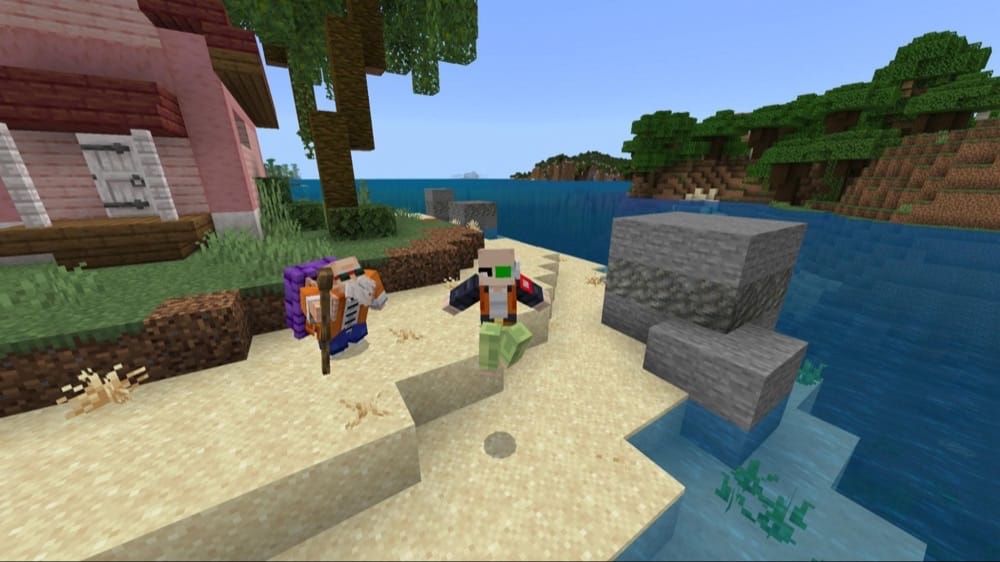
Live out your own Dragon Ball Z adventure with the “Dragon Evolution” addon. Train with masters like Goku, or enter brutal fights with other powerful warriors to level up your stats and unlock special abilities.
Alternatively, fly around and get into fierce fist fights with enemies, all with unique, dynamic animations to really give every encounter that anime battle vibe.
This addon is not just about fighting, either. You can explore various places from the Dragon Ball universe, collect Dragon Balls, and follow either a path of good or evil.
4. Rise and Survive
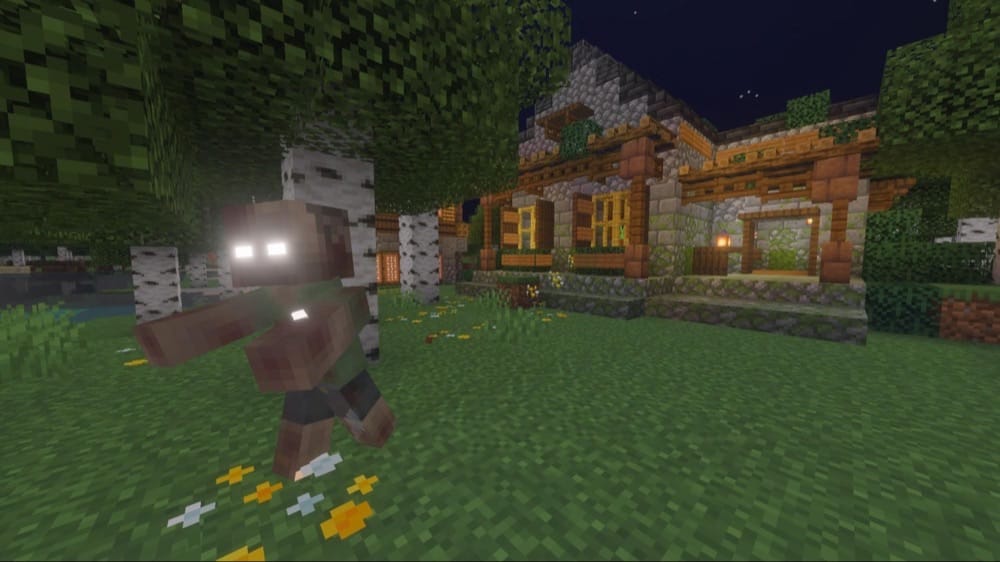
The “Rise and Survive” addon provides a sense of progression that a lot of other zombie-based RPG addons seem to lack. Here, you become stronger and better geared day after day – but so do the zombies!
Not only that, but your undead foes also get faster, greater in number, and some can eventually evolve into a specific class of zombie, like Bomber Zombie or Jumper. And that’s not even mentioning blood moons and hordes which you also need to be wary of.
Beyond that, this pack adds all of the things you’d expect from a zombie addon, like new weapons, barricade blocks, and an infection system. All in all, It’s a great pack for someone wanting a survival RPG experience that stays challenging, even on longer playthroughs.
5. Project Walker
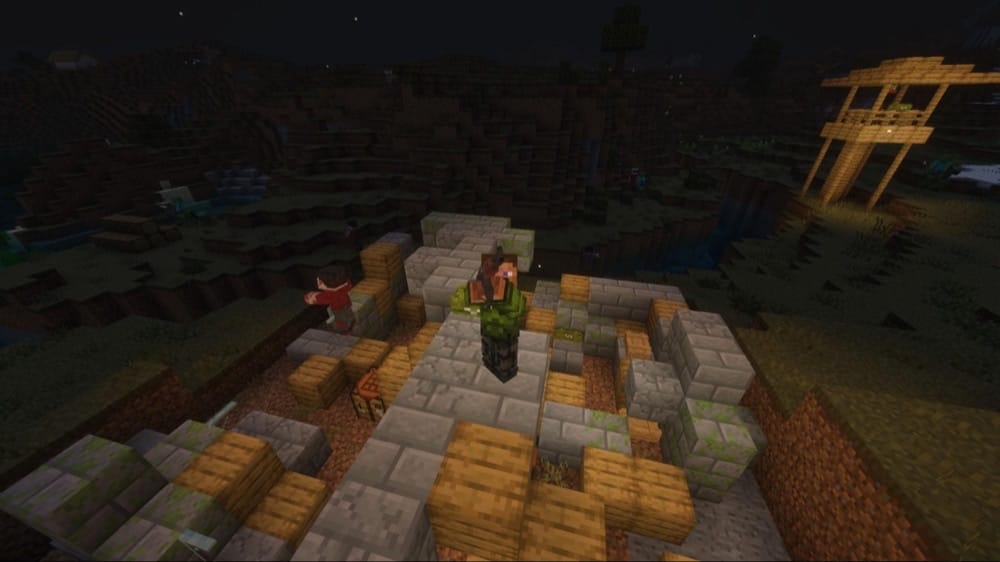
Want a less fantastical zombie survival RPG experience? The “Project Walker” addon provides a post-apocalyptic experience where other people are just as dangerous as any zombie. Manage thirst, infection, bleeding, and broken limbs, all while searching for resources. Equip guns and protective gear while you fight off different zombie variations.
Use a variety of modern gadgets, like night vision goggles and usable vehicles. You can also encounter NPC characters, like bandits or other survivors. They might not be friendly, though. Every scavenging trip could end in a bite or a bullet, so you have to be twice as prepared compared to other zombie addons.
It’s also the best zombie addon (in our modest opinion) at making every area feel populated and unsafe. There are structures scattered all over, with daylight-resistant zombies everywhere you look. Compared to a lot of similar addons, which have the occasional structure or zombie here and there, Project Walker is as dense and dangerous as it gets.
6. DarkAge Bizarre Remake
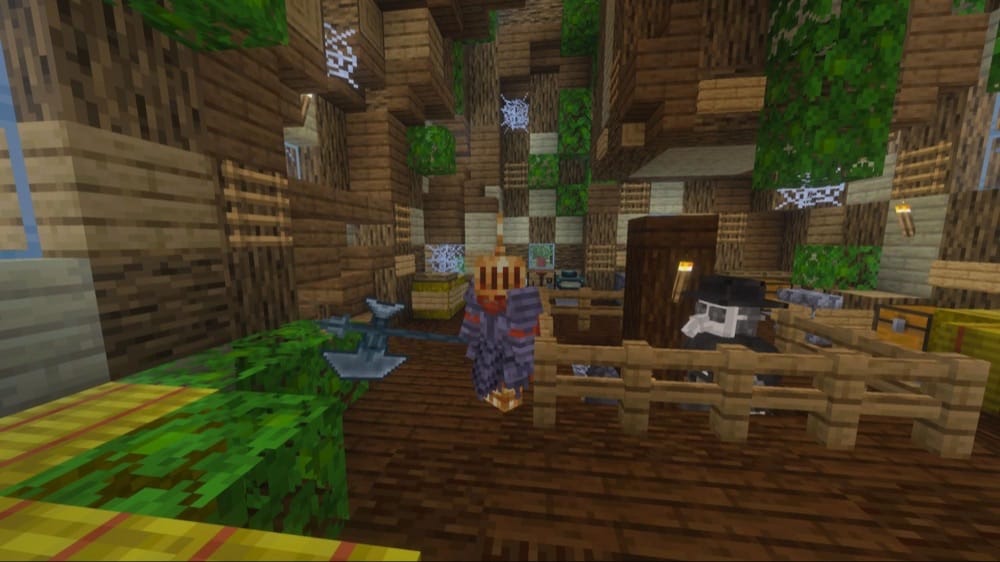
We’ve talked about a lot of undead RPGs; it’s time we focused on the timeless classic subgenre: medieval RPGs! The “DarkAge Bizarre Remake” addon is a dark fantasy RPG addon where you have to survive in a cold and unforgiving landscape.
Naturally, there will be new biomes, weapons, armors, and structures for you to explore. Delve through dungeons, fighting against sentinels and elementals, and defeat boss encounters to get rare items for upgrading your build. It’s a Dark Souls-style experience that will challenge and enthrall you in equal measure.
7. Evil Hunter
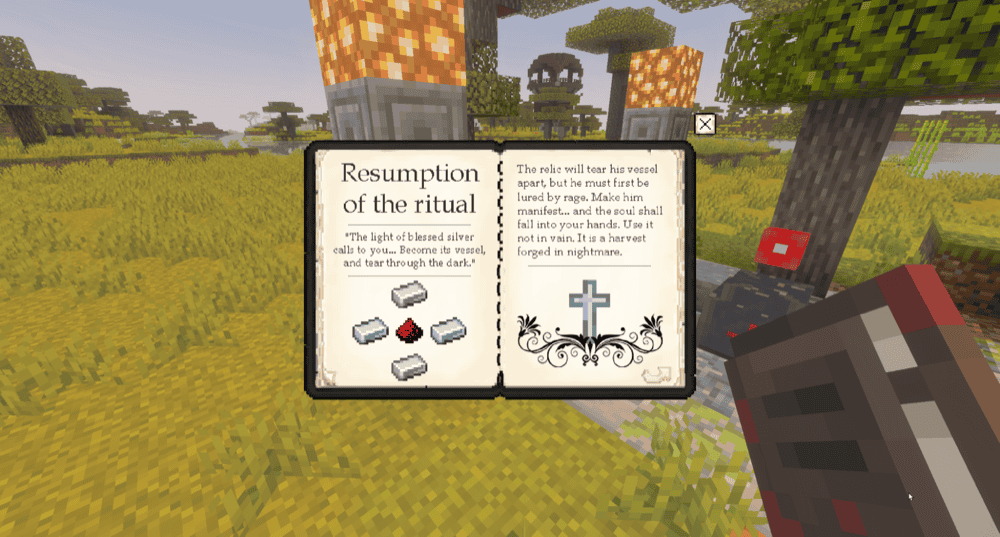
A lot of RPG addons will drop the player into the world and allow them to craft their own story. Not the “Evil Hunter” addon. This story-rich occult RPG pack has you searching through your missing son’s old Minecraft game, hoping to learn the truth (and the dark secrets) to his disappearance.
It features multiple story events, unique items and weapons, occult rituals, and even a boss fight and narrative ending. It's a fantastic balance of gameplay integration and engaging story that we almost never see in an RPG addon for Minecraft Bedrock. If you prefer Java instead, it’s also available for Java Edition as a mod.
8. Cordyceps
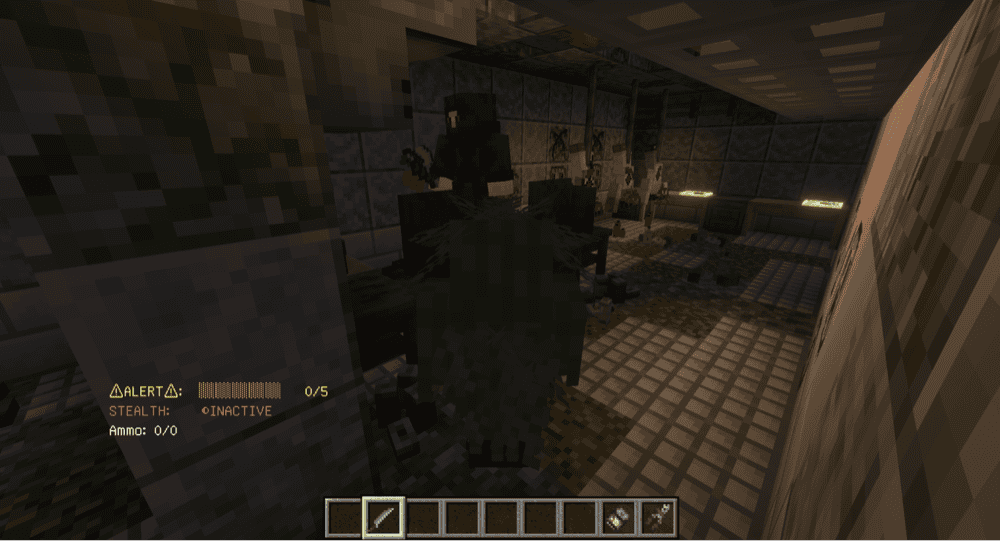
Fans of The Last of Us will absolutely love the “Cordyceps” addon. Inspired by the same media, this pack pits you against a mutant fungal infection, where terrifying mushroom monsters roam through ruined landscapes. Gather different guns and fight them back, upgrading your health and armor, or equip a ghillie suit to try to evade their notice.
Phenomenally creepy aesthetics aside, the stealth system really makes this post-apocalyptic RPG addon stand out from the rest. Crouching, camouflage gear, hiding in the dark, and even staying inside heavy vegetation – all of this plays a part as to whether the monsters notice you.
You can also throw objects to distract them, or use high powered rifles to insta-kill them before they can notice you. It opens up a whole new way to play Minecraft.
“Cordyceps” also probably has the coolest intro to an addon that we’ve ever experienced. You’re dropped deep in the bowels of a ruined lab facility, forced to sneak your way from corridor to corridor, taking out hostile mobs with nothing but a knife!
9. DLCraft
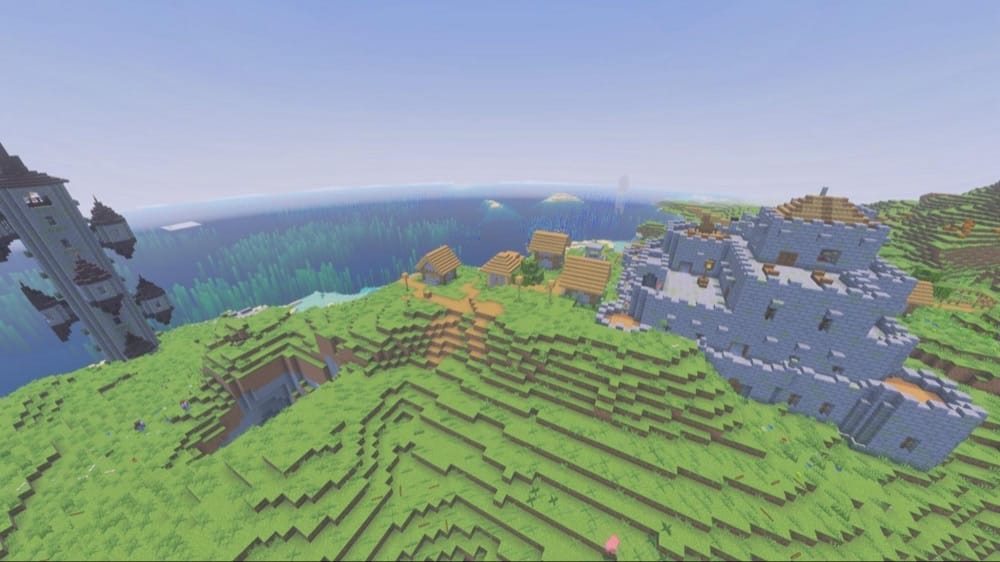
Want an RPG addon where you’ll die a LOT? Well, so did DeadLite, the creator of this addon. In short, this pack adds more challenges, twice as much danger, and plenty of dungeons and boss battles to tempt you into trying again.
Of all the packs out there, this one really leans into the old-school fantasy RPG style and vibe. Choose a character class to level up in, navigate through storm castles, scale wizard towers, collect rare loot and better gear… you name it, this addon has it.
With that said, you’ll quickly be reminded of the difficulty scale when you take on boss battles and (try to) survive the Night Siege event. So, go ahead and conquer your Minecraft world… or die trying!
10. Mythological Craft
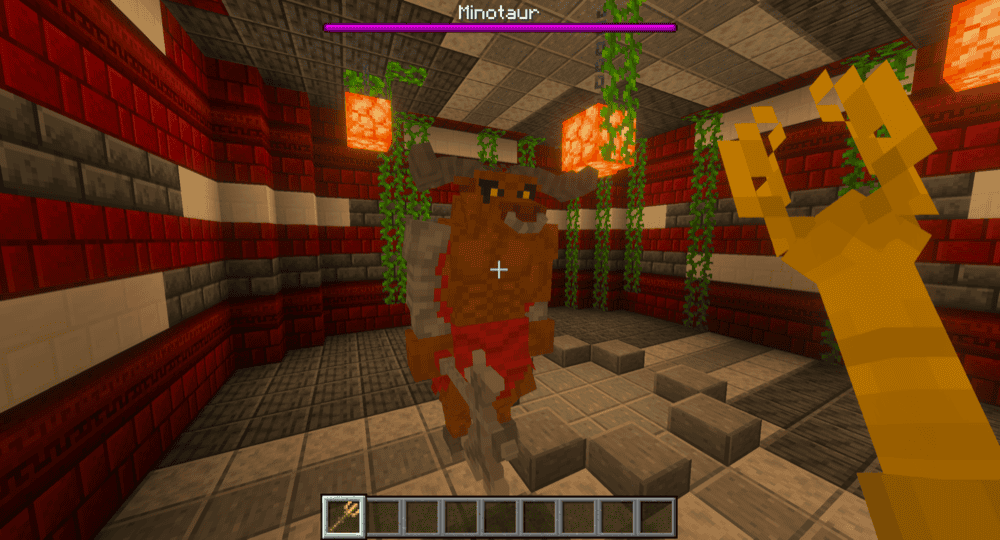
Fantasy RPGs are famous for their assortment of big, bad monsters of might and magic. The “Mythological Craft” addon plays right into that, providing dragons, giants, minotaurs, and more! Fight Medusa in her lair, craft the Cyclops Eye weapon from boss loot, and raid Hades’ castle – these are just some of the epic quests on offer.
Not everything is a big boss battle, either. The world is painted with fantasy mobs like goblins and spirits. Some creatures can even be tamed, like giant sea turtles, grizzly bears, and, believe it or not, Cerberus itself. We’d say that this is the perfect pack for anyone with an appreciation for the rich history behind the fantasy genre.
How to Install Minecraft Addons
You can add Bedrock addons automatically from the official Minecraft Marketplace or download and install them manually from CurseForge’s Bedrock addons browser.
If you pick the second option, make sure to open the linked project page of each of the addons above and download its associated “.mcaddon” file. Running the downloaded file should then launch Minecraft and begin the import.
After the import finishes, don’t forget to edit the world and check both "Behavior Packs" → "Available" and "Resource Packs" → "Available". If all went well, activating the packs included with the addon should add its features to that world. If the project lists an experiment under "Requirements", you should enable it as well before loading the world.
For a complete walkthrough, check out our guide on how to install Minecraft Bedrock addons.
Common Issues and Quick Fixes
I installed and activated the addon, but it’s still not appearing
Sometimes, you may need to install two files – one for the resource pack and one for the behavior pack. We therefore recommend checking if you have both installed and active. If not, make sure to visit the addon’s official download page for the missing file and download it.
I can’t find any of the structures from the addon I installed
If you want an entire world riddled with the addon’s content, starting a new game is the easiest option. If you loaded an existing world, then it typically won’t have any of the unique structures or biomes from an addon.
If you’re determined to use an existing world, you can actually spot some of these new assets in-game by going somewhere you’ve never been before in that world. Any newly generated areas will reference the addon’s generation code, potentially including new content – but we still recommend starting fresh for the best experience.
The new content doesn’t look right or isn’t animating correctly
This is a common problem when you have more than one addon active at the same time. Sometimes, multiple packs will reference the same game data and overlap.
Luckily, this can usually be solved by changing the order of your addons. In the "Resource Pack" section of your settings menu, simply drag the addon you want to work correctly to the top of the list and try again.
We also suggest that you check out the addon’s project page as well as there might be additional resource packs you may need to install to get the full experience.