Leads are a critical tool for any form of mob wrangling, from gathering cows to tying down your pet ghast. Capable of leashing almost every mob in the game, it's a must-have tool for any mob-related projects.
Fortunately, making a lead is a lot easier than it used to be. Before Minecraft version 1.21.6, leads used to require a slime ball for crafting – a resource only dropped by hard-to-find slime cube mobs. Now, it only costs a few strings!
In this guide, we'll walk you through the current lead recipe, other ways to obtain one, which entities you can leash, and how the mechanics differ between Java Edition and Bedrock Edition.
What You Will Need
In Java Edition 1.21.6 and Bedrock Edition 1.21.90 or later, you only need 5 strings to craft a lead. You can obtain strings by defeating spiders, breaking cobwebs with a sword, fishing, or opening certain loot chests.
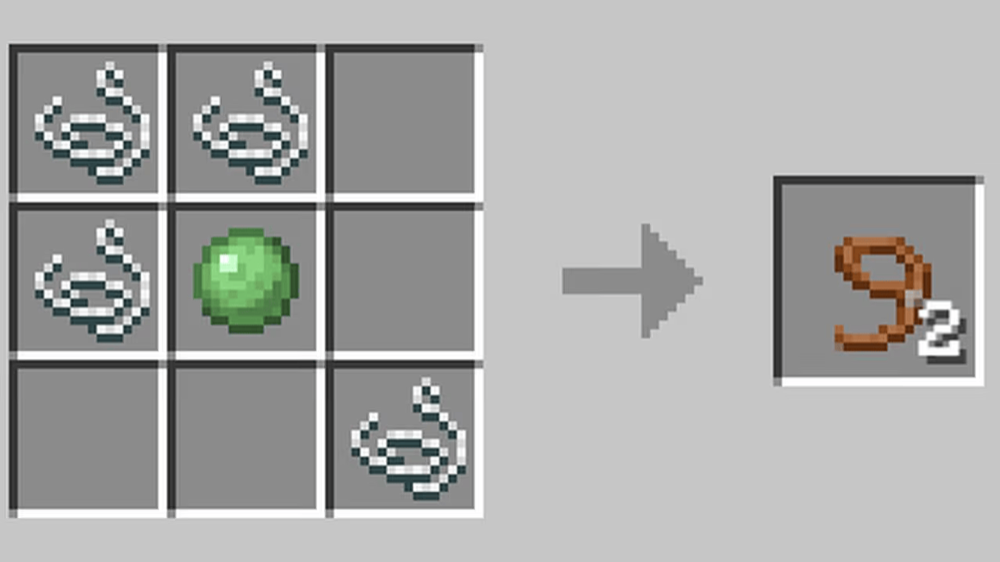
Older Minecraft versions still use the previous recipe with 4 strings and 1 slimeball, so it’s best that you check the version used by your world or modpack before gathering the materials.
How to Make a Lead
The current recipe gives you 2 leads from 5 strings arranged across the crafting grid like so:
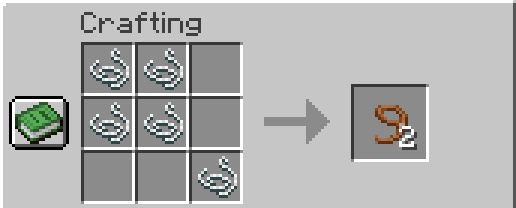
Below are the full steps to crafting your first lead in Minecraft:
- Open a crafting table.
- Place a string in the top-left and top-middle slots.
- Place a string in the middle-left and center slots.
- Place the last string in the bottom-right slot.
Note: This recipe applies to Java Edition 1.21.6 and Bedrock Edition 1.21.90 or later. On older versions, make sure to place a slimeball in the center and use strings in the other four listed slots like in the screenshot below.
Finding String in Peaceful vs. Non-Peaceful Mode
In non-Peaceful mode, fighting spiders is the quickest way to gather string. In "Peaceful" mode, however, strings can be found either in underground loot chests or by destroying cobwebs in abandoned mineshaft structures.
Tip: Cobwebs can be broken twice as fast using any kind of sword, but at the cost of durability. Don't use shears or it will drop as the cobweb item and not as a string.
Other Ways to Get a Lead
You can also obtain leads without crafting them. They appear in ancient city and woodland mansion chests, as well as suspicious gravel in trail ruins. In Bedrock Edition, buried treasure chests can also contain 1 to 3 leads.
And here’s yet another quick way to go about it. Wandering traders, which can show up every few in-game days, will bring two tethered llamas with them. If that lead is broken – either from being attacked, moving too far apart, or with shears – the lead will drop.
How to Use a Lead
When holding a lead, you can activate it on a mob to create a tether between you and it. While tethered, the mob will follow wherever you go, being dragged behind you. If they get stuck and you move more than 12 blocks away, the lead will snap free.
While this is the main function of leads, they also have a handful of handy extra functions for managing multiple mobs:
- You can hold multiple mobs at the same time on a lead, as long as each one has their own lead.
- Tethered mobs can be tied down to any fence post by activating the post.
- By sneaking while using a lead, you can create lead knots, where one mob is tied to the other mob. This can go up to four mobs long, essentially making convoys.
- Leads can also be used on boats.
Leading and Tying Up Mobs
A leashed mob follows you as you move. To leave it in one place, use the lead on a fence to create a visible leash knot. Bedrock Edition also lets you attach leash knots to wall blocks. Several entities can share the same fence or wall connection as well.
Tip: The default lead-breaking distance is 12 blocks, measured from the point where both mobs connect. For best results, make sure to move at a pace the mob can comfortably keep and watch for terrain that may hold it back.
Leashing Several Mobs at Once
You can hold several mobs at once, although each one will require a separate lead. You can also create a chain while leading one or more mobs together. On a mouse and keyboard, hold "Shift" and right-click at another leashable mob to add it to your chain. This will connect the mobs you previously leashed to that target.
Note: Do not rely on nearby llamas to automatically join your chain. In Bedrock Edition, leashed llamas no longer attempt to form their normal caravans, so it’s something worth knowing.
Detaching a Lead
To free a mob, use the lead on it again or cut the leash connection with shears. Hitting the knot or breaking the fence will also release it. The lead will drop as an item once it comes off, except in “Creative Mode” on Java Edition, so you can pick it back up and reuse it if needed.
What Can You Leash?
Leads work with many passive and neutral animals, including cows, sheep, pigs, horses, camels, wolves, bees, frogs, and sniffers. You can also leash boats, golems, and a small number of hostile mobs, including hoglins and zoglins.
Villagers, wandering traders, and most hostile mobs cannot be leashed directly during normal gameplay. However, you can place a villager inside a boat and attach a lead to the boat instead. This is especially useful when moving villagers into a trading hall, although boats travel slowly over land and the connection may still break if it stretches beyond 12 blocks.
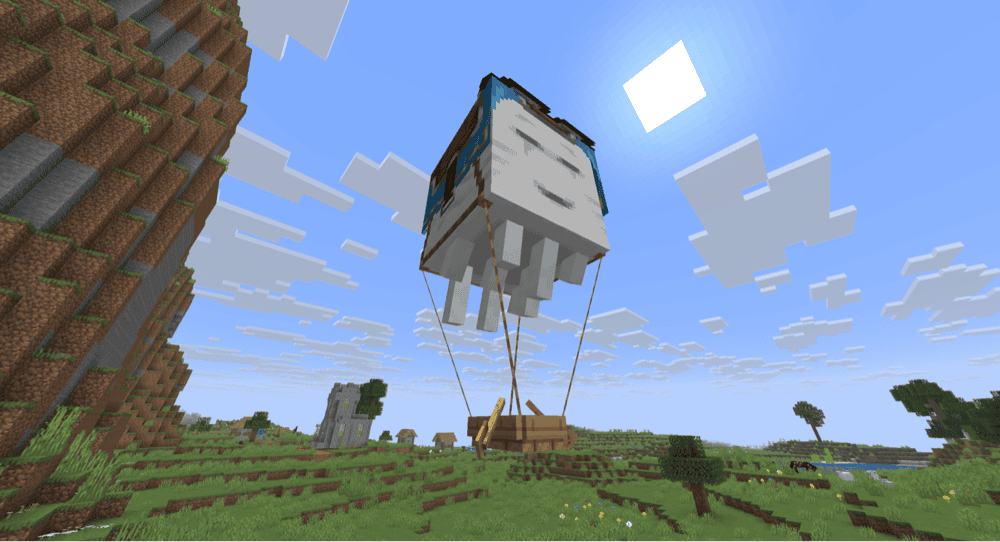
Tip: Boats, chest boats, and large leashable mobs that cannot fit inside a boat, including horses, donkeys, mules, camels, and sniffers, can be suspended beneath a Happy Ghast using a special four-leash connection. Leads connected to a Happy Ghast will snap at 16 blocks instead of the normal 12, giving you a neat way to haul your bigger companions.
Java vs. Bedrock Edition Differences
The 5-string recipe, 12-block breaking distance, mob-to-mob chaining, boat leashing, and shears interaction all work the same across both Java Edition and Bedrock Edition.
The main multiplayer difference involves transferring leashed entities. In Java Edition, you cannot take an entity that is currently leashed to another player. In Bedrock Edition, using a lead on an already-leashed entity will transfer the connection to you instead.
Mods That Work Well With Leads
Vanilla leads (leashes) are useful for moving animals and boats, but they cannot solve every transport or climbing problem. These mods expand the idea through universal leashing, direct mob carrying, climbable ropes, and grappling hooks with rope physics. Together, they offer more ways to move creatures, reach high places, and cross difficult terrain.
Supplementaries
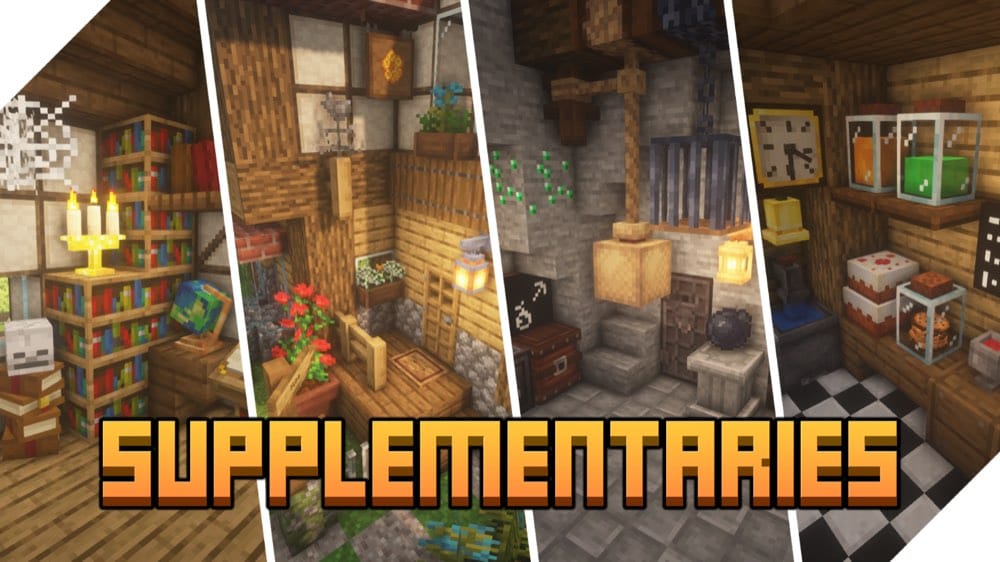
“Supplementaries” adds functional ropes that can attach to ceilings, fences, walls, and other rope blocks. Vertical ropes hang freely without needing a wall behind them and can be climbed, while horizontal ropes have collision detection and can be crossed at a slower pace. Their support rules work similarly to scaffolding, so horizontal sections must remain connected to a nearby anchor.
Placing another rope against an existing vertical strand will extend it downward, making it useful for caves, wells, mineshafts, and tall builds. The mod also includes Rope Arrows that deploy a stored coil wherever they land, giving you a way to create a climbing route from a distance.
Carry On
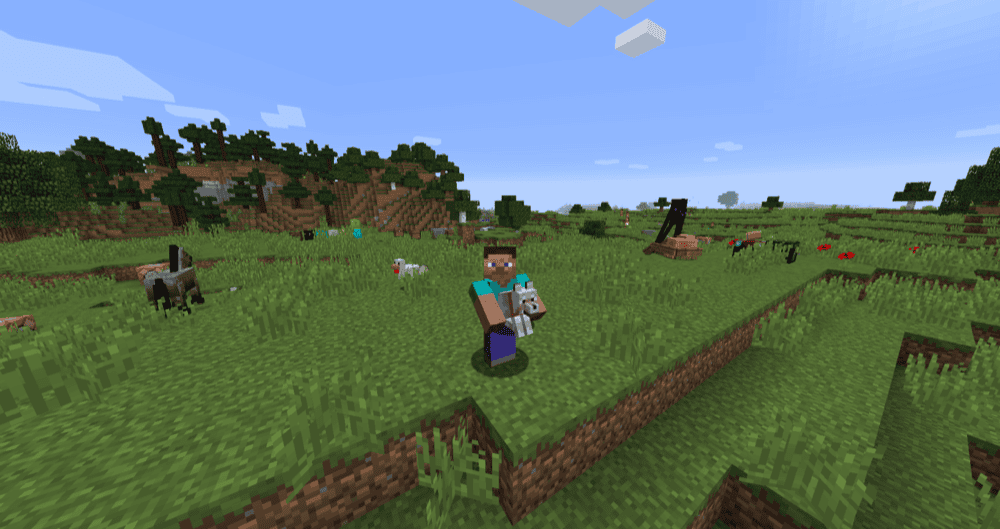
“Carry On” provides an alternative to leads by letting you pick up supported mobs and move them directly. With both hands empty, hold down "Shift" and right-click a mob to lift it up, then right-click again to place it at the new location. This can make short-distance tasks such as moving villagers into a trading hall more convenient, since you do not need to guide them with a boat or minecart.
Note that you can only carry one mob or block at a time, and doing so slows your movement, with larger mobs resulting in slower speeds. The mod also supports movable block entities such as chests, furnaces, and machines while preserving their inventory and other stored data.
Yori3o's Grappling Hooks
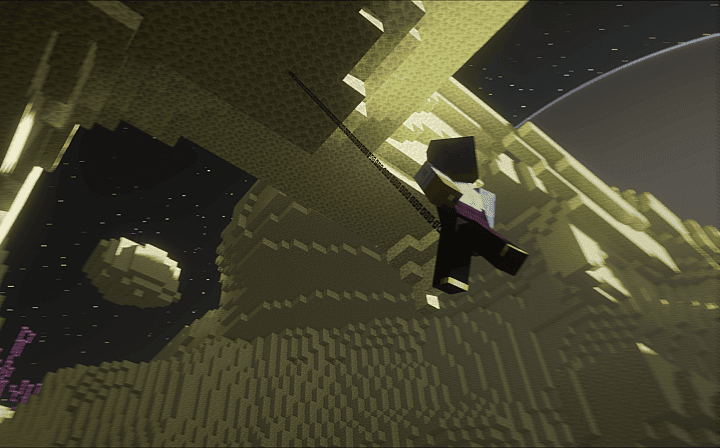
“Yori3o's Grappling Hooks” adds grappling hooks made from several materials, with different rope lengths and durability values to choose from. After attaching a hook to a block, you can climb up or down the rope or jump away from it using the assigned controls. The rope follows a rigid-line physics system, making the mod useful for crossing gaps, scaling cliffs, and recovering from falls.
Hooks can be repaired and enchanted with three custom enchantments: Gentle Touch, Long Reach, and Agility. The provided configuration file also lets you adjust climbing speed, hunger consumption, rope behavior, hook range, and which blocks the hooks can attach to.
LeashAll
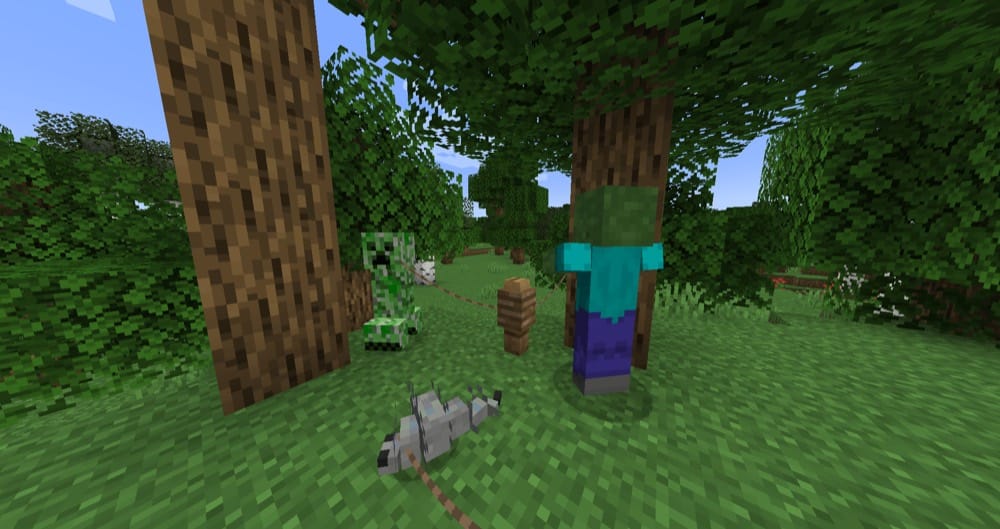
“LeashAll” removes most of the vanilla restrictions on leads, allowing you to attach them to almost any living entity, including villagers, hostile mobs, and other players. You can also connect multiple creatures in a chain by leashing them first, then holding down "Shift" and right-clicking another entity.
The server configuration lets you allow or block specific entities and set the maximum number of active leads each player can hold, with the default value being infinity. The mod can run on the server while vanilla clients join, although installing it on the client-side is also recommended so that all visual and client-side features can display correctly.
Portable Mobs
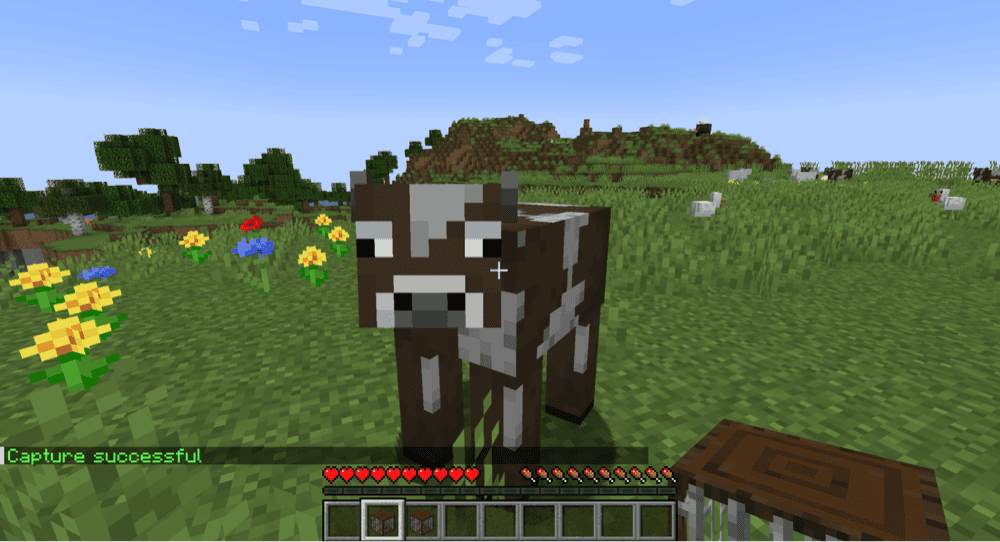
Dragging mobs behind you works, but it's unreliable, especially on rough terrain. It would be much easier if you could just pick up the mob directly. The “Portable Mobs” mod does exactly that!
Introducing the capture cell, this item will pick up whatever mob you use it on and store it inside as an inventory item. When you're ready to release it, simply use the cell again. This makes transporting mobs of any kind a lot easier, especially if you need to move many of them at once.
More Leads
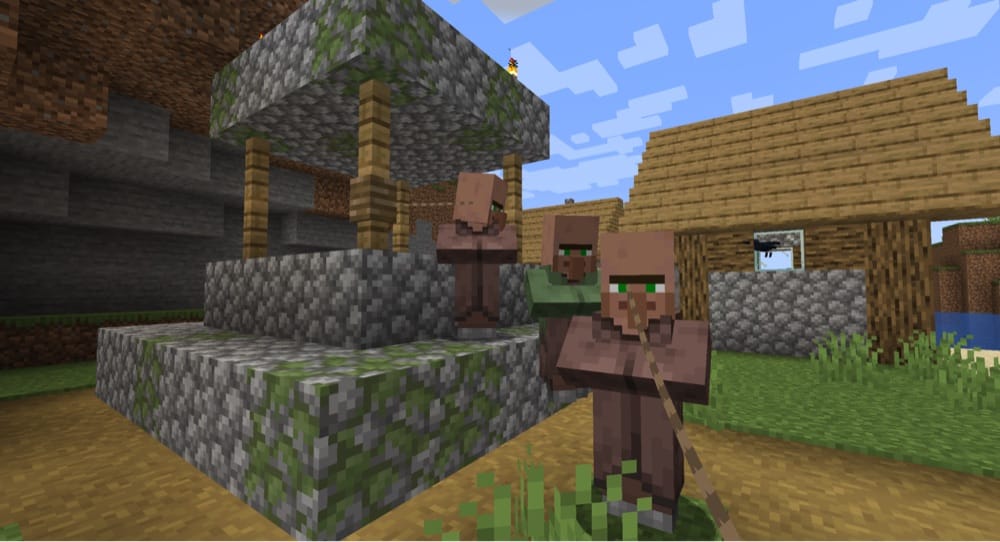
“More Leads” gives the vanilla lead item a bit more utility. Its main purpose is to expand which mobs you can use a lead on, including hostile monsters, villagers, and fish.
The mod also adds in some functions that only exist in newer versions of vanilla Minecraft, like tying two mobs together or pulling boats. All in all, this is a great mod for if you want to add in some quality-of-life improvements without changing the game too much.
Unbreakable Leads
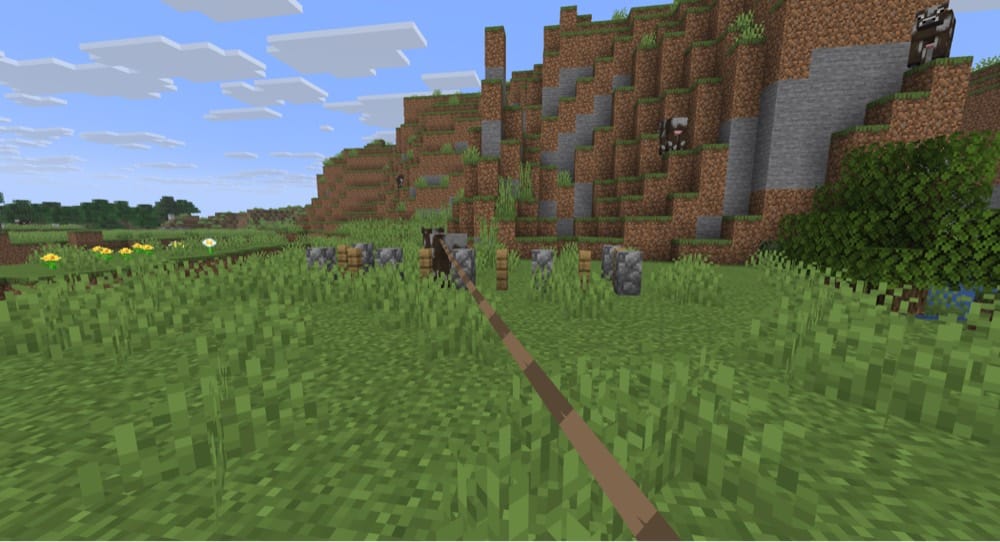
Simple and straightforward, this mod removes the length limit on leads. In the vanilla game, a lead will break if the mob is too far away from you. This usually happens when going too fast or trying to navigate bumpy terrain.
With “Unbreakable Leads”, you can guide your captured mobs anywhere without worrying about it breaking behind you. That includes while flying with an elytra, even!
How to Install Minecraft Mods
You can install the above mods automatically using the CurseForge app or manually by placing the mod files within your game's mods folder. Both methods allow you to easily add custom features and enhancements into your Minecraft experience.
If you want to learn more, you can read our detailed guide on how to install Minecraft mods.
Common Issues and Quick Fixes
My lead recipe isn't working
This might come down to the Minecraft version you’re playing. On Java Edition 1.21.6 and Bedrock Edition 1.21.90 or later, place 5 strings in the correct pattern to receive 2 leads. If you are playing an older version or a modpack based on one, use the previous recipe with 4 strings and a slimeball in the center instead.
My lead keeps breaking when I walk away
A regular lead breaks when the distance between the connected entities exceeds 12 blocks. Terrain, narrow passages, and sudden drops can all cause a mob to fall behind until it crosses that limit. Using a firework boost while gliding with leashed entities also breaks these connections.
To avoid any of this happening, we recommend moving more slowly and checking that every mob is still following you before travelling farther away.
I can't leash a certain mob
Leads mainly work on passive and neutral animals, golems, boats, and a few hostile mobs such as hoglins and zoglins. Villagers, wandering traders, and most monsters cannot be leashed in normal gameplay. Angry wolves also reject new leads until they calm down.
I can't pull a boat carrying another player
All boat physics change as soon as another player is inside. This includes cancelling out any leads. Since they can't be pulled, the lead will snap as soon as you go too far.
Unfortunately, there's no way to get around this limitation. You can also get in the same boat and manually paddle where you want to go. If you want to drag them by land, you can lead a mountable mob, like a horse or camel, and pull them along that way.
I can't use a lead on a wolf or nautilus
Wolves and nautilus (zombie or otherwise) are the only mobs with special rules about leads. They can only be tethered if they are not hostile.
Either find a different, not currently hostile wolf/nautilus, or stay away long enough for them to calm down first.
My happy ghast is too high up to be tethered down
Happy ghasts will float high in the air around a fixed point, usually wherever you last dismounted them. They can be tethered to a post on the ground to keep them low enough to interact with.
To get them low enough to attach a lead to, hold a snowball. Happy ghasts will follow you closely while you are holding one. Try holding a snowball in one hand and a lead in the other so you can catch it before it wanders off.
My game crashes on startup after installing mods
A startup crash usually means one of three things:
- The mod file does not match your Minecraft version.
- The mod was made for a different loader.
- A required dependency is missing.
Check that you installed the correct Forge, Fabric, Quilt, or NeoForge file for your profile, then look at the mod page for any required files, especially for Fabric API on Fabric profiles and for Quilted Fabric API on Quilt profiles.
Note that Minecraft mod loaders are their own separate systems, so a Fabric file will not work in a Forge profile, with the same also applying to NeoForge or Quilt builds.