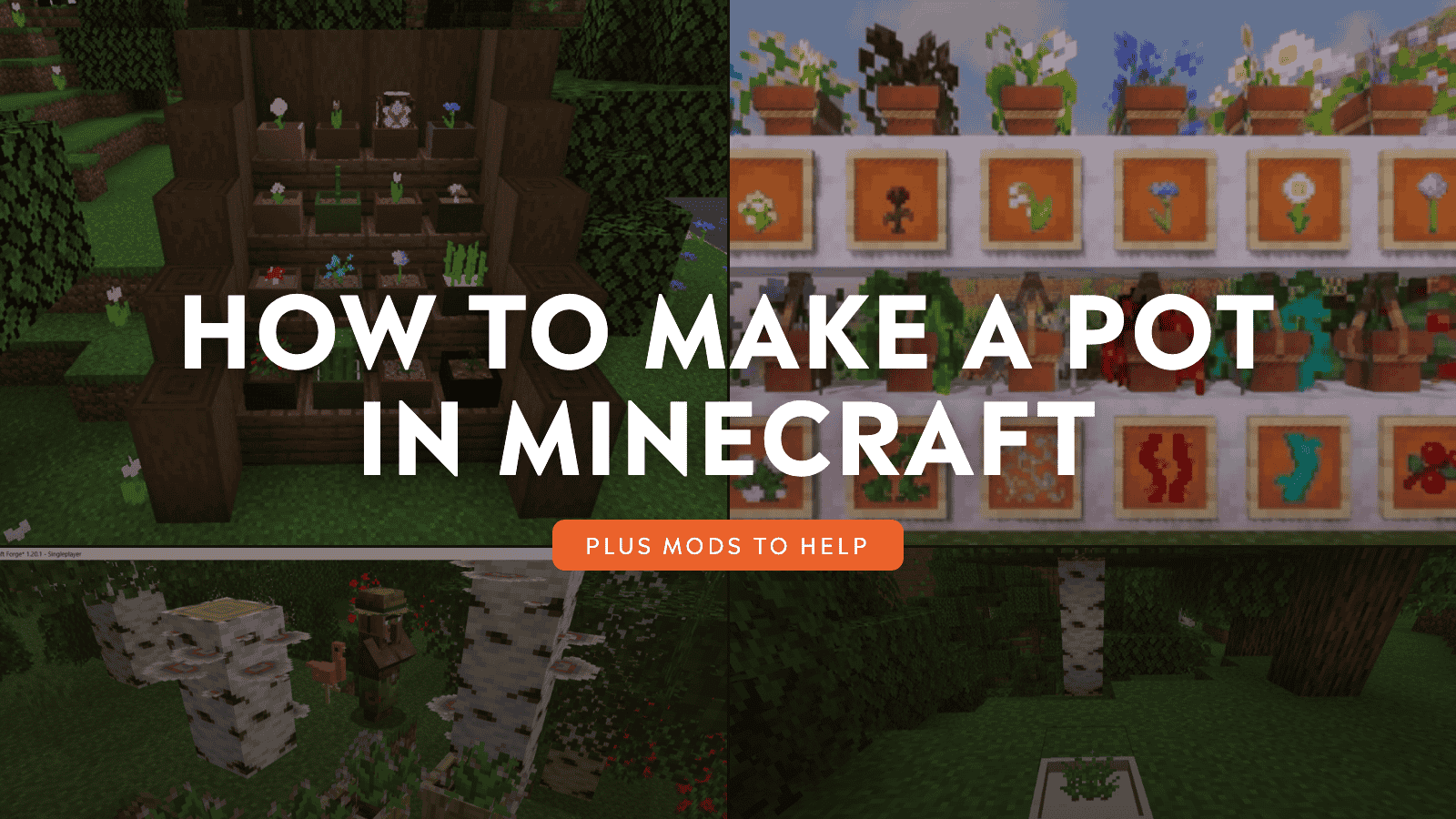
Minecraft has two different pots, and knowing which one you're after saves a lot of confusion at the crafting table. The Flower Pot is the small decorative container that holds a single plant – flowers, saplings, mushrooms, cactus, bamboo, and more. The Decorated Pot is the larger archaeology-themed ceramic pot that uses pottery sherds and shows different patterns depending on how you craft it.
Here's how to make both, how each one works, and what to know before you start placing them.
How to Make a Flower Pot
What You Will Need
In short: three bricks. Bricks come from smelting clay balls in a furnace – one clay ball gives you one brick. If you're low on bricks, rivers and lake shores are the best spots for clay since clay balls tend to cluster along those shores as grey-blue blocks on the riverbed.
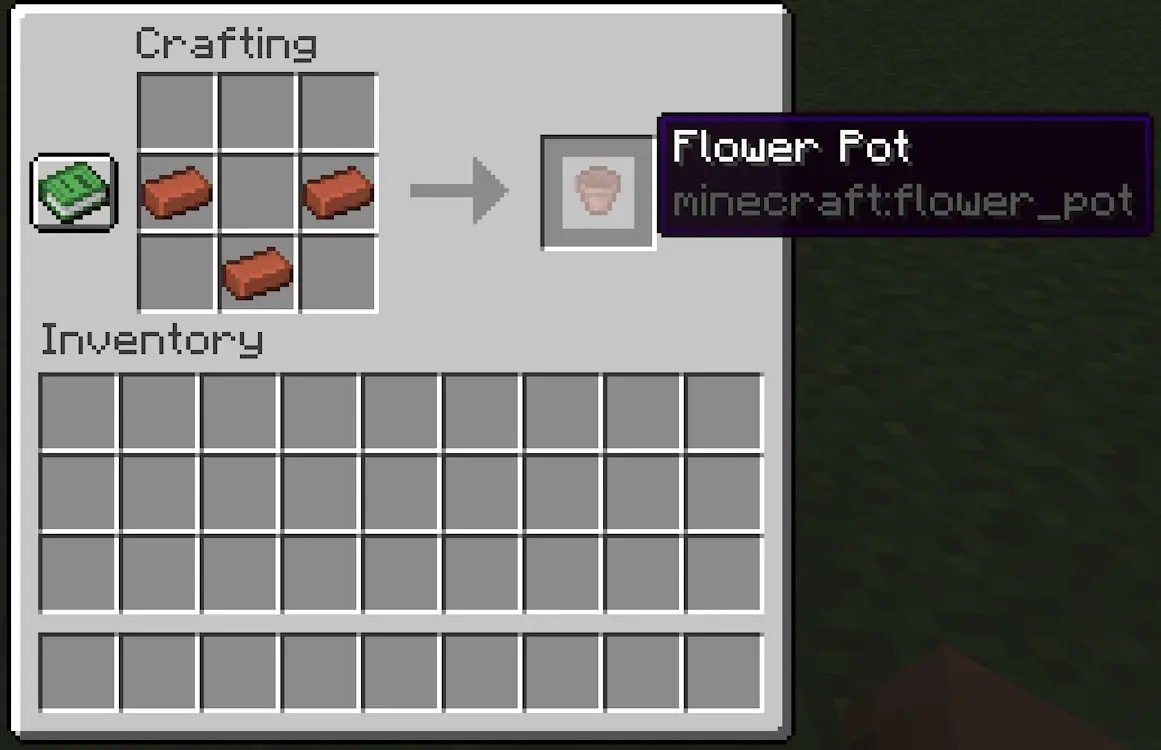
Learning the Flower Pot Crafting Recipe
- Open a crafting table.
- Place three bricks: two on top, one in the center.
How to Use a Flower Pot
- Place the flower pot wherever you want it.
- Hold a compatible plant in your hand and interact with the pot to place the plant inside.
- To remove the plant, just interact with the pot again and it'll return into your inventory.
Tip: in Java Edition, flower pots can sit on top of almost any block, including over air in certain contexts. In Bedrock Edition, the rules are a bit stricter – they will always need a solid block surface underneath, with a few exceptions like fences and hoppers.
Also, not every plant works in a flower pot. It accepts a defined set of small plants: flowers, saplings, mushrooms, fungi, bamboo, and cacti are all supported. Plants that are all two-block tall won't fit here, so if something isn't going in, that's usually the reason why.
How to Make a Decorated Pot Step by Step
What You Will Need
4 pottery sherds – or 4 bricks – or a mix of both.
Pottery sherds come from archaeology. You'll need a brush and some patience – brush suspicious sand or suspicious gravel in structures like desert pyramids, desert wells, ocean ruins, and trail ruins to find them. Different structures drop different sherds, and there are quite a few designs to collect.
If you don't have sherds yet, plain bricks will work as a substitute for any slot. A pot made entirely from bricks has a blank side texture, while a sherd one gives that face its unique pattern.
Learning the Decorated Pot Crafting Recipe
- Open a crafting table.
- Place four sherds or bricks in a diamond pattern in the crafting grid.
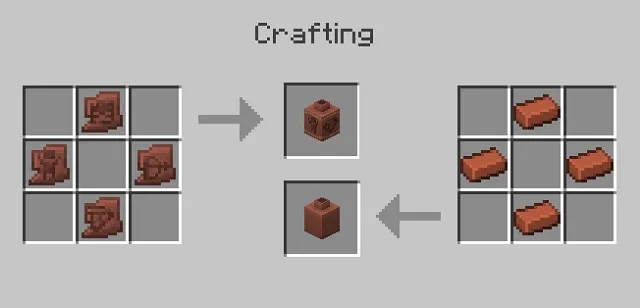
Tip: The position of each sherd in the grid determines which face of the pot it appears on. The item you place in the bottom slot will be facing you when you place the finished pot down, so if there's a specific pattern you want to see from the front, that's the slot to put it in.
How to Use a Decorated Pot
- Craft the pot using the diamond pattern above.
- Place it as a decorative piece in your build.
Tip: Want a plant sitting inside the big pot? Place a flower pot on top of it with a plant already inside – it gives it a nice, layered look.
Important: Breaking a Decorated Pot with a pickaxe, axe, shovel, hoe, or sword that does not have Silk Touch drops the sherds or bricks you used to craft it. If you break it in any other way, it will instead drop the pot itself.
How to Use Pots in Builds
Flower Pots are best for small detail work that reads clearly at a distance: think windowsills, stair landings, library shelves, shop counters, and anywhere you need safe walkable decor in tight hallways. They're cheap, easy to place, and add visual rhythm without eating into your budget.
In contrast, Decorated Pots are more of a focal point instead of filler. Use them as statement pieces: entryway pedestals, shrine corners, museum rooms, or as a simple coding system for storage rooms – a skull sherd pot outside the mob drop room, a blade sherd pot near your weapons storage, and so on. The pattern placement control makes them feel intentional and personal to your build.
Mods That Upgrade Pot Builds
If you want pots that actually grow and harvest crops for you, or decorative planter options beyond what vanilla Minecraft offers, these are the mods worth checking out.
Botany Pots
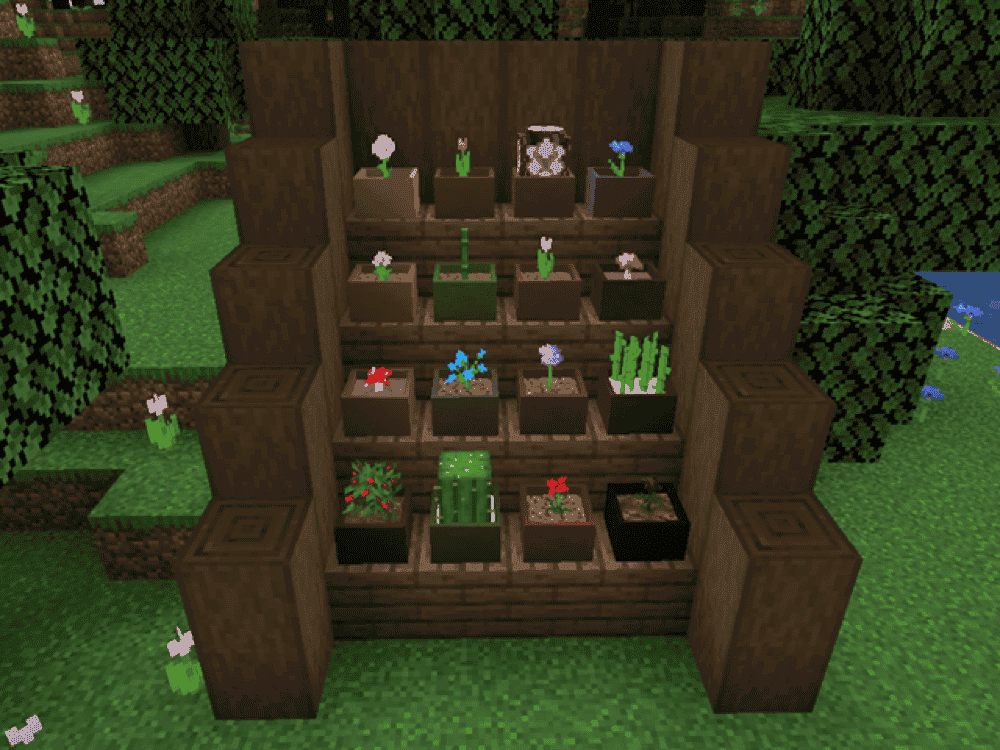
Botany Pots adds customizable pots that let you grow crops, flowers, and other plants in a very small space. A basic Botany Pot works like a miniature farm block – add compatible soil and a seed, let the plant grow, then right-click to harvest and replant. It also ignores many of the usual setup requirements, such as nearby water and light level, which makes it useful for compact indoor farms and small decorative grow setups.
The Hopper Botany Pot harvests mature crops, replants them, and sends the drops into its own inventory or the container below. It can also use an optional harvest tool, and some tools or enchantments can affect crop speed or drops.
Beautify: Refabricated
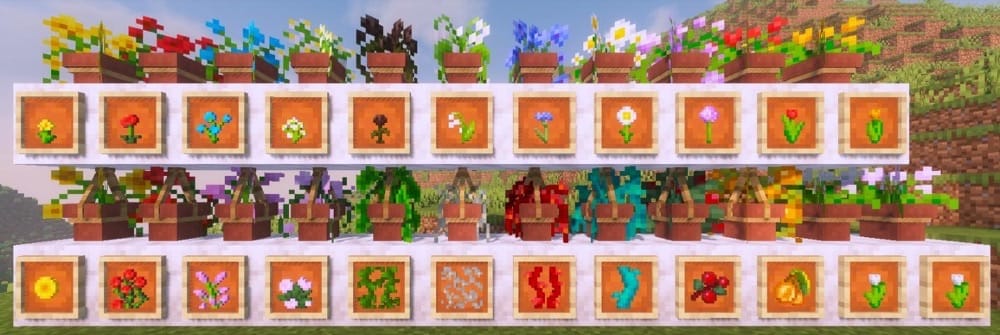
Beautify adds vanilla-styled decorative blocks with custom models, including hanging pots that support a wide range of plants, rope blocks they can attach to, and lattices for placing greenery on walls and ceilings. The mod stays focused on building details rather than automation, so it fits best as a planter and decoration upgrade rather than a farming system.
Its hanging pots can be placed like normal flower pots or suspended from blocks, and some plants can be grown with bone meal or clipped back with shears. Lattices also expand where plants can go, which helps with vertical gardens, greenhouse walls, and small interiors where floor space is limited.
Natural Decor Mod
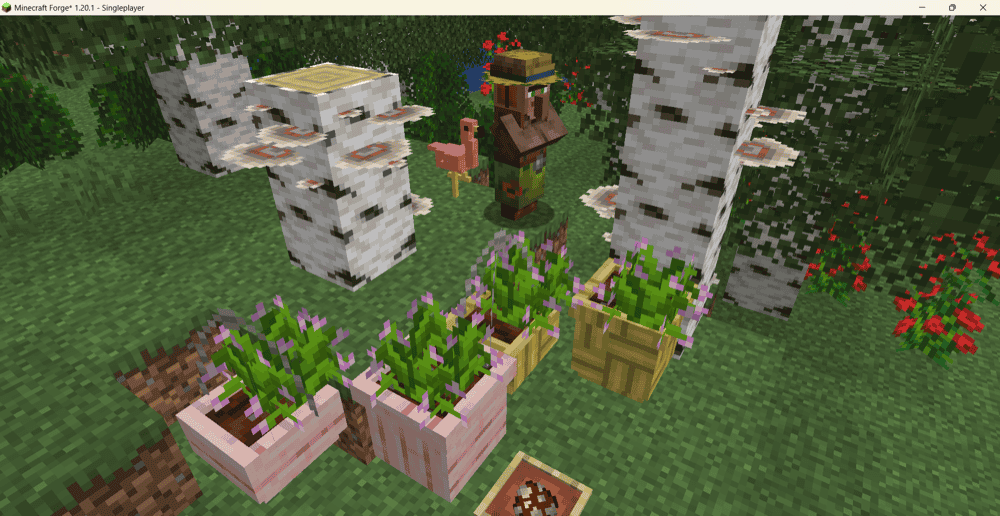
Natural Decor Mod adds a wide range of vanilla-styled plants, outdoor blocks, and landscaping decorations, including planter pots and hanging pots that can hold plants. It leans more toward build variety than automation, with extra flora, outdoor decor, and biome-focused blocks meant to make gardens, patios, courtyards, and other exterior spaces feel fuller and more detailed. The planter and hanging pot options fit especially well into decorative builds.
Bonsai Crops
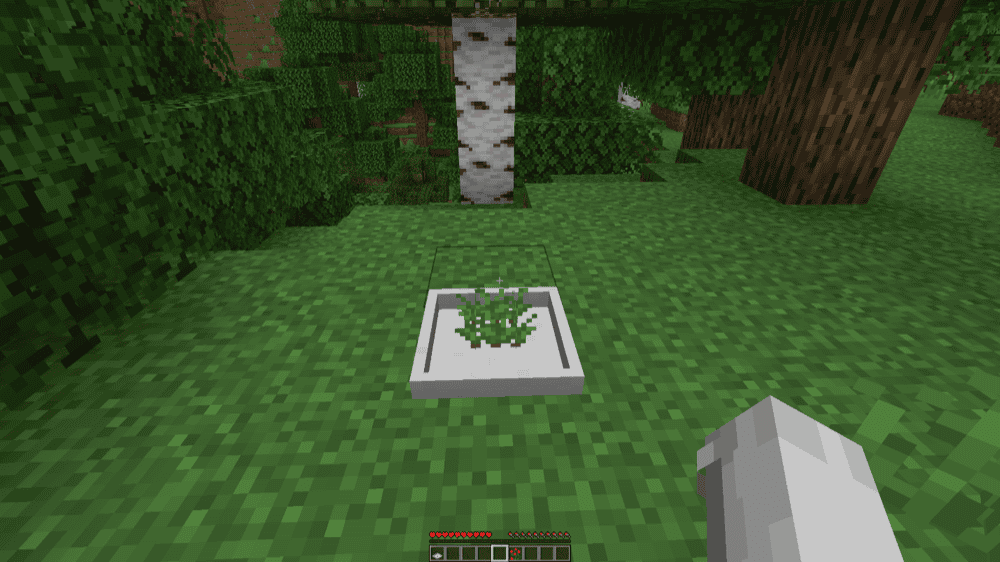
Bonsai Crops adds two compact blocks for growing crops in a single block space: the Bonsai Pot and the Hopping Bonsai Pot. You plant a seed by right-clicking the pot, wait for it to mature, then harvest it with a hoe. The mod keeps the whole crop loop inside one small block, which makes it a neat fit for compact farms and tight indoor builds.
The Hopping Bonsai Pot automates the harvest when the crop matures and sends the drops into the container below. If that container fills up, the automation stops until there is space again.
How to Install Minecraft Mods
You can install the above mods automatically using the CurseForge app or manually by placing the mod files within your game’s mods folder. Both methods allow you to easily add custom features and enhancements into your vanilla Minecraft experience.If you want to learn more, you can read our detailed guide on how to install Minecraft mods.
Common Issues and Quick Fixes
You’ve confused the recipes
The flower pot is 3 bricks in a bucket shape. The decorated pot is 4 sherds or bricks in a diamond. Both use bricks, so it's easy to mix them up if you're not paying attention. Double-check which pattern you're placing before you grab the result.
You’re trying to place an unsupported plant
Flower pots only accept certain items. If a plant isn't going in, it's probably a tall two-block plant or something outside the supported list. Try a standard one-block flower or a sapling to confirm the pot itself is working fine.
You’re getting an incorrect sherd pattern
If your decorated pot's faces don't match what you expected, it's almost always a crafting grid placement issue. Recraft it and put the sherd you want facing forward into the bottom slot.
Hopping Bonsai Pot stops auto-harvesting
This is almost always due to a full container. The Hopping Bonsai Pot pushes drops into the block below, and if that container has no space left, the automation stops until more room opens up. Keep an eye on your storage or add overflow handling – a hopper chain leading to a larger chest works fine for this.
You experience Natural Decor Mod world generation issues
If you're running Natural Decor Mod alongside Environmental or a similar biome mod and seeing world generation problems, that's a known incompatibility that the author has flagged on their official mod page. The suggested fixes are installing the Cyanide or Feature Recycler mods to handle the feature order conflict. For best results, it’s always a good idea to test a new combination like this in a backup world before committing to it in a main save.
Decorated pot patterns are not showing as expected
This is almost always a crafting grid placement issue. The sherd in the bottom slot of the diamond pattern becomes the face that points toward you when the pot is placed. If the wrong face is showing, simply recraft the pot and move the sherd you want as the front face into the bottom slot.
Your mod doesn't load or crashes at startup
Make sure to match the mod file to your exact Minecraft version and mod loader – Fabric mods won't load on Forge or NeoForge, and the wrong Minecraft version could cause crashes or silent failures. Install any required dependencies listed on the mod's CurseForge page and double-check that those dependency files also match your version and loader.