Let’s leave the Overworld for a bit – dimension mods don’t just add biomes or ores, they give you entire new worlds with their own rules, bosses, and progression. Some feel like full expansions; others are weird side pockets you dip into between mining trips.
Below are 11 standout dimension (or dimension-style) mods covering everything from classic favorites, like The Twilight Forest and The Aether, to stranger realms like The Midnight, The Undergarden, and the bee-themed Bumblezone.
1. The Twilight Forest
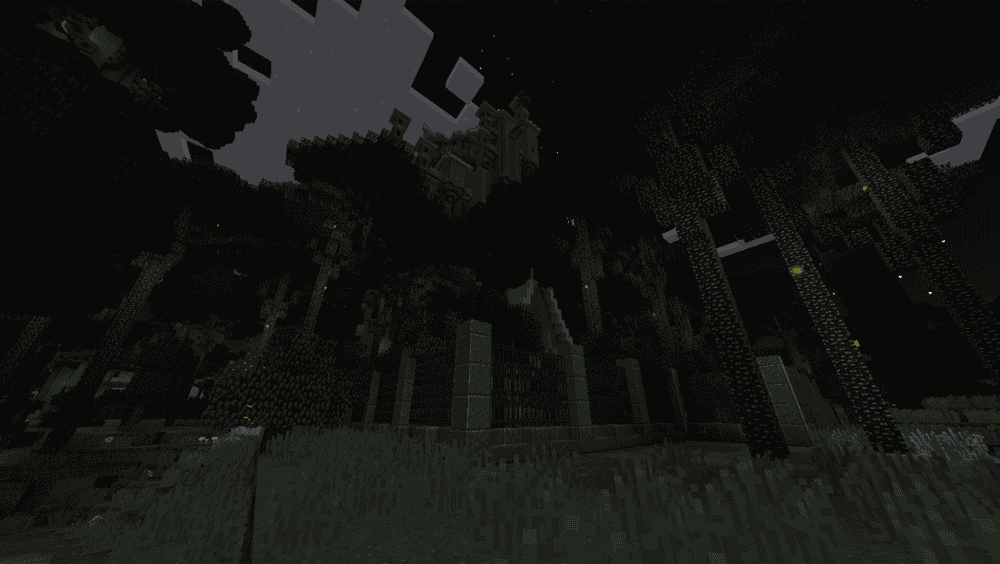
The Twilight Forest sends you into a permanent-twilight dimension – an endless enchanted forest packed with hand-crafted dungeons, themed biomes, and a full boss progression. You build a simple garden portal (a ring of plants/flowers surrounding a 2x2 water source), throw a diamond in and then step through maze hills, lich towers, hydra lairs, and more, each gated so you tackle them in a loose story-like order. It's one of the oldest adventure mods still in active development, with unique loot, elaborate boss mechanics, and an official wiki/guide to walk you through the portal ritual and progression path.
2. The Aether
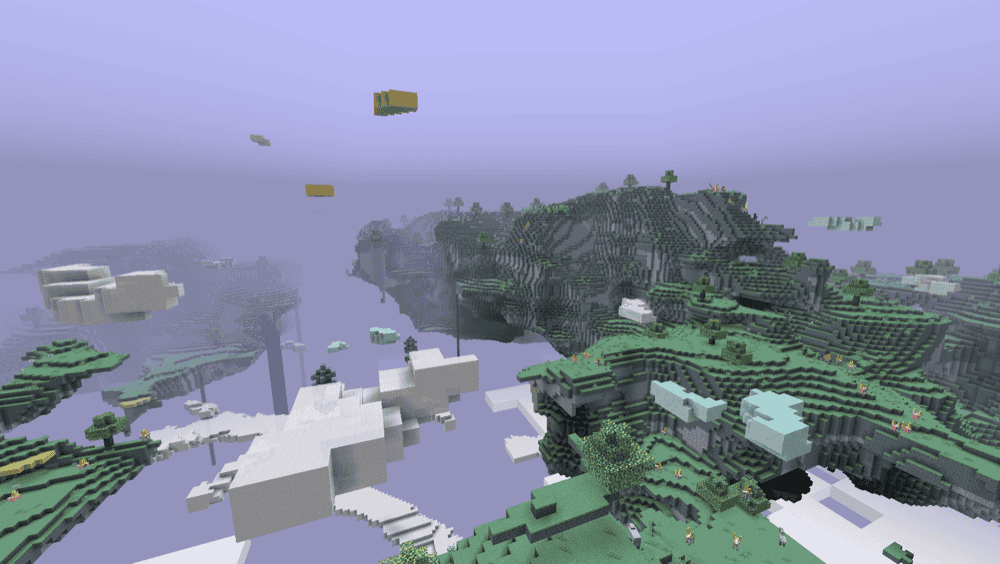
The Aether is the original sky dimension mod: a bright, hostile paradise made of floating islands, cloud oceans, and ancient ruins high above the Overworld. You build a glowstone portal like you would a nether portal, ignite it with water, and step into a full survival experience built around new blocks and mobs, four material tiers (Skyroot, Holystone, Zanite, Gravitite, and Valkyrie), and three dungeon tiers with their own bosses and loot. Instead of just visiting once for resources, you progress through Bronze, Silver, and Gold dungeons, unlock powerful accessories via a dedicated equipment GUI, and eventually gain control over the Aether's eternal day using special utility blocks like the Sun Altar.
3. The Midnight
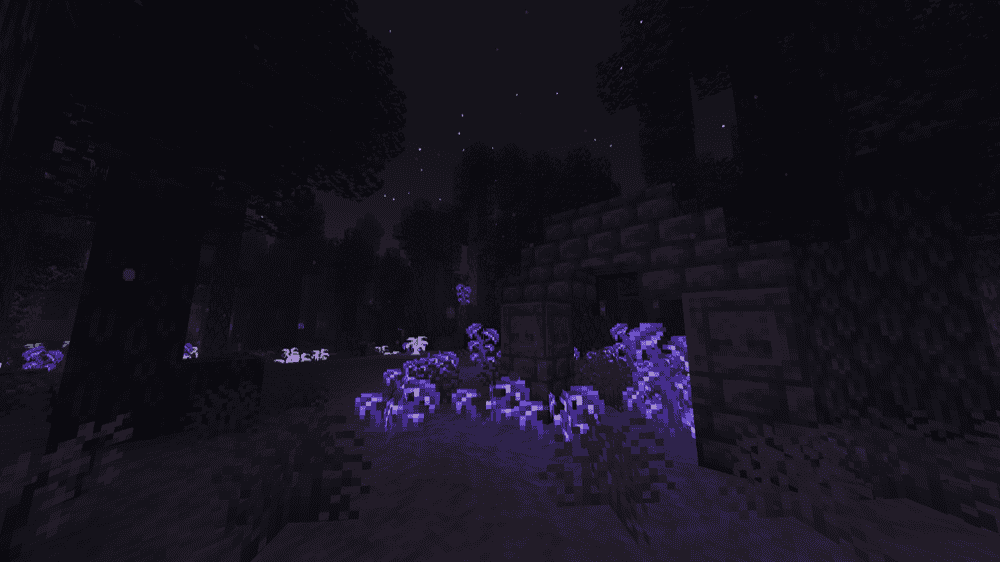
This mod pulls you into a dimension of eternal night, where the only light comes from eerie crystals, fungi, and the strange life that survives there. It's a hostile, horror-leaning realm with thick fog, warped terrain, and corrupted mobs that feel more alien than anything in the Nether. You enter through unstable Rifts that open at night in the Overworld, then try to survive with limited visibility and unfamiliar resources while the world itself feels like it wants you gone.
4. Ad Astra
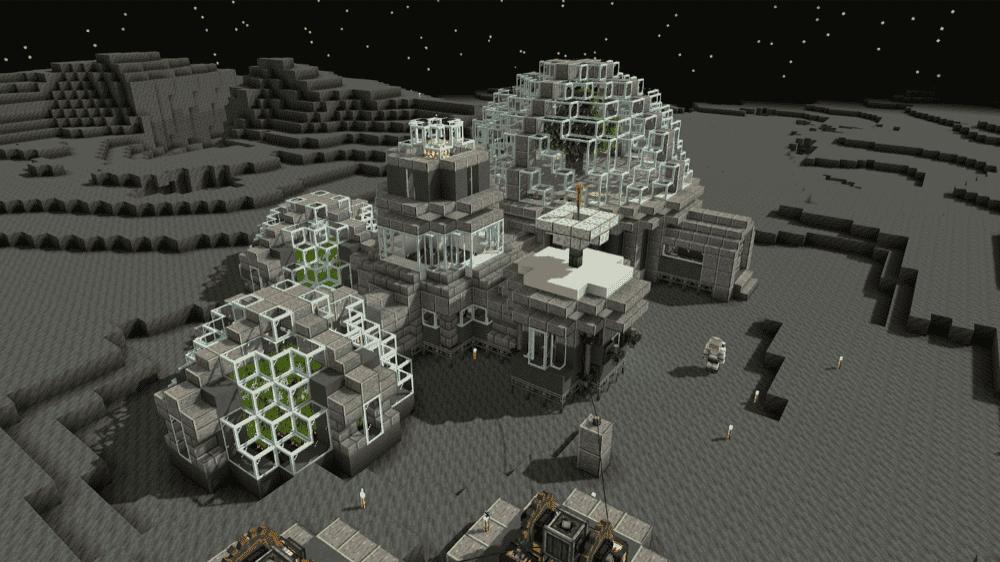
Ad Astra is a space exploration and tech mod built around rockets, machines, and off-world survival. You start by building basic infrastructure, power generation, ore processing, fuel refining, and oxygen systems, then use tiered rockets to reach the Moon, Mars, Venus, Mercury, and the icy world of Glacio. Each celestial body has its own mobs, blocks, and materials, so setting up a proper base (or a full-on space station) is required for a steady source of these. An in-game guidebook walks you through everything from your first launch to running a self-sustaining bunker light-years from spawn.
5. The Undergarden
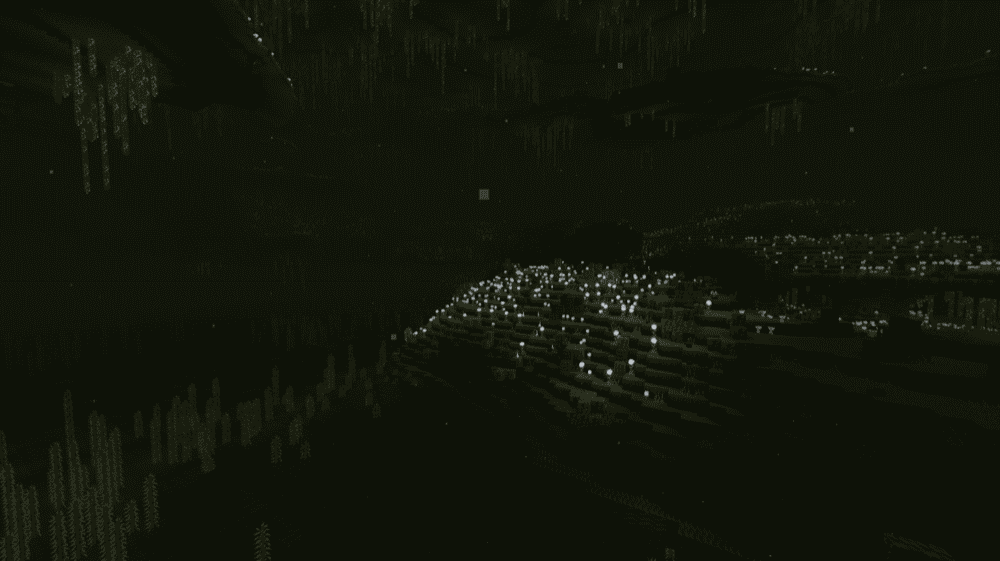
The Undergarden is a subterranean dimension buried beneath the bedrock of the Overworld. It's a dim, fungal world where plants grow without sunlight, strange spirits roam, and invasive Rotspawn mobs push back against anyone who enters. You open a portal by crafting a Catalyst and lighting a normal portal frame made from some form of stone bricks, then step into biomes full of new ores, tools with special properties, unique mobs, potion effects, and custom music to go with the gloom.
6. The Betweenlands
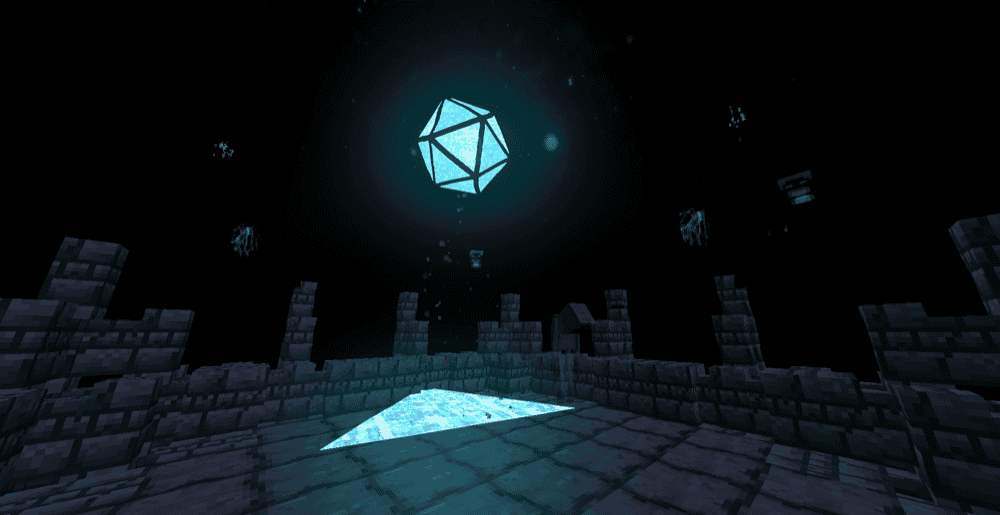
The Betweenlands is a massive, swamp-themed dimension built as its own survival campaign. Once you enter via a Portal Tree ritual, normal rules break down: food from other worlds rots into rotten food, tools from the Overworld become weak, regular torches go out, and a decay mechanic slowly wears you down unless you learn how to use native resources. Progress means embracing Betweenlands systems instead of fighting them. You farm new crops, brew Herblore infusions, mine unique ores, and explore dense biomes, ruins, caverns, and fortresses filled with strange creatures and ambient audio.
7. AbyssalCraft
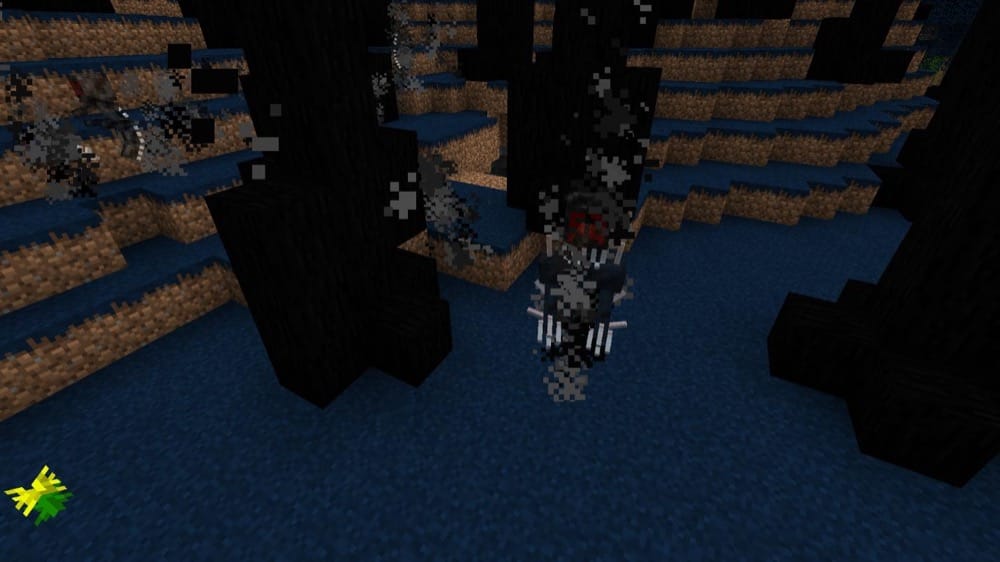
AbyssalCraft is a Lovecraft-inspired exploration and dark magic mod built around a set of dead, corrupted dimensions collectively called The Abyss: the Abyssal Wasteland, the Dreadlands, Omothol, and the Dark Realm. You start by crafting a Necronomicon, then use it as both guidebook and ritual focus to generate Potential Energy, perform altar rituals, and unlock Gateway Keys that open portals into each layer. Each realm escalates the horror: undead swarms in sickly green wastelands, mutated horrors in the crimson Dreadlands, floating cities and a final boss in Omothol, and living shadows in the Dark Realm, backed by new Darklands biomes in the Overworld.
8. Advent of Ascension

Advent of Ascension is a massive all-in-one RPG expansion that layers new content across the Overworld, Nether, and 21 custom dimensions, then ties it all together with skills, gear sets, and boss challenges. You unlock realms via ancient rock portals and realmstones, fight many new custom mobs and bosses, and work through a long ladder of biomes, dungeons, and loot rather than a single "endgame" world. The ongoing rebuild modernizes everything: dimensions are being reimagined with new worldgen and mobs, skills are rebuilt on a cleaner system, and weapons/armour are rebalanced so AoA can sit at the center of a pack or drop into an existing one without wrecking progression.
9. The Bumblezone
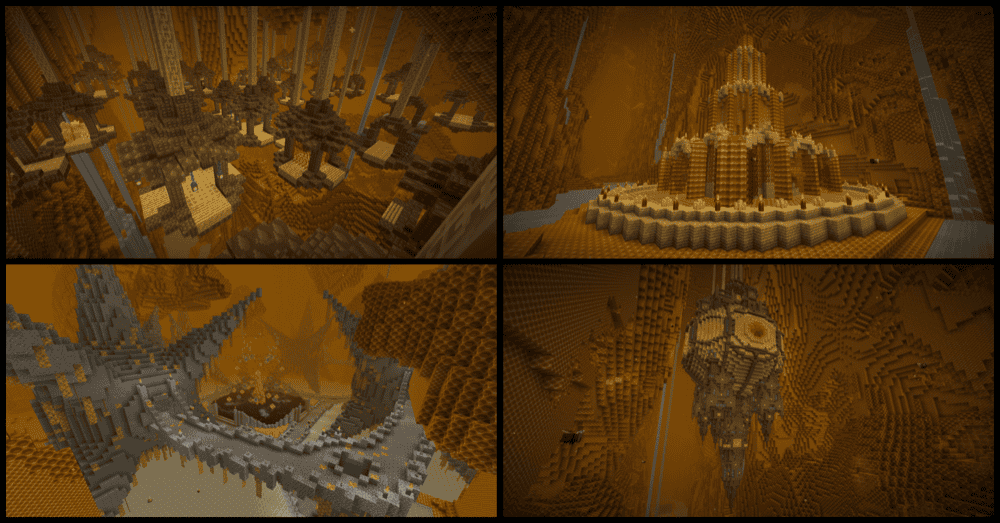
The Bumblezone is a bee-hive dimension that looks like the inside of a gigantic nest: honeycomb walls, sugar-water canals, pollen fields, and bee-themed structures with unique loot and bee armor and tool sets. You enter by throwing an Ender Pearl at a beehive or bee nest, then proceed to explore your surroundings all while balancing risk with reputation. Disturbing honeycombs or hurting bees triggers Wrath of the Hive, but feeding them earns Protection of the Hive and turns swarms into your defenders. Hidden in this giant hive are also throne pillars, upon which a queen bee sits to give rewarding quests and trade with you for a large variety of things.
10. Dimensional Doors
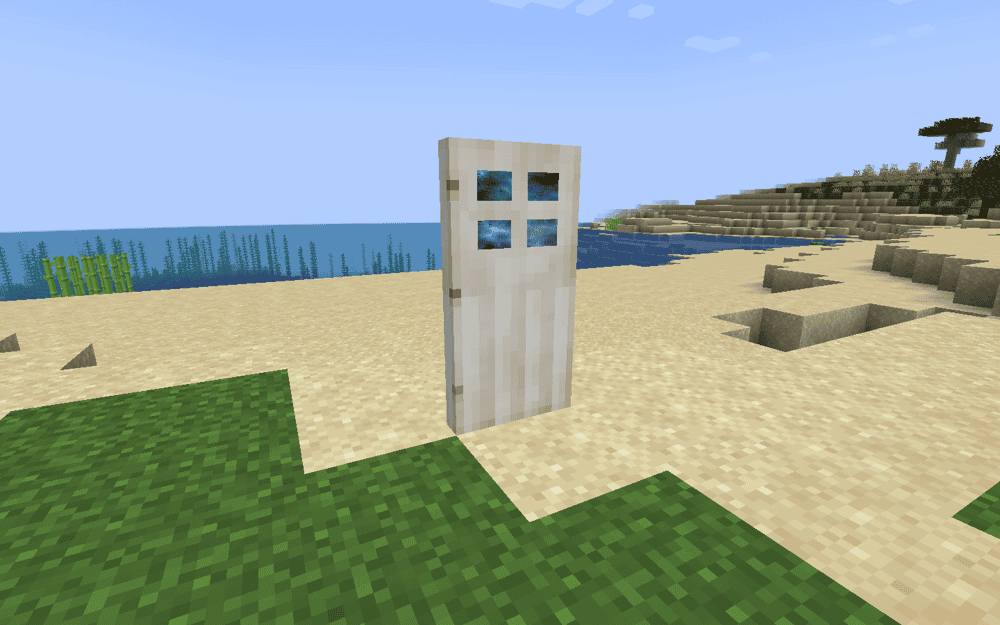
This mod scatters special doors and rifts through your world that lead to pocket dimensions: anything from tiny hallways and puzzle rooms to trap-filled mazes and loot vaults. Expect different doors to take you to different places: Iron Dimensional Doors lead to their own "blank canvas" rift perfect for building, Quartz Dimensional Doors offer you a shortcut to your personal dimensional pocket, while a Gold Dimensional Door generates a dungeon filled with loot. Push your luck too far and you may end up in Limbo, a bleak, eldritch dimension watched over by monoliths, where you must navigate the fabric of reality itself to escape back home.
11. Eternal Starlight
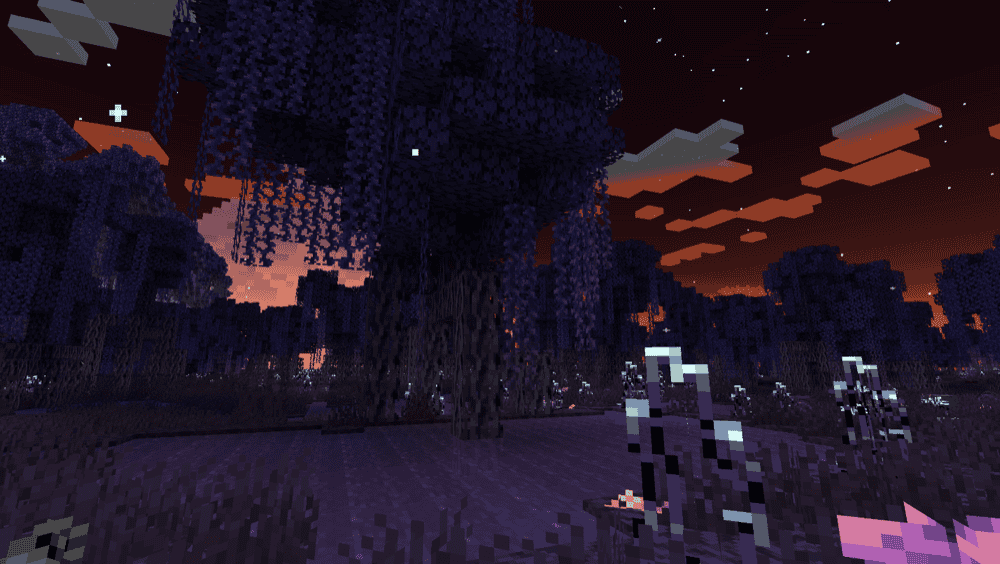
This mod adds a magical Starlight dimension with glowing forests, mystical woodlands, crystal deserts and eery ether rivers. You start by seeking out Starlight Portal Ruins in the Overworld, engage in a fight against the Gatekeeper, then step through the portal and follow the Starlight Story, using a Seeking Eye to track bosses. Along the way you also pick up new ingredients, tools, and armor sets themed around starlight and celestial magic.
How to Install Minecraft Mods
How to Install with the CurseForge App
- Open CurseForge → Minecraft and create a profile with the modloader and version you need: Fabric, Quilt, NeoForge or Forge (depending on the gun mods you’d like to install).
- Open your profile and click the three dots next to "Play".
- Click on "Add More Content" from the available options.
- Search the mod you need and click "Install".
- Play from the CurseForge app.
How to Install Mods Manually
- Install a mod loader that matches your Minecraft version (Fabric, Quilt, NeoForge, or Forge).
- Run the installer to add a new profile in the Minecraft Launcher.
- Download the mod’s .jar file from its project page. Making sure both the Minecraft version and loader version match.
- Drop the .jar into the mods folder inside your .minecraft directory (create the folder if it doesn’t exist).
- Launch Minecraft using the new loader profile.
Note: Make sure to check if the mod has been recognized by the game. On the title screen, click “Mods” (or “Mod Menu” if you’re using Fabric). If the mod lists any required dependencies (like Fabric API), install those too.
Common mods folder locations:
Windows: %AppData%\.minecraft\mods,
macOS: ~/Library/Application Support/minecraft/mods
Common Issues & Quick Fixes
I’m getting a missing dependency / wrong loader error
- Make sure you downloaded the right file for your mod loader and MC version (Fabric vs Forge vs NeoForge).
- Install all required helper mods listed on the mod’s Dependencies tab (Fabric API, Architectury, Cloth Config, MidnightLib, etc.).
My game crashes with a dimension mod installed
- Many dimension mods don’t play nice with OptiFine or heavy “optimization” coremods.
- First test with OptiFine and similar mods removed; use lighter, recommended alternatives (Embeddium/Sodium + Oculus) instead.
I’m stuck in a dimension / can’t get out
- Bumblezone: go below Y < 0 or above Y ≥ 256 to be sent back.
- Dimensional Doors: look for exits or Unraveled Fabric portals in Limbo to escape.
- Lost Cities dimension: use the same special bed-on-diamond-blocks ritual you used to enter.
- When in doubt, check the mod’s advancements tab or in-game guidebook for exit rules.
Cities, portals, or structures aren’t generating
- For Lost Cities, make sure you enabled it via the LC button / world type and copied the correct config to your server before world creation.
- For portal mods (Twilight Forest, Undergarden, Betweenlands, etc.), double-check you’re using the exact frame blocks + activator item they require, then try in a fresh test world.
Huge lag or black screen in new dimensions
- Turn off shader overlaps (OptiFine shaders vs a mod’s built-in shaders, especially The Betweenlands).
- Lower simulation distance and entity distance; some dimensions spawn lots of mobs and particles.
- If only one modded dimension lags, look for that mod’s graphics / shader toggle in its config and disable the fancy effects first.
Bees in The Bumblezone keep killing me
- Breaking honey blocks, stealing brood, or hitting bees gives Wrath of the Hive and buffs every bee nearby.
- Feed bees or Honeycomb Brood with honey foods to gain Protection of the Hive, or soften / disable Wrath in Bumblezone’s config.