Mods let you shape how you play Minecraft. From adding small Quality of Life mods to performance tweaks that keep the game feeling vanilla but smoother. Stacking different mods can transform the game into a tense horror/apocalyptic run, a hardcore survival with wildlife and temperature mechanics, or a full fantasy overhaul, as seen in classic examples like RLcraft. When vanilla feels flat, many players use mods to inject some variety and fun into the game, or keep things calm and only add just enough bits needed to maintain their interest.
Some of the most downloaded items on CurseForge are libraries. Even though they aren’t playable content, many mods require them. The most common ones you'll see include Bookshelf, Cloth Config API, Geckolib, Architectury API, Placebo, AutoRegLib, Patchouli, Mantle, Curios API.
While some of these are the most downloaded mods out there, we decided to leave them out of the top 25 as they don't add features by themselves. However, many mods require them, as mentioned above. If you are installing mods manually and something won’t load, check the dependencies, or download using the CurseForge app, as it will install everything required automatically.
1. Just Enough Items (JEI)
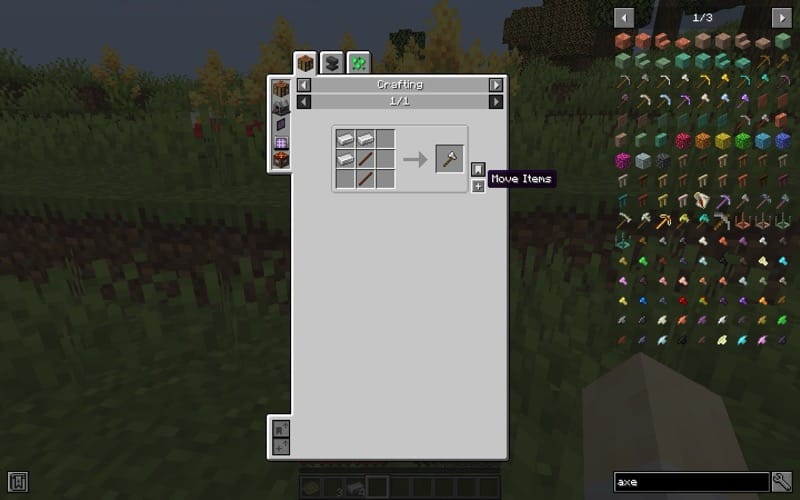
JEI makes finding recipes easy. Hover over an item and hit "R" to see how to craft it, or "U" to check what it's used for. You can search by name or mod, move through pages, and even drag recipes straight into the crafting grid. If you're in cheat mode, you can grab items with a click. It's one of those mods that quickly becomes something you can't play without.
2. Mouse Tweaks
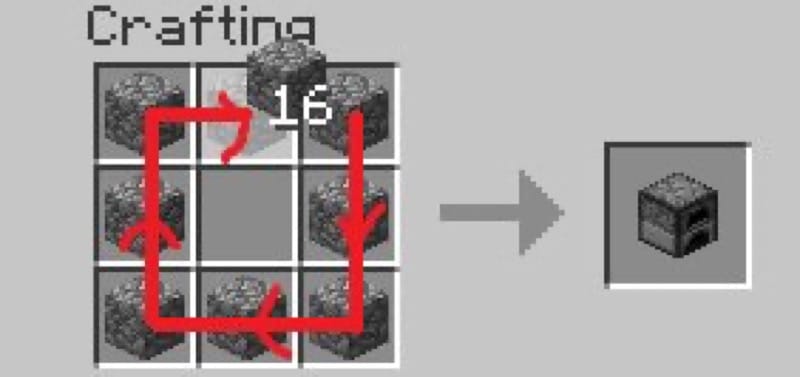
Mouse Tweaks makes inventory management faster with new drag and scroll actions. You can drag with left or right click to move stacks around, or hold shift while dragging to send items straight to chests. The scroll wheel also lets you push or pull items between inventories. Once you get used to it, you'll never want to play without it.
3. AppleSkin

AppleSkin shows you exactly what food will do before you eat it. Tooltips and the HUD display hunger, saturation, exhaustion, and even health restored, and when you hold food you'll see how much it would refill. It also syncs those values to the client so everything is always accurate. Quick, light, and delightful.
4. Controlling
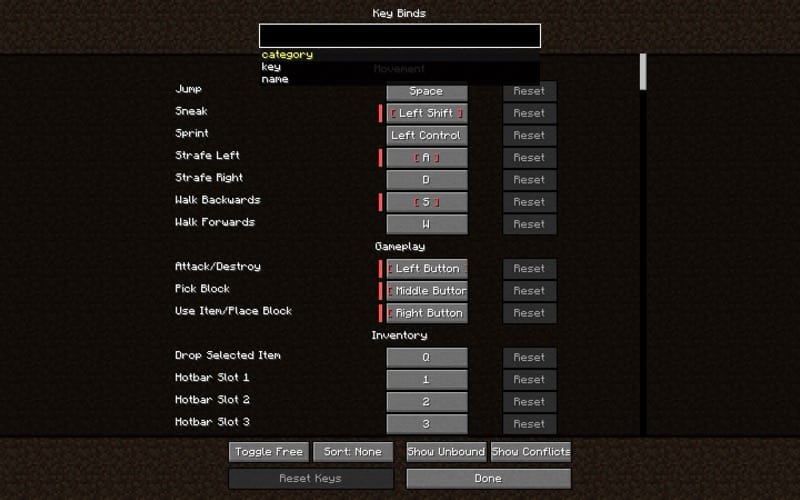
This mod makes managing keybinds so much easier. It adds a search bar to the controls menu, so instead of scrolling you can just type the key or action you're looking for. There's also an option to show only conflicting binds, when mods overlap. It also highlights which keys are still free, so setting up your controls is quick and easy.
5. JourneyMap
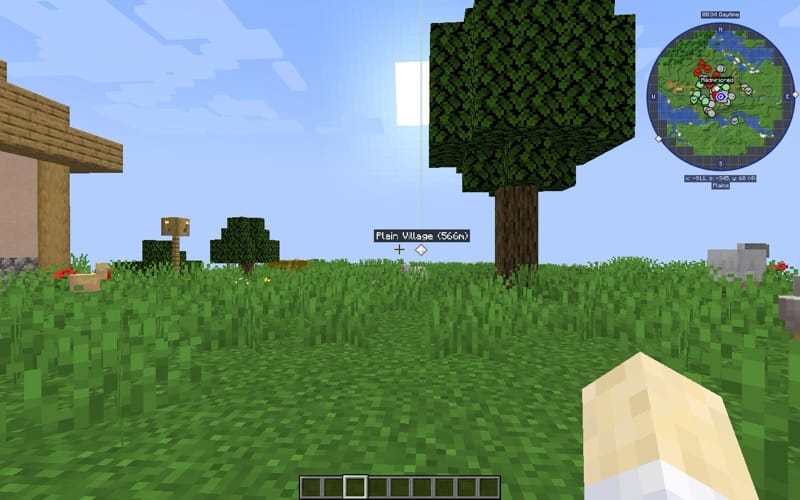
JourneyMap gives you a live map as you explore, a minimap or full-screen in-game, or viewable in a web browser. Set waypoints, mark loot, spot mobs, and track the terrain you've already mapped. Makes navigation way easier while saving so much time.
6. Clumps
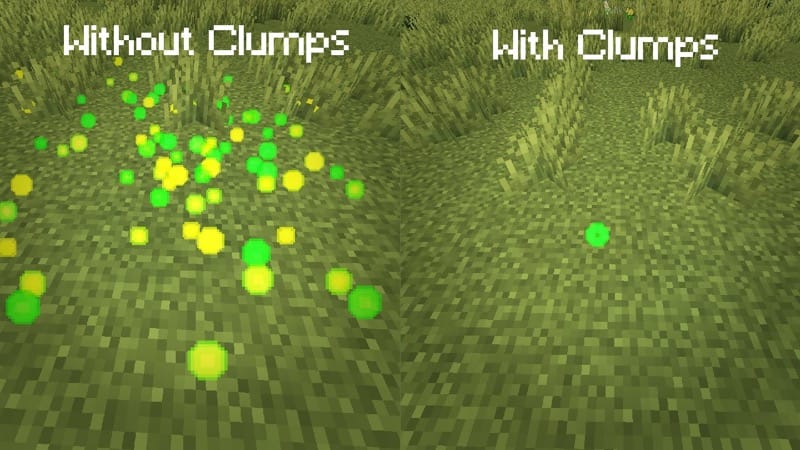
Clumps stacks nearby XP orbs into single, larger orbs to cut down on entity lag. Orbs are picked up as soon as they touch you, so they clear out fast. Handy for mob farms and busy servers, and gives a noticeable performance boost.
7. Waystones
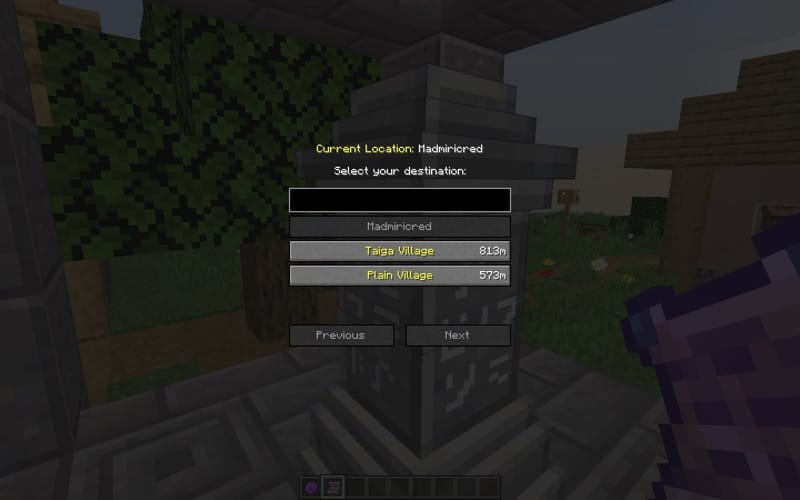
Waystones adds craftable teleport blocks. Use a Warp Scroll, a reusable Warp Stone, or hop between waystones you've already found. They can spawn in villages and work in survival, adventure maps, or on servers. You can make them global for community hubs or keep them private. You can also turn on an optional inventory teleport button to open the waystone menu or jump to the nearest one without using up any items or XP.
8. Nature's Compass
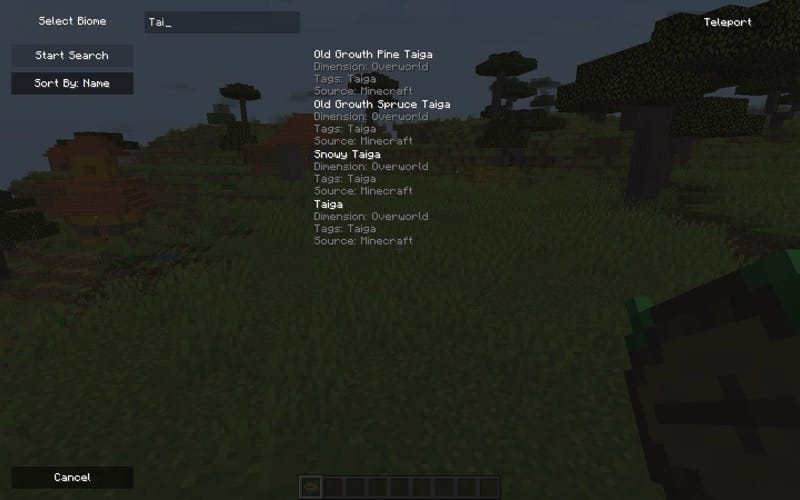
Nature's Compass is a simple tool for finding any biome in your world. Right-click to bring up a list, choose the biome you're after, and the needle will point you there. Shift-right-click to reset it if you want to start again.
It works on both vanilla and modded biomes. Saving you hours of wandering when looking for the biome you need.
9. Quark
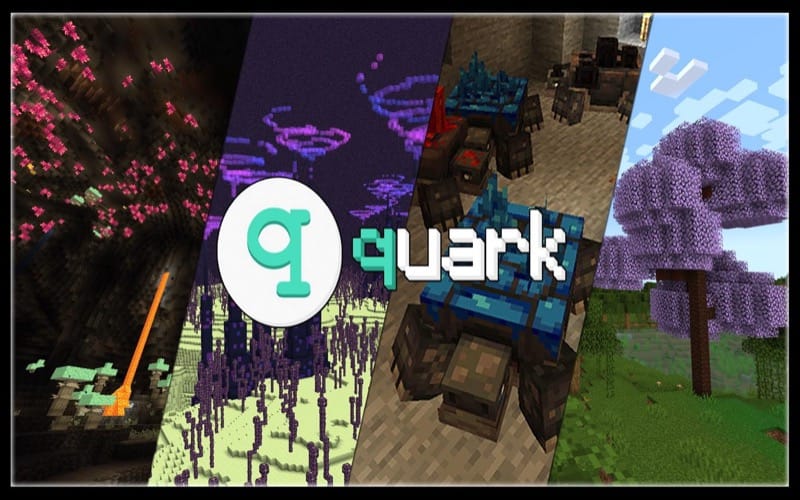
Quark adds a bunch of small features that quietly improve vanilla Minecraft. A "Q" key shows up on the title screen so you can enable or disable features right in-game. You'll also get things like feeding troughs, piston fixes, vertical slabs, pickarangs, trowels, emotes, and even the rare Glimmering Weald biome - little extras that add up to a nicer game. It works with JEI, but can conflict with OptiFine. So if you want shaders, go with a Sodium fork instead.
I love these tweaks, they feel like stuff Mojang should add to the regular game - especially the Pickarang. A pickaxe that you can throw and have come back? Yeah, that one's brilliant.
10. Storage Drawers
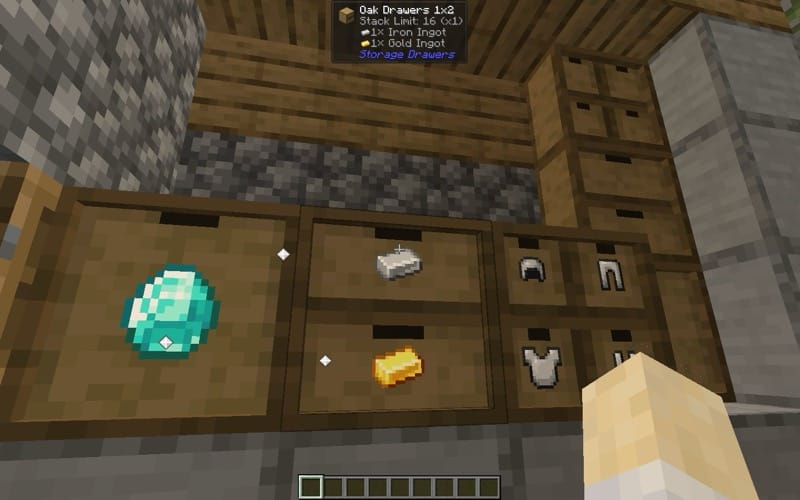
Storage Drawers adds compact, attractive drawers that hold a single item type each. They come in sizes like 1x1, 1x2 and 2x2 and fit way more than a vanilla chest. Break a drawer and it keeps its contents. Upgrades can boost capacity, lock items, or add special features. Compacting drawers will even convert ingots and blocks automatically. Simple, tidy storage that makes your item management much easier.
11. Enchantment Descriptions
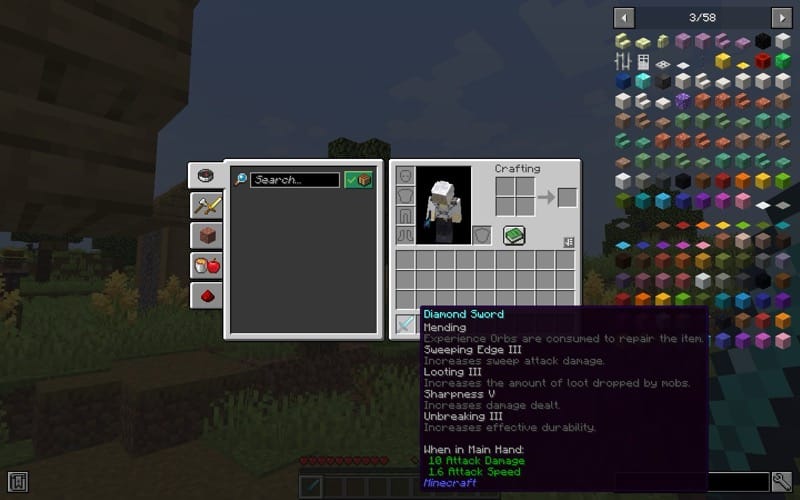
Enchantment Descriptions makes it easy to know what every enchantment does by adding a short description right into the item tooltip. It works with most modded enchantments too. The mod is translated into more than 15 languages, and you can even adjust or add your own descriptions if you want.
It's simple, and super handy, so you don't have to keep alt-tabbing to look things up when you find an enchant you don't recognize.
12. CraftTweaker

CraftTweaker is what most modpacks use to customize recipes and shape the game around a theme. Pack makers can make simple tweaks, like changing a recipe to match the goal of the modpack, or increase the difficulty by making certain items harder to craft. For example, you could disable the normal campfire recipe and swap it for a harder one - to match a survival pack with temperature mechanics.
It's a behind-the-scenes-mod, but without it a lot of popular packs just wouldn't feel the same. You can use it in single-player too if you want more control.
13. Just Enough Resources (JER)
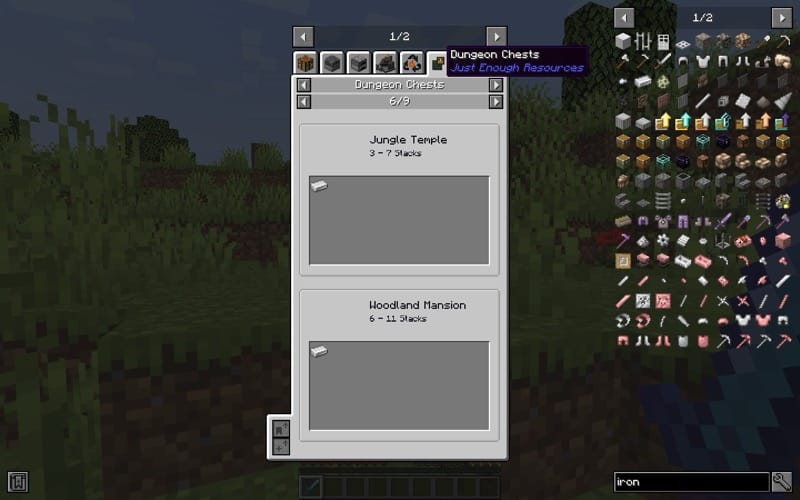
Just Enough Resources pairs with JEI to show you extra info about your world. It shows mob drops, dungeon loot, plant drops, and even see how ore generation. It's especially useful when you're trying to track down a certain item or figure out the best depth to mine at.
There's also a DIY option that lets you add your own ore graphs through the config, which gives modpack players and creators more control over resource distribution.
14. Iron Chests
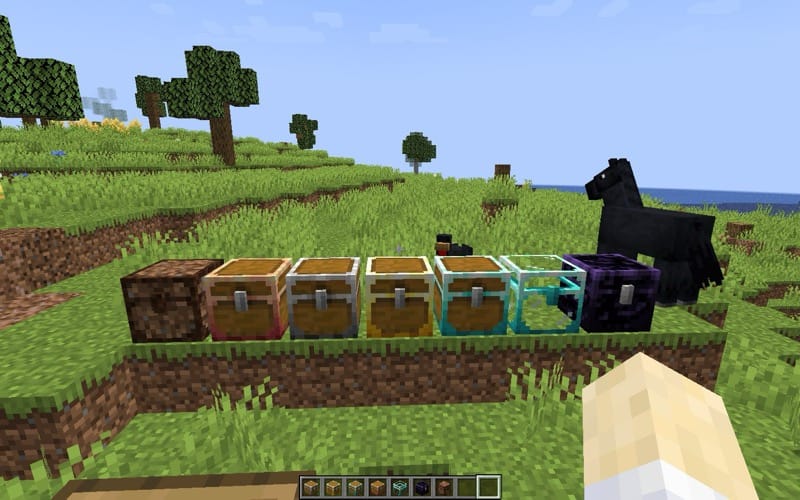
Iron Chests adds a bunch of new storage options beyond the vanilla chest. From copper and iron to gold, diamond, crystal, and obsidian - each chest holds more items while still staying a single block, so you can stack them right next to each other without leaving gaps. Obsidian chests even come with extra blast resistance.
You can upgrade a chest without breaking it, using chest upgrade items with a simple shift-right click, and having its contents kept safe inside. It's such a nice quality-of-life feature. I usually push for a crystal chest as soon as I can, it's like having a whole storage room packed into one block.
15. Biomes O' Plenty
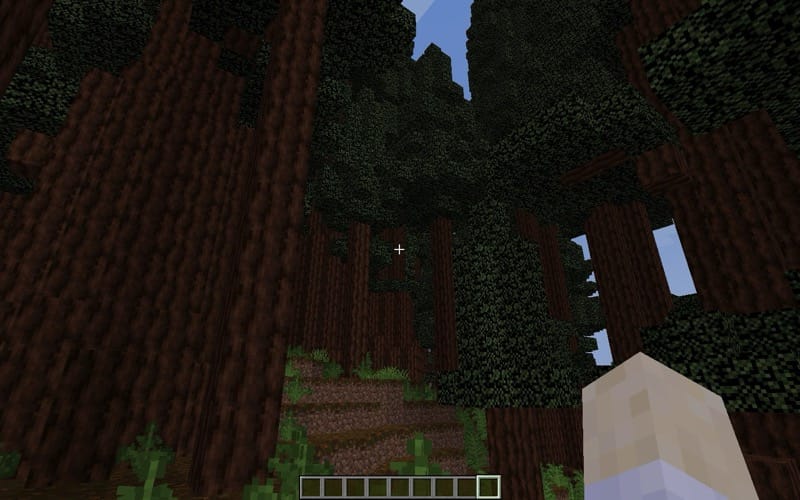
Biomes O' Plenty adds more than 50 new biomes to the Overworld, Nether, and End. You'll run into new trees, flowers, plants, and tons of building blocks along the way, so every world feels different. Some areas are bright and peaceful, while others are a little spooky - there's always something new around the corner.
I usually end up in the Redwood Forest. Those giant trees just feel right for a base, even if I tell myself I'll try a different biome next time.
16. Applied Energistics 2
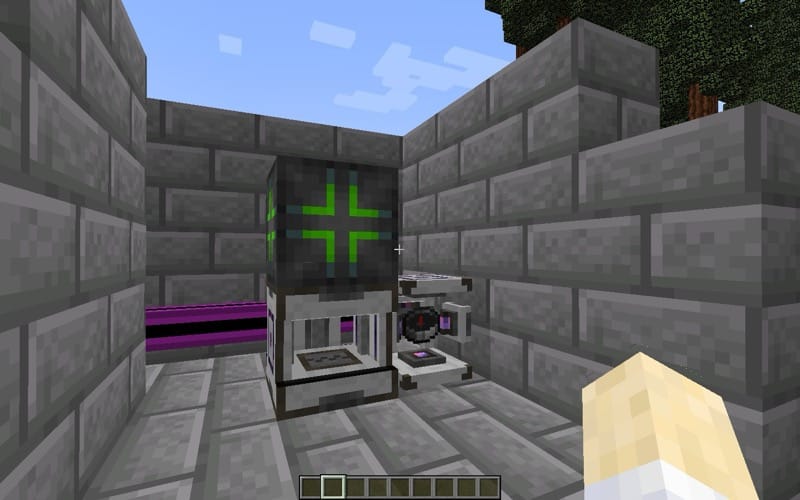
Applied Energistics 2 completely changes how you handle storage. Instead of throwing everything into chests, you turn items into energy and keep them in a network. Just walk up to a terminal, type what you need and grab it. You can even teach the system recipes and it can auto-craft on demand, saving you a ton of time - especially in late game. The network uses channels, so you'll need to plan how many machines connect to each cable. One of the coolest features is spatial storage - you can save an entire area of the world into a drive and drop it back whenever you want.
It's one of those mods that starts confusing, then suddenly becomes the thing your whole base revolves around.
17. Better Advancements
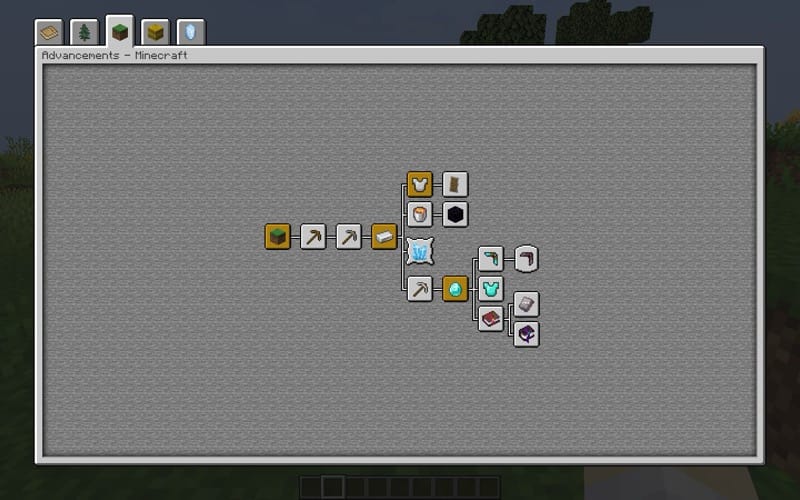
Better Advancements improves the look and feel of Minecraft's advancements screen, making it way easier to use in modded playthroughs. The UI now fills the screen, shows bigger and clearer descriptions, and even lets you change the colors of advancement icons. There are also small tweaks like keeping the background from fading when you hover and showing the tab title in the UI.
It's purely a quality-of-life mod, but once you try it, it's hard to go back to the default advancement screen.
18. Tinkers Construct
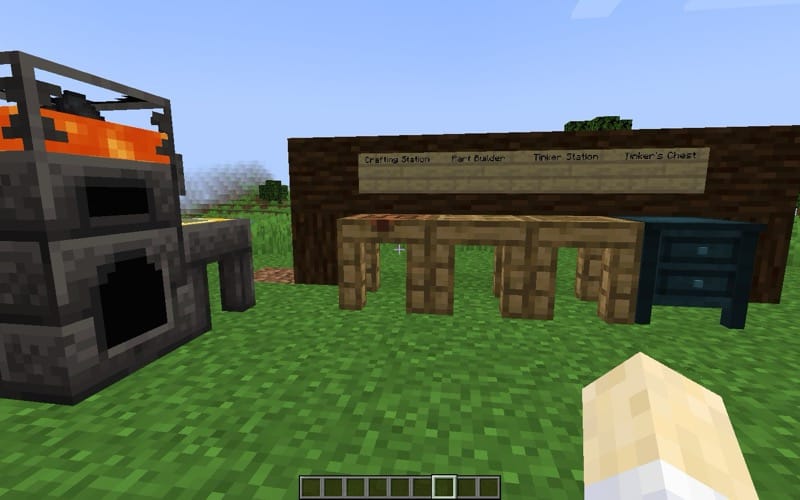
Tinkers' Construct is all about making and customizing your own tools. You craft parts at a part builder, assemble them at a tinker station, and add modifiers until the tool does exactly what you want. The parts stick around, so you can keep upgrading over time. The mod also brings smelteries and foundries for working with molten metals, slime islands and slimy geodes for extra materials, and even cobalt in the Nether. Start by crafting the "Materials and You" book and just follow the intro steps.
19. Comforts
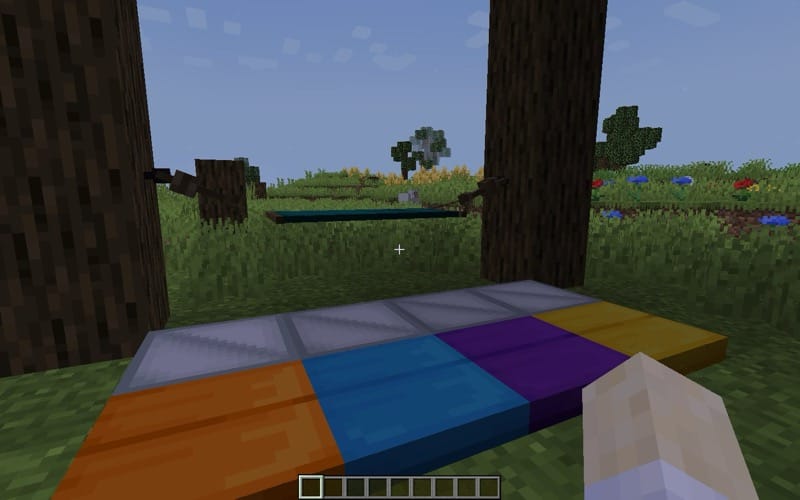
Comforts adds sleeping bags and hammocks that you can use to sleep anywhere without losing your spawn. Sleeping bags act like beds but don't reset your spawn, making them great for passing the night during long adventures. Hammocks, on the other hand, let you skip from day to night without changing your spawn. Simple and super useful. It's one of those QoL mods you won't want to go without.
20. The Twilight Forest
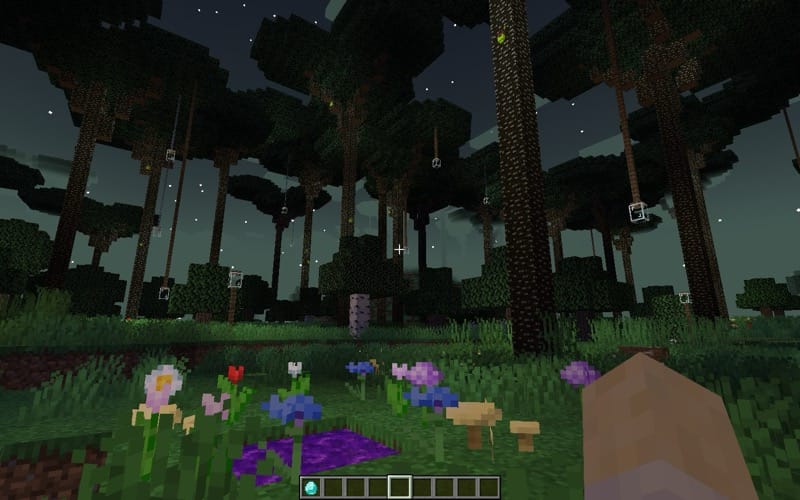
Twilight Forest is one of the classic adventure mods. Step through a portal made of grass and flowers, and you'll find yourself in a huge twilight realm filled with massive trees, mysterious dungeons, and strange mobs. The real draw is the bosses, each with its own mechanics and valuable loot.
The mod has been around since 2011 and is still updated, which shows how much love it gets. Getting started is simple - build a grass or dirt frame surrounding a 2x2 area of water source blocks, decorate it with any flowers or mushrooms, toss one diamond, and jump in. The atmosphere alone will make you feel like you've just stepped into a different game.
21. Cooking for Blockheads
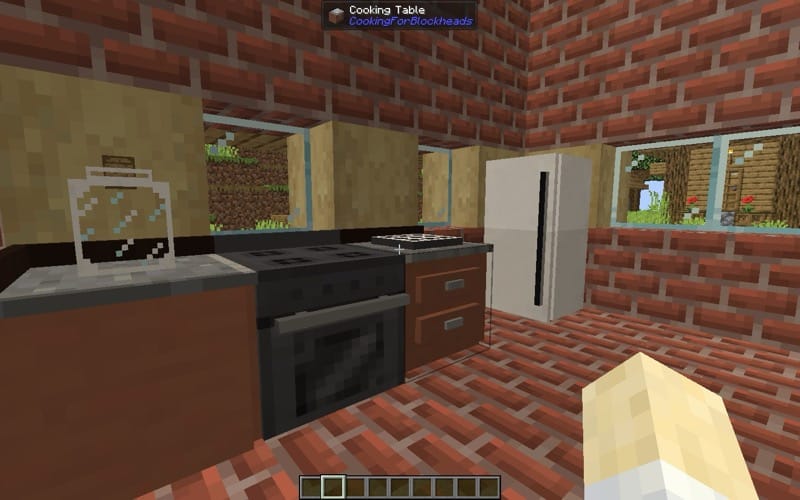
Cooking for Blockheads is a dream mod if you've ever been tired of going through chests for ingredients. It adds a recipe book that tells you exactly what meals you can cook with the stuff in your inventory, and even lets you craft them straight from the book or the cooking table. The real fun comes from the modular kitchen setup, fridges, ovens, sinks with infinite water, spice racks, and more. Piece them together and you'll have a working kitchen that makes food crafting smoother and more immersive.
22. Immersive Engineering
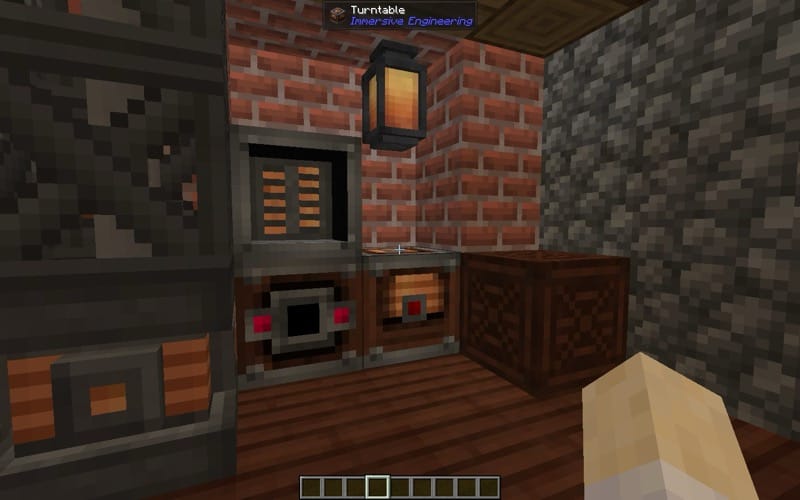
Immersive Engineering takes tech mods in a more realistic direction. Instead of single blocks that do everything, you get to build big multiblocks, crushers with spinning wheels, excavators with huge bucketwheels, and power lines strung between connectors. Power comes from waterwheels, windmills, or biodiesel, with a retro-industrial style rather than futuristic. There's an in-game Engineer's Manual that helps, but for me the real fun was learning by trial and error.
23. Xaero's Minimap
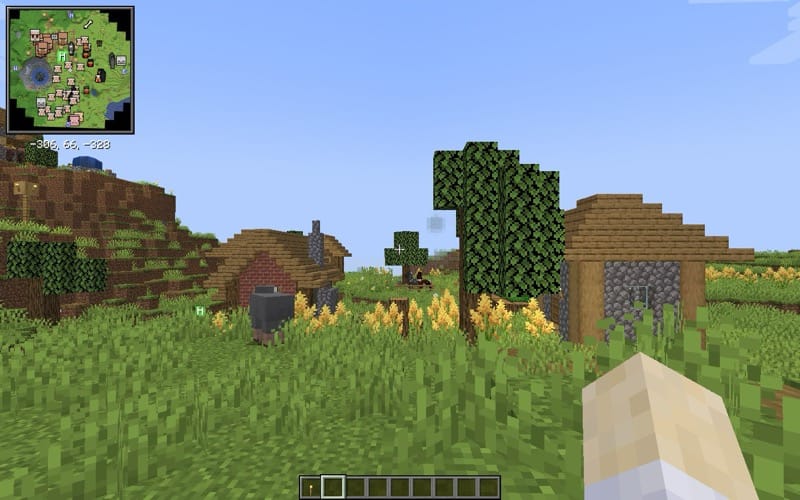
Xaero's Minimap is the cleanest, most vanilla-friendly minimap you can get. It gives you a simple overhead view of your world, terrain, mobs, waypoints, and even deathpoints - so you can find your items before they despawn. You can choose between square and circular minimaps, lock rotation, and even switch to a cave mode to explore underground and mine. Waypoints are visible both on the map and in-world, making navigation and finding your destinations so much easier!
What I really like is how the minimap feels like it belongs in Minecraft. Light on performance, customizable, and honestly a must have for survival or exploration focused players.
24. Jade
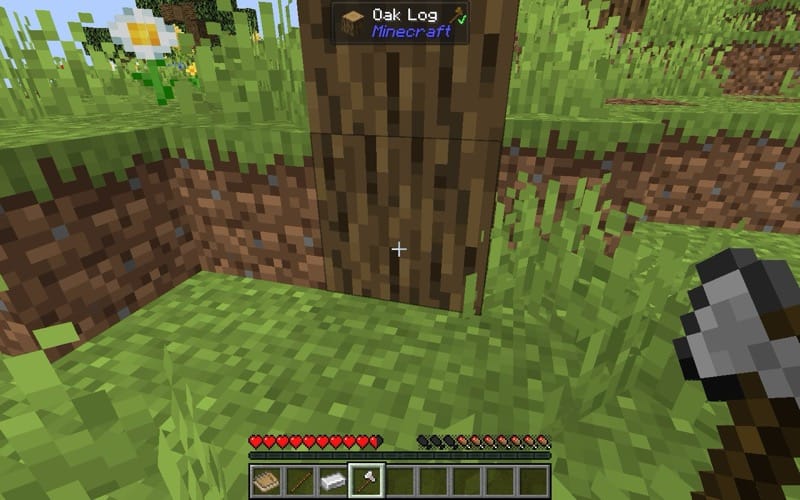
Jade is basically the modern version of Wawla/Hwlya mods, the mod that shows you what block, item, or entity you're looking at. It's highly configurable, supports tons of mod integrations, and works great with JEI for recipe/uses lookup. Whether you're checking how much fuel a furnace has left, how many bees are inside a hive, or just figuring out what block you're looking at or what you should use to break it. Once you point at it, jade gives you the answer.
25. Thermal Foundation
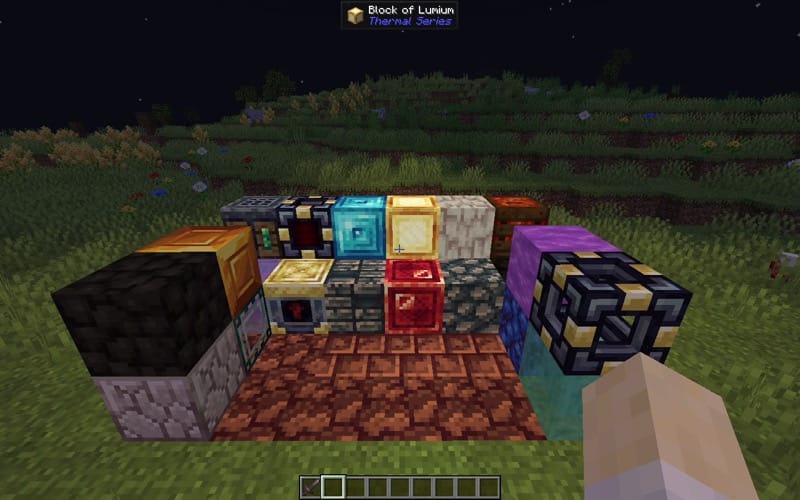
Thermal Foundation is the backbone of the long-running Thermal Series. It introduces new ores, materials, and components that power up its sibling mods, but it also works standalone. Introducing tons of metals, alloys, machines, and systems that expand Minecraft's tech side in a balanced way. Nearly every serious tech pack over the years has included Thermal mods because they're refined, performance-friendly, and endlessly useful. Foundation is where it all starts.
How to Install Forge Mods with the CurseForge App
- Open the CurseForge app → Minecraft.
- Create a Forge profile by clicking the "Create" button.
- Choose the version that corresponds to the mod you would like to install.
- Name it something easily recognizable and click “Create.”
- Click the newly created profile.
- Go to the “Add More Content” or use the search bar, pick a mod, and click Install.
- Launch the game from the app.
How to Install Forge Mods Manually
- Download the mod .jar file from its CurseForge project page (use the “Files” tab).
- Install the Forge client for the Minecraft version you’re targeting.
- Open your Minecraft directory and drop the .jar into the mods folder (create one if missing or just launch the game once and look again).
- Launch Minecraft with the Forge profile and confirm the mod shows up in the Mods list.
Common Issues & Fixes
- Game crashes on startup: This usually means you have a mismatched Minecraft or mod version. Check the mod’s supported version and remove any incompatible .jar files.
- Missing textures / models: Many mods require companion resource packs or specific libraries. Please re-check the mod page’s instructions.
- Dependency errors: Open the mod’s CurseForge page and read the requirements. Install any required libraries (such as Mantle, Citadel, or GeckoLib, etc.).
- Performance drops: Try using performance mods! Browse for these using the performance category, look for the ones with the most downloads that have been recently updated.
Suggestions & Best Practices
- Use small QoL mods (JEI, Mouse Tweaks, and AppleSkin) for a smoother baseline experience.
- For big content mods (Tinkers and AE2), start a fresh world – they often assume you’re beginning with their progression.
- Run a test profile when building a large mod list: add 5-10 mods, test stability, then expand.
- Always keep a backup of your saves before making major changes.
- Adjust mod configs. You can often disable mobs from spawning, lower spawn rates, or disable extra animations or structures – fixing performance or balance issues while keeping the mods you want.