
If you have ever spent an hour scrolling through someone else's Minecraft screenshots library and wondering why your own world never looks anything like that, the answer usually comes down to one word: the seed.
Some worlds spawn you into an empty stretch of plains with nothing worth remembering for a thousand blocks in any direction, while others drop you within sight of a mushroom island the size of a small country, or a stronghold whose End portal is already fully lit with Eyes of Ender before you have made a single one yourself.
Today, we will walk you through 15 of the best Java Edition seeds we could verify to be amazing, including the exact coordinates that make each one worth loading, how to dial in a seed of your own, and mods that help you map and explore even further.
Let's get exploring, shall we?
1. A Line of Ancient Cities West of Spawn
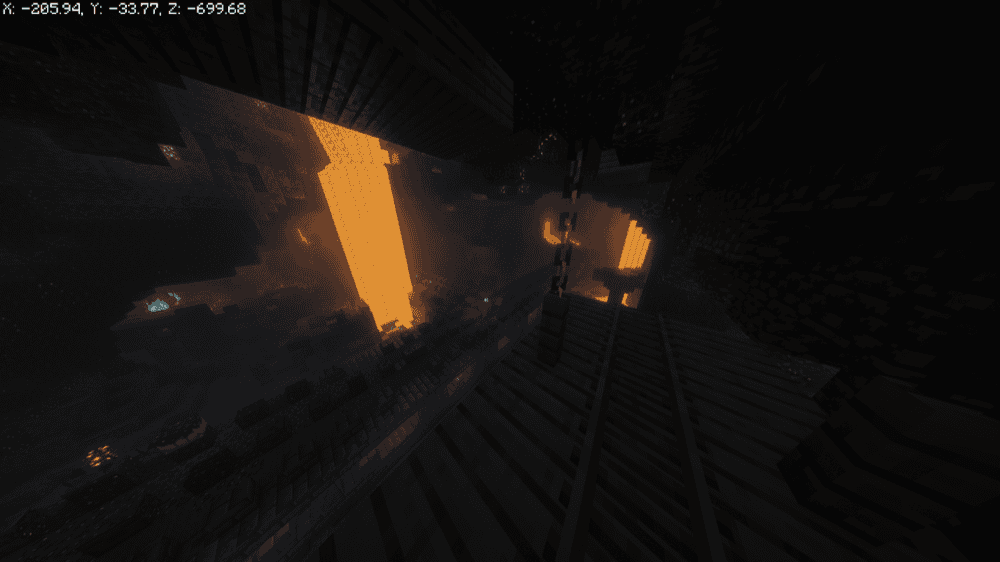
- World Seed: 111111111111111111
- Ancient City: -312, -51, -712
- Ancient City: -1752, -51, -760
- Ancient City: -2856, -51, -680
- Ancient City: -4776, -51, -536
- Village: 0, -464
Whereas a single Ancient City usually takes real searching to track down, this seed strings together an unusually dense run of them in a rough line running west of spawn. The nearest one sits a little over 700 blocks out, and more keep turning up every few hundred blocks beyond it, well past -4,700.
That density comes with a catch worth planning around: expect a Warden or two the deeper you go! We therefore recommend sneaking instead of sprinting once you are inside any of these cities, since a sculk shrieker still fires even while you are crouched or if you are standing directly on top of it.
At the same time, staying away from the sensors nearby buys you time to back out before a Warden could ever spawn.
2. Four Woodland Mansions Around One Spawn
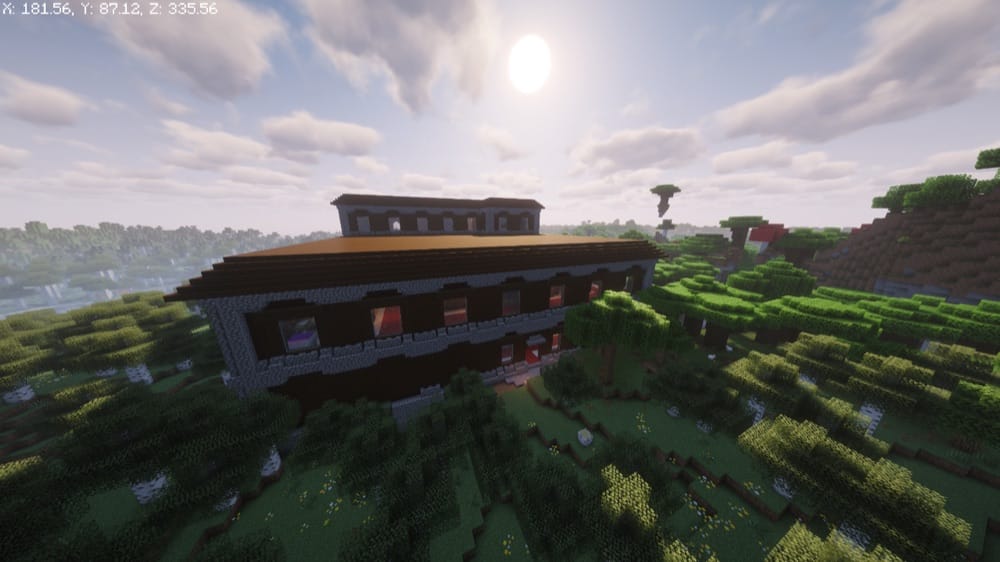
- World Seed: 3825526417686177112
- Woodland Mansion: 200, 68, 350
- Woodland Mansion: -350, 67, 315
- Woodland Mansion: -335, 67, -390
- Woodland Mansion: 210, 63, -425
A Woodland Mansion generates rarely even under ideal conditions, and most players go an entire playthrough without stumbling into one by accident. This seed offers you four of them to choose from, one tucked into each diagonal direction from spawn, all within about 500 blocks.
That is not just a novelty, either. Every mansion here is a real shot at fighting an Evoker, and an Evoker is the only mob in the game that drops a Totem of Undying. Four mansions this close together means four separate chances to farm one without crossing half a continent between trips – a pretty sweet deal if you ask us!
3. A Mineshaft That Runs the Entire World
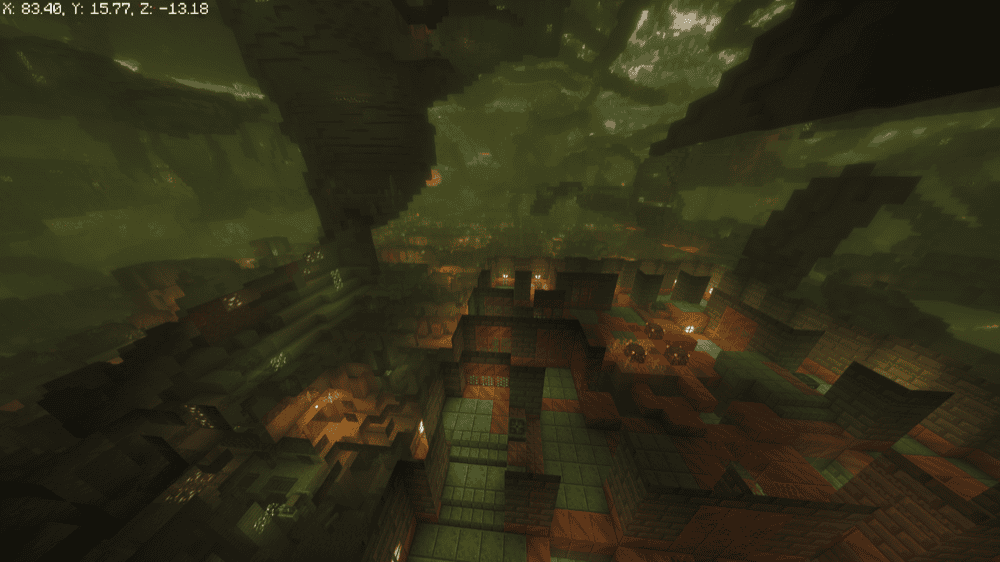
- World Seed: 107038380838084
- Mineshaft line: "z" = 8
- Village: 96, 192
- Trial Chamber: 41, -31, 9
- Stronghold: 1487, 7, -53
Ordinary mineshafts generate as scattered, isolated pockets.
This one does not. Dig down anywhere along the "z" = 8 row and you will instantly run into a mineshaft tunnel, because a fresh mineshaft tends to generate in practically every chunk along that entire line. Right near spawn, it even opens straight into a lush cave.
And because the line runs the full width of the map, you can start mining wherever suits you rather than committing to one fixed dig site, and the tunnels themselves do a lot of the early cave exploring for you.
4. A Desert Pyramid Sunk Into Underground Lava
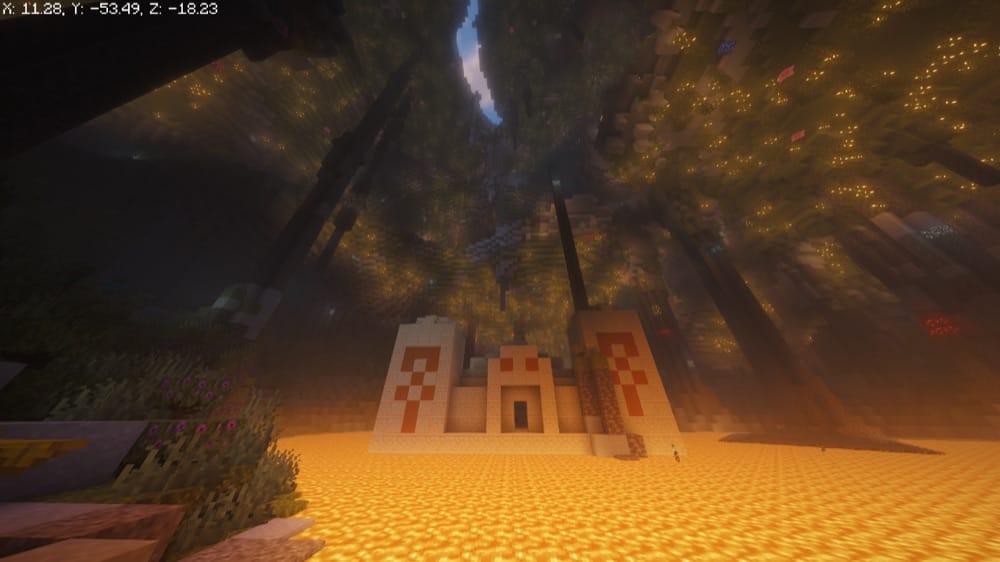
- World Seed: 2482490754905255652
- Desert Temple: 21, -46, 16
- Desert Village: 176, -512
- Trial Chamber: 281, -281
- Mineshaft: 0, 32, -32
This seed's desert temple never got the memo about where it belongs. Instead of standing in open sand, it rests directly on top of a lava lake, tucked inside a lush cave beneath spawn – one of the stranger generation quirks we came across while researching this list.
When it comes to this one, we recommend caution rather than a straight dive in. The temple sits close enough to bedrock that digging further down is simply not worth the risk, so treat this one as a sightseeing stop and a curiosity rather than a guaranteed loot run.
5. An Ocean Monument Inside a Spawn Lake
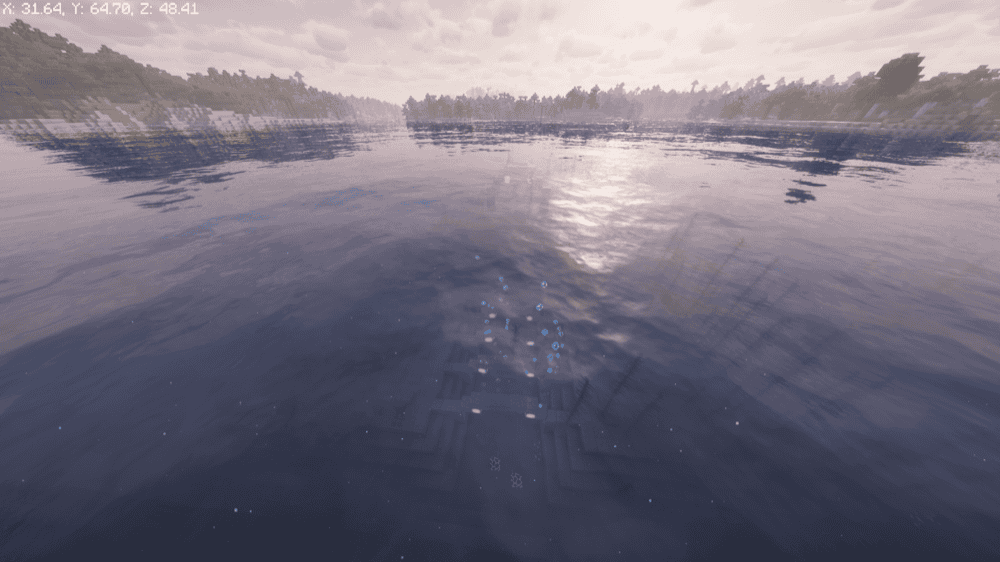
- World Seed: -6321365026967846424
- Ocean Monument: 65, 56, 50
Reaching an ocean monument almost always starts with a long boat ride into open water, but not in this seed. The monument here sits inside a small, enclosed body of water right next to spawn instead of out at sea.
That makes an early Elder Guardian fight, or a first prismarine and sponge run, possible on day one rather than something you plan a whole expedition around.
6. A Six-Million-Block Mushroom Island
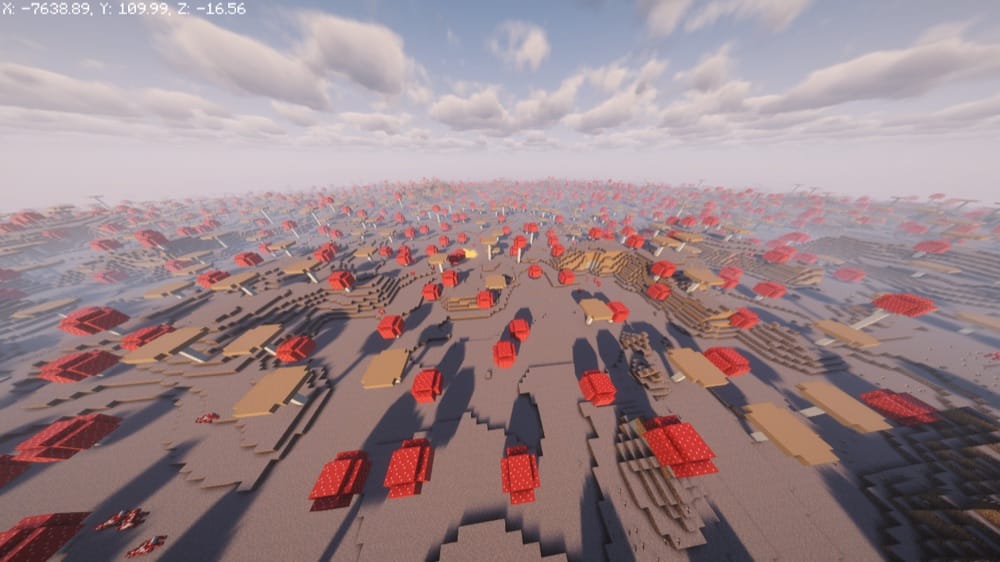
- World Seed: 888880641529027638
- Mushroom Fields island: -7643, -22
Mushroom Fields is one of the more overlooked biomes in the game, mostly because a large one is genuinely hard to come by. This particular island was reported at the time as one of the biggest anyone had ever found, spanning more than six million blocks of surface area.
Mooshrooms wander freely here, and almost nothing hostile spawns naturally on the island itself, since the Mushroom Fields biome blocks the normal monster spawn cycle. Exceptions still apply for things like phantoms, raids, and any spawner you happen to dig into, though.
7. The Sulfur Eye: Surface Caves Ringed by Mangroves
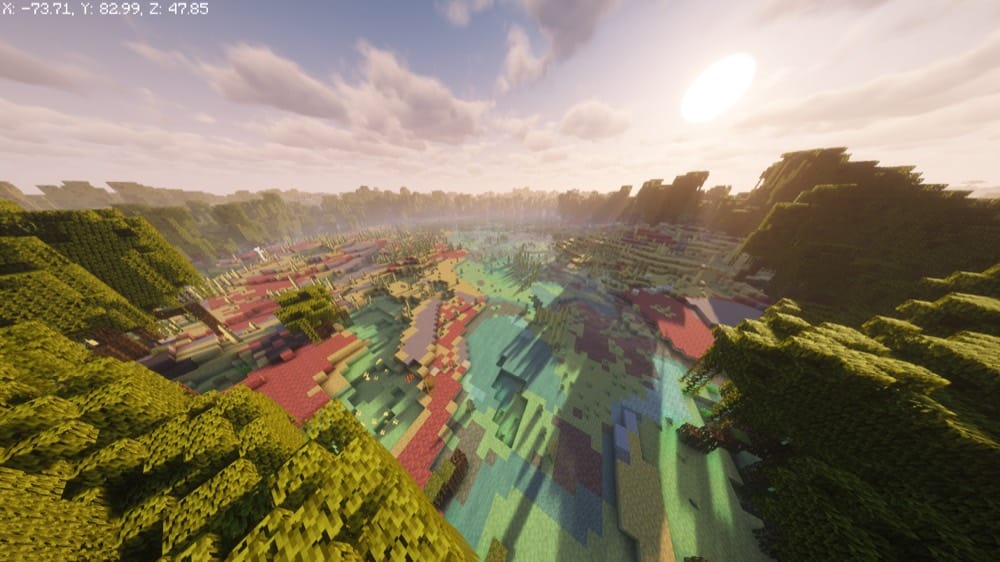
- World Seed: 3010093401612243309
Finding a surface sulfur cave at all takes real luck, since sulfur caves almost always stay buried and only break through to daylight under fairly narrow conditions. This seed spawns you right inside one, wrapped first in a ring of mangrove roots and then a full desert beyond that, giving the whole area a genuinely unusual look from above.
Watch your footing around any sulfur pools you find here. The gas rising off the potent ones inflicts the Nausea effect on anything standing in it, which warps and wobbles your vision and makes it harder to see where you are going. Because of this, make sure to admire the surface caves from a short distance rather than walking straight through the haze.
8. A New Dappled Forest Beneath Frozen Peaks
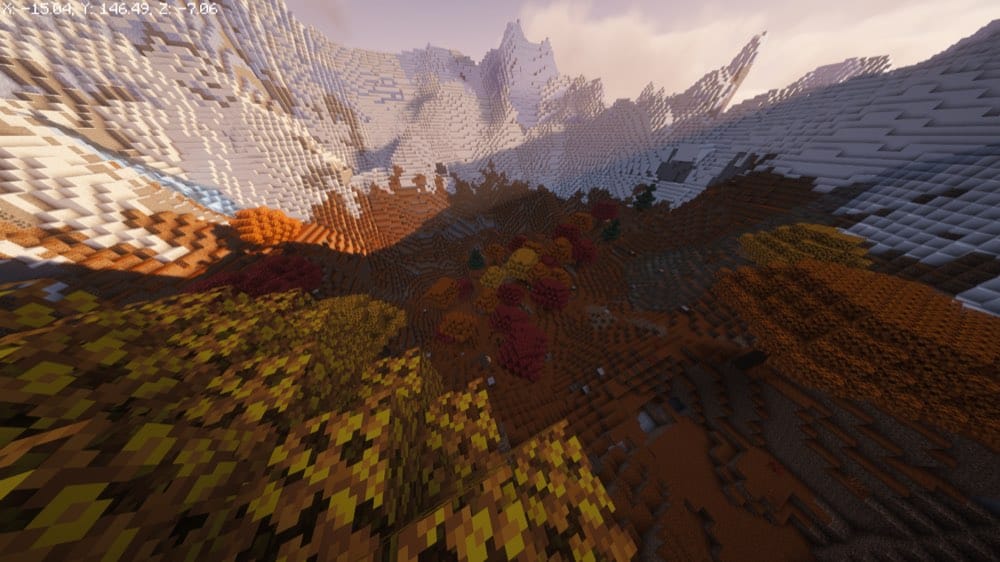
- World Seed: 68780664
- Dappled Forest: 0, 122, 0
- Jagged Peaks: 0, 145, 250
- Frozen Peaks: 250, 146, 400
Added in Java Edition version 26.3, the Dappled Forest is the newest biome in the game – and this seed spawns you directly inside one. Poplar trees, red shrubs, and leaf litter give the whole area an autumn look you will not find anywhere in an older world, with Jagged Peaks and Frozen Peaks rising right alongside it for contrast.
If your current world predates version 26.3, this is the fastest way to see the new biome without waiting for one to generate naturally somewhere out past your existing terrain.
9. A Lone Ice Spike Rising Over Spawn
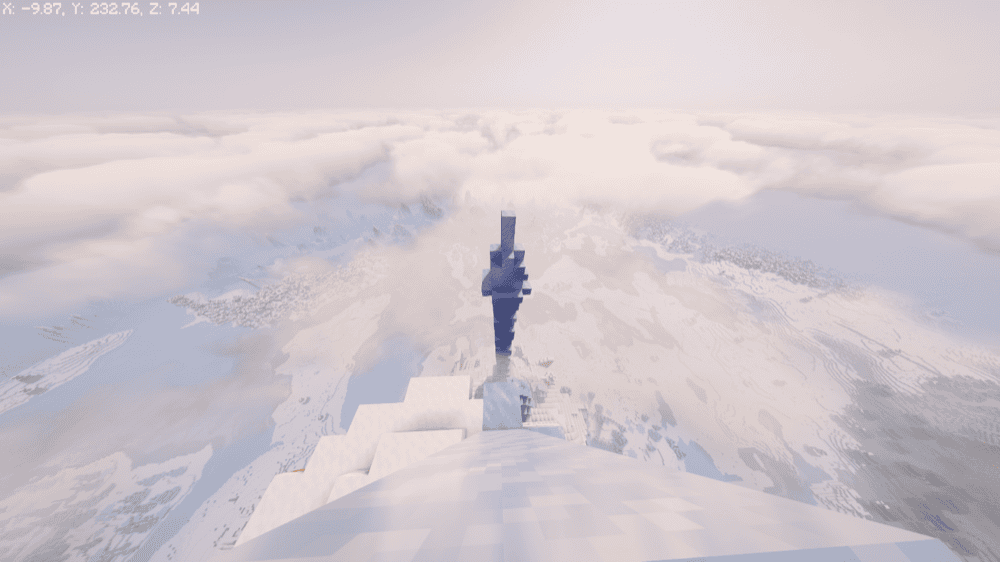
- World Seed: 7226627000711902118
- Ice spike monolith: 2, 13
- Village: -368, 176
- Shipwreck: 568, 88
A single ice spike towers over spawn here, tall enough that it is visible long before you reach it. A normal Ice Spikes biome would spread that same height across dozens of smaller spires instead of concentrating almost all of it into one monolith worth building around rather than just walking past.
A village and a shipwreck both sit within a short walk too, so there is still a normal early game to be had just waiting nearby once you are done admiring the spike itself.
10. Two Pale Gardens, Each With Its Own Mansion
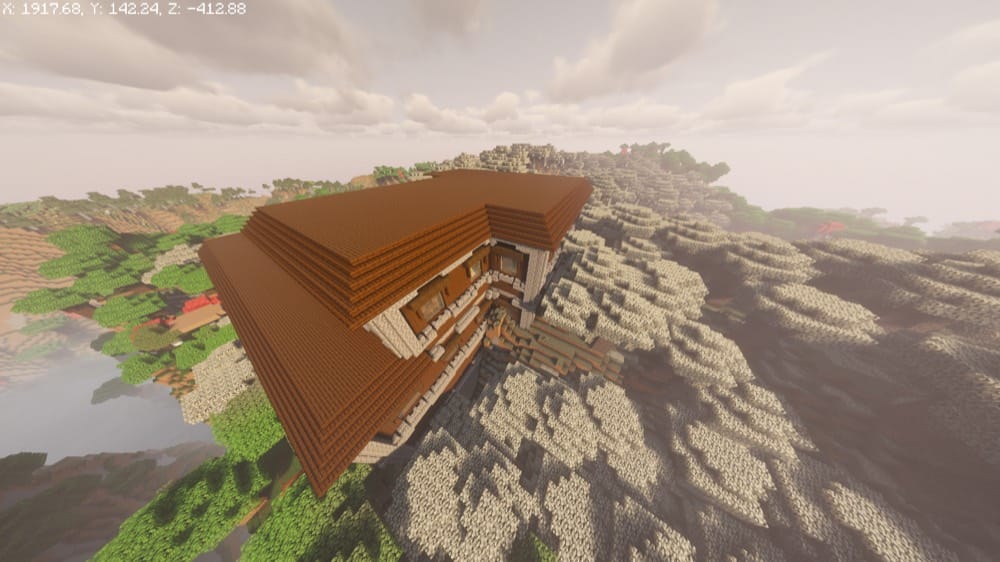
- World Seed: -9109021518918270118
- Village: -192, -192
- Pale Garden and Woodland Mansion: 776, 90, -552
- Ancient City: 840, -54, -664
- Second Pale Garden and Woodland Mansion: 1848, 120, -424
One Pale Garden paired with a Woodland Mansion is already an uncommon find. This seed hands you two, each with its own mansion standing at the edge of it, and the first pairing has an Ancient City sitting almost directly beneath it as well.
That stacking makes for a natural progression: clear the first mansion, then head straight down into the Ancient City below it before making the longer trip out to the second pairing.
11. Four Jungle Temples on an All-Structure Continent
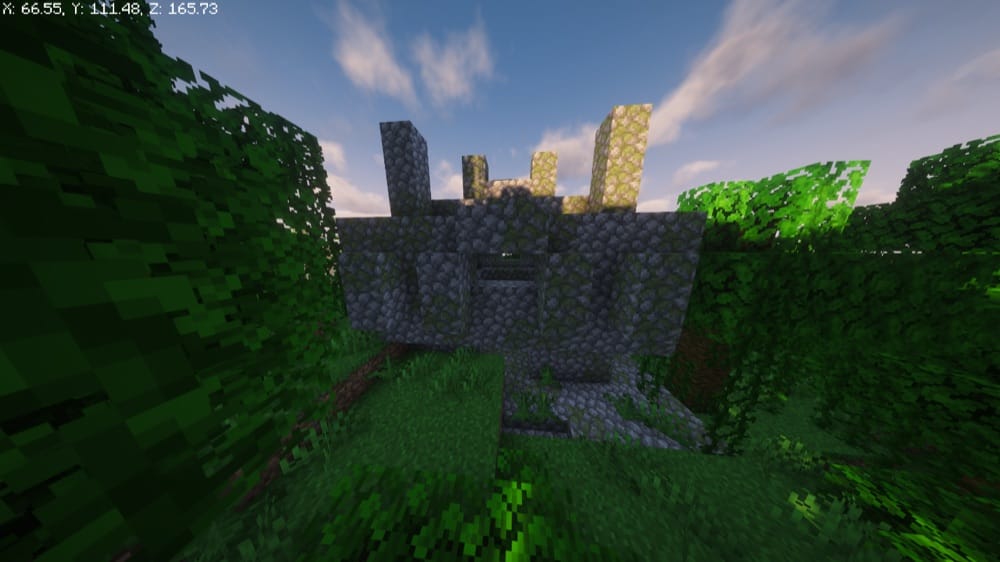
- World Seed: -2514978916909306536
- Jungle Temple: 50, 107, 175
- Jungle Temple: -185, 66, 125
- Jungle Temple: -365, 65, -225
- Jungle Temple: 0, 77, -325
- Woodland Mansion: -700, 94, 585
- Ocean Monument: 1650, 56, -190
A single jungle temple is already one of the better early loot rooms in the game. This seed spawns you within a few hundred blocks of four of them, and the same continent keeps going from there: a mansion, an Ancient City, an ocean monument, a witch hut, a stronghold, and several villages all sit on the same landmass.
With that said, we recommend treating this one as a long-term base location rather than a quick visit. You could realistically spend an entire playthrough on this continent alone and never run out of somewhere new to walk to, so come prepared.
12. A Stronghold Already Loaded With Eyes of Ender
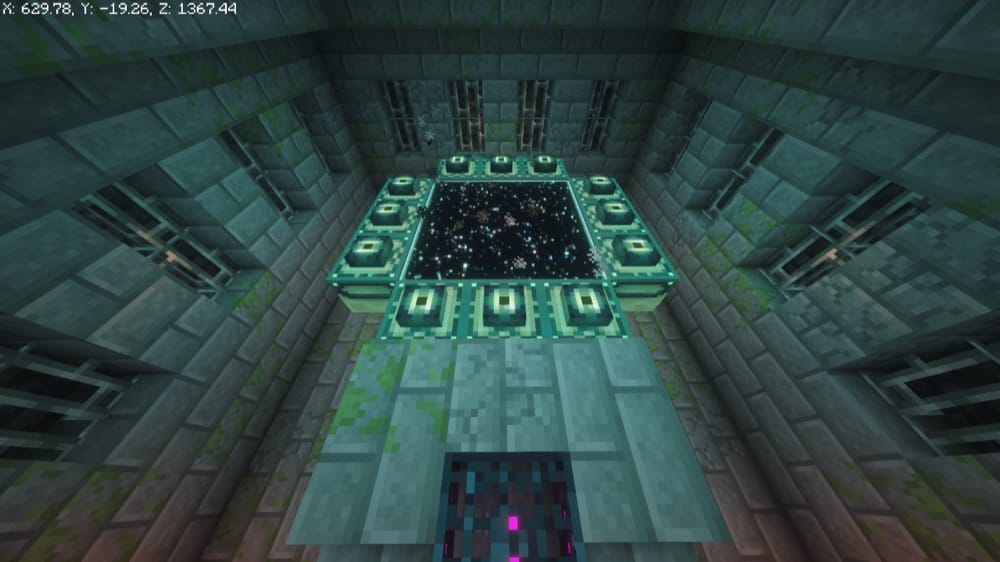
- World Seed: 2598577000427963780
- Stronghold: 625, -23, 1365
- Zombie spawner: 625, 18, 1365
Every End portal frame has its own independent chance of already holding an Eye of Ender when a stronghold generates, and the odds of every single frame landing filled at once are astronomically low. This particular stronghold beats those odds entirely: we checked it in-game ourselves, and all 12 frames are already lit!
That means the portal is ready to use the moment you walk in, skipping the entire blaze-rod-and-Ender-Pearl grind most players have to go through before ever reaching the End.
13. A Daylit Cave Big Enough to Get Lost In
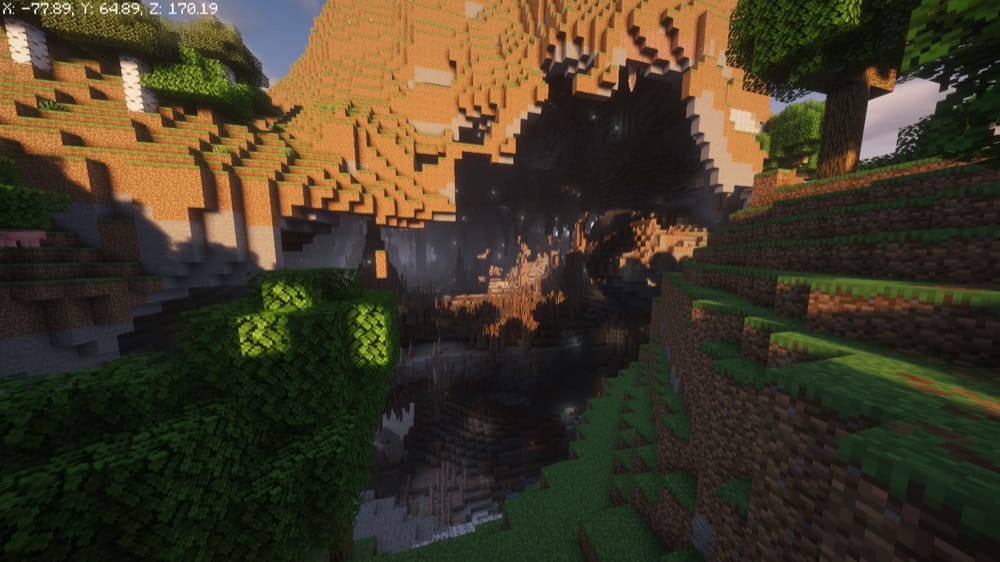
- World Seed: -5172090044501194762
- Cave entrance: -78, 65, 170
- Trial Chamber: 39, -9
A huge open cave system sits just behind spawn here, wide enough that daylight keeps pouring in long after you have started heading down, well past the point where most early caving would already have you relying on torches.
That makes an early diamond run a lot less nerve-wracking, since you can actually see what you are doing long after most caves would have gone pitch black around you.
14. A Continent With Almost Every Biome Present
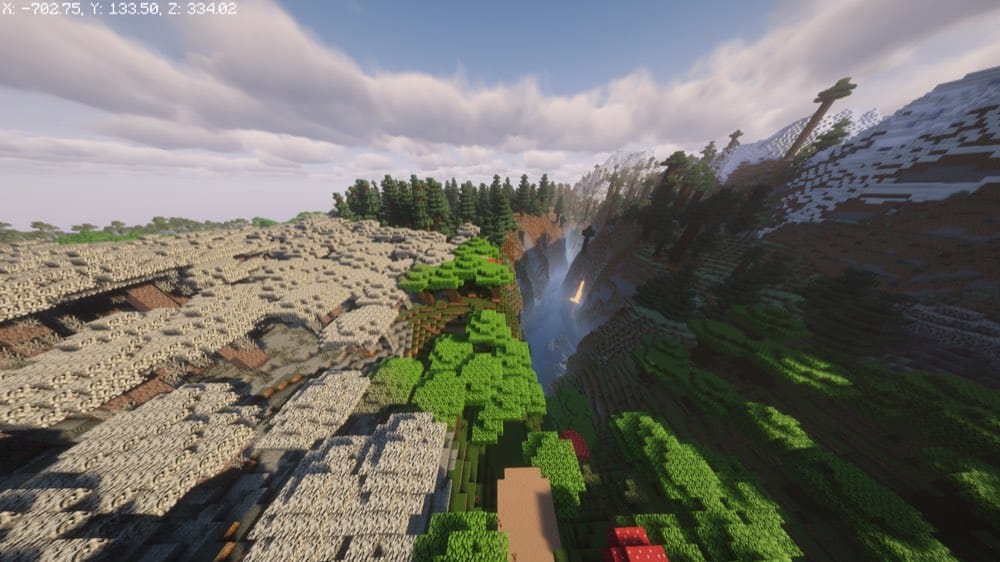
- World Seed: -4995054936707021313
- Village: -336, 0
- Pale Garden: -773, 298
- Jungle: -823, 1326
- Mangrove Swamp: 469, 1528
- Stronghold: -1420, 1188
- Mushroom Fields island: -2410, 1951
This single continent packs in an unusual amount of biome variety: Forest and Taiga near spawn, then Jungle, Mangrove Swamp, Badlands, and a Mushroom Fields island further out, with a Pale Garden and even a Dappled Forest both present as well.
15. Badlands Peaks Right at Spawn
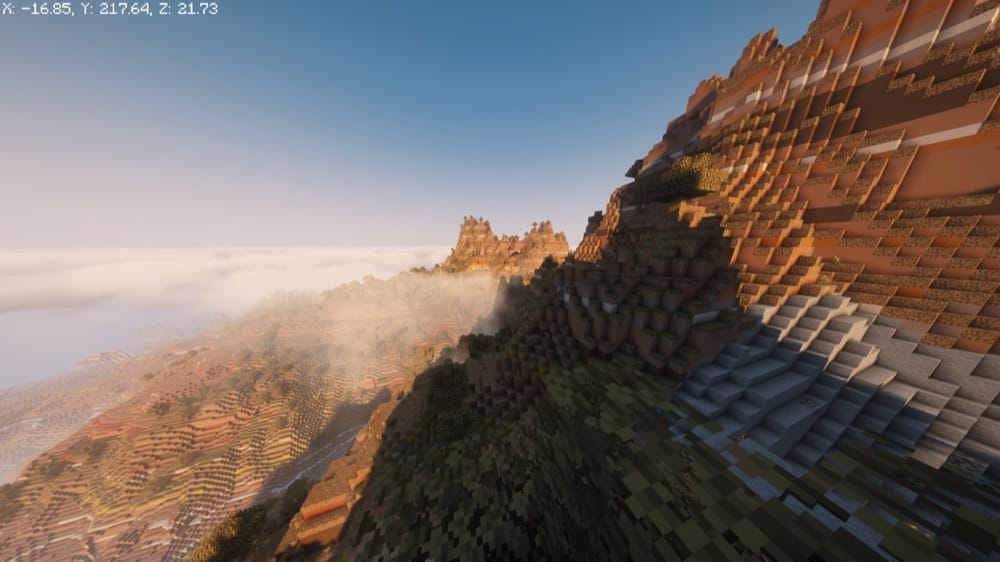
- World Seed: -1494069176380161875
- Badlands peak: 0, 215, 0
Mesa-style peaks climb well over 200 blocks right at spawn in this seed, with Savanna Forest mixed in nearby and rivers cutting real gorges through the terracotta, going well beyond what Badlands terrain usually looks like at ground level.
It is a strong pick if you are after a base with a view rather than a flat build site, or if you just want a place worth taking screenshots of before you have placed a single block.
How to Dial In World Seeds for Minecraft
- Open Minecraft and select "Singleplayer".
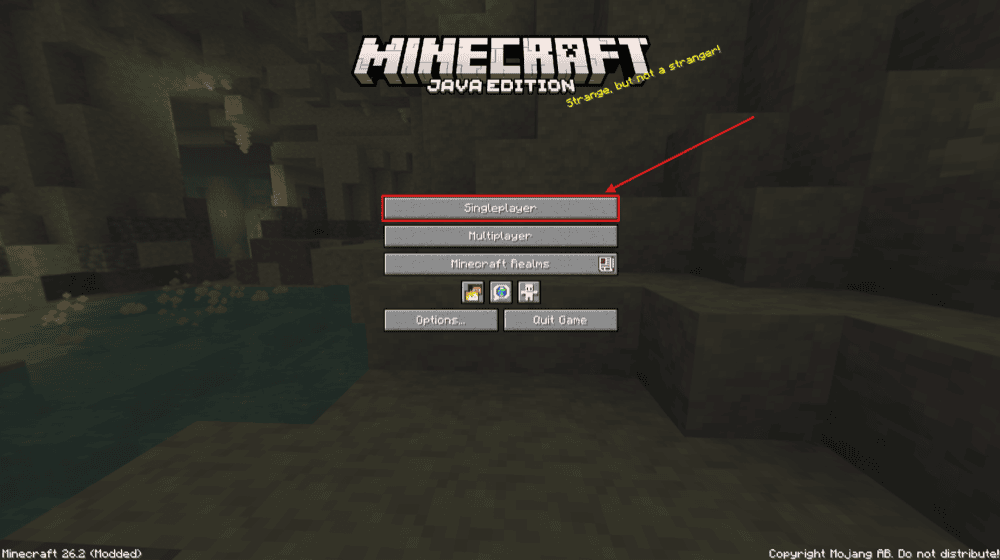
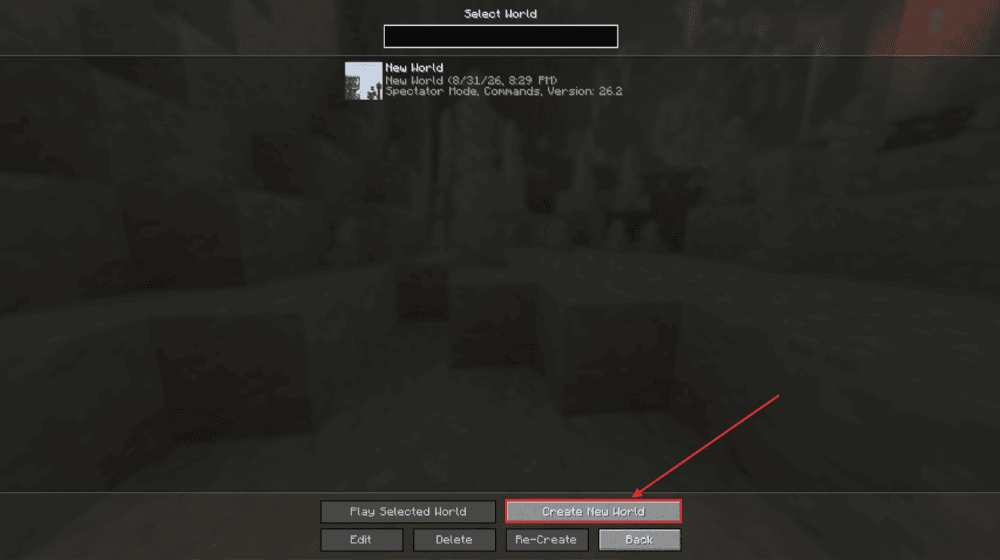
- Click "Create New World".
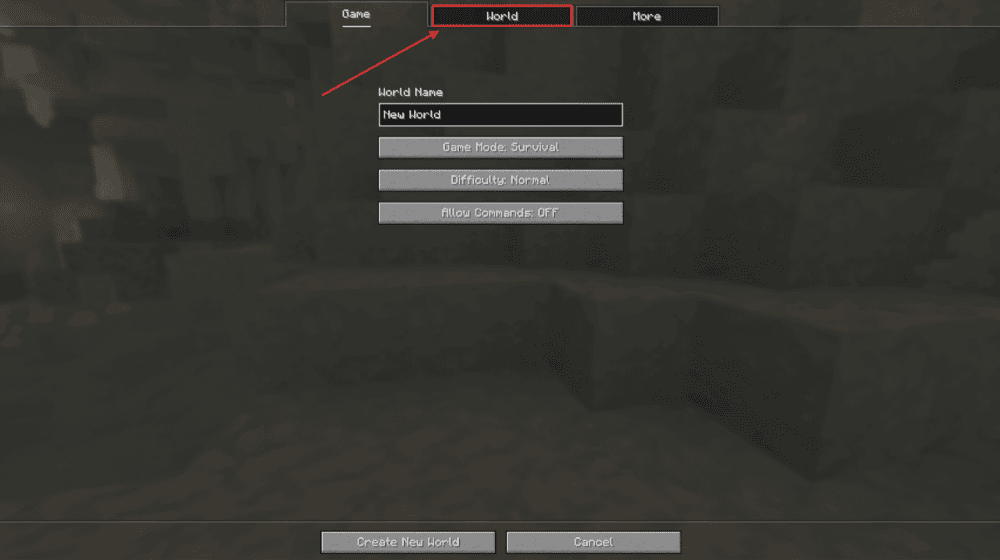
- Select the "World" tab.
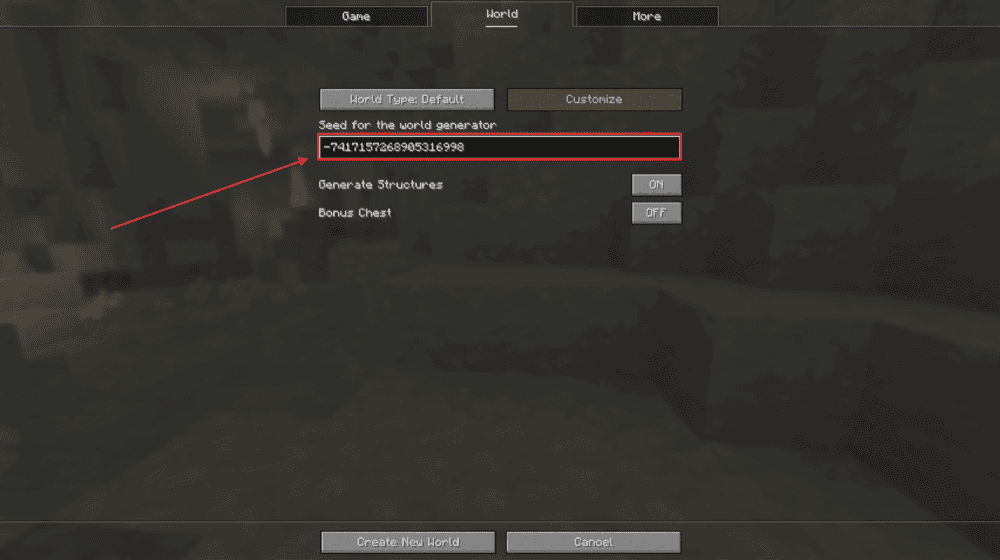
- Find "Seed for the world generator" and paste the seed exactly as written above, including the minus sign when the seed has one.
- Click "Create New World".
Note: this list was put together for Java Edition version 26.3, so we recommend playing on that version. While the same seed number produces the same terrain and biomes in Bedrock Edition, structures, some caves, and other small features may all generate differently.
Because of this, make sure to boot up Java Edition if you want the coordinates and details above to line up perfectly.
Get the Most Out of World Exploration With These Mods
A great seed is only the starting point. These mods help you map what you find, locate the rest of it faster, or add even more to explore once you have gone through everything on our list above.
JourneyMap
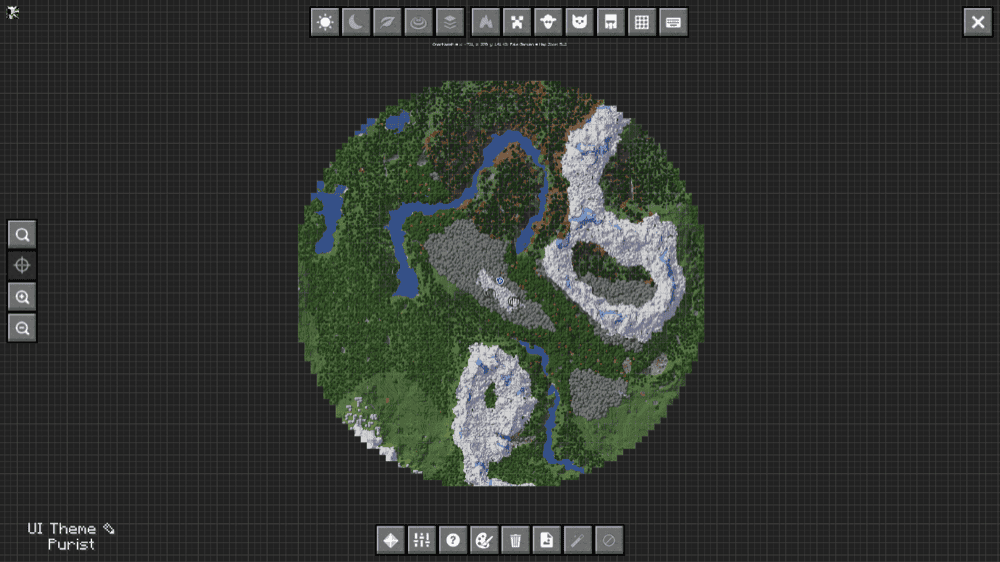
“JourneyMap” maps your world in real time as you explore it, whether you would rather check it as an in-game minimap, pull up the full map in a fullscreen view without leaving the game, or check it in a browser instead.
Every cave, village, and structure you walk near gets logged automatically, so tracking down a coordinate from this list, or backtracking to one you already found, stops being a matter of trusting your memory.
And since it only records what you actually explore rather than touching how the world generates, this mod is safe to add to a world already running any seed on this list.
Nature's Compass
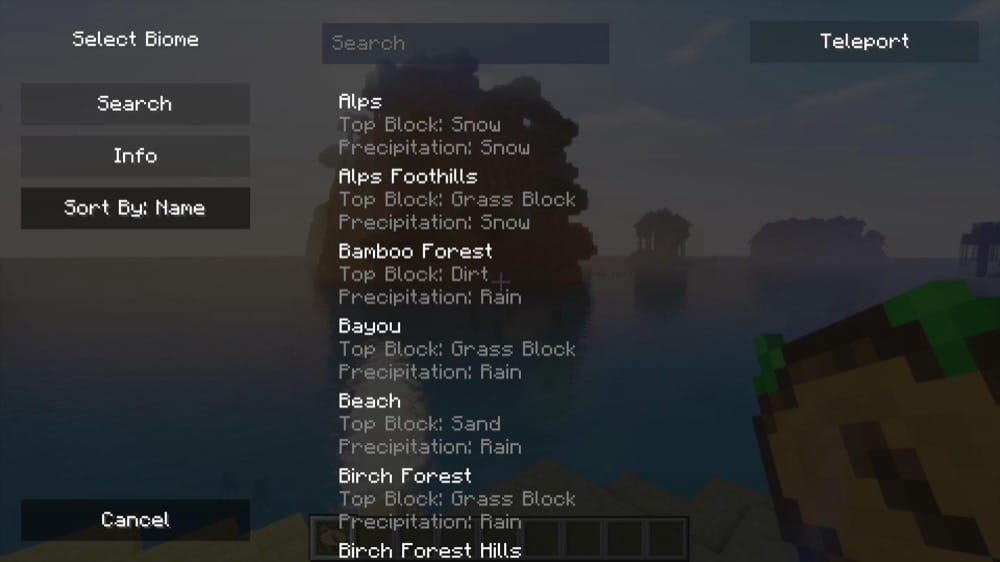
“Nature's Compass” turns finding a specific biome into a simple right-click instead of a dedicated search. Hold it, open the biome selection menu, and it will point you straight toward the nearest match, whether that is a Mushroom Fields island, a surface Sulfur Cave, or the new Dappled Forest biome.
Additionally, the mod works against every biome in the game, vanilla or modded, and it changes nothing about how the world actually generates, so it pairs safely with every seed above.
Biomes O' Plenty
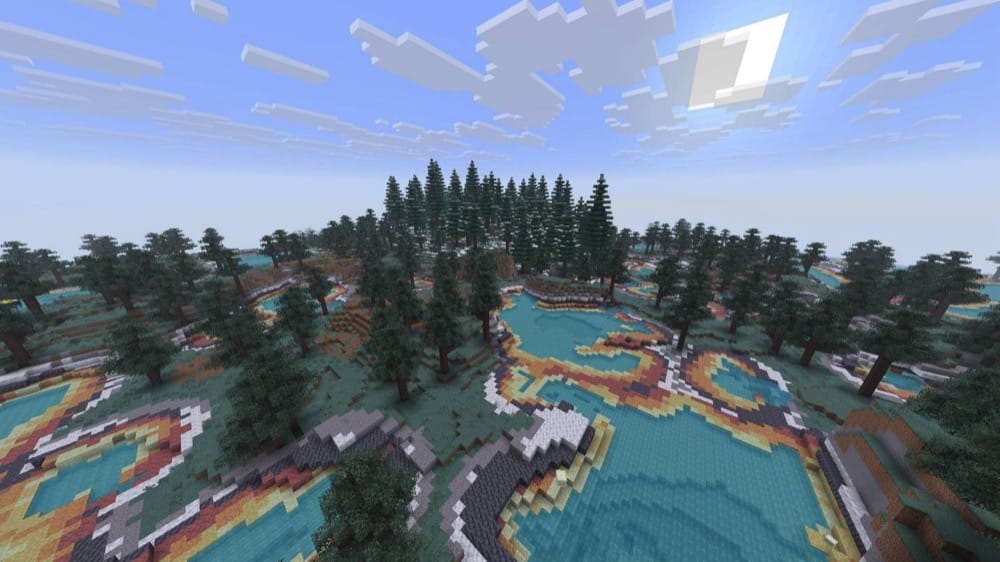
“Biomes O' Plenty” answers the question every long-time player eventually asks: why do the Overworld's biomes feel so much richer than what the Nether and the End have to offer? It folds dozens of new biomes into all three dimensions at once, each one carrying its own plants, trees, and building materials layered on top of what vanilla already generates.
Since it changes what new chunks generate, it will not reproduce any of the 15 seeds above exactly. Because of this, we recommend starting a fresh world with it installed if you want to keep exploring past what vanilla alone offers.
Towns and Towers
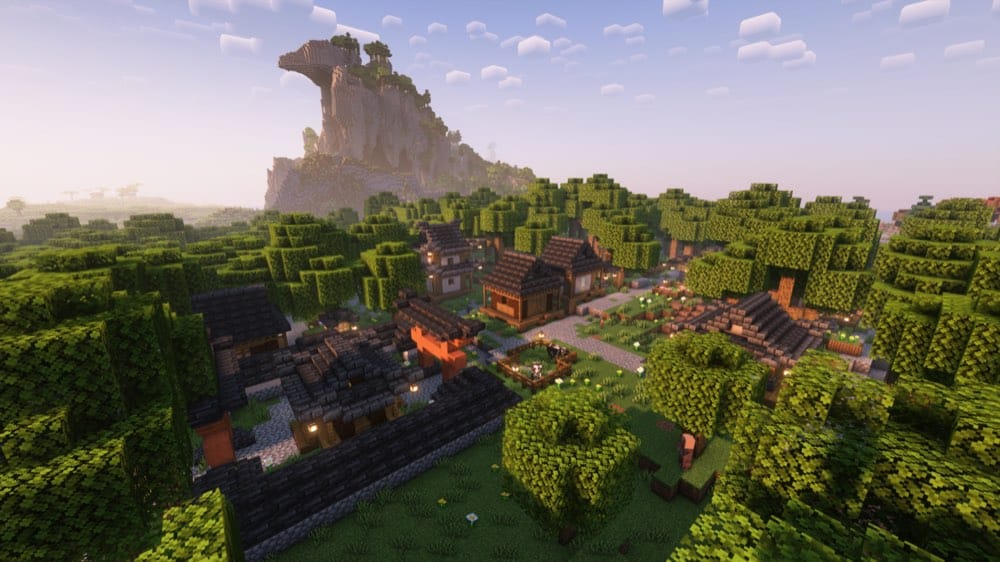
“Towns and Towers” fixes the moment where you stumble into the same handful of village layouts over and over.
The mod adds more than fifty new structures, mostly villages, pillager outposts, and ocean-based ships, directly into vanilla's own generation rules, stocked with real villager professions, working bells, and loot pulled from vanilla tables alongside custom additions.
Since it only touches newly generated chunks, it is also safe to drop into a world you already have running, including one built from a seed on this list. New structures will simply start appearing once you explore past what has already been generated.
Repurposed Structures
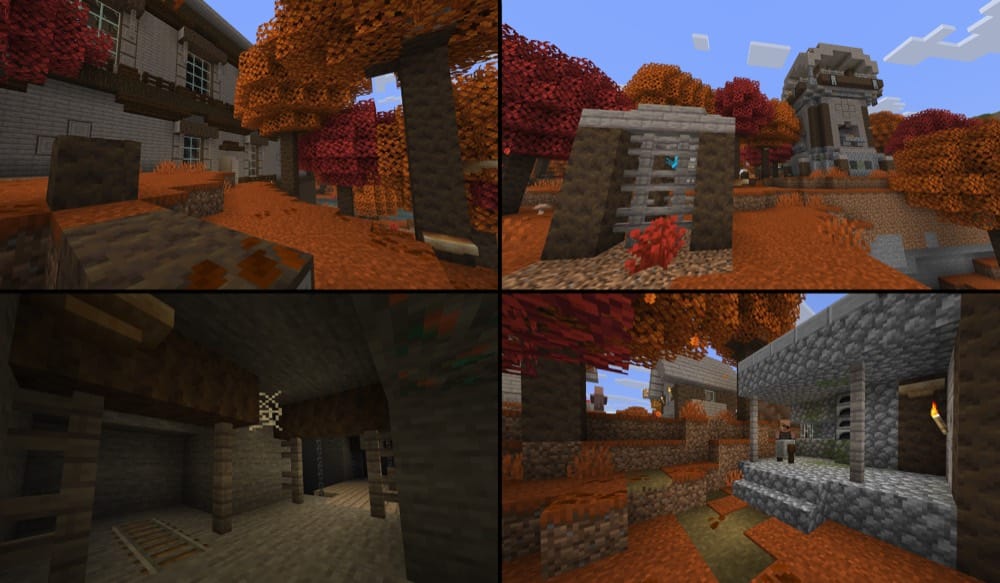
“Repurposed Structures” takes structures the game already has, like village houses, pillager outposts, and desert temples, and rebuilds them to fit biomes they were never allowed to generate in before.
A desert temple can now show up dressed for a snowy biome instead of always looking out of place, and a plains village can generate as a proper Savanna or Taiga village instead of defaulting to the same layout everywhere. Most of what it adds only shows up in newly generated chunks though, so an existing world will stay mostly intact.
One exception worth knowing about: its deepslate dungeon variants do replace vanilla dungeons found below "Y" 0, so do not expect every dungeon in an older world to look the same after installing it.
How to Install Minecraft Mods
You can install the above mods automatically using the CurseForge app or manually by placing the mod files within your game's mods folder. Both methods allow you to easily add custom features and enhancements into your Minecraft experience.
If you want to learn more, you can read our detailed guide on how to install Minecraft mods.
Common Issues and Quick Fixes
My world doesn't match what this guide shows
World generation changes with every major update, and Java Edition version 26.3 just added a new biome, the Dappled Forest, on top of its usual generation tweaks. Because of this, we recommend matching your game to version 26.3 – the version every seed on this list was confirmed on.
My structures aren't where the coordinates say they should be
Terrain and biomes match between Java Edition and Bedrock Edition on the same numeric seed, but structure placement does not carry over between editions. A mismatch here therefore almost always means the seed was loaded in Bedrock instead of Java, so make sure to double-check your edition before looking into specific coordinates.
I typed the seed in and got a completely different world
A minus sign is easy to drop when copying a seed by hand, and a stray space or comma changes the result entirely. To prevent this, type the seed exactly as written above, with no extra characters or spaces, and try again.
I can't tell where I actually am in the world
Coordinates live on the debug screen. Pressing "F3" brings it up and shows your current position along the "X", "Y", and "Z" axes. If you are on a server and cannot see it, check whether an admin has the "reduced_debug_info" game rule turned on, since that hides it entirely.
My world has a rough seam where old and new terrain meets
World-generation mods like "Biomes O' Plenty" only affect chunks that have not been generated yet, so adding one to a world already in progress leaves a visible seam between the old terrain and the new biomes. A quick fix for this is to start a new world with the mod already enabled, rather than trying to add it partway through.
My game crashes on startup after installing mods
A startup crash usually means one of three things:
- The mod file does not match your Minecraft version.
- The mod was made for a different loader.
- A required dependency is missing.
Check that you installed the correct Forge, Fabric, Quilt, or NeoForge file for your profile, then look at the mod page for any required files, especially for Fabric API on Fabric profiles and for Quilted Fabric API on Quilt profiles.