Every Minecraft Realm uses a world seed – the seed is the value the game uses as the basis for generating terrain, biomes, and structures. If you know the seed, you can use it to check maps, plan routes, and recreate the same world elsewhere.
This guide explains what a Realm seed is, why players look it up, how to find it on Java and Bedrock, and what to do if you do not own the Realm.
What Is a Realm Seed?
When a Minecraft world is first created, the game uses a seed value as the basis for generating terrain, biomes, and structures. In practice, this means the same seed can reproduce the same world layout when used in the same edition and generation rules.
On a Realm, the seed was set when the current world was first created or uploaded. It stays the same unless the owner resets the Realm or replaces that world with a different one.
Why Is Knowing Your Realm Seed Useful?
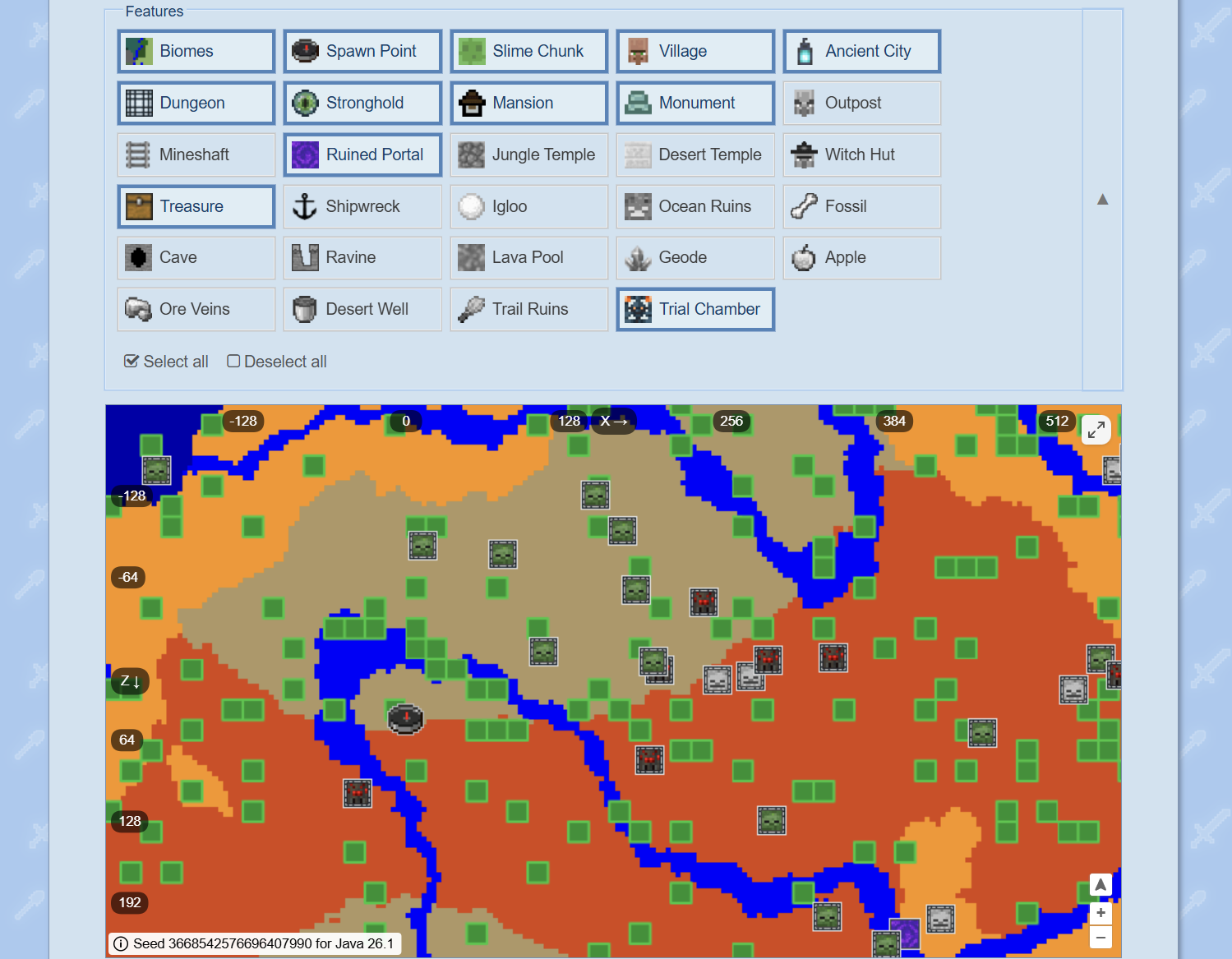
The main reason players want their Realm's seed is to use it with external tools or create a new identical world in the future. Sites like Chunkbase let you enter a seed and see a full map of your world – structure locations, biome boundaries, slime chunks, and more. That makes planning a lot easier, especially on a Realm where you might be playing with a group and want to locate things without spending hours on end exploring.
Beyond that, knowing your seed means you can:
- Find strongholds and other structures much faster.
- Check biome boundaries, slime chunks, ancient cities, or trial chambers before exploring.
- Recreate the world as a singleplayer copy for testing builds or contraptions.
- Share the seed with others so they can generate their own copy of the same world.
If your Realm runs a long-term survival world, the seed is worth writing down and keeping somewhere safe regardless – it's the one piece of information you can't recover if the world gets deleted.
How to Find Your Realm Seed on Java Edition
On Java Edition Realms, any player with operator permission can run "/seed" in chat. This command prints the seed number directly in the chat window and can be copied from there by clicking the number that appeared in chat.
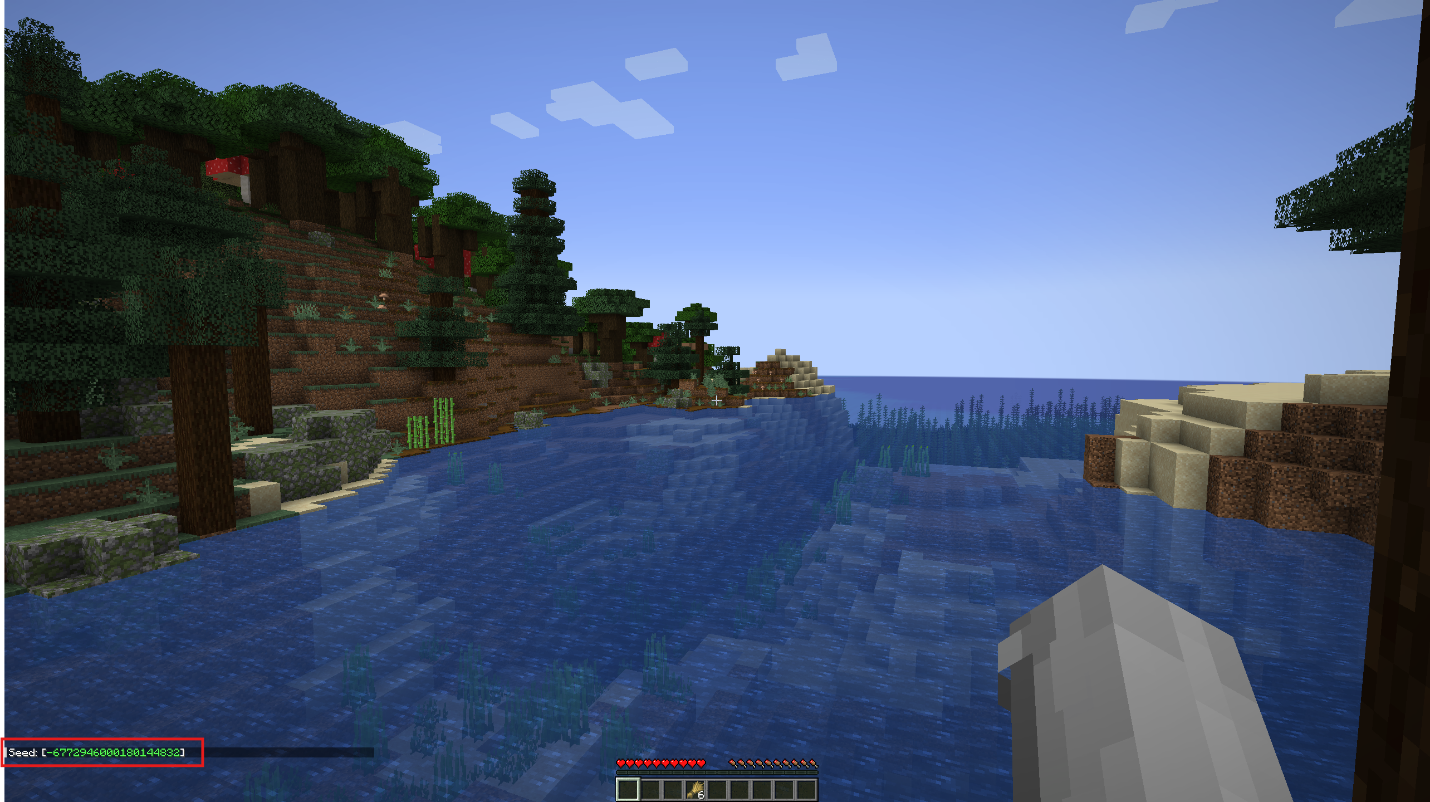
"/seed" is a Java-only command, and in multiplayer it requires permission level 2. On a Java Realm, that means regular members cannot use it unless an operator has increased their permission level.
How to Find Your Realm Seed on Bedrock Edition
Bedrock handles this differently. The seed is not visible anywhere while you're connected to the Realm, even in the world settings screen.
To find the seed on a Bedrock Realm, the owner needs to download a local copy of the Realm world first. Here are the steps:
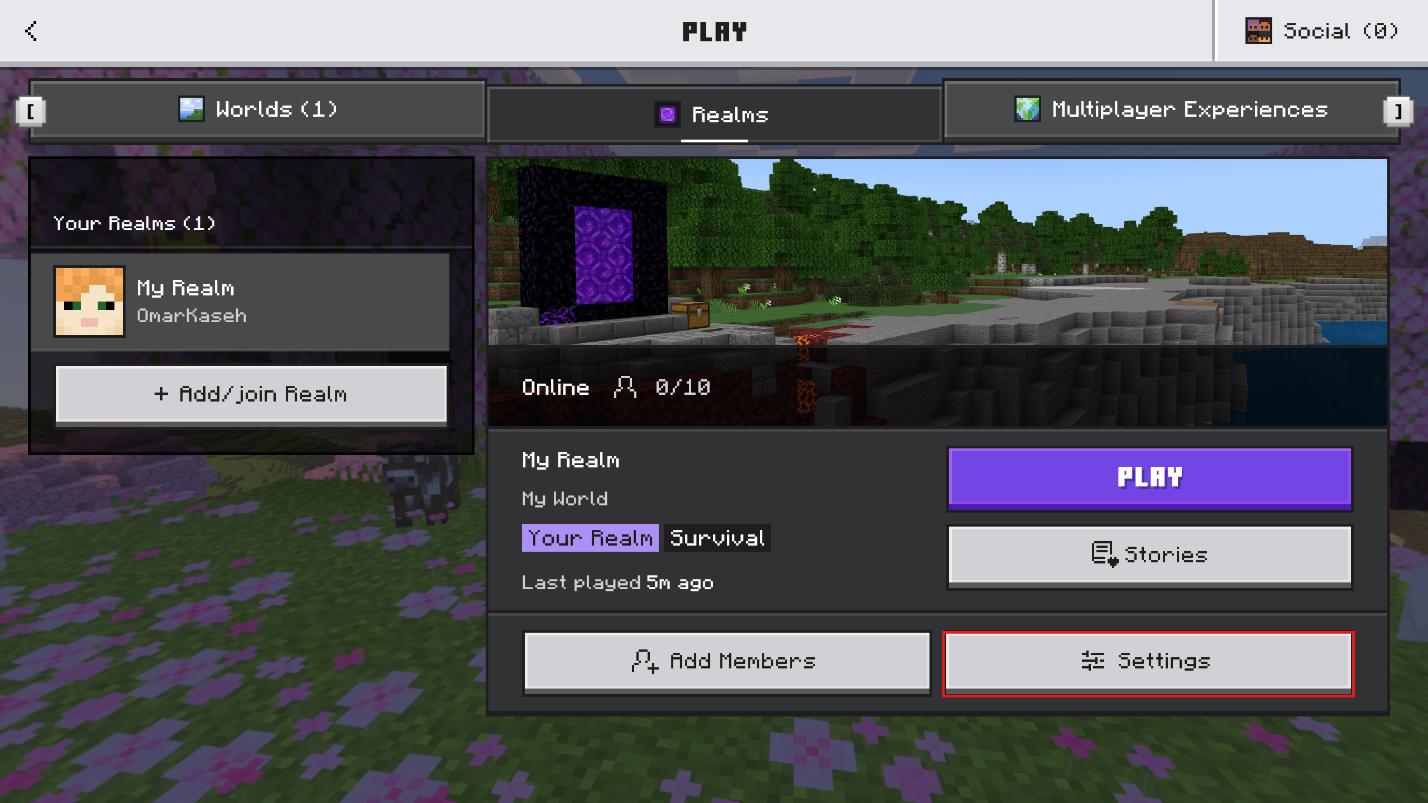
- Open Minecraft and select "Play". On the Play screen, open the "Realms" tab and select the Realm you want to work with.
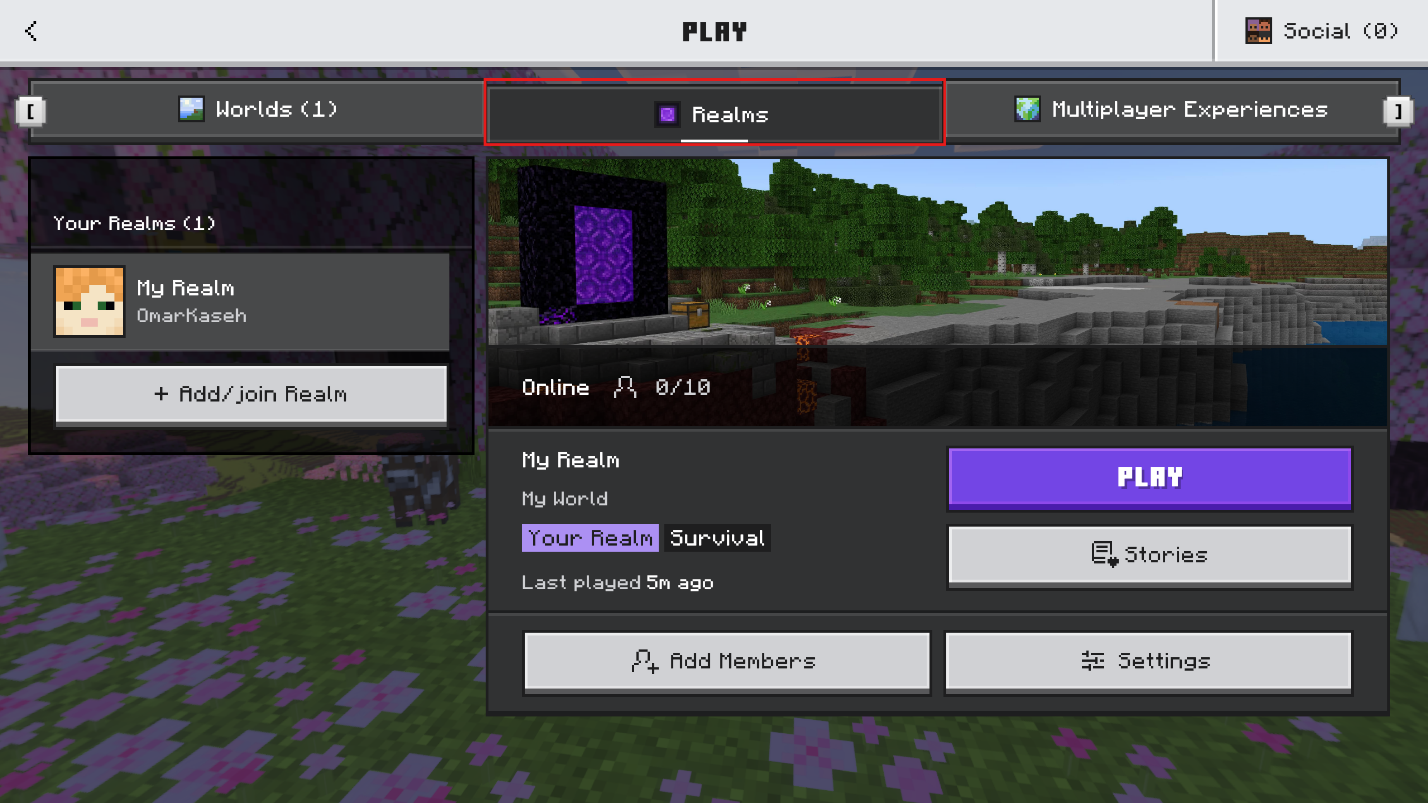
- Open the Realm’s settings. From the "Realms" screen, choose "Settings" to enter the Realm’s slots screen.
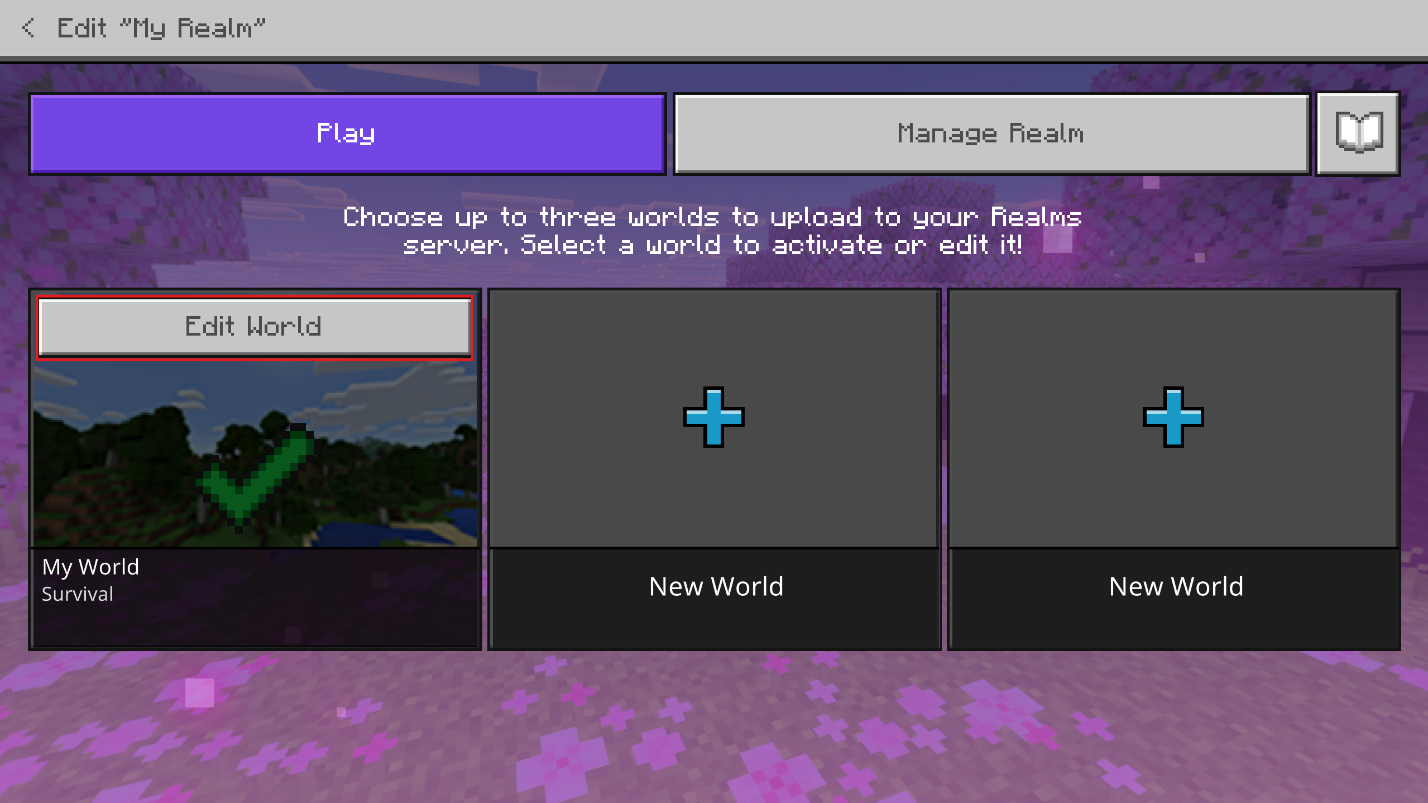
- Select the correct world slot and choose "Edit World". This opens the settings for the world currently stored in that slot.
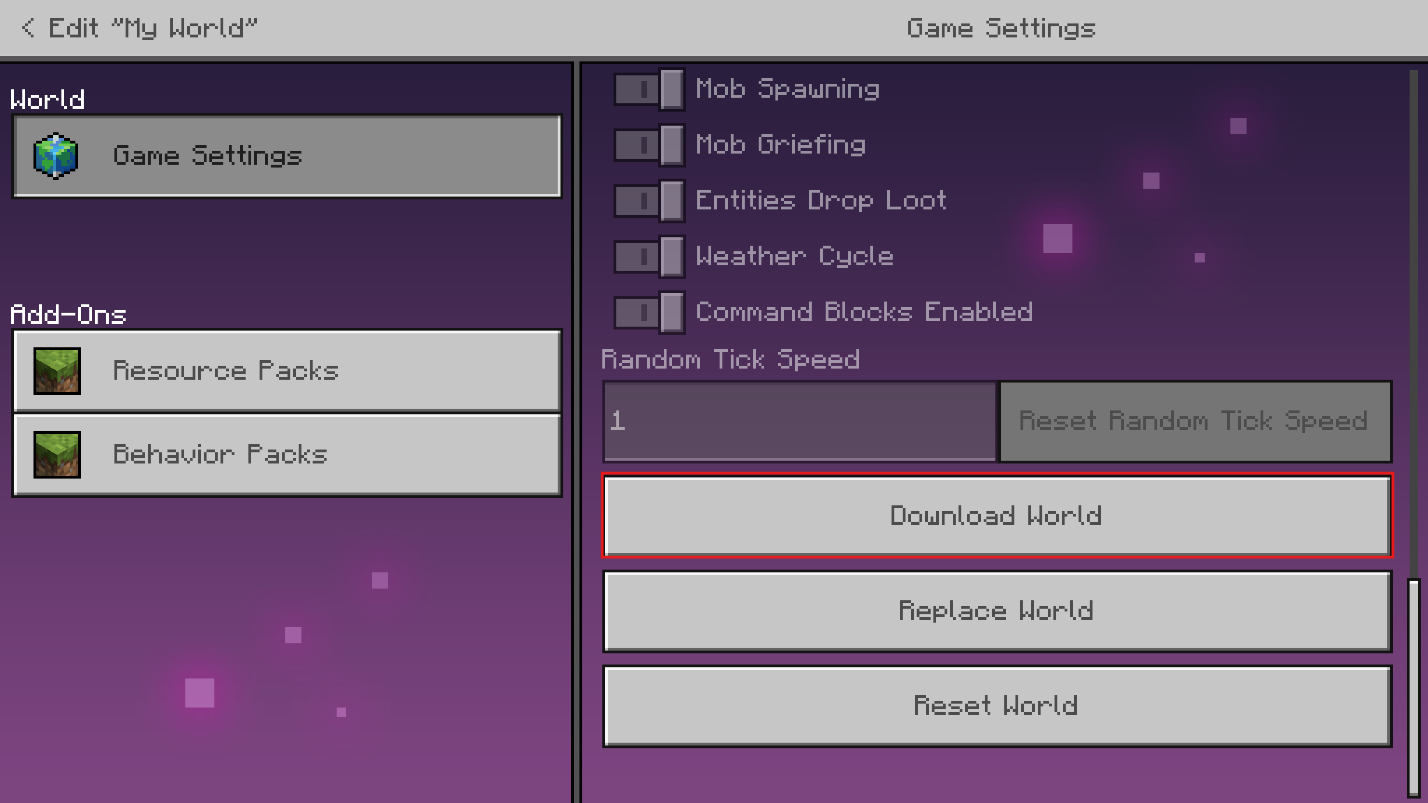
- In the world’s settings, scroll down and choose "Download World".
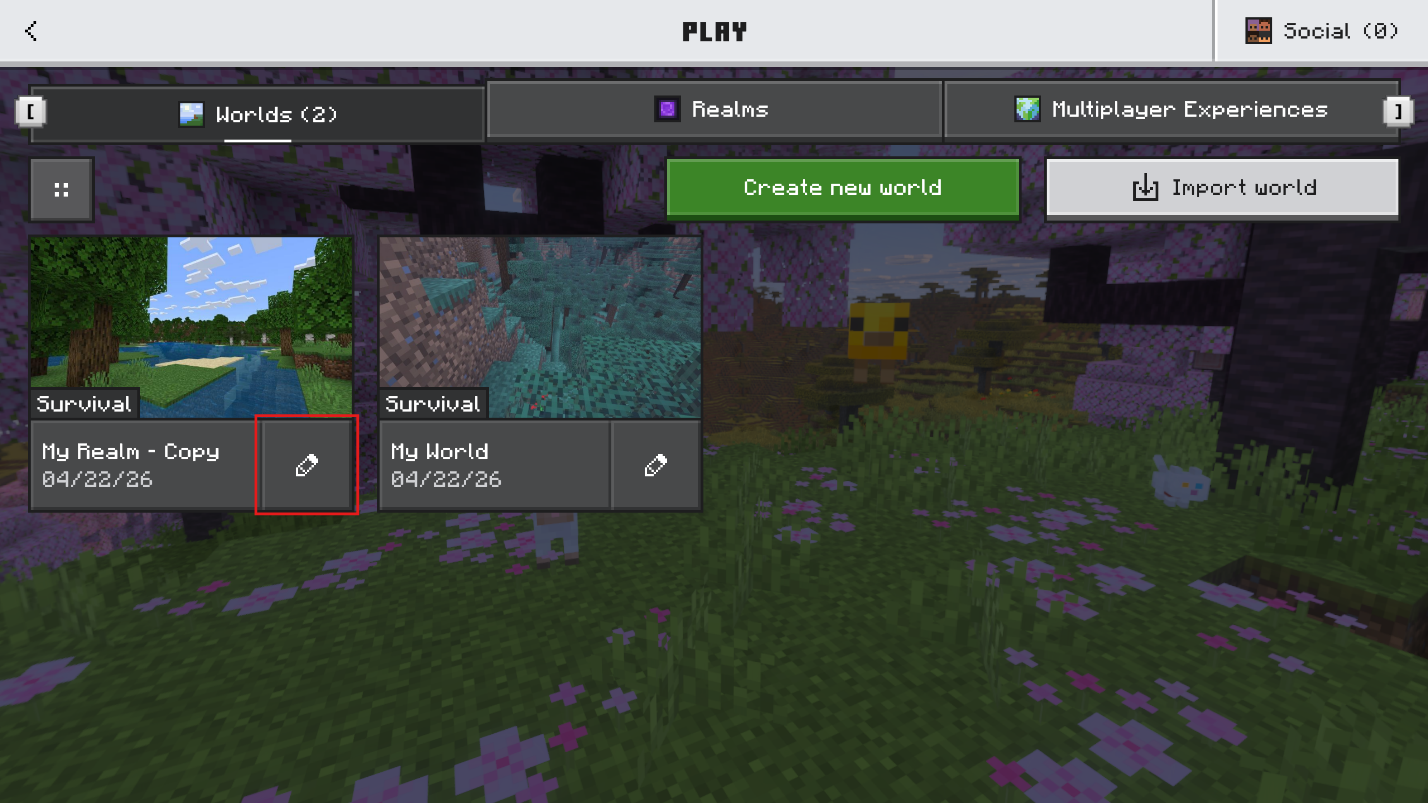
- Go back to the normal Worlds list. The downloaded Realm copy will now appear in your regular local worlds list. Click the pencil/edit icon next to that downloaded copy.
- After opening the downloaded world’s “Edit World” screen, go to “Advanced” and find the “World seed” field. The seed is displayed there and can be copied directly.
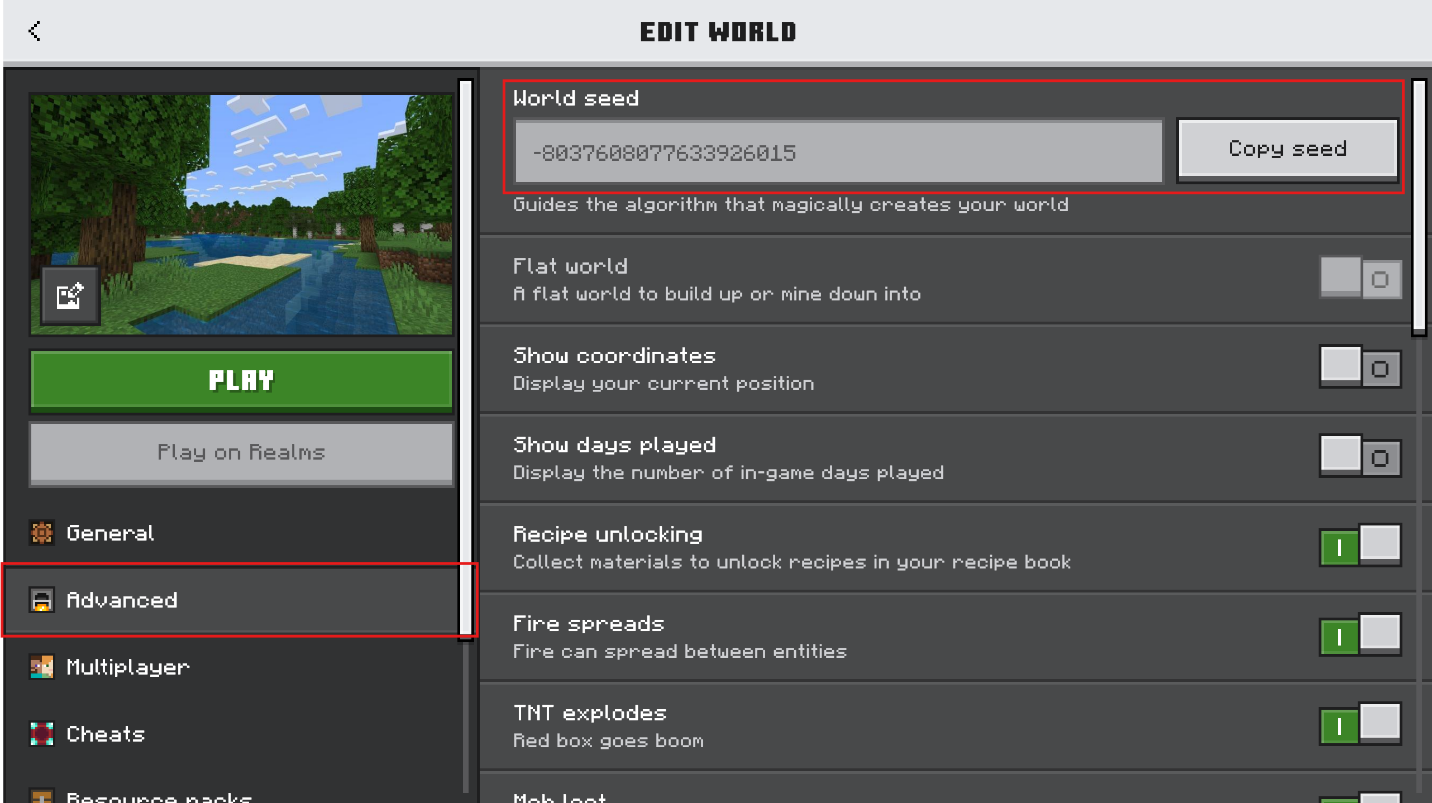
The whole process takes a few minutes. The Realm stays active and nothing is lost – it's a local copy instead of a transfer. Once the owner has the seed from that screen, they can share it with whoever needs it.
What If You Don't Own the Realm?
If you're a regular member and not the owner, your situation would depend on which edition the Realm runs on.
- On Java Edition, ask the owner or an existing operator to run "/seed" and share the result. The owner can also promote you to an operator if they want you to check it out yourself.
- On Bedrock Edition, only the owner can use the download-world method and read the seed from the local copy’s settings. If they are not familiar with the process, you may need to walk them through it first.
Note: Without the owner's explicit consent on either edition, there's no officially supported way to find the seed yourself. Mojang doesn't give regular members access to world data on a Realm they don't own, and any workarounds that go around that can put your account at risk. The only reliable path is getting the owner to willingly share it with you.
Does the Seed Change Over Time?
The seed only changes if the owner resets the Realm world or replaces it with a different one. A reset generates a brand new world with a new seed, and the old seed can't be recovered afterward if nobody saved it first. Normal gameplay – building, exploring, dying, even server restarts – doesn't affect the seed at all.
If you're playing on a long-running Realm, it's worth asking the owner to check and share the seed so someone in the group has it written down. It's a lot easier to do that now than to realize it's needed after a Realm reset.
Common Issues and Quick Fixes
"/seed" says "unknown command" or does nothing
"/seed" is a Java-only command. On Java Realms, it works only for the owner or another operator because multiplayer requires permission level 2. On Bedrock Realms, use the download-world method instead, because the seed is not visible while you are connected to the Realm.
The owner downloaded the world but can't find the seed
After downloading, the world shows up in the single-player list. The seed is not visible from inside the world – instead, the owner needs to click the edit/pencil icon next to the world listing and look under the “Game“ tab. It should show as a number string near the bottom of that screen. Simply loading up and playing inside the world won't allow you to access this information.
The seed doesn't seem to match anything on Chunkbase or other tools
Java and Bedrock share seed numbers but generate some things differently. For MC 1.18 and later, terrain and biomes match reasonably well between editions with the same seed, but structures and a number of other details may not line up. Because of this, always make sure that you select the correct edition in whatever tool you're using. Using the Java setting on a Bedrock seed, for example, will give you wrong structure locations every time.
The owner transferred the Realm and now nobody knows the seed
If the same world is still active, the new owner can get the seed using the methods above. If the world was replaced or reset during the transfer and nobody saved the seed beforehand, it is no longer recoverable. That's one of the main reasons it's worth keeping a record of your Realm seed somewhere outside the game.