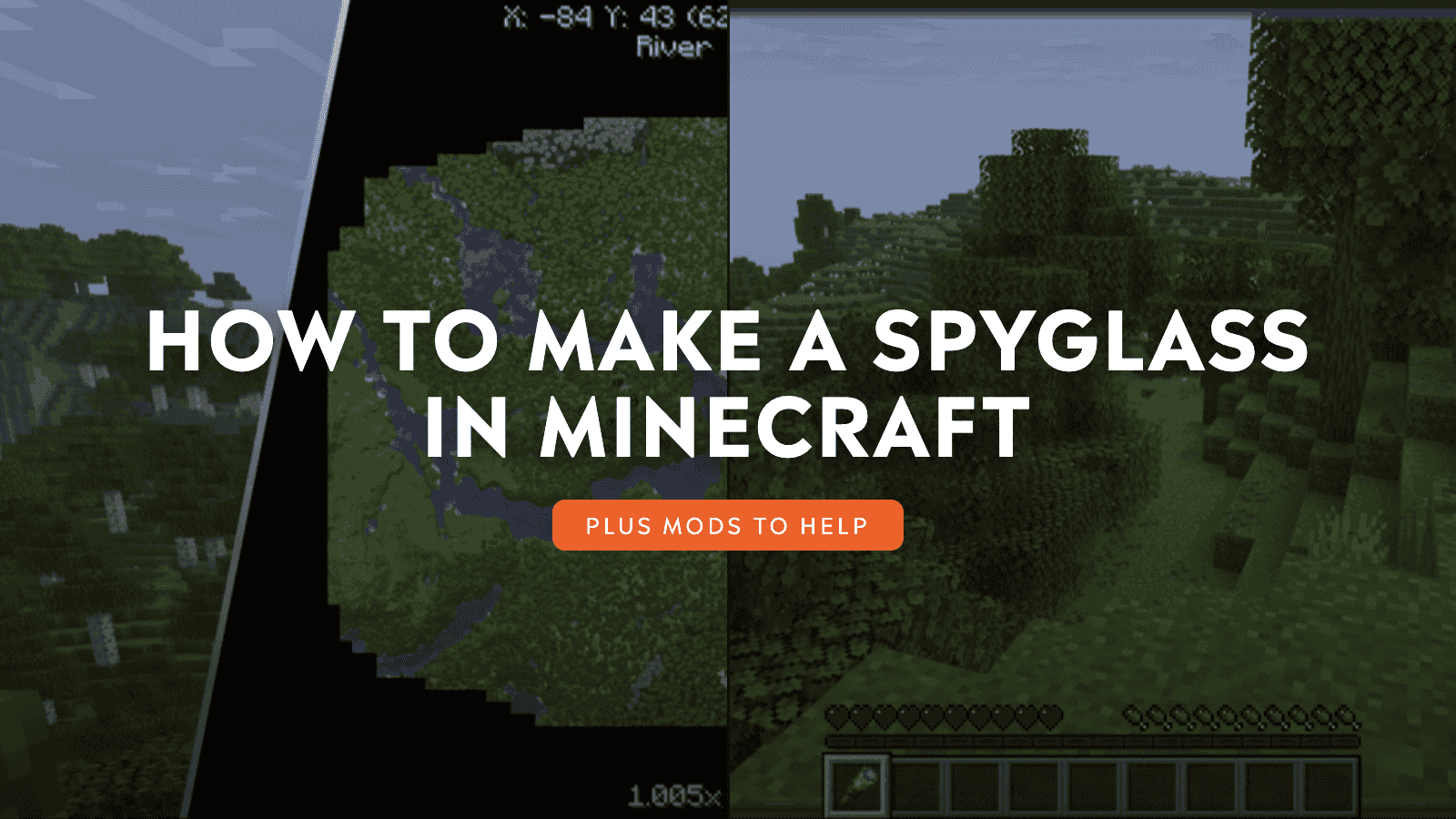
Half of the adventure of Minecraft is about getting to know its vast and procedurally generated world. With countless biomes, rare structures, and loot scattered everywhere, there’s a lot to see. Yet, exploring every nook and cranny can be a challenge.
Fortunately, one item helps with that: the Spyglass. This handheld tool offers you a way to 10x zoom whatever you decide to look at, making it easy to tell whether that’s a village you see in the distance or just a weird tree.
Getting a hold of a Spyglass might prove more challenging than you expect. Here’s everything you need to know about this iconic Minecraft item.
Learning the Spyglass Crafting Recipe
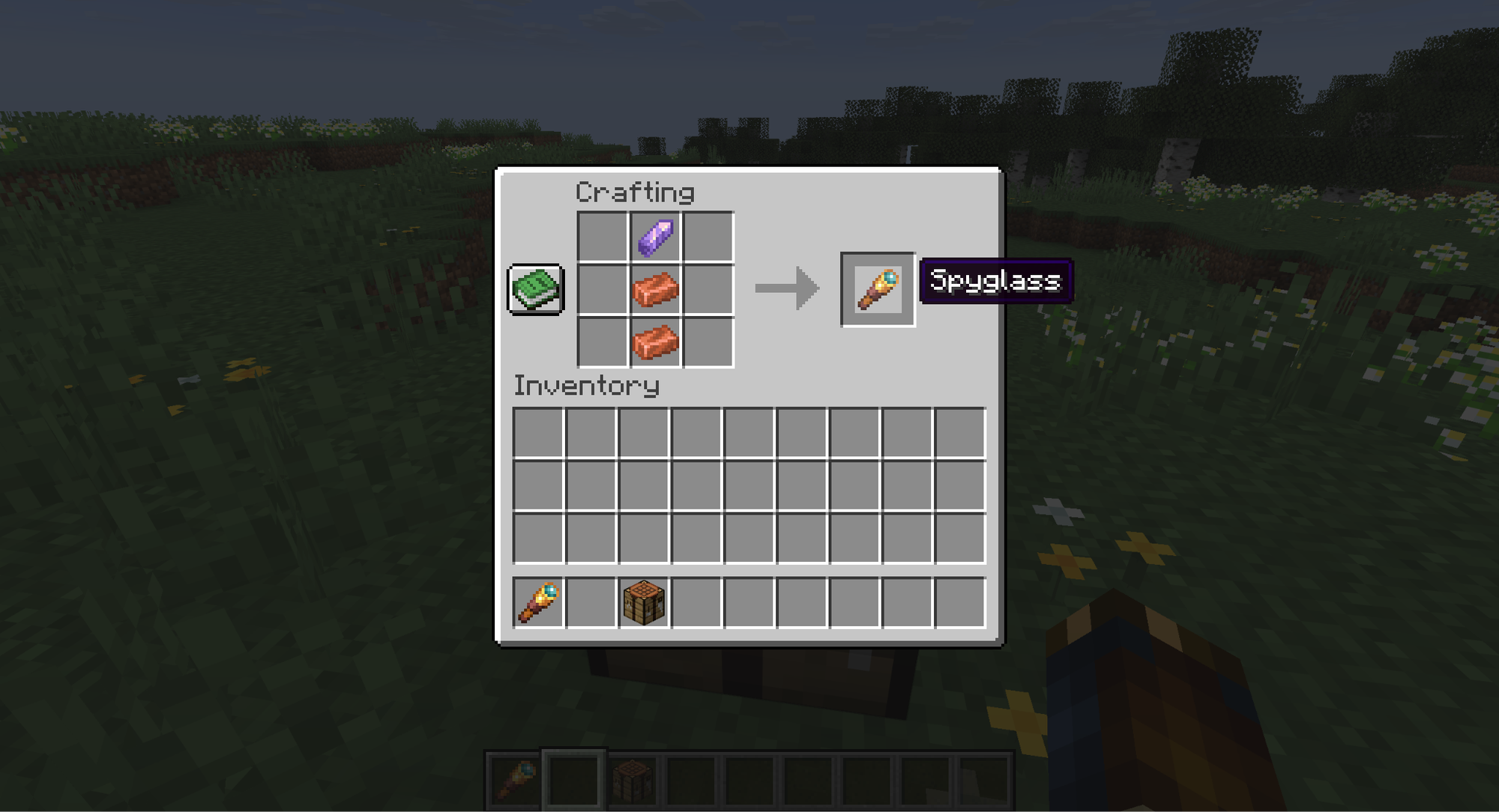
The recipe for a Spyglass is relatively simple: align two Copper Ingots vertically on a Crafting Table, and place an Amethyst Shard on top. If you prefer to use the crafting book, or the Bedrock Edition crafting system, the recipe will unlock the Spyglass as soon as you’ve held the necessary ingredients at least once.
Copper Ingots are made by placing Copper Ore in a furnace. Copper ore can be found at nearly all depths and is a rather common resource, making it hard to miss.
Amethyst Shards, however, will take some time and effort to track down.
Where To Find Amethyst Shards And Geodes
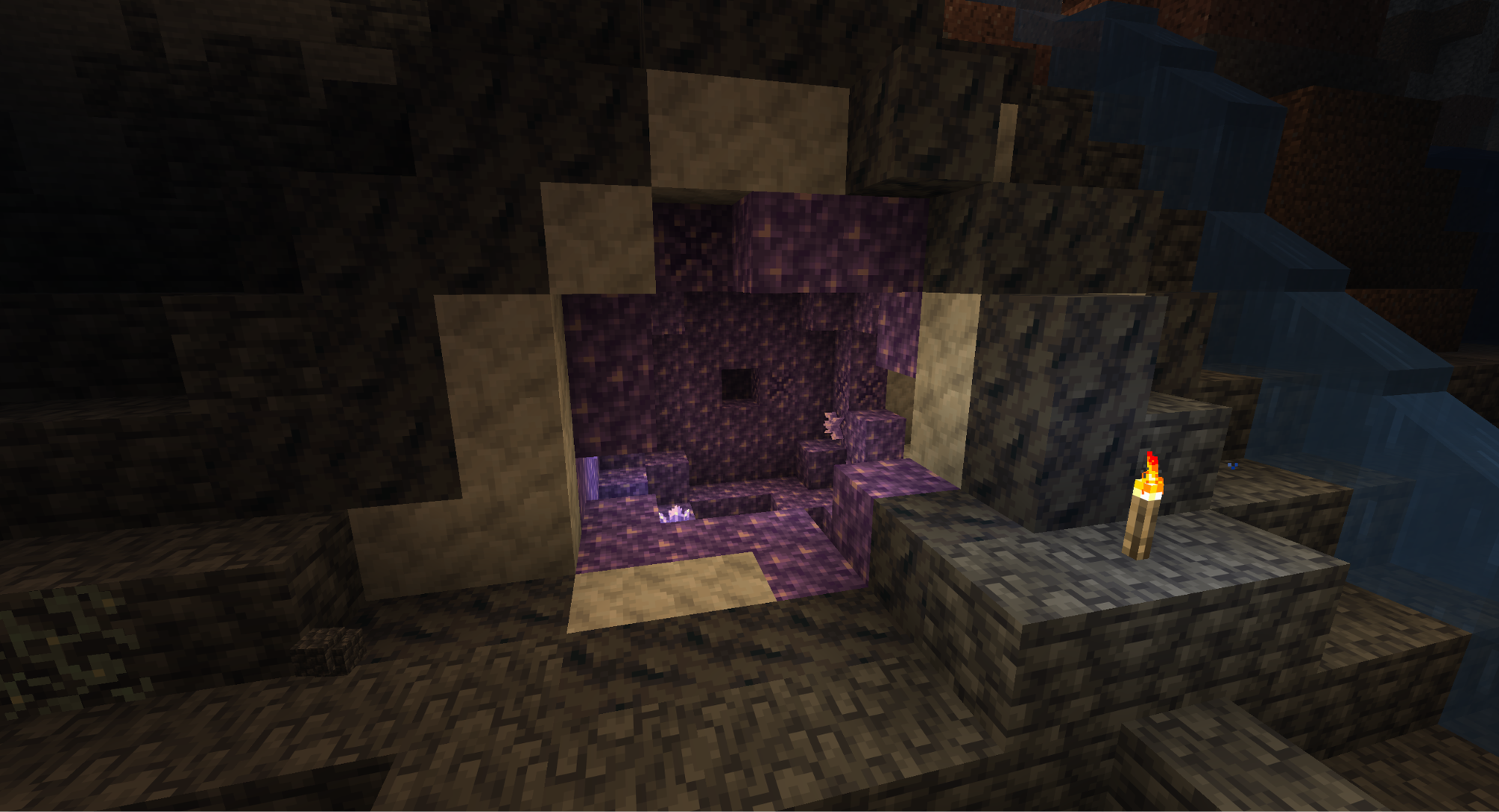
Before you can mine Amethyst Shards, you need to find a Geode. Amethyst Geodes are large, spherical structures that only spawn underground, specifically between depths 30 and -58. They have an outer shell of Black Basalt. Under that is a layer of Calcite. And under that is a layer of Amethyst blocks.
If you’re lucky, they can also spawn already creaked open and exposed. The gentle glow of the Amethyst and rich purple color will make for a very noticeable contrast to the greys of a cave.
How to get Amethyst Shards from Clusters
Amethyst Shards themselves are found by breaking an Amethyst Cluster with a pickaxe of any tier. These non-block objects spawn on top of specific blocks known as Budding Amethyst. They look like regular Amethyst blocks, but have a small cracked texture on their faces.
Warning: do not break Budding Amethyst blocks. They will grow new Amethyst Clusters over time, making them a renewable source of Shards. They drop nothing when broken, so they can’t be picked up and relocated.
Amethyst Clusters grow from Amethyst Buds
Amethyst Clusters are the fourth and final growth state of Amethyst Buds, so they are remarkably larger than the others. Buds themselves don’t drop any Amethyst Shards, so only break a fully grown cluster. If broken with a pickaxe, they will drop four Amethyst Shards each.
Where to find Amethyst Shards as loot from chests
Amethyst Shards also have a chance to appear in chests in the Ancient City biome and inside of Trial Chambers. But considering that Geode spawns are far more common, you’re more likely to come across a Geode by accident than either of those places intentionally.
Minecraft Mods That Improve Spyglass And Exploration
Minecraft is one of the most modded games of all time. Community-driven content exists for nearly anything, and that includes expanding on what the Spyglass is capable of. If you’re curious about modding, whether that's to do more with a Spyglass or to just improve your ability to explore, consider downloading these mods first.
Nature’s Compass
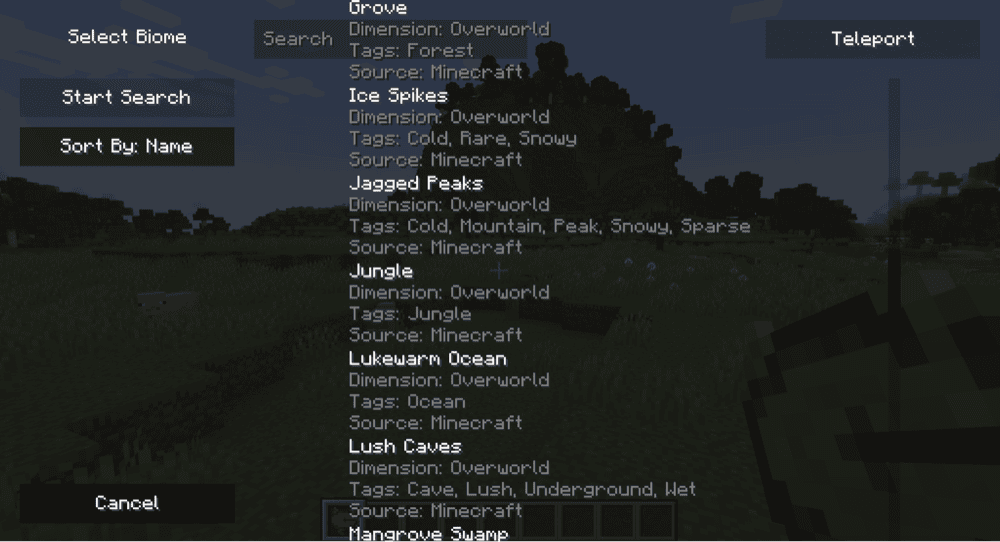
Exploration is fun, but sometimes you need something from a specific biome and don’t want to search aimlessly for it. Nature’s Compass adds an item of the same name. When activated, you can select a biome and it will point you in the direction of the nearest one. This way, you find what you want while still making an honest effort to obtain it.
Xaero’s Minimap
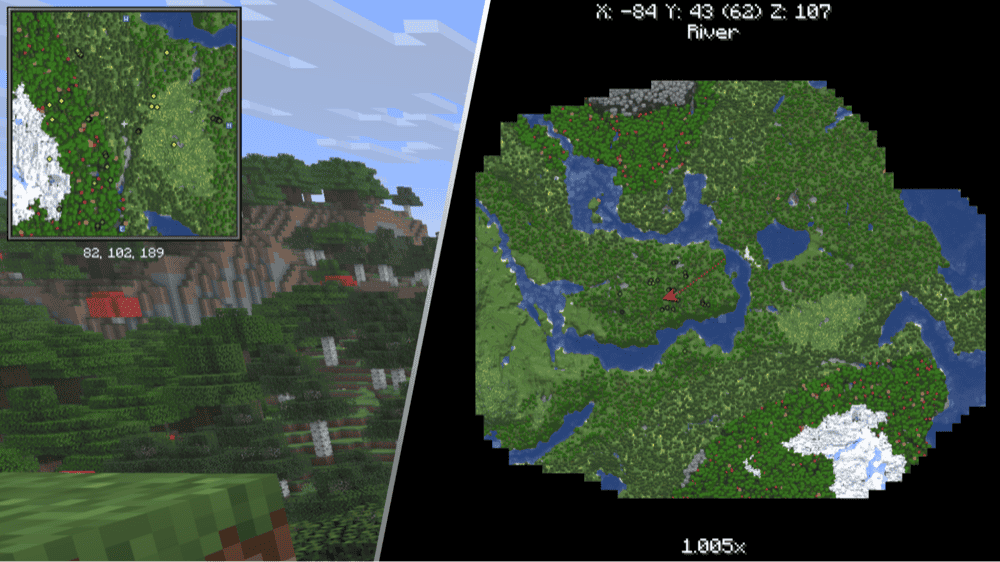
These two UI mods add in something that nearly all video games benefit from: a minimap and world map. They work amazingly right out the gate, charting caves and nether, tracking waypoints, and pinpointing mobs.
They also offer some wonderful customization options, allowing you to tailor the map to your specific needs. While Xaero’s creations can be installed separately, they are best used together for the ultimate navigational experience.
Spyglass Improvements
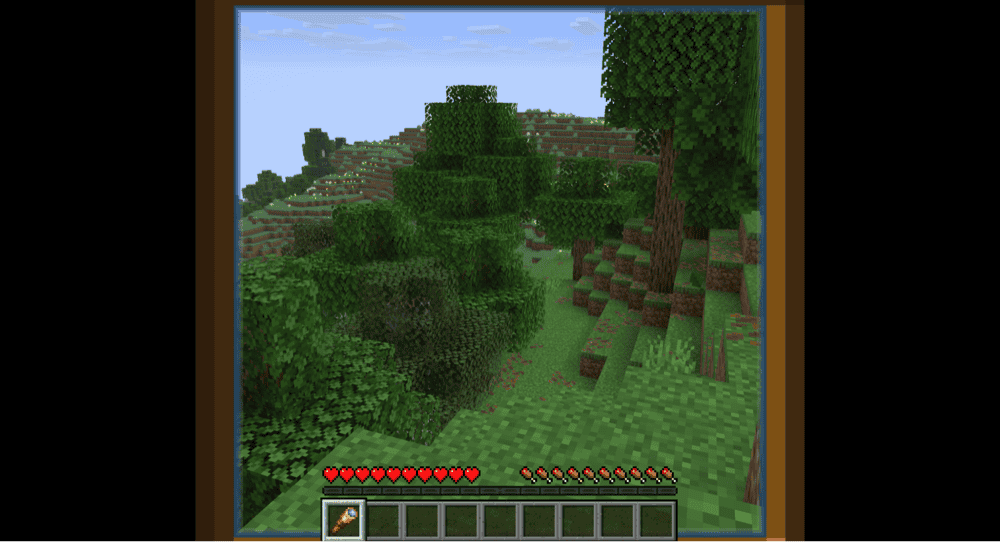
This simple and straightforward mod gives you a little more customization and control over a Spyglass. You can zoom in and out, remove the crosshair, change the overlay, enable smooth camera, and even quick-draw your spyglass using the "Z" hotkey.
How to Install Minecraft Mods
You can install the above mods automatically using the CurseForge app or manually by placing the mod files within your game’s mods folder. Both methods allow you to easily add custom features and enhancements into your vanilla Minecraft experience.If you want to learn more, you can read our detailed guide on how to install Minecraft mods.
Common Issues and Quick Fixes
An amethyst geode still won’t appear
Due to the random nature of Minecraft world generation, pinpointing a reliable location for anything can be difficult. Ensure that you’re at the correct depth for Geodes to appear and keep looking.
If you still can’t find any Geodes, consider ‘wallclipping’ by changing your game mode to "Spectator". In this mode, you can fly through walls. When inside walls, you’ll have a clearer view of everything around you, including potentially isolated pockets of air underground. Look for round bubbles that don’t flow with the nearby cave systems as those are most likely a geode.
Distant fog blocks my view
The Spyglass uses a clever trick for its zoom. Instead of actually increasing your sight range, it lowers your field of view to just 10 percent of what it’s currently set to. This gives the illusion of zooming in without having to actually render what’s in the distance.
The downside to this system is that anything you can’t see normally you also won’t see with a spyglass. This means things like render distance fog and mob render distance will still hinder your sight.