Treasure hunting is one of the best reasons to leave your base and follow the coastline. A half-buried shipwreck, a ruined stone structure under the water, or a tiny map marker at the edge of a parchment can all lead to one of Minecraft’s most useful exploration rewards.
In this guide, we’ll go through the main ways to find treasure in Minecraft, how buried treasure maps work, what to expect from shipwrecks and ocean ruins, and how to avoid wasting time digging in the wrong spot.
The Three Main Treasure Sources
Minecraft's treasure system revolves around three structures: buried treasure, shipwrecks, and ocean ruins. They're all connected but they don't work the same way.
- Buried treasure is the goal. It's one of the most useful early exploration chests in the Overworld and the only source of the Heart of the Sea, which you need to craft a conduit. You rarely stumble across it by accident – the intended route is via a treasure map from a structure.
- Shipwrecks are the best starting point. They're common in all ocean biomes and occasionally appear beached on shorelines. A shipwreck can hold up to three different chests, and the map chest always contains a buried treasure map – making shipwrecks the most reliable way to start the chain.
- Ocean ruins are the backup option. Both small and large ruins can contain buried treasure maps too, though at a drop rate of about 42% per chest rather than guaranteed. Large ruins often spawn clusters of 4 to 8 smaller ruins around them, so finding one large ruin can result in a productive run.
Finding a Shipwreck
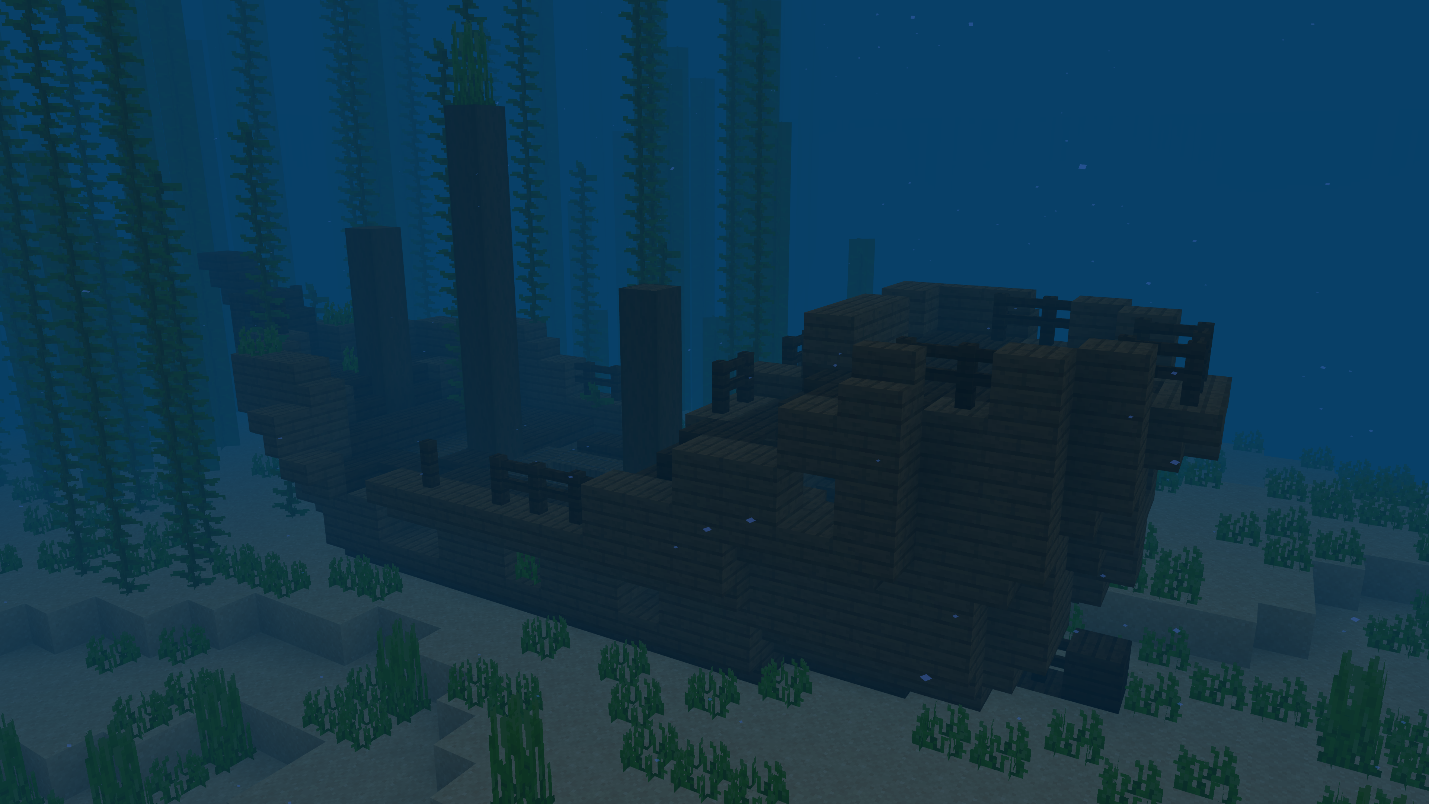
To begin, scan ocean surfaces for a boat. Shipwrecks show up as dark shapes on the seafloor visible through clear water, sometimes tilted, upside down, or partially buried in sand. They're common enough that most ocean exploration turns one up fairly quickly. Cold ocean biomes, warm oceans, and coastlines are all valid areas to check.
Once you find one, locate the lower stern – the back lower section of the hull. That's where the map chest generates. If the wreck is badly damaged or intersects unusual terrain, some expected chests may be missing entirely.
Below, we’ve shared the three chest types and what's in them:
- Map chest (lower stern): always contains one buried treasure map. Also has paper, feathers, books, clocks, compasses, and sometimes a Coast armor trim.
- Treasure chest (upper stern): iron ingots, emeralds, lapis lazuli, gold, occasional diamonds, and a chance at a Coast armor trim.
- Supply chest (bow): practical survival items – wheat, carrots, potatoes, coal, rotten flesh, moss blocks, leather armor pieces, bamboo, and occasional TNT or suspicious stew.
How to Read a Treasure Map
Take the buried treasure map from the chest and hold it in your main hand if you want the clearest view. You can still hold a map in the offhand, but the main-hand view is larger and easier to line up with the red "X" mark.
- When you first open the map, your player icon may appear tiny and fixed at the edge. That means you're still outside the map's active area. Keep traveling toward where the map seems to point. Once you enter the 512x512 mapped region, the icon returns to normal size and the surrounding terrain starts filling in.
- From there, move until your player icon sits over the center of the red "X". The buried treasure chest sits at the same "X" and "Z" coordinates as the middle of that "X" mark. Line up horizontally first, then vertically, and dig when both are aligned.
- If you dig straight down and hit nothing within 5 blocks, widen the search to a 3x3 area around the centered spot before moving elsewhere. The chest can be under sand, gravel, stone, or even water depending on the terrain, but it will be there if your alignment is right.
Digging Up the Treasure
Buried treasure usually generates at a shallow depth, but the exact block covering it depends on the terrain. On beaches, it is often under sand or sandstone. On the ocean floor, it can be under sand, gravel, sandstone, or nearby terrain blocks. If water floods the hole while you're digging, place a block to prevent the water from going in.
In Java Edition, buried treasure always generates at chunk coordinate 9 on both the "X" and "Z" axes within its chunk. If you press "F3" and check your coordinates, this can help you narrow down the dig site precisely – though lining up on the "X" mark is usually enough without needing to think about chunk coordinates.
What's Inside Buried Treasure
In Java Edition, the chest always contains a Heart of the Sea. Beyond that, each open includes several rolls across multiple item pools: iron and gold ingots, TNT, emeralds, diamonds, prismarine crystals, cooked fish, and sometimes Water Breathing potions. It's a meaningful haul even ignoring the Heart of the Sea.
Bedrock Edition also guarantees the Heart of the Sea but uses a different loot table with a broader pool that includes chainmail armor, name tags, leads, experience bottles, and other items that don't appear in the Java version. The map route and digging process are the same on both editions – only the chest contents differ.
What to Do With the Heart of the Sea
The Heart of the Sea is the main reason buried treasure matters long-term. Combine 1 Heart of the Sea with 8 nautilus shells to craft a conduit, then activate it underwater using a frame made from prismarine, prismarine bricks, dark prismarine, or sea lanterns.
Tip: A conduit is not something you need before your first treasure run. Think of it as the reward that makes future ocean work easier. Once active, it gives nearby players Conduit Power, which helps with underwater breathing, visibility, and mining speed.
With a full frame, it can also damage hostile mobs in water, making it useful near ocean bases, guardian farms, or long-term underwater building projects.
Ocean Ruins
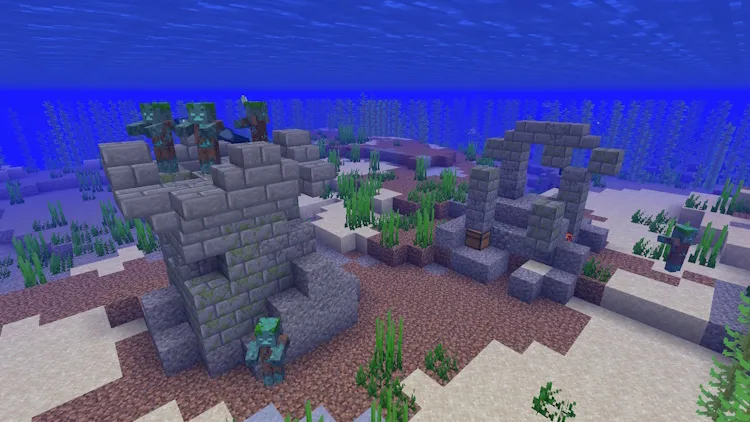
If you can't find a shipwreck, ocean ruins are worth searching as well. They appear in cold and warm ocean variants, each with different suspicious block types – cold ruins have suspicious gravel, warm ruins have suspicious sand. All but two ruin pieces contain a chest, and about 42% of those chests hold a buried treasure map.
Large ruins are especially bountiful because a single large ruin has a 90% chance to spawn 4 to 8 smaller ruins nearby. Finding one means the surrounding area is worth staying in. Watch for drowned mobs that can generate alongside ruin pieces though, and be aware that some ruin chests may end up buried under ordinary sand, gravel, or stone during generation.
After grabbing the chest contents, brushing the suspicious blocks with a brush can yield archaeology rewards – coal, wheat, gold nuggets, emeralds, enchanted items, and occasionally a sniffer egg.
Other Places to Find Treasure
Buried treasure is the main map-based treasure route, but it is not the only valuable loot source in Minecraft. Desert pyramids, jungle temples, ruined portals, bastion remnants, ancient cities, and End Cities can all reward exploration with rare materials, armor trims, enchanted books, or unique gear.
These structures do not use buried treasure maps, so treat them as separate exploration goals rather than part of the shipwreck-to-map route.
A Few Underwater Safety Tips From Us
Treasure runs go faster with the right enchantments and preparation:
- Respiration III extends underwater breathing time by 45 seconds beyond the base limit, giving you significantly more time before you need to re-surface. It's the most forgiving single enchantment for any underwater work.
- Depth Strider III lets you move through water as fast as walking on land, which makes covering long ocean floor distances much less tedious.
- Aqua Affinity removes the underwater mining speed penalty. This is useful for ocean ruin runs where chests can be buried under blocks you need to dig through.
- Night Vision makes dark underwater areas significantly easier to navigate. Combines well with everything else.
- Dolphins are an underused vanilla option. Feed a dolphin raw cod or raw salmon and it will swim toward the nearest buried treasure, shipwreck, or ocean ruins. Less precise than a map, but a legitimate guide when you're starting blind.
Mods That Work Well for Treasure Hunting
Vanilla treasure hunting is built around maps, shipwrecks, ocean ruins, and buried chests. The mods below keep that same exploration focus: one makes treasure maps easier to read, while the other adds more treasure-style rewards to mining and biome exploration.
Better Treasure Map
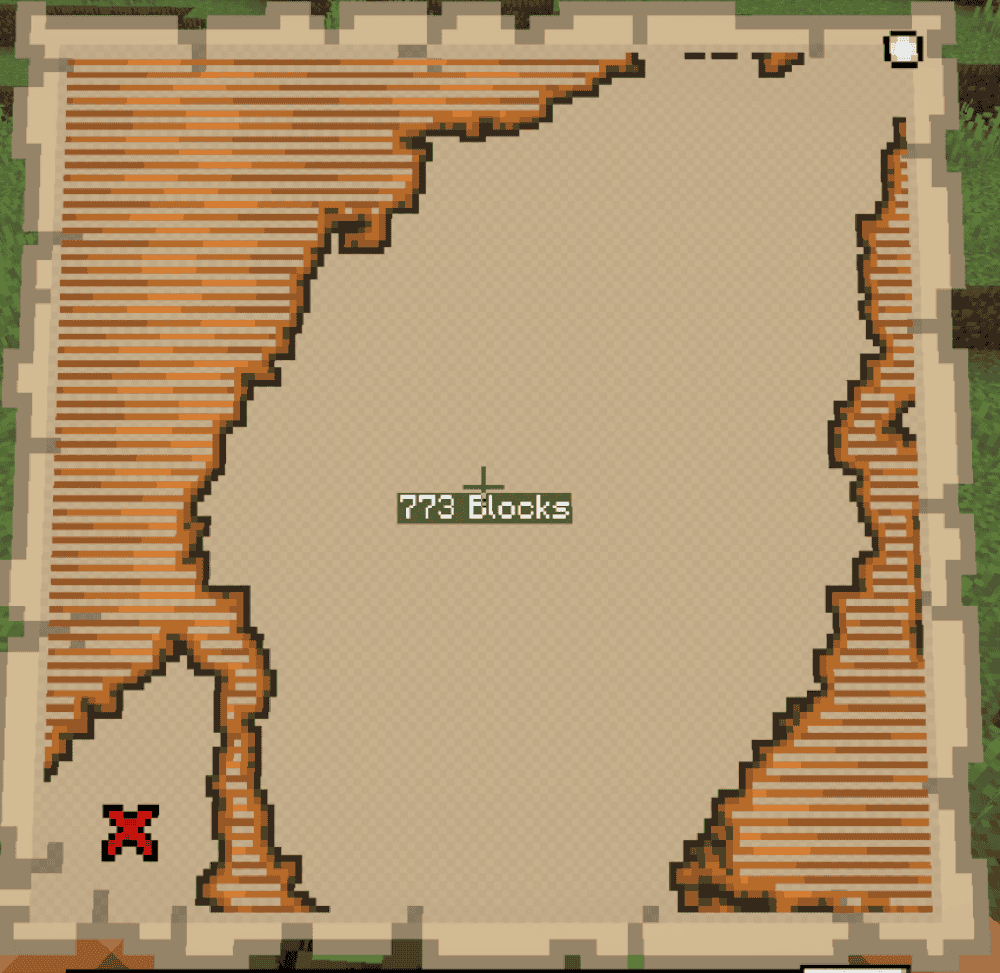
“Better Treasure Map” adds a block-distance readout to vanilla treasure maps while you are holding one. Instead of relying only on the red "X" and your player marker, the mod shows how far you are from the buried treasure in blocks. This makes the last part of the search easier, especially when the map marker is close by but you are still not sure where to dig.
Note that “Better Treasure Map” does not replace Minecraft's treasure map system. You still find maps in shipwrecks or ocean ruins, follow the "X", and dig for the buried chest. The mod simply adds clearer distance information on top of the existing map, which makes it a good fit for players who enjoy treasure hunting but want less guesswork.
Mine Treasure
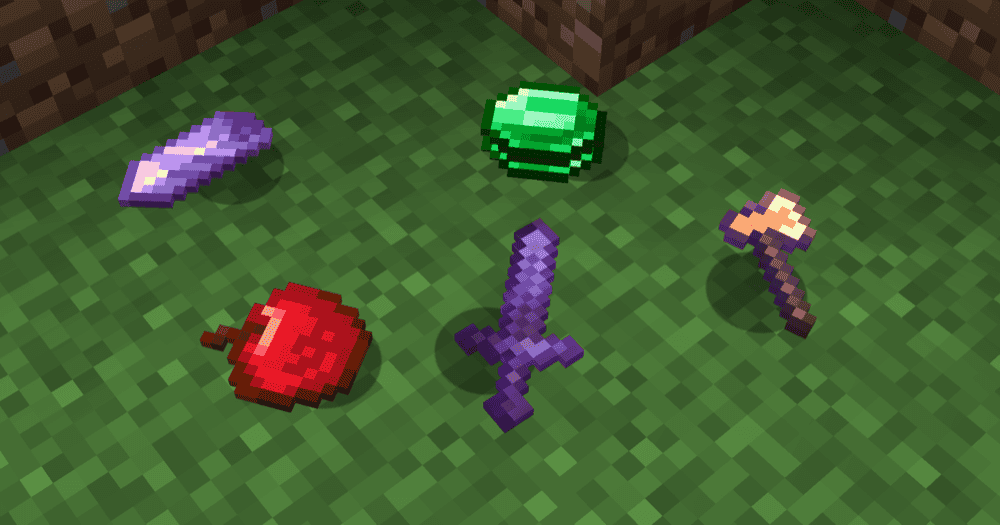
“Mine Treasure” expands treasure hunting into mining instead of keeping it limited to shipwrecks, ocean ruins, and buried treasure maps. It adds treasure rewards that can appear while mining, with biome-specific loot tables and multiple treasure tiers ranging from common finds to much rarer high-value rewards. This makes normal mining feel more like exploration, since different biomes can lead to different treasure results.
“Mine Treasure” also adds custom items, advancements, settings, and progression rules so the strongest rewards are not handed out too early. It is a good fit for players who enjoy the treasure-hunting loop but want it to continue underground after they have already found the Heart of the Sea and built a conduit.
How to Install Minecraft Mods
You can install the above mods automatically using the CurseForge app or manually by placing the mod files within your game's mods folder. Both methods allow you to easily add custom features and enhancements into your vanilla Minecraft experience.
If you want to learn more, you can read our detailed guide on how to install Minecraft mods.
Common Issues and Quick Fixes
The treasure map marker is tiny and stuck at the edge
You're outside the map's active area. The tiny icon at the map border means the treasure is in a different region than where you currently are. Keep traveling – the icon returns to normal size once you enter the 512x512 mapped region. Only then start trying to align with the red "X".
Dug at the "X" spot but there's no chest
Widen the search before giving up. If you aligned correctly and dug 5 or 6 blocks straight down without finding anything, try searching a 3x3 area around that spot. The chest can be under several block layers depending on terrain.
Also double-check the map in your main hand if you were using the offhand view – the larger view makes it easier to line up your marker with the red "X".
The shipwreck had no map chest inside
This is a real generation outcome. Shipwrecks that are heavily damaged or that intersect unusual terrain can lose expected chests. It's not something you missed – some wrecks simply generate incomplete. Move on and look for another shipwreck or try ocean ruins instead.
The ocean ruin chest had no treasure map
Only about 42% of ocean ruin chests contain a buried treasure map, so finding empty ones is normal. If you're near a large ruin, search the cluster of smaller ruins around it – each chest is an independent roll. Combined across a cluster, your chances of finding at least one map are much better than a single ruin chest implies.
The treasure chest contained different items than expected
Java and Bedrock Edition use different buried treasure loot tables. Both editions guarantee the Heart of the Sea, but the rest of the chest contents and item odds are not identical.
My game crashes after installing a new mod
Check the Minecraft version, mod loader, and required dependencies first. A Forge file will not work in a Fabric profile, and a mod made for one Minecraft version may crash or fail to load on another.
Open the mod's "Files" page, make sure the downloaded file matches your exact game version and loader, then check the "Relations", "Requirements", or "Dependencies" section for the required library.
If the game still crashes, remove the newest mod you added and launch again to confirm whether that mod caused the issue.