Hytale has quickly carved out a name for itself as an exciting and engaging sandbox adventure game. And while exploring the randomly generated worlds is fun, seeing what the community has put together provides even more ways to play.
These fan-made worlds are available online and can be added to your own game. Some provide immersive atmospheres and interesting combat scenarios, while others challenge you to complete difficult but rewarding parkour segments. Who knows, you might just find the world you’ve been looking for somewhere on this list!
Important: This article was originally published in May 2026.
Please be aware that the mods listed below were popular at the time of writing, but may have since become outdated or incompatible due to subsequent game updates. While we include them here as noteworthy examples of the modding community's work, we cannot guarantee their complete functionality.
For a list of the most recent and fully playable Hytale mods, please visit the official Hytale mods page.
1. Skyblock By Cinderstone Studios
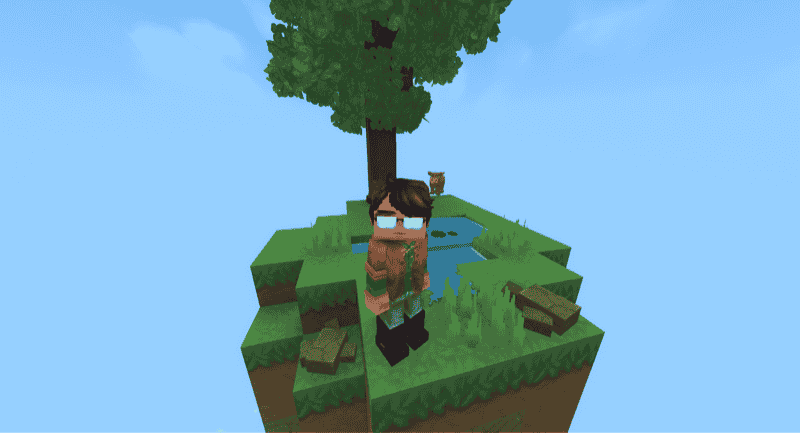
It’s really no surprise to see a map like this take the top spot on the list. Skyblock is a Hytale world based on Minecraft’s Skyblock. You start the game with the most minimal survivable experience: a small, floating island with a tree and a bit of water.
From here, you build up a bigger and better island until you can reach other far-off islands with new materials. It’s a fantastic way to really switch up how you approach the game and will be an interesting challenge for newcomers and veterans alike.
2. Amazing Parkour
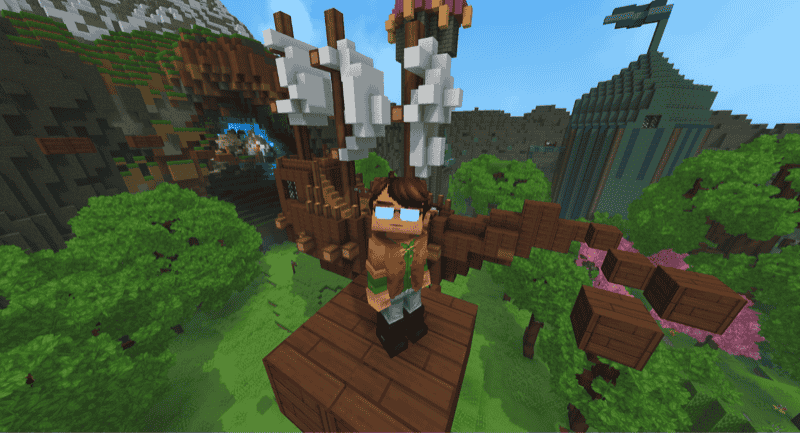
This parkour map has better level design and artistic ambience than most dungeon or adventure maps out there. It paces you through three different parkour zones.
First is a summer-themed zone, with green trees and medieval structures. Next, you enter a winter-themed cave, full of ice spires, snowy land, and holiday decorations. Last is the hellish zone, which takes on rocky crags of red, lava pools, and some of the most challenging platforms on the map.
As far as parkour goes, it’s challenging enough to appeal to most players, but it's definitely on the easier side of things. So this is the perfect pick for someone looking for a more casual and charming parkour experience.
3. Parkour Trials - One Step
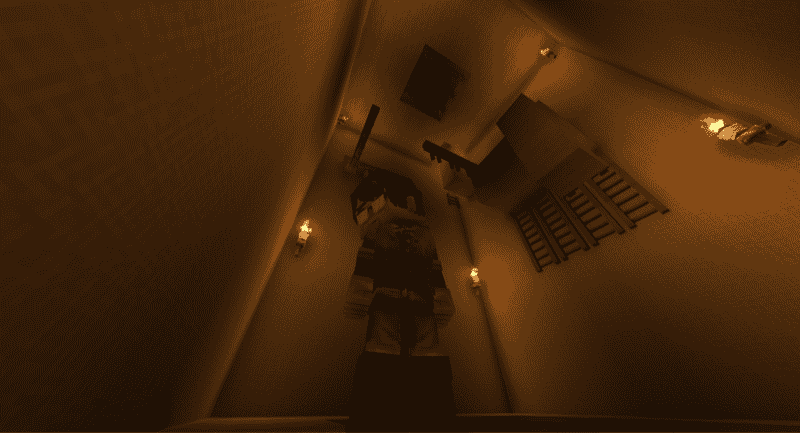
One Step is yet another Parkour map. However, this one is built with specific gameplay mechanics and blocks in mind and can be difficult and frustrating at times. That being said, the map is very short and can be finished in about 3 minutes if you play perfectly.
You will see a lot of ladders and fences in this parkour map, so make sure to perfect your crouch jumps and ledge grabs if you want to be among the record setters.Parkour Trials is also remarkably more visually appealing, with an intentional style and ambience to each zone. What starts as a traditional dungeon theme evolves into a large open chasm of crystalline islands. All of this makes it probably one of the most memorable parkour challenges available online.
4. Parkour Tower Of Misery
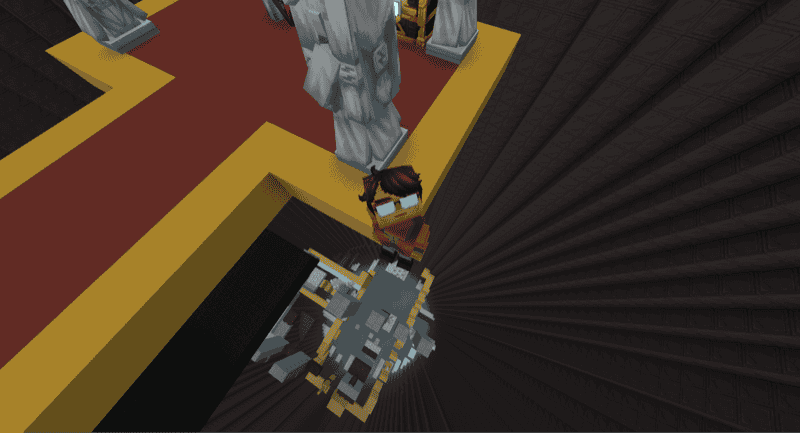
Probably the most aptly named world, The Parkour Tower of Misery is a massive cylinder with platforms spiralling around the inside. The platforms come in many shapes and sizes, but the goal is always the same: jump to the top.
Each “stage” is tougher than the previous one, and a small misstep can send you hurtling toward the very bottom, so reaching the very top floor is going to take some serious dedication and skill. We don’t recommend it for casual parkour players, but if you’re looking to truly test your mettle, this is definitely a Hytale world worth installing.
5. Dungeon Of Wolves
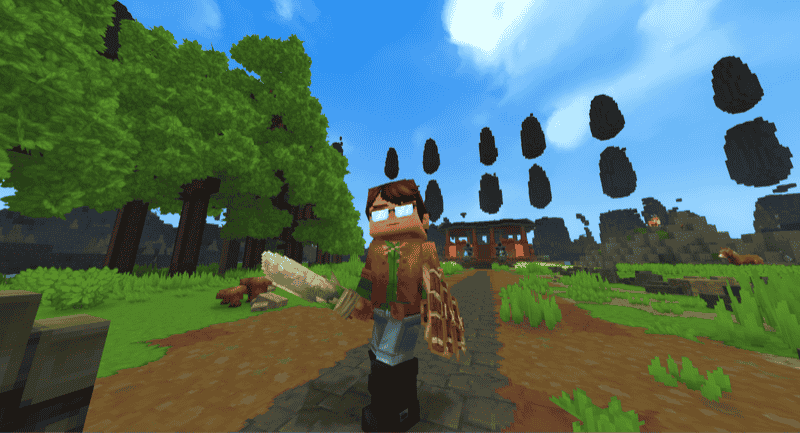
If you want to flex your Hytale combat muscles in a stylish and thematic way, few worlds do it as well as the Dungeon Of Wolves. As the name suggests, this is a fully-fledged dungeon, complete with sprawling corridors, traps, treasure, and (of course) wolves.
Limited supplies means that you’ll need careful planning in order to best the beasts within. It’s challenging, ambient, and a great way to play more of a combat-focused style of Hytale.
6. Cozy Starter House
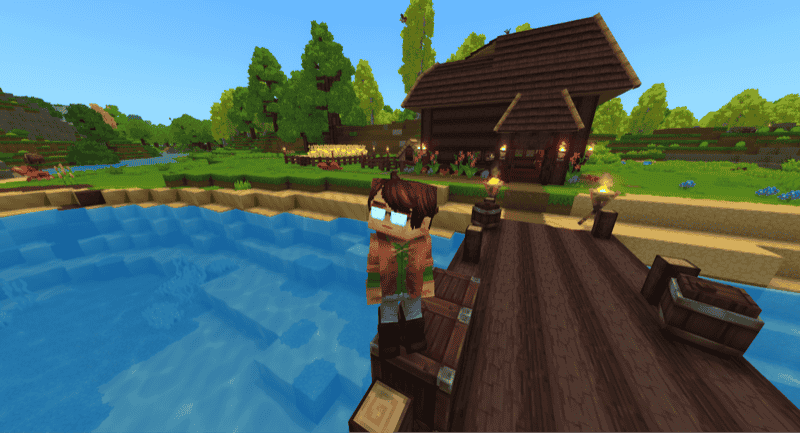
While most Hytale maps try to introduce interesting challenges or scenarios, the Cozy Starter House instead acts as a casual jumping-off point. As the name implies, this is a charming, well-built starter house, complete with the basics for survival.
For players who don’t like trudging through the “first night” hassle of building all the basics, this map provides a relaxing and comfy way to start a survival adventure within Hytale. Plus, it’s cozy enough that some players have even built it on their main saves and used it as a permanent home (or at least the inspiration for one).
7. Medieval Mansion
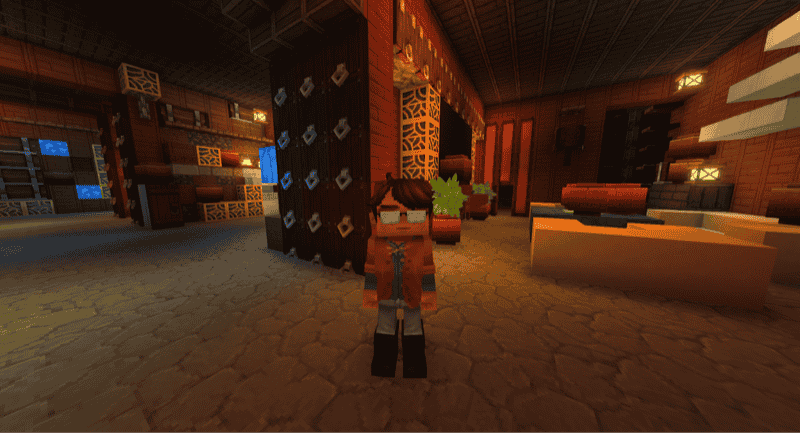
Was a cozy cottage not grandiose enough for you? Instead, try turning your discerning eye to the Medieval Mansion by xSpring. This map is a sprawling, multi-floor medieval mansion that boasts a beautiful exterior and a gorgeous interior, complete with personalized rooms.
Many of the rooms are (while very appealing) purely decorative, so you’ll need to give yourself some time to get familiar with the entire layout, but living in a Hytale dream like this is more than worth it.
8. Adventure Islands
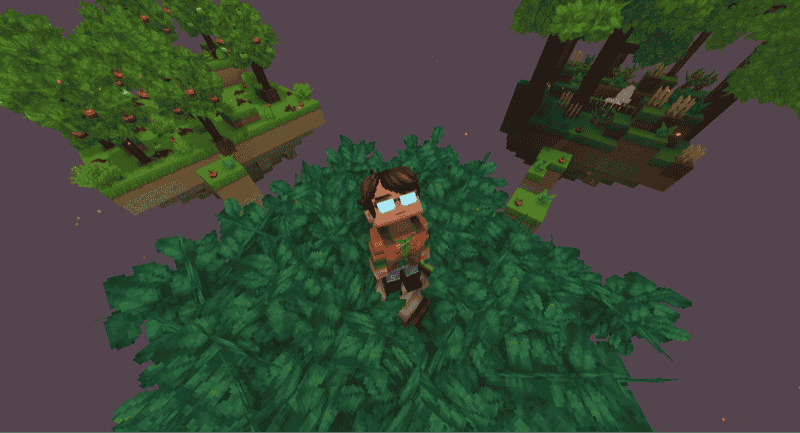
Consider this something like a “Skyblock Lite” Hytale world. You start on a floating island, but there are multiple other islands that you can island-hop to in order to keep advancing through the early-game.
All in all, it’s an excellent blend between vanilla and floating Hytale worlds that will offer you a different kind of challenge to overcome. With its striking visuals and accessible pacing, it’s a great pick for both newcomers and seasoned Hytale players.
9. Tryzz’s Dungeon
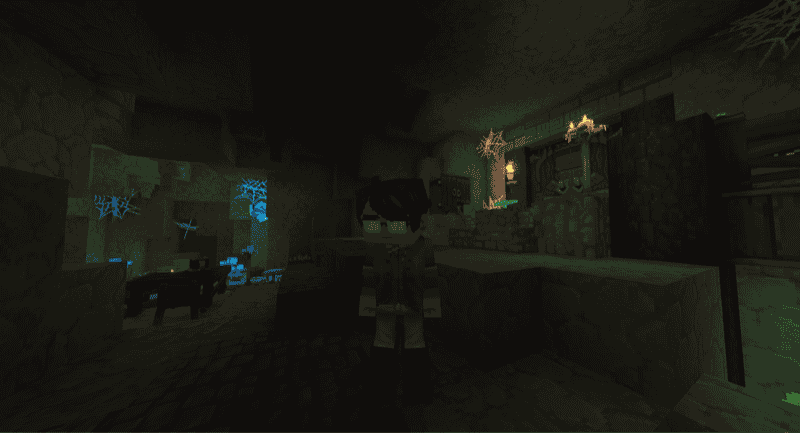
Not quite a dungeon in the usual Hytale sense, this custom world showcases a well-crafted and somewhat spooky campsite, lit by torches and beautiful with the unique foliage. Whether you find this map relaxing or unsettling will be up to your own perspective. But if you want a small, but striking, custom Hytale world to explore, you’ll want to give Tryzz’s Dungeon a try.
10. Skull Arena PVP/PVE
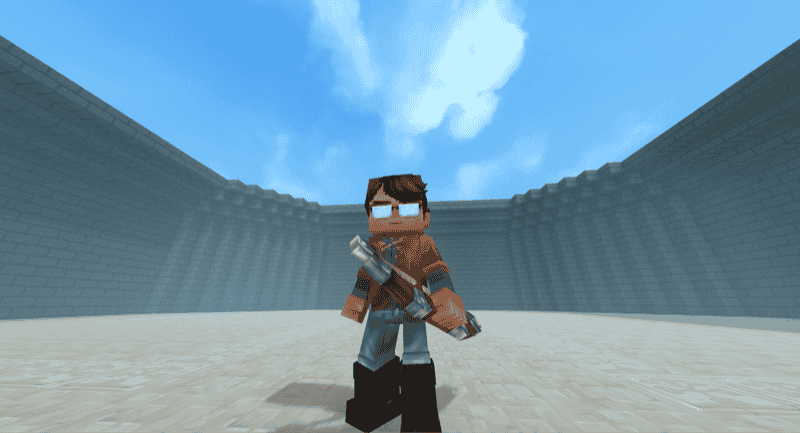
There’s a certain beauty in the simplicity of this one. Skull Arena is a large, circular, stone space with tall, stylized walls. There’s an archway on each side. One side also holds 3 large chests of different weapons (no armors, though).
This is a perfect space to play around with the combat system in Hytale, whether that’s through spawning entities to fight or inviting people over for a PVP fight.
How To Add A Custom Hytale World To Your Game
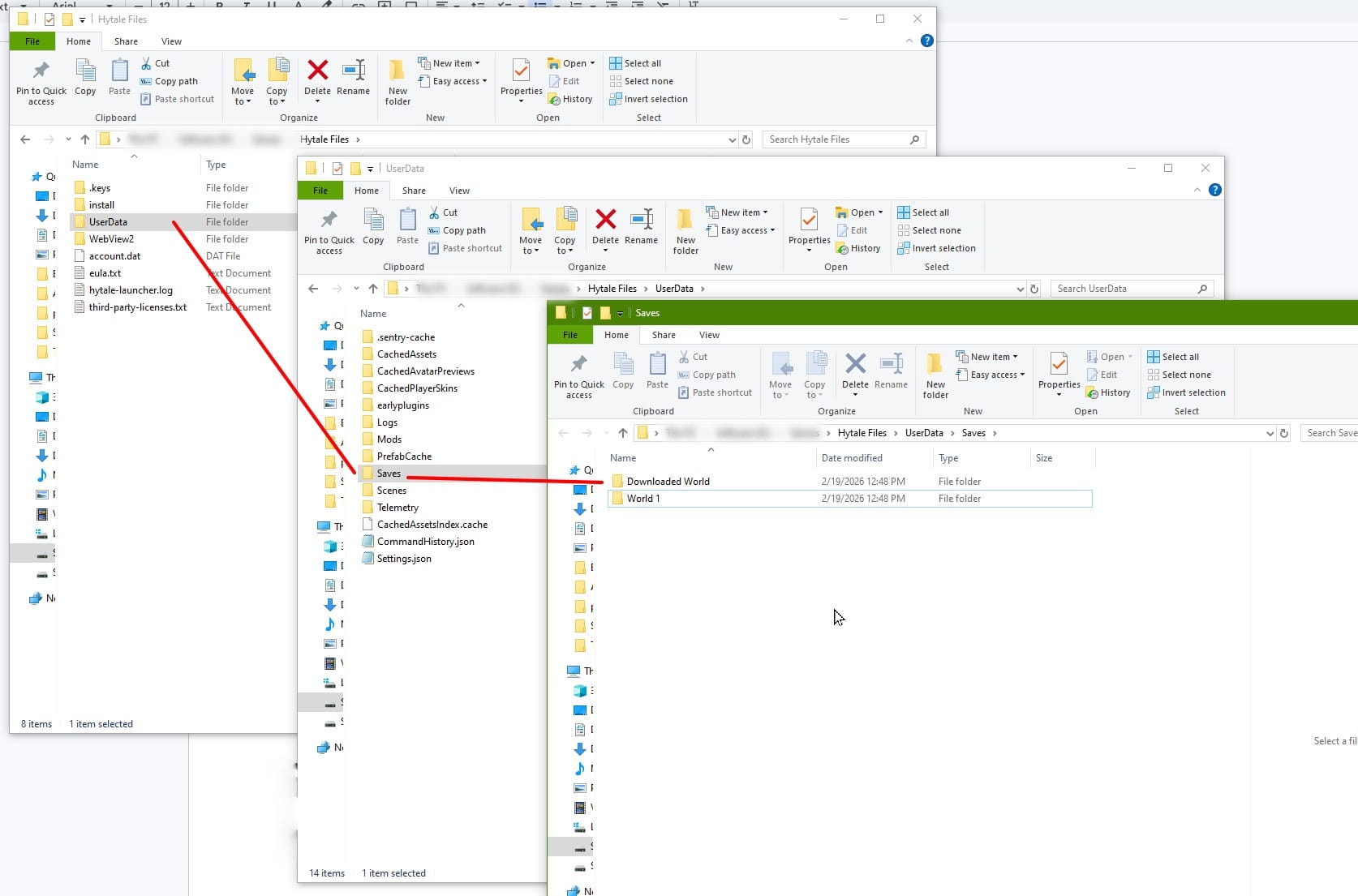
- Download the desired world. It will be saved on your computer as a ZIP file.
- Unzip the downloaded world file. Inside that ZIP is another folder with the world name. And inside that is the save file details.
Tip: If the ZIP file immediately opens for multiple files (like config.json and preview.png), create a new folder for the world and save those files into that.
- Move your downloaded world file into the Saves folder for Hytale (Hytale Files/UserData/Saves). Each folder inside will be a different world save.
If everything is done correctly, the new world will appear in your world list when you load up Hytale again.
Common Issues and Quick Fixes
I don’t see my world, just three portals
Some Hytale worlds are made in creative mode, which includes a hub world to start in. Odds are, the custom world you want will be the right side portal, the default “super flat” world option. If you go through the wrong portal, you can return to the hub world by typing "/hub" into the chat.
How do I add a custom Hytale world to my server?
- Using an FTP client or web panel, navigate your server files to the /universe/worlds/ directory.
- Upload the unzipped world folder to this location.
- In the server console, type "/world load" followed by the world name. Then hit enter.
Why are some textures not displaying correctly?
Some custom worlds may contain mods that change or introduce new items, blocks, or other effects. Check the custom world webpage and read the description carefully to find whether they were made using a mod or list any requirement.
Can a custom Hytale world break my mods?
Adding mods onto a downloaded Hytale world that didn’t previously have mods will not change anything about that world, and it can be loaded safely.
Mods that modify world generation rules, however, may not take effect until you travel further from the spawn point and discover “ungenerated” areas of the map. Here are a few more things to consider before adding mods to a Hytale world:
- If a world is made using mods and then loaded without mods, the missing items will become placeholder blocks.
- Check the web page of your chosen custom world to see if it lists any required mods. If that’s the case, install what’s missing and re-load the world.