Buried treasures in Minecraft are usually found by following a buried treasure map from a shipwreck or an ocean ruin. Every buried treasure chest contains a Heart of the Sea, which is used to craft a conduit.
Here is how to get a treasure map, read it properly, and dig up the chest once you reach the "X" mark.
Where to Find a Treasure Map
Treasure maps come from two sources: shipwrecks and ocean ruins. Shipwrecks are the more reliable option by a wide margin.
Shipwrecks
Shipwrecks generate underwater and can also appear beached on shore. Depending on which parts of the ship generated, they can contain up to three chests: a supply chest, a treasure chest, and a map chest. In Java Edition, the shipwreck map chest always contains a buried treasure map. It's therefore worth checking every shipwreck you come across.
If you're having trouble finding shipwrecks, look for tall dark shapes on the ocean floor from above water, or craft a Water Breathing potion and swim the seafloor systematically.
Tip: These are fairly common in cold and warm ocean biomes.
Ocean Ruins
Ocean ruins are smaller stone structures scattered across the ocean floor. Both small and large ocean ruins can contain treasure maps, but the chance is about 42% per chest rather than guaranteed..
How to Read the Treasure Map
Hold the map in your main hand – the map will not reliably work in your off-hand nor as an item frame.
The map should show a red "X" for the buried treasure location. Your position appears as a white marker on the map, and it moves as you travel. When you get close, line your marker up with the bottom center of the "X" mark to narrow down the dig spot as much as possible.
Important: the map covers a 512x512 block area. If your marker is still tiny or sitting near the edge, then you are far away from the treasure spot and need to keep moving toward the "X". If you're still zoomed out and the "X" mark looks far away, you're just not close yet – keep moving toward it. The map will fill in around your position as you explore, so you'll see more revealed terrain as you get closer.
If the map seems very large but you can see the "X" near an edge, you might need to travel further than expected. Use your coordinates to track how your position relates to where the "X" sits on the map grid.
How to Get to the Treasure
Buried treasure spawns on beaches and sometimes on the ocean floor, so you're usually traveling along the coast or across open water. A boat is the fastest way to cover the distance. If the treasure is underwater rather than on a beach, bring a Potion of Water Breathing and, if you have it, a helmet with Aqua Affinity so you can dig more comfortably.
Keep the map in your main hand while traveling and check it frequently. The "X" should stay fixed while your arrow moves, so you're essentially trying to walk your arrow on top of the "X" mark. Once you're close, slow down and make small adjustments until your arrow is sitting directly on the red "X".
Digging Up the Chest
When your player arrow is on the "X" spot, start digging straight down. Buried treasure is usually shallow, buried under sand, gravel, or sometimes stone depending on the terrain. On beaches, it's almost always just under the first sand layer. If you're on the ocean floor, it might be under sandstone or gravel.
A few things to know before you start digging:
- If water fills the hole, plug it with any solid block or come prepared with a bucket to clear it.
- The "X" is a guide, not a pixel-perfect marker. If you dig straight down and don't hit anything within 5 blocks, widen your search to a 3x3 area around that spot. The chest is always within the chunk the "X" points to, but it doesn't have to be at the exact center block.
- On Java Edition, buried treasure generates at chunk coordinate 9 on both the "X" and "Z" axes within its chunk. If you press "F3", this can help you narrow down the dig site very quickly.
- If you're over a cave, the chest might have generated above an air gap. Keep digging through the cave roof if you hit empty space.
What's in the Chest?
Every buried treasure chest on Java Edition contains one Heart of the Sea with a 100% drop rate. That's the main reason to go hunting. Beyond that, the chest pulls from a loot table that commonly includes iron ingots, gold ingots, cooked fish, and Potions of Water Breathing, with decent chances of diamonds, emeralds, TNT, and prismarine crystals. Occasionally, you'll also find a music disc or a piece of armor, but those are rarer pulls.
On Bedrock Edition, the loot table is slightly different – chainmail armor pieces show up more frequently, and the diamond and water breathing potion chances are lower than on Java, but the Heart of the Sea guarantee holds across both editions.
The Heart of the Sea is used exclusively to craft a Conduit, which requires 8 Nautilus Shells surrounding it in the crafting grid. A Conduit is an underwater block that grants Conduit Power, helping you breathe, see, and mine underwater while also damaging nearby hostile mobs in water. Nautilus Shells drop from drowned and can also be bought from wandering traders, so if you're planning to build one it's worth collecting those while you're already exploring ocean content.
Mods That Help With Treasure Hunting
These mods either make navigation to the "X" spot easier and more precise, or improve how loot chests behave – especially in multiplayer worlds where buried treasure is typically first-come, first-served.
Lootr
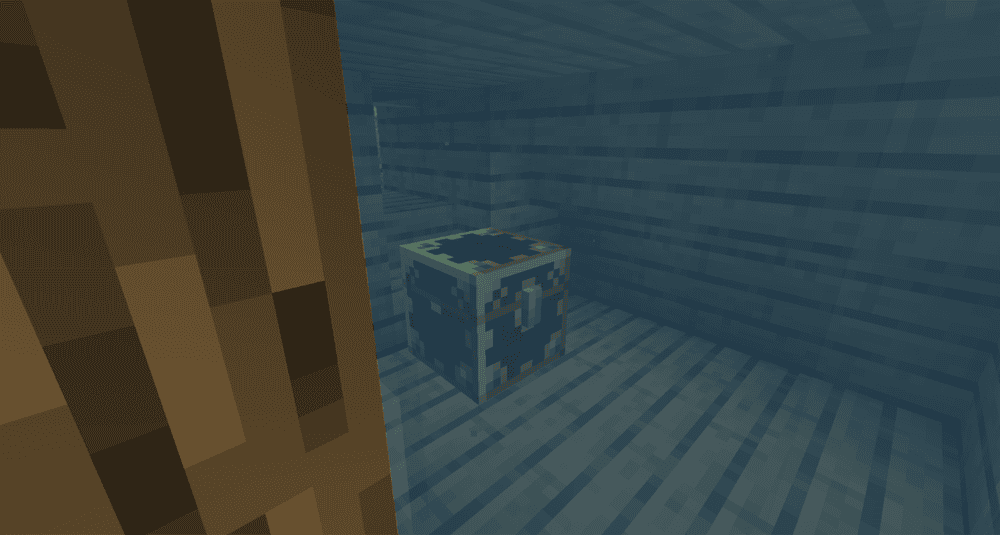
Lootr makes structure loot fairer in multiplayer by giving each player their own loot from containers like chests, barrels, shulker boxes, and minecarts. That means one player opening a buried treasure chest does not ruin it for everyone else, so each player can still get their own rewards and still find meaningful loot.
It is a good fit if you want buried treasure and other structure loot to feel more player-friendly without changing the overall vanilla loot style.
Treasure2
Treasure2 turns treasure hunting into a much bigger exploration system. It adds new treasure chests with different rarities, and those rarities affect both how likely a chest is to generate and how good its loot can be. The mod also adds locks and matching keys, so opening treasure is part of the challenge instead of just finding the chest and taking everything inside.
Beyond the locked chests, it also adds coins, gems, extra weapons, and collectibles balanced around vanilla-style play, redesigned mimics, and wishing wells that can give random loot. That makes treasure hunting feel broader and more eventful, with more reasons to keep exploring after you find the first chest.
Better Treasure Map
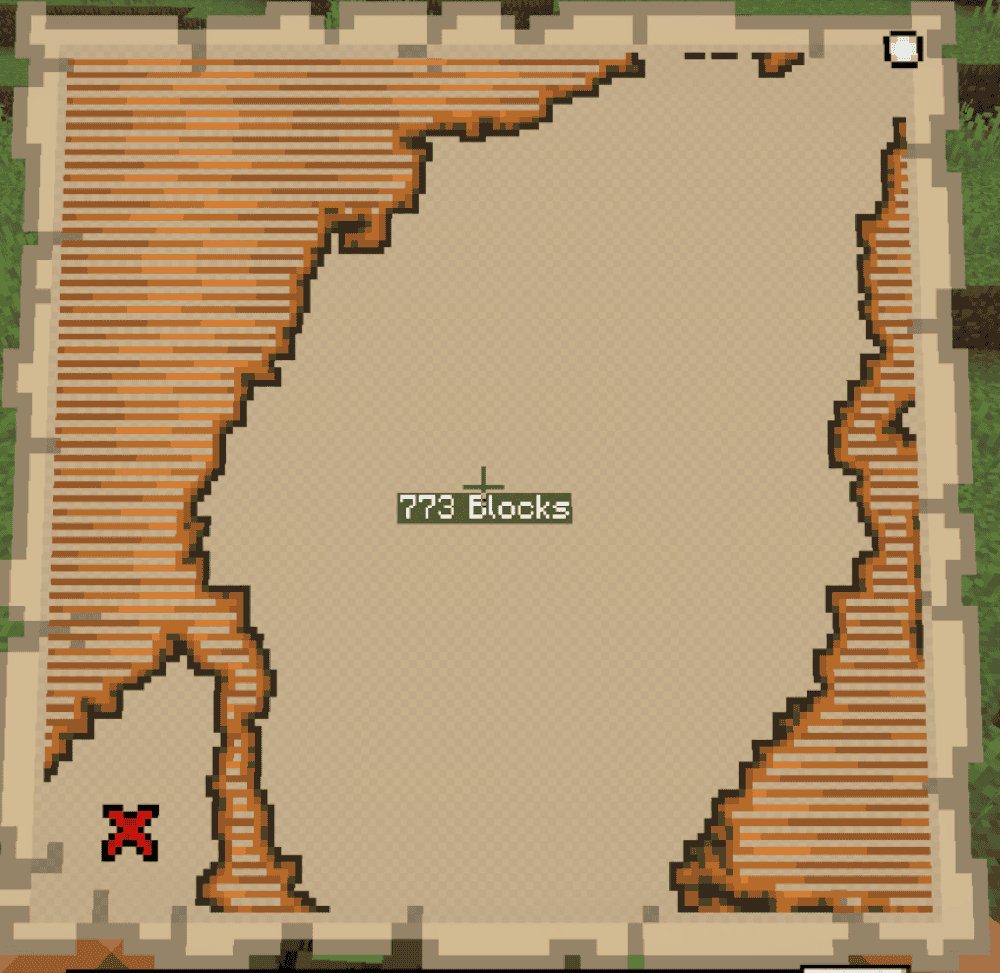
Better Treasure Map adds a clear distance readout to treasure maps, showing the exact block distance to the buried treasure while you are holding the map. This gives you a clearer sense of how far away the chest is without changing the basic treasure map mechanic itself.
It works alongside Minecraft’s normal treasure map system, so you still follow the map as usual, but with a more precise on-screen distance indicator to help narrow down the search.
Map Distance Fix
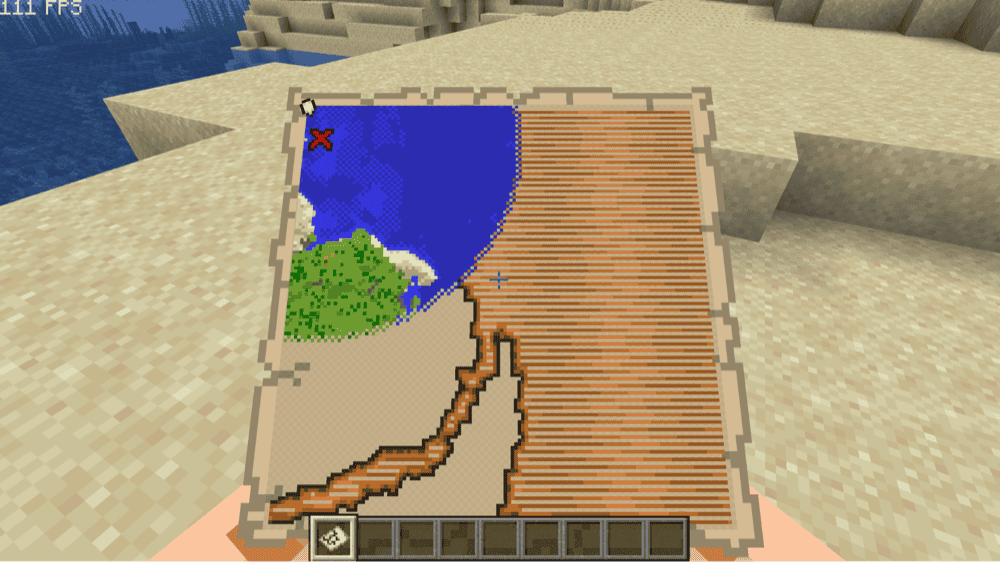
Map Distance Fix changes how your player marker behaves when you are outside a map’s normal boundaries. Instead of switching to a generic off-map dot, it keeps showing your position and facing direction, which makes treasure maps and other map items easier to read when you are still far from the mapped area.
It also includes an optional distance display and configurable settings for how that information appears. The main idea is to make map navigation clearer without replacing the normal map system.
How to Install Minecraft Mods
You can install the above mods automatically using the CurseForge app or manually by placing the mod files within your game’s mods folder. Both methods allow you to easily add custom features and enhancements into your vanilla Minecraft experience.If you want to learn more, you can read our detailed guide on how to install Minecraft mods.
Common Issues and Quick Fixes
Map arrow is not moving or showing wrong position
The player arrow only updates correctly when you hold the map in your main hand. Carrying it in your off-hand or placing it in an item frame stops the arrow from tracking your real position. Make sure to place it in your main hand and the arrow will start moving with you again.
You dug straight down at the "X" and found nothing
The X marks the chunk, not the exact block. If you dug straight down and missed, expand your search to a 3x3 area around that spot and go a few blocks deeper. On Java Edition, buried treasure always spawns at the coordinates marked 9 within its chunk on both axes – if you press "F3" and check your chunk coordinates, you can use that to find the precise dig spot. If you're over a cave system, the chest might be sitting above an air gap that you need to dig through from the side.
The "X" sits at the very edge of the map
If the "X" sits near the edge of the map, keep moving in that direction until your marker reaches the mapped area and lines up with the "X" more evenly. Once your marker is positioned correctly, start digging.
Another player already looted the chest
In vanilla, buried treasure chests work like any other loot chest – one shared pool that empties on first opening. If someone else in your world opened it before you, you get nothing. Lootr solves this by giving each player their own personal chest contents, so every player can get the full Heart of the Sea and loot regardless of who got there first.
Your mod is not loading or crashes at startup
Confirm that each mod file matches your exact Minecraft version and modloader. Make sure to also check the mod’s Relations or Dependencies page and install any required library or companion mods listed there before launching the game.