Being able to create buildings in any number of colors, sizes, and styles is a big part of what makes Minecraft so endlessly fun. It’s no joke when people say that you’re only limited to your own creativity.
But here’s a little secret: even that is not a true ceiling! When your own architectural savvy and imagination start to reach their limit, you can always lean on the wisdom of others to show you what you didn’t even know you could build.
Take the roof, for example. By making some small adjustments to how you go about building the top of your next house, you can transform the entire vibe. So, to help you find the exact kind of style you’re looking for, we’ve put together some of the most popular roof designs, explain what they’re good for, and tell you how to build them yourself.
And if you get tired of trying to build everything one block at a time, we’ve also listed some of our favorite construction mods down below to save you a ton of time on your next project, big or small.
Roof Design #1: The Basic Gable Roof
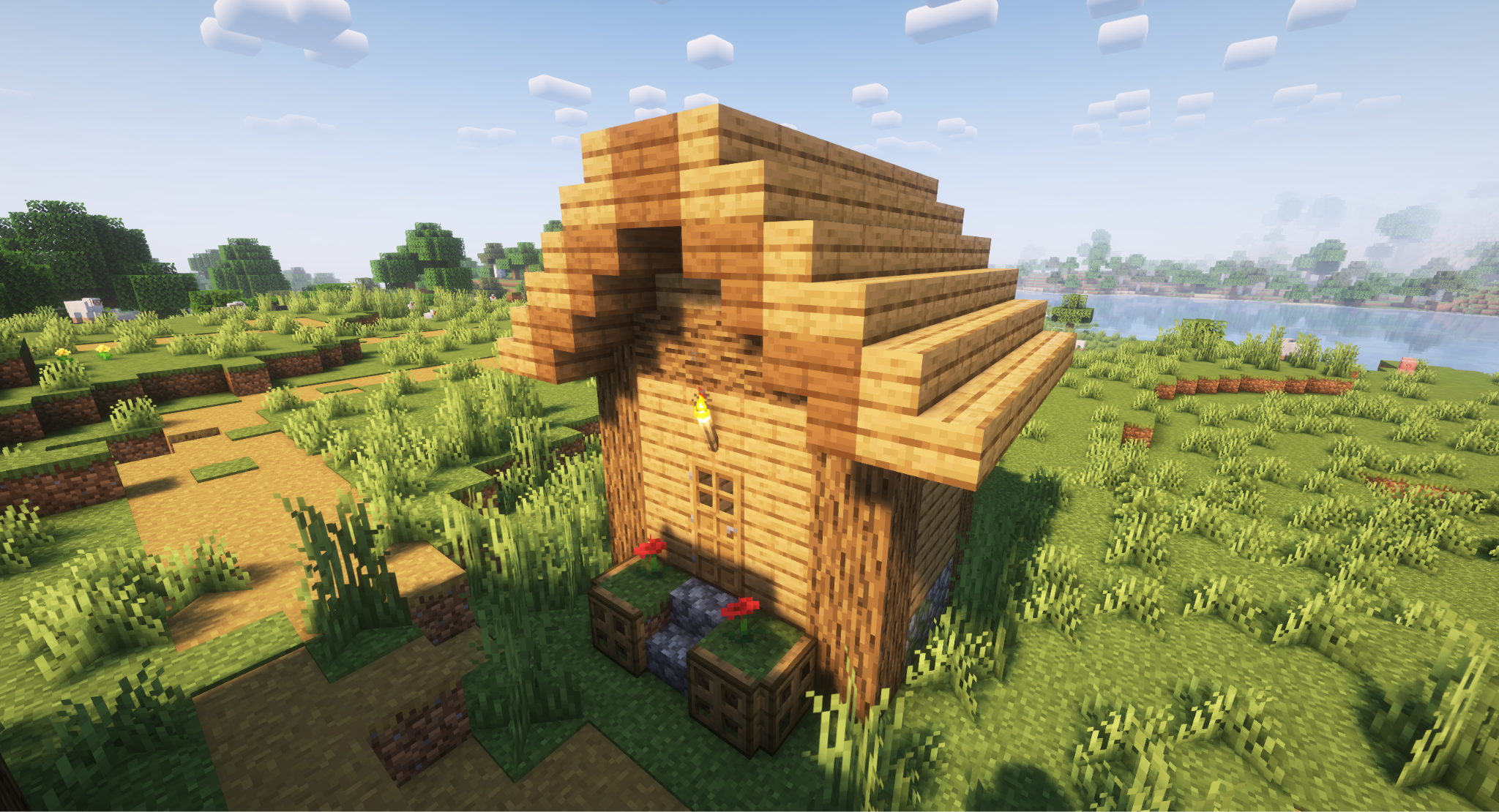
Everybody knows this classic, but not everyone knows the name. The gable roof design is the most basic construction, where two sloped sides meet at the top.
Simple and easy to build, they’re extremely common in both Minecraft and real life. They’re the default roofs in villages, even. In terms of architectural style, they were most commonly seen in New England, Canada, and early United States houses.
To build a gable roof:
- Start one block out from the wider sides of the building.
- Place stair blocks in a clean 45 degree slope until both sides meet at the center.
- (OPTIONAL) Extend the edges out from the front and back by one block for extra depth. You can also place upside down stairs underneath to give the diagonal a cleaner look.
Tip: if you have the slopes go down on all four sides, it becomes a hipped roof instead. You can do this to almost all of the roof designs listed here.
Roof Design #2: The "A" Frame
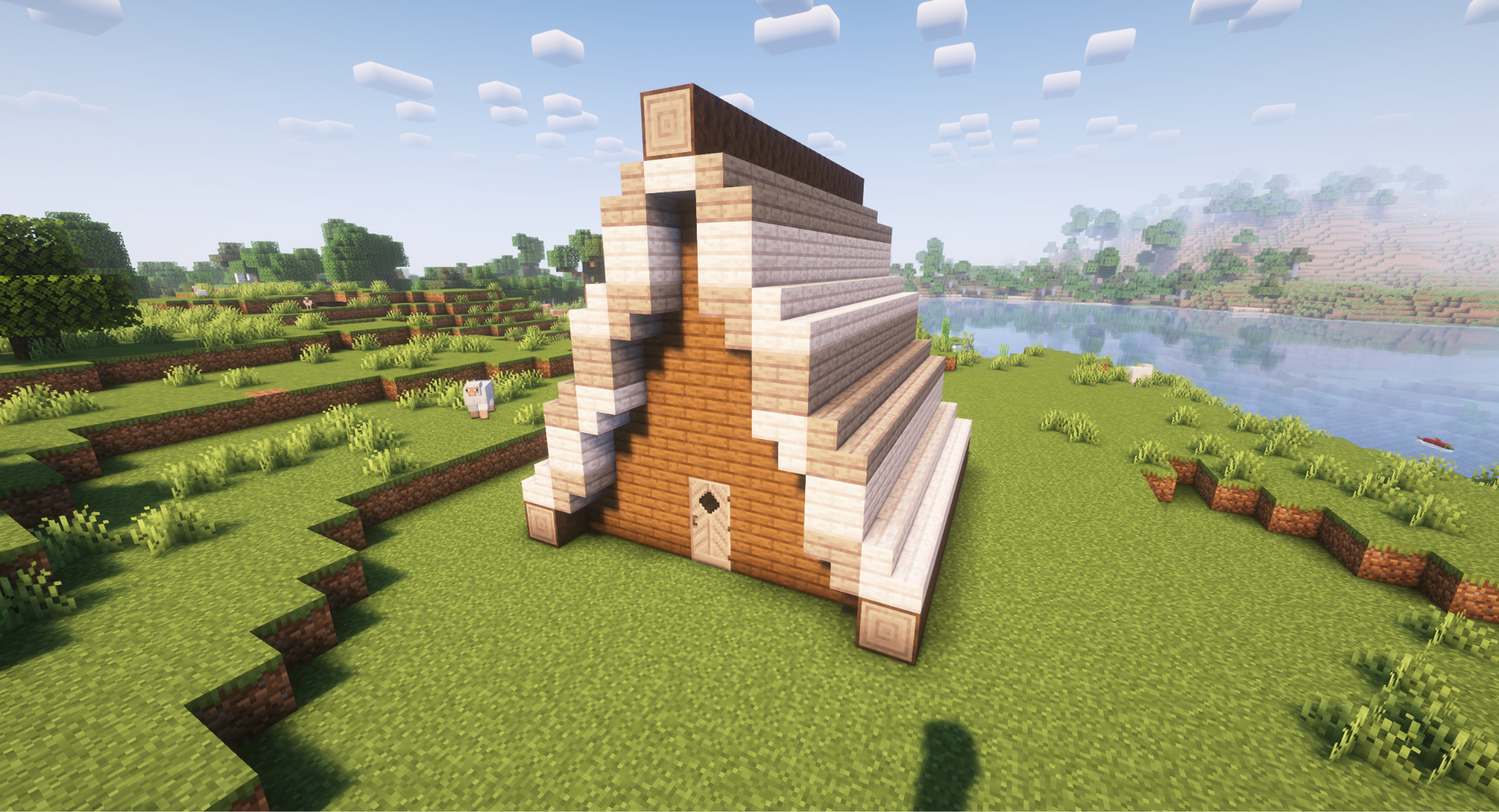
Who needs walls when you can just have more roof! The "A" frame style is like a gable roof, but it continues all the way down to the ground. While they can be found at 45-degree angles, steeper slopes generally make for more reasonable proportions.
The "A" frame has existed for centuries, but they truly grew in popularity after World War 2, becoming a popular design for the now-wealthy American population’s vacation homes.
This makes them amazing for American 50s, 60s, and 70s style houses. It can also be used for wilderness-centric homes like log cabins, thanks to the simple, sturdy design.
To build an "A" frame with a steeper slope, try adding a regular block in between each vertical layer of stair blocks. We recommend having the building be an odd number of blocks wide, allowing the roof to meet in a more pointed tip.
Roof Design #3: The Gambrel
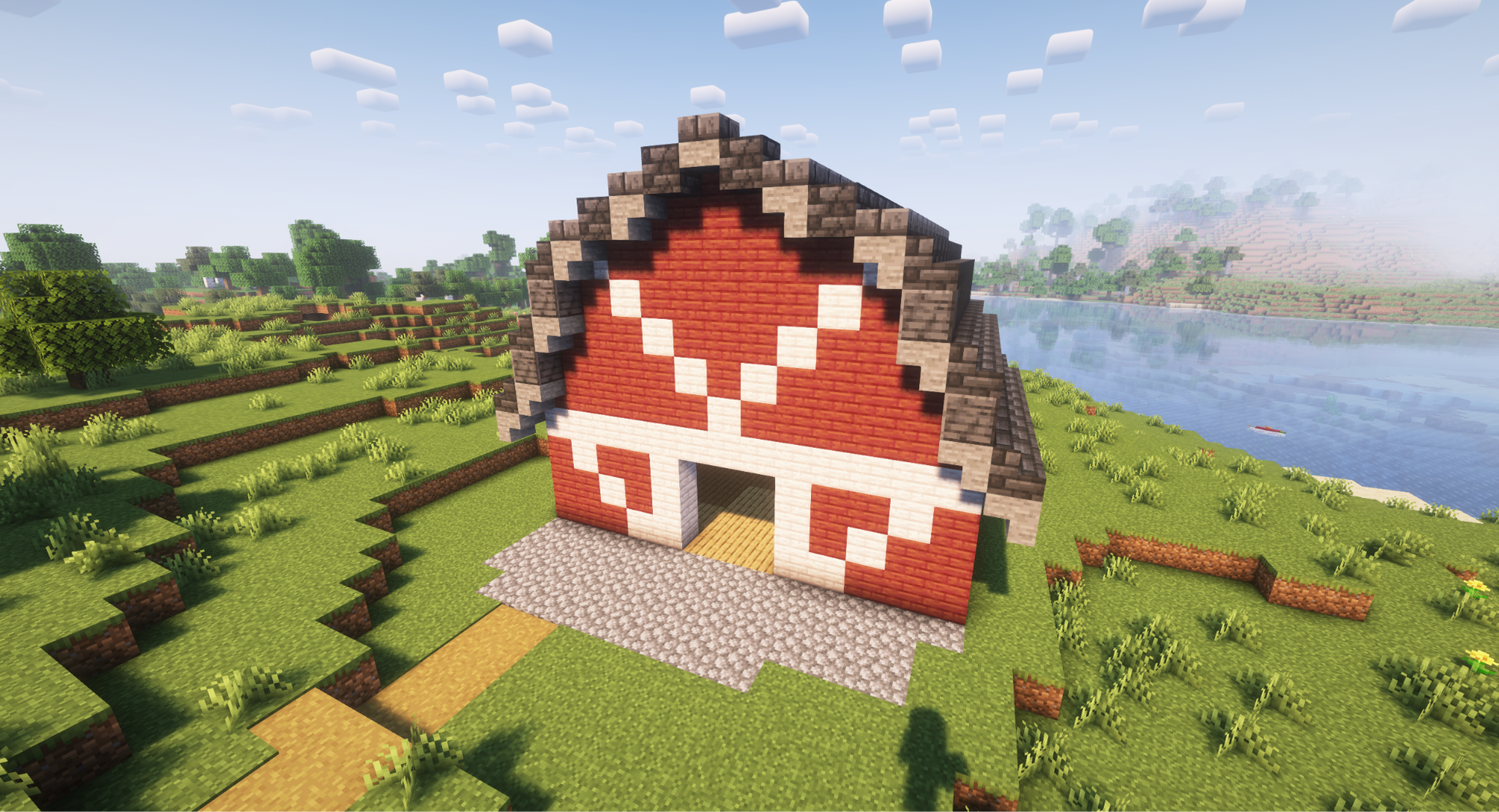
Commonly associated with barns, the gambrel roof looks like if you took a regular gable and changed how steep it is halfway through.
By making the outer half steeper and the inner half shallower, it allows for more overall internal space without losing the benefits of a gable. Most common in English and United States farms, this roof style is a great way to accentuate a farm or range.
And here is how to build one:
- Start by placing a step block at a chosen height and extend it with another step outward from the structure.
- Place an upside down stair behind your first stair, then add a full block on top of the upside down stair, and continue forward until you arrive somewhere around the middle top of the building.
- Once you get to the middle top, place a slab on top of the upside down slab and a full block to the side of the slab, then another upside down slab at the side of the full block and continue that loop all the way up to the top.
- (OPTIONAL) If you want to keep it architecturally accurate, consider having horizontal wooden beams at the same point that the slope changes.
Want to go beyond the roof? Check out our article on best Minecraft barn ideas.
Roof Design #4: The Gullwing
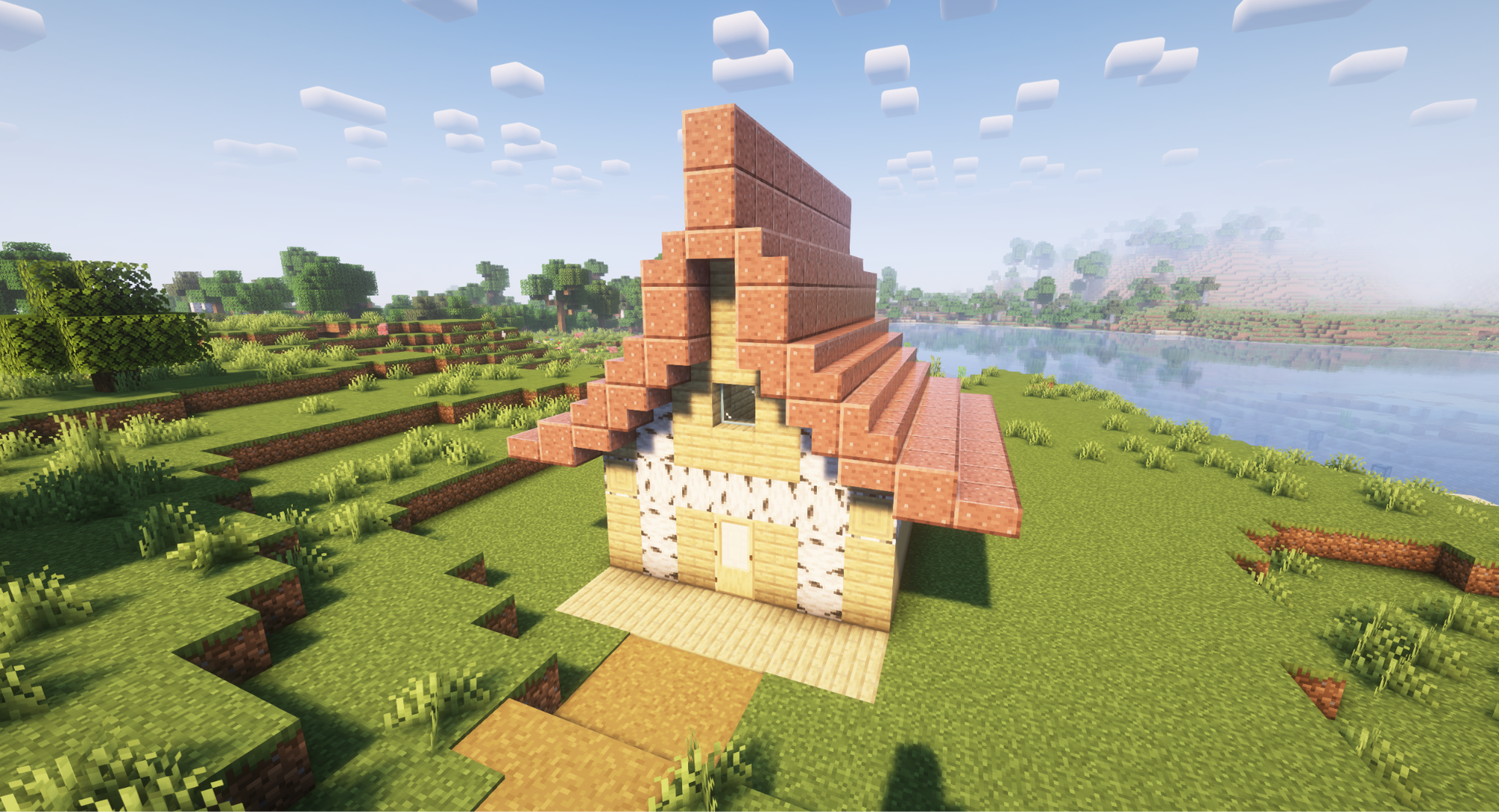
What if a gable was curved inward instead? That's the idea behind the gullwing.
A roof design with surprisingly little actual history, this style is more commonly seen in fiction than real life. As such, it’s a great choice for when you want an exaggerated look more than a realistic one. Also, it might be due to the name, but the style really reminds us of coastal houses.
To build a gullwing roof, you essentially want to use the same outlining methods as building a circle in Minecraft, but only for a portion of it.
- Determine how tall the gap between the ceiling and the tip of your roof will be.
- Use something like the “Architectural Building Wand” mod or an online Minecraft circle generator to get the pattern for a circle twice to three times as large as that.
Note: Be careful not to take the easy way and just do two slopes, like a gambrel in the opposite way, or you might end up with something that resembles the roof of a Pizza Hut!
Roof Design #5: The Monitor
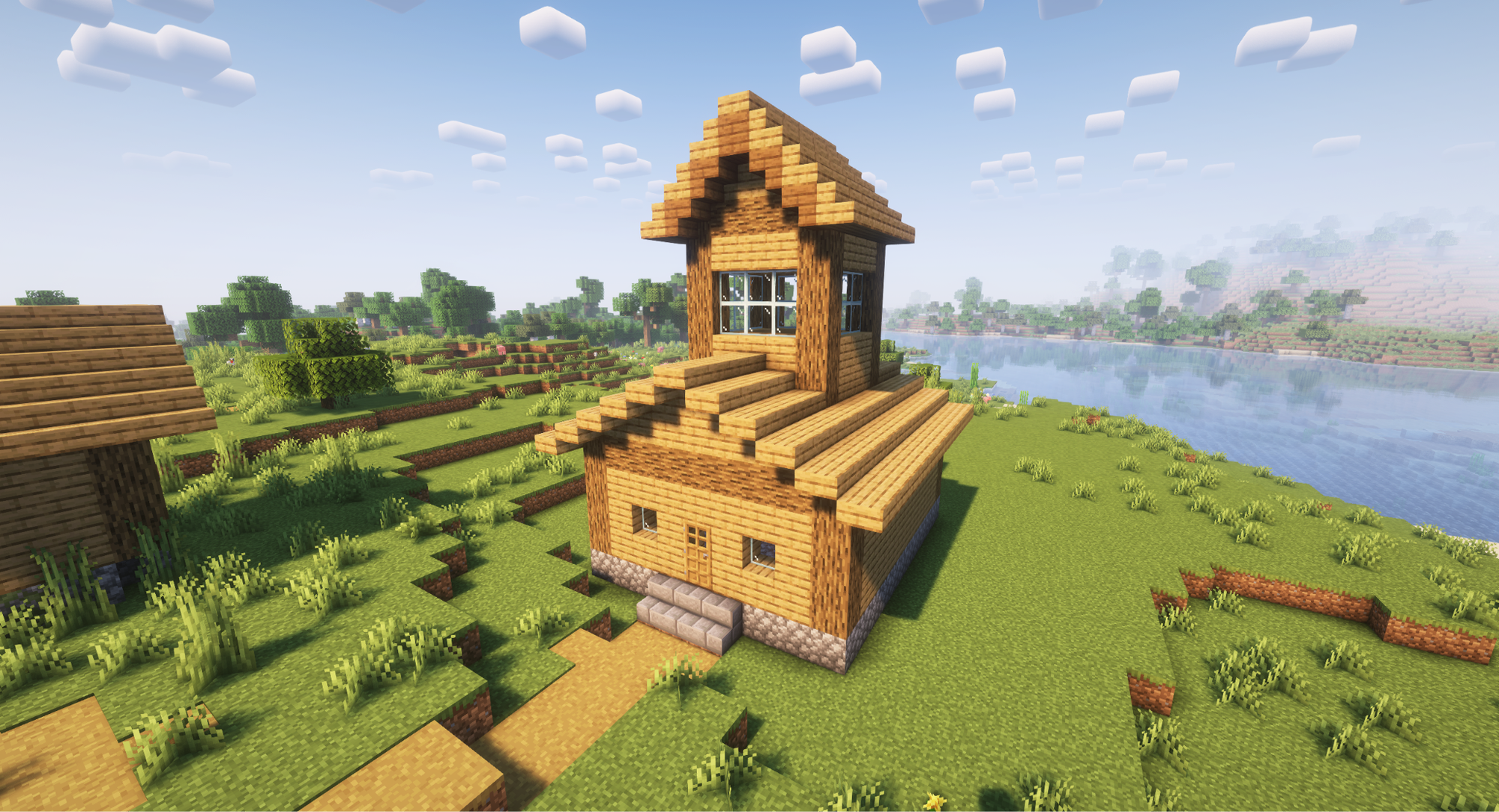
If you want more space, more lighting, or just some extra layering to a gable roof, you can turn it into a monitor roof by adding in an extension in the center.
Monitor roofs are essentially a raised portion of a building that then has a matching roof of its own. Such designs were common with large-scale buildings like factories, where a big open central zone was surrounded by smaller rooms.
And if you have a slope on all four sides, a monitor becomes a sateri roof, which was extremely popular with Swedish wealth in the mid-seventeenth century. Alternatively, if you extend the sides of the monitor in the middle to become flush with the shorter sides of the building, you get a clerestory roof, which was an even more popular design for Christian churches, especially during the Gothic age.
Building one is simple:
- Make a gable roof.
- Go onto the roof and build a second smaller house with a gable roof.
Roof Design #6: The Pagoda
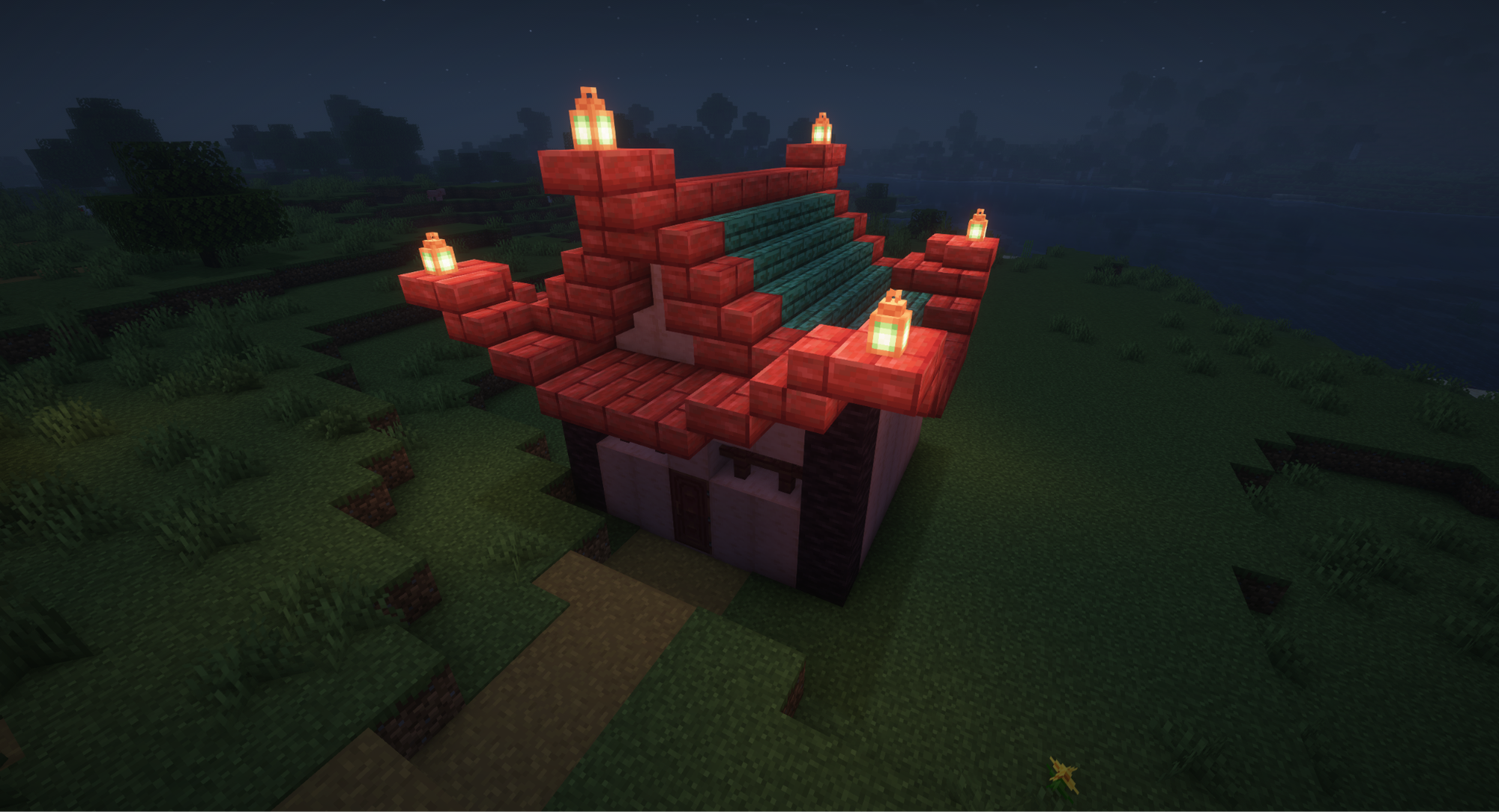
This tremendously stylish design goes by many names: east asian hip and gable, japanese mokoshi, resting hill… but we just call it the pagoda.
This asian-style architecture does an amazing job of invoking those same regional themes that were seen in everything from Japanese castles, Buddhist temples, and Jōmon period community centers and homes.
This is also one of the few roof styles that usually requires two different materials, one outlining the other. To have a pagoda roof of your own:
- Start by building either a gable or a gullwing roof, making sure the outer edge is a different color.
- Next, build a gentle upper slope border on all four sides in the same trim material.
- Add a small protrusion at the end of the top peak using a couple of slabs or stair blocks.
Tip: to emulate larger buildings, build multiple pagoda roof layers as you get taller and taller, every floor or so. This will resemble things like the Yakushi-ji national treasure.
Roof Design #7: Postmodern Roofing
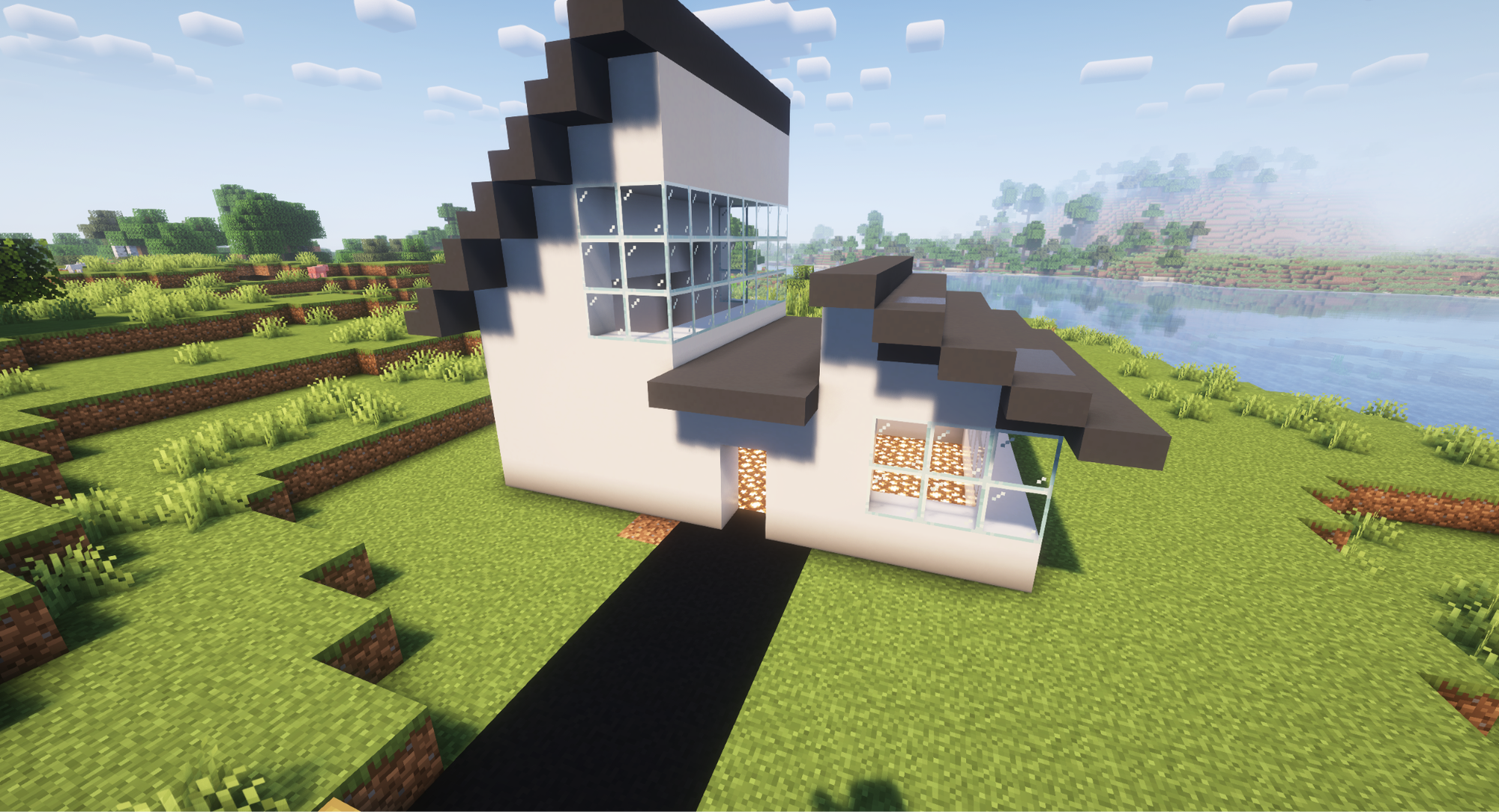
An architectural style defined by how weird and against-the-norm it is, postmodern roofing is actually just a bunch of other roof concepts randomly slapped together. This is easily the most modern-looking design and will be a great way to give out millionaire energy with minimum effort.
To build a postmodern roof, simply take one of the already listed roof concepts, and build them however you feel like. While you’re at it, be sure to also use two or three different ones on the same building for maximum effect.Below are a few ideas to get you started:
- Shed: a single slant roof;
- Skillion and lean to: a gable, but one half is at a different height, creating a wall at the center;
- Saltbox: a gable that isn’t centered;
- Butterfly: an inverted gable, so it starts low in the center and rises up and away;
- Flat: a perfectly horizontal roof.
In the image above, we essentially placed a flat roof in the middle of a skillion and lean to, creating two shed roofs.
Tip: Vibrant, flat colored blocks, like concrete, can elevate this roof design even further.
Roof Design #8: The Skylight
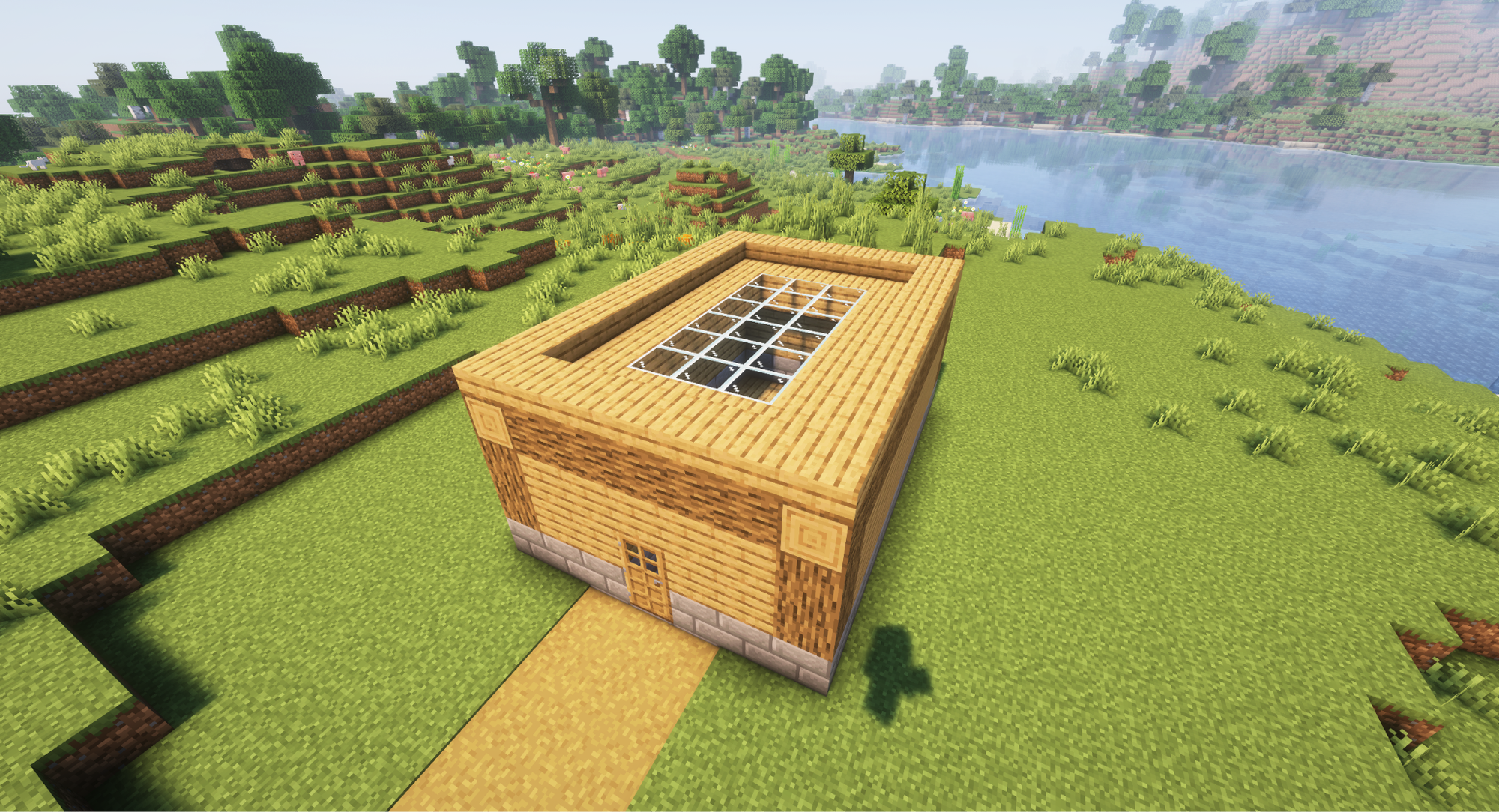
Technically this is more of a roof accent than a roof itself. Either way, all you need to do here is take a flat roof and make the majority of it out of glass.
Overall, this is another modern-style design that lets a lot of natural light in. But while skylight roofs exist in the real world, the lack of slanted window blocks in Minecraft limits this idea to just flat roofs.
We find this one to be a great option for any well-lit building, but where it truly shines is when paired with something like a greenhouse or an indoor garden. We especially love doing this when using custom Minecraft shaders, where the dynamic lighting and realistic rain can be seen in full effect.
Roof Design #9: The Hobbit Hole Roof
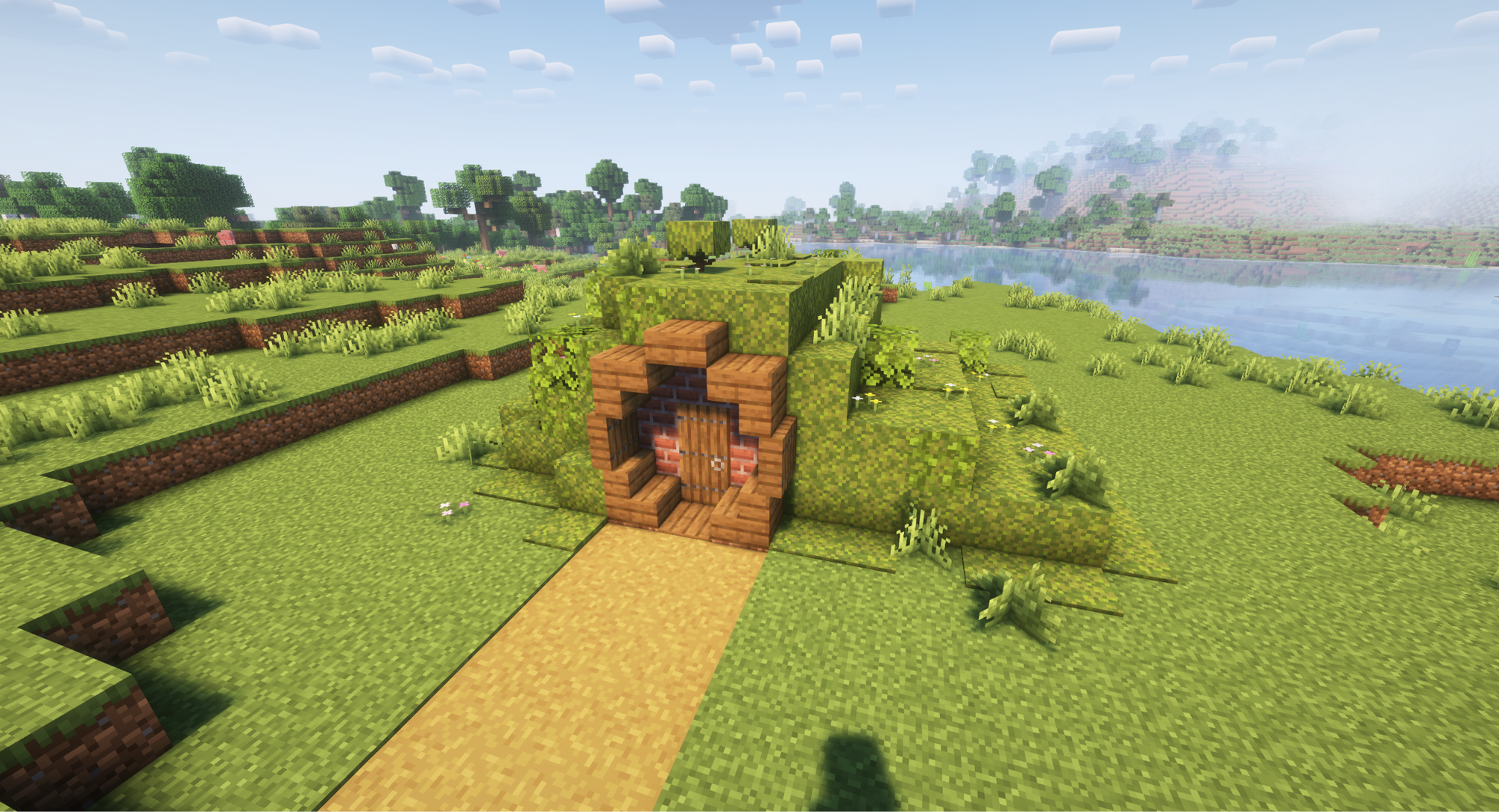
Whether you want to be eco-friendly or just love a bit of fantasy literature on the side, the Hobbit hole-style house borrows heavily from the Lord of the Rings book saga, where homes are built inside of rolling hills. The result is an incredibly cozy and rustic fantasy vibe.
This is one of the more involved roof designs, though. It requires not only collecting plenty of grass, flowers, vines, and moss blocks, but you will also need to place it down in a way that copies the natural curves of grassy hills. Just remember the golden rule – “no sharp corners” – and you should be fine, though.
Roof Design #10: The Mountain Is My Roof
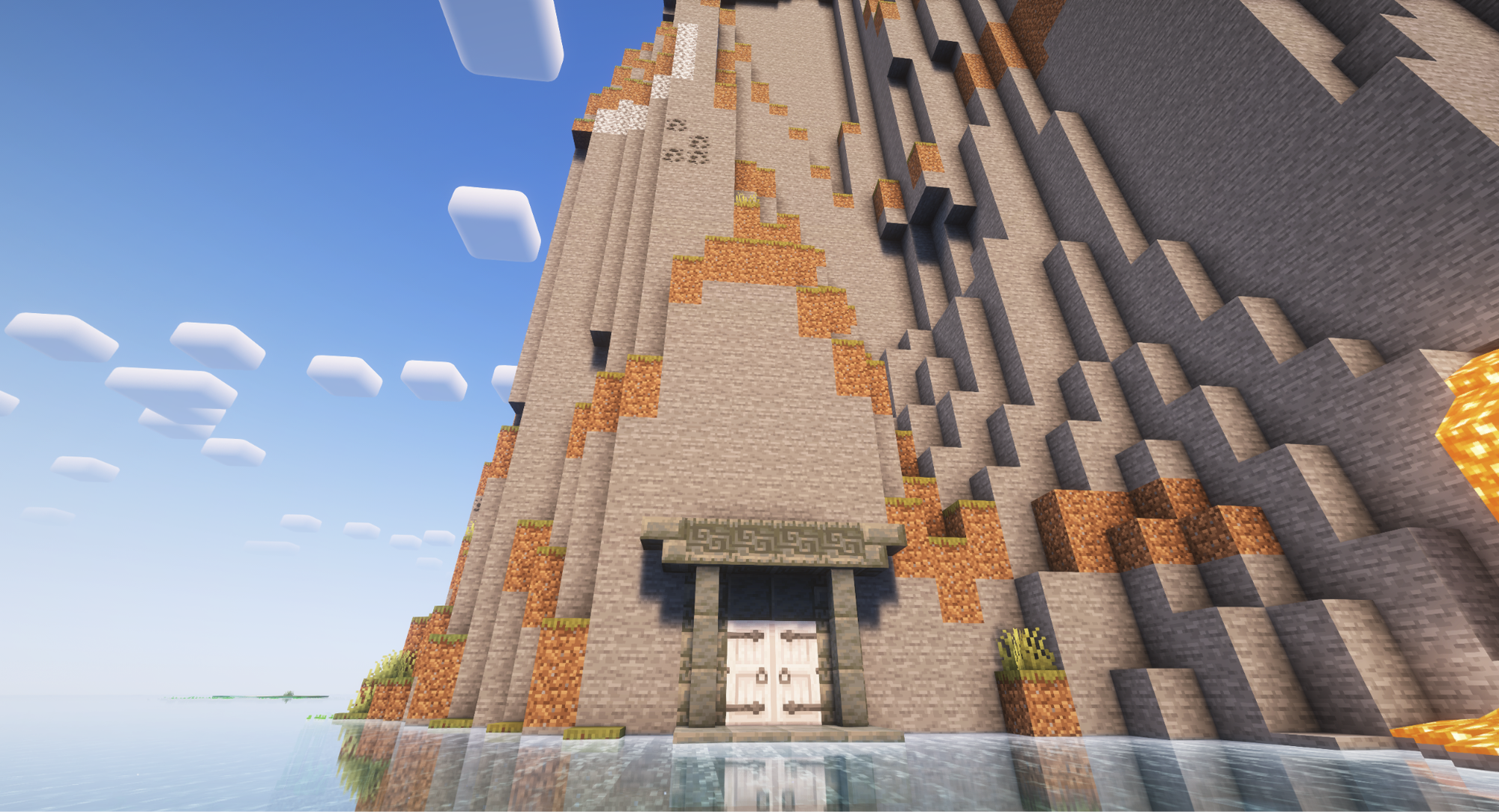
Is it cheating to just build your home on the side of a cliff and call it a day? Not if that cliff is an intentional part of the building design!
If you want to live inside a mountain yourself, here’s what you need to do:
- Locate a large structure with especially tall walls.
- Build a doorway that leads into it.
- That’s it – you’re done!
By relying on the large-scale, natural look of stone, you can invoke subterranean vibes fit for fictional concepts. Think “dwarven stronghold”, “orcish lair”, or even less fantastical ideas like a mining camp.
For the most committed players, you could even build the mountain yourself. Using a whole lot of stone and dirt, you could build a massive spire over your home. Be sure to accent the peak with plenty of snow though to highlight just how tall it is.
And if you need more castle builds to experiment with, make sure to check out our best castle ideas guide.
Minecraft Mods That Make Roof Building a Breeze
Building things can take a long time, especially if they’re on the larger end of things (like a mountain). While placing them block by block works well enough, the Minecraft community has developed a handful of mods that really help simplify and speed up the whole process.
Below, we invite you to check out the mods that can expand on your building options by adding new roof tiles and other decorative blocks for that peak aesthetics look.
Building Gadgets
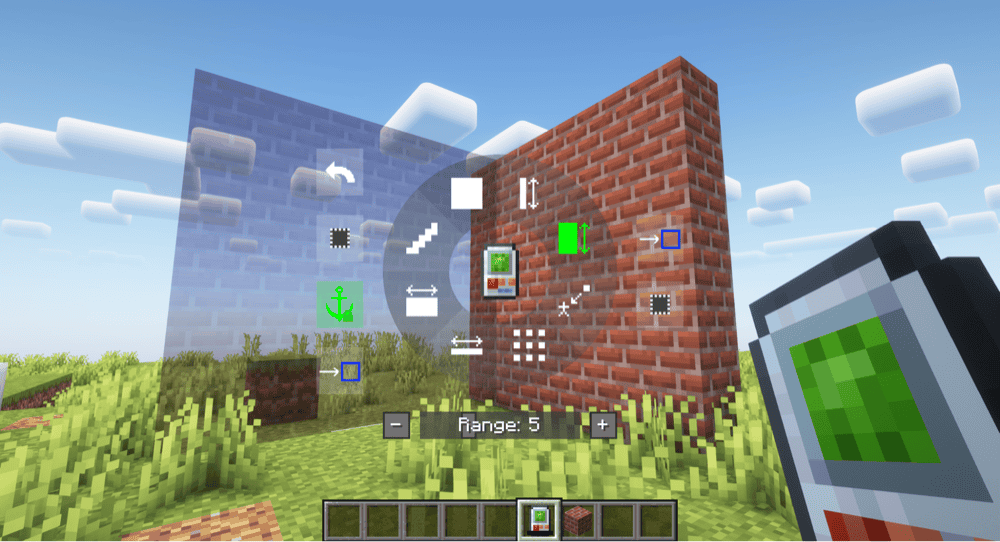
With the “Building Gadgets” mod, you’re given access to an assortment of new items that make building things easier. Quickly place down large shapes at once, copy structures and paste them somewhere else, bulk delete, or even create blueprints to share with others.
Each tool has a radial interface that lets you customize what it does to a surprising degree, including our favorite feature – an undo option! Once you get the hang of these tools, you’ll be able to build entire homes in seconds.
Macaw’s Roofs
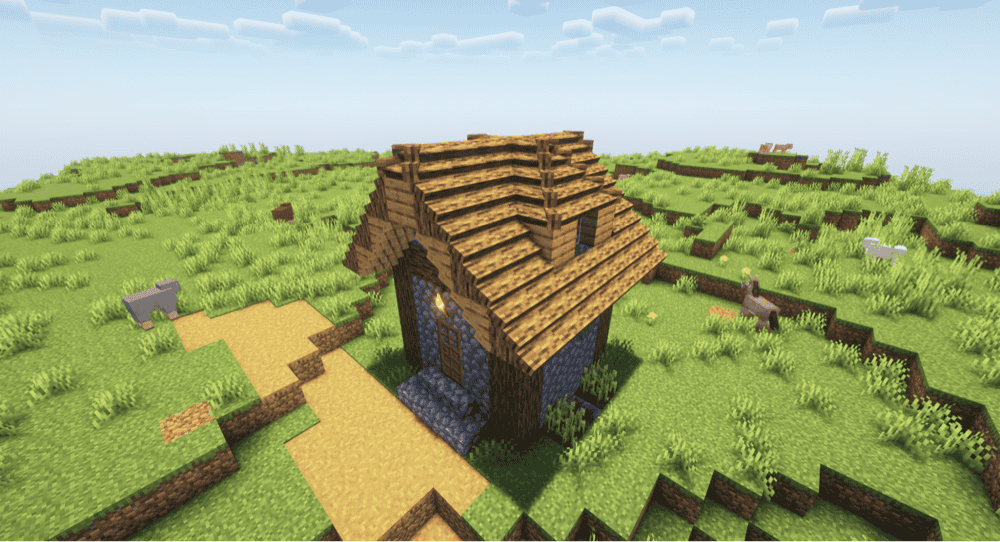
If having more options is more of your thing, consider the “Macaw’s Roofs” mod. This adds in several new roof blocks with remarkably more detail, each one using the same textures as existing blocks, ensuring that everything still looks cohesive.
All of the roof blocks are dynamic too, similar to how stairs or fences work. They bend around edges and fill in corners, so no spot goes out of place. Overall, it’s a super fluid and natural system that really makes the most out of the roof designs.
Architectural Building Wand
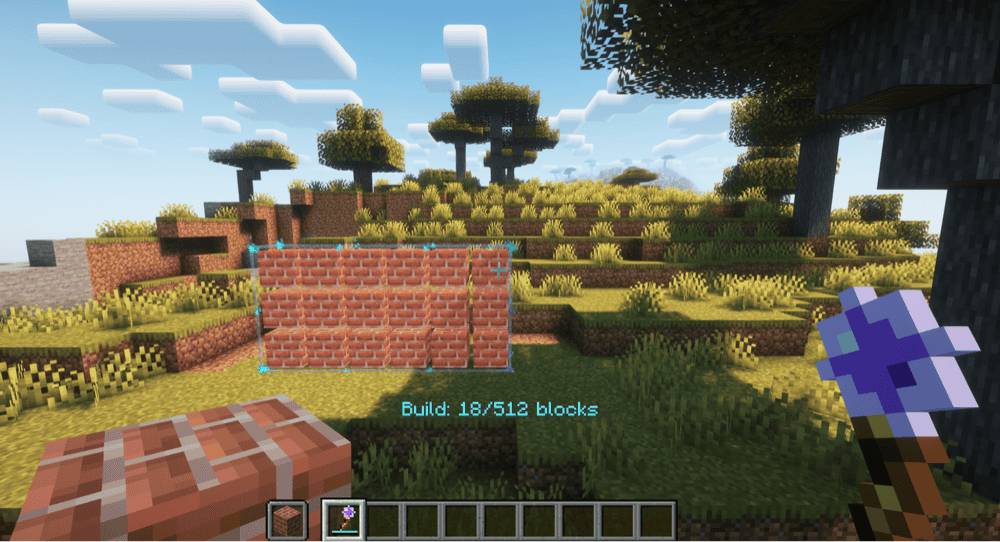
Similar to other building tools, the “Architectural Building Wand” mod gives you a single tool that can quickly place down a bunch of blocks using a drag and drop system. Simply select the shape you want, then drag and drop between two points to place blocks down. It also has a delete option and supports circles and triangles.
We actually used this mod to help with building all of the houses and roofs seen above. It saved us a ton of time and was especially helpful in establishing specific shapes or angles.
How to Install Minecraft Mods
You can install the above mods automatically using the CurseForge app or manually by placing the mod files within your game’s mods folder. Both methods allow you to easily add custom features and enhancements into your vanilla Minecraft experience.
If you want to learn more, you can read our detailed guide on how to install Minecraft mods.
Common Issues and Quick Fixes
My stairs are facing the wrong way
Stair blocks do their best to automatically position themselves the way you intended. But sometimes, they get it wrong. There’s a specific way you can place stairs to ensure they’re facing the right way though.
If you want them upside down, we recommend placing them on the upper half of an adjacent block or on the bottom of a block above where you want them. If you want them rightside up, place them on the lower half of a neighboring block or on top of the block below where you want it.
As a general rule, stairs will always “face” away from the side of a block you place it against. That is to say, the sloped half will be pointing away from it. If you place it on the top or bottom of a block, the slope will face your character.
The same system can be used to place slabs on the upper half of an area as well.
My roof doesn’t have a center line
If you build your house with an even-numbered width, your roof (assuming it’s symmetrical) will end up having no central top point. This doesn’t mean you can’t still have a pointed top, though.
Two stair blocks, mirroring each other, will give the illusion of a one-block wide top perfectly in-between both blocks.