If vanilla combat and progression feel a bit too simple, RPG mods can add classes, new enemies, loot-driven upgrades, fresh dungeons/structures, and a more satisfying build + grind + improve loop. Mix a class/combat core with content mods (mobs + structures) and you’ll get the best results.
1. Origins
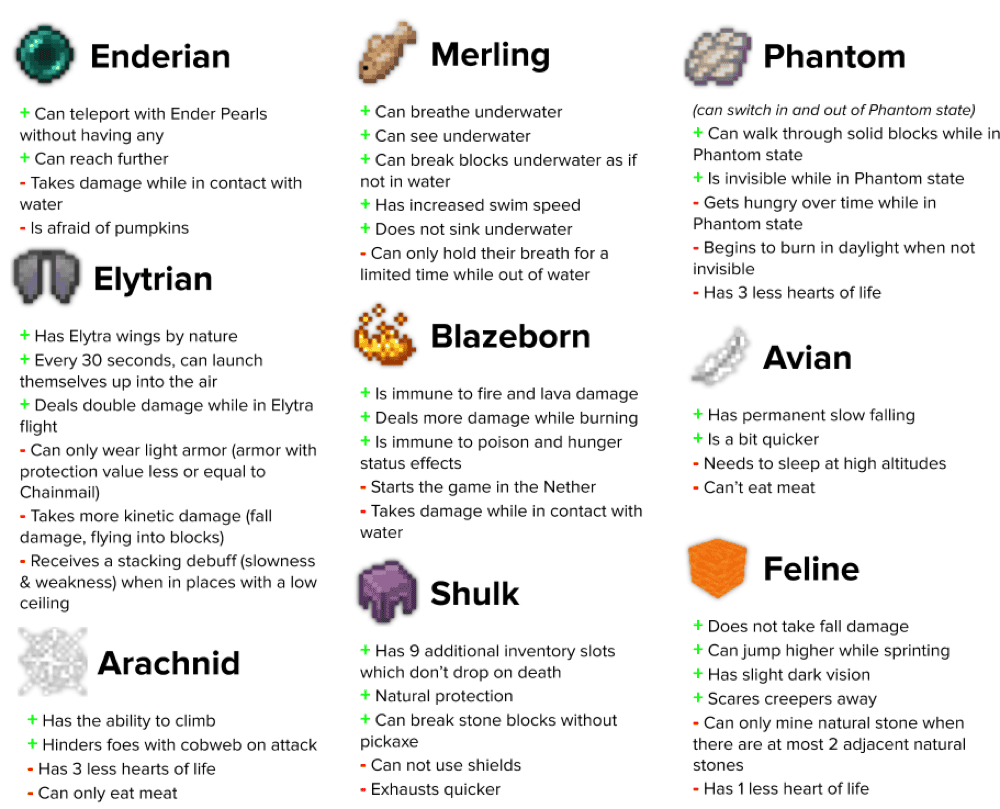
This mod lets you pick an Origin at the start of a world or server, giving you a bundle of strengths and weaknesses that can completely change how you play Minecraft. Each Origin plays like a built-in challenge run with perks. The base mod has 9 special origins to choose from, ranging from breathing water with Merling to Arachnid which can climb but has low health. A big reason Origins is so popular in modpacks is that it’s data-driven. Servers and modpacks can add or remove powers, tweak values and cooldowns, disable certain origins, or even create entirely new Origins without coding everything. There are also a ton of existing addons that can further spice up your Origins experience with almost anything you can think of.
2. RPG Origins
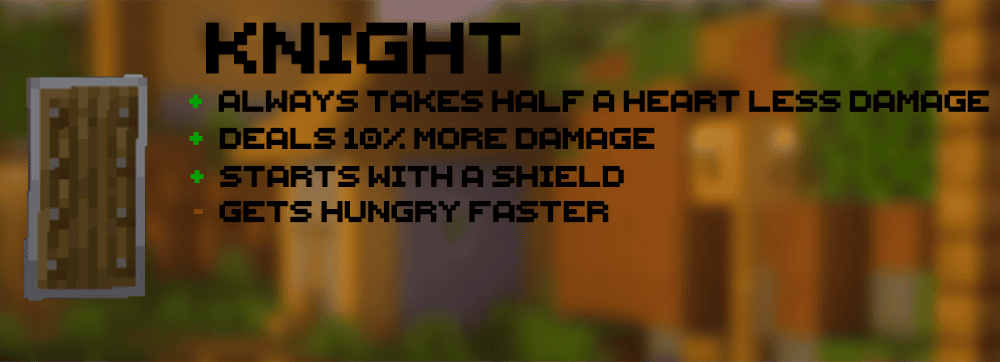
This addon to the Origins mod adds seven classic RPG-flavored origins. Knight is the straightforward bruiser with more toughness and damage. Archer pushes ranged play with a quiver system, but melee is weaker and you have fewer hearts. Cleric and Mage cover support and spellcasting with strong utility and abilities, balanced by reduced max health or damage. Bard, Thief, and Brute lean into niche playstyles like goat horn-based buffs, stealth and speed, or raw brawler power, with downsides such as hunger, fragility, or limits on healing and shields.
3. Iron’s Spells ’n Spellbooks
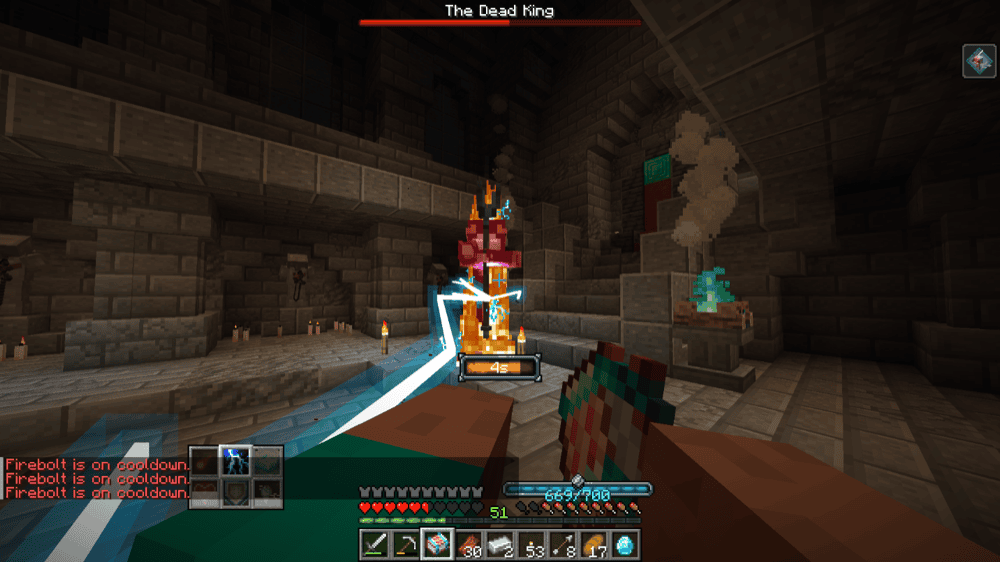
This is a full-on RPG spellcasting mod – learn and upgrade 100+ spells, hunt down wizard enemies, and raid dungeons and structures for artifacts, gear, and resources. Fight bosses and gather wizard armor sets, progress through different spell tiers, and imbue weapons with spells.
4. Wizards (RPG Series)
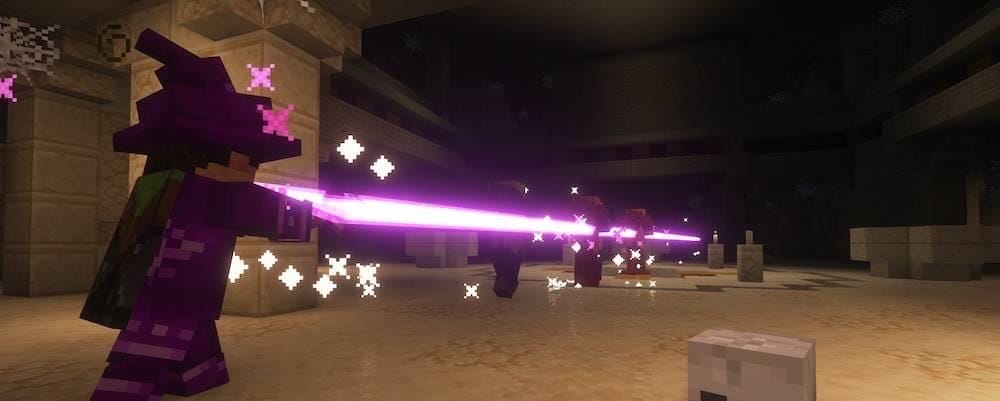
This mod adds class-style wizard gameplay built around three schools, Arcane, Fire, and Frost. You start by crafting a wand or staff that comes with a basic spell, then move into spell books you unlock at a Spell Binding Table found in village gazebos or crafted using bookshelves. Combat is powered by Runes (ammunitionfor spells), and the mod also brings its own wizard gear like robes, staves, and wands, plus spell-focused enchantments that boost casting speed, damage, or even remove rune costs.
5. Archers (RPG Series)
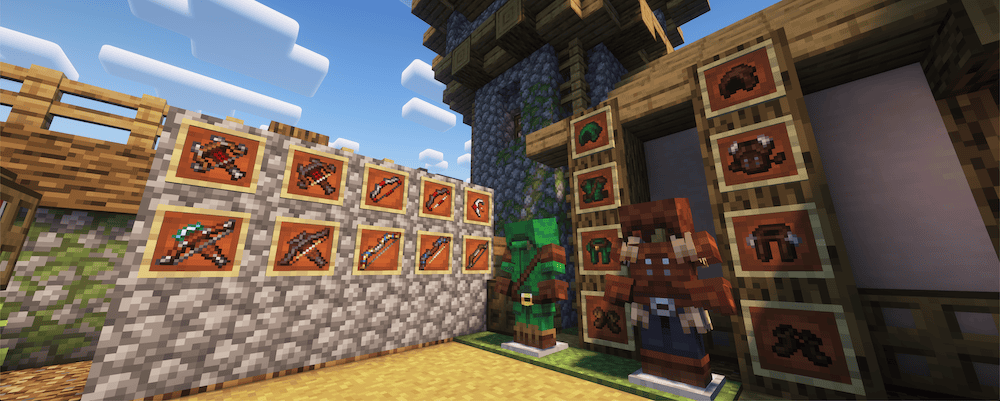
This mod adds an RPG-style archer class built around unlockable archery skills that work with any bow or crossbow (vanilla or modded). You progress using an Archery Manual and a Spell Binding Table (found in village gazebos or crafted and activated with bookshelves). It also adds new ranged weapons + armor bonuses, an Auto-Fire Hook that can be attached to bows to release fully charged shots automatically, plus tweakingranged enchantments, dungeon loot upgrades, and archery range village structures for gear and vendors.
6. Paladins & Priests (RPG Series)
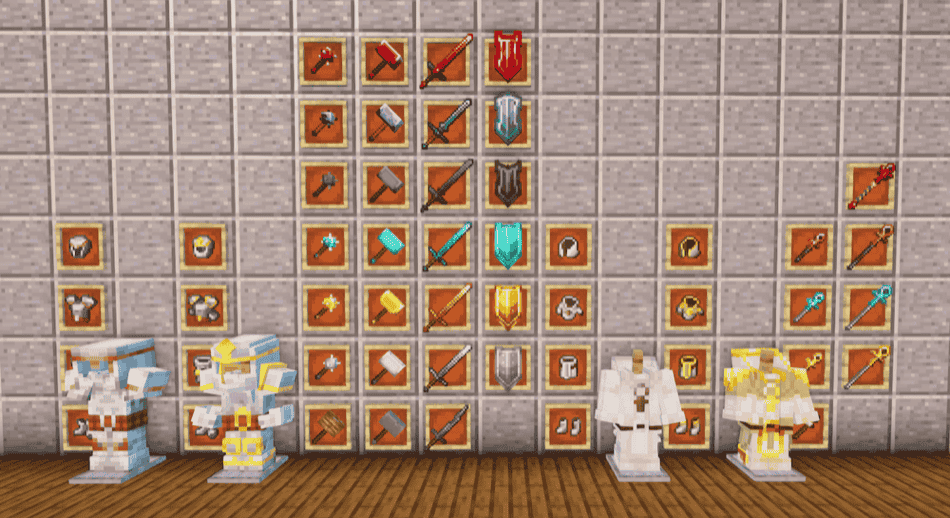
This mod adds two team-friendly class paths–Paladin (frontline protection + damage) and Priest (healing, shielding, and some smite offense). Paladins can start with basically any melee weapon, while Priests begin with holy wands/staves that come with a starter spell. Progression revolves around each class’ spell book (Paladin Libram / Holy Book), unlocked using a Spell Binding Table in village gazebos or crafted with bookshelves. The mod also includesthemed classarmor sets and weapons, plus extra dungeon loot and village sanctuaries.
7. Rogues & Warriors (RPG Series)
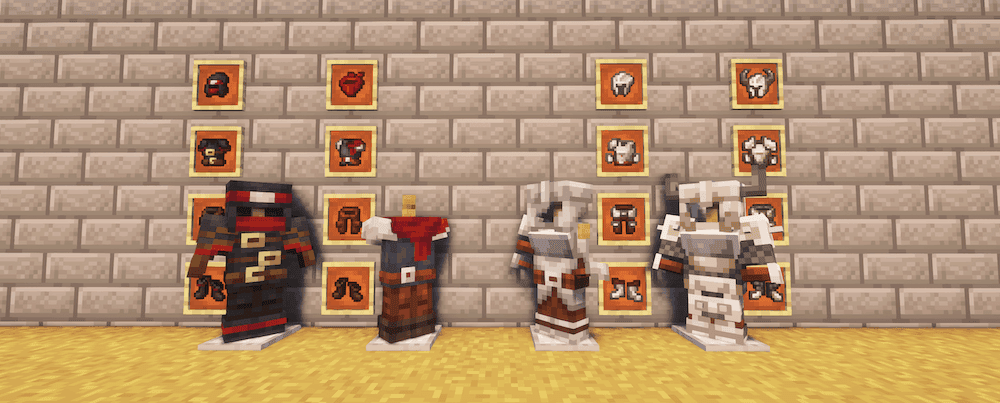
This mod adds two melee-focused class kits: Rogue for evasion and trickery, and Warrior for heavy-hitting skills built around slower weapons. You unlock skills through each class’ spell book using a Spell Binding Table, found invillage gazebos or crafted and activatedby surrounding itwith bookshelves. Alongside the skill system, it also adds a big weapon arsenalandnew armor sets meant to matchthe two new classes.The mod alsobalancesoutvanilla damage enchantments so that bothfast and slow weapons scale more evenly.
8. Dungeon Crawl
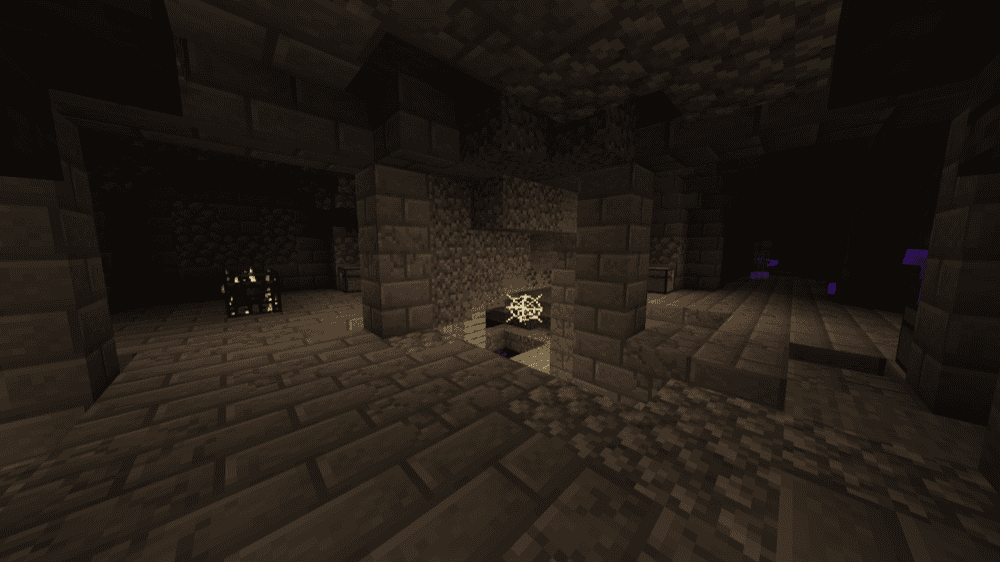
This mod generates huge underground dungeonsinthe Overworldwith randomized layouts. Dungeon size, room paths, and loot are all procedural, whichgives you a great excuse to explore every single one of themif your world feels toodull as you venture beneath the ground. If you have everplayed Roguelike Dungeons, this is a great spiritual successor to that. If you’re building an RPG/adventure pack, this pairs especially well with class, combat, and loot modsas the mod adeptly balancesbetween fights, gearing up, andexploration.
9. Iter RPG
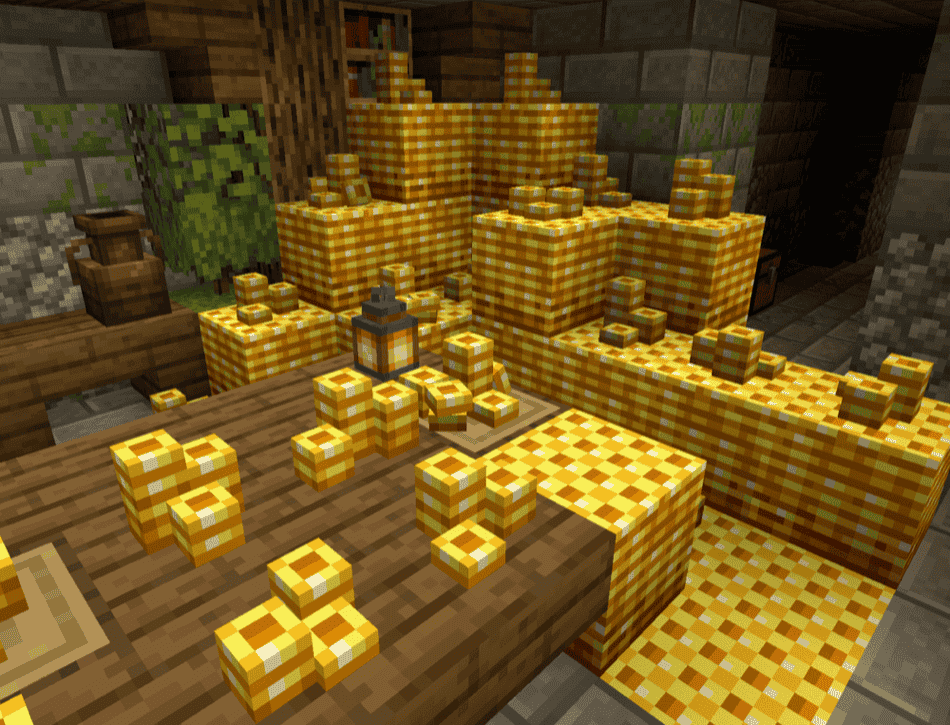
This is a big adventure pack-style modthatadds new dungeons, mobs, and bosses to make exploration feel more like an RPG run than a normal survival world. Expect multi-level dungeon crawls, flashy fights with pattern-based boss mechanics, and a bunch of new weapons, some of which require mana. Among the new weapon arsenal you will findstaves, bombs, spikes, magical blades,and scythesthat are fun to use while also being very powerful.
10. Traveler’s Titles

This is a client-side immersion mod that flashes RPG-style location titles when you enter a new biome or dimension. It’s highly customizable with options for size, color, position, duration, and optional sounds, and it works smoothly with modded biomes and dimensions.
11. RPG Style: More Weapons!
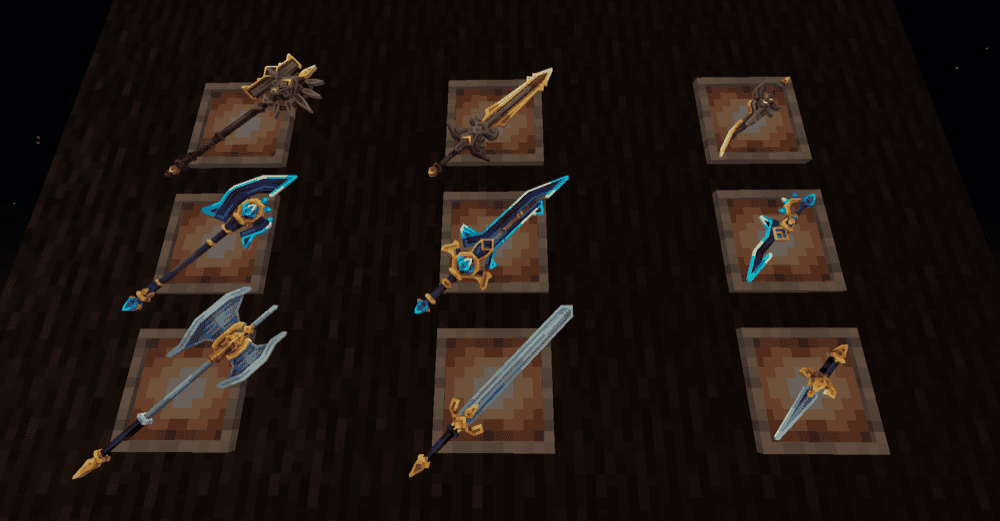
This mod adds a class-based combat system with lots of new gear. You pick a class early on (Berserker, Assassin, Paladin, and more in newer versions), which determines what weaponsorarmor you can use and what abilities you get. Most weapons have two skills (activated with "Use" and "Crouch Use"), while armor pieces have an active ability (by defaultbound to"Z"). It’s built for flashy RPG fights with dashes, slashes, shields, area-of-effect attacks, and support effects, however you will need to install a few boss mods to make things more exciting.
12. Armory (RPG Series)
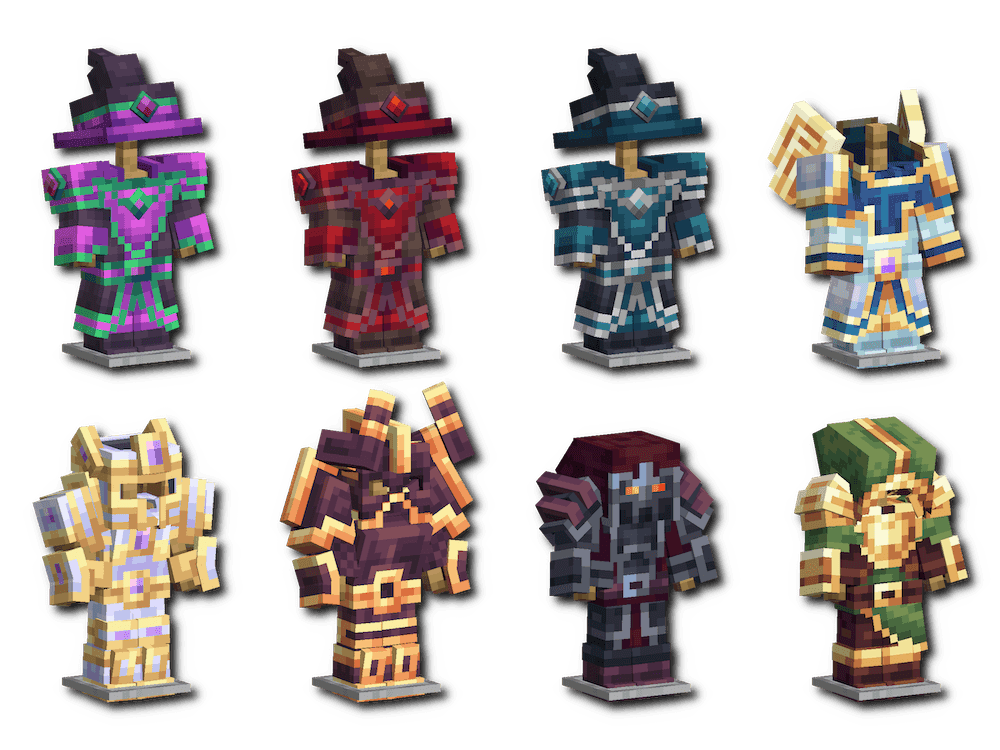
Armory is the end-game armor expansion for the RPG Series, adding epic class sets with unique models and powerful set bonuses. You upgrade your existing class armor using Superior Armor Upgrades and Upgrade Crystals, found in late-game loot locations (like End Cities and Ancient Cities) and from boss drops. Expect highly detailed and unique armor models, plus both attribute and spell-modifier set bonuses that reward players committing to a full class build.
13. Goety – The Dark Arts
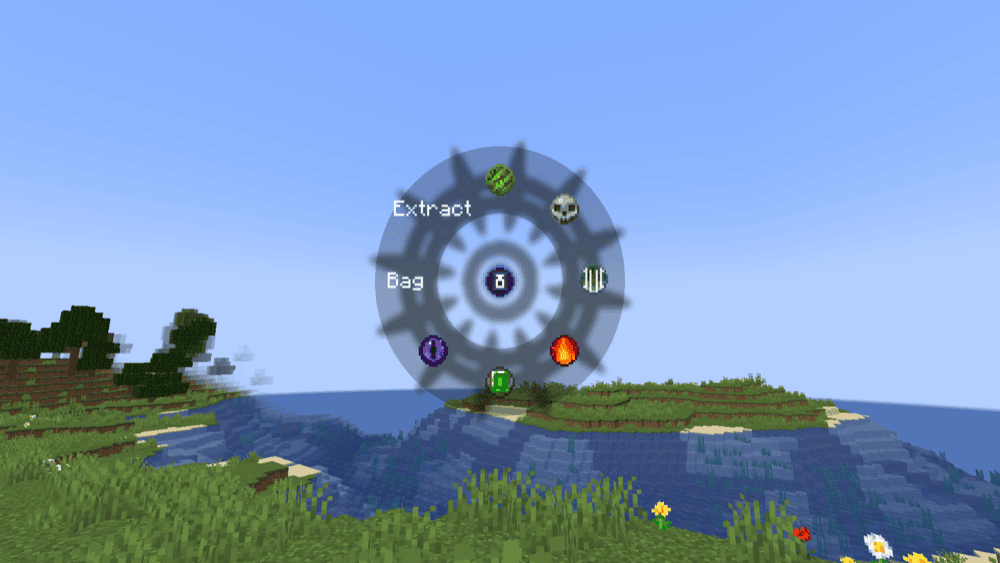
This is a dark magic mod centered on necromancy, soul-powered rituals, andillagerarcane lore. You’ll harvest Soul Energy from mobs, use it to fuel spells and devices, and build up a toolkit for summoning and commanding minions while exploring new dangers, structures, and treasures. Progression usually starts by crafting an early progression item (like a totem or infuser depending on version), then upgrading it into a Soul Energy storage so you can cast stronger spells, powerful artifacts, and maintain your servants.
14. Warrior Rage
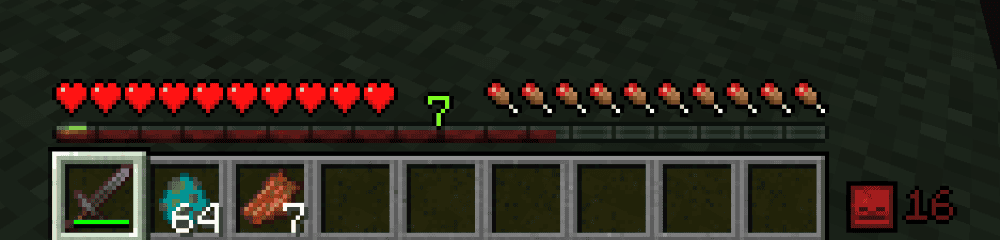
This mod adds a kill-streak rage system to combat, made for dungeon runs and mob-heavy fights. Chain kills within a short window to build Rage, then earn escalating bonuses like extra damage. At high streaks, hits can even ignite enemies. Rage typically activates after 3 quick kills (configurable), shows a rage timer bar and kill counter, and rewards longer streaks with incremental damage boosts every few kills. In this mod, everything is fully configurable – from the visual effects and HUD elements down to the specific numbers needed for gaining and keeping a streak.
15. BrassAmber BattleTowers
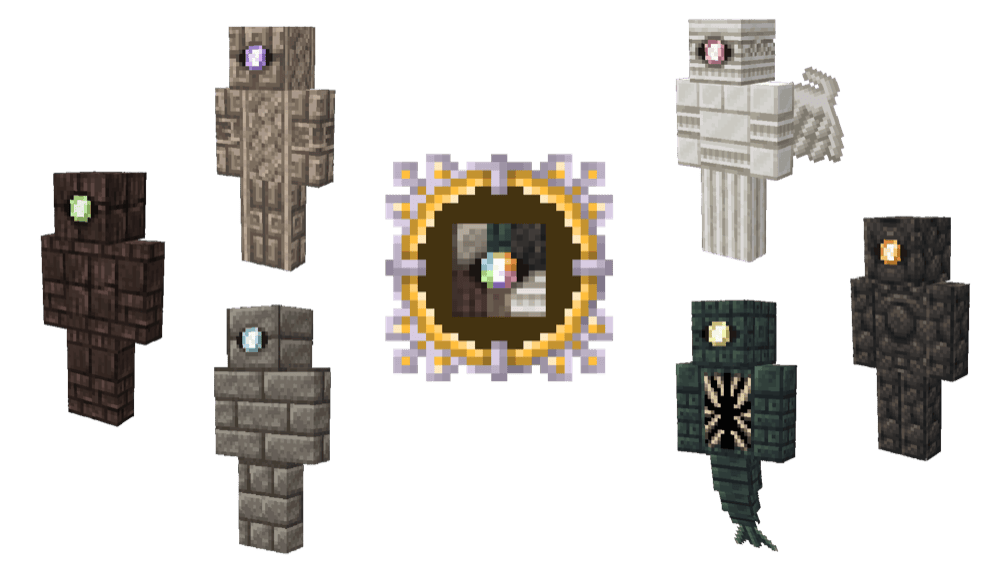
This is the official continuation of the classic Battle Towers mod offering huge, raid-style towers built around progression, tougher bosses, and better anti-cheese mechanics. You’ll take on a set of towering structures and their Guardian bosses, with difficulty growing harder as you move up each tower tier. It features six major towers in total with six Guardians, plus new mechanics like keys and monoliths/obelisks to keep runs fair and encourage exploration instead of speed-running. The mod also comes with a full custom original soundtrack that triggers during towers and boss fights.
16. Myths & Legends
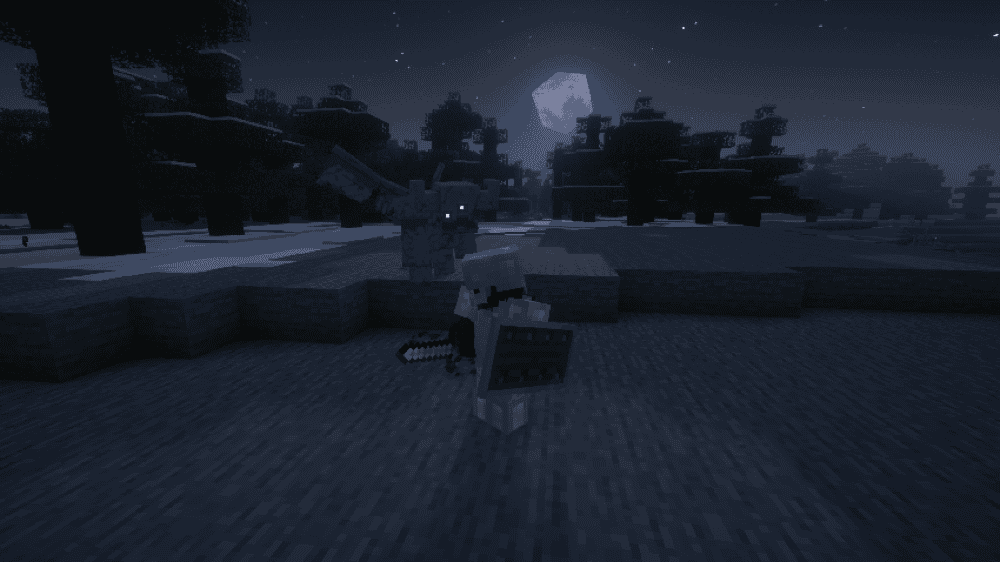
This mod adds a dark-fantasy, folklore-inspired layer to Minecraft with dangerous new creatures, themed relic loot, and moody exploration content. You’ll encounter mobs like Imps, Gargoyles, Possessed Armor variants, and bigger threats such as Abaddon and Amarok. The progression here has you slaying Myths & Legends mobs to either craftorearn new gear and accessories. The modalso includes worldgen structures like Ancient Vestiges, Graveyards, Old Camps, and Scorched Nests to anchor the mod’s progression and rewards.
17. Ancient Cultural Structures
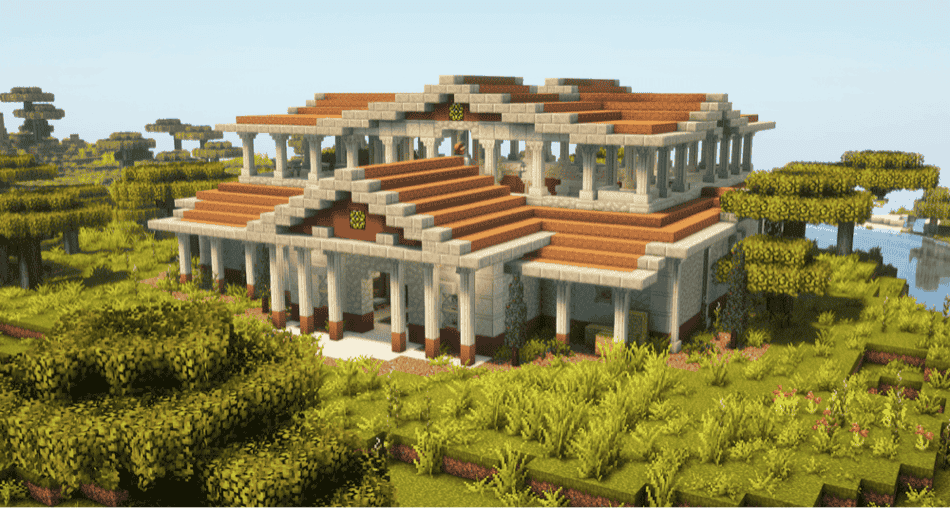
This mod adds handcrafted structures inspired by real-world ancient civilizations – Mayan, Roman, Japanese, and Germanic-style – spawning naturally across your world. Expect temples, ruins, abandoned villages, and military sites built for survival exploration, with custom loot, hidden passages, mini-boss encounters, and enemies wearing culture-themed gear.
How to Install Minecraft Mods
How to Install with the CurseForge App
- Open CurseForge → Minecraft and create a profile with the modloader and version you need, Fabric, Quilt, NeoForge or Forge (depending on which mods you are looking to install).
- Open your profile and click the three dots next to "Play".
- Click on "Add More Content" from the available options.
- Search for the mod you need and click "Install".
- Play from the CurseForge app.
How to Install Mods Manually
- Install a mod loader that matches your Minecraft version (Fabric, Quilt, NeoForge, or Forge).
- Run the installer to add a new profile in the Minecraft Launcher.
- Download the mod’s .jar file from its project page. Making sure both the Minecraft version and loader version match.
- Drop the .jar into the mods folder inside your .minecraft directory (create the folder if it doesn’t exist).
- Launch Minecraft using the new loader profile.
Note: Make sure to check if the mod has been recognized by the game. On the title screen, click “Mods” (or “Mod Menu” if you’re using Fabric). If the mod lists any required dependencies (like Fabric API), install those too.
Common mods folder locations:
- Windows: %AppData%\.minecraft\mods,
- macOS: ~/Library/Application Support/minecraft/mods
- Linux: ~/.minecraft/mods
Common Issues & Quick Fixes
Game crashes on launch / gives missing mod errors
This almost always means a required dependency is missing or a wrong version is installed. Double-check that you have installed all the required mods and that they match your Minecraft + loader version.
New structures never appear
Worldgen changes won’t show up in areas you already explored. Test in new chunks by travelling far away or starting a new world. You can also check the mods configuration files in case structure generation has either been reduced or disabled.
Performance dips near big ruins
Large handcrafted structures can be heavier on weaker PCs. For best results, consider lowering the view distance, reducing other worldgen-heavy mods, and looking into performance mods (Sodium/Embeddium + FerriteCore, etc.) depending on your loader and Minecraft version.
There are weird textures / invisible or broken armor models
This is usually due to a render or shader conflict. OptiFine is incompatible with most mods, so try using modern alternatives like Sodium/Embeddium and ModernFix.
I see too many / too few structures
Check the mod’s configuration files as most structure mods have their own spawn rate, spacing, and rarity settings. Some mods may also require datapacks to configure structure spawn rates. If this is the case for you, you can find the base configurations by unzipping the mod’s .jar file (rename it to .zip first) then looking inside the mod’s data folder. You can then place these files into a datapack with the same file path to override the mod's default settings.