10 Best Hytale Mods for Improved Gameplay by Community Downloads
Hytale offers a more fantastical and adventurous take on the blocky sandbox formula. But even with enhanced combat and unique monsters, it doesn’t cover everything. If you’re looking to up your game with some mods, these are the must-have picks for any world or server.
Important: This article was originally published in April 2026.
Please be aware that the mods listed below were popular at the time of writing, but may have since become outdated or incompatible due to subsequent game updates. While we include them here as noteworthy examples of the modding community's work, we cannot guarantee their complete functionality.
For a list of the most recent and fully playable Hytale mods, please visit the official Hytale mods page.
1. BetterMap
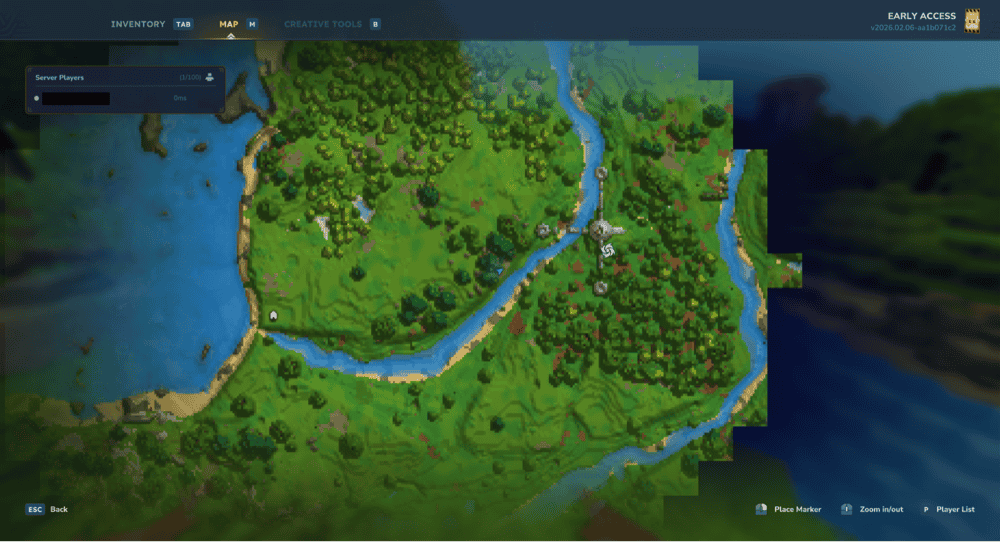
Games like Hytale are all about adventure, so it’s striking how unintuitive the default map system is. BetterMap is the solution to this. It creates a more dynamic and visually appealing map system and your map also stays visible as you explore the world.
You can even create waypoints to help keep better track of your discoveries. And this isn’t even to mention the commands, teleporting, and other behind-the-scenes functionality that make this mod so useful!
2. EyeSpy
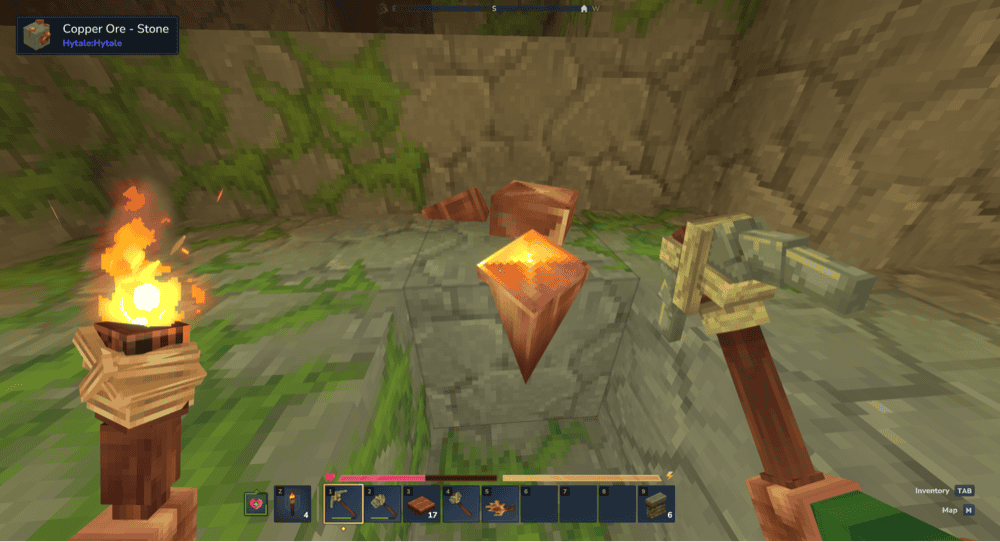
A problem with any sandbox game, especially one as big and diverse as Hytale, is that there are too many blocks and items to reasonably memorize. This is especially true for similar-looking blocks.
Instead of having to break a block to know more about it, the EyeSpy mod adds a small UI box in the top left corner that tells you the name of whatever object you are looking at – whether it is a block, an item, or a monster (it will even display the mob’s name and health bar). The mod is also useful for when you want to quickly find out which mod has introduced the object or monster you’re currently viewing.
3. Wan’s Wonder Weapons
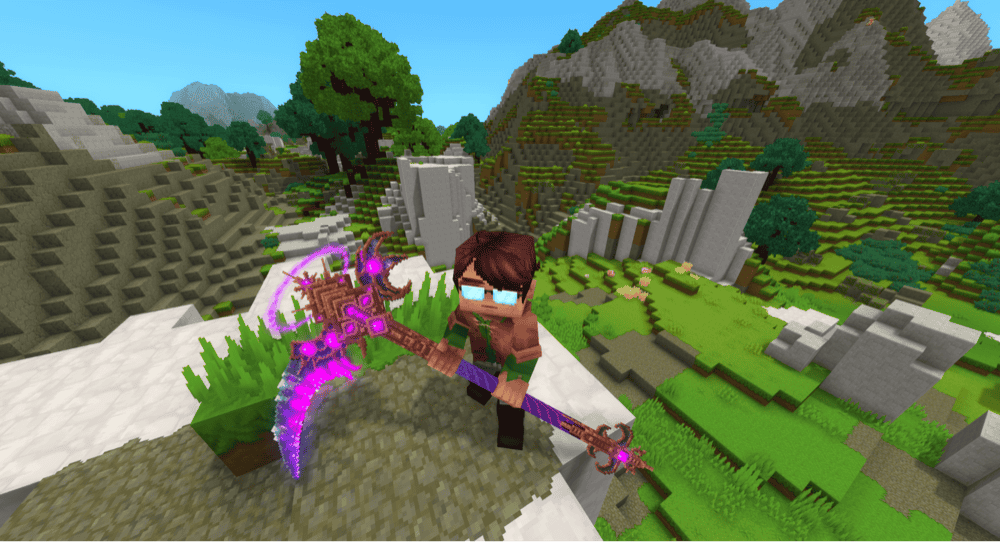
Part of what makes Hytale stand out from the competition is its focus on having more engaging and interesting combat. Wan’s Wonder Weapons expands on exactly that, adding in several new tiers of weapons.
Beyond the standard fare, there are also new weapon styles (like a scythe). These have unique movesets that can really change up your combat strategy. These weapons also display some super stylish effects, making the late-game nature of these weapons feel worthwhile.
4. RPG Leveling And Stats/Skills
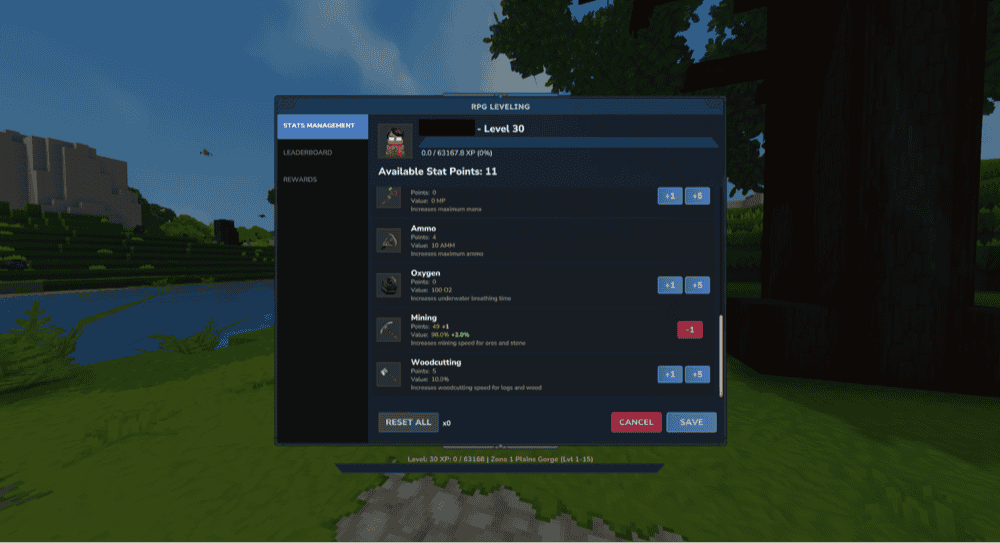
Combat is fun, sure. But sometimes you want all that combat to count toward some sense of progression. This mod implements an RPG-style experience and leveling system. Earn EXP by doing things like fighting monsters, level up, and spend your skill points toward improving your own skills.
Best of all? There are scaled zones and monsters. As you level up, so do the challenges, meaning that the challenge doesn't go away just because you’re stronger. If you love combat, then this will provide countless hours of things to strive for.
5. Perfect Parries - Souls-Like Parrying
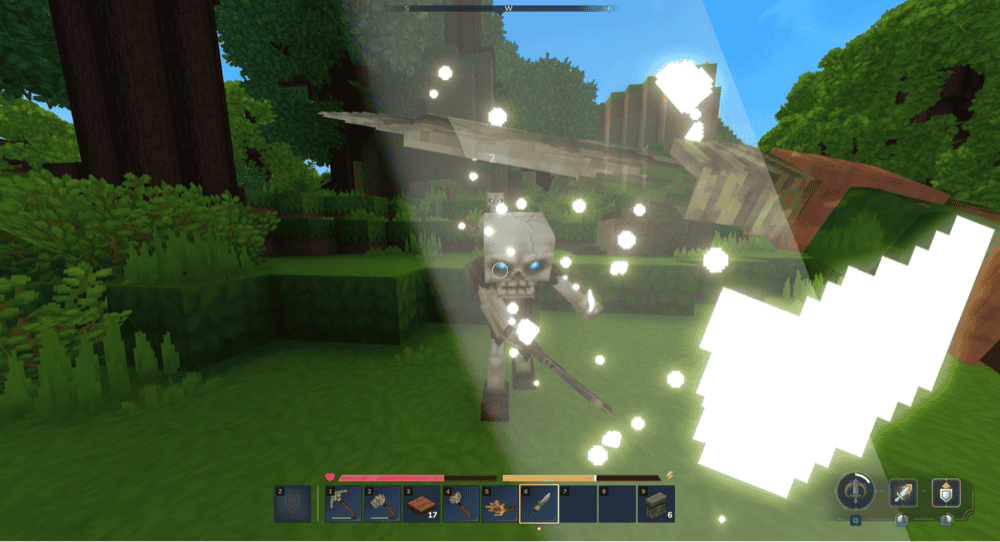
What game ISN’T improved by having a parry system? This mod introduces a configurable parry mechanic. By blocking at just the right moment, you can negate damage and even stun the monster attacking you.
It’s highly customizable too, with the option to change things like parry window, counter attack damage, and stun time. Tweak things how you want and make every boss battle feel like something out of Bloodborne.
6. MMO Skill Tree
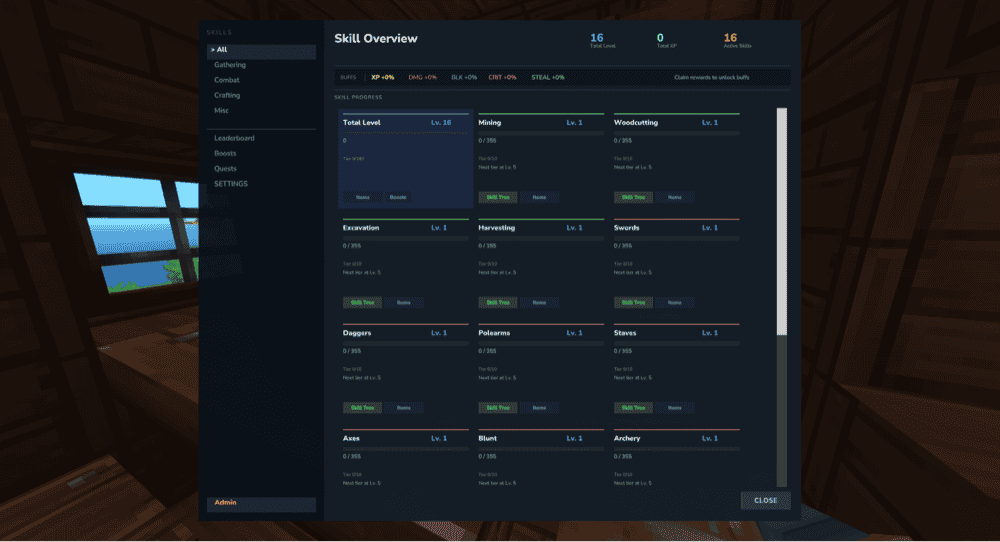
For fans of a different progression system, MMO Skill Tree provides a leveling system more akin to MMOs. Nearly every kind of action you can make is separated into its own level system, granting relevant perks and boosts as you level up.
Much like the MMOs this is based on, this mod has a more long-term feeling to its progression. You can spend hours just working away at a single skill type. And once that one is maxed out, you can move on to the next. For those who love the grind, this is a no-brainer mod to include.
7. Advanced Item Info
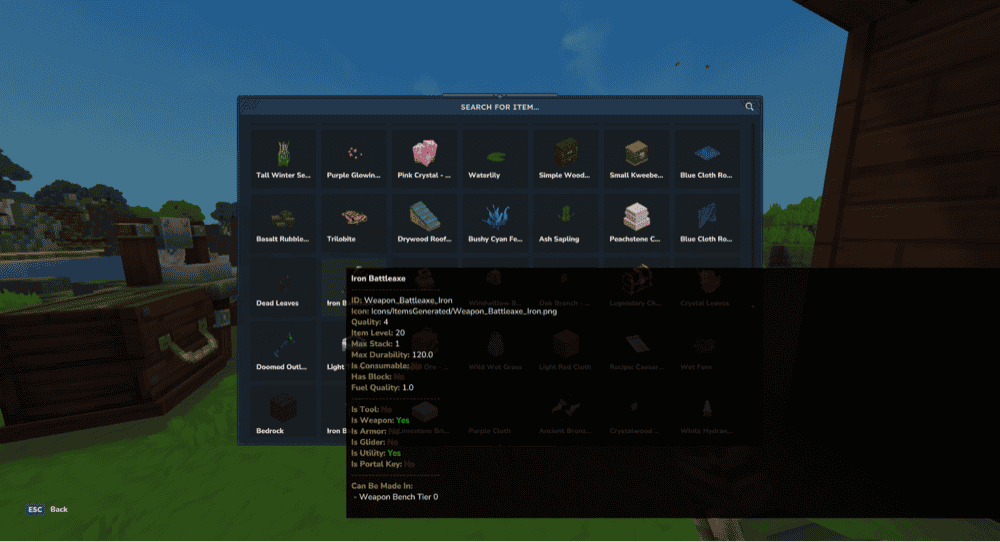
Frankly speaking, memorizing the nuanced details of every item might not be everyone’s cup of tea. This simple UI mod solves that by providing a menu that shows detailed stats about every item in the game.
Forgot which crafting table you need to make that item? Not sure how durable an item is? Count on Advanced Item Info to tell you everything you need to know – and more.
8. Violet's Furnishings
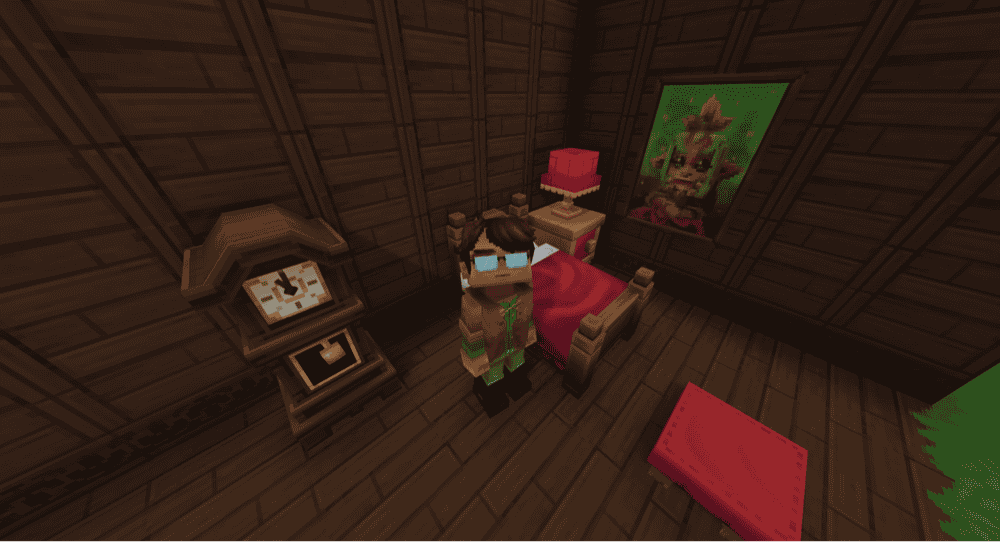
There’s been a lot of focus on combat, but at the end of the day, Hytale is still a sandbox game. One of the most enjoyable and impressive parts of games like this is building elaborate and appealing structures.
Violet’s Furnishings is a straightforward decoration mod that introduces a handful of cozy and charming furniture options. It’s not just a bunch of beds and cabinets, either. Almost every new item can be customized for a variety of different colors and graphical effects. And to make it easy, it introduces a new workbench for making these changes. It’s a quick, convenient, and colorful expansion to the decorating side of Hytale.
9. Vein Mining
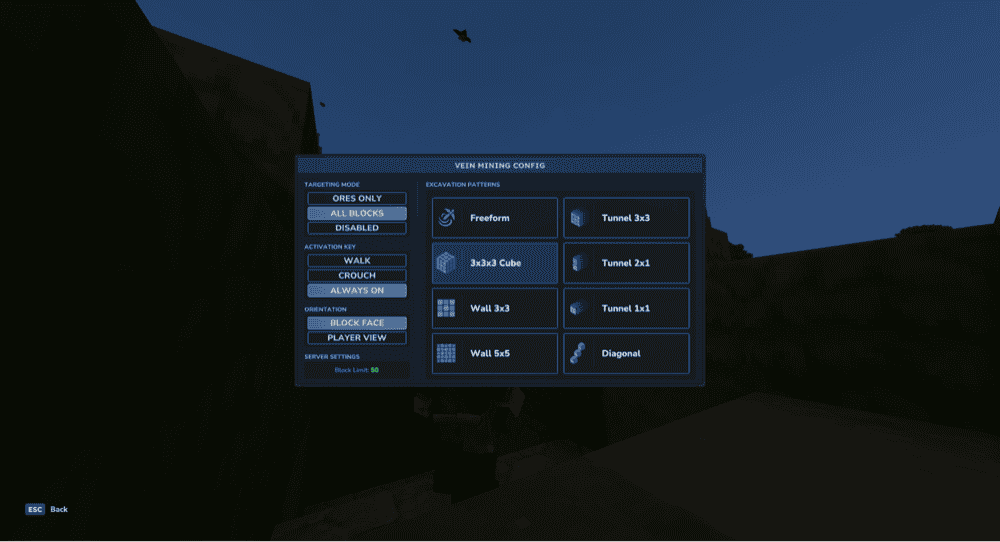
The true wonder of a game like Hytale is how every single block is breakable, placable, and otherwise movable. Grand sections of land can be terraformed to make room for anything you can imagine.
But mining out an entire subway system one block at a time might not appeal to everyone. The Vein Mining mod expands your mining abilities to different shapes and sizes, making it much less tedious to carve out large sections of land.
10. Simply Trash
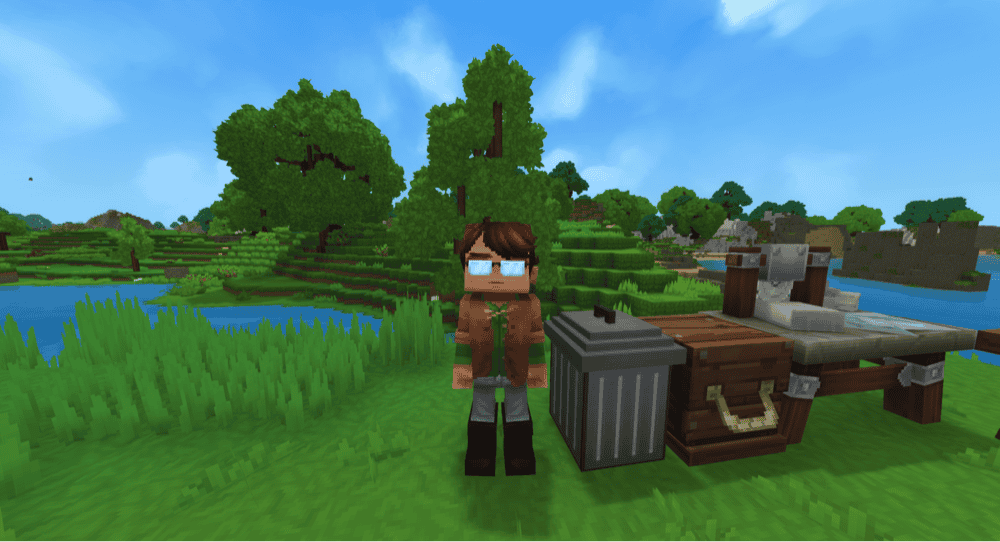
Sometimes the simplest mods make the biggest difference. The Simply Trash mod embodies that idea best. As the title implies, this introduces a simple trash can block. Using this block, you can toss out any unneeded items.
Everyone, even the Hytale players that actually have good organization systems, eventually builds up quite a stockpile of useless or redundant items. Old armor, forgotten materials, stacks on stacks of dirt. The trash can provides a quick and simple way to get rid of them.
How To Mod Hytale With CurseForge
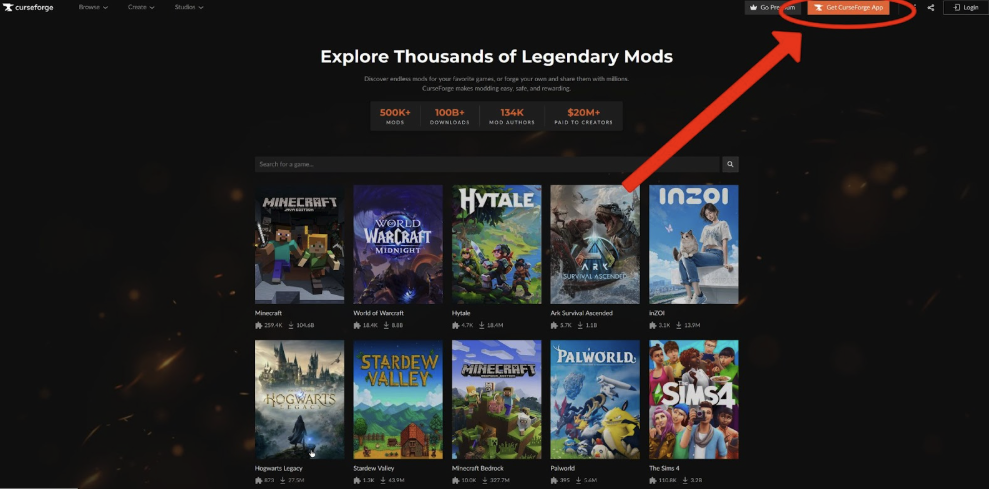
Thanks to the developers keeping modding in mind from the start, mods are both plentiful and easy to install. We found that CurseForge was our favorite place to find new mods.
- Go to their website, then download and install their desktop app.
- CurseForge will automatically detect your Hytale game, so select the game icon on the left.
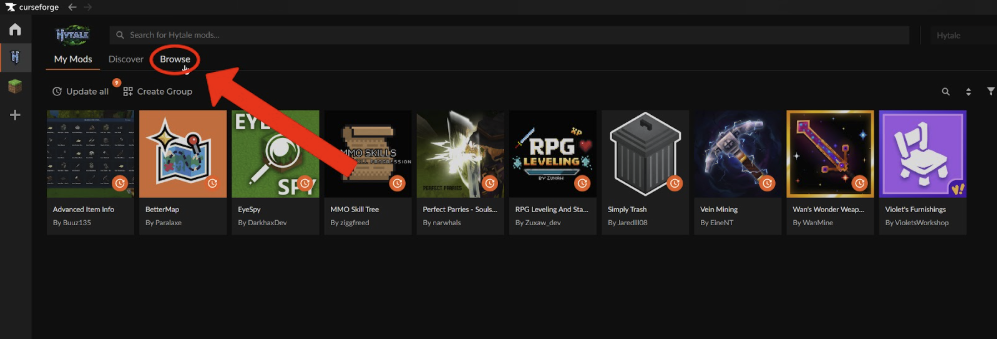
- Select the Browse option at the top of the menu and search for the mods that interest you. You can also select the mods from their respective webpages,
- Once you have all the mods you want, select the "start game" icon in the upper right corner, the one shaped like a play triangle.
How To Mod Hytale Without CurseForge
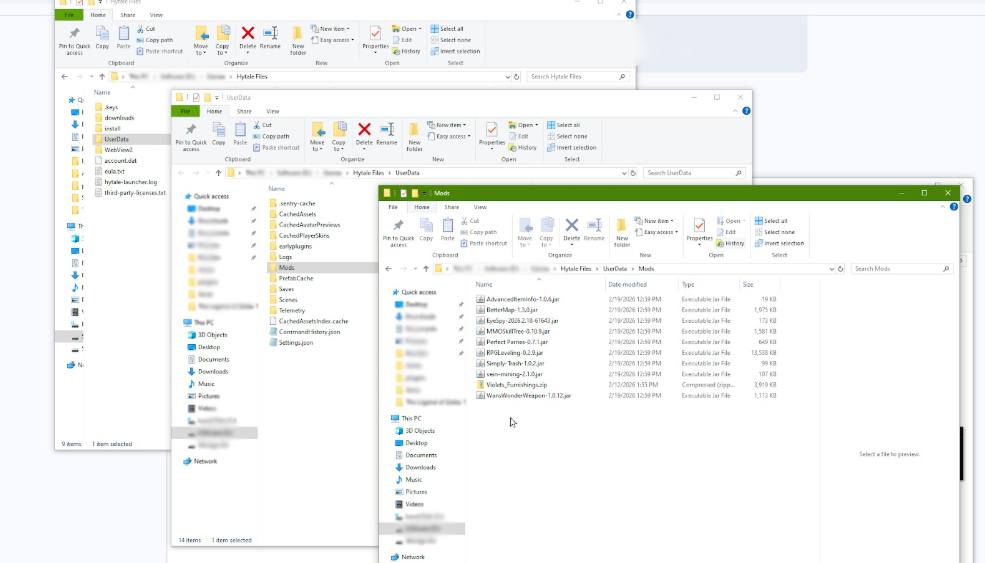
- Find and download the mods you want. These will usually be a .jar file, but they can also be a .zip file.
- Navigate to your Hytale installation.
- Navigate to the Mods folder (Hytale Files/UserData/Mods/).
- Drop your mod file into this folder.
The next time you open up Hytale, any mods in that folder will be installed.
How To Activate Mods For Each World
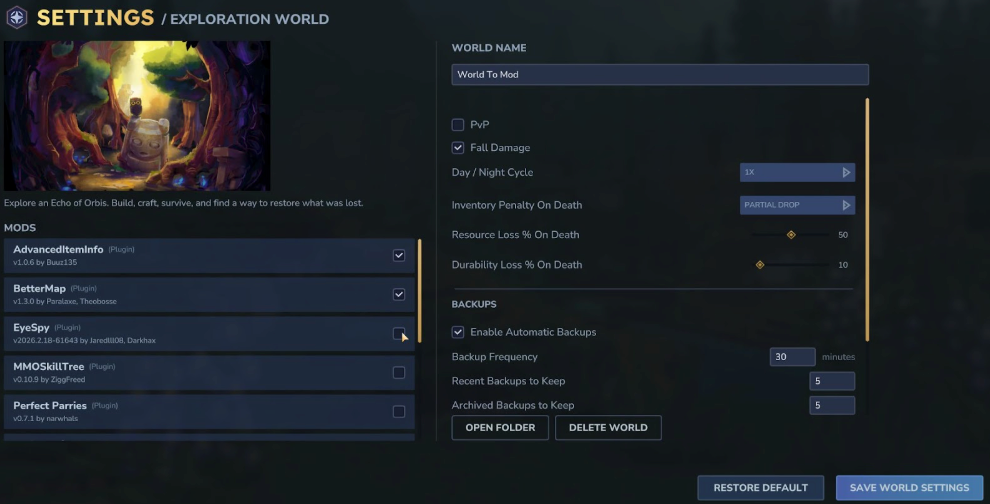
Mods are also managed on a per-world basis. Regardless of whether you installed them manually or through CurseForge, you still need to activate each mod for each world you plan to use them on.
- Go to your world menu and right-click on the world you plan to play.
- On the left side, below the preview image, will be a list of all mods.
- Select the checkbox for each mod you want active.
- Save your changes.
From now on, those mods will be active whenever you load that world.
Common Issues and Quick Fixes
I can’t find a mod menu
Some of the mods have a custom GUI. There’s not a button on screen to pull these up. Instead, many mods will have a custom chat command you enter to pull up that UI.
If you’re not sure how to access a mod menu, check the mod page for what that command might be.
I don’t know how to install a mod on a Hytale server
- Open whatever FTP or control panel you use to modify your server files.
- Follow the instructions above for manually installing mods, but through your server’s Hytale installation files.
- Restart the server.
I can’t find mod files for manual installation
Mod sites will provide multiple ways to download the mod files. Search the mod page for a button that says "Manual" or "Download File Manually.
CurseForge hides this option with the triangle dropdown button to the right of the "Install Via App" button.