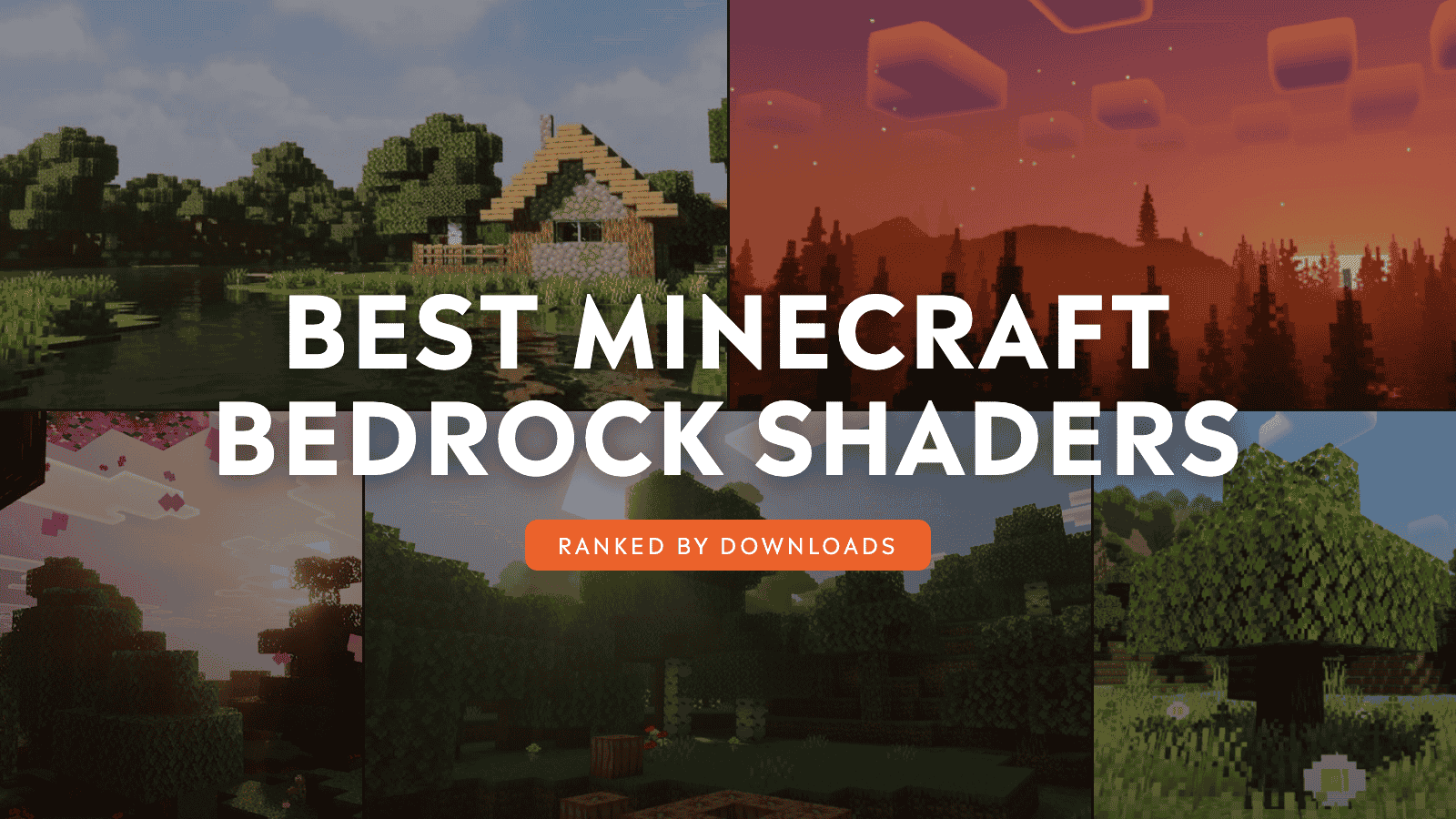
Minecraft's square sun has watched over a lot of familiar worlds. A forest glowing gold at sunrise, a lake mirroring a stormy sky, and a night washed in auroras can make the same trail home feel new again.
The shader packs below reshape Bedrock around that feeling. Some deepen shadows, reflections, fog, and colored light across every biome. Others stay close to the vanilla look while adding swaying leaves, calmer water, brighter skies, and just enough atmosphere to make you stop for the view.
We ranked our picks by community downloads, and at least one of these shaders may have you reopening an old world just to see how different it looks!
1. Prizma Visuals Legacy
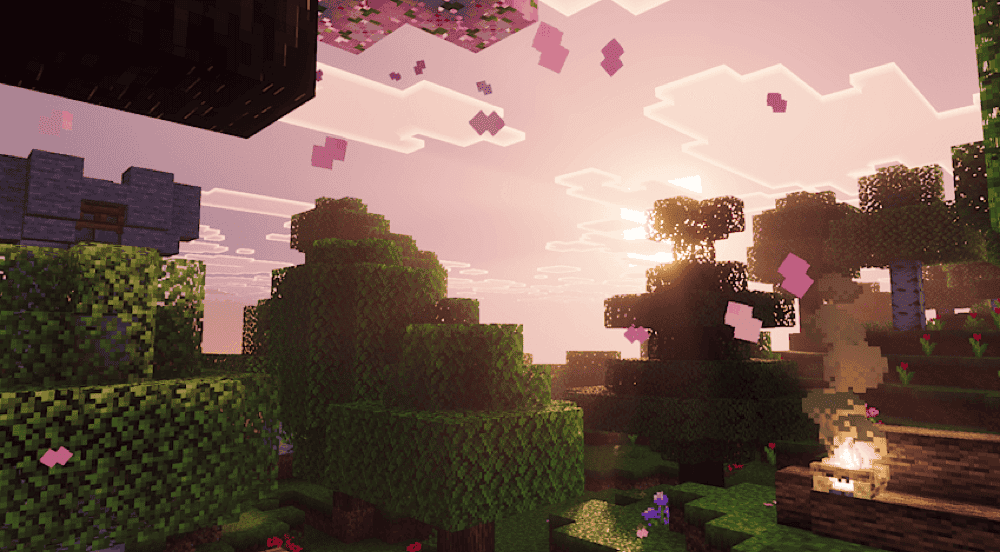
“Prizma Visuals Legacy” rebuilds Bedrock around detailed PBR textures, 3D bump effects, atmospheric skies, and the official "Vibrant Visuals" mode. Stone, wood, foliage, and decorative blocks catch the light with more depth, while the reworked sky and atmosphere give cliffs and large builds a stronger sense of scale.
With this addon installed, each sunrise can also sweep across an entire valley and small surface details remain visible even when you move in close.
2. Luminous Dreams
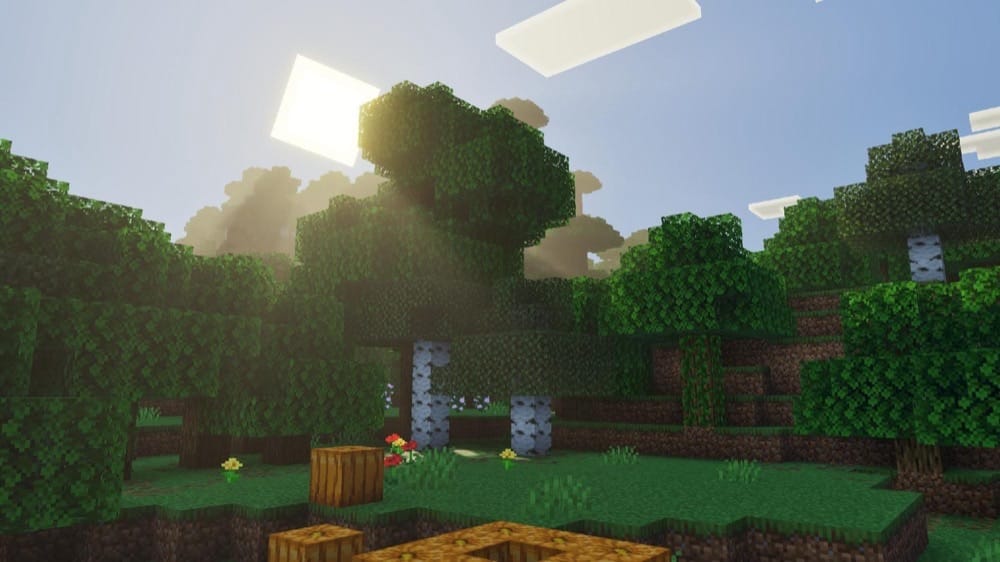
“Luminous Dreams” gives Bedrock a warm, welcoming identity through soft lighting, glowing atmospheres, and rich environmental detail. It steps away from strict realism, letting forests, villages, and interiors feel gently stylized while keeping the iconic Minecraft look for each block.
The mood carries from daylight into the darker corners of a world instead of disappearing after sunset. The End receives its own refined sky, and the Pale Garden settles into a deliberately subdued atmosphere, giving exploration a different emotional beat as you move between biomes and dimensions.
3. Newb Complementary Shader
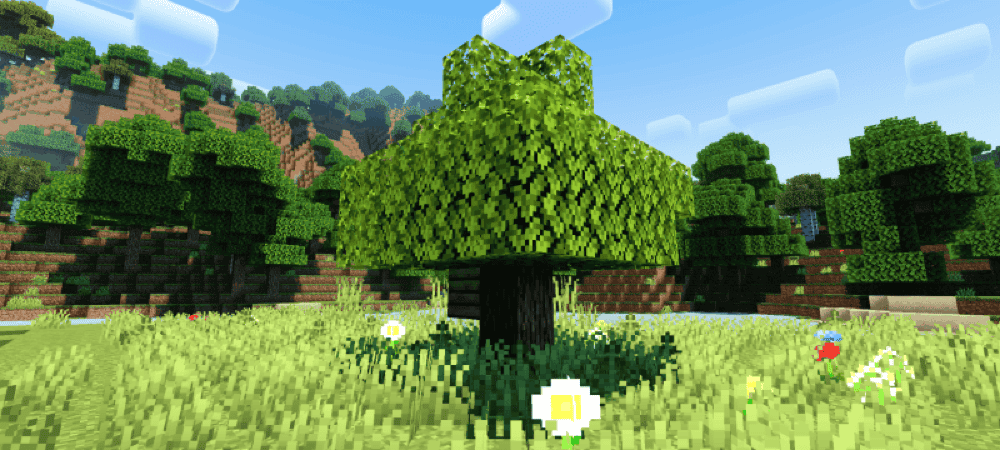
“Newb Complementary Shader” brings the warm light and colorful skies associated with Java's Complementary style into Bedrock. Sunrise rolls into defined shadows, plants sway around realistic water, and wet rain changes the ground while clouds reshape the horizon above it.
Night opens into stars and auroras as minerals glow below the surface. Underwater sun rays, a brighter End, and a reworked Nether carry the look beyond the Overworld, while the “Low” subpack offers a gentler version of the same atmosphere when your device needs fewer effects.
4. Revolution Vibrant Visuals
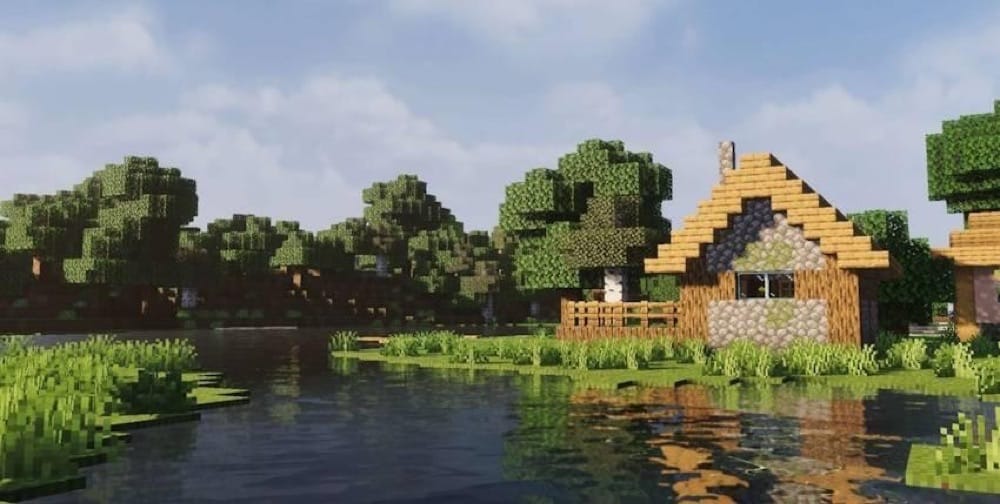
“Revolution Vibrant Visuals” changes the game’s lighting depending on the biome, sending colored god rays through the air while armor, tools, quartz, and other surfaces pick up reflections. Glowing minerals stand out underground, and a long list of light-emitting blocks gives bases and villages more atmosphere after dark.
Its “Realistic” variant adds rolling water, detailed clouds, caustics, and a redesigned sun and moon. “Default” keeps the realistic waves but brings back vanilla clouds and celestial shapes, while “Vanilla” stays closest to Minecraft with calmer water and familiar skies, letting you choose how far the transformation should go.
5. Newb Shader
“Newb Shader” keeps Minecraft's vanilla identity close while softening the light, calming the water, and adding movement to foliage and hanging lanterns. Horizon mist gives distant terrain more depth, and clouds respond to rain instead of holding the same shape through every kind of weather.
Underwater fog, caustics, and streaks make a dive feel different from a walk on land. Auroras and moon phases fill the night sky, ores glow in caves, and the End gains a brighter sky of its own, while the “No Wave” and “No Fog” subpacks can ease the load on devices that would perform better if the effects are brought down a notch.
6. BSLB Dreamy Visuals
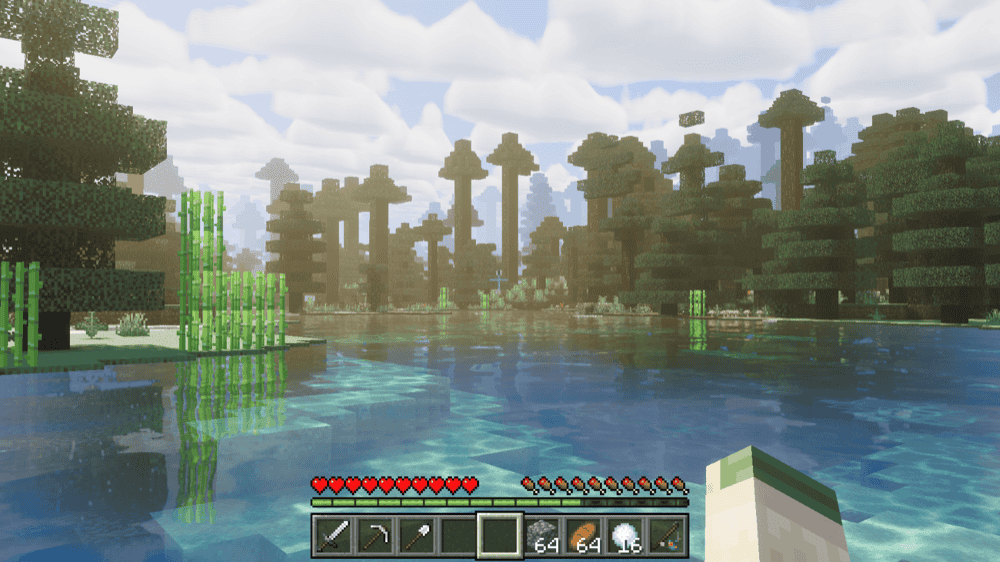
“BSLB Dreamy Visuals” sends golden god rays through tree canopies and changes the air around you as one biome gives way to the next. Fog, lighting, and color grading cover all 88 biomes, while skies shift from a carefully tuned dawn to a deep midnight above them.
The Nether and End receive biome-by-biome treatment, and Sculk Cyan gives the Deep Dark its own striking glow. Colored light sources, custom water, and a choice between vanilla or BSLB clouds let you shape the final look without losing the pack's dreamy atmosphere.
7. Dark Fantasy Visuals
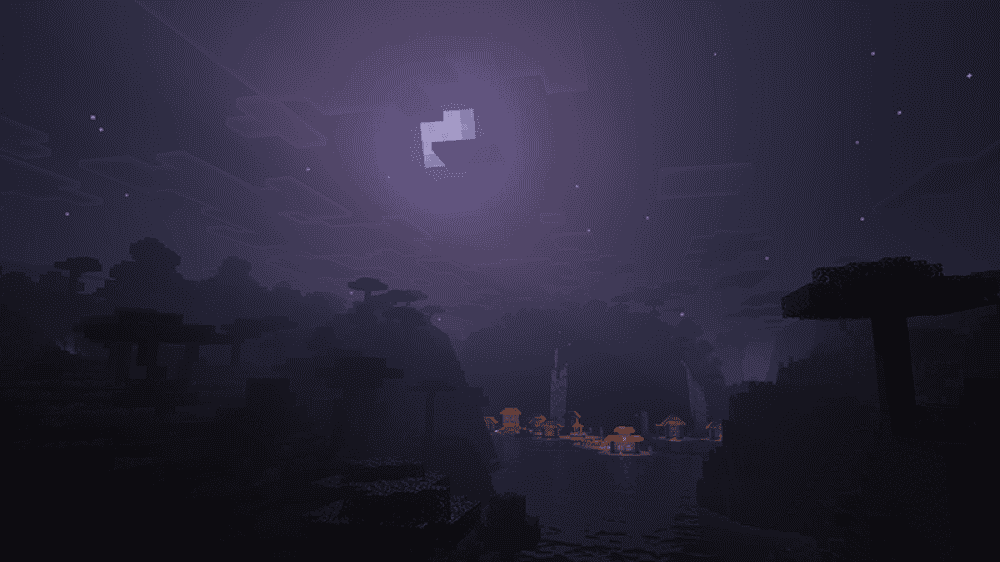
“Dark Fantasy Visuals” draws Bedrock into a colder, moodier world with deeper shadows, muted colors, and the heavy atmosphere of dark fantasy adventures. Forest paths, mountain passes, and ruined builds feel more mysterious as bright vanilla color gives way to a restrained grade.
That darker mood follows you into the main survival loop as well instead of sitting only in the background. Torchlit shelters feel warmer against the night, caves carry more tension, and weather can turn a familiar route home into something uncertain, making it a natural fit for grim castles, adventure maps, and horror-themed worlds.
8. Newb X Dragon Shader
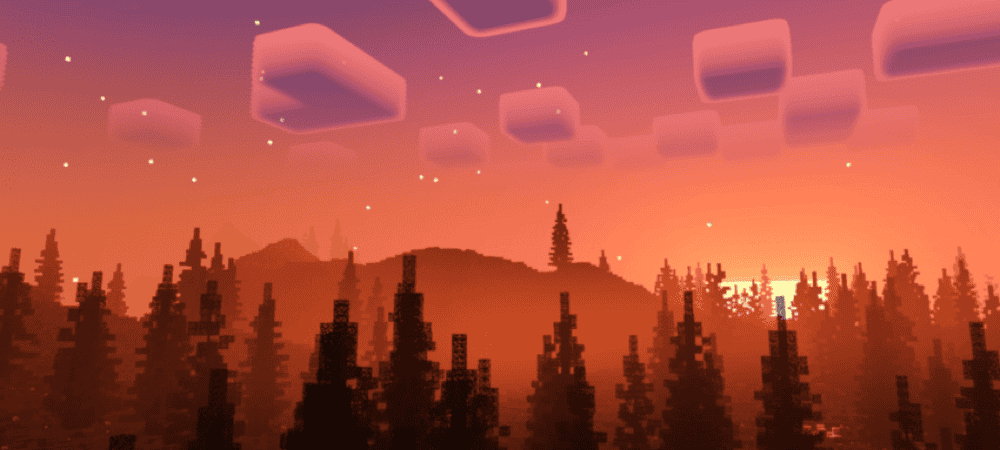
“Newb X Dragon Shader” fills Bedrock with dramatic sunrises, shaped daytime clouds, bright stars, and a galaxy stretching across the night. The End shifts toward a purple Complementary look, giving the journey beyond the portal a visual identity that matches the spectacle overhead.
Minerals and light-emitting blocks glow in the dark, lava gains a more realistic surface, and revised terrain color ties the world closer to the Complementary style.
9. RG Shader
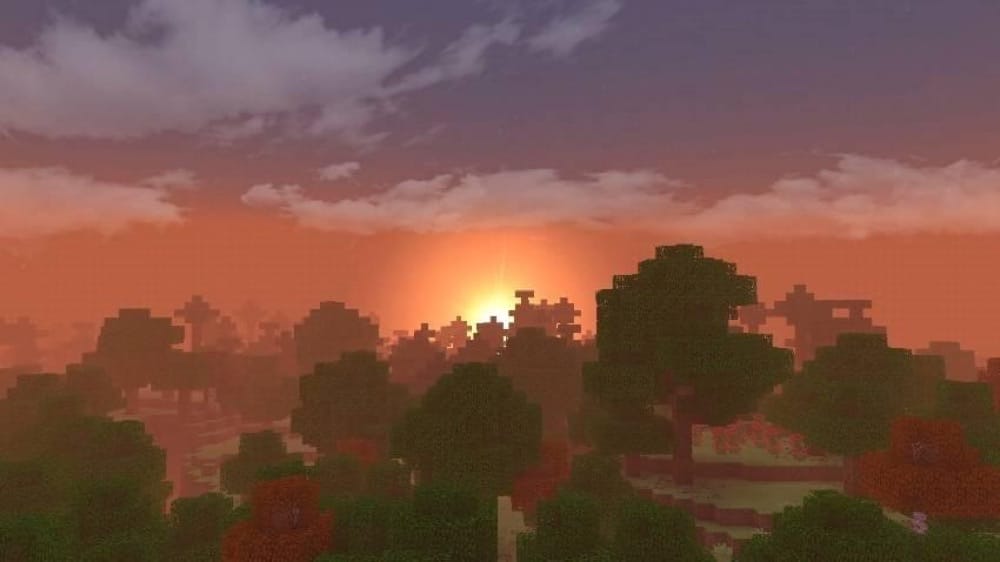
“RG Shader” animates grass, leaves, and trees so the landscape moves around you instead of standing still. Lifelike lighting and shadows meet clear reflective water, while redesigned clouds carry the sky from sunrise through sunset and into the night.
Dynamic fog scatters the light across distant terrain, and bloom, god rays, and realistic rain add atmosphere without relying on "Vibrant Visuals" or a separate shader patch. We find that its performance focus keeps those effects within reach of many lower and mid-range devices.
10. Newb X Dawn Shader
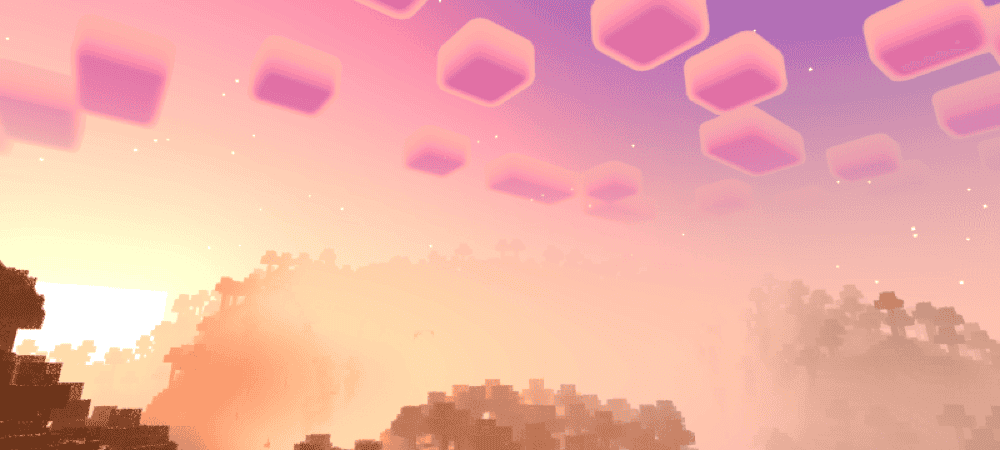
“Newb X Dawn Shader” builds an RTX-inspired atmosphere without asking for RTX hardware. Volumetric clouds frame bright sunrises and sunsets, the sky reflects across the ground, and realistic waves carry those colors over the water throughout the day.
Galaxy nights, night fog, a redesigned End sky, shining armor, glowing particles, moving crops, and moving lanterns all work to keep the world active and alive even after sunset. Reimagined delivers the stronger cloud and reflection effects, while the Vanilla version stays closer to Minecraft's familiar sky and lighting.
How to Install Minecraft Bedrock Shaders
- Open the project’s "Files" tab and download the correct ".mcpack" file for your version.
- Double-click the ".mcpack" file. Minecraft should open and display a "Successfully Imported" message.
- Edit your world, then open "Resource Packs" → "Available". Select the shader and choose "Activate".
- For Vibrant Visuals packs, select "Settings" → "Video" → "Mode" under "Graphics, Performance and Layout" → "Vibrant Visuals". For "BetterRenderDragon" shader packs, extract "BetterRenderDragon" and launch Minecraft through "LaunchMinecraft.bat" each time you play (press "F6" if you need its menu).
Common Issues and Quick Fixes
My shader imported, but does not appear
The pack may only need to be activated. Open your world settings, go to "Resource Packs" → "Available" and look for the shader there. If several visual packs are active, moving the shader higher in the pack list or testing it by itself may help.
My world still looks like vanilla Minecraft
The shader may need a different graphics mode. For a "Vibrant Visuals" shader pack, try following the steps above. If the option does not appear, updating Minecraft and checking your device compatibility may help.
My shader causes lag or crashes
Try selecting "Favor Performance", lowering the render distance, and temporarily disabling other high-resolution packs. If the shader offers "Low", "Default", or "Vanilla" variants, you could also start with its lightest option.
My lights or textures are flickering
An older shader file or another active resource pack may be causing a conflict. It may help to download the file that matches your Minecraft version, remove older copies, and test the shader without other resource packs enabled.
My Newb shader variant will not load
Some Newb variants use a separate shader loader, so importing the ".mcpack" may not enable every effect. The project page should include the recommended setup steps. If it lists "BetterRenderDragon", launching Minecraft through it will help the shader load correctly.