Redstone can demonstrate a circuit, but sometimes you want the machine to move, the crops to respond to climate, and a full electrical network to power the next experiment. With the right addons, a Bedrock world can become a workshop, wildlife reserve, working farm, chemistry lab, model solar system, or space for team challenges.
The addons below turn ideas into things you can build, test, observe, and explore. You can automate a factory, compare animal habitats, study prehistoric creatures, cook through Peruvian culture, test different growing conditions, wire an electrical network, explore the planets, or organize players into color-coded teams.
We ranked our picks by community downloads, and we believe that any one of them could inspire your next project, experiment, or group challenge.
1. UtilityCraft
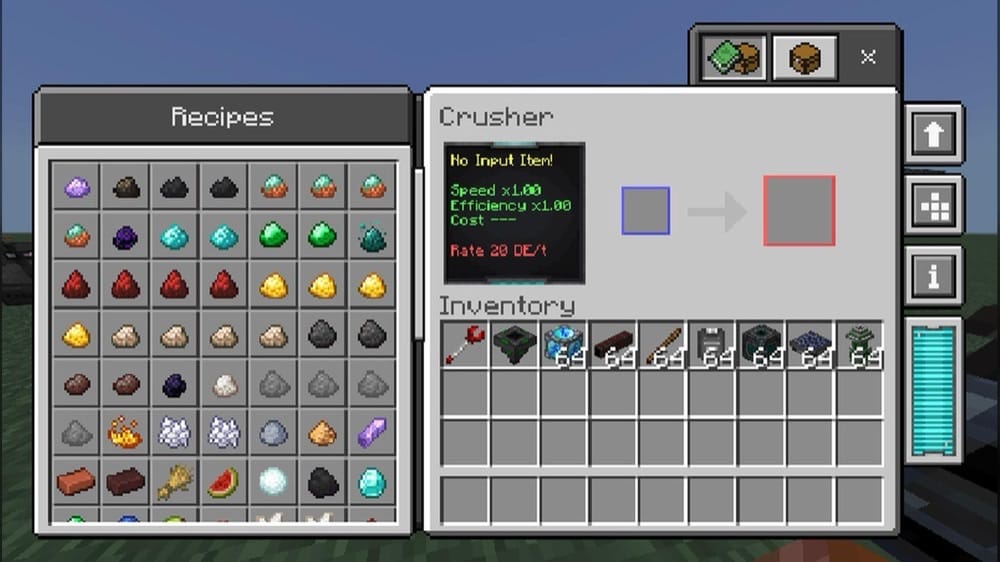
“UtilityCraft” turns survival progression into a practical lesson in energy and automation. Generate Dorios Energy with furnaces, lava, or sunlight, store it in batteries, then feed that power into crushers, infusers, presses, furnaces, harvesters, and other machines. Upgrades let you experiment with processing speed, energy efficiency, and working range as well.
These systems connect across the whole world. You’ll need to filter gravel, sand, or dirt through sieves, grow wood in bonsai pots, harvest resources from ore crops, store liquids in tanks, and move items with improved hoppers or conduits. A built-in guide in the "How to Play" menu helps you learn each machine while you assemble a working production line.
2. World Animals
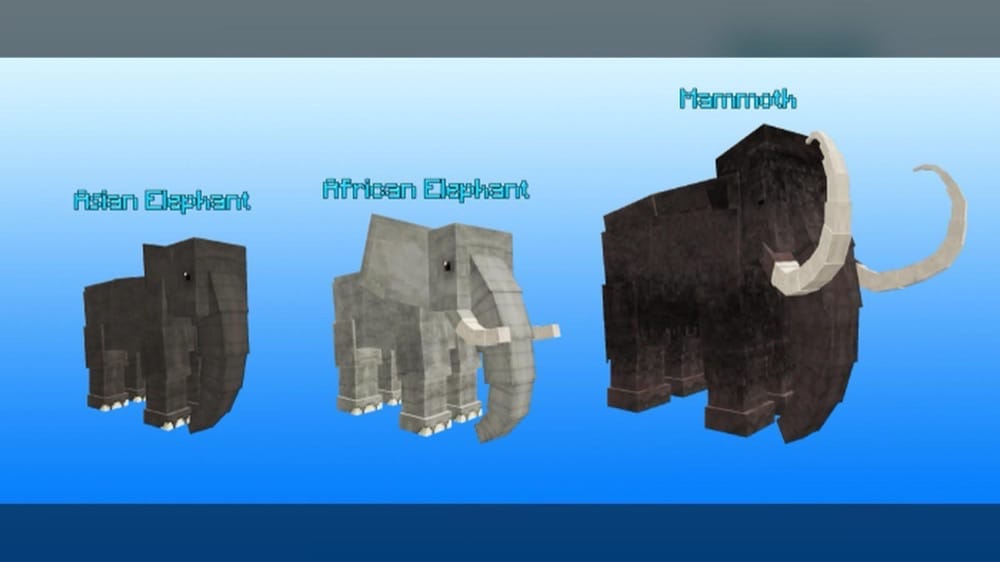
“World Animals” fills your biomes with wildlife that behaves differently from species to species. Elephants and giraffes wander warmer regions, bears roam forests, crocodiles patrol swamps, and penguins, sharks, whales, seals, big cats, birds, reptiles, and many more creatures appear in habitats that suit them best. Some remain peaceful, while others defend themselves or actively hunt the player.
You can tame many species with a golden bone, feed them their preferred foods, and watch how their roles change after domestication. Saddles turn elephants, giraffes, ostriches, and big cats into rideable companions with storage, while elephant DNA can lead to a mammoth. The mix of habitats, diets, temperaments, and breeding gives each wildlife lesson plenty of room to become a survival expedition.
3. Physics Glue Create
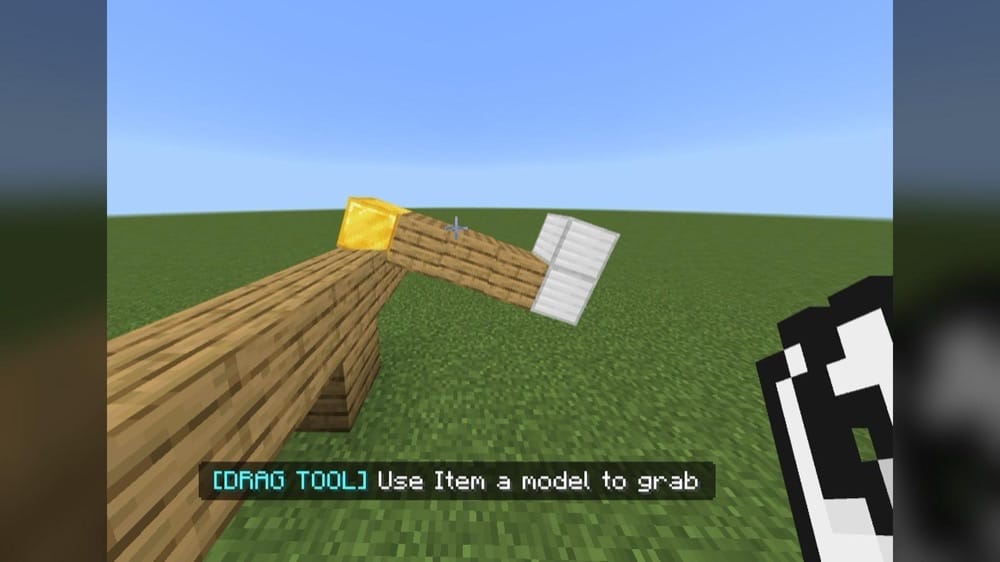
“Physics Glue Create” gives ordinary blocks weight, movement, rotation, lift, and buoyancy through a custom physics system. Select blocks with Super Glue or mark a larger area with Box Glue, then weld the shape into one moving object. The Drag Tool lets you reposition it, while Unglue returns the creation to Minecraft's block grid.
Cars, boats, submarines, airships, helicopters, windmills, elevators, walking machines, and movable houses all grow from the same building rules. Wheels, propellers, floaters, motors, ropes, springs, and gyroscopes invite you to test motion and balance. Heavy materials need more lift, uneven weight can tip a vehicle, and a shifting center of gravity can turn every build into a hands-on physics experiment.
4. Gastronomic Peru's Gourmet | GPG
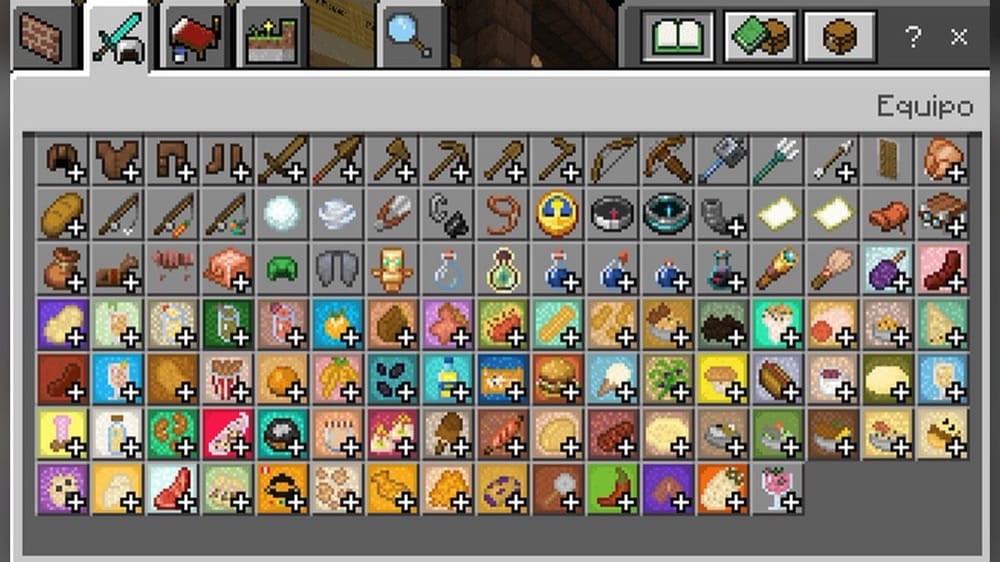
“Gastronomic Peru's Gourmet” brings more than 1,000 Peruvian foods into Bedrock, covering dishes from the coast, Andes, and jungle alongside traditional desserts, crops, snacks, Chifa, and Nikkei cuisine. Ceviche, lomo saltado, and other dishes can sit in the world as part of a kitchen, market, restaurant, or cultural display instead of remaining inventory icons.
Cooking begins with a kitchen block that supports a pot, pan, wok, cutting board, and mortar. Pastry and sandwich stations handle their own recipes, while ceramics, monuments, coins, traders, and themed food series expand the lesson beyond a single meal. Series connected to celebrations such as Día de la Canción Criolla and Fiestas Patrias offer a natural starting point for exploring how food, place, and tradition meet.
5. Mesozoic Biology
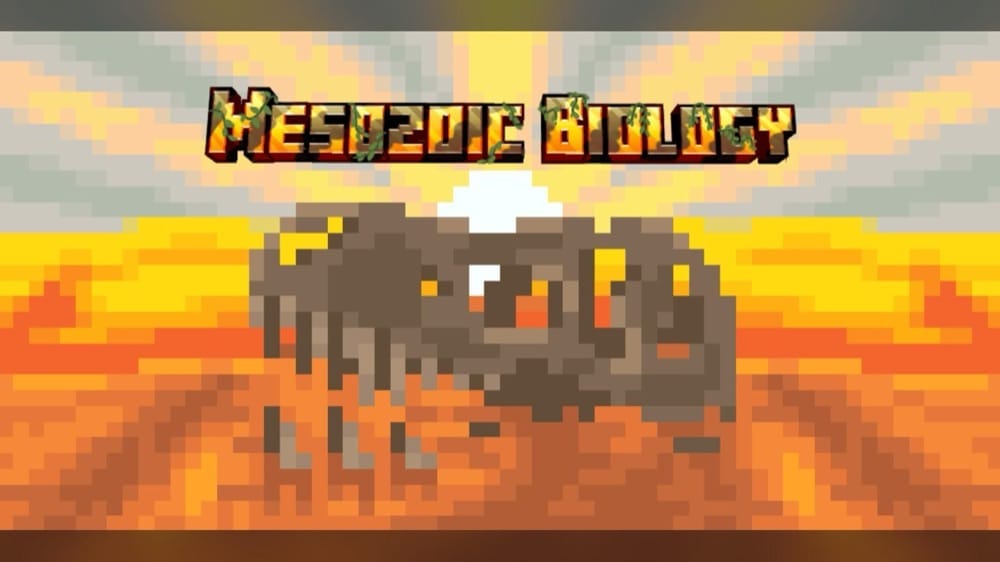
“Mesozoic Biology” approaches prehistoric life with a focus on scientific accuracy, using expert guidance and original coloration concepts across a roster of more than 90 species. Tyrannosaurus, Triceratops, Spinosaurus, Quetzalcoatlus, marine reptiles, and many lesser-known animals differ in size, diet, habitat, and behavior. As a nice touch, dinosaurs hunt when hungry instead of attacking everything in sight.
Fossil ores begin the resurrection process. Mine generic and species-specific fossils, supply a cloning machine with biofuel, and complete enough DNA to produce an egg! Most species can be tamed as babies, and larger adults become rideable once they grow. With feeding, breeding, following, roaming, and sitting behaviors, you can build a prehistoric park that rewards careful observation as much as exploration.
6. Wheel of Creation: Agriculture Update
“Wheel of Creation: Agriculture Update” makes every crop depend on more than farmland and a nearby water block. Biome temperature, soil hydration, soil quality, and plant genetics influence how crops develop, while weeds can spread through neglected fields. Growth also works in real time, letting you compare conditions and adjust the farm as each plant develops.
Farming connects directly to food and player health through four new crops, 29 recipes, and a seven-nutrient diet system. For instance, what you eat can affect maximum health, attack damage, and damage resistance, bringing agriculture, nutrition, and environmental planning together in the same survival world.
7. TheOrbithal
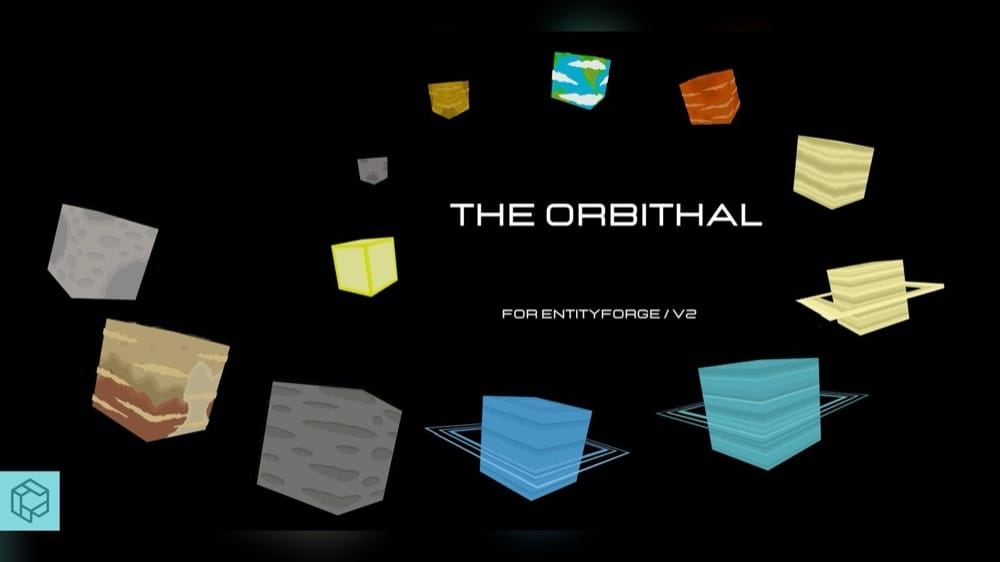
“TheOrbithal” places a giant decorative Solar System inside your world. The set includes the Sun, all eight planets, and the dwarf planets Pluto, Ceres, and Eris. Reworked scales give the celestial bodies clearer proportional differences, and a separate spawn egg for each one makes it easier to identify and position them from the "Creative" inventory.
You can arrange the bodies around an observatory, suspend them above a classroom, or turn them into the center of a space station and multiplayer map. The planets act as decorative entities rather than explorable dimensions, which keeps the focus on scale, layout, and visual comparison.
8. ElectricityCraft

“ElectricityCraft” lets you assemble an electrical network from its power source to the machines it runs. Generators produce energy, batteries store it, transformers support the system, and conductive cables carry power around your build. Placing each component makes the route from generation to distribution easy to follow as well.
You can grow a simple circuit into a larger automated network with electrical tools, powered devices, and functional machines that use or produce electricity. Lightning offers another energy source to experiment with, while visual and sound effects help you recognize active equipment as you test each connection.
9. Chemistry Craft
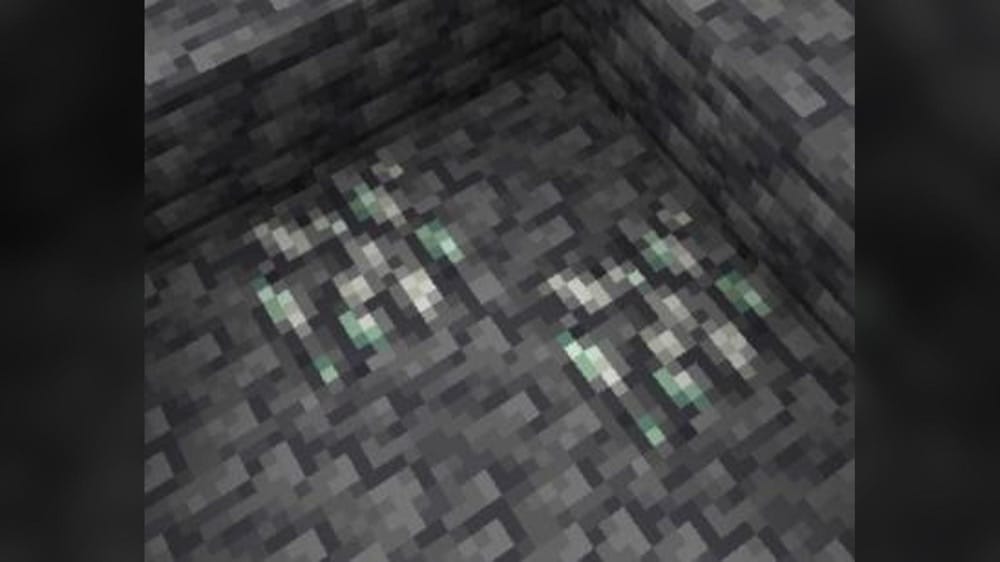
“Chemistry Craft” adds chemicals, minerals, ores, tools, armor, blocks, and useful products through connected crafting chains. Hydrogen and nitrogen lead to ammonia, salt and water help produce brine, zinc contributes to stainless steel, and phosphate supports other compounds. The recipes turn familiar Minecraft resources into a simple network of materials with clear inputs and outputs.
Those products have visible uses in the world as well. Bug spray protects you from spiders, bees, silverfish, and other bug mobs for five minutes, cleaning soap restores stained or damaged-looking blocks, and synthetic diamonds can become tools and armor. Additionally, Zinc and phosphate ores expand mining, while stainless steel blocks let you build a stronger golem that can swim!
10. Simple Teams for Education MCPEDL
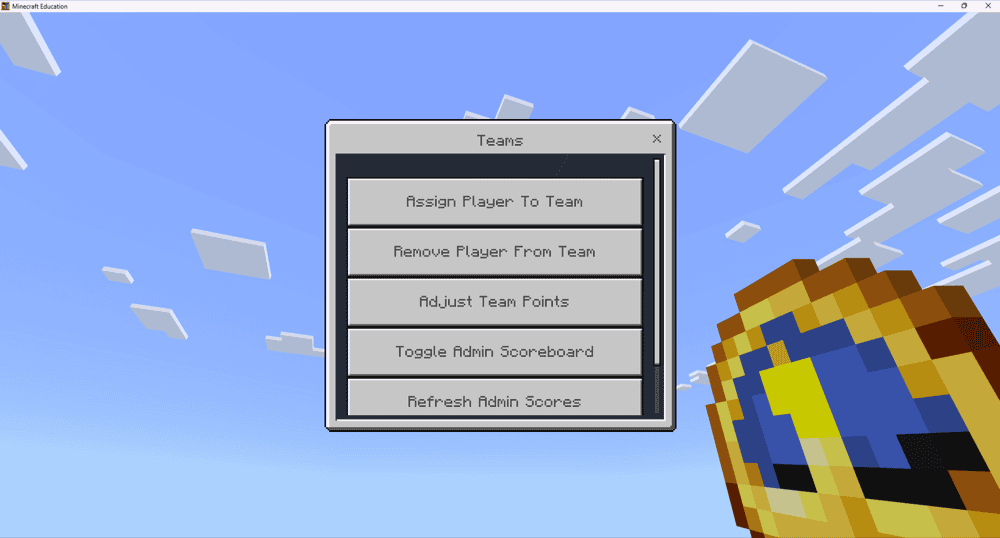
“Simple Teams for Education MCPEDL” lets a world host organize group projects, classroom challenges, and multiplayer activities across survival, creative, or themed worlds. The host can divide players among 16 color-coded teams and move them whenever the groups change.
The same menu allows the host to add or remove points from each team, toggle the admin scoreboard, and refresh the displayed scores. These tools can support quizzes, building challenges, and shared objectives while keeping each group’s results visible.
Note: To access the team menu, the world host can enable chat commands and enter "/tag @s add Admin". The host can then right-click while holding a clock to open the menu.
How to Install Minecraft Addons
You can add Bedrock addons automatically from the official Minecraft Marketplace or download and install them manually from CurseForge’s Bedrock addons browser.
If you pick the second option, make sure to open the linked project page of each of the addons above and download its associated “.mcaddon” file. Running the downloaded file should then launch Minecraft and begin the import.
After the import finishes, don’t forget to edit the world and check both "Behavior Packs" → "Available" and "Resource Packs" → "Available". If all went well, activating the packs included with the addon should add its features to that world. If the project lists an experiment under "Requirements", you should enable it as well before loading the world.
For a complete walkthrough, check out our guide on how to install Minecraft Bedrock addons.
Common Issues and Quick Fixes
My addon imported but does not appear
Importing an addon's packs does not always automatically activate them for the world. Try editing the world and checking both "Behavior Packs" → "Available" and "Resource Packs" → "Available". Some addons include one pack in each menu, so activating both may bring the missing features into the world.
My addon shows missing textures or sounds
An inactive "Resource Pack" often causes missing textures or sounds, while an inactive "Behavior Pack" can prevent features from working. It may help to activate the matching pair, remove older copies of the same addon, and import the project file again.
My custom items, machines, crops, or mobs do not work
Some features rely on world experiments to work. Comparing your settings with the linked project page may help before changing anything else. For instance, "Physics Glue Create" needs "Beta APIs" and "Upcoming Creator Features", while "Wheel of Creation: Agriculture Update" needs "Upcoming Creator Features".
My addons stopped working together
Two addons may be trying to change the same player, entity, recipe, or interface file. Testing the world with one addon at a time could reveal the conflict. If the problem only affects textures, moving the preferred "Resource Pack" higher in the active pack list may help.
My world slows down after addon activation
Large electrical networks, moving physics builds, and groups of custom animals can increase the load on your machine. Try starting with a smaller build, lowering the render or simulation distance, temporarily disabling other addons, or removing unneeded entities before expanding the project.
My world changed after removing an addon
Removing an addon may cause its custom blocks, items, crops, machines, and entities to disappear. Trying the change in a copied world first can make removal safer. If the content has already vanished, reactivating the same addon version may restore it long enough to dismantle custom builds or replace important items with vanilla alternatives.