
Quest mods are how a Minecraft world goes from “What now?” to “Okay, I have a plan.” Whether you want a full modpack-style quest book, NPC-driven tasks, daily objectives, or simple bounty boards you can hang in your base, these mods give you clear goals so you always know what to do next.
1. FTB Quests
2. Bountiful
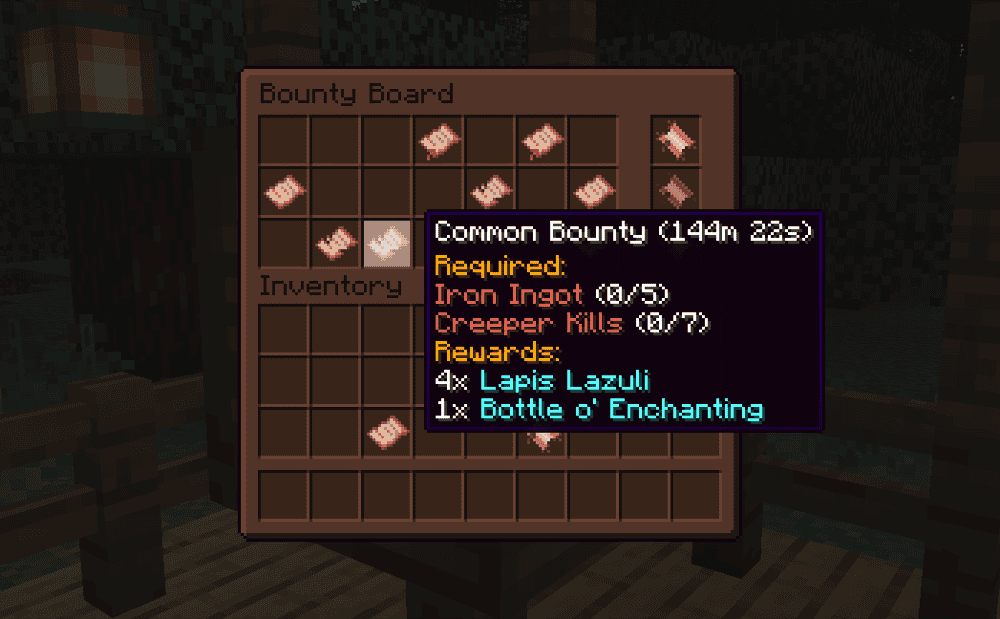
Bountiful adds Bounty Boards that generate bounties in villages, giving you simple quests like bringing back items or taking out specific mobs for rewards. It is a great way to make survival runs feel guided without turning your world into a full quest book pack.
You can also use Decrees to steer what kinds of bounties show up – for instance you could focus on armor, resources, or other themed objectives – and the board can mix multiple Decrees so the tasks stay varied as you play.
3. Quests Additions
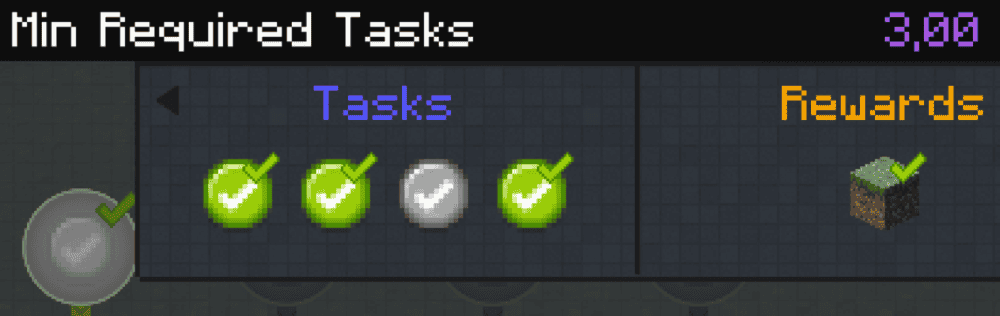
Quests Additions is an add-on for FTB Quests that fills in some of the quest types you always end up wishing were already there. It adds extra tasks and rewards for placing and breaking blocks, as well as various timer-based objectives (e.g. reaching a specific day) and a structure-building task with a build preview so players can follow along without guesswork.
It also lets you hide secret quests until they are completed and mark quests as repeatable, which is perfect for daily style objectives or long-running servers.
4. Hardcore Questing Mode
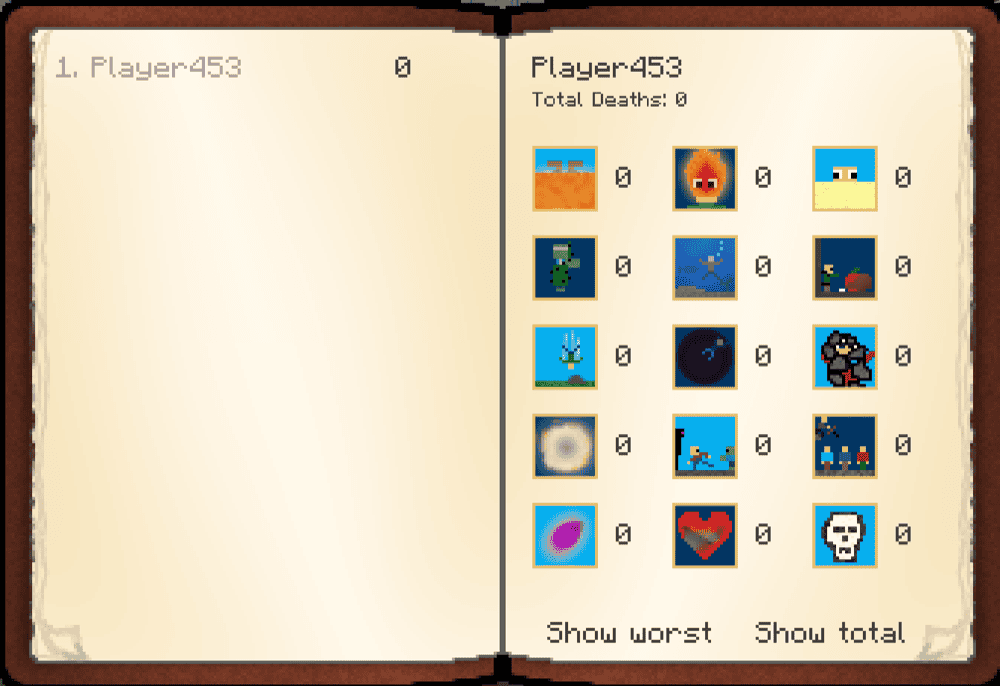
Hardcore Questing Mode is all about turning questing into a real hardcore run, but without the one-life-then- delete-your-world vibe. You can build or install quest lines where completing tasks earn rewards, and deaths can be tracked and tied into a lives system so your run stays tense without being instantly over.
It also comes with an in-game editor so pack makers and map creators can design custom quest books, then export and share them with other players.
5. Create Questing
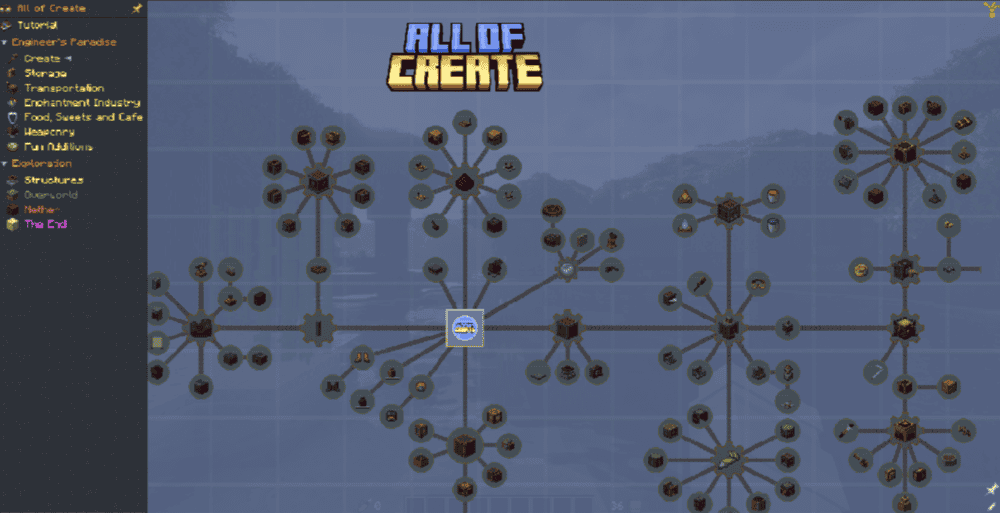
Create Questing gives FTB Quests a Create-themed makeover, so your quest book matches the rest of your gears, belts, and brass. It adds a blueprint-style look for Create chapters, plus a craftable Blueprint item that works like a quest book and feels right at home in a Create pack.
The best part of this mod is how easily adjustable it is. You can pick which chapters get the Create styling, then tweak things like the size, opacity, and colors in the "create_questing.json" configuration file so it fits your modpack’s vibe.
6. Realm RPG Quests and Rewards

Realm RPG Quests and Rewards adds repeatable, randomly generated quests that feel more like an MMO loop than a static quest book. As you explore, you will run into new structures with NPCs inside, pick up quests through dialog, and track progress via a built-in journal and on-screen overlay.
This mod is great for long survival world runs because the quests keep on coming, rewards stay varied, and multiplayer is supported so friends can race over who reaches the finish objectives first.
7. DarkQuesting - RPG Quests and Casino
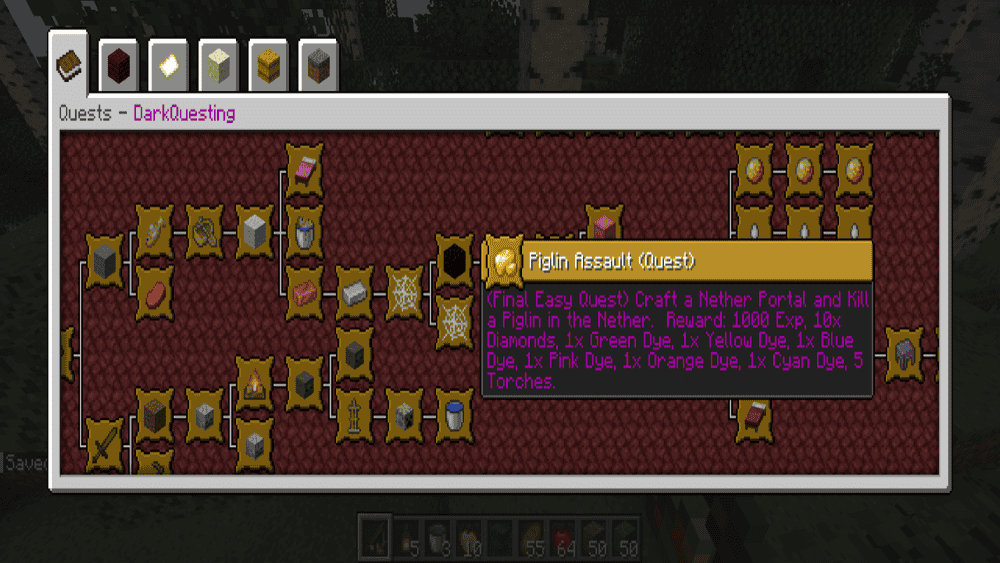
DarkQuesting - RPG Quests and Casino adds a full quest line that plugs in straight into vanilla progression, with lots of advancement-based quests that reward you with items and experience as you go. Quests come in multiple difficulty tiers, so you can treat the entire mod as a long-term goal system instead of a one-and-done checklist.
It also includes the Creeper Casino – a repeatable side activity with two looping quests that can pay out some seriously rare loot, and it works server-side as well so a server can run it without forcing every player to install it.
8. Cobblemon Quests
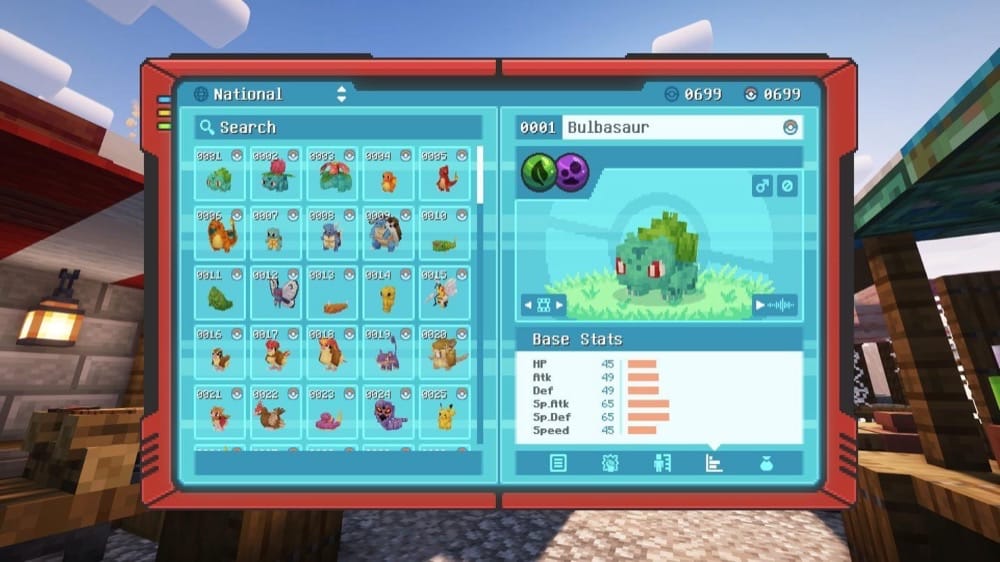
Cobblemon Quests adds Cobblemon support to FTB Quests, so quest creators can build objectives around catching, defeating, leveling, and evolving different Pokémon. It is perfect for Cobblemon modpacks that want a proper quest book flow, instead of wandering around with no direction.
It doesn’t ship with quests on its own, however – it simply gives modpack makers the task types and hooks they need, with goals and rewards varying from modpack to modpack.
9. Odyssey Quests
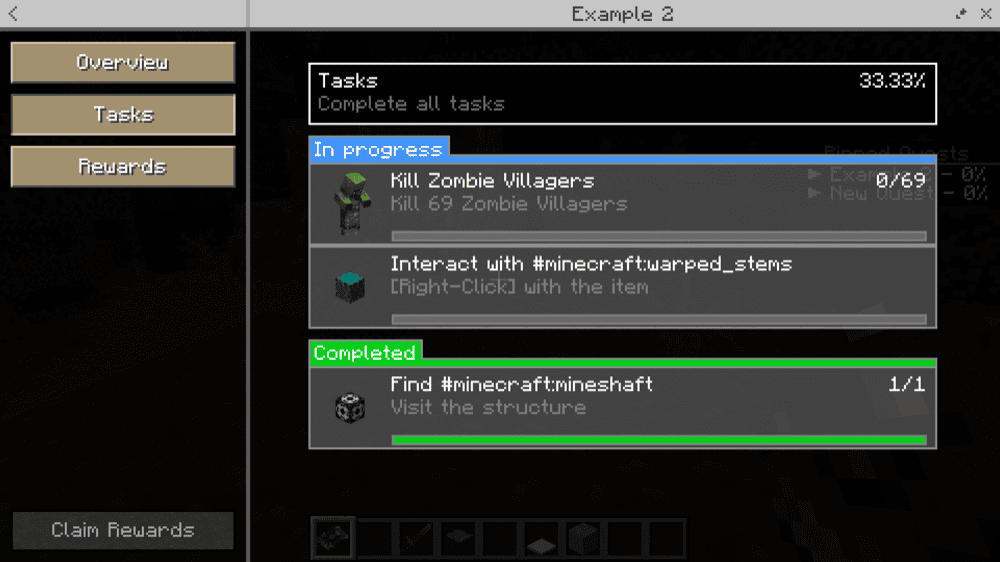
10. Questlog
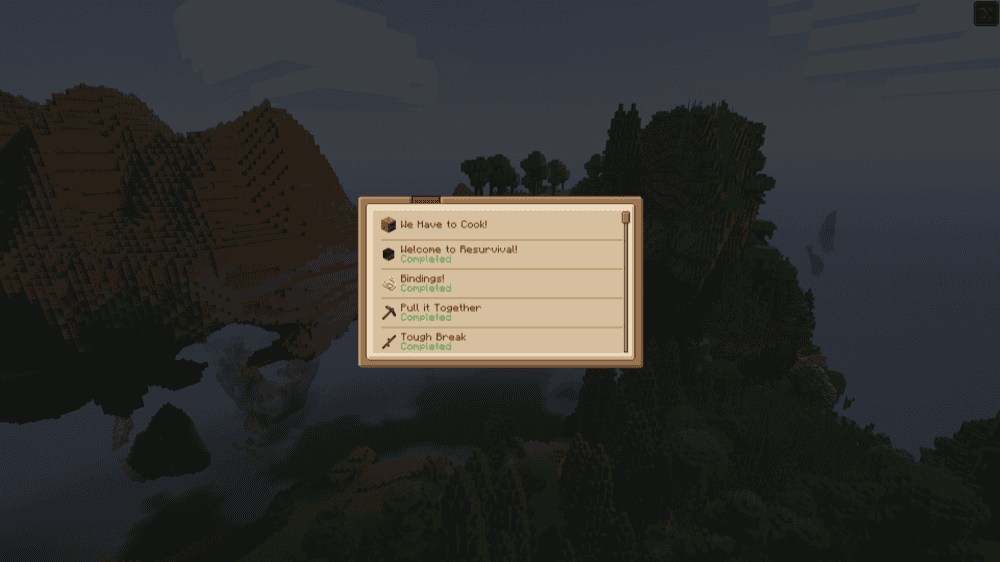
Questlog adds a datapack-driven quest system that focuses on getting information in front of the player at the right moment. Instead of a huge quest spreadsheet, quests show up in a book and checklist style layout that you can access right from your inventory, so it feels more like a real in-game journal than a menu you quickly forget about.
It is built around conveyance, meaning quest updates can pop up with clear messages and toast-style notifications so players do not miss key instructions. Just keep in mind that the mod does not ship with quests by default, so it shines the most in modpacks that include their own quest datapacks.
11. Boundless Quests
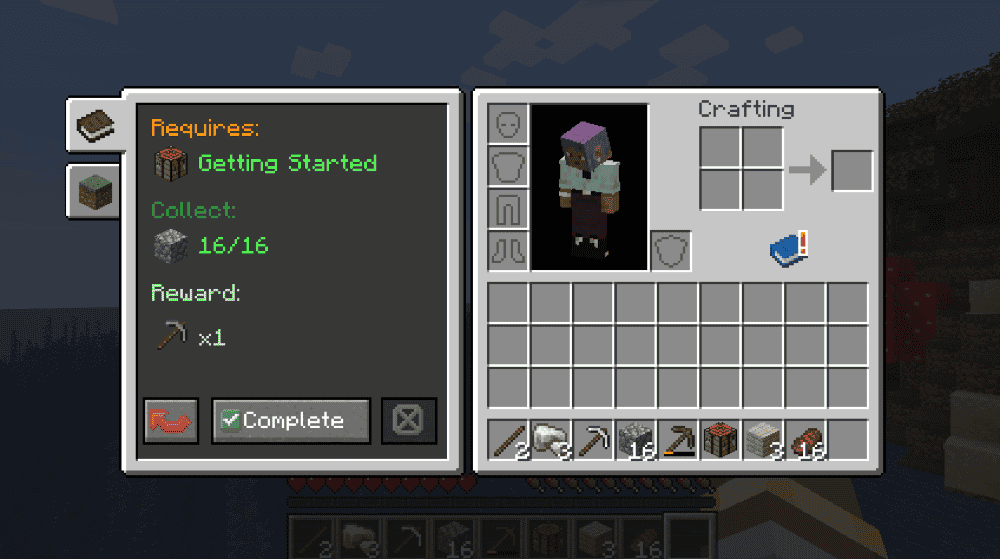
Boundless Quests is a lightweight quest system that feels like it belongs in vanilla Minecraft, so you can guide players through your pack without a giant menu or a ton of required setup. Quests are written as simple JSON files and can be chained together with dependencies, which makes it easy to build a real progression path instead of a loose-feeling checklist.
It supports common objectives like collecting and submitting items, killing mobs, completing advancements, and having a specific status (potion) effect active, plus rewards like items, commands, experience, and functions. Since it is dependency-free, this mod could be the thing you’re looking for when you want quests that are fast, clean, and easy to maintain.
12. Daily Quests
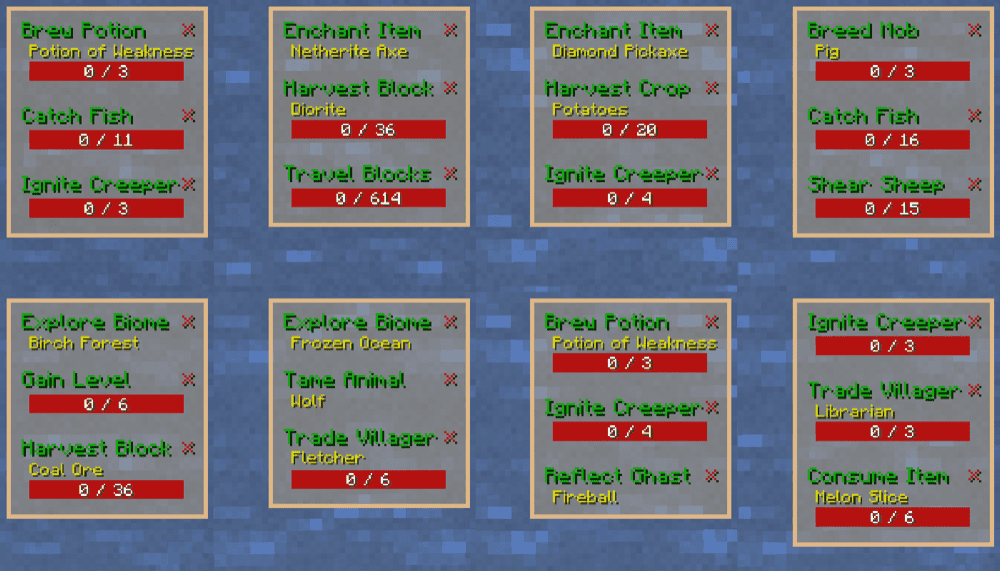
Daily Quests adds a small list of randomly generated challenges that refresh every in-game morning, giving you steady goals plus experience and loot without needing a quest book or a full modpack storyline. It includes 21 quest types which include exploring a biome, breeding a mob, crafting, smelting, fishing, trading, and more, and you can re-roll one quest per in-game day if you get something that you’re not too fond of.
This mod is also built for customization. You can control how many quests generate, when they refresh, which quest types are enabled, how messages should behave, and even swap the reward items through a datapack, so it fits nicely into both single-player worlds and servers.
How to Install Mods
How to Install with the CurseForge App
- Open CurseForge → Minecraft and create a profile with the mod loader and version you need (Fabric, Quilt, NeoForge, or Forge).
- In the profile screen, click "Add More Content" (or open the three dots menu next to "Play" and choose "Add More Content").
- Click on "Add More Content" from the available options.
- Search for the mod you need and click "Install".
- Play from the CurseForge app.
How to Install Mods Manually
- Install a mod loader that matches your Minecraft version (Fabric, Quilt, NeoForge, or Forge).
- Run the installer to add a new profile in the Minecraft Launcher.
- Download the mod’s .jar file from its project page. Make sure both the Minecraft version and loader version match.
- Drop the .jar into the mods folder inside your ".minecraft" directory (create the folder if it doesn’t exist).
- Launch Minecraft using the new loader profile.
Note: Note: Make sure to check if the mod has been recognized by the game. On the title screen, click “Mods”. If the mod lists any required dependencies (like Fabric API), install those too. Please also note that if using Fabric, the "Mods" button will only appear if the "Mod Menu" mod is installed.
Common mods folder locations:
- Windows: %AppData%\.minecraft\mods
- macOS: ~/Library/Application Support/minecraft/mods
- Linux: /home/<your-username>/.minecraft/mods
Common Issues and Quick Fixes
Quest book is empty
A lot of quest mods are frameworks, meaning they ship with tools, not quests. If you didn’t install a modpack or datapack that includes quests, you’ll see nothing. This is explicitly true for Hardcore Questing Mode (quests are not included) and Cobblemon Quests (adds task types, not quest lines).
The same idea applies for datapack-driven systems like Questlog: no content shows up until a pack author adds quests.
Wrong Minecraft version, loader, or mod edition
- Double-check the mod file matches your exact version and loader. A Forge .jar file won’t run on Fabric, and many quest mods are version-sensitive (especially older quest frameworks and expansions).
- If you updated the mod and quests broke, roll back and restore a backup. Quest formats and IDs can change between major versions.
Missing required dependencies
- If the game crashes on launch or the mod never loads, you’re usually missing a library mod. Example: Daily Quests require Collective.
- For FTB Quests, some integrations need FTB XMod Compat (not always required to run but required for certain integrations).
You installed an addon, but not the base mod
Addons like Quests Additions won’t do anything without FTB Quests installed first.
Singleplayer works, server doesn’t, or vice versa
Some mods are server-side friendly, others require both sides. If players can’t see quests or UI, confirm whether the mod needs to be on both client and server. Cobblemon Quests specifically states it must be installed on both.
GUI glitches, scrolling is broken
If you’re using OptiFine and the quest UI acts weird, it’s a known issue with Better Questing on some setups. Disabling “Fast Render” is a common fix here.
You can’t open the quest menu
Keybind conflicts are extremely common once you have a lot of mods. Rebind the quest key in "Controls" and try again (examples from these mods include keys like "J", "K", "L" depending on the mod).
Daily quests are not refreshing
Mods like Daily Quests refresh every in-game morning, so if you just completed one, sleep (or wait until the next morning) to roll a new set. If you change when the refresh happens, open the mod’s configuration and adjust the daily reset time there.