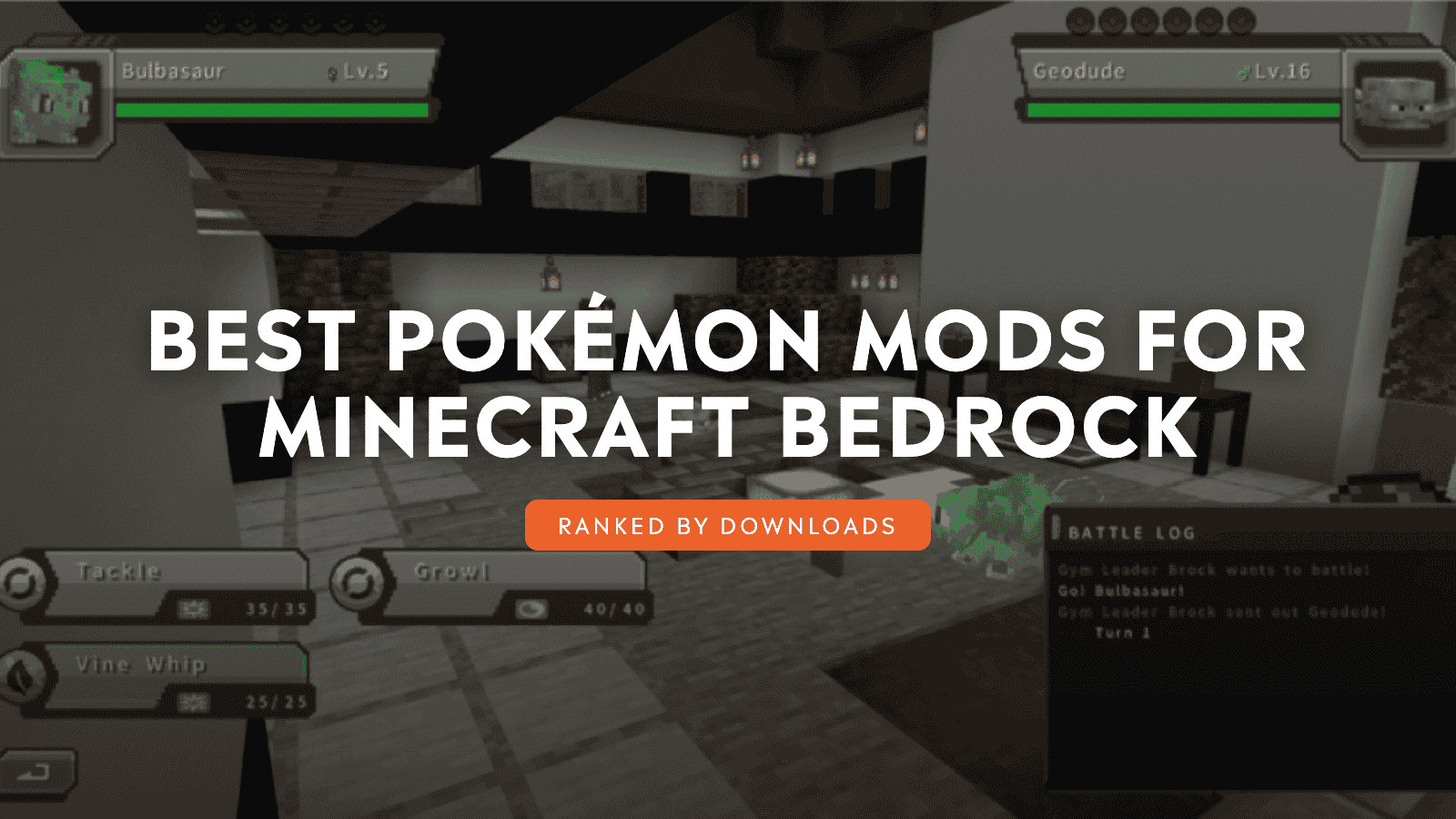
Your first night starts with a wooden pickaxe, a half-built shelter, and movement beyond the torchlight. A wild Pokémon steps out of the trees. One encounter leads to a search for Apricorns, then a hunt across distant biomes for a stronger partner. Before long, your base holds a PC, your party has six members, and a Gym Leader stands between you and the next badge, and which addon gets you there is worth getting right.
We ranked ten of the most popular Pokémon addons by community downloads, from full conversions to focused Pokédrock expansions. Build a trainer journey around catching, battling, evolution, Gyms, mounts, and a growing Pokédex, then push further with breeding, targeted snacks, trainer gear, and gachapon rewards. Every trip beyond your base brings a chance at a rare capture, a Gym victory, or the final partner your team still needs.
1. SERP Pokédrock
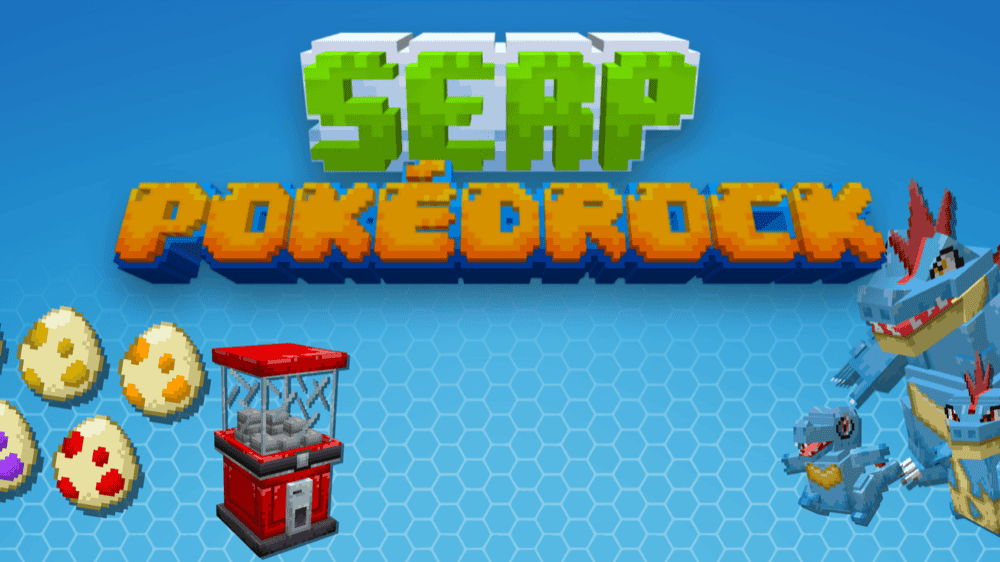
“SERP Pokédrock” is the addon most of this list builds on, and it earns that role by covering the basics well. Pick a region and a starter, and you start with a beginner kit and two Pokévial charges already in hand. Pokémon Centers spawn in plains and deserts, so do not expect one waiting right outside your first shelter.
Finding a wild Pokémon starts a simple routine: crouch to open the menu and send out your partner, or walk up to a trainer to start a battle instead. Fights bring in Mega Evolution and Dynamax, which trades experience for higher stats across three turns. Sending a Pokémon to the pasture works the other way, letting it recover health, build friendship, and fend off nearby monsters, while your Pokédex tracks evolutions and mount-ready partners. The Pokéradar and biome detector help narrow down where to look next.
The rest of the addon keeps you moving between fights. Berry plants feed into several recipes, and Apricorns become Poké Balls, while ores hide Evolution Stones, Mega Stones, Key Stones, and Wishing Stars for anyone willing to dig. Bikes and the Ride Pager cover the long trips, and wearable backpacks add both storage and armor along the way.
2. Craftmon Legacy
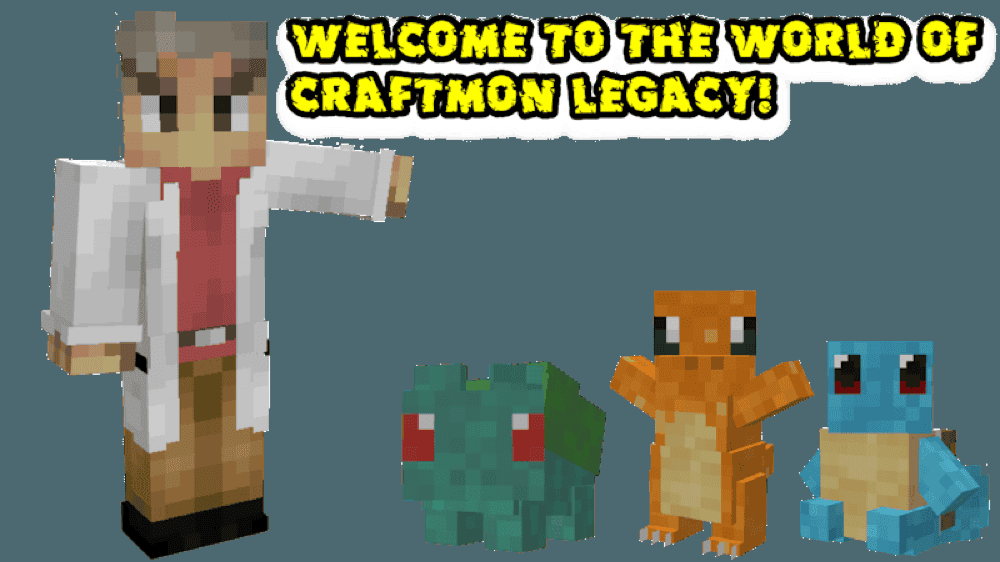
The “Craftmon Legacy” addon opens with Professor Oak giving you a choice between Bulbasaur, Charmander, and Squirtle, then sends you loose in a world where wild Pokémon shift by area and daytime. Apricorn trees supply the raw materials, and the Poké-Crafter turns them into every ball recipe, with better balls raising your odds of a clean capture.
Every catch comes with a star rating from zero to four, so the higher the rating, the more health that Pokémon carries into a fight. Switch a partner between "Battle" and "Follow" depending on what you need from it, then send a Poké Ball toward a wild target to kick off a turn-based fight. Max Revives bring fainted partners back, and anything you defeat instead drops materials unique to that species.
Those drops convert into Pokémon Candy, and evolving a partner costs both Candy and 2,000 Stardust, earned by catching or defeating Pokémon along the way. Village Poké Mart clerks sell the essentials, while Poké Maniacs buy back whatever drops you no longer need.
3. CobbleDrock
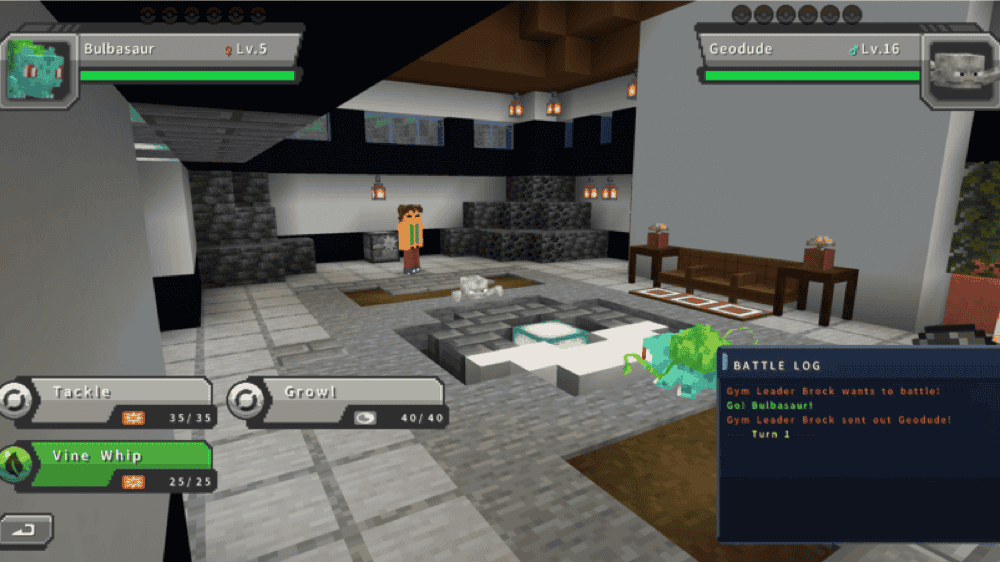
“CobbleDrock” is the addon to reach for if you want the full trainer experience: six generations worth of Pokémon, a full party of six, and PC storage for up to 1,800 Pokémon across 60 boxes. Every summary tracks level, health, nature, friendship, moves, held items, and equipment, so building a team feels like a real decision instead of a guess.
Battles run on the full element type chart, all 18 of them, with limited move uses, accuracy, critical hits, priority, status conditions, stat changes, weather, terrain, and items all in play. Trainers you meet fight back with real strategy, switching partners and choosing moves on their own. Some Pokémon can even carry you across land, water, or sky!
Ten Gyms generate naturally across the world, each with its own Leader, arena, team, and badge. The Badge Case tracks your progress while the level cap climbs by 20 every two badges. A Locator Bar picks up the current Gym Leader's portrait once you are within 384 blocks, and clearing the tenth Gym for the first time rewards you with a level 50 Mew.
4. Paper Pokemon

“Paper Pokemon” is an addon that redraws the entire trainer journey in a 2D paper art style, starting the same way with Professor Oak and a choice of starter. The Easel handles Pokémon recipes in place of a standard workbench, and Apricorn trees regrow their fruit into dyes for Paintbrushes, colored paper, and Poké Balls.
Throw a Poké Ball at a wild Pokémon and a successful catch leaves the filled ball sitting there to collect. Your new partner fights nearby wild Pokémon automatically, and defeated opponents drop Experience Candy, with most evolutions costing 20 experience levels. Pokémon that evolve through Evolution Stones need a painted stone instead, gathered from PokéStops.
PokéStops restock every five minutes, and PokéGyms add both useful items and tougher raid battles on top. Win a raid and you walk away with the opposing Pokémon, better shiny odds, and extra loot for the trouble.
5. Detailed Pokedrock
The “Detailed Pokedrock” addon builds directly on top of "SERP Pokédrock". Your trainer gains a roll of their own, and earned badges raise the level cap for partners entering battle. The Ranch Machine lets a Pokémon roam free outside its Poké Ball without taking one of your party slots. Interacting with a Pokémon empty-handed opens the PokéMenu so you can pet a partner, tell it to sit, or rearrange its moves on the spot.
Small touches carry through the rest of a run: an information panel reveals a wild Pokémon's name, gender, and level before a fight starts. Additionally, a few details carry across fights: Mega Evolution stays active even after switching partners mid-battle, and status effects keep working outside of battle as well. Some wild Pokémon even settle in to sleep once night falls, a small touch that makes the world feel more alive.
Shoulder Pokémon add their own perks along the way: Bidoof speeds up tree chopping, and Spinarak lets you climb walls you would otherwise have to go around. Pokémon skins add a bit of extra customization through rewards or codes, and installing this alongside "SERP Pokédrock" also removes a handful of vanilla animals that Pokédrock leaves behind, including goats, skeleton horses, and nautiluses.
6. Pokemon Adventures! Eevee

The “Pokemon Adventures! Eevee” addon sets battling aside completely and turns the whole experience into raising a companion instead, the prevalent thing with this addon being Eevee spawning in grass biomes. You can also cook supplies from a berry tree inside a Cooking Pot to get taming and healing items, such as the Eievui Soup to win Eevee over, and stronger soups to restore its health later on.
Once Eevee is tamed, hold down "Shift" to sneak and right-click it to open the companion menu. From there, it rides on your shoulder, digs up lost items, and sticks close as you travel. Element Ore found around "Y=30" drops Evolution Stone fragments, and nine of them combine into a complete stone.
Reach level 25 with the matching Evolution Stone in your inventory, and the menu lets you evolve Eevee right there. The whole addon stays focused on feeding, care, exploration, and companionship, giving a quieter trainer world plenty to do without a single battle.
7. SERP Aditions

“SERP Aditions” expands "SERP Pokédrock" with breeding, mining, cooking, and trainer equipment layered on top. Its Day Care holds up to six Pokémon at once and accepts partners from two other players, so compatible pairs produce eggs after a short timer, held training items pass selected traits along, and the Shiny Charm nudges the odds toward a shiny hatch.
Rotom Phones fold a bank, a portable PC, a guide, and a shop straight into your inventory. The mod also adds a kitchen, candies, and unrefined potions for changing a Pokémon's nature. New plants, Evolution Stone storage blocks, Mega Stone Geodes, armor sets, and beacons all give mining a reason to continue past the usual ores.
Size-changing candies, trainer outfits, Mega Glasses, music discs, and portable Pokévial charges round out the rewards. Keep an egg in your inventory while its timer counts down, or place a chest to the left of the Day Care machine so every finished egg lands inside automatically. The addon recently went through a large mining and cooking update, so expect some of the newest additions to still be labeled in Spanish until the translation catches up.
8. PokeSnacks: Pokedrock
“PokeSnacks: Pokedrock” turns Pokémon hunting into a planned survival task. Place one of 24 snacks to influence nearby spawns by flavor and biome. Salty snacks target Water, Rock, and Ground types, while Mint snacks draw Ice, Flying, Psychic, and Ghost types.
Each flavor comes in Standard, Gold, and Ultra tiers. Gold raises shiny odds eightfold, while Ultra raises them 28-fold and targets rarer encounters. Every snack lasts nine bites. Aroma Powder speeds up spawns, and a Repel Snack stops the process without breaking the block.
Choose the "Vanilla" edition for a standard workbench or the "Cooking Pot" edition for “SERP Aditions”. Both rely on “SERP Pokédrock” for Pokémon data and spawning.
9. Pokemod: Catch Your Monster!
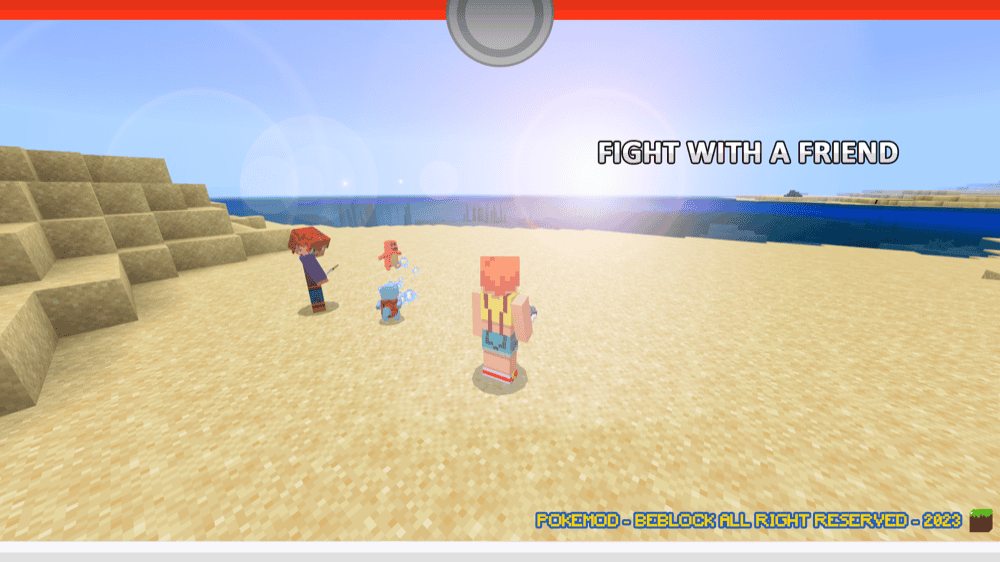
“Pokemod: Catch Your Monster!” places Pokémon across matching biomes and gives survival players a Poké Ball recipe. A captured partner follows you, attacks targets, and returns to its ball after defeat. Friends form separate teams and challenge each other through the Pokédex-inspired interface.
Lapras swims, Arcanine runs, and Pidgeot flies as rideable partners. Zapdos, Moltres, and Articuno arrive as summonable bosses after you gather feathers and assemble their runes. Custom sounds, particles, animations, and refreshed Kanto starter models complete the pack.
Berry trees provide healing and type-specific bonuses. Pikachu launches lightning, Squirtle fights in water, and Bulbasaur’s vine attack draws nearby creatures into battle, giving each capture a clear use.
10. GachaMon
“GachaMon” connects a working gachapon system to “SERP Pokédrock.” The Normal Gacha Machine comes in 16 dye colors and trades Gacha Coins for Poke, Super, Ultra, or Master Capsules. Every capsule follows its own drop rates and reward pool, so each pull carries a different level of risk.
The Mega Gacha Machine spends Mega Gacha Coins on random Mega Stones. Wild machines release random Pokémon, while the shiny version charges ten Mega Gacha Coins for a shiny partner. The Legendary Gacha Machine costs 15 Mega Gacha Coins and guarantees a Legendary or Mythical Pokémon. Every GachaMon machine also works with redstone and uses full block collision.
How to Install Minecraft Addons
Install Bedrock addons automatically through the official Minecraft Marketplace or download them manually from a trusted source such as the CurseForge website. For each addon above, open the linked project page and download the listed ".mcaddon" or ".mcpack" file. Opening the downloaded file should launch Minecraft and begin the import.
After the import finishes, edit the world and check both "Behavior Packs" → "Available" and "Resource Packs" → "Available". Activate every included pack, then follow any base-addon or pack-order note under "Requirements" before loading the world.
For a complete walkthrough, check out our guide on how to install Minecraft Bedrock addons.
Common Issues and Quick Fixes
My Pokémon addon was imported, but does not appear
Importing adds files to Minecraft without activating them for a world. Try editing the world and checking both "Behavior Packs" → "Available" and "Resource Packs" → "Available". Several projects place files in both menus, so make sure to activate every included pack and follow any listed order.
My Pokémon models or menus are missing
An inactive resource pack or mismatched release often leaves invisible models, missing textures, or broken menus. To fix this, try importing every file from the same release, removing older copies, and testing the addon without another Pokémon conversion active.
My SERP expansion does not work
“Detailed Pokedrock”, “SERP Aditions”, “PokeSnacks”, and “GachaMon” rely on “SERP Pokédrock” to work correctly.
Try activating the required base addon with the expansion, then place each pack in the order listed on its project page. Note that the Cooking Pot edition of “PokeSnacks” also states “SERP Aditions” as a requirement.
My Pokémon do not spawn
Pokémon follow each project’s biome and spawn rules. Try checking the linked project page and testing one Pokémon addon at a time. Don’t forget that “PokeSnacks” also needs an active snack, and each flavor targets specific Pokémon types.
My CobbleDrock Gyms do not generate
Gyms, villages, landmarks, and Legendary locations belong to the optional "Content Pack". Try using the Full download or matching "Core" and "Content Pack" releases, then explore chunks generated after activation as existing terrain does not receive new structures.
My battle controls or menus do not respond
Try using the addon file matching your Bedrock release and removing older pack copies. In “SERP Pokédrock”, choose a starter before opening the full trainer systems. “CobbleDrock” uses the Pokémon Compass for the party menu and "Sneak + Use" to send out or recall the selected partner.
My world slows down when standing near Pokémon
The optional ticking area used to keep the “SERP Aditions” Day Care active may sometimes cause lag. If slowdown begins after enabling one, try staying near the machine instead of keeping the area loaded.
My Pokémon or progress disappeared after an update
Try each update in a copied world first. Before updating “CobbleDrock”, back up the world and keep every multiplayer player on the same addon version. If content disappears, we recommend restoring the backup before reopening the affected world.
My GachaMon machines are not solid after an update
Machines placed before an update sometimes keep their older collision behavior. If this happens, try breaking and replacing each one so the redesigned solid model loads correctly.