Place a blast furnace beside an unemployed villager, and they suddenly change into an armorer, complete with a welding mask and armor for sale. Put down a lectern instead and an unemployed villager becomes a librarian. Simply put, a single block decides a villager's entire career, and that career in turn decides which trades you get to use.
Today, we will walk you through all 13 villager jobs in Java Edition, the job block each one needs, and what each one trades. We will also cover how villagers pick up jobs, how leveling, restocking, and prices work, and a few mods that make managing villagers easier.
Let's get started!
What Are Villager Jobs in Minecraft?
A villager job, also called a profession, decides what a villager trades with you. In Java Edition version 26.3 there are 13 of them, and each one is tied to a single job block, also called a workstation. A villager claims a job block, takes on the matching job, and returns to that block during the day to restock its trades.
Unemployed Villagers and Nitwits
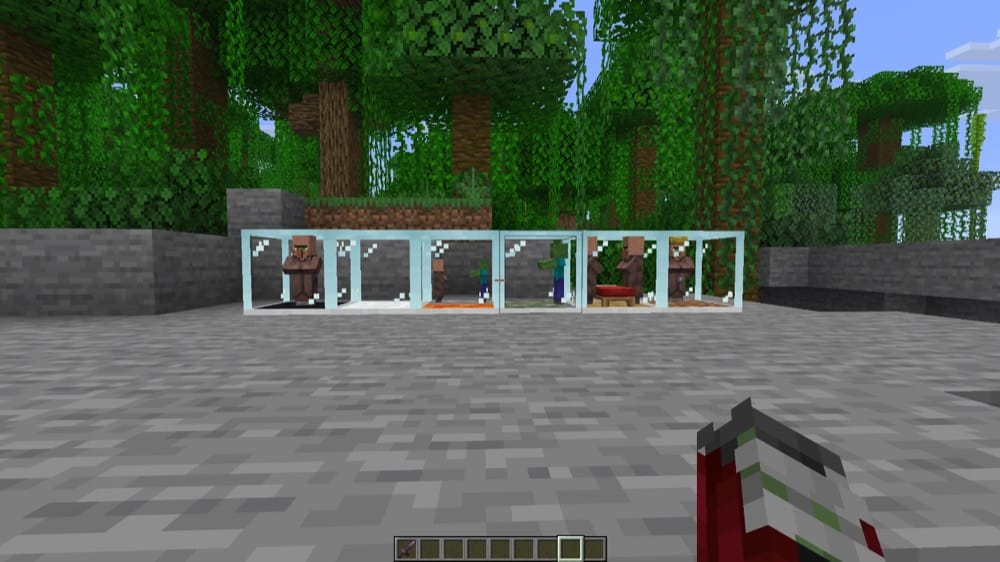
Villagers without a job cannot trade, and they wear a plain outfit with none of the job gear described below. Baby villagers cannot trade or take a job either, and nitwits (the villagers in green robes shown in the image below) can never take a job at all. A nitwit can still breed, but it will never trade.

How a Villager Gets a Job
Giving a villager a job takes one job block and a little bit of patience. Here is how it works in Java Edition:
- Find an adult unemployed villager, one without a green robe.
- Place the matching job block near it, somewhere the villager can walk up to. Villagers can open wooden and copper doors, but they cannot open trapdoors, fence gates, or iron doors.
- Wait for green particles. They show up when the villager takes the job block, and the villager changes into the matching job.
- Open the trading screen and check the offers.
- Trade with it once to lock the job in. After your first trade, the villager keeps its job for good.
Note: Villagers only claim job blocks while awake, so if nothing happens at night, we recommend waiting until morning. Each job block can belong to only one villager, so make sure to place one block for every villager you want employed.
A Closer Look at All 13 Villager Jobs and Their Job Blocks
Here is a quick look at every job and the block that goes with it, as outlined in the table below.
| Job | Job block | Best known for |
|---|---|---|
| Armorer | Blast furnace | Iron, chainmail, and enchanted diamond armor. |
| Butcher | Smoker | Meat and cooked food. |
| Cartographer | Cartography table | Maps, banners, and the globe banner pattern. |
| Cleric | Brewing stand | Ender pearls, redstone, glowstone, and bottle o' enchanting. |
| Farmer | Composter | Crops, bread, and golden carrots. |
| Fisherman | Barrel | Fishing gear, cooked fish, and campfires. |
| Fletcher | Fletching table | Bows, crossbows, and arrows. |
| Leatherworker | Cauldron | Dyed leather armor and saddles. |
| Librarian | Lectern | Enchanted books, glass, and candles. |
| Mason | Stonecutter | Bricks, terracotta, and quartz. |
| Shepherd | Loom | Wool, beds, banners, and paintings. |
| Toolsmith | Smithing table | Tools and bells. |
| Weaponsmith | Grindstone | Enchanted weapons and bells. |
Every Villager Job Explained
The descriptions below mention villager levels, which go from Novice to Apprentice, Journeyman, Expert, and Master. Higher levels add more trades, and we explain how leveling works later in the article.
A quick note on the prices below, though: these are starting prices, and so they can go up or down depending on how you treat villagers and how often you buy the same trade. In Java Edition, a villager gets at most two trades per level, picked at random when there are more to choose from, so yours may not offer every trade mentioned below.
1. Armorer
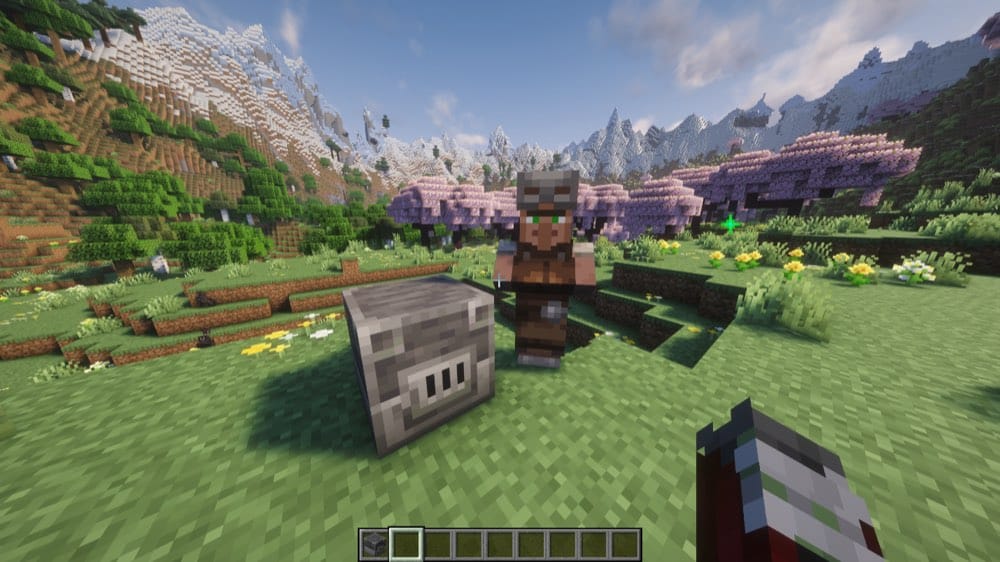
- Job block: blast furnace
Look for the welding mask, iron shoulder pads, and dark brown apron to spot an armorer. Early on, an armorer may offer iron helmets, chestplates, leggings, and boots, while chainmail pieces can show up at the Apprentice and Journeyman levels for just 1 to 4 emeralds each.
Chainmail armor cannot be made at a crafting table either, which makes that trade a handy shortcut. At the Expert and Master levels, armorers sell enchanted diamond armor for 13 to 35 emeralds, depending on the piece.
2. Butcher
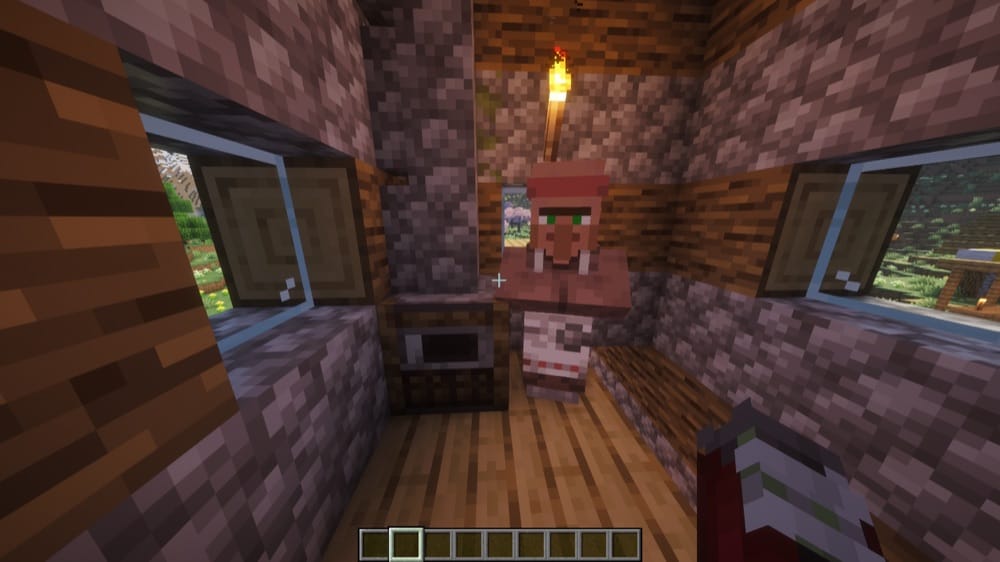
- Job block: smoker
A red headband and a white apron give the butcher away. Butchers buy raw chicken, rabbit, porkchop, beef, and mutton, along with coal, dried kelp blocks, and sweet berries. They also tend to sell food back at a bargain: this way, an Apprentice butcher could offer 8 cooked chicken or 5 cooked porkchops for a single emerald.
3. Cartographer
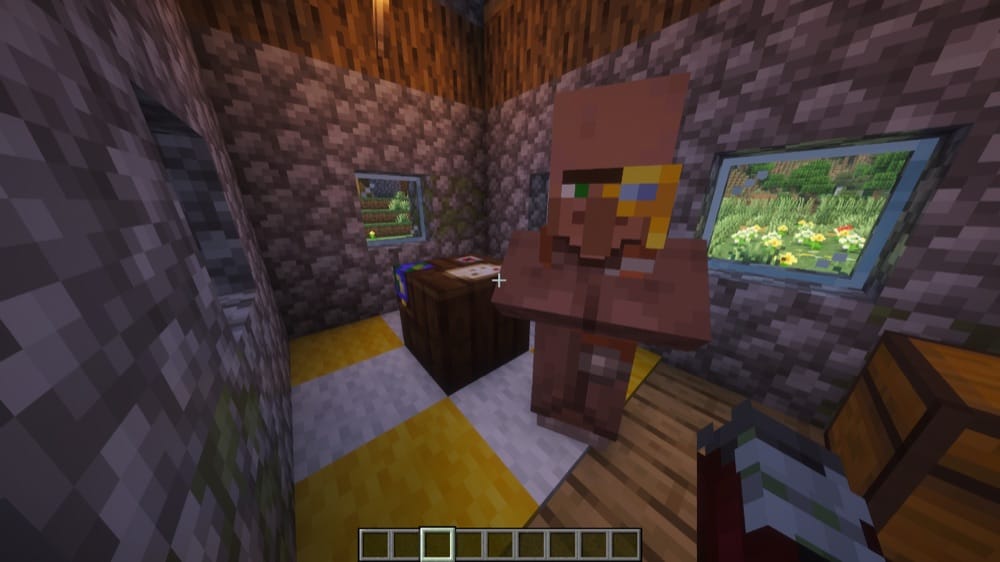
- Job block: cartography table
A golden monocle and an empty map pack mark the cartographer, and the maps are the main draw. At the Apprentice level, cartographers sell maps that lead to structures (mostly villages) and the exact maps depend on the biome a cartographer lives in.
Journeyman cartographers may sell an Ocean Monument map or a Buried Trial Chambers map, and Master cartographers sell a Woodland Mansion map, each paid for with emeralds and a compass. Cartographers also sell banners, and at Master level – a unique globe banner pattern that can only be obtained through trading.
4. Cleric
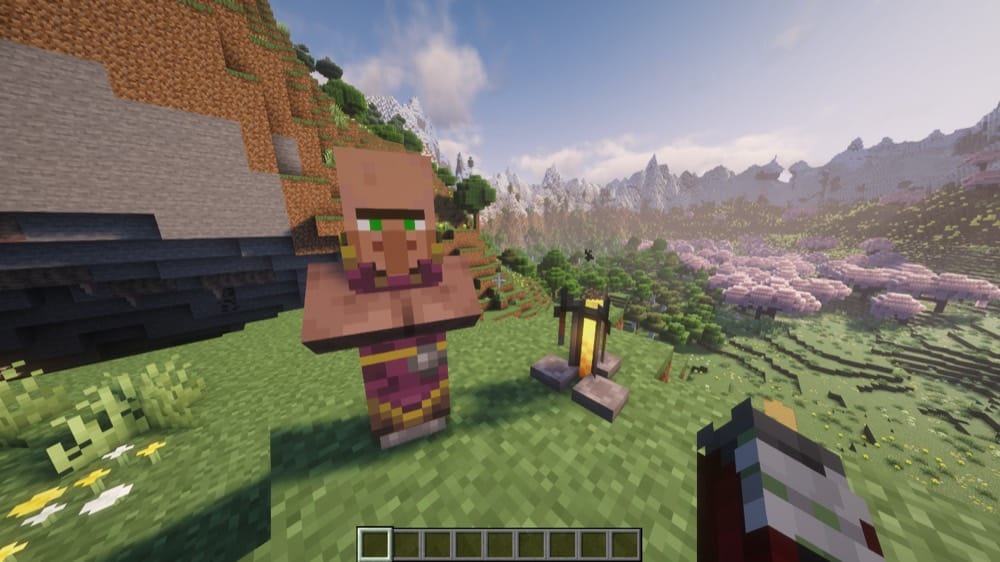
- Job block: brewing stand
Clerics stand out in a purple robe with a creeper emblem on the back. They buy rotten flesh, gold ingots, rabbit's feet, turtle scutes, glass bottles, and Nether wart, while their stock includes redstone dust, lapis lazuli, and glowstone, which is only found in the Nether.
With this one, we recommend saving up for the higher levels: an Expert cleric can offer an ender pearl for 5 emeralds, and a Master cleric sells Bottles o' Enchanting for 3 emeralds each.
5. Farmer
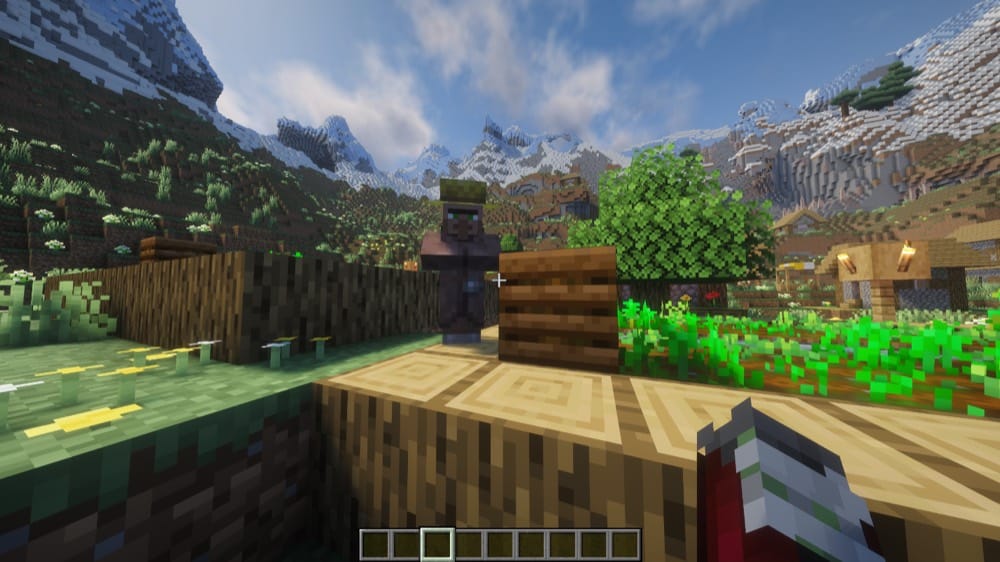
- Job block: composter
The straw hat and the small bag roped around the waist give the farmer away. Farmers buy crops such as wheat, potatoes, carrots, beetroots, pumpkins, and melons, and they sell plenty of food in return, starting with 6 loaves of bread for an emerald.
Higher levels add pumpkin pie, cookies, cake, and suspicious stew, and Master farmers sell golden carrots and glistering melon slices. Note that a farmer's suspicious stew gets one random effect when the trade becomes available, so two farmers can end up selling different stews.
6. Fisherman
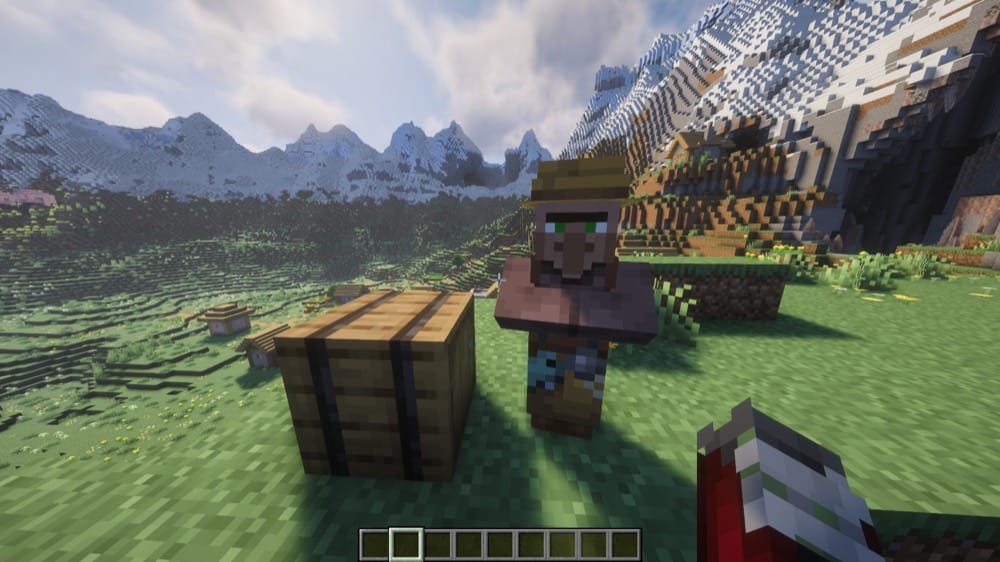
- Job block: barrel
Fishermen are easy to spot with a fisher hat, a blue fish, and a net on their trousers. They buy string, coal, raw fish, and pufferfish, and they offer buckets of cod, campfires, and cooked cod or salmon when you bring the raw fish and an emerald.
A Journeyman fisherman can also sell an enchanted fishing rod for 8 to 22 emeralds. At Master level, a fisherman will even buy a boat for an emerald!
7. Fletcher
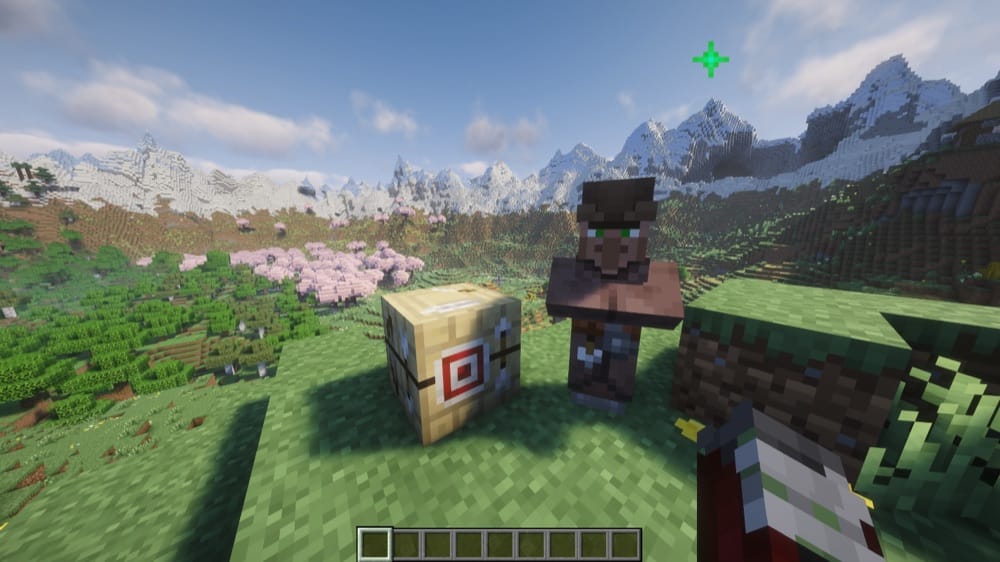
- Job block: fletching table
The fletcher wears a hat with a feather and carries a quiver on their back. Fletchers buy sticks, flint, string, feathers, and tripwire hooks, and they sell arrows, a bow for 2 emeralds, and a crossbow for 3 emeralds.
The stick trade also makes for a simple emerald income: a Novice fletcher pays 1 emerald for 32 sticks, and it can make that trade 16 times before it restocks. A Java fletcher only offers two of its three Novice trades though, so if the sticks trade is missing, make sure to break the job block and place it again before your first trade.
Higher-level fletchers offer enchanted bows and crossbows, while a Master fletcher may also sell tipped arrows: 5 of them for 2 emeralds and 5 regular arrows. It’s a game of luck: the Fletcher chooses their signature tipped arrow once they become a Master, and they will sell that exact effect for the rest of their lives.
8. Leatherworker
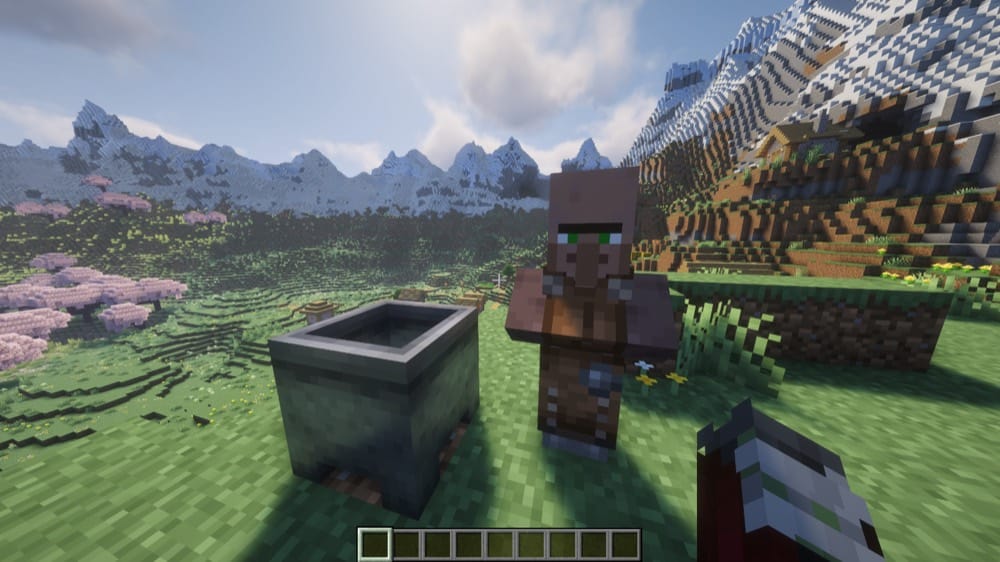
- Job block: cauldron
The brown apron and brown leather gloves belong to the leatherworker. Leatherworkers buy leather, flint, rabbit hide, and turtle scutes. What they sell is dyed leather armor and dyed leather horse armor, each piece in a random color made from two dyes.
A Master leatherworker also sells saddles for 6 emeralds. The cauldron does not have to be filled with water though, so an empty one will work just fine.
9. Librarian
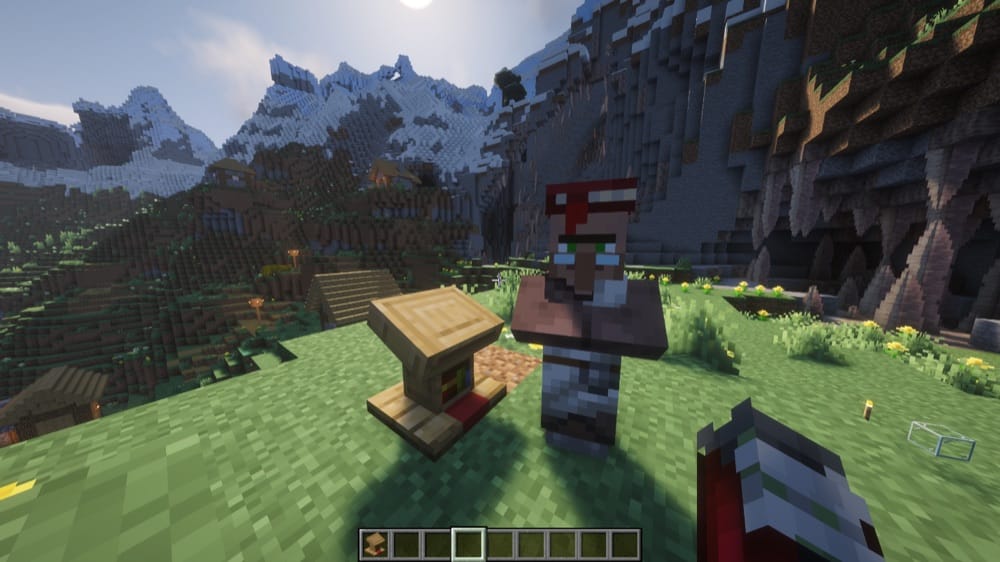
- Job block: lectern
The librarian wears a red book as a hat, glasses, and a white robe. With that said, the enchanted book trade is the main reason to go looking for one. Librarians sell enchanted books from the Novice level through Expert, each priced from 5 to 64 emeralds plus a book, with the price depending on the enchantment and its level.
Almost any enchantment can show up here, including Mending, but curses can too (!), so we recommend reading a book before you buy it. Librarians also sell bookshelves, lanterns, glass, compasses, clocks, and, at Master level – candles.
10. Mason
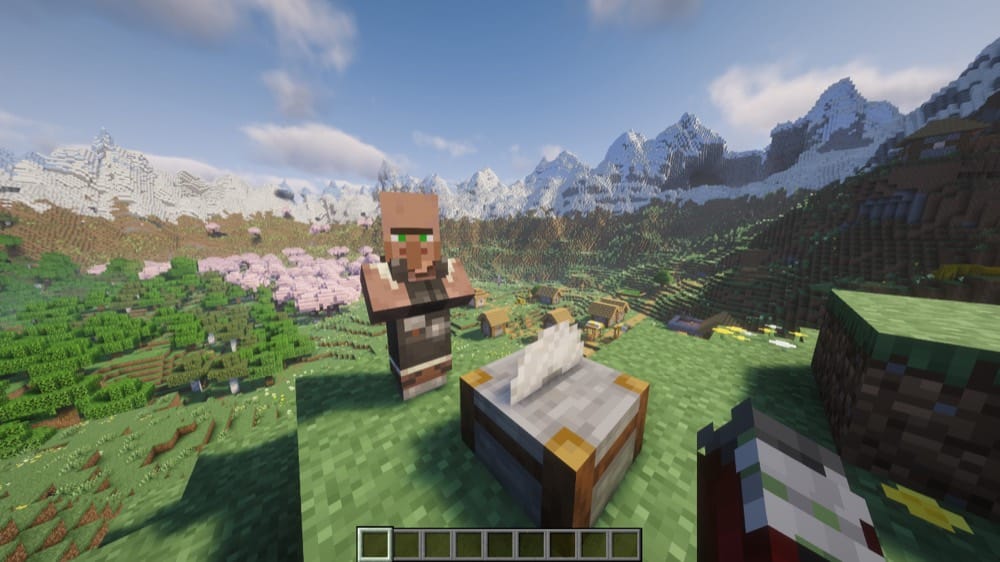
- Job block: stonecutter
A black apron and black gloves identify the mason. Masons buy clay balls, stone, granite, andesite, diorite, and Nether quartz. Everything they sell costs a single emerald: 10 bricks, 4 chiseled stone bricks, 4 dripstone blocks, 4 polished granite, andesite, or diorite, and stained or glazed terracotta in any color.
At Master level, they also sell blocks of quartz and quartz pillars. For builders, those last two matter most, since quartz normally means a trip to the Nether.
11. Shepherd
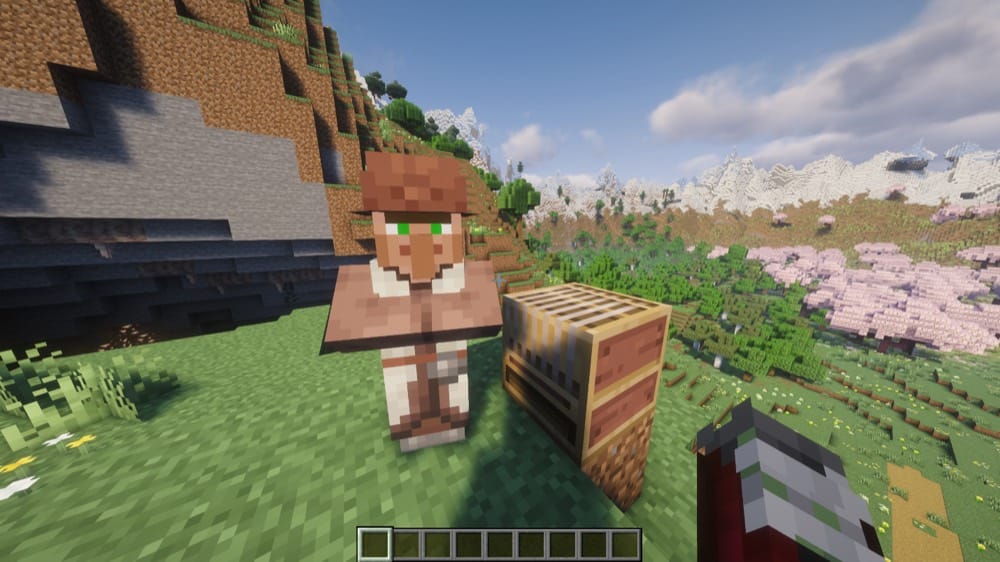
- Job block: loom
You will recognize the shepherd by a brown hat and a white coat. Shepherds buy wool in white, brown, black, and gray, plus a spread of dyes. On the selling side, they offer shears, wool, carpets, beds, banners, and paintings. The standout trades are a finished bed for 3 emeralds at Journeyman level and 3 paintings for 2 emeralds at Master.
12. Toolsmith
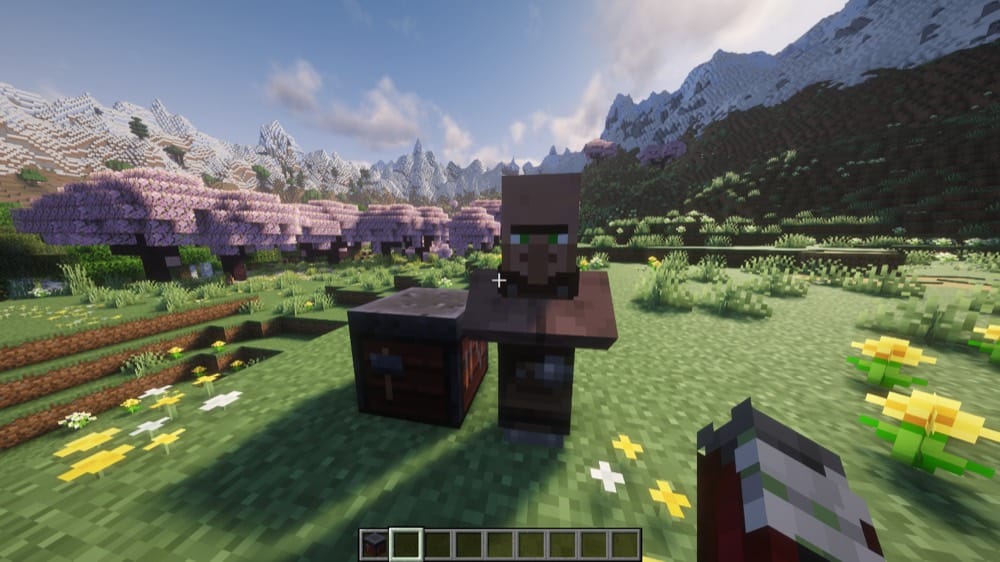
- Job block: smithing table
Toolsmiths wear a dark brown apron with a pouch. Stone axes, shovels, pickaxes, and hoes cost 1 emerald each at the Novice level. At higher levels, you may find enchanted iron tools, a diamond hoe for 4 emeralds, and enchanted diamond axes and shovels.
A Master toolsmith sells an enchanted diamond pickaxe for 18 to 32 emeralds. Toolsmiths also sell a bell for 36 emeralds at the Apprentice level, which can come in handy as bells cannot be made at a crafting table.
13. Weaponsmith
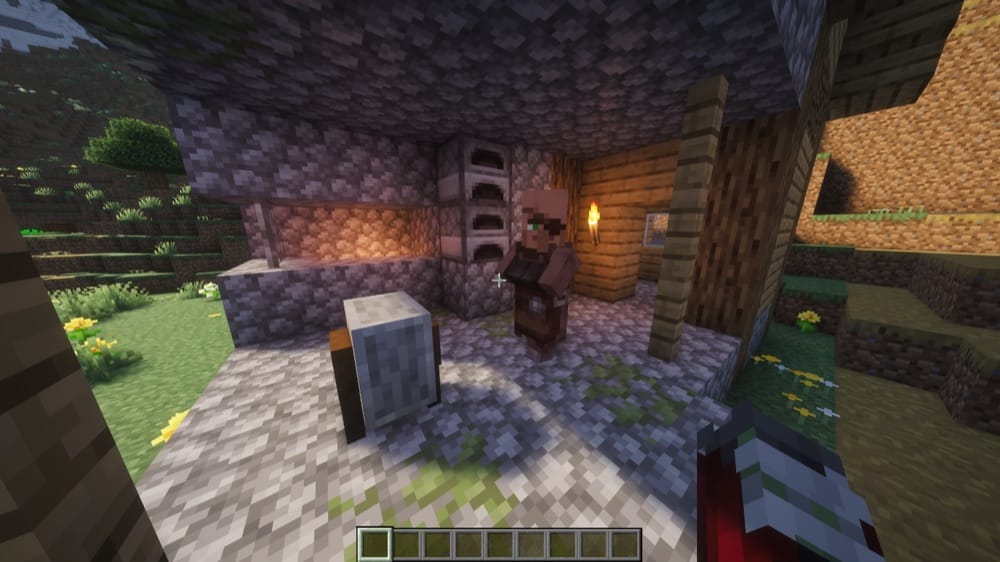
- Job block: grindstone
An eyepatch, black gloves, and a dark brown apron make the weaponsmith easy to pick out. Weaponsmiths sell iron axes and enchanted iron swords early on, enchanted diamond axes at the Expert level, and an enchanted diamond sword for 13 to 27 emeralds at the Master level.
They also buy coal, iron ingots, flint, and diamonds for emeralds, which gives you a convenient way to turn any spare iron you may have into emeralds.
How Villager Levels, Restocking, and Prices All Work
The Five Villager Levels
Every villager starts at Novice and moves up through Apprentice, Journeyman, and Expert to end at Master as you trade with it. The badge a villager wears shows its level:
- Stone for Novice;
- Iron for Apprentice;
- Gold for Journeyman;
- Emerald for Expert;
- Diamond for Master.
Additionally, each level adds up to two new trades in Java Edition, and trades at higher levels usually fill the villager's experience bar faster than lower ones. In version 26.3 specifically, new trades also update in an open trading screen, so there is no need to constantly close and reopen it.
How Restocking Works
Each trade has a limited stock, and once you use it up, the trade is disabled and shows a red "X" in the trading screen. Villagers restock by working at their job block, up to twice per day. In Java Edition, a villager can restock even without a bed, but it does need to reach its job block, so we recommend keeping the block right beside it with a clear path between both.
How to Reroll a Villager's Trades
If a villager's offers do not suit you, break its job block and place it down again before your first trade, which can change the trades it offers. The drawback of this method is that a villager you have never traded with can also lose their job when you break the block.
They then become unemployed or take up the nearest free job block, so make sure to keep other job blocks away from them. Once you trade though, both the profession and the offers lock in place, and breaking the job block will no longer make a difference.
How Dynamic Villager Pricing Works
The emerald prices in the job sections above are merely starting prices, and a few things tend to move them up or down. For instance, buying the same trade over and over pushes its price up at the next restock, while leaving it alone lets the price drift back down.
Tip: Curing a zombie villager gives you a permanent discount: throw a Splash Potion of Weakness at them, feed them a golden apple, and wait for them to turn back into a villager. If the villager had traded with you before it was zombified, they will come back with their old job and trades at discounted rates. Curing the same villager again will not result in any further discounts, though.
Additionally, winning a raid gives you the Hero of the Village effect if you defeat at least one raider. It will then lower the price of every villager's trades for 40 minutes. And as you might imagine, attacking a villager will do the opposite and raise their prices instead.
Villager Job Differences in Java vs. Bedrock
Villager jobs behave a little differently between editions. We’ve listed the main differences below:
- Claiming a job block: In Java, a villager has to walk up to a job block to claim it. In Bedrock, a villager with a bed can claim a nearby job block without walking up to it.
- Restocking: Java villagers can restock even without a bed. Bedrock villagers need to be linked to a bed.
- Trade offers: Java gives a villager up to two trades per level, picked at random when there are more to choose from. Bedrock gives up to three trades per level, though just how many depends on the job and level.
- Spawned villagers: A villager from a spawn egg starts unemployed in Java; in Bedrock, they get a random job instead.
- Nitwits: In Bedrock, every baby villager has a 10% chance of growing into a nitwit, and a zombie villager that was a nitwit becomes an unemployed villager when you cure it. In Java, a zombie villager that was a nitwit turns back into a nitwit when you cure it.
Villager Mods Worth Adding to Your World
Thirteen jobs cover plenty of ground, but they also mean walking between villagers and remembering which block belongs to which job. These five mods trim that work, from a screen that lists every job block to a block that gathers nearby trades in one place, plus a mod that gives you eight new jobs to set up.
Just Enough Professions (JEP)
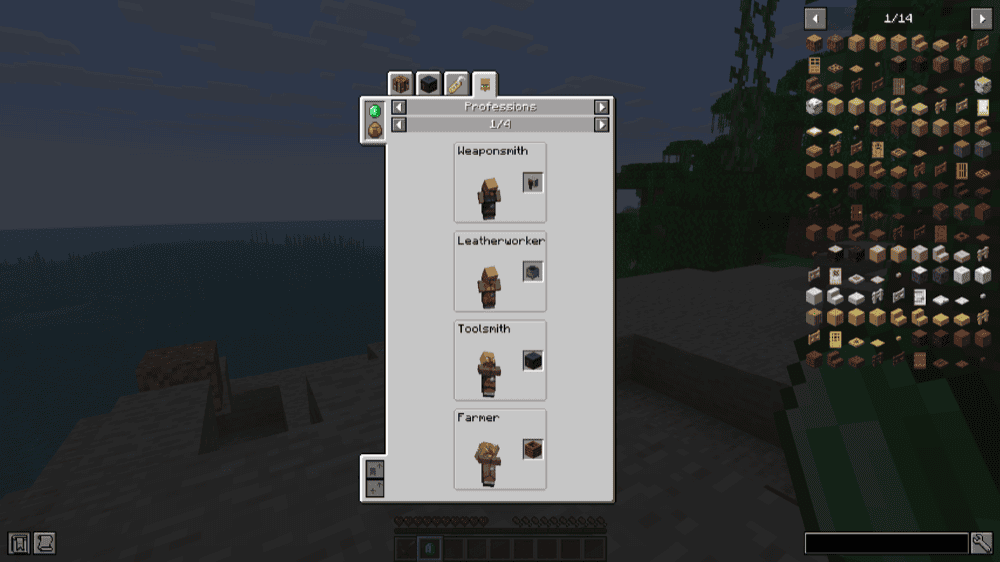
“Just Enough Professions” is a quick way to check which job block a profession needs without leaving the game, effectively adding a much-needed feature to Just Enough Items. Simply press the "Uses" key ("U" by default) on an emerald or a villager spawn egg, and a list of every villager profession opens, along with the block each one works at.
It also keeps track of modded jobs. Hold down "Shift" and the list will show which mod added each profession, which comes in handy next to a job-adding mod like “More Villagers”.
Villager Names
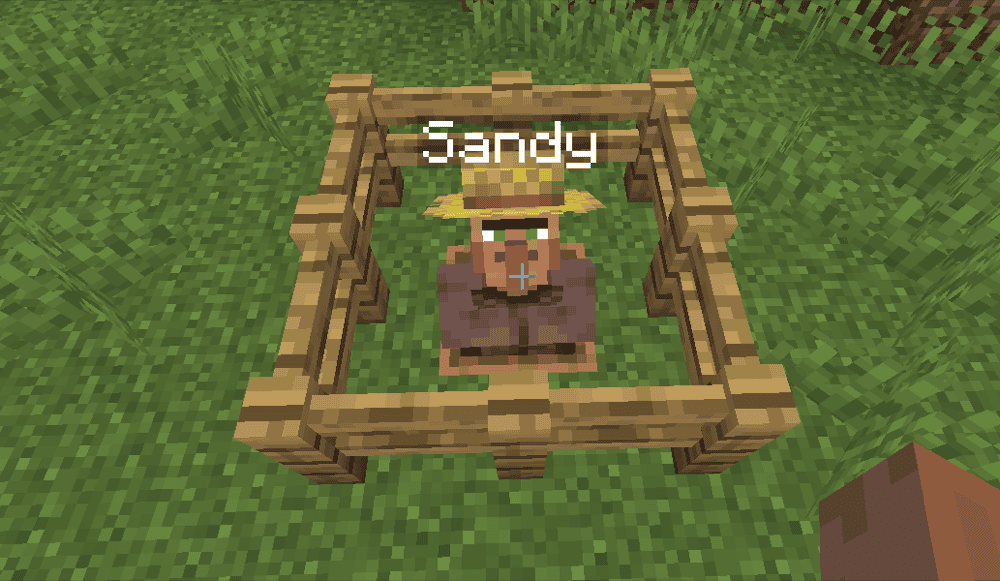
“Villager Names” gives every unnamed villager a name from a list of more than 5000. That makes it far easier to tell your farmer from the other farmer once you have a lot of villagers.
It names the villagers already in your world as well as new ones, and the trade screen still shows a villager's job along with its name. The configuration file lets you swap the job and the name around, hide the villager's level, or use your own custom name list, and modded villagers get names too.
Easy Villagers
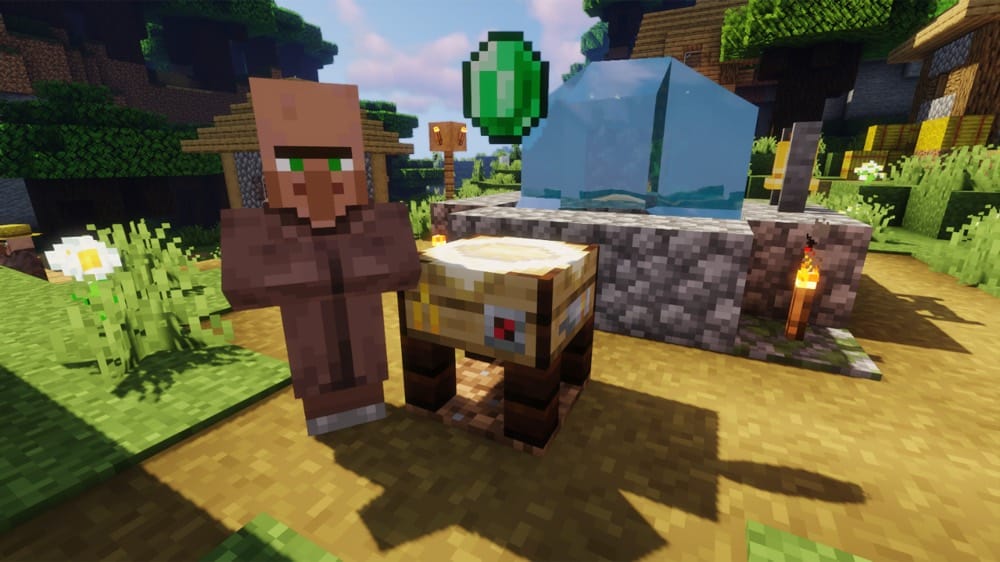
“Easy Villagers” lets you pick a villager up as an item by sneaking and right-clicking it, or by pressing "V", and set it back down wherever you like. Its Trader Block goes a step further: you can trade with a villager without having to secure it first, and the block lets the villager restock outside its working hours.
The mod also takes the tedium out of hunting for a good trade. Normally, you have to remove a villager's job block to reset its trades. A trade cycle button, or the "C" key, does it for you as long as nobody has traded with that villager yet.
For better trades, the Converter Block turns a villager into a zombie villager and cures it for you, using a golden apple and a Potion of Weakness over the course of about five minutes.
Trading Post
More Villagers
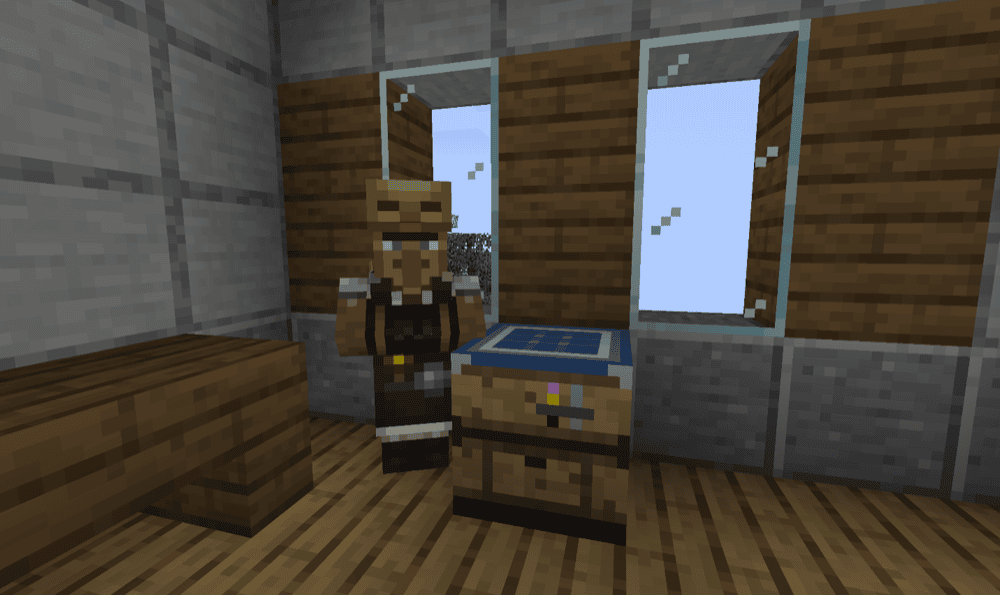
“More Villagers” adds eight new jobs on top of the 13 vanilla ones, each with its own workstation, trades, and advancements: the Oceanographer, Netherologist, Forester, Enderologist, Engineer, Florist, Hunter, and Miner.
To give you an idea of the range, a Hunter buys bones and gunpowder and sells blaze rods and ghast tears. An Engineer sells pistons, hoppers, and comparators. A Miner buys deepslate and raw ores and sells an enchanted diamond pickaxe at the top level.
The mod also works alongside Easy Villagers and Guard Villagers.
How to Install Minecraft Mods
You can install the above mods automatically using the CurseForge app or manually by placing the mod files within your game's mods folder. Both methods allow you to easily add custom features and enhancements into your Minecraft experience.
If you want to learn more, you can read our detailed guide on how to install Minecraft mods.
Common Issues and Quick Fixes
My villager won't take the job block I placed
A villager usually skips a job block for one of a few reasons: it is a nitwit or a baby, another villager already claimed the block, it cannot walk up to the block, or it is asleep.
To fix this, check for a robe that is green on top first, then make sure the villager has a clear path to the block. If everything looks right, we recommend waiting for morning, since villagers only claim job blocks while awake.
My villager won't restock
Villagers restock when they work at their job block, up to twice per day, so a villager that cannot reach its block will not restock. A tried and tested approach is to place the block right beside the villager and keep the path clear.
In Java Edition, a bed is not required, but in Bedrock Edition a villager always needs to be linked to one.
I can't change my villager's job or trades
Once you trade with a villager, it keeps its job and its offers for good. To avoid this next time, make sure to check the offers before your first trade, and reroll them by breaking and replacing the job block until you like what you see.
If you have already traded with the villager, the solution is to use another unemployed villager instead.
My villager won't level up
Villagers level up when their experience bar fills, and trading with them is what fills it. We suggest leaning on the higher-level trades, since they usually give the villager more experience per trade. Also note that a Master villager cannot level up any further.
If you are playing on a version older than Java Edition version 26.3, a villager may also not level up until you close the trading screen for a few seconds.
My cured villager is jobless
In Java Edition, a zombie villager that spawned naturally loses its job right after you cure it, and a zombie villager that was a nitwit turns back into a nitwit.
A zombie villager that had traded with you before it was zombified comes back with its old job and trades. To get a villager working again, try placing a job block for the job you want within its reach.
My game crashes on startup after installing mods
A startup crash usually means one of five things:
- The mod file does not match your Minecraft version.
- The mod was made for a different loader or another version of its loader.
- A required dependency is missing.
- Some of your mods are incompatible with each other.
- If you’re playing on Forge or NeoForge with an AMD graphics card and frequently experiencing crashes, your GPU driver might be outdated. If that’s the case, we recommend installing the latest drivers from the official AMD website.
Additionally, check that you installed the correct Forge, Fabric, Quilt, or NeoForge file for your profile, then look at the mod page for any required files, especially for Fabric API on Fabric profiles and for Quilted Fabric API on Quilt profiles.
Also note that Minecraft mod loaders are their own separate systems, so a Fabric file will not work in a Forge profile, with the same being true for NeoForge or Quilt builds.