After three long years of development, we can safely say that what began as a promising Kickstarter campaign grew into something truly special. We’re talking, of course, about Solarpunk – the game that lets you transform mystical floating islands with untouched wilderness into an advanced and fully automated slice of green energy heaven.
Truly exciting stuff… until you get past the first 20 hours of gameplay. By that point, you’ve already built your very own ship, explored most of the nearby islands, traded your heart out with the only robot merchant in the area, and built a fully automated base loop that does all the plant watering and rock smashing for you. At this point, you begin to feel like you’ve seen it all.
But don’t sweat it, for mods are to the rescue! Just a few days after release, Solarpunk’s dedicated modding community is already hard at work to bring you back some of that initial wonder when you first booted the game. Whether it’s improving the UI, introducing quality-of-life updates, or turning your airship into a colorful balloon party, you’re in for a treat!
Without further ado, here are the top 10 mods you absolutely need to try in Solarpunk right now.
Important: This article was originally published in June 2026.
Please be aware that the mods listed below were popular at the time of writing, but may have since become outdated or incompatible due to subsequent game updates. While we include them here as noteworthy examples of the modding community's work, we cannot guarantee their complete functionality.
For a list of the most recent and fully playable Solarpunk mods, please visit our Solarpunk mods page.
1. Better Energy Economy
Tired of constantly having to power your batteries? “Better Energy Economy” increases your battery capacity threefold from 96k to 288k. It also considerably boosts the output of both the default and skyturbine generators, though the latter will still depend on the overall weather conditions. For the cherry on top, the mod author made it so that nearly all objects in the game that consume energy – think sprinkles, lamps, or stations – now require three times less of it.
2. Better Crops
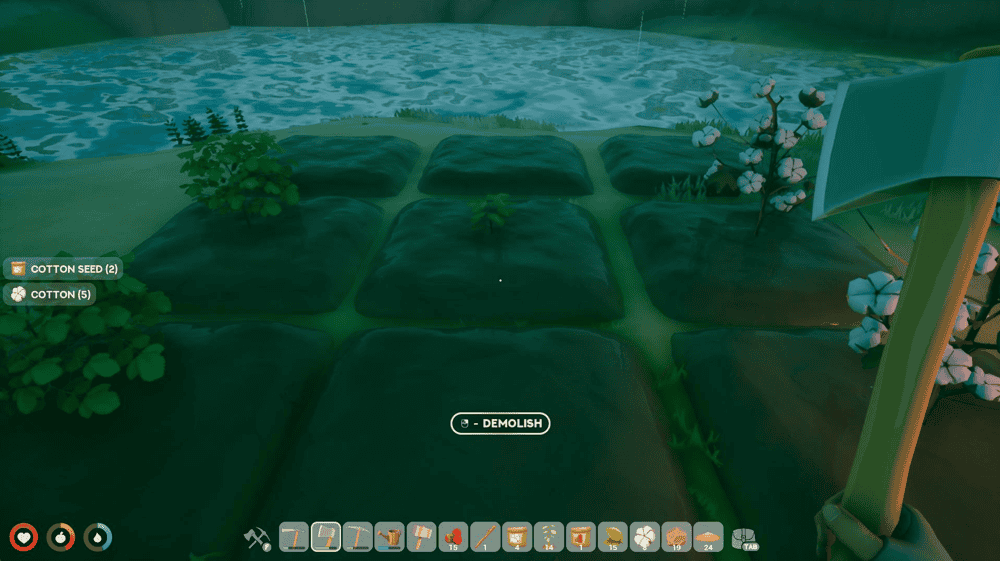
Let’s face it – you’ve got much more important and fun things to do than mop around waiting for crops to grow. With “Better Crops” installed, you can boost your crop harvest and also increase the total yield of crops and trees if you really don’t want to spend any time on it.
3. Better Chests
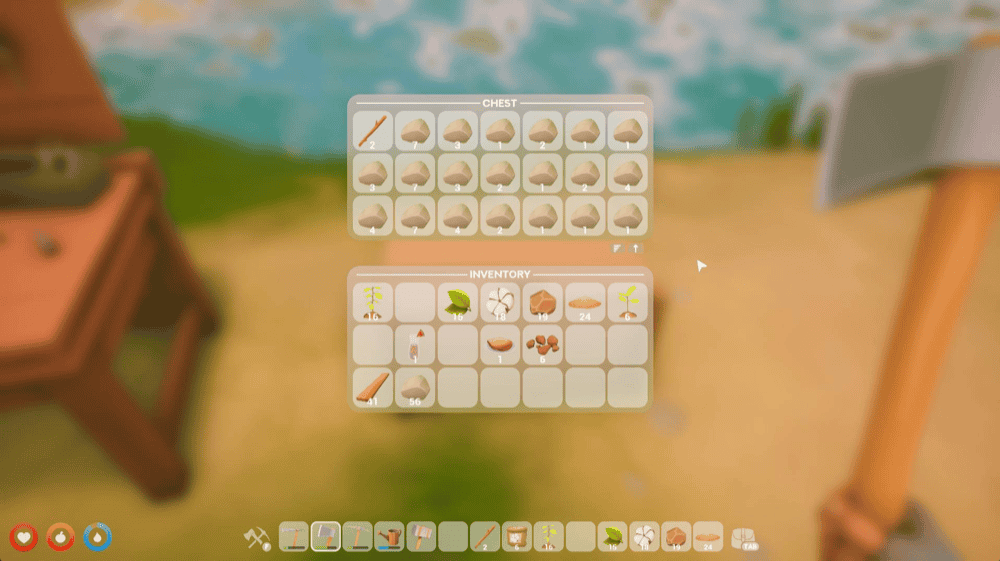
For better or worse, inventory management makes up almost half of pretty much any survival crafting gameplay that we know of, Solarpunk included. Luckily, you can always install “Better Chests” which increases your vanilla chest size from 12 slots to 21 slots.
4. Better Stacks
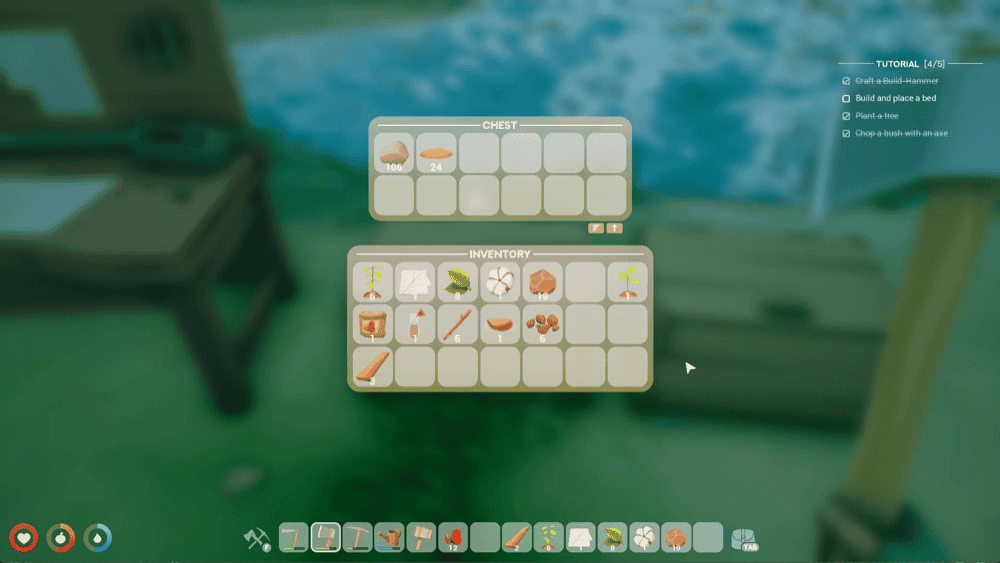
Now that you’ve sorted out the chest size, the next thing on the list is to increase the item stacks. With “Better Stacks”, your average stack now goes from the vanilla 16/32 limit to the whopping 999, so you’ll always have room for more resources no matter what.
5. Player Tweaks
Is your toon feeling a bit sluggish? Maybe you want to simply jump higher? With “Player Tweaks”, you get an improved version of your in-game alter ego, plus a faster respawn rate for all grabbable resources. Here’s exactly what you’re getting in this quality-of-life bundle:
- Move faster (+20%);
- Jump higher (+15%);
- Interact with items from afar (minimum player distance increased by 40%)
- Sticks, stones, clay, etc. respawn 3 times faster and closer to the player.
6. Better HUD
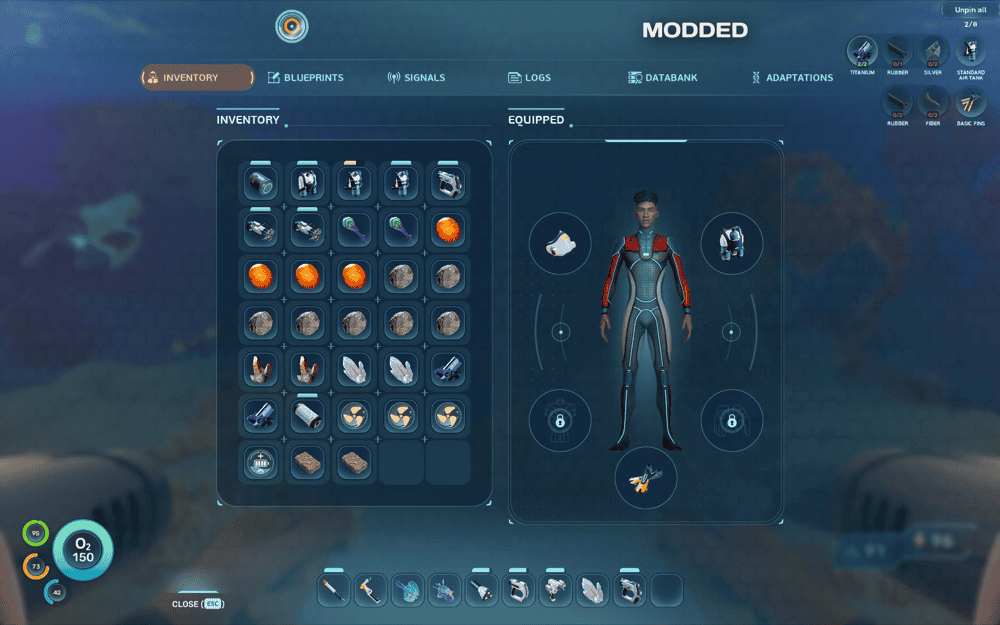
In the early game, you won’t really feel it. But as you progress further and encounter more complex game mechanics and all the resources that go along with them, you’ll quickly find your standard 8-slot layout rather limiting. “Better HUD” fixes this by bringing your action slots from 8 to up 14 while also shrinking a few less important HUD elements so that they’re less distracting.
7. No Intro
This mod does exactly as it says on the tin. With “No Intro” enabled, you skip a bunch of in-game logos that appear every time you launch the game.
8. No Hunger and Thirst
Want to make Solarpunk more about base building and less about day-to-day survival? The mod “No Hunger and Thirst” is your solution. With this mod enabled, you no longer need to worry about the pesky hunger and thirst meters trickling away as you try to get your home up and running. If you don’t want to disable these completely, the mod also offers you to make these meters deplete 5 times slower than in the base version of the game, so you still have to keep tabs on them, just not nearly as often.
9. MH Hexagon Shelf
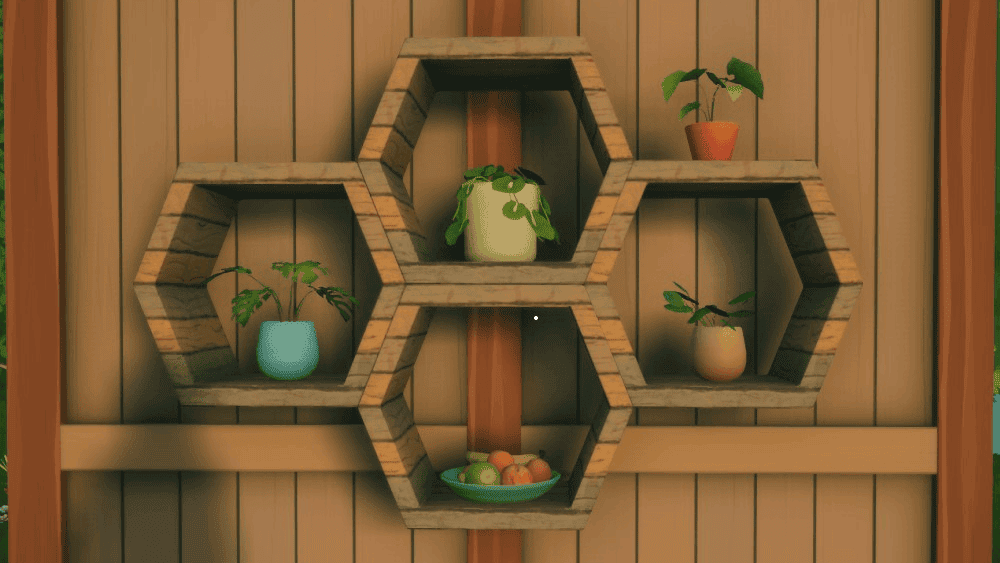
If there’s one thing that Solarpunk does extremely well, it’s the decorative aspect of base building. You get multiple roof and window types and all sorts of other elements to make your headquarters as cozy as you want. Yet it’s missing one crucial thing that this mod aims to fix – hexagon shelves! With these babies enabled, you’ll now finally have the perfect futuristic cottagecore-inspired base you can proudly share with your friends.
10. MH Balloon Airship
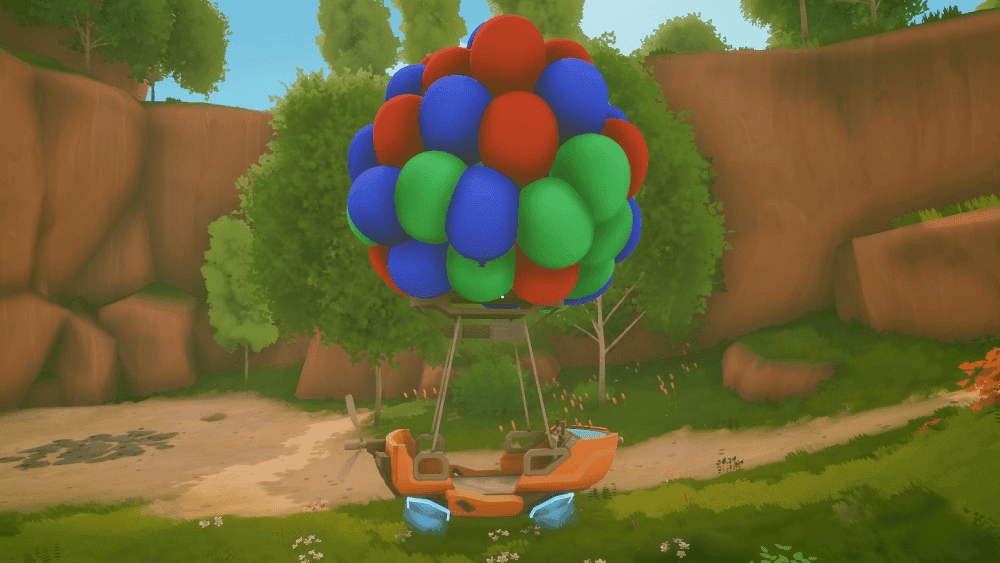
Having a regular ship is boring, don’t you agree? “MH Balloon Airship” has you covered by turning your airship into a bouquet of colorful balloons that will get heads turning everywhere you go – even from a great distance.
How to Mod Solarpunk With CurseForge

- Visit https://www.curseforge.com/download/app.
- Download and install the CurseForge desktop app.
- Launch the app and select the Solarpunk game icon on the left (CurseForge will automatically detect your Solarpunk game copy).

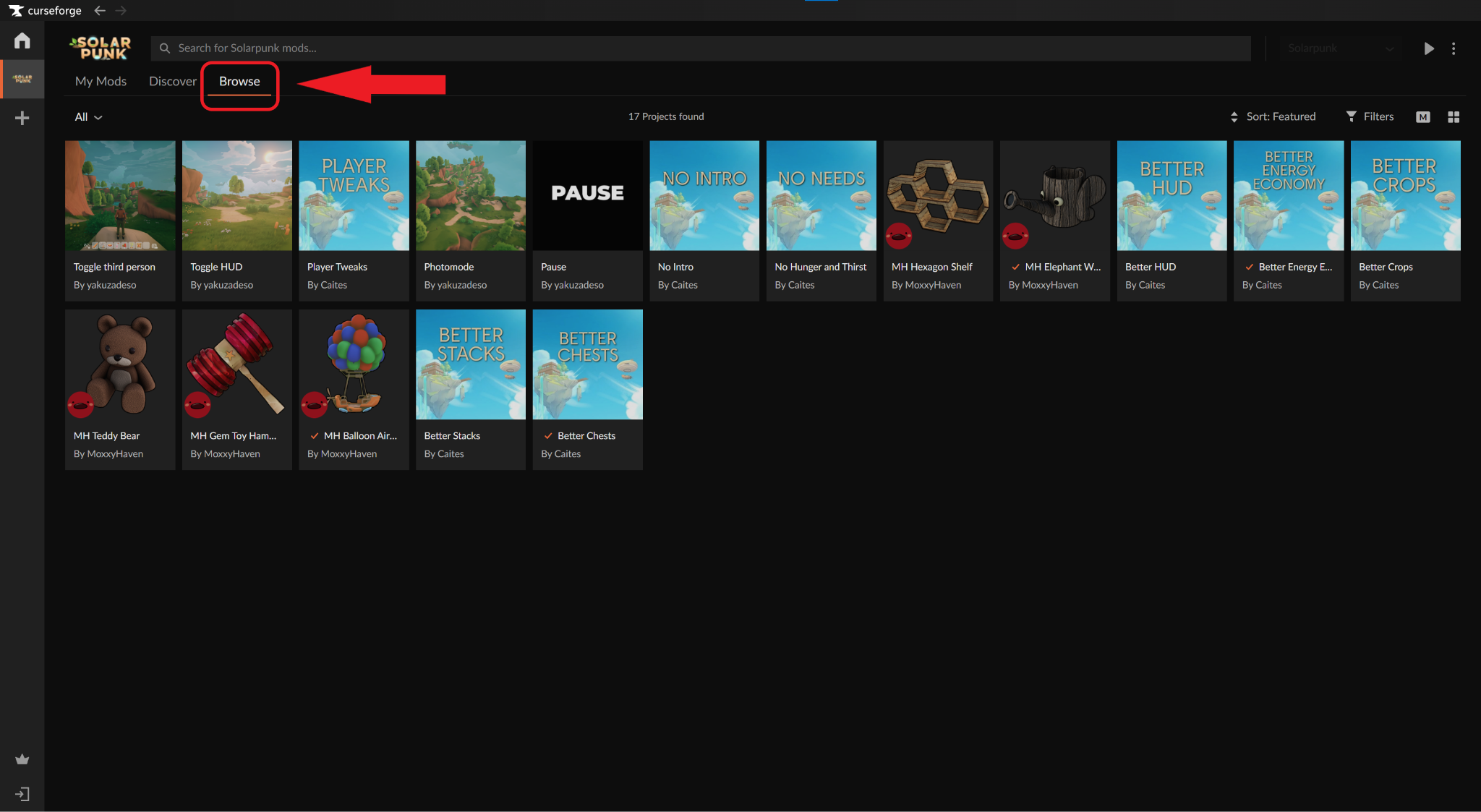
- Select the "Browse" tab and choose the mods you want to add into your game.
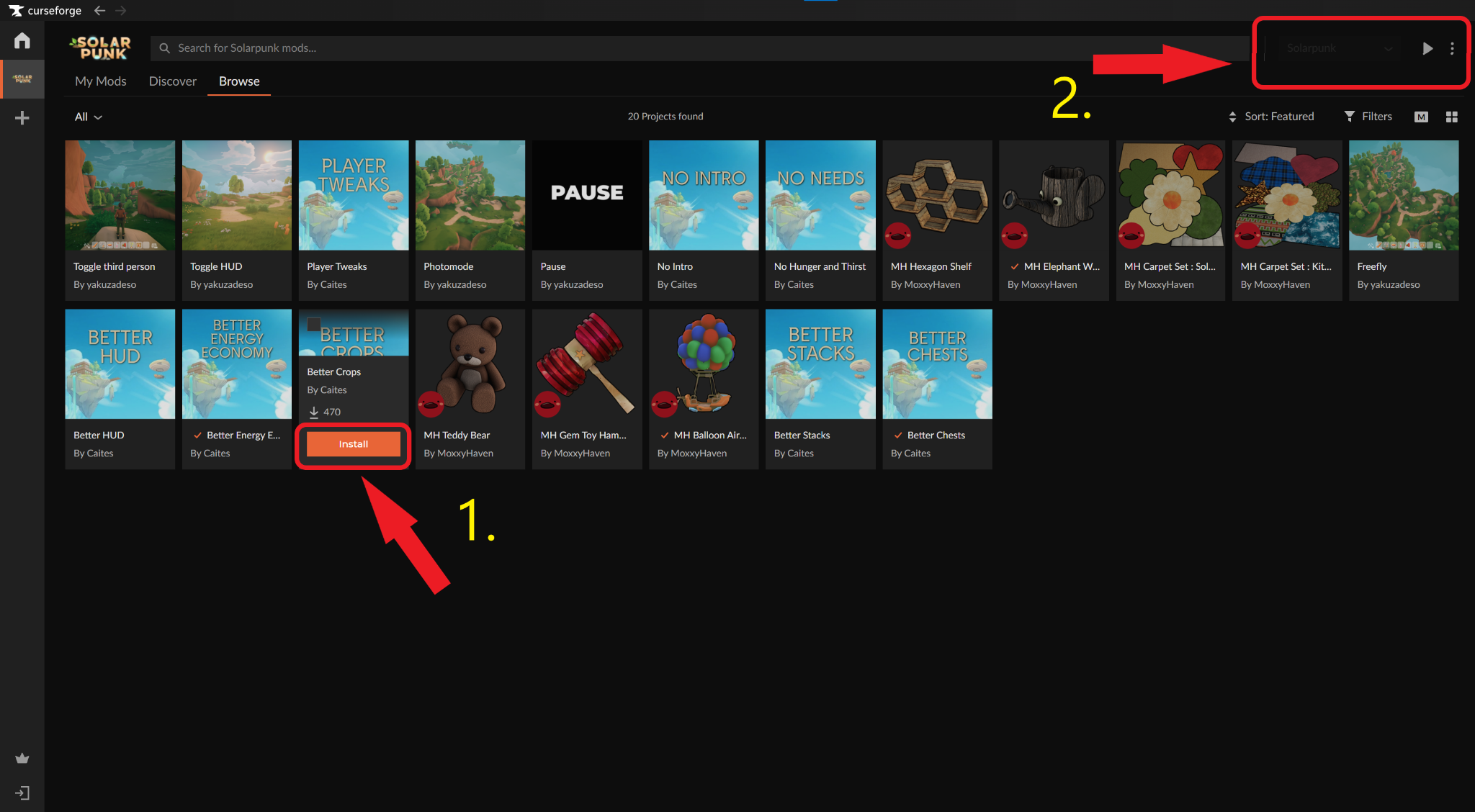
- Click the "Install" button that appears when you hover over a mod, then the "Run Game" triangle icon in the top right.
Common Issues and Quick Fixes
My mods do not work in-game
The most common causes are:
- The mod is outdated and doesn't support the current version of Solarpunk.
- Required dependencies are missing or outdated. Check the mod page and install all listed requirements.
- A mod conflict is occurring. Some mods are incompatible with each other, so try disabling other mods to identify the issue.
My Steam achievements broke after installing a mod
Mods installed through the CurseForge app should not interfere with Steam achievements. However, achievements may be disabled if you manually modify game files, use modding tools, cheat engines, debug commands, or other third-party hooks.
My Solarpunk client is constantly crashing
Game crashes aren't always caused by mods, though an outdated or incompatible mod can also contribute to instability after an update. If everything is resolved as soon as the mods are removed, try re-adding them one by one until you find the culprit.
If not, try the following solutions:
- Remove all mods and launch a clean version of the game.
- Verify your game files through Steam or Epic Store.
- Update your graphics drivers, DirectX, and Windows.
- Add the Solarpunk installation folder to your antivirus exceptions list.
Should the game still crash without any mods installed, check the developer's list of known issues and report the problem if necessary.
I’m falling through the world when exiting my airship
This is a known Solarpunk bug that the developers are actively working to fix. It most commonly occurs after leaving an airship and may sometimes cause the respawn button to place you back in the air.
At the moment, there is no guaranteed player-side fix. However, the Cyberwave team has stated they are working on improving respawn behavior and investigating the underlying cause.
I’m experiencing heavy in-game lag and stutters
Low performance can be caused by outdated drivers, corrupted game files, or demanding graphics settings. Below are a few solutions you can try:
- Verify your game files.
- Update your GPU drivers.
- Enable "High Performance" mode in Windows graphics settings.
- Lower graphics options, such as shadows and volumetric effects.
- Disable overlays from Steam, Discord, GeForce Experience, and similar applications.
- Install the game on an SSD, if possible.
If performance issues started immediately after an update, we recommend waiting for future patches or checking community reports for known performance problems.