Subnautica 1 was one of the unique gems that single-handedly revolutionized the survival crafting genre by offering various innovations to the general public towards underwater exploration. These innovations include a combination of biomes, flexible crafting and vehicle systems, and some of the most horrific sea monstrosities known to gaming. Add to this the mystery surrounding your spaceship crash on the innocent-sounding “ocean planet 4546B” and you’ve got yourself a thriller!
With that said, the original game suffered from a few notable issues, such as woefully small inventory space, countless game and visual glitches, and general gameplay repetitiveness, all of which was quickly remedied by the active Subnautica community through mods.
But it’s more than just fixes here – based on the lavish modding attention received by the original game, we expect the flood of new mods to bring enhancements to all aspects of the game: from simple UI and inventory facelifts to new biomes and complete system overhauls.So, if you’re itching to do some modding of your own, allow us to save you some time and give you our curated list of top Subnautica 2 mods you simply can’t afford to miss – you’ll thank us later!
Important: This article was originally published in June 2026.
Please be aware that the mods listed below were popular at the time of writing, but may have since become outdated or incompatible due to subsequent game updates. While we include them here as noteworthy examples of the modding community's work, we cannot guarantee their complete functionality.
For a list of the most recent and fully playable Subnautica 2 mods, please visit our Subnautica 2 mods page.
1. Better Batteries

Picture this: you’re deep inside a pitch-black underwater cavern, your flashlight is guiding the way, and suddenly – click. Out of juice. If you’re tired of carrying an entire grocery bag full of spare batteries just to keep your high-tech tools running, Better Batteries is the mod you’ve been waiting for all along.
This mod tweaks the energy capacity configurations of your standard power cells, giving them a much longer lifespan – either by 50% or 500% – so you can focus on exploring the ocean depths rather than recharging.
2. Comfort Tweaks
Survival games love to make you micro-manage every single aspect of your existence, but after your fiftieth hour underwater, some of those survival loops can start to feel a bit tedious. Comfort Tweaks is designed for the explorer who wants to streamline their playthrough through a bundle of small quality-of-life improvements.
The current version of the mod features an adjustable Field of View slider (set to 100 by default), which you can also toggle on or off with the "F7" hotkey. However, the mod author plans on including more QoL updates into the mod as the game matures.
3. Simple Minimap
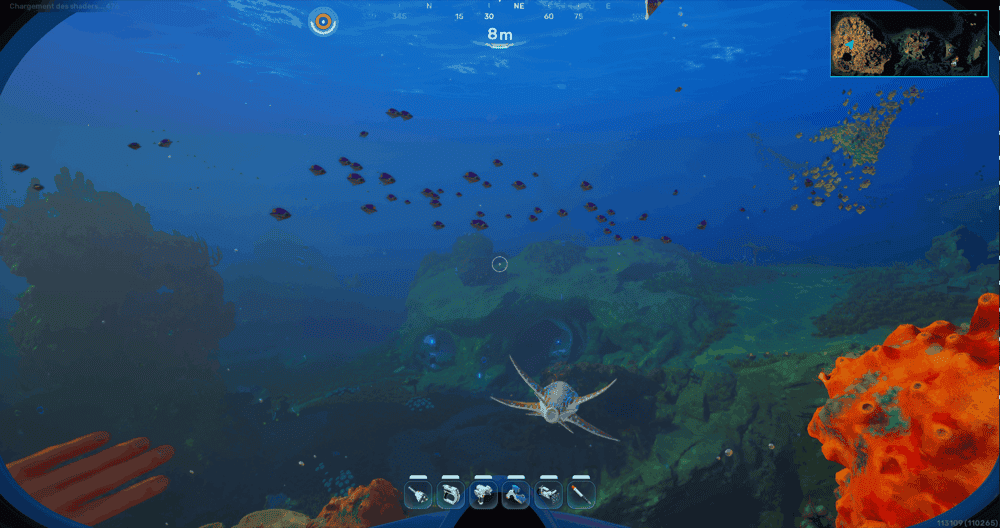
Navigating the murky depths of an alien ocean can get a little overwhelming, especially when every trench looks identical and something is trying to eat your seamoth. This is where having a minimap mod can be incredibly handy.
This minimap in particular is represented by a radar at the top right corner of your screen so you can keep track of your immediate surroundings at a glance, further adding to your immersion.
4. Better HUD
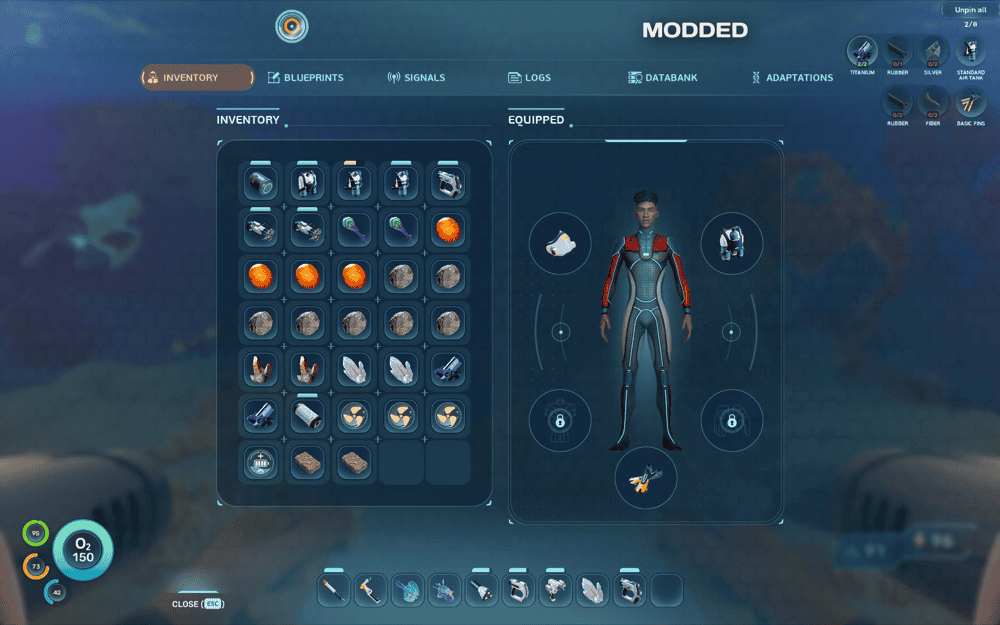
While the base game does include a UI scale slider, turning it down forces a frustrating compromise – shrinking your vital on-screen HUD also makes your inventory painfully tiny and unreadable. To make matters worse, the default HUD is heavily cluttered with information you'll never actually need, like debug lines, shader warm-up counters, and messy compass angles.
The Better HUD mod completely overhauls your user interface to solve these exact headaches while also allowing you to use a bigger hotbar (up to 12-15 slots) and offering better TV support.
5. Proximity Chat
The game is already incredible solo. But while playing with friends, having a proximity chat is pretty much essential. After all, you wouldn’t want to miss your friends screaming as some giant monster appears out of nowhere to try and eat them, do you?
This mod introduces just that – immersive voice scaling depending on the distance. With Proximity Chat active, your friend’s voice will realistically muffle, fade, or echo depending on how far apart you are in the ocean depths or inside a habitat.
It also adds a radio mode for when you and your friends are inside the same vehicle or a comms-equipped base, which eliminates the distance factor.
6. Resource Multiplier
The Resource Multiplier mod lets you bypass the grind by increasing the amount of loot you get from a single node. Instead of returning to your base with just a sliver of resources, you’ll be drowning in titanium, quartz, and copper after a single short trip.
The mod is perfect for players who want to jump straight into mega-base construction projects, though you’ll definitely want to pair it with an inventory mod as well if you don’t want your pockets bursting immediately.
7. Custom FOV - Field of view
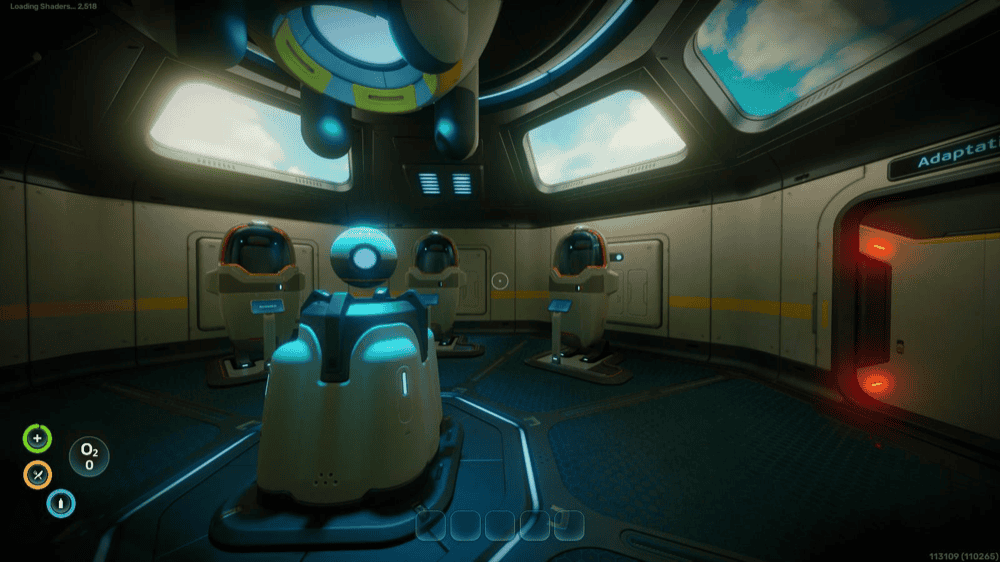
As beautiful as the alien marine life of Subnautica is, the default camera angle can sometimes make you feel like you’re looking through a submarine periscope rather than diving freely into the deep blue. Similarly to Comfort Tweaks, the Custom FOV mod remedies this by letting you tweak your field of view slider directly within the game settings to your personal preference.
8. SeaSprint
As promised by the name, the SeaSprint mod allows you to… sprint! You can:
- Sprint while walking
- Sprint while swimming
- Hold "Left Control" to sprint
This is a small change, but it makes a huge difference to the player experience. The author is also planning to include additional ways in which you can customize your sprinting behavior in-game as you currently don’t really have any configuration options to tweak.
9. Infinite Oxygen
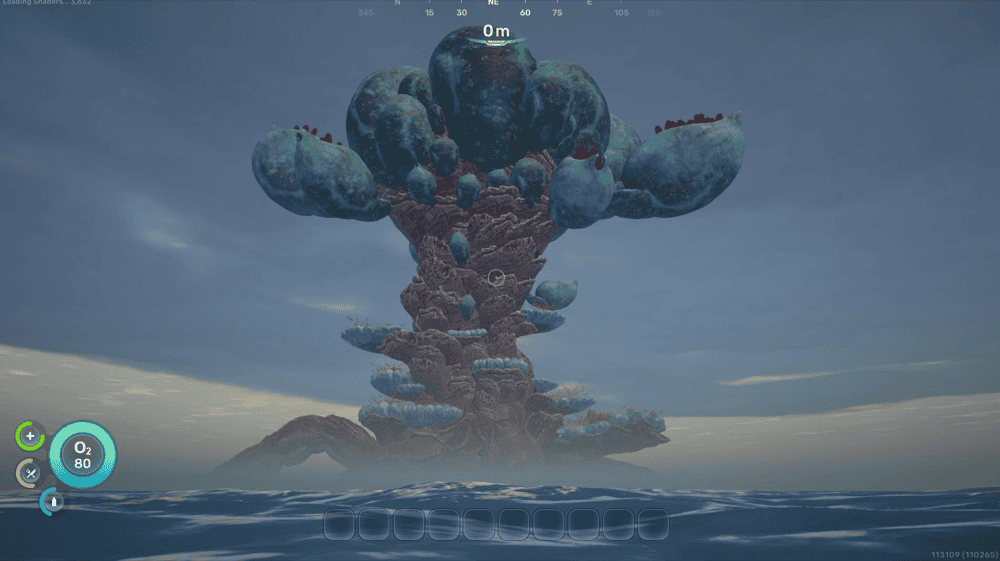
The constant, agonizing ticking of your O2 meter is the ultimate source of anxiety for any diver trying to explore a deep and winding wreckage. If you’d rather treat your alien adventure like a tropical vacation than a desperate struggle for air, the Infinite Oxygen mod is your golden ticket.
As the name implies, it completely removes your reliance on oxygen tanks, letting you stay submerged indefinitely without ever needing to breach the surface for a gasp of air. Note that this mod only affects oxygen and not other survival stats like water, food, or health.
10. Photomode
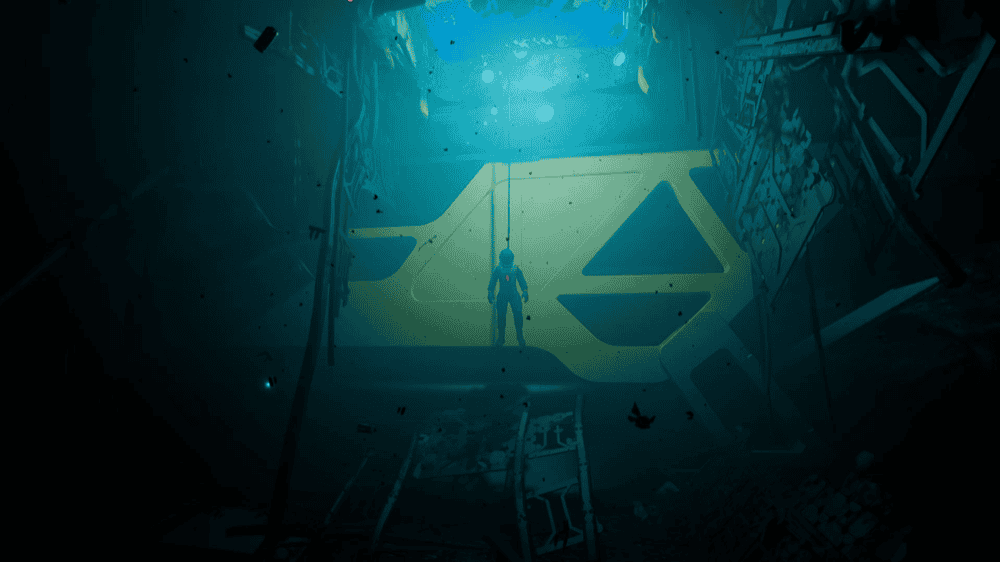
Found a glorious underwater landscape or just want to show off your character? With the Photomode mod, you can:
- Enter photomode by pressing "F9" and exit it via right-clicking.
- Slow down the world around you to a crawl with "F10" to take that perfect shot.
- Freely move the camera around and take high-resolution screenshots.
- Increase and decrease the camera's field of view by a custom amount.
- Tilt the camera left and right and much more.
The author notes that the resolution your images will have will match the resolution of your game, so the higher the fidelity, the better!
How to Mod Subnautica 2 With CurseForge

- Visit https://www.curseforge.com/download/app.
- Download and install the CurseForge desktop app.
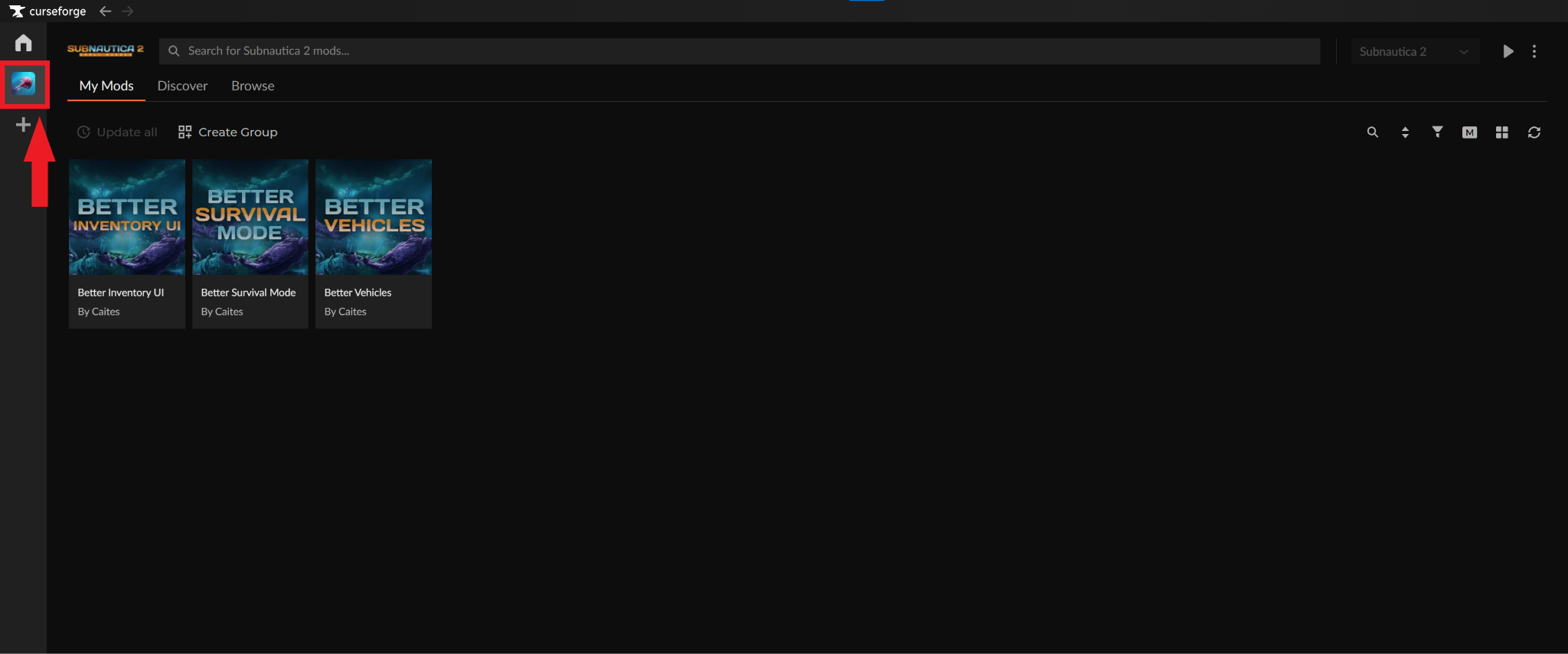
- Launch the app and select the Subnautica 2 game icon on the left (CurseForge will automatically detect your Subnautica 2 game copy).
- Select the "Browse" tab and choose the mods you want to add into your game.
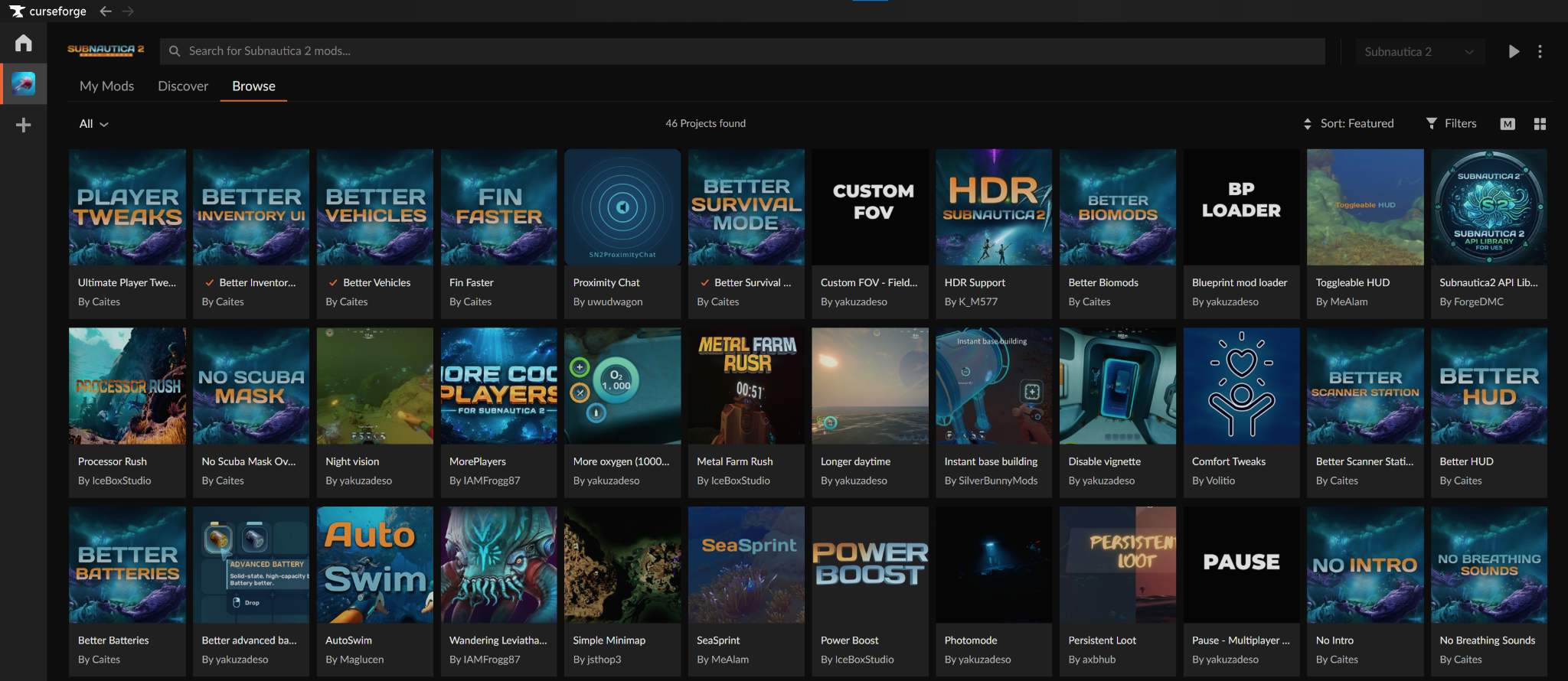
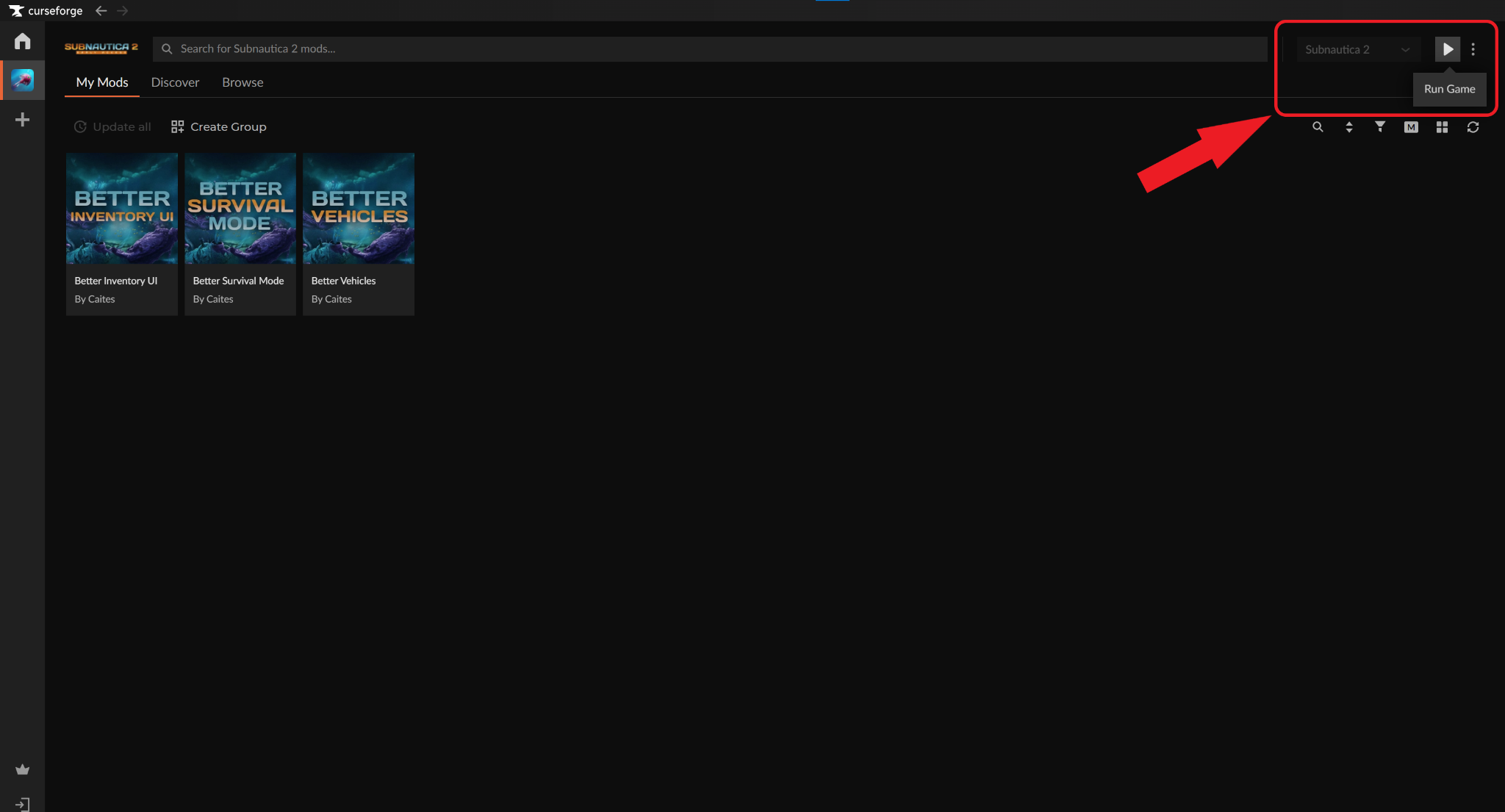
- Click the “Install” button under each mod to activate it, then click the "Run Game" triangle icon in the top right.
How to Mod Subnautica 2 Without CurseForge
- Download the UE4SS mod loader for Subnautica 2.
- Open your game folder and navigate to "Subnautica 2" → "Binaries" → Win64".
- Extract the downloaded UE4SS files and paste them into the "Win64" folder to install the loader.
- Download, extract, and place the mod files (typically ending on .utoc) into the "Mods" folder generated by UE4SS.
- Launch the game.
The next time you start up Subnautica 2, any mods in that folder will be automatically read by the game.
Important: Not all mods may use the .utoc format. If a mod contains different file types, it likely requires a specific installation process, so always check the individual project page for unique instructions.
Common Issues and Quick Fixes
My mods do not work in-game
This is usually caused by misplaced files or outdated mod versions. To fix it, use a dedicated mod manager like the CurseForge App, which automatically installs files into the correct directories. If you prefer to install mods manually, make sure you have the required prerequisites (like UE4SS) in place and that your mods match the current live game version.
My Subnautica 2 client constantly crashes
Crashes are typically caused by corrupted files or hardware conflicts. If you’re on Windows, start by verifying your game files through Steam to fix any corrupted data. You can also turn off Windows’ hardware-accelerated GPU scheduling feature and disable background software like Discord or MSI Afterburner overlays, which have been known to cause the game to crash.
Some of the mod additions are missing or broken
You are likely dealing with a mod conflict or a broken save file. Try disabling your mods one by one to find the conflicting files, then remove the mod that causes the issue. We recommend that you always keep backups of your save data, especially for Early Access titles where a new game update can easily break modded items and corrupt your progress.
I’m experiencing in-game lag and stutters
Performance stuttering is often caused by heavy settings, background data tracking, or simply using too many mods at once. You can instantly improve performance by turning off "Upload crash reports" and "Game analytics" from the in-game settings. For a smoother frame rate, make sure to also turn off high-impact graphics settings like anti-aliasing or depth of field.
Finally, if you’re running a heavily modded copy of Subnautica 2, try to disable mods one by one (especially visual ones or mods that introduce new entities) to see if it makes any difference.