Minecraft’s day/night cycle moves much faster than most new players probably expect. Sunrises, sunsets, and full nights can pass while you are still building, mining, or trying to get back to your base, which is why time quickly starts to matter in any survival world.
This guide breaks down how the natural day/night cycle works, how Minecraft measures time internally, and what you can do if you want days and nights to move faster, slower, or not at all.
What a Full Day/Night Cycle Looks Like
Minecraft runs on a tick-based system. When the game runs at optimal speed, the world processes 20 ticks every second, while a full day in the overworld lasts 24,000 ticks. If we do the math, we get exactly 1,200 seconds, or 20 minutes.
Those 24,000 ticks split into four periods:
- Daytime runs from tick 0 to tick 12,000 – that's 10 minutes. Sunrise happens at the start, noon is at tick 6,000, and the sun starts setting at tick 12,000.
- Dusk lasts 1,000 ticks, or 50 seconds. Light slowly fades away, the sky shifts orange, and hostile mobs start becoming a factor.
- Night runs from tick 13,000 to tick 23,000, or 8 minutes and 20 seconds. This is when it gets dark enough for mobs to spawn on the surface.
- Dawn lasts another 1,000 ticks, or 50 more seconds. The sun comes back up and the cycle resets.
So, as you can probably tell, daytime is noticeably longer than night time – 10 minutes versus about 8 and a half. This, however, is fully intentional.
How Minecraft Measures Time Internally
The game uses an in-game clock that runs parallel to real time but completely independently. It doesn't care what your system clock says, what time zone you're in, or whether daylight saving time just kicked in. It only counts ticks.
In-game time is displayed in a 24-hour format. Sunrise happens at 6:00 AM in Minecraft time, noon is 12:00, sunset is 6:00 PM, and midnight is 12:00 AM. If you want to check the current in-game time, hold a clock item and it'll show you where in the cycle you are.
Tip: One Minecraft hour equals 50 real seconds. One Minecraft minute equals just under a second in real life. Time moves fast.
How Server Lag Affects Day Length
The 20-minute figure assumes the game is running at a full 20 ticks per second. If a server is lagging and the tick rate drops, ticks take longer to process and days stretch out in real time.
A server running at 10 ticks per second would make a day 40 minutes long even though nothing changed in the game's settings. This is worth knowing if you ever notice days feeling inconsistently longer on a busy server.
Controlling Time with Commands
If 20 minutes isn't working for your playstyle, a few vanilla commands let you jump around or freeze the cycle entirely. All of these require cheats enabled or operator status to work.
- Freeze time in place: "/gamerule doDaylightCycle false"
The sky stays exactly where it is until you turn this back on. Useful for building without worrying about nightfall, or for keeping a permanent daytime on a creative server.
- Set a specific time:
- "/time set day" – jumps to early morning (tick 1,000).
- "/time set noon" – jumps to midday (tick 6,000).
- "/time set night" – jumps to the start of nighttime (tick 13,000).
- "/time set midnight" – jumps to midnight (tick 18,000).
You can also use a tick number directly if you want something specific: "/time set 6000" puts you at noon, for example.
- Skip forward: "/time add 24000" advances the clock by one full day without affecting anything else. This is useful for cycling moon phases or just getting past a bad night quickly.
Bedrock Edition also supports the named values sunrise and sunset for "/time set", which Java Edition does not. The core time commands are similar across both editions, but command access still depends on user permissions.
Sleeping and Skipping Nights
Sleeping in a bed takes you straight to the next sunrise. In singleplayer, all it takes is for you to lay down to wake up in the morning. In multiplayer, the default Java rule is stricter: all players in the Overworld need to be in bed at the same time unless you change the "playersSleepingPercentage" gamerule.
You can change this behavior with the "playersSleepingPercentage" gamerule. Setting it to 50 means half the players sleeping is enough to trigger a sunrise. Setting it to 0 lets a single player skip the night for everyone. Setting it to 100 keeps the vanilla requirement where everyone has to be in bed.
Tip: Bedrock Edition uses the same gamerule in modern versions.
Mods That Change Day and Night Length
If you want to go beyond commands and actually change how long each part of the cycle lasts, these two mods are the most capable options available.
Serene Seasons
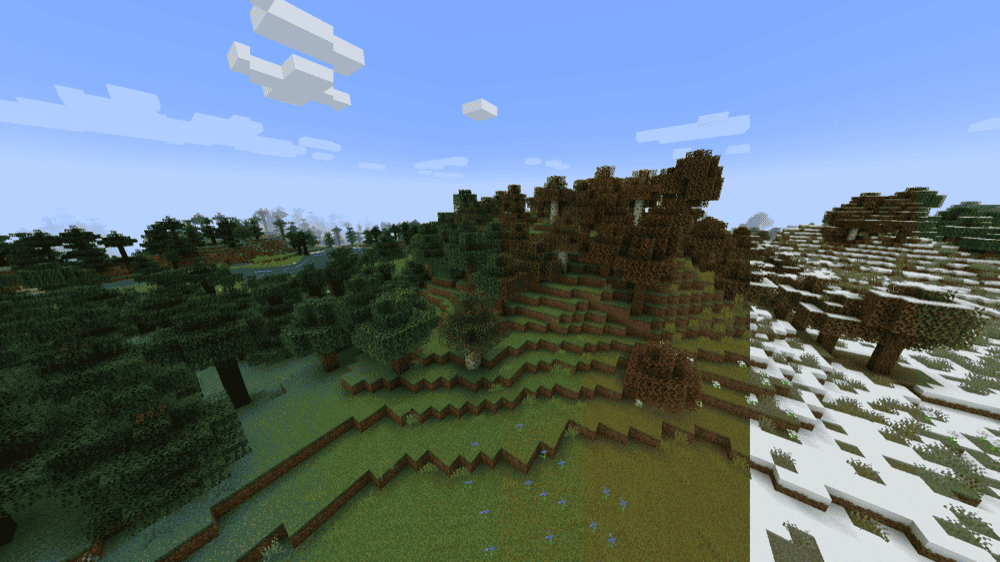
“Serene Seasons” doesn't change how long a single day lasts, but it adds a full four-season system that makes the passage of time matter across a much longer timeframe. Days cycle through spring, summer, autumn, and winter, with each season lasting several in-game days by default. Foliage changes color in autumn, snow falls in winter, and temperatures shift across biomes depending on the season – which affects crop growth, rainfall, and ice formation.
It's a different relationship with time than what vanilla gives you. Instead of 20-minute loops that feel identical, each day becomes part of a bigger seasonal arc. If you're playing a long-term survival world and want the cycle to feel more meaningful, Serene Seasons is one of the most popular ways to do that.
Better Days
“Better Days” changes how time passes in Minecraft by letting you customize the overall day-night cycle and control day and night speed independently. Instead of the default 20-minute cycle, you can slow time down to achieve longer days or speed up nights for a more forgiving pace.
The mod also changes how the sleeping mechanic works by accelerating the passage of time rather than relying on the normal instant skip to morning. In addition, it can optionally speed up other time-based systems such as crop growth, weather, potion effects, furnaces, and hoppers, making the world feel more in sync with the time settings you choose.
How to Install Minecraft Mods
You can install the above mods automatically using the CurseForge app or manually by placing the mod files within your game's mods folder. Both methods allow you to easily add custom features and enhancements into your vanilla Minecraft experience.
If you want to learn more, you can read our detailed guide on how to install Minecraft mods.
Common Issues and Quick Fixes
Days feel much longer than 20 minutes
If your day is noticeably stretching past the 20-minute mark, the server or game is likely running below 20 ticks per second. Server lag is the most common cause here – too many entities loaded, too many chunk updates, or just an underpowered machine can lead to noticeable lag spikes.
You can check your tick rate with the "F3" debug screen on Java Edition, which displays the current TPS in the lag graph area. Reducing entity counts or view distance usually helps mitigate the lag.
The "/time set" command isn't working
The command needs cheats enabled in singleplayer, or operator status in multiplayer. On Bedrock Realms specifically, commands require at least operator level 1 access. If the command runs but nothing visually changes, check that "doDaylightCycle" isn't set to false – that gamerule overrides any time you set and hold the clock in place.
Sleeping isn't skipping the night in multiplayer
By default on Java Edition, all players have to be in bed at the same time. If even one player is awake and not sleeping, the night won't be skipped. Use "/gamerule playersSleepingPercentage" followed by a number lower than 100 to reduce this requirement. Setting it to 1 means a single sleeping player can skip the night for the whole server.
Serene Seasons shows the wrong season or crops are not growing
Seasons in Serene Seasons run on an in-game day counter, so they won't be visible in a world that just started until a few days have passed. Crop growth during winter is intentionally slower or stopped for some crops – that's part of the mod's design. If seasons seem stuck, check the mod's configuration and compatibility requirements first.
Your mod doesn’t load or crashes at startup
Make sure to match the mod file to your exact Minecraft version and mod loader, then double-check any required dependencies on the mod’s CurseForge page. The wrong loader, wrong version, or a missing dependency can stop the mod from loading correctly. For example, “Serene Seasons” needs “GlitchCore”, and its Fabric version also needs “Fabric API”.