Are you ready to submerge deep into the alien ocean world of Alterra in search of its sand-covered secrets, knowing full well that you may not return to tell the tale?
If you’re up to the challenge, we’re happy to announce that CurseForge now includes Subnautica 2 as part of its extensive game modding library!
In this article, we will look at how you can seamlessly add any mod to your game to turn an already excellent underwater exploration experience into something truly special.
How to Install Subnautica 2 Mods with CurseForge
STEP 1: Install the CurseForge Launcher
- Go to our download page and press "Get CurseForge App".
- Download either the standalone or the Overwolf version.
- Run the downloaded installer and complete the setup.
- Launch the CurseForge app and check to see that it auto‑detected Subnautica 2.
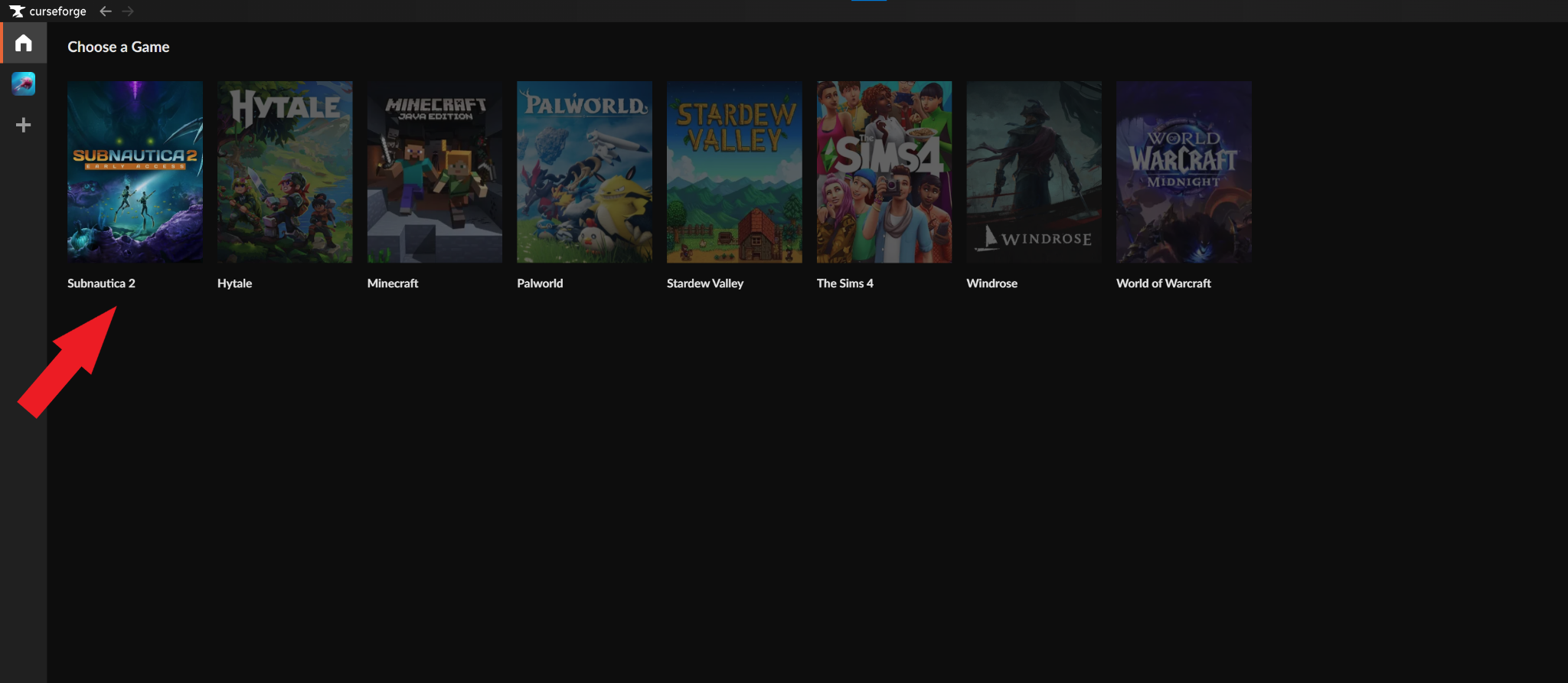
If Subnautica 2 is not auto-detected, check if you need to update the app, restart your PC, or reinstall the CurseForge app.
STEP 2: Install Mods for Subnautica 2
- Click on Subnautica 2 from within CurseForge to open the mod browser.
- Click on either the "Discover" or "Browse" tabs to search for mods.
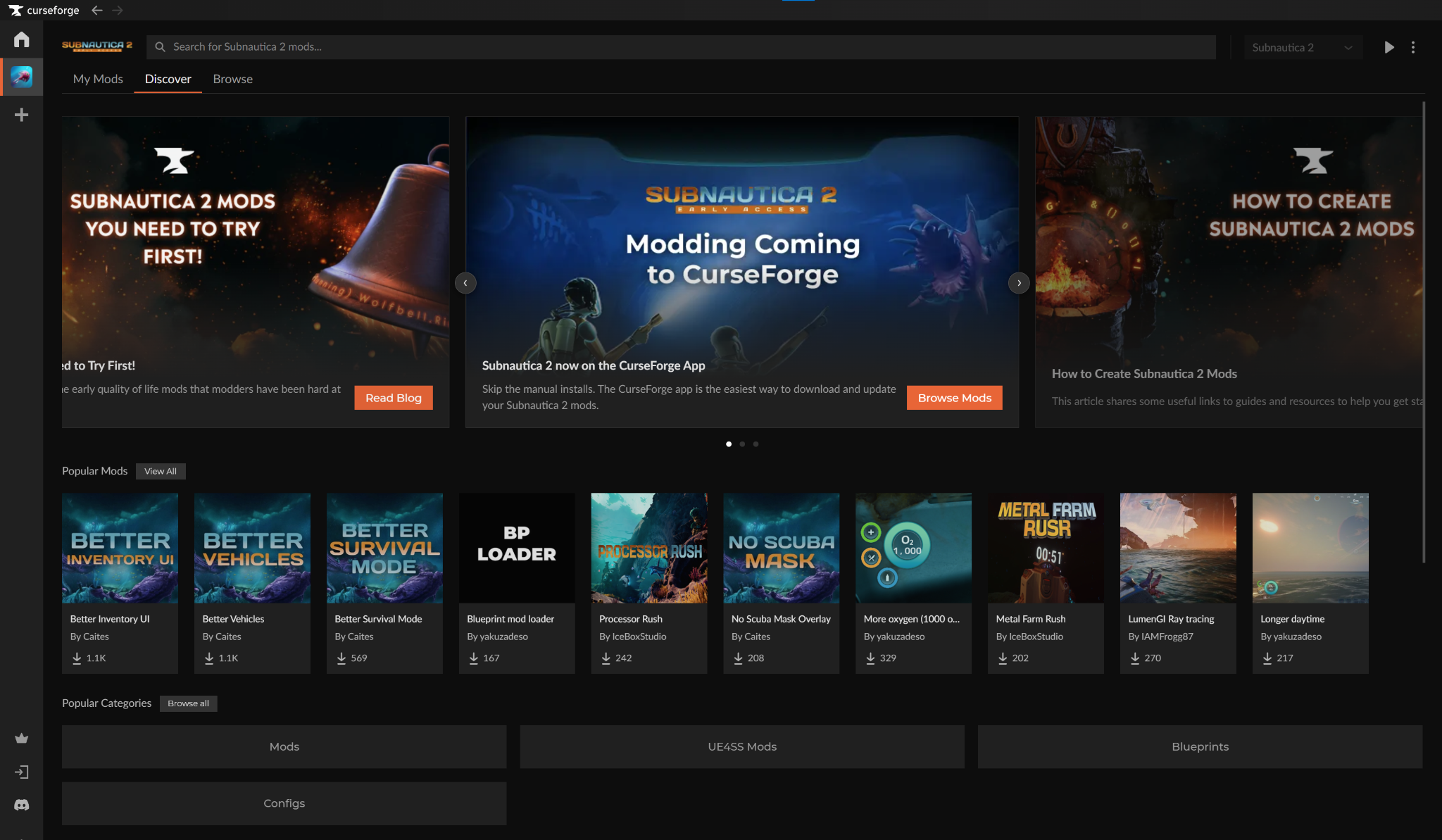
- Highlight a mod and click "Install" to add it to the core Subnautica 2 game.
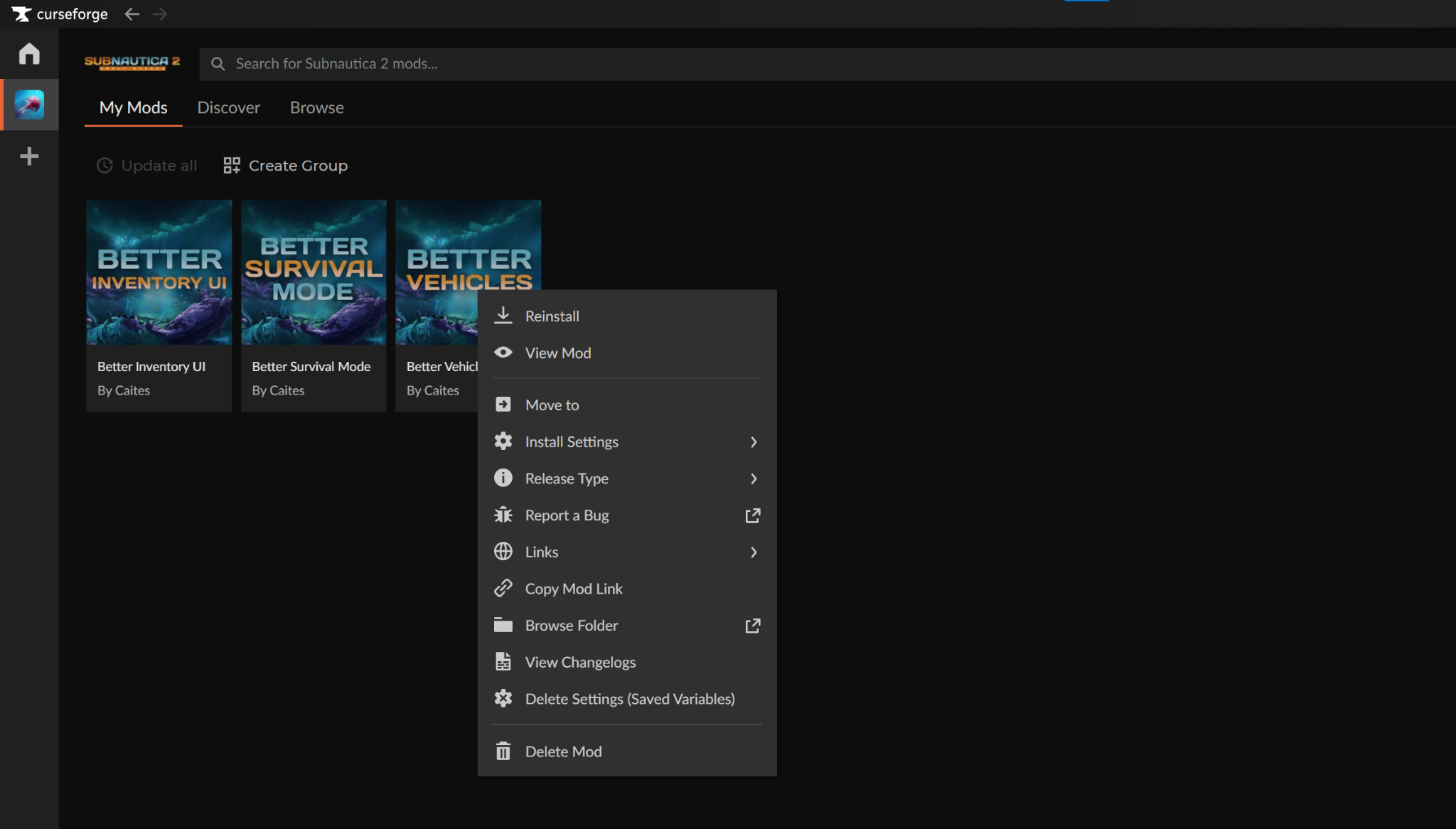
- You can manage your installed Subnautica 2 mods from Subnautica 2 → "My Mods".
STEP 3: Launch Subnautica 2
You can launch the game in one of two ways, depending on your preferences:
- CurseForge app: Click on Subnautica 2 → "Run Game".
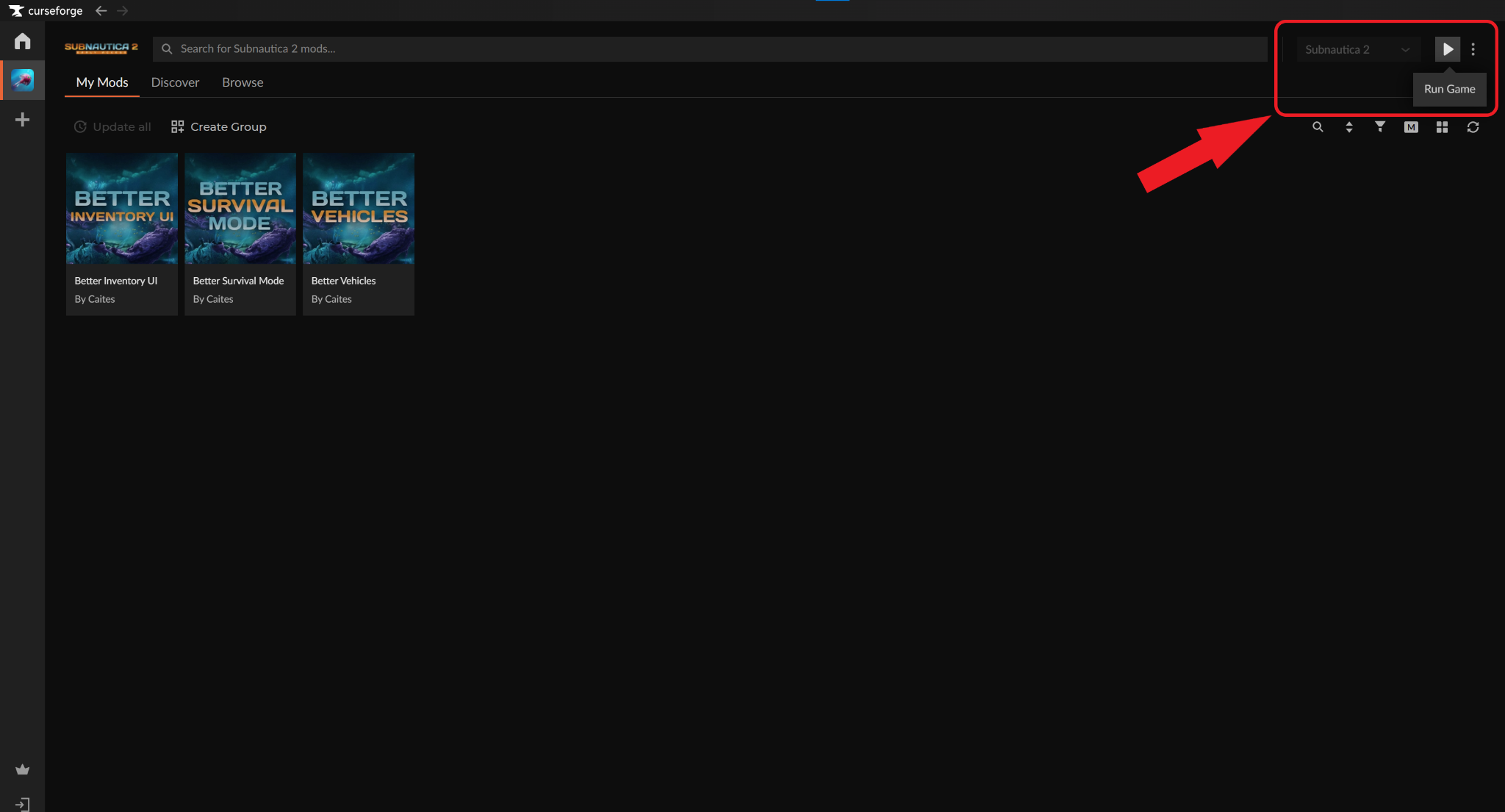
Official store launcher: Double-click on the created Subnautica 2 desktop icon or start it from within your official store launcher.
Pro Tip: Make sure to save your playthrough BEFORE using mods. That way, if a mod causes issues, you can simply uninstall it and resume your game from where you left off.
How to Install Subnautica 2 Mods Without CurseForge
Subnautica 2 is currently officially supported on Windows and Xbox Series X|S. Because of this, we will focus on how to install Subnautica 2 mods on Windows specifically.
- Download the UE4SS mod loader for Subnautica 2.
- Open your game folder and navigate to "Subnautica 2" → "Binaries" → Win64".
- Extract the downloaded UE4SS files and paste them into the "Win64" folder to install the loader.
- Download, extract, and place the mod files (typically ending on .utoc) into the "Mods" folder generated by UE4SS.
- Launch the game.
Tip: CurseForge handles all of these steps for you – all you need to do is choose a mod, click “Install”, and dive straight into Subnautica 2.
Important: Not all mods may use the .utoc format. If a mod contains different file types, it likely requires a specific installation process, so always check the individual project page for unique instructions.
Final Thoughts
So, there you have it – you now know how to install any Subnautica 2 mod using CurseForge or by going the good old folder-diving route. Regardless of which path you choose, always make sure to:
- Download mods from vetted community websites or reputable platforms like CurseForge.
- Read the description of each mod to avoid mod conflicts or other technical issues.
- Backup your game saves as the game is still in Early Access and a new update may break your mods, forcing you to start over.
With that said, sit back, relax, and get ready to explore the darkest sea depths with all the latest and greatest improvements brought to you by the game’s sprawling community!
Frequently Asked Questions
Do I need CurseForge to install Subnautica 2 mods?
While not necessary, we recommend using the CurseForge app as it greatly simplifies the mod installation experience. This makes it perfect for people who are too busy or don’t want to spend a day manually moving files or setting up folders and instead wish to simply enjoy their game.
Why is my mod not working?
This may be caused by three main reasons:
- You’re using a mod for an older game version. Early Access titles evolve fast, and what works today may throw an error tomorrow. Always check that the mod you’re downloading is compatible with the latest live version of the game to ensure nothing gets in the way between you and the mysterious underwater world of Alterra.
- You’ve installed the wrong or old dependencies. Make sure to install everything as listed on the official mod page to avoid any issues.
- Your mod is conflicting with other mods. Check the game’s official mod page for any known mods incompatibilities. If you’re running two incompatible mods, decide which one you want to keep and delete the other one.
Can I install mods through Steam?
No, as unfortunately the developers have not confirmed the existence of official modding tools just yet. However, players can easily mod the game using third-party solutions like CurseForge or reputable community-hosted modding websites. Besides, given Subnautica 1’s impressive track record of close to 2,000 available mods, we’re more than certain that you’ll have lots of mods to pick from a few months post-release!