We’re happy to announce that CurseForge now supports mods for Solarpunk – the peaceful survival crafting game that’s all about floating islands, renewable energy, farming, automation, and airship exploration.
In this guide, we’ll walk you through what Solarpunk mods are, why they’re worth installing, and how to easily add them to your game with CurseForge so you can spend less time managing files and more time building your dream island in the sky.
How to Install Solarpunk Mods: A Quick Video Guide
If you’re in a rush to experience all the newly added game features and quality of life improvements made by the community, simply check out our quick video below to get started right away.
What Are Solarpunk Mods?
Solarpunk mods are community-made additions that are meant to expand, adjust, or improve your experience in Solarpunk.
The game lets you build and decorate your own sky home, grow fruits and vegetables, care for helpful animals, generate clean energy using sunlight, wind, and water, and automate everyday tasks with drones and other gadgets. Eventually, you can also build your own airship and travel between islands to discover new resources, either solo or together with friends in co-op.
Mods only build on these core systems by adding new quality-of-life improvements, gameplay tweaks, building options, farming upgrades, automation tools, UI changes, airship customizations, and more. So, whether you want better storage, faster farming, cleaner menus, improved energy systems, or simply more ways to personalize your floating island, Solarpunk mods help you shape the game exactly the way you like to play.
Why Should You Mod Solarpunk?
Solarpunk already offers a relaxing mix of survival, farming, building, clean energy, automation, and exploration, but mods can make that experience even smoother and more personal.
If you want larger storage, better stack sizes, faster crop growth, improved energy output, cleaner HUD elements, or more convenient gameplay tweaks, mods can help make your day-to-day island life easier. They can also add more creative freedom through new decorations, structures, crafting options, and airship customizations.
Since Solarpunk is still a fresh release, mods are also a great way for the community to expand the game beyond its current content. Whether you want to automate more of your base, fine-tune survival mechanics, improve performance, or simply make your floating home feel more unique, mods can help you craft a custom-tailored gaming experience that may not be fully present in the original game.
Types of Solarpunk Mods
CurseForge currently offers dozens of mods across 12 categories, making it easy to find content to improve your floating island adventure.
- Audio: Enhance the soundscape of your world with new music, ambient effects, machine sounds, airship audio, and other immersive audio improvements.
- Automation & Energy: Expand Solarpunk's renewable energy and automation systems with new generators, power networks, machines, and resource-gathering tools.
- Building & Structures: Add new building pieces, architectural styles, decorative assets, storage solutions, and structural components to create the sky base of your dreams.
- Crafting: Introduce new recipes, workstations, materials, gadgets, and progression systems that expand crafting possibilities throughout the game.
- Environment: Transform the world around you with new biomes, weather effects, visual enhancements, foliage, terrain features, and floating-island variations.
- Farming & Food: Grow your agricultural options with new crops, animals, food recipes, farming mechanics, greenhouse upgrades, and cooking content.
- Gameplay: Modify core game mechanics, progression systems, balancing, difficulty settings, multiplayer features, and other aspects of the overall gameplay experience.
- Items: Discover new tools, resources, equipment, decorative objects, consumables, airship components, and other collectible items.
- Miscellaneous: A home for unique mods that don't fit neatly into other categories, including cosmetic additions and experimental features.
- User Interface: Improve the game's menus, inventory management, HUD elements, crafting screens, map systems, and more.
- Utilities: Add quality-of-life improvements, debugging tools, performance enhancements, save management features, and other helpful utilities for both players and creators.
- Vehicles & Airships: Take to the skies with new airship designs, upgrades, customization options, and other vehicle-related features.
How to Install Solarpunk Mods
To begin modding the game, you first need to own an official copy of Solarpunk playable from your computer by a reputable store front, such as Steam or Epic Games Store. Next, you’ll need to install the CurseForge app so you can easily download, setup, and manage all your game mods in one place.
So, before you jump on your airship and explore away, make sure you have:
- A legal copy of Solarpunk playable from your computer.
- An up-to-date version of the CurseForge app.
That’s it! Here is the step-by-step guide in more detail.
STEP 1: Install the CurseForge Launcher
STEP 1: Install the CurseForge Launcher
- Go to our download page and press "Get CurseForge App".
- Download either the standalone or the Overwolf version.
- Run the downloaded installer and complete the setup.
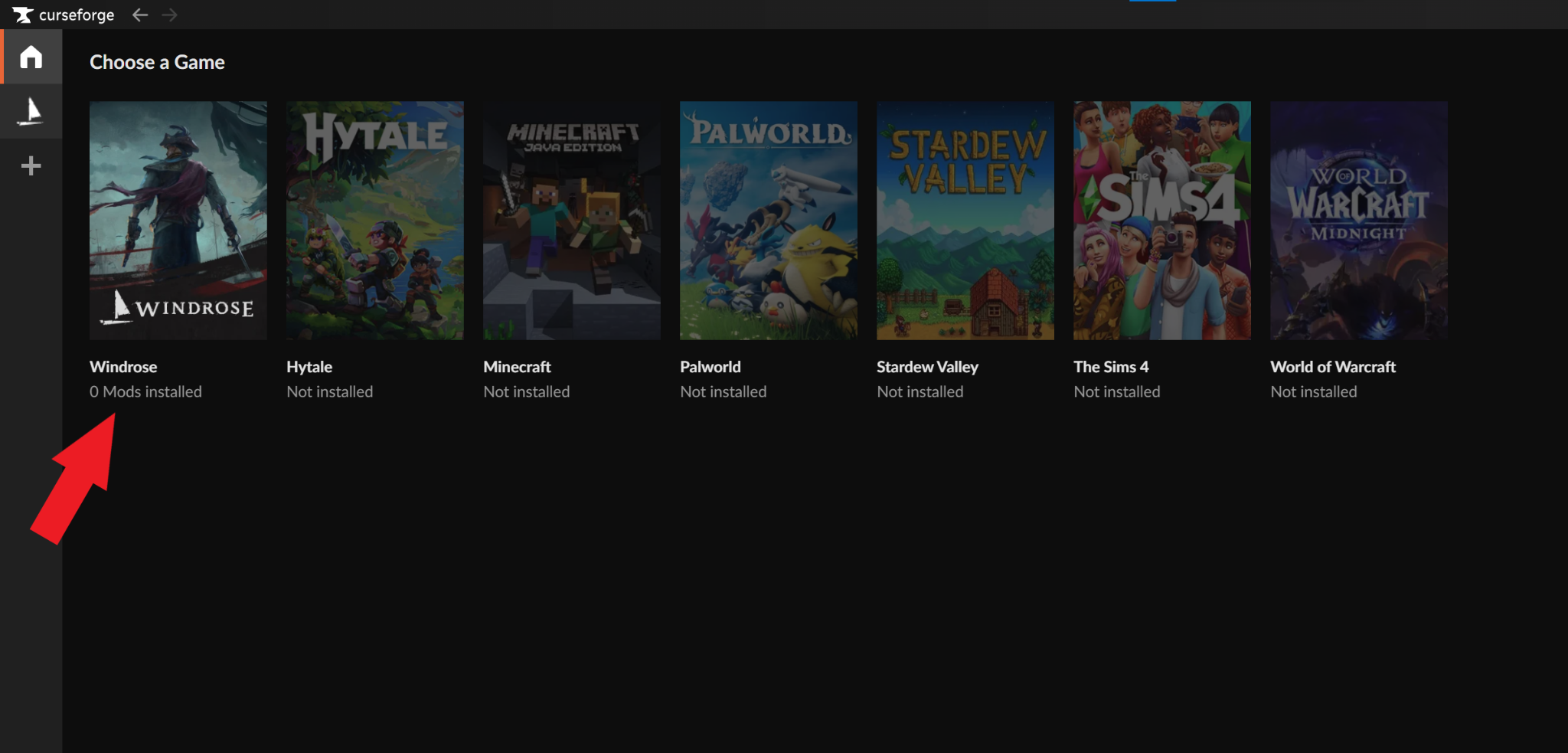
- Launch the CurseForge app and check to see that it auto‑detected Solarpunk.
- If Solarpunk is not auto-detected, check if you need to update the app, restart your PC, or reinstall the CurseForge app.
STEP 2: Install Mods for Subnautica 2
- Click on Subnautica 2 from within CurseForge to open the mod browser.
- Click on either the "Discover" or "Browse" tabs to search for mods.
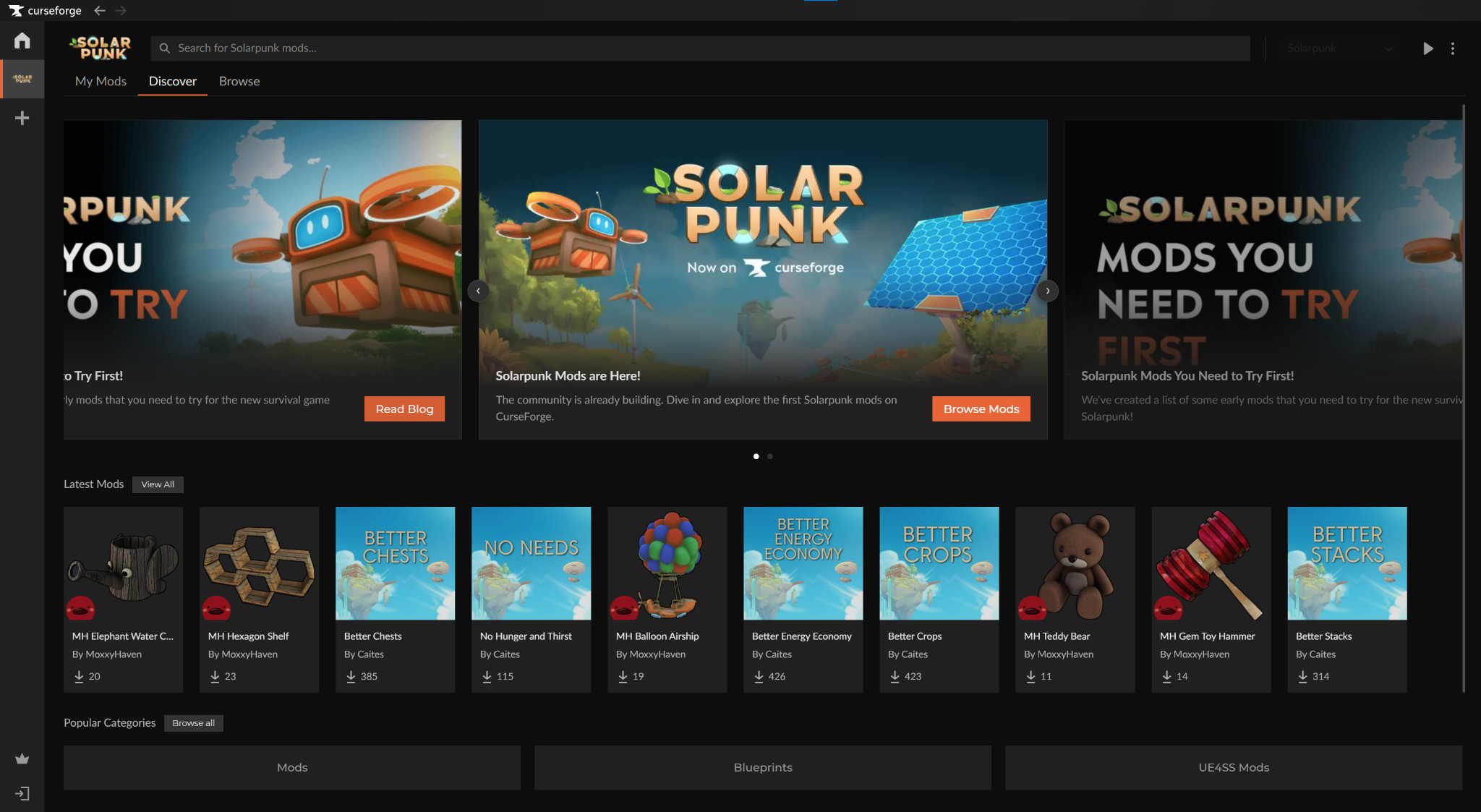
- Highlight a mod and click "Install" to add it to the core Solarpunk game.
- You can manage your installed Solarpunk mods from "Solarpunk" → "My Mods".
STEP 3: Launch Solarpunk
You can launch the game in one of two ways, depending on your preferences:
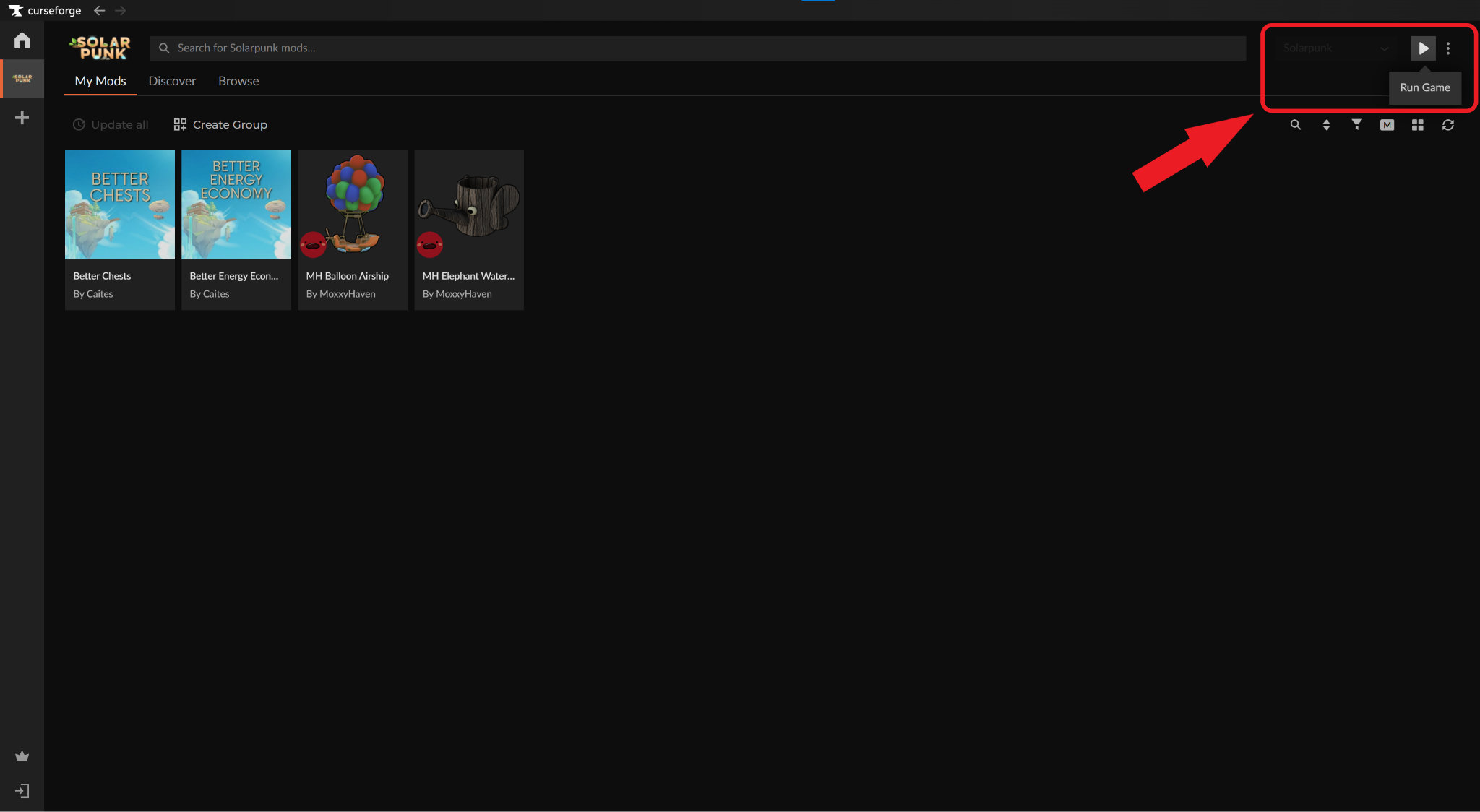
- CurseForge app: Click on "Solarpunk" → "Run Game".
- Official store launcher: Double-click on the created Solarpunk desktop icon or start it from within your official store launcher.
STEP 4: Check That Your Mods Work In-Game
- Note down all the changes that your mod(s) are making to your game.
- Load up a new or an existing world.
- Manually verify that each change has taken effect.
Pro Tip: Make sure to save your world or server BEFORE using mods. That way, if a mod causes issues, you can simply uninstall it and resume your game from where you left off.
Deleting Solarpunk Mods
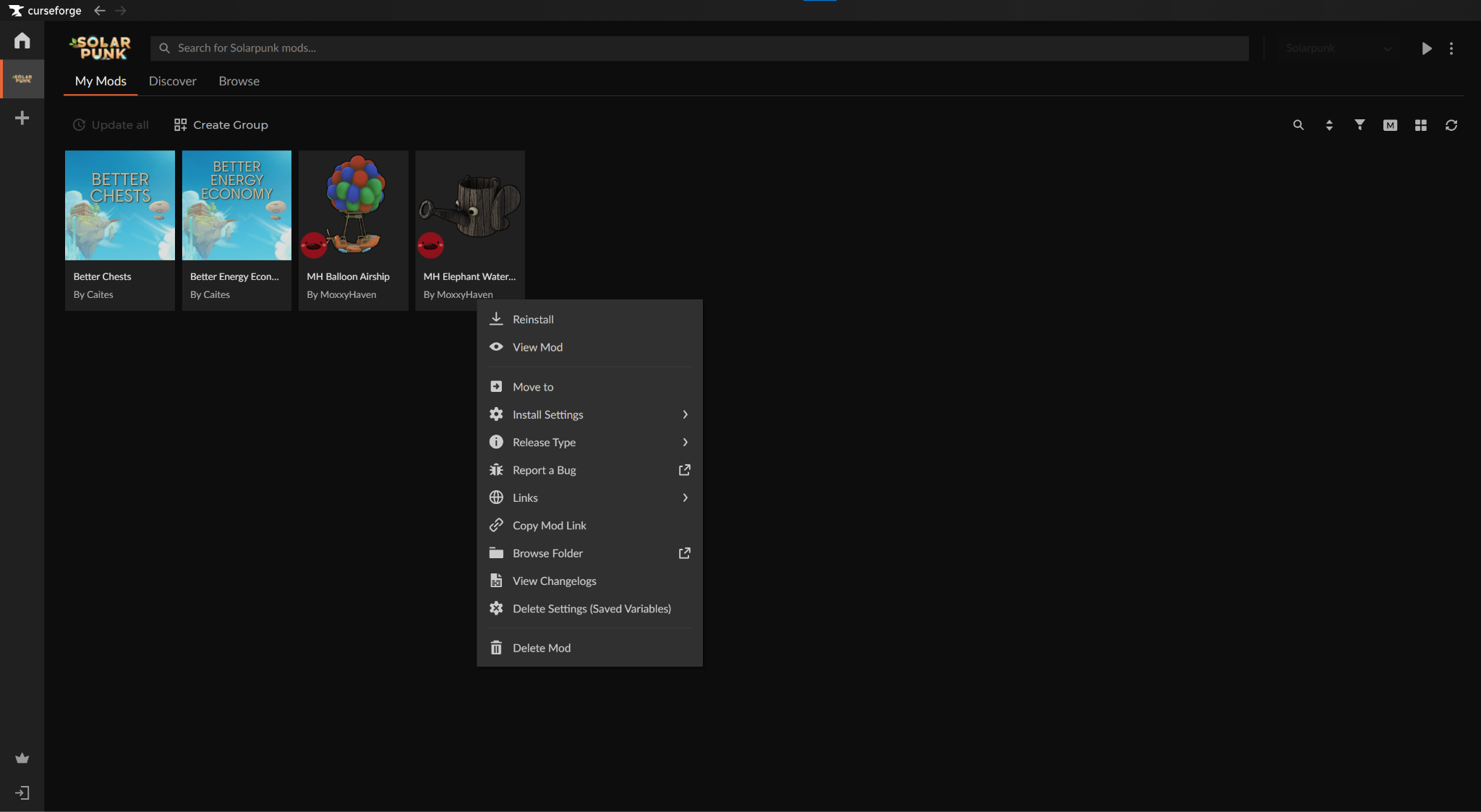
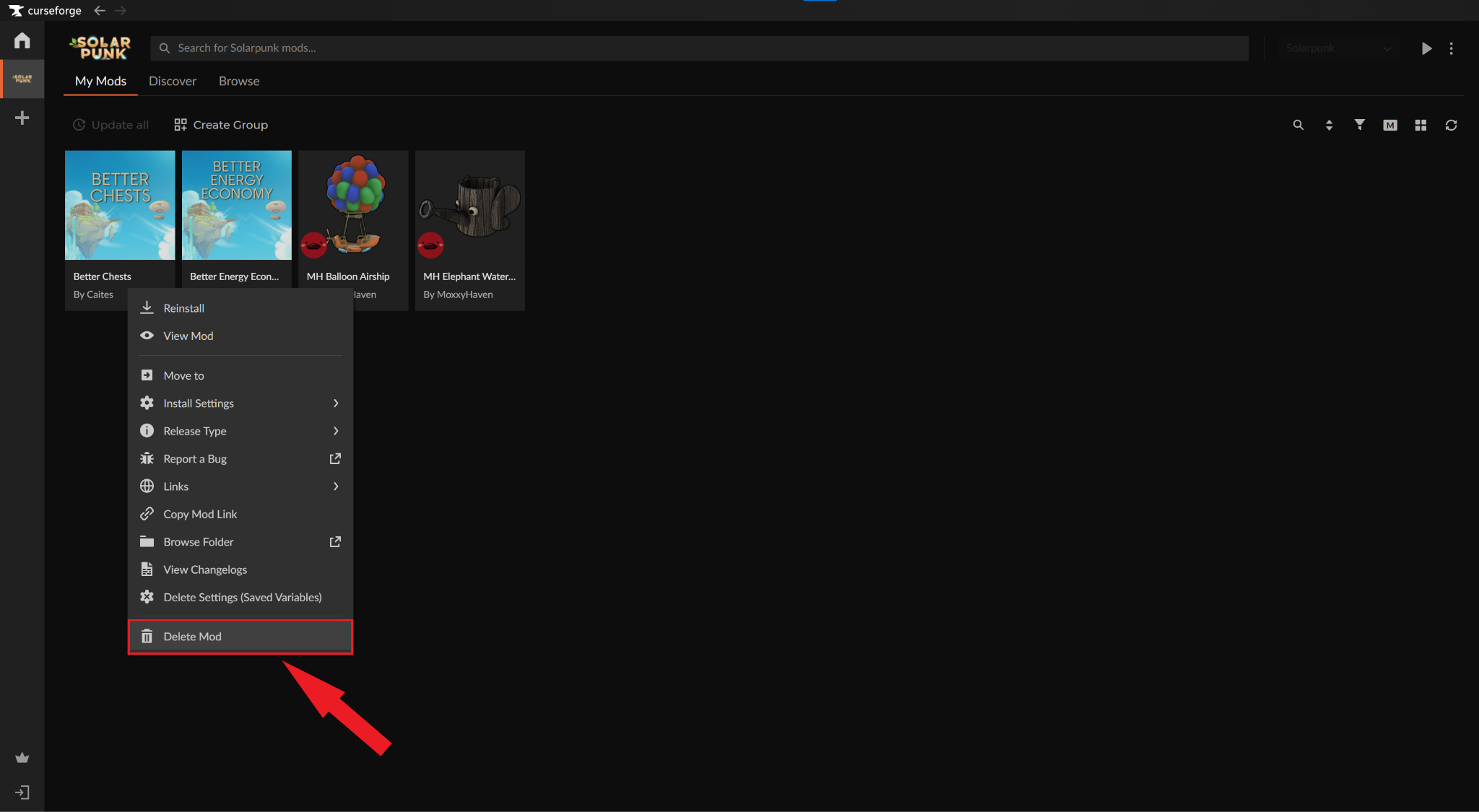
Sometimes, a mod may not work as expected, break the game, or interfere with other mods – and that’s okay. To quickly delete a mod using CurseForge:
- Go to "Solarpunk" → "My Mods".
- Right-click the mod you want to remove.
- Click "Delete Mod" to remove its associated files from your "~mods" folder.
Top 10 Mods by Community Downloads
You’re now a true pro at installing Solarpunk mods, but where do you go from here?
We’re here to help! Below, you can find our curated list of the top community mods, ranked by total downloads. For the complete and updated mod list, make sure to visit our Solarpunk Mods section instead.
1. Better Energy Economy
Tired of constantly having to power your batteries? “Better Energy Economy” increases your battery capacity threefold from 96k to 288k. It also considerably boosts the output of both the default and skyturbine generators, though the latter will still depend on the overall weather conditions. For the cherry on top, the mod author made it so that nearly all objects in the game that consume energy – think sprinkles, lamps, or stations – now require three times less of it.
2. Better Crops
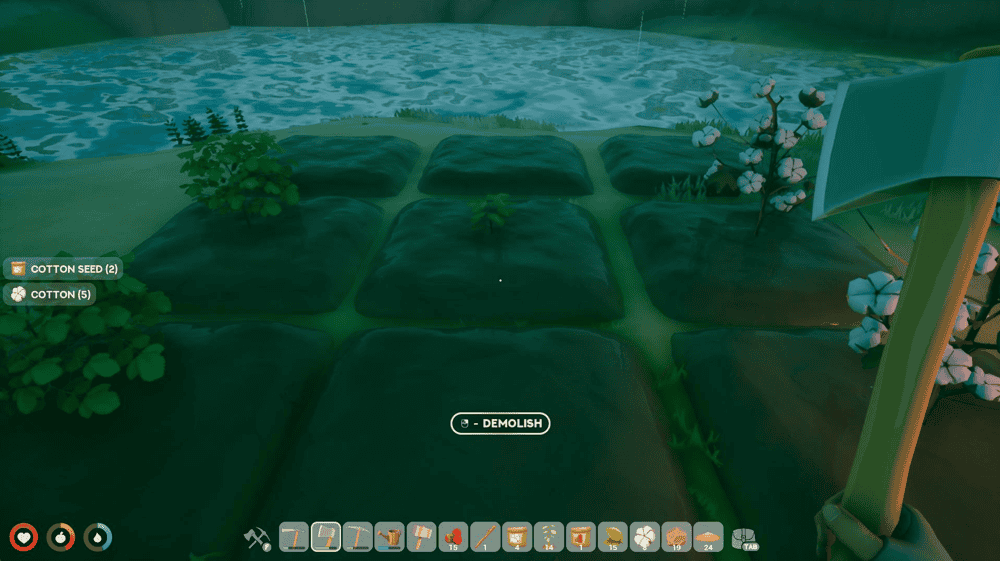
Let’s face it – you’ve got much more important and fun things to do than mop around waiting for crops to grow. With “Better Crops” installed, you can boost your crop harvest and also increase the total yield of crops and trees if you really don’t want to spend any time on it.
3. Better Chests
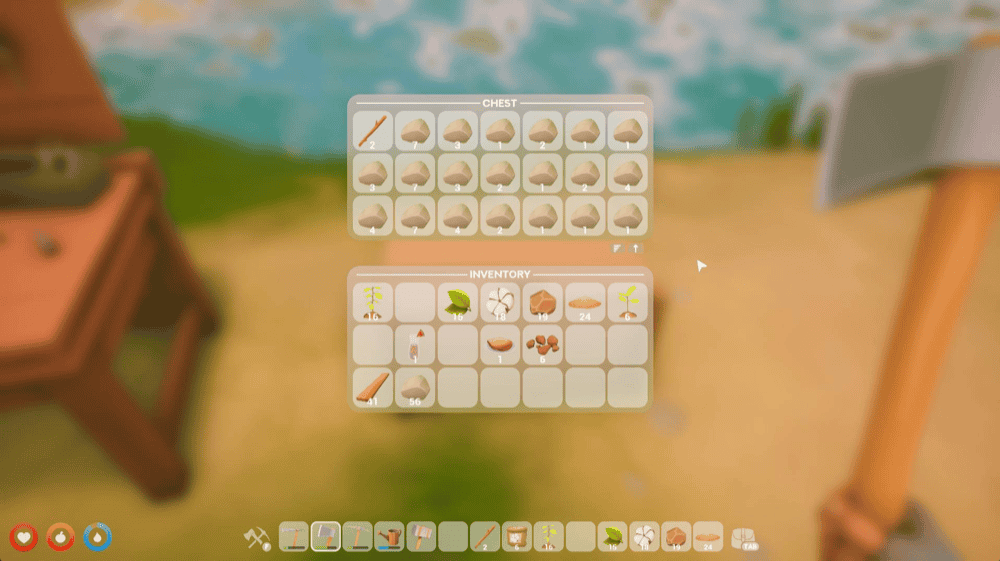
For better or worse, inventory management makes up almost half of pretty much any survival crafting gameplay that we know of, Solarpunk included. Luckily, you can always install “Better Chests” which increases your vanilla chest size from 12 slots to 21 slots.
4. Better Stacks
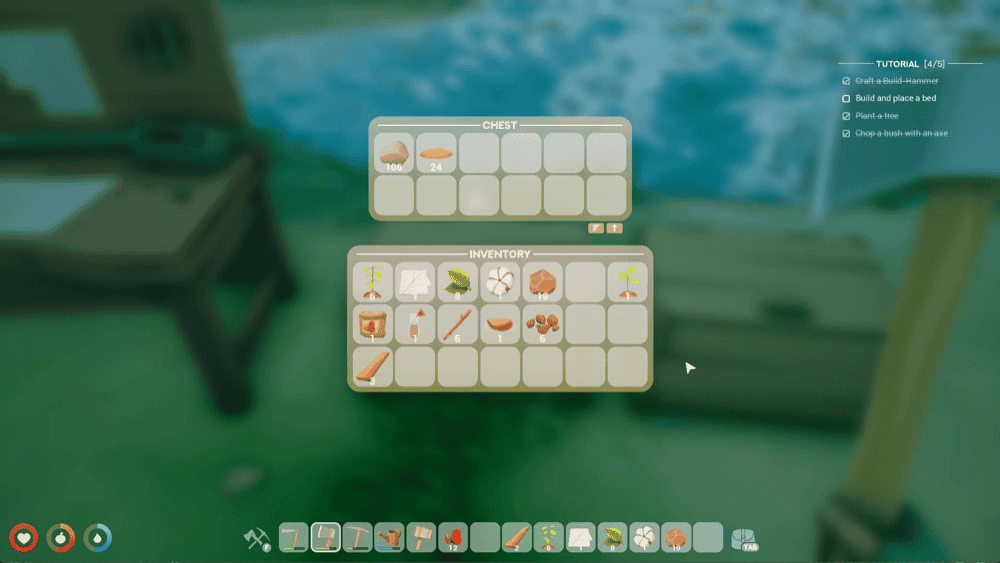
Now that you’ve sorted out the chest size, the next thing on the list is to increase the item stacks. With “Better Stacks”, your average stack now goes from the vanilla 16/32 limit to the whopping 999, so you’ll always have room for more resources no matter what.
5. Player Tweaks
Is your toon feeling a bit sluggish? Maybe you want to simply jump higher? With “Player Tweaks”, you get an improved version of your in-game alter ego, plus a faster respawn rate for all grabbable resources. Here’s exactly what you’re getting in this quality-of-life bundle:
- Move faster (+20%);
- Jump higher (+15%);
- Interact with items from afar (minimum player distance increased by 40%)
- Sticks, stones, clay, etc. respawn 3 times faster and closer to the player.
6. Better HUD
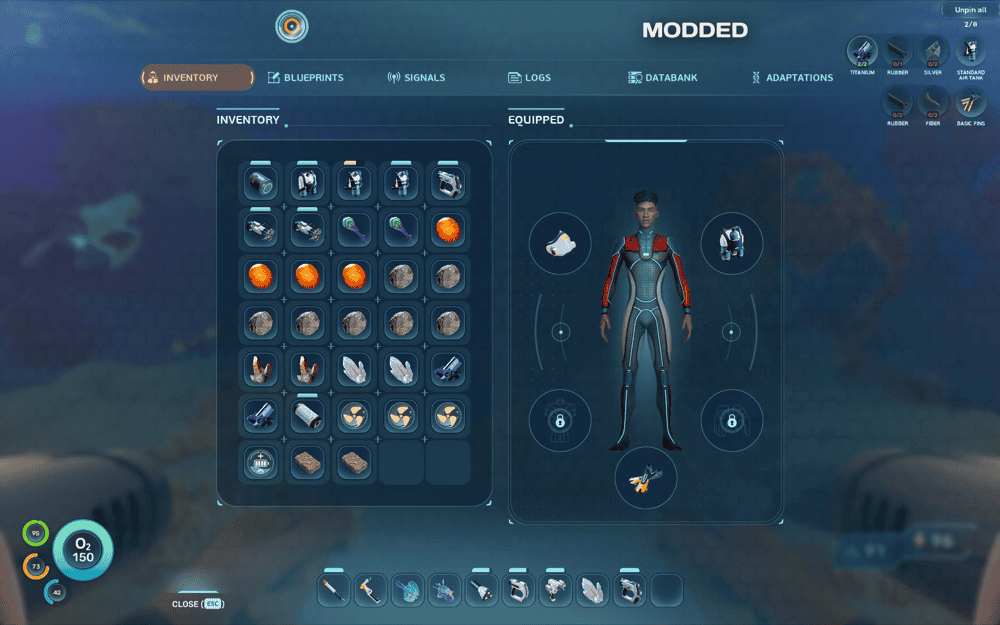
In the early game, you won’t really feel it. But as you progress further and encounter more complex game mechanics and all the resources that go along with them, you’ll quickly find your standard 8-slot layout rather limiting. “Better HUD” fixes this by bringing your action slots from 8 to up 14 while also shrinking a few less important HUD elements so that they’re less distracting.
7. No Intro
This mod does exactly as it says on the tin. With “No Intro” enabled, you skip a bunch of in-game logos that appear every time you launch the game.
8. No Hunger and Thirst
Want to make Solarpunk more about base building and less about day-to-day survival? The mod “No Hunger and Thirst” is your solution. With this mod enabled, you no longer need to worry about the pesky hunger and thirst meters trickling away as you try to get your home up and running. If you don’t want to disable these completely, the mod also offers you to make these meters deplete 5 times slower than in the base version of the game, so you still have to keep tabs on them, just not nearly as often.
9. MH Hexagon Shelf
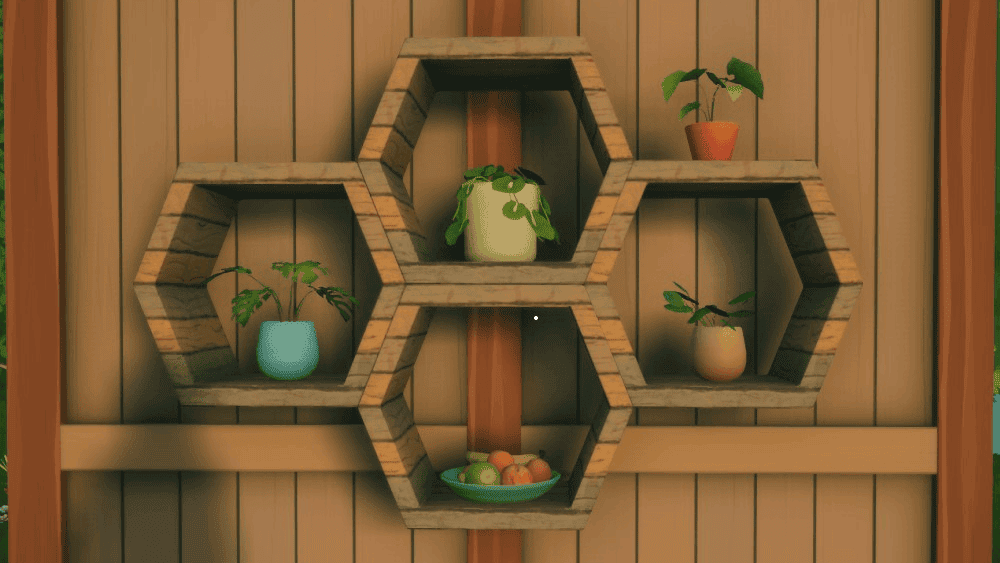
If there’s one thing that Solarpunk does extremely well, it’s the decorative aspect of base building. You get multiple roof and window types and all sorts of other elements to make your headquarters as cozy as you want. Yet it’s missing one crucial thing that this mod aims to fix – hexagon shelves! With these babies enabled, you’ll now finally have the perfect futuristic cottagecore-inspired base you can proudly share with your friends.
10. MH Balloon Airship
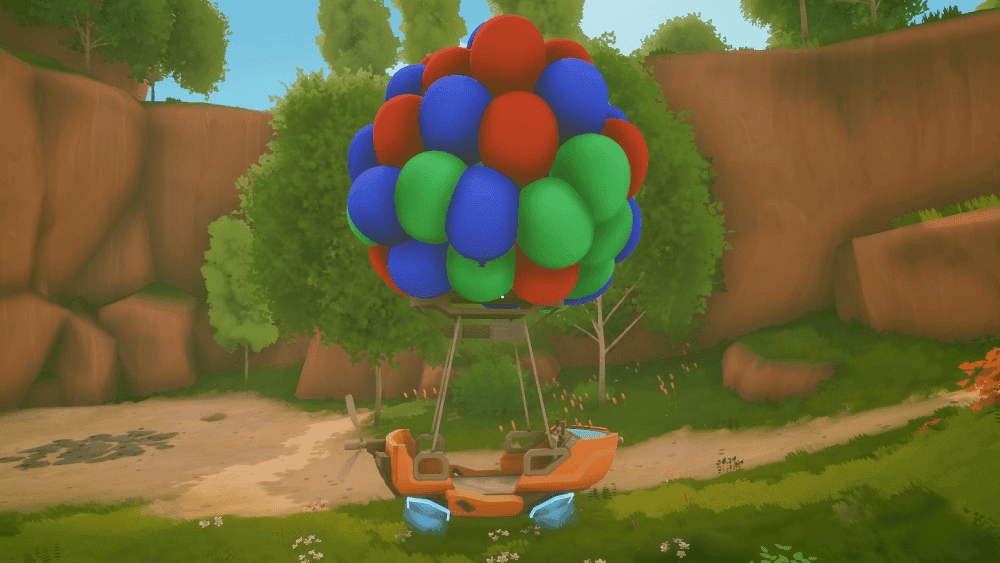
Having a regular ship is boring, don’t you agree? “MH Balloon Airship” has you covered by turning your airship into a bouquet of colorful balloons that will get heads turning everywhere you go – even from a great distance.