In Minecraft, getting off the ground is a bit of a journey. You spend your early hours walking everywhere while ghasts and the occasional phantom drift past you overhead, and proper flight is something you either switch on through a game mode or work toward with rare gear.
It also helps to know that flight in this game comes in four distinct varieties – powered flight, friendly ghasts, gliding, and the gentle fall whose sole purpose is to keep you from getting splattered on those rocks below.
In this guide, we’ll run through every way to get airborne in vanilla Minecraft, when each one makes sense, and also look at some mods worth adding when you want more than the base game can give you.
How to Fly in “Creative Mode”
“Creative” mode is probably the quickest way to take to the skies, with no crafting or setup required. If your world has cheats enabled, you can start flying at any point with the "/gamemode creative" command.
Alternatively, you can just pick “Creative” when you make the world. On multiplayer servers this is decided for you, so whether you can fly there depends on the server's settings and your current player rank.
Once you're in “Creative” mode, double-tap the jump key – "Space" on PC – to start flying. Double-tap jump again to turn flight off. While you're in the air, hold "Space" to rise, hold "Shift" to descend, and steer with your usual movement keys.
Holding down the sprint key will move you along faster. Flight here is unlimited and free, so “Creative” is the obvious choice for building large projects or scouting an area without any risk of taking fall damage.
“Spectator” mode uses the same basic flight controls and goes a step further, letting you pass straight through blocks, though you can't place or break anything while you're in it. You can enable it with the "/gamemode spectator" command when cheats are on.
How to Glide with an Elytra in “Survival” Mode
For survival worlds without cheats, the Elytra is the real flight reward. It's a set of wings worn on your back, and with a steady supply of firework rockets you can cover huge distances without ever touching the ground. It doesn't hover in place like “Creative” flight, though. The Elytra runs on momentum, height, and angle, so there's a bit of a learning curve before it all clicks.
How to Obtain and Equip an Elytra
Elytra only shows up in End ships – the floating ship structures that generate on the outer End islands past the central island and the dragon fight. Each End ship holds a single Elytra in an item frame on board, so making the trip to the outer End is the gate to owning a pair.
Once you've got one, it goes in your chest slot where a chestplate typically lives. Open your inventory, place it there, and the wings will appear on your character. Keep in mind that you can't wear a chestplate and an Elytra at the same time in vanilla Minecraft, so flying means giving up that armor slot.
How to Take Off With an Elytra (and Stay in the Air)
Getting airborne follows the same rhythm every time:
- Climb to some height. A tower, hill, or cliff edge will all work, and the higher you start with, the more room you will have to get going.
- Jump off, then press the jump key again ("Space" on PC) while you're falling. Your wings will then snap open and you will start gliding.
- Steer by looking around. Aim slightly downward to pick up speed, then level out or tilt up to trade that speed for distance.
- To gain height or shoot forward in the direction you're looking, hold and use a firework rocket while gliding.
Tip: You can also take off from a flat surface once you get the timing down. Jump, tap jump again as you start falling to open the Elytra, then use a firework rocket right away to launch forward. It is a little trickier than jumping from a high place, so we recommend starting from a hill or tower first.
A Note on Elytras and Firework Rockets
A couple of small details make a big difference. Here’s what you need to know when using rockets to ensure your first flight doesn’t end up prematurely.
- First, make sure to always use firework rockets made from just paper and gunpowder, with no firework star added, because a star makes the rocket explode and damage you during flight.
- Second, the amount of gunpowder sets the rocket's flight duration: one gunpowder gives a shorter boost, while three gunpowder gives the longest normal boost.
- Finally, if you want to quickly cover more ground, aim near the horizon, use gentle dips to build speed, and avoid pulling up too sharply because that can stall your glide.
How to Fly with Commands and Status Effects
If you mainly want to get up in the air for testing purposes or messing around, a few commands and effects can offer you some shortcuts. The cleanest one is simply switching to “Creative” or “Spectator” mode as we already covered above. Beyond that, a couple of status effects can change how you move up and down without giving you real control.
- Levitation pushes you steadily upward for as long as it lasts. You can give it to yourself with a command like "/effect give @p levitation 30 1", and it's the same effect a shulker inflicts when its bullet hits you. It's handy for gaining height, but it is by no means a controlled flight. You can still move around a bit, but you cannot hover, glide, or steer it like in “Creative” mode flight or when using an Elytra.
- Slow Falling is the one that gets mistaken for flight the most. It slows your descent so you drift down gently and take no fall damage, which is great for surviving long drops. It won't push you up or hold you in the air though, so treat it as a safety net rather than a flight mechanic.
How to Keep Flying With Your Elytra
The Elytra wears down as you use it. Rather than simply disappearing when it runs out, it stops working at very low durability until you repair it, which at least gives you a fair warning before you're grounded.
You can repair it a few ways:
- Combining it with phantom membranes on an anvil;
- Pairing two damaged Elytras together;
- Put Mending on it so it heals from experience as you play.
Out of all three, we consider Mending to be the long-term fix for anyone flying often.
For longer trips, we recommend keeping a stack of firework rockets on your hotbar and picking launch spots with extra height to spare. Aim near the horizon once your Elytra opens, use small dips to build speed, and save your rockets for boosts instead of burning through them constantly.
How to Fly With a Happy Ghast
In version 1.21.6, a new ghast variant was added to the game. Unlike regular Nether ghasts that shoot fireballs at you, the happy ghast will not attack you, will grow up in the Overworld, and players can also stand on – and ride – the happy ghast.
While you can summon a happy ghast and craft a harness for it, actually getting and flying it in a regular survival playthrough is a completely different story. To first get a happy ghast in the Overworld, you’ll need to do one of three things:
- Trading gold with piglins in the Nether. On average, you have a 50% chance to get one dried ghast using 46 ingots– or 320 ingots if you are the unluckiest player in the world!
- The dried ghast item is also craftable with one soul sand in the middle and 8 ghast tear pieces around it. Soul sand is relatively common in the Nether, while ghast tears have a 50% drop rate on ghast kill and will also get destroyed if they fall inside of lava.
- Every fossil in the Nether has a one in three chance to generate a dried ghast between the bones. These fossils only spawn in the Soul Sand Valley biome of the Nether though.
After getting your dried ghast, return to the Overworld and place it in water. After 20 minutes of waiting, the dried ghast will transform into an entity called the ghastling. The ghastling is essentially the baby version of the ghast – it will follow you for another 20 minutes before finally becoming a happy ghast.
Tip: Feeding the ghastling 10 snowballs can skip the wait time.
Crafting a “Ghastly” Harness
To actually ride the ghast, you’ll also need to craft a harness. To make one, fill the top of the crafting table with leathers, put a glass block in the left and right side, and finally one wool of any color in the middle.
Then, right-click the harness on the happy ghast, and right-click again to ride it.
Mods That Let You Fly in Minecraft
Vanilla flight is either locked behind “Creative” mode or tied to a long trip to the End or the Nether, so plenty of players use mods to fill the gap. Some flight mods add powered jetpacks with clear progression, some lean into magic-style rings or wings, and others keep things closer to vanilla with gliders that make exploration easier without giving you full Creative-style flight right away.
The best choice depends on the kind of world you are playing on. “Iron Jetpacks” fits tech-heavy modpacks, “Angel Ring” and “Icarus” work better for fantasy or building-focused worlds, and gliders are the most balanced option if you want early movement without skipping too much of the survival journey.
Iron Jetpacks
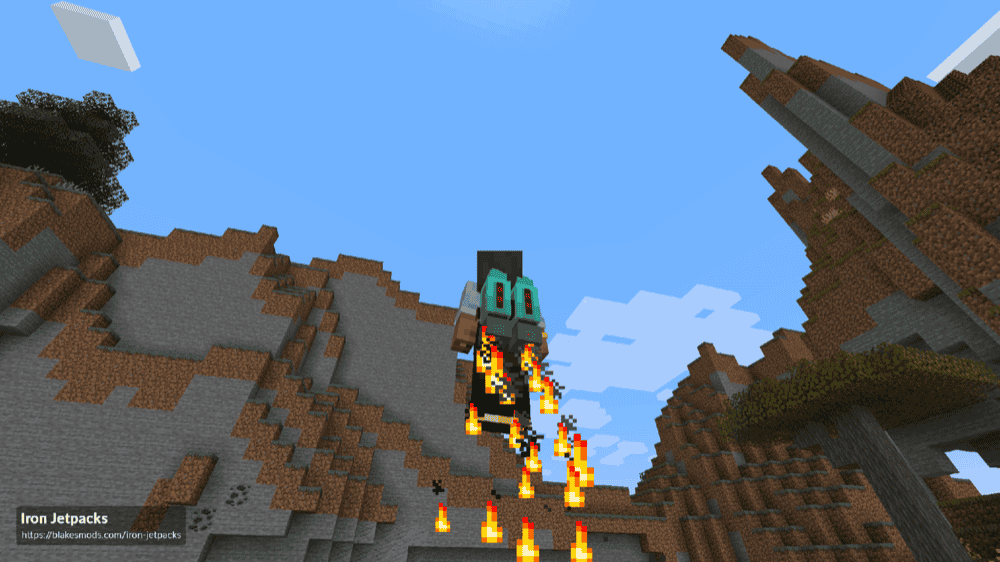
“Iron Jetpacks” is a Forge Energy-powered (FE) jetpack mod built around customizable, tiered flight. It comes with a default lineup of jetpacks made from different vanilla and modded materials, and each pack can feel like a step up as your world progresses.
To actually charge and use them, you will need a compatible FE power setup from another tech mod, such as “Powah!”, “Mekanism”, or “Thermal Series”, depending on your Minecraft version and loader. Once powered, the jetpacks use throttle controls to adjust your aerial movement speed, with a built-in HUD showing energy, engine, hover, and throttle information.
If you enjoy progressing towards your goal, then “Iron Jetpacks” is for you. Instead of giving you free flight right away, this mod works best when you already have, or plan to build, a power system that can produce FE. Curios support also lets you equip the jetpack as an accessory, so it can fit into a tech-focused setup without always taking over your chest slot.
Paragliders
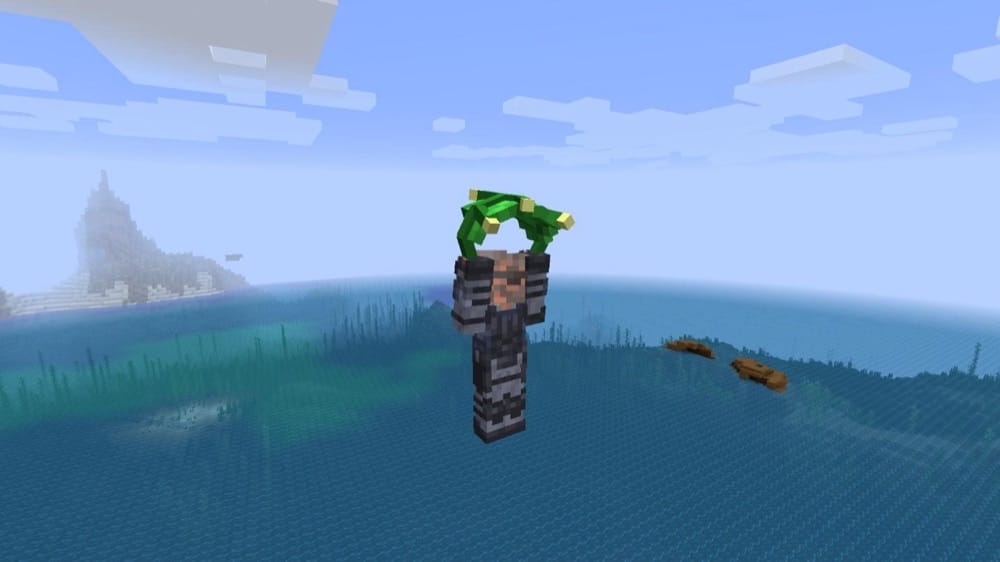
“Paragliders” recreates the paraglider from “The Legend of Zelda: Breath of the Wild” and builds a full movement system around it. Hold the Paraglider in your hand, jump from a high place, and you can now drift through the air with more control than a normal fall. The Paraglider can also be dyed, while the deku leaf works as a purely cosmetic alternative skin.
The mod also adds fire-based updrafts, so rising wind particles above flames can carry you higher while you are holding the Paraglider. Its stamina system limits how long you can stay airborne, but it can be disabled or expanded through the configuration file.
You can also upgrade your maximum health and stamina with heart containers, stamina vessels, spirit orbs, and goddess statues, which gives the mod a light progression loop instead of making early flight feel completely free.
Angel Ring
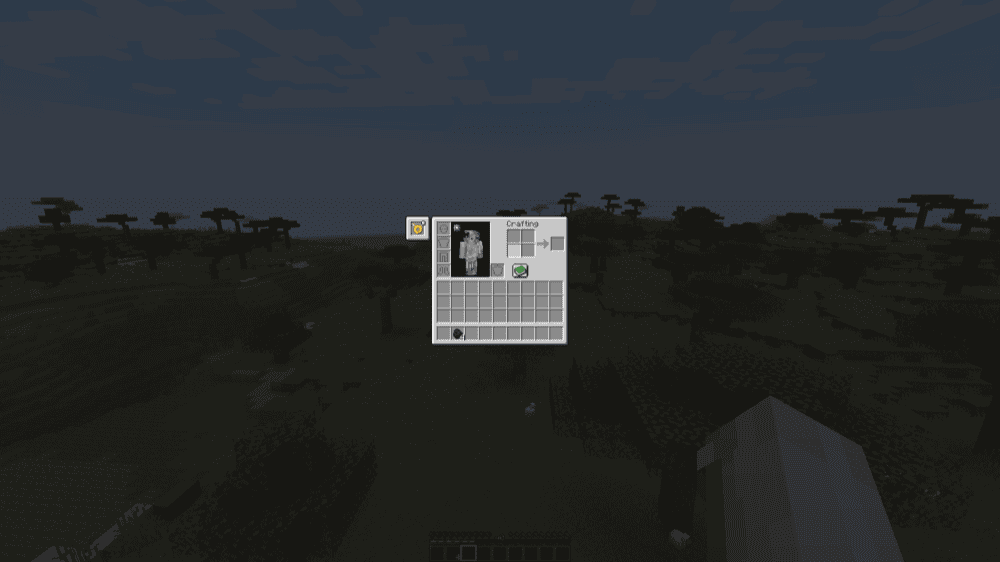
“Angel Ring” adds a wearable ring that lets you fly like you are in “Creative” mode, making it especially useful for building, travelling, and moving around large modded worlds. Older versions keep things simple: craft the ring, place it in the Curios slot, then double-tap your jump key to fly like you would in “Creative” mode. Reworked 2.x versions add more ring types and upgrades, with recipes shown through JEI.
The balance depends on the version and settings you are using. Some “Angel Ring” versions drain XP while you fly, and if “Thermal Series” is installed, the ring can use redstone flux or forge energy power instead, depending on your setup. That makes it much stronger than a glider, but not always completely free, so it works best in modpacks where Creative-style flight is meant to be part of the player’s progression.
Icarus
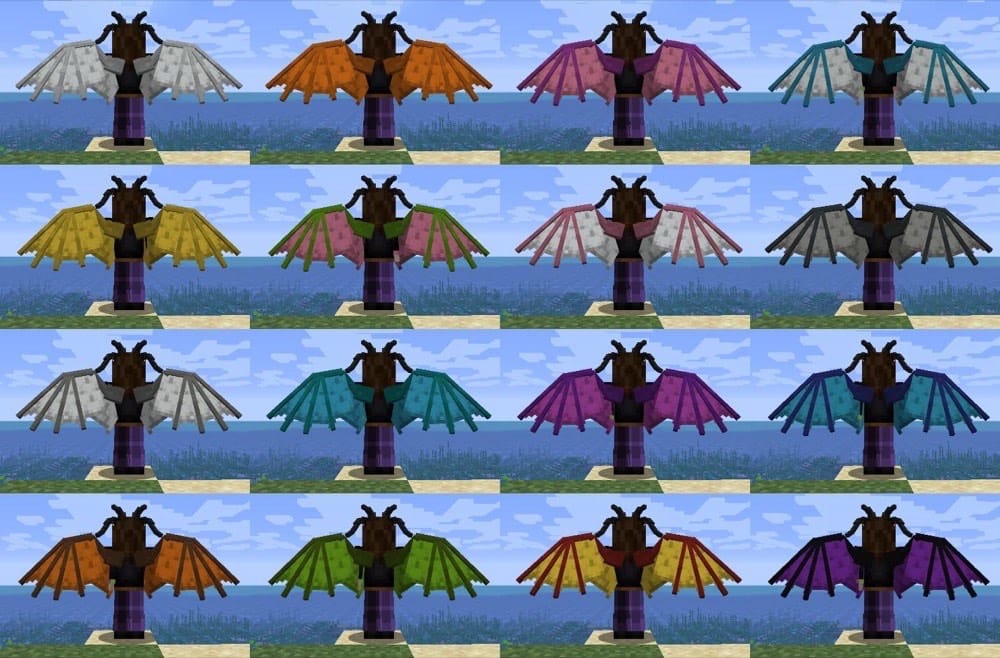
Icarus adds a collection of colorful wings that you can wear in an accessory slot, using the Back slot with Curios or the Cape slot with Trinkets. It is a great pick if you want flight to feel more fantasy-themed than mechanical, since the mod gives you actual wearable wings instead of a jetpack or machine.
The wings are not completely free, either. Flying uses hunger, and wearing more armor slows your maximum flight speed, up to two-thirds of your normal max speed when fully armored. Some wings can also be changed through datapacks so they do not use hunger while flying.
The recipes follow the same general idea but use different materials for different styles, such as feathers for Feathered Wings, Dragon’s Breath for Dragon Wings, iron and leather for Mechanical Leather Wings, diamonds for Flandre’s Wings, and rare materials like Nether Stars for Zanza’s Wings.
Create Jetpack
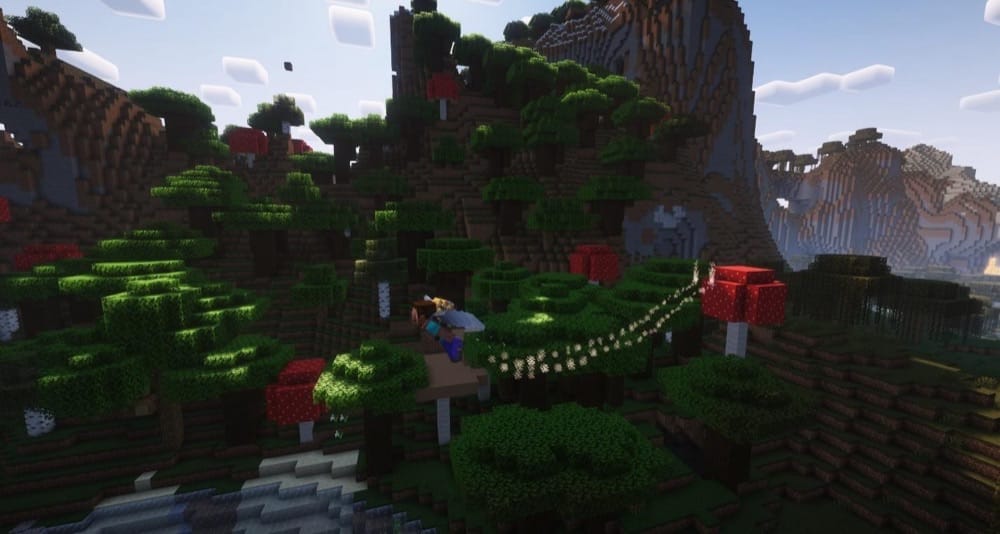
“Create Jetpack” turns the Create mod’s Copper Backtank into a proper jetpack upgrade. By using brass, you can upgrade the Backtank and use the pressurized air inside to push yourself through the air. It also has a hover mode, which makes it easier to stay steady instead of constantly rising and falling while you move.
With that said, the jetpack still feels like part of “Create” rather than a random flight item. It goes in the chest slot, can feed air to tools like the Extendo-Grip, can be enchanted with Capacity, and recharges the same way as a backtank by placing it down and giving it rotational force. It can even boost your sprint-swimming underwater. If you also have “Elytra Slot” installed, the jetpack can work alongside an Elytra and give you a firework-like boost while you are flying.
Create: Ornithopter Glider
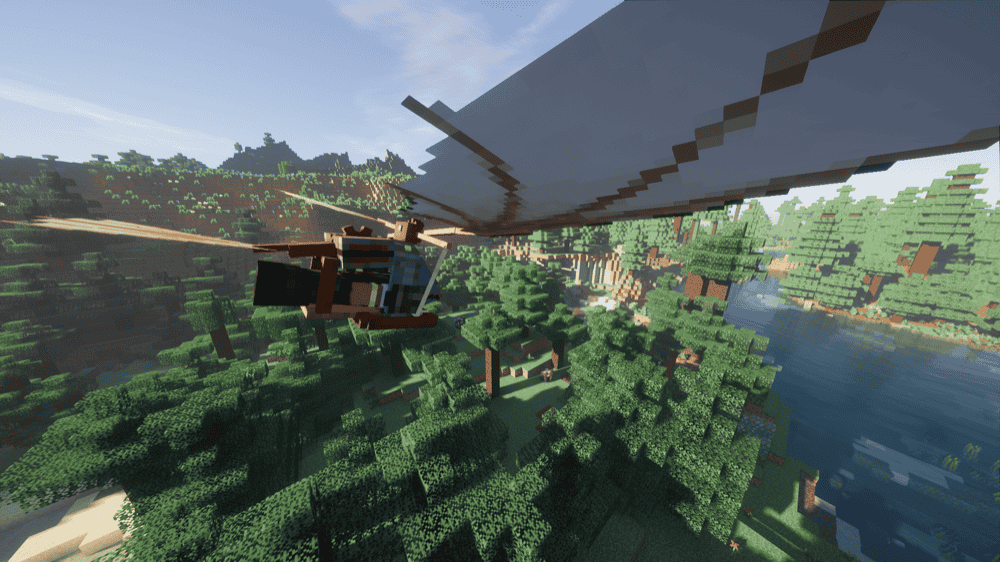
“Create: Ornithopter Glider” adds a custom glider inspired by Da Vinci’s flying machines, giving you a winged contraption with custom animations and sound effects. It is made for Create-based worlds, so it feels more like an engineered flying machine than a magic item or simple paraglider.
The glider can only be crafted with the Mechanical Crafter from Create. Once equipped, you can glide normally, then press the assigned key ("Space" by default) to charge a bar and flap the wings for a boost. That boost has a 2-second cooldown, so you get controlled bursts of lift instead of an unlimited ascend.
How to Install Minecraft Mods
You can install the above mods automatically using the CurseForge app or manually by placing the mod files within your game's mods folder. Both methods allow you to easily add custom features and enhancements into your Minecraft experience.
If you want to learn more, you can read our detailed guide on how to install Minecraft mods.
Common Issues and Quick Fixes
My Elytra won't open when I jump
You need to be falling for the wings to deploy, not standing or walking. Make sure to get at some height, jump or step off the edge, and press the jump key again once you're actually in the air. If nothing happens, double-check that the Elytra is in your chest slot and not just sitting in your inventory.
My fireworks keep hurting me
That's almost always a firework star problem. Rockets crafted with a firework star are built to explode, so they damage you when you use them mid-flight. The solution is to make boost rockets from just paper and gunpowder, with no stars added, and they'll propel you safely.
I equipped the Elytra but still can't fly
The Elytra has to go in the chest slot – the same one used for a chestplate. If you put it anywhere else in your inventory, it won't do anything. Additionally, remember that you can't wear it alongside a chestplate in vanilla Minecraft, so one of the two has to go.
Slow Falling isn't letting me fly
Slow Falling isn't a flight effect – it only slows your descent so you land without taking damage. To actually gain or hold height, you'll need “Creative” mode, an Elytra with rockets, or one of the mods above. Levitation can push you upward, but it still does not offer controlled flight.
My game crashes on startup after installing mods
A startup crash usually means one of three things:
- The mod file does not match your Minecraft version.
- The mod was made for a different loader.
- A required dependency is missing.
Check that you installed the correct Forge, Fabric, Quilt, or NeoForge file for your profile, then look at the mod page for any required files, especially for Fabric API on Fabric profiles and for Quilted Fabric API on Quilt profiles.
Note that Minecraft mod loaders are their own separate systems, so a Fabric file will not work in a Forge profile, with the same also applying to NeoForge or Quilt builds.