Honey farming looks simple at first, but there are a few small rules that can make a big difference. Bees need flowers, time, clear weather, and a safe hive setup before you can start collecting anything.
The real trick is knowing when a hive is ready, what tool to use, and how to avoid angering the bees while you harvest. This guide walks you through the full process, from setting up bees to collecting honey bottles, gathering honeycombs, and building a simple automated farm.
As always, we also share a few useful mods to elevate your beehive experience even further.
How Honey Fills Up in Minecraft
Bees leave their hive during the day, fly to nearby flowers, collect pollen for about 30 seconds, and then return home. Each successful pollination trip increases the hive's honey level by 1. A hive holds up to 3 bees and reaches level 5 when it's ready to harvest. Bees stay home at night and during rain, so production only happens during clear daytime hours.
Note: the hive's front face must stay unobstructed. Bees can enter from other open sides, but they exit from the front only, so if anything blocks that face – a block, a wall, even a decoration – bees can get stuck inside and production can stop completely.
Flowers in pots don't work, either. Bees ignore potted plants and need flowers placed directly in the world.
When a hive reaches level 5, you'll see honey oozing from the front and dripping below it. That's your visual cue that it's ready to be harvested.
Harvesting Honey With a Bottle
Hold a glass bottle and right-click the full hive. This way, you get 1 honey bottle and the hive resets to level 0.
Honey bottles restore hunger when drunk and also clear the poison status effect, which makes them one of the cheapest early-game poison cures available. You can also craft four honey bottles into a honey block, which is useful for redstone builds, elevators, traps, parkour sections, and fall-damage reduction.
If you do not need more honey blocks, one honey bottle can also be crafted into three sugar, which helps with cakes, pumpkin pies, fermented spider eyes, and Potions of Swiftness.
Harvesting Honey With Shears
Hold shears and right-click the full hive. This way, you get 3 honeycombs and the hive resets to level 0.
Honeycombs are a crafting material. Three honeycombs and six wooden planks make a beehive, four honeycombs make a honeycomb block, and one honeycomb with one string makes a candle. You can also right-click any copper block with a honeycomb to wax it and stop it from oxidizing further.
Ways to Keep Bees Calm
Harvesting from an occupied hive without smoke protection angers the bees inside, which will incite them to swarm and sting their aggressor. A bee can sting only once, then it dies about a minute later – so an unprotected harvest both hurts you and kills your bees.
The fix here is simple – just build a campfire! Place a lit campfire directly below the hive, or up to 5 blocks below it with nothing blocking the smoke path between the campfire and the hive. So long as the smoke reaches the hive, bees inside will stay calm throughout the entire harvesting process.
Below are a few extra considerations to keep in mind depending on the Minecraft edition you’re rocking:
- Java Edition: You can place a carpet on top of the campfire and the smoke will still pass through. This stops the campfire from being a fire hazard while keeping bees calm.
- Bedrock Edition: A carpet on top of the campfire will block the smoke entirely. On Bedrock, leave the campfire uncovered or the calming effect won't work.
This Java vs Bedrock difference is the most common reason calm-bee setups fail when someone follows a tutorial from the other edition.
Automating Honey Collection With a Dispenser
A dispenser facing a hive can harvest automatically without angering the bees – no campfire needed for the dispenser method. Here is how this works:
- Load the dispenser with glass bottles to collect honey bottles.
- Equip it with shears to collect honeycombs.
When the dispenser fires at a full hive, it harvests and resets the honey level, and the bees stay calm automatically.
Tip: To trigger the dispenser at the right moment, place a comparator reading from the hive. A comparator reads the hive's honey level as signal strength – level 1 outputs signal 1, level 5 outputs signal 5.
One common setup is to run the comparator output into another comparator set to subtract mode with a signal-4 input on the side. That way, the output only appears when the hive reaches honey level 5. Route that to a dispenser and you have a self-triggering harvest setup.
Getting More Bees and Hives
Breeding More Bees
Bees breed when you feed them with flowers. Feed a flower to two adult bees near each other and they produce a baby bee. The breeding cooldown is 5 minutes and babies take 20 minutes to grow, though feeding them more flowers reduces that by 10% per flower.
Crafting More Hives
To get more hives, craft one from 3 honeycombs and 6 wooden planks.
Moving Bees to a New Hive
To move bees into a new hive, use a lead to guide them or lure them with a flower. Bees remember their home and will return to it after foraging, so getting a bee to accept a new hive means either catching it with a tool that has Silk Touch (breaking the original nest with Silk Touch moves the bees) or placing the new hive where they naturally end up.
Tip: Oak, birch, and mangrove trees grown from saplings within 2 blocks of a flower have a 5% chance to grow with a bee nest containing 1 to 3 bees already inside. This is the fastest way to bootstrap a larger operation if you're starting with just one nest.
Mods That Work Well With Honey Farming
Vanilla honey farming is simple once your hive setup is up and working, but mods can push the boundaries much further. Some mods add new bee types, better hive options, and more uses for honey, while others turn bees into part of a bigger resource or production setup.
The mods below focus on expanding bee gameplay rather than replacing the basics. You will still want to understand bottles, shears, smoke, and hive behavior first, but these add more reasons to build around bees once your farm is open for business.
Productive Bees
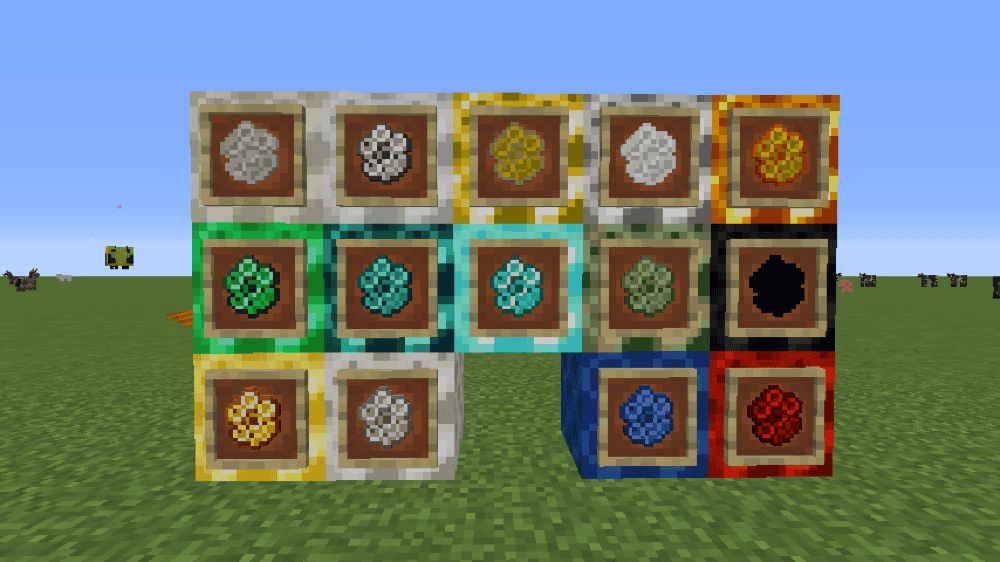
Productive Bees turns honey farming into a full resource system. It adds bees for many vanilla and modded resources, advanced beehives, resource combs, and automation-focused bee setups, so your hives can produce more than regular honey bottles and honeycombs.
The mod can add more than 200 bees when the relevant mods are installed, with different bees tied to different resources and requirements. JEI is strongly recommended for checking breeding recipes and bee requirements, and Patchouli can be used for in-game documentation.
Buzzier Bees

Buzzier Bees expands the vanilla bee update with more honey and bee-related content. It adds new building blocks, flowers, honey-themed food, beehive variants, Apiarist villagers, Honey Pots, Honey Wands, and decorative honeycomb blocks, making honey farming feel more useful beyond bottles and honeycombs.
The mod keeps the focus on bees, honey, and honeycomb while adding more ways to use them in a survival world. Buzzier Bees does not replace the normal harvest method, but it gives honey farming more purpose once you already know how to collect bottles and honeycombs.
How to Install Minecraft Mods
You can install the above mods automatically using the CurseForge app or manually by placing the mod files within your game's mods folder. Both methods allow you to easily add custom features and enhancements into your Minecraft experience.
If you want to learn more, you can read our detailed guide on how to install Minecraft mods.
Common Issues and Quick Fixes
The hive isn't filling with honey
Check the front face first. Bees can enter from other open sides, but they exit from the front only. If that front face is blocked, bees can get stuck inside and production slows or stops. Also make sure flowers are within range and placed directly in the world rather than in pots. Bees don't work at night or during rain, so if you're checking during bad weather, nothing is wrong – you simply have to wait for clear daytime.
Bees are hostile after a harvest, even with a campfire nearby
The smoke path is likely blocked. On Java Edition, carpets on top of the campfire are fine. On Bedrock Edition, anything on top of the campfire, including carpets, blocks the smoke. Additionally, check that there's no solid block between the campfire and the hive – smoke can only pass through one block directly above the campfire, and only if that block is directly in line.
The dispenser isn't harvesting automatically
The dispenser needs to face the hive directly – sideways placement won't work here. Additionally, confirm the hive is actually at level 5 when the dispenser fires. If the comparator circuit isn't set up correctly, the dispenser might fire too early when the hive is still at level 4. We recommend checking the comparator output signal and making sure the triggering threshold is set to 5.
My bees died after harvesting their honey
A bee can sting only once. After stinging, it loses its stinger and dies within about a minute. If bees attacked during a harvest and you took damage, expect to find dead bees shortly after. Going forward, make sure to always use a campfire for manual harvesting or switch to the dispenser method to avoid aggravating them entirely.
Bees from Productive Bees won't use the new hive
Bees remember their original home. If you moved a bee to a new location and it keeps flying back to its old hive position, it hasn't accepted the new hive yet. Try caging the bee and releasing it directly next to the new hive, or breaking and replacing the hive to reset its home memory.
Make sure that the required flower for that bee type is nearby as well – each bee species in Productive Bees has specific flower preferences that determine whether it will work in a given location.
My game crashes at startup after adding a mod
A startup crash after adding a mod usually means something in the setup does not match. Check that the mod supports your exact Minecraft version and mod loader, and make sure any required dependencies are installed, too. If the game still crashes, try removing the newest mod you added, launching the game again, and then checking the mod page or crash report for a missing dependency or a version mismatch.