Stone bricks are one of those blocks you end up wanting by the stack, whether you're walling off a castle or tidying up a base. The catch is that you can't craft them straight from cobblestone, and a couple of the variants trip people up.
In this guide, we'll walk you through the full chain from raw stone to finished bricks, cover every variant and where you can find it, and round things off with mods that add new textures or let you produce bricks in bulk.
What You Will Need
Before the first brick can be made, you will need plain stone, and that means a quick trip to the furnace. Here's the short list:
- Cobblestone, gathered by mining stone with any pickaxe.
- A furnace, plus fuel like coal, charcoal, or planks to run it.
- A crafting table for the standard recipe.
- A stonecutter (optional) for converting stone and crafting shaped variants more efficiently.
How to Make Stone Bricks
The process goes like this: cobblestone → stone → stone bricks. Once you have smelted the stone, the final step only takes a few seconds.
We’ve shared the exact steps below:
- Mine cobblestone or regular stone with any pickaxe. If you've got a Silk Touch-enchanted pickaxe, you can mine stone directly and skip the next furnace step.
- Smelt the cobblestone in a furnace to turn it into stone. One cobblestone will give you one stone.
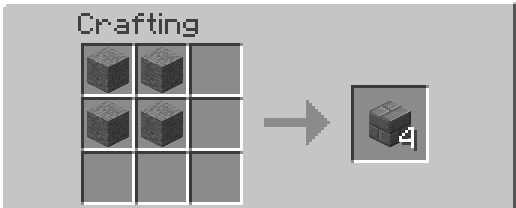
- Open a crafting table and place 4 stones in a 2x2 square. That will give you 4 stone bricks.
- Optional: Place a stone in a stonecutter and select stone bricks from the menu. Each stone block will give you one stone brick block.
Note: The crafting recipe needs a 2x2 square, not a full 3x3 grid. You place four stones in and get four bricks out, so the ratio is one-to-one regardless of how you decide to craft them.
A Look at the Stone Brick Variants
Plain stone bricks are only the start. Minecraft has three more stone brick variants that you can obtain in “Survival Mode,” and each one uses a different process.
Cracked Stone Bricks
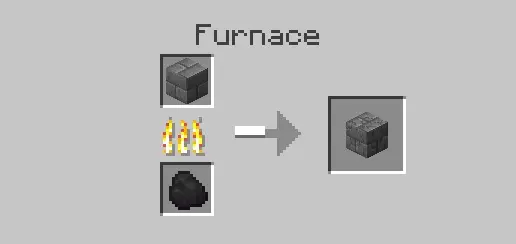
Smelt stone bricks in a furnace and they will come out cracked. It's essentially the same trick as turning cobblestone into stone, just with one more step on top. Cracked bricks can't be cut into slabs, stairs, or walls, so they will stay as full blocks.
Mossy Stone Bricks
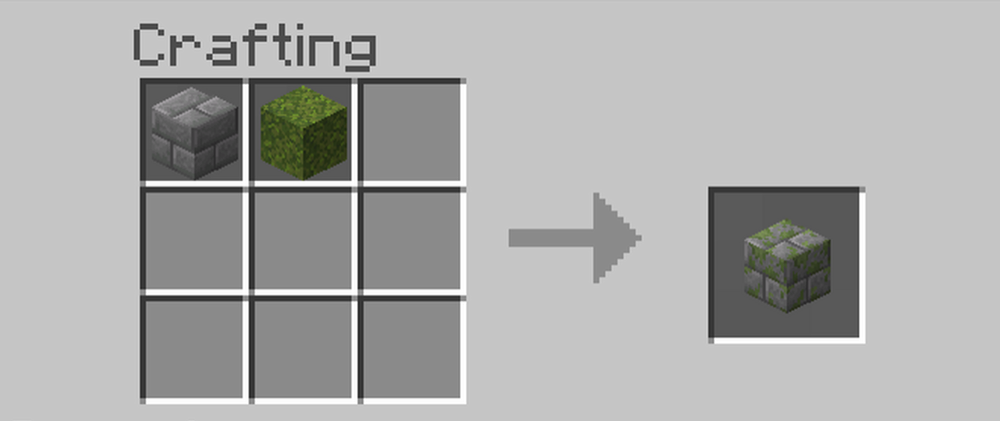
Combine stone bricks with a vine or a moss block in the crafting grid to get mossy stone bricks. Either ingredient works, and the result gives your builds an overgrown, weathered look that fits ruins, gardens, and old walls. Mossy bricks also make for nice slabs, stairs, and walls.
Chiseled Stone Bricks
Chiseled stone bricks take a couple of steps to craft by hand.
- First, turn stone bricks into stone brick slabs.
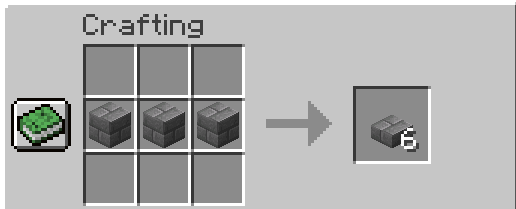
- Next, place two slabs vertically in the crafting grid to make one chiseled stone brick block.
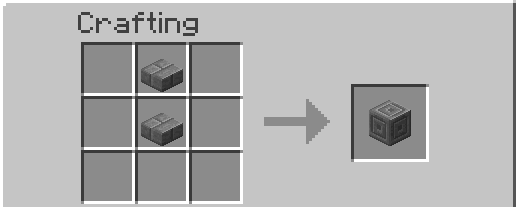
A stonecutter can turn plain stone directly into chiseled stone bricks on both Java and Bedrock Edition. On Java Edition, you can also place regular stone bricks in the stonecutter and convert them directly. Chiseled stone bricks have a carved circular pattern that works well as an accent in walls, floors, pillars, and entrances.
Where Stone Bricks Show Up Naturally
You do not always have to craft stone bricks. Regular stone bricks make up most of the walls, floors, and ceilings in strongholds, where they appear alongside occasional cracked and mossy variants. Igloo basements can also contain regular, cracked, mossy, and chiseled stone bricks.
Ocean ruins and ruined portals can be generated with several stone brick variants, while trail ruins may contain regular and mossy stone bricks. Regular stone bricks also generate in trial chambers around silverfish trial spawners. Finally, each jungle temple contains three chiseled stone brick blocks. You can collect any normal stone brick variant with a pickaxe.
Note: Silverfish can hide inside regular, cracked, mossy, and chiseled stone bricks, creating infested versions of those blocks. Infested stone bricks can be generated in strongholds and igloo basements, although the variants found in each structure may differ.
An infested block breaks faster than the matching normal block. Breaking it without Silk Touch drops nothing and releases a silverfish. However, using a Silk Touch tool instead will drop the matching normal stone brick block without spawning the mob. And in case you’re wondering – no, you cannot collect the infested version itself in “Survival Mode.”
Using the Stonecutter for Slabs, Stairs, and Walls
The stonecutter earns its keep once you start making shaped blocks. For stone bricks themselves, it is a straight one-to-one conversion, just like the crafting table recipe, but the stonecutter becomes much more useful when making stairs.
A crafting table can turn 6 stone bricks into 4 stairs, while the stonecutter can give you 1 stair per brick with no waste to spare. Slabs come out 2 per brick either way. It also skips some of the crafting steps, since you can feed in plain stone and pull out chiseled stone bricks directly – no slab crafting in between needed.
Java vs. Bedrock Differences
The main stone brick recipe works the same on both Java Edition and Bedrock Edition. You can place 4 stones in a 2x2 crafting pattern to receive 4 stone bricks or turn one stone block into one stone brick block with a stonecutter.
The main difference involves chiseled stone bricks. Both editions let you turn plain stone directly into chiseled stone bricks with a stonecutter. However, only Java Edition lets you convert regular stone bricks directly into the chiseled variant.
Mods That Work Well With Stone Bricks
Stone bricks are no doubt versatile, but large or highly detailed builds can quickly expose the limits of the vanilla selection. The mods below expand your design options with new patterns and connected textures while also giving you more convenient ways to process large amounts of stone for bigger projects.
Sophisticated Backpacks
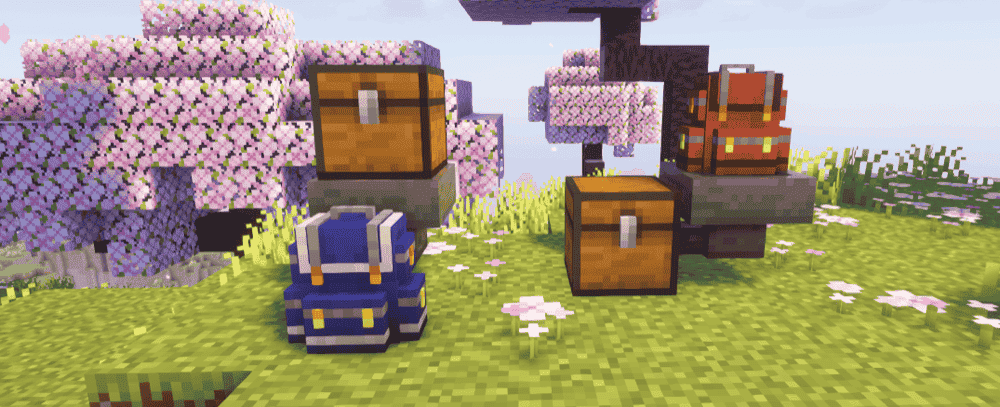
“Sophisticated Backpacks” adds upgradeable portable storage that players can carry, wear, customize with different colors, or place in the world like a container. Its Stonecutter Upgrade adds a built-in stonecutter to the backpack's upgrade tab, letting you convert stone into stone bricks and other supported shapes without carrying or placing a separate stonecutter.
The upgrade remembers the last recipe you selected as well and automatically chooses it again when you insert the same material. It does not process blocks automatically, but it removes some of the repeated menu work when cutting several stacks of stone bricks, stairs, slabs, or walls.
Create
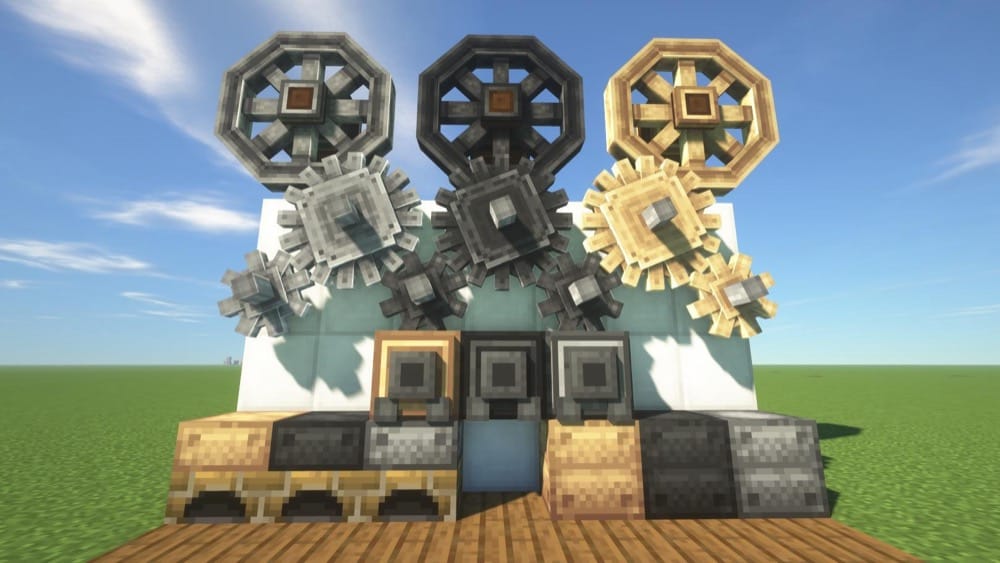
“Create” adds rotationally powered machines and animated contraptions for building, decoration, and automation. For stone brick production, you can route stone into an upward-facing Mechanical Saw, which applies stonecutter recipes automatically. Adding a stone brick filter to the saw locks it to that output instead of selecting another available stone-cutting result.
For a larger production line, send cobblestone through an Encased Fan's bulk-blasting stream using lava or a fueled Blaze Burner, then carry the resulting stone to the Mechanical Saw. However, you will need to remove the stone after the first blasting step so it does not continue processing into smooth stone. With belts, funnels, and filtered outputs connecting each stage, the setup can produce stone bricks continuously with little manual input.
Chipped
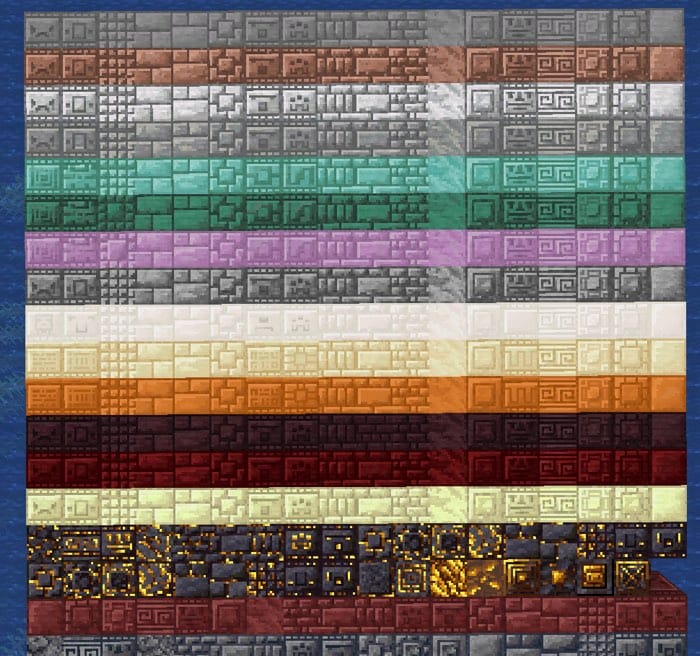
“Chipped” expands Minecraft's building palette with more than 11,000 decorative block variants, all designed to fit the vanilla art style. For stone and brick builds, it gives you far more patterns and surface options to mix into castle walls, ruins, paths, and other masonry-heavy projects.
To create the new blocks, craft one of the mod's seven themed tables and use it to convert supported vanilla materials into their Chipped variants. Many designs also support connected textures through “Athena,” which can make larger walls and floors appear more continuous.
Rechiseled
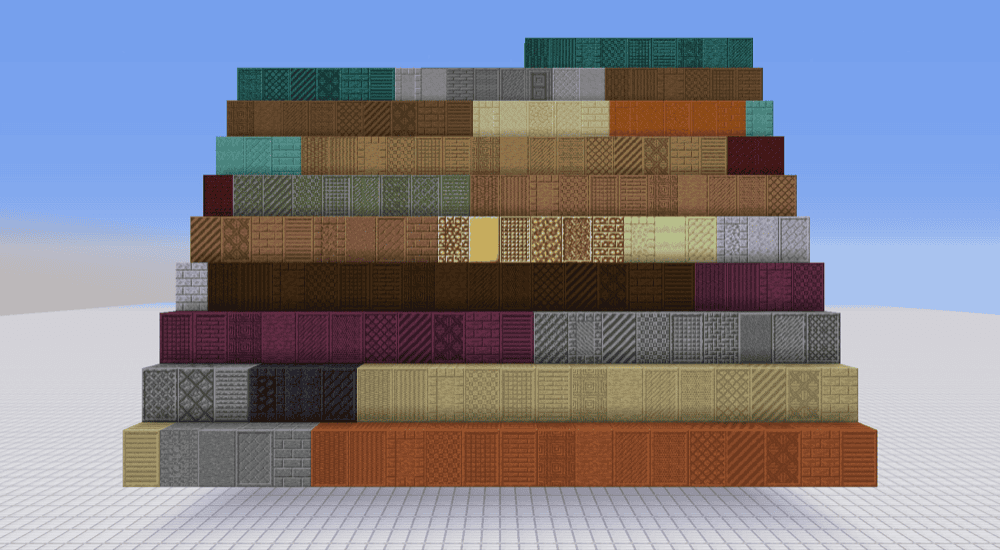
“Rechiseled” adds more than 600 decorative variants of supported vanilla blocks, giving builders a much wider selection of textures for stone-heavy walls, floors, pillars, and other structures. Many variants include connected and non-connected texture options, while most also come with matching stairs and slabs.
To begin, right-click the chisel to open the chiseling screen, where you can insert a block, preview its available designs, and exchange it for the variant you want. You can also left-click an already placed block to switch it to a random variant or store a chosen block in the chisel so it acts as a filter and applies the same design each time.
How to Install Minecraft Mods
You can install the above mods automatically using the CurseForge app or manually by placing the mod files within your game's mods folder. Both methods allow you to easily add custom features and enhancements into your Minecraft experience.
If you want to learn more, you can read our detailed guide on how to install Minecraft mods.
Common Issues and Quick Fixes
My cobblestone won't turn into stone bricks
You are likely trying to craft bricks straight from cobblestone, which is not possible in-game. Instead, you would need to first smelt the cobblestone in a furnace to get plain stone, then put 4 stones in a 2x2 square. If you're trying to skip the furnace, only a Silk Touch pickaxe can get you stone directly from mining.
The crafting recipe isn't working
Stone bricks need exactly 4 stones arranged in a 2x2 square and not spread across a full 3x3 grid or laid out in a line. Additionally, double-check you're using stone and not cobblestone or smooth stone, since those either make different blocks or result in no output at all.
I can't make slabs or stairs out of cracked or chiseled bricks
That's working as intended. Cracked and chiseled stone bricks can't be cut into slabs, stairs, or walls in vanilla Minecraft. If you need those shapes, we recommend making them from plain or mossy stone bricks instead, both of which support the full set.
A stone brick block is breaking unusually fast
If a stone brick block breaks much faster than expected, it may be infested with a silverfish. Breaking it without Silk Touch drops nothing and releases the mob. Instead, make sure to use a Silk Touch tool to receive the matching normal stone brick block without spawning the silverfish.
My stonecutter is not producing bricks automatically
The vanilla stonecutter can hold a stack of stone, but it does not run automatically. Select stone bricks from the recipe menu and collect the result through the interface.
For a hands-off setup, use Create. An upward-facing Mechanical Saw can apply stone-cutting recipes automatically, and adding a stone brick filter makes it output stone bricks instead of choosing another available stone-cutting result. Feed stone into the saw with belts or funnels, then route the finished stone bricks into storage.
My game crashes on startup after installing mods
A startup crash usually means one of five things:
- The mod file does not match your Minecraft version.
- The mod was made for a different loader or another version of its loader.
- A required dependency is missing.
- Some of your mods are incompatible with each other.
- If you’re playing on Forge or NeoForge with an AMD graphics card and frequently experiencing crashes, your GPU driver might be outdated. If that’s the case, we recommend installing the latest drivers from the official AMD website.
Additionally, check that you installed the correct Forge, Fabric, Quilt, or NeoForge file for your profile, then look at the mod page for any required files, especially for Fabric API on Fabric profiles and for Quilted Fabric API on Quilt profiles.
Also note that Minecraft mod loaders are their own separate systems, so a Fabric file will not work in a Forge profile, with the same being true for NeoForge or Quilt builds.