Exploration is the part of Minecraft that never gets old, until your world starts feeling a little too familiar. Same villages, same ruins, same big empty stretches between the good stuff.
This list is all about fixing that. These mods add new places worth traveling for, from remixed Overworld landmarks and better villages to deeper cave destinations, ocean stops, and a Nether that feels dangerous in a good way. The goal is simple – to have more moments where you spot something on the horizon only to drop everything you’re doing as you rush to explore.
1. The Twilight Forest
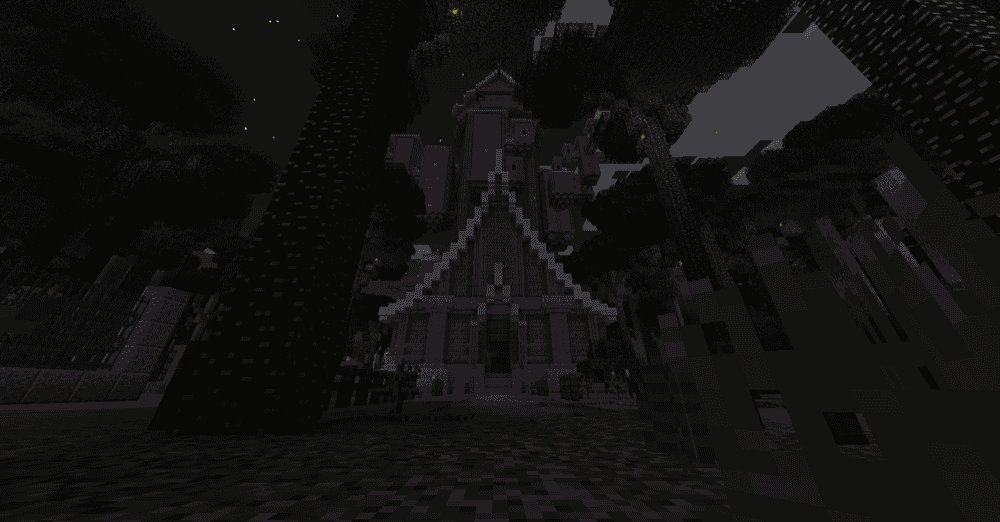
The Twilight Forest adds a whole extra dimension built for exploration, with a dense forest vibe, strange creatures, and big points of interest that pull you forward. Hunt down dungeons, take on bosses, and pick up unique loot along the way.
To get in, you make a standard 2x2 infinite water source, surround it in flowers and toss in a diamond to activate it, then step through and start mapping. The dimension can feel huge, so it helps to mark your entry portal before you wander too far, especially on your first trip.
2. Repurposed Structures
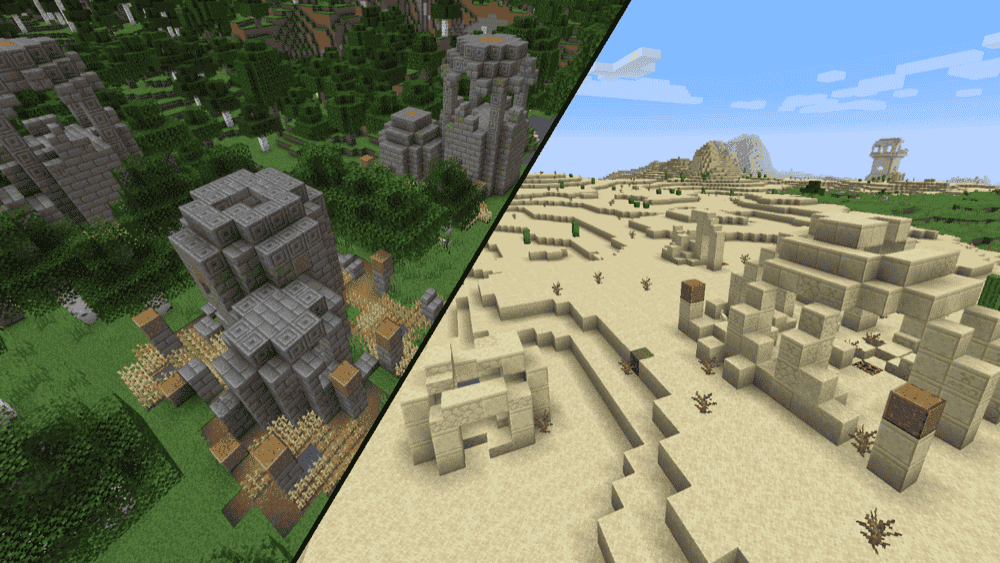
Repurposed Structures adds more variations of vanilla structures and features by remixing them into new biome-friendly versions, so exploring stays familiar but you keep spotting things you have not seen before.
It is the kind of worldgen change that makes long trips feel less repetitive because your usual landmarks can show up with a different twist. Structure variants are well thought out rather than just being block swaps, with temple variations offering new puzzles to solve.
This mod can run entirely server-side and it does not add new blocks or mobs, so vanilla clients can still connect. On Minecraft 1.18.2 and newer, the structures are handled through datapacks, so you can adjust spawn rates or disable specific structures if you want a lighter touch.
3. Explorer's Compass
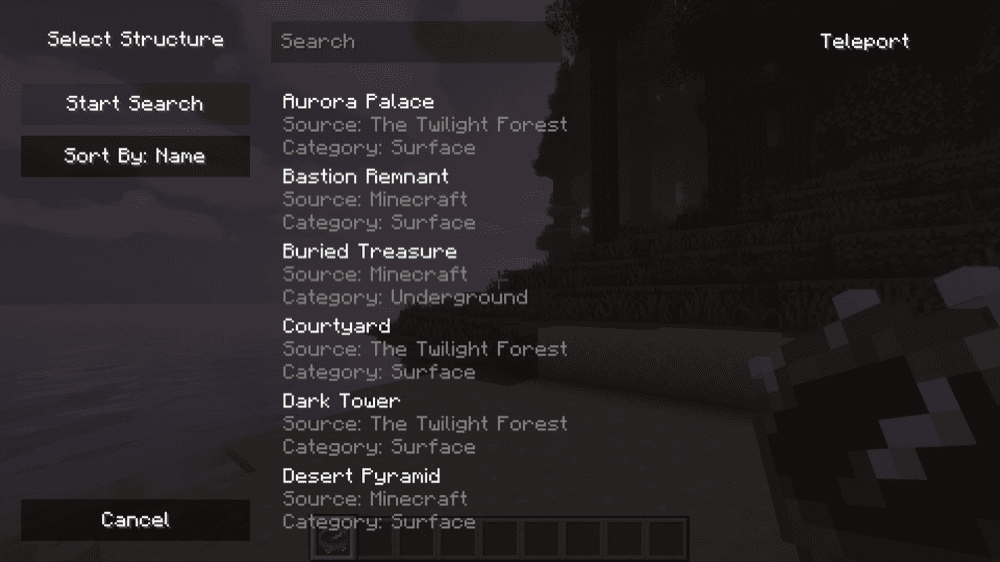
Explorer's Compass adds an Explorer's Compass you can use to locate structures anywhere in your world, including modded structures. Right-click it to open a menu where you pick what you want to search for, then simply follow the compass needle, with precise search information shown on your HUD.
If the compass is not locked onto a structure yet, it points to world spawn. However, if you have already selected a structure, you can crouch + right click to reset it. There are also options for things like search radius, maximum samples, and blacklisted structures, which is handy if you want faster searches or fewer results.
4. Terralith
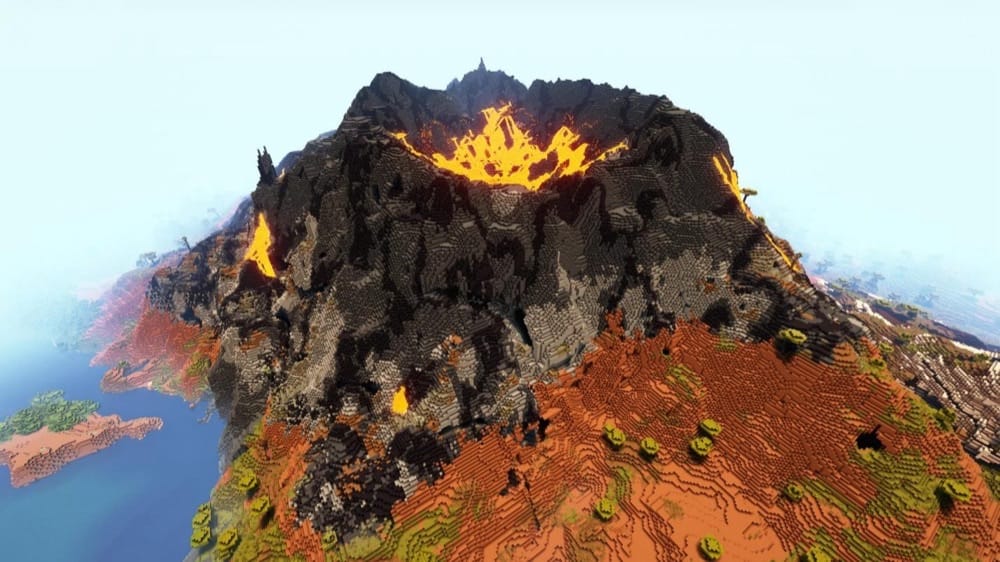
5. ChoiceTheorem's Overhauled Village

ChoiceTheorem's Overhauled Village adds new and improved village and pillager outpost variants that match the terrain and biome around them, so exploration has more interesting stops.
The mod includes multiple village variants and outpost variants for many more biomes than what's currently in vanilla, which makes it easier to tell where you are in the world just by what you run into. As for the loot found within these structures, it's a mix of default vanilla loot and brand new items.
6. Explorify – Dungeons & Structures

Explorify – Dungeons & Structures adds a vanilla-friendly set of new structures and small dungeons that spawn across different biomes and dimensions, so exploring gives you more stops that feel like they belong in the world. The builds are meant to feel interesting but still familiar, so you can spot something new without it looking out of place.
Installing Cristel Lib lets you configure settings while in-game, otherwise you can tweak behavior using datapacks. Beware though that updates can change the structure lineup over time, so it's best that you make a backup before updating an important world.
7. Incendium
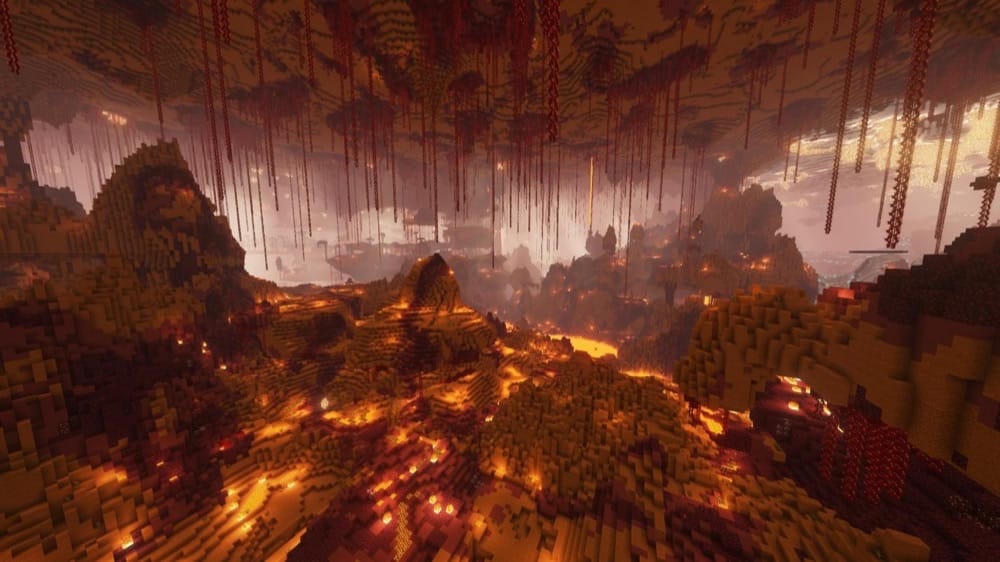
Incendium overhauls Nether exploration using only vanilla blocks, so the Nether feels like a brand new place without changing the game's visual style. It adds 8 new biomes and 9 new structures, plus custom mobs, items, and advancements to give you more reasons to roam instead of doing one quick blaze run and leaving.
The mod also expands Nether generation height up to 192, with more dramatic terrain like jagged mountains and twisting caves, so movement and route planning matter more while you explore. While the Nether ends up feeling a bit tougher than usual, the rewards in the form of new structures and loot are more than worth your troubles.
8. Oh The Biomes We've Gone

Oh The Biomes We've Gone adds over 50 new biomes, with a mix of realistic landscapes and more magical regions. The goal is simple: make the Overworld feel worth traveling through again instead of sprinting until you find one good spot and stopping there (although you may find it hard to rush past some of the breathtaking biomes introduced by the mod).
Exploration also comes with practical payoffs besides the hunt for prettier views. Along the way you can run into new structures, some unique mobs, and hundreds of new blocks you can bring back for builds and farms, so long trips usually end with something useful in your inventory.
9. Dungeons and Taverns

Dungeons and Taverns adds vanilla-styled structures that blend into normal worldgen, so exploring feels busier without changing the look of the game. You will run into things like watchtowers and taverns out in the wild, plus larger dungeon-style locations like outposts and hideouts that give you a reason to detour off your usual route.
This mod also adds structure loot that can include unique enchantments, so clearing a new location can come with a reward of its own beyond the spectacular view.
10. Sky Villages
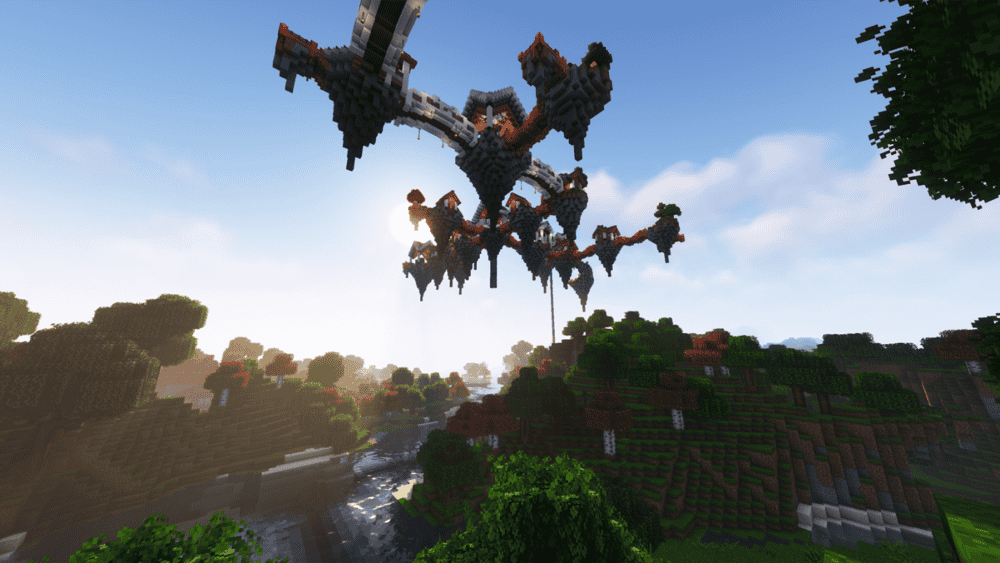
Sky Villages adds villages that generate up in the clouds, turning exploration into something more than just knowing what lies over the next hill – and more about what is floating above you. Each sky town can spawn with its own unique look, which makes flying around or scanning the horizon feel way more rewarding.
There are compatibility datapacks you can use as well to blend in content from other mods and tweak how the villages work.
11. Alex's Caves

Alex's Caves adds six rare cave biomes to the Overworld that are all unique destinations offering tons of new content. Each one has its own blocks, mobs, items, and mechanics, with the biome range including Magnetic Caves, Primordial Caves, Toxic Caves, Abyssal Chasm, Forlorn Hollows, and Candy Cavity.
To find them, look for an Underground Cabin, then grab cave tablets and the Cave Compendium from the loot inside so you can track down the biomes. This mod puts a lot of work into crafting a memorable atmosphere via detailed fog and lighting effects, so it is usually best experienced without shaders.
12. Medieval Buildings

Medieval Buildings adds medieval-themed structures made from vanilla blocks, helping them blend into normal survival worlds while giving you more reasons to stop and check new places out. You can run into towers, towns, houses, and ships depending on where you are exploring, with some buildings showing up broadly and others sticking to specific areas like grasslands or oceans.
Structures can include loot, enemies, or even villagers, so a quick detour can turn into a mini adventure in its own right.
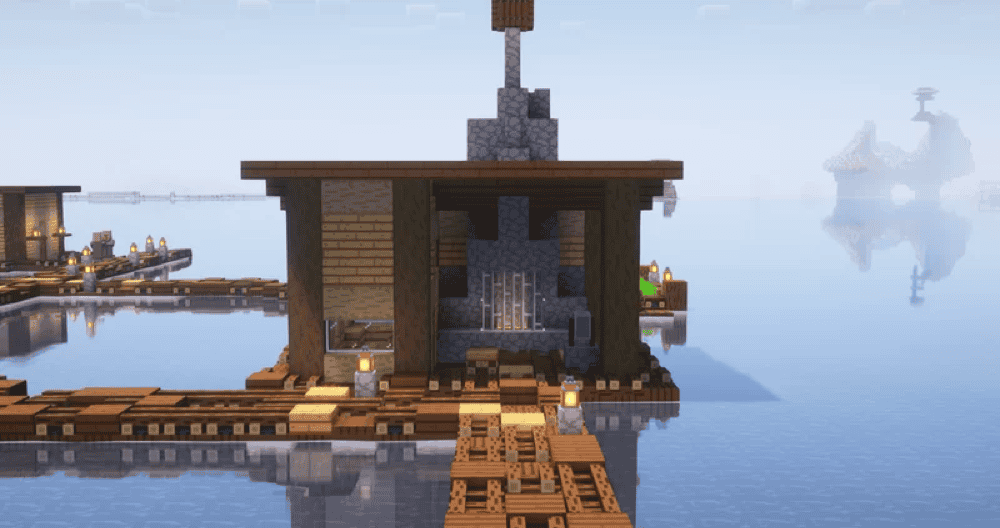
13. Tidal Towns
14. Hopo Better Underwater Ruins

15. Unnamed Desert
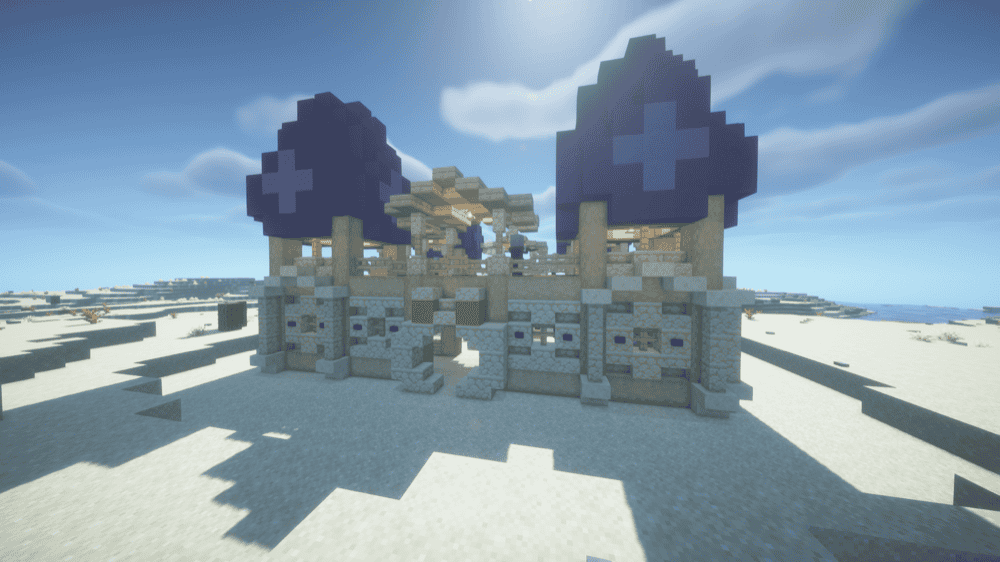
Unnamed Desert expands deserts and badlands with handcrafted structures that aim to feel immersive and vanilla-friendly, turning these bland sand expanses into something worth seeking out. It focuses on new points of interest that range from adventure-charged locations like pillager outposts to smaller atmospheric ones, such as an oasis.
All in all, the mod includes 8 structure types with 35 total variants, including cactus formations, skeleton fossils, termite mounds, oasis variants, ruins, pillager outpost variants, and geysers.
How to Install Mods
How to Install with the CurseForge App
- Open CurseForge → Minecraft and create a profile with the mod loader and version you need (Fabric, Quilt, NeoForge, or Forge).
- In the profile screen, click "Add More Content" (or open the three dots menu next to "Play" and choose "Add More Content").
- Click on "Add More Content" from the available options.
- Search for the mod you need and click "Install".
- Play from the CurseForge app.
How to Install Mods Manually
- Install a mod loader that matches your Minecraft version (Fabric, Quilt, NeoForge, or Forge).
- Run the installer to add a new profile in the Minecraft Launcher.
- Download the mod’s .jar file from its project page. Make sure both the Minecraft version and loader version match.
- Drop the .jar into the mods folder inside your ".minecraft" directory (create the folder if it doesn’t exist).
- Launch Minecraft using the new loader profile.
Note: Make sure to check if the mod has been recognized by the game. On the title screen, click “Mods”. If the mod lists any required dependencies (like Fabric API), install those too. Please also note that if using Fabric, the "Mods" button will only appear if the "Mod Menu" mod is installed.
Common mods folder locations:
- Windows: %AppData%\.minecraft\mods
- macOS: ~/Library/Application Support/minecraft/mods
- Linux: /home/<your-username>/.minecraft/mods
Common Issues and Quick Fixes
Game crashes on launch or the mod does not load
- Make sure every mod is on the right loader for your instance. For example, a Forge mod will not run on Fabric.
- Check for missing library mods. A few of these projects need extra dependencies to start, and the game will usually tell you the exact mod id that is missing.
Worldgen mods are not showing anything new
New structures and biomes usually only appear in newly generated chunks. If you added a worldgen mod to an existing world, travel far enough to reach fresh terrain.
If you are using Terralith, do not expect it to work properly if you add it mid-world as it is meant to be installed before new world creation.
Nether changes look wrong or you see conflicts
If Incendium content is missing or feels overridden, see if another Nether worldgen mod or datapack is competing with it.
Note: Incendium does not work with Amplified Nether, so it’s best that you pick just one to avoid conflicts.
Twilight Forest issues, visual glitches, or crashes
If you have OptiFine installed, then your solution is to remove it. Twilight Forest is not compatible with OptiFine (or most other modern mods), and modern alternatives like Sodium, Iris, Embeddium, and Oculus exist to provide the performance and shader features of OptiFine.
Do players need to install the mod to join my server?
Out of the mods listed above, only Twilight Forest, Explorers Compass, Oh the Biomes We’ve Gone and Alex's Caves require the mod to be installed on a player's client to join a server with it.
The rest are based around datapacks and can be used server-side only.
How do I update structure mods safely?
Before you begin, you should always consider making a world backup before updating, especially if the mod is still in an early alpha/beta stage or if there’s a change to its major version (the first number in the mod’s version).
While most updates should work just fine, make sure that you’re able to easily revert to your previous mod version in case something breaks.