Diamonds sit at the center of almost every survival goal: enchanting gear, a full set of armor, and the tools that finally let you mine obsidian and ancient debris for netherite. So the question of where to dig comes up fast, and the answer changes more than many players may realize. The “1.18 Caves and Cliffs” update in particular expanded the world downward and changed how ore generates, which means older advice can now point you to the wrong depth entirely.
In this guide, we’ll cover where diamonds generate in modern-day Minecraft, the best level to aim for, how to mine diamonds efficiently, how older versions differ from one another, and which mods can show you ore distribution or help with automated mining.
How Diamonds Generate in Modern-Day Minecraft
To find the best level, start with how the game places diamonds now. Since 1.18, diamond ore generates below "Y" 16 and becomes more common as you descend. It is rare near the top of that range and in abundance near the bottom of the world. Diamonds can generate all the way down toward "Y" -64, but the most practical mining target sits at around "Y" -59, just above the uneven bedrock floor.
Diamond ore is generated in small clusters, with occasional larger pockets depending on the world’s generation. That is why you might find a single exposed block in one place and then a much better vein a few tunnels later.
There's a catch that shapes how you should mine these shiny stones, however. They are less likely to spawn openly on cave walls, so many diamond blocks often end up being buried inside solid rock instead. This makes deliberate digging more reliable than randomly running through caverns.
One more thing changes below "Y" 0 as well: as you go deeper, diamond ores appear as deepslate diamond ores. It drops the same amount of diamonds, but deepslate diamond ore is harder and slower to break than regular diamond ore, so deep mining takes more time per block.
The Best “Y” Level for Diamonds (According to Most Players)
Put everything together and the answer is clear: "Y" -59 is arguably the best level to mine diamonds in modern-day Minecraft. It keeps you deep in the richest part of the diamond distribution scale while staying just above the uneven bedrock floor.
In fact, many miners prefer to build their main tunnel around "Y" -59, then branch out from there to expose as much deepslate as possible.
Java vs Bedrock Edition Differences
For current Java Edition and Bedrock Edition players, the practical target remains the same: try to mine as deep as you safely can, with "Y" -59 being the main diamond level to aim for.
The crucial difference between both editions is in how you check your coordinates. Java players usually use the debug screen with "F3", while Bedrock players can turn on "Show Coordinates" in the world settings, depending on if you’re playing on a pre- or post- 1.18 Minecraft version.
Worlds or chunks generated before the “Caves & Cliffs: Part II” terrain update, meaning before Java Edition 1.18 or Bedrock Edition 1.18.0, may still follow the older diamond layout where "Y" 11 was the common target.
Other Things to Know Before You Start
Be ready for lots of lava! Deep mining often puts you near lava pools and lava pockets, so make sure to carry a water bucket, keep spare blocks on your hotbar, and light your tunnels as you go. The payoff for mining this deep is well worth it, but "Y" -59 works best when you mine carefully.
Why the “Mine at Y 11” Advice No Longer Applies
For years, the standard advice was to dig at "Y" 11, and it was good advice at the time. Before 1.18, diamonds spread evenly through a thin band from "Y" 1 to "Y" 15, the world bottomed out at bedrock at around "Y" 0, and "Y" 11 struck the balance: deep enough to catch that whole band, high enough to stay a layer above the worst of the lava at "Y" 10.
The 1.18 overhaul changed that logic. The world now extends down to "Y" -64, and diamond generation gets more clustered as you go deeper. That leaves "Y" 11 near the top of the modern diamond range, where diamonds are much less common than they are in the deepslate layers.
Don’t get us wrong: mining at "Y" 11 in a post-1.18 Minecraft world would still turn up a few diamonds – it is just no longer considered the most efficient route. In 1.20.2, the diamond generation below “Y” 0 was once again increased, making the new route even more efficient.
The one place the old advice still applies is old terrain. Chunks generated before the world updated to 1.18 can keep their original ore layout, so older areas may still follow the classic diamond range. Once you move into newly generated chunks, the modern distribution takes over, and "Y" -59 becomes the better target to aim for.
Methods, Tools, and Enchantments for A+ Diamond Efficiency
Reaching "Y" -59 is only half of the strategy. How you mine there decides whether the trip feels efficient or painfully slow.
Mining Method #1: Branch Mining at "Y" -59
Branch mining is the most dependable method for finding diamonds. Dig a main tunnel at "Y" -59, then cut side tunnels every few blocks so you expose a steady amount of fresh deepslate without clearing huge rooms. It is repetitive, but it is consistent, and because diamond ore has reduced air exposure, controlled digging can find buried ore that unstructured cave runs may miss.
Mining Method #2: Cave Diving
Cave diving is faster but riskier. Large deepslate caves can expose diamonds on the walls, so exploring one can give you a few easy finds with very little digging. The tradeoff is more lava, more mobs, and less consistency, since many diamonds are still buried in solid deepslate.
The strongest approach blends both methods: branch mine for reliable coverage, and check out any cave you break into along the way.
Go-to Mining Enchantments: Fortune vs Silk Touch
Your enchantments matter as much as your route. Fortune is the enchantment that increases diamond output. Fortune III can drop up to four diamonds from one diamond ore block and averages at about 2.2 diamonds per ore, making it the best choice when you want more diamonds from each vein.
Silk Touch does the opposite for raw yield, giving you the ore block itself instead of diamonds. That is useful if you want to move the ore home, save it for decoration, or mine it later with Fortune in a safer place. Silk Touch doesn’t give you more diamonds, though – it is only useful if you want the ore block itself instead of the diamond yield.
Since Fortune and Silk Touch cannot normally go on the same pickaxe, the best setup is to carry two tools: one Fortune pickaxe for maximum diamond output and one Silk Touch pickaxe for utility.
Best Pickaxe Enchantments for Diamond Mining
We recommend enchanting your main pickaxe with Fortune, Mending, Unbreaking III, and Efficiency. Unbreaking helps the tool last longer, Mending repairs it with experience you collect, and Efficiency V makes long deepslate tunnels much faster to mine.
Additionally, keep your depth visible while mining. A coordinate HUD or minimap mod that shows your "Y" level makes it easier to stay around "Y" -59 instead of slowly drifting away from the target layer.
Mods That Help You Find and Mine Diamond Ore
Vanilla Minecraft gives you the best diamond level, but mods can make mining easier to plan and repeat. Some show the real ore distribution in your world or modpack, while others help with navigation, coordinates, or automated digging.
The mods we’ve handpicked below help you find the right diamond layer and mine it more confidently.
Xaero's Minimap
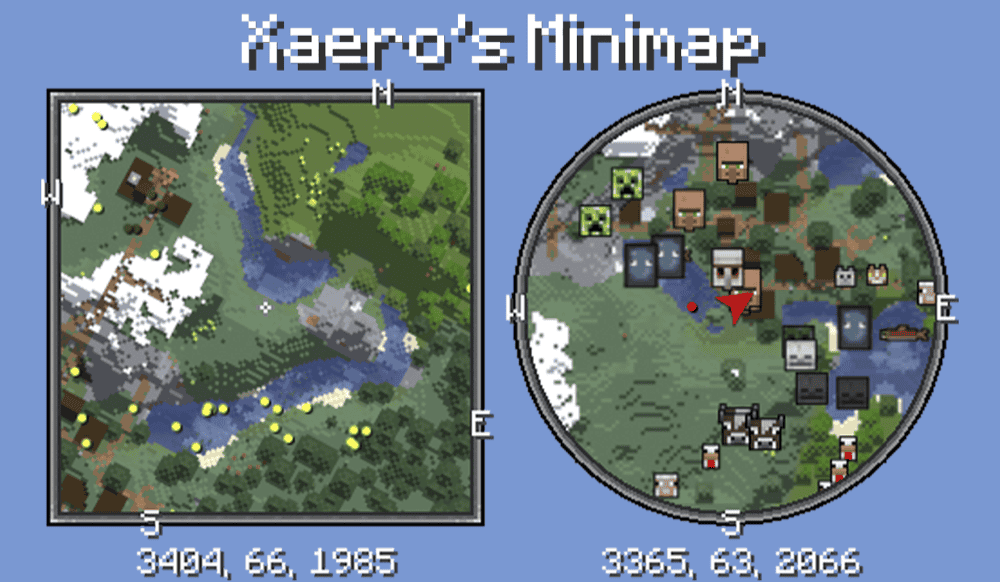
“Xaero's Minimap” adds a small minimap to the corner of your screen that shows nearby terrain, players, mobs, items, and other entities depending on your settings. For diamond mining, its biggest advantage is navigation. You can keep track of caves, tunnels, and nearby terrain while working at around "Y" -59 instead of getting lost in lower deepslate layers.
The mod also lets you create waypoints, which is especially useful when you find a deep cave entrance, a safe branch mine, a lava-free tunnel, or a spot you want to return to later. It can also show coordinates under the minimap, including your "Y" level, so you can keep your depth visible without opening the debug screen every few minutes.
Just Enough Resources (JER)
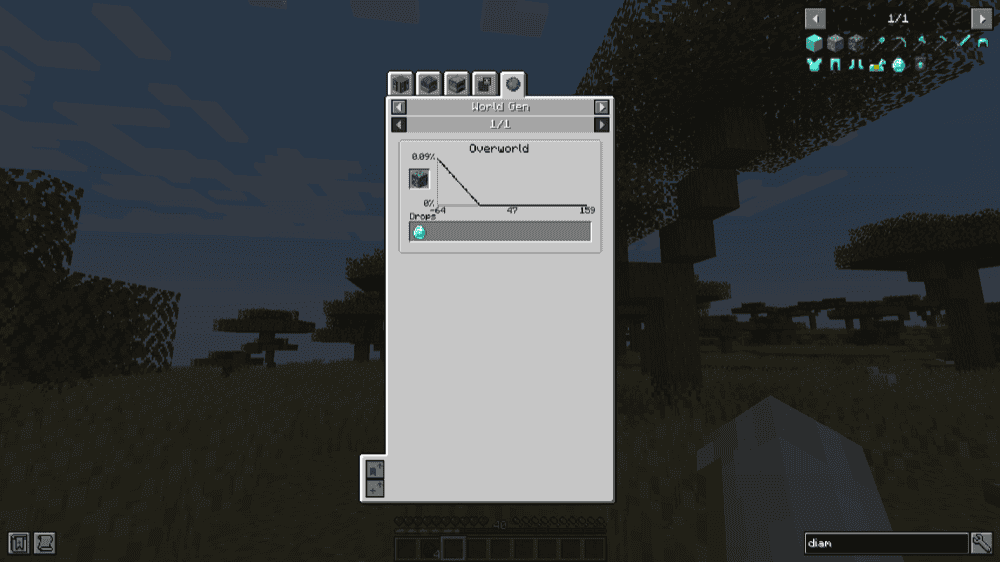
“Just Enough Resources”, or “JER” for short, is a “Just Enough Items” add-on that helps players easily check out useful world information. For diamond mining, its ore generation view is the main feature. You can use it to check a graph for diamond ore and see how the ore’s "Y" level distribution works, which is especially useful in modpacks where ore generation may not follow normal vanilla rules.
“JER” is also useful outside of diamond mining. It can show things like mob drops, dungeon loot, and plant drops, so it helps with more than just ore hunting. It also lets players or modpack makers add custom ore graphs, which can be helpful when a pack changes how diamonds or other ores generate.
Mekanism
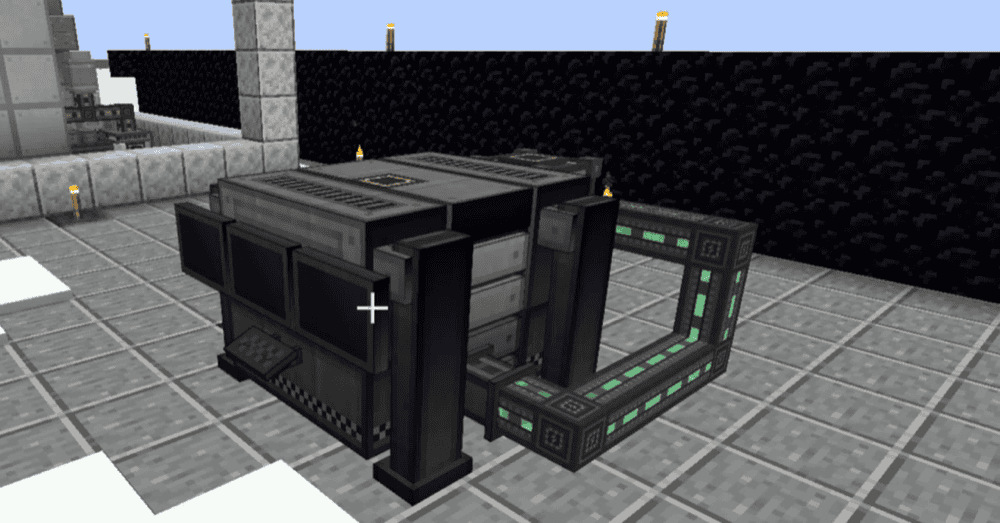
“Mekanism” is a full-on technology mod built around machines, power systems, item transportation, and advanced resource processing. For diamond mining, the key feature is the Digital Miner.
Instead of digging every tunnel by hand, you can set up the Digital Miner, filter it for diamond ore, and limit the mining area to the deep layers where diamonds are most likely to generate. That makes it useful once you already know the best diamond level and want a machine to help clear the target area.
The Digital Miner still needs a power setup, so it fits better in mid-game or late-game worlds than in a fresh survival start. It can also work with upgrades, auto-eject mined blocks into storage or processing, use a Silk Touch setting, and replace mined blocks if you do not want to leave empty spaces behind.
“Mekanism” is not just a mining shortcut either. Its processing machines can help turn mined resources into better yields, especially if you collect ore blocks with Silk Touch and process them through a more advanced setup later.
Additional Enchanted Miner
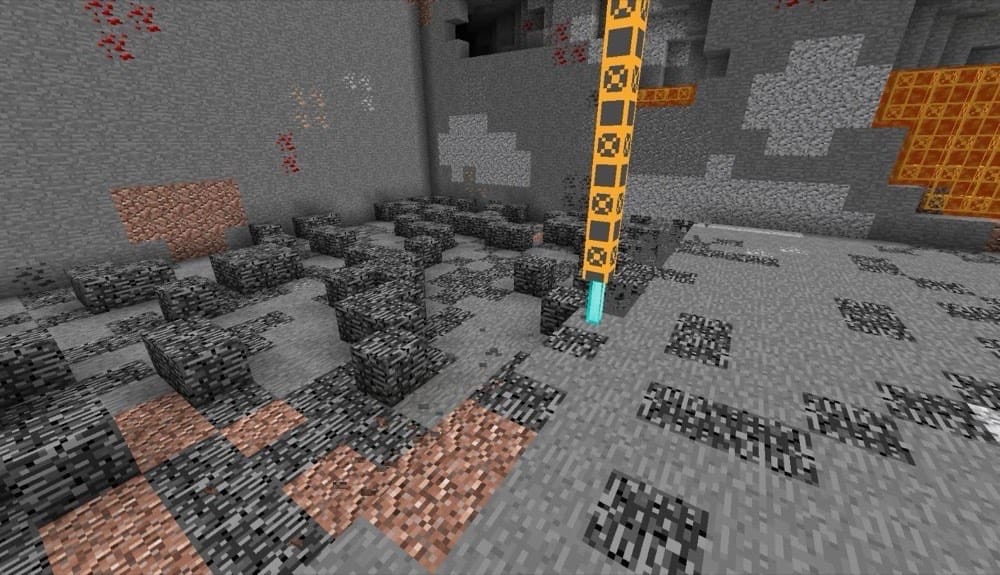
“Additional Enchanted Miner” adds advanced mining machines inspired by the “QuarryPlus” mod. For diamond mining, it works best once you already know where you want to dig and need a machine to handle the repetitive excavation. Instead of manually clearing long tunnels at deep levels, you can use its quarry-style machines to mine marked areas and collect resources automatically.
The mod also supports enchantment-based mining, which means supported machines can work with enchantments like Fortune or Silk Touch. That makes it useful for diamond-focused setups where you want either more output from mined ore or the ability to collect ore blocks for later.
Additional machines like PumpPlus, Advanced Pump, Chunk Destroyer, and Enchantment Mover give the mod more utility in tech-focused worlds, especially when lava or large mining areas become part of the mining job.
Coordinates Display
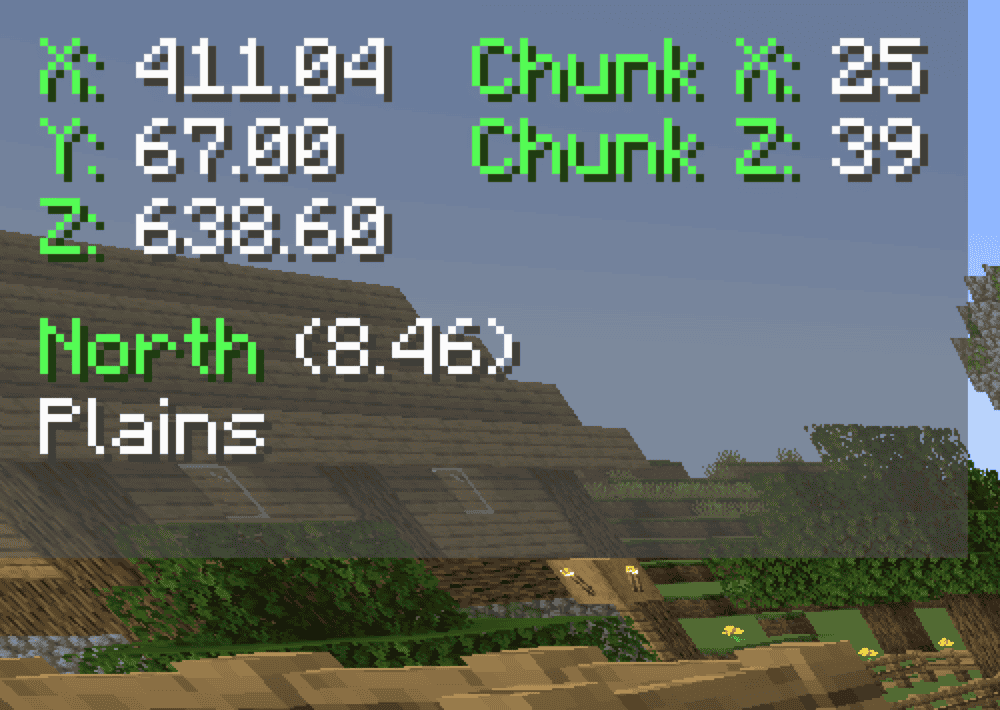
“Coordinates Display” is a lightweight HUD mod that keeps your coordinates visible on screen while you play. For diamond mining, the most useful part is the "Y" value, since it lets you stay at around "Y" -59 without opening the debug screen or checking your position every few minutes. That makes it a simple but helpful tool for long branch-mining sessions in lower deepslate.
The mod also shows extra information like chunk coordinates, the direction you are currently facing, biome details, and your Minecraft version. It includes multiple display modes, HUD positioning, configurable colors, keybindings, death position saving, and position marking.
How to Install Minecraft Mods
You can install the above mods automatically using the CurseForge app or manually by placing the mod files within your game's mods folder. Both methods allow you to easily add custom features and enhancements into your Minecraft experience.
If you want to learn more, you can read our detailed guide on how to install Minecraft mods.
Common Issues and Quick Fixes
I'm at "Y" -59 but not finding any diamonds
Diamonds are still rare, even at the most optimal depth level. For best results, make sure you are branch mining through solid deepslate and exposing fresh blocks instead of only walking through open caves.
If you have cleared a lot of ground with nothing to show for it, move a few dozen blocks sideways and start a new tunnel section. And sometimes, you simply hit a poor stretch.
I keep hitting lava down here
That comes up with deep mining a lot. Make sure to keep a water bucket nearby so you can turn lava sources into obsidian and control dangerous flows. Additionally, mine with spare blocks on your hotbar so you can wall off sudden lava, and keep your tunnels well-lit so you can see hazards before walking into them.
Fortune isn't giving me more diamonds
Check which enchantment is on your pickaxe. Fortune boosts diamond drops, with Fortune III able to drop up to four diamonds from one ore block. If you are getting ore blocks instead of diamonds, you are likely using Silk Touch.
Fortune and Silk Touch cannot normally share one pickaxe, so we recommend using your Fortune pickaxe when you want raw diamonds and your Silk Touch pickaxe when you want to collect the ore block itself.
My ore graph doesn't match where I'm finding diamonds
Your modpack may have changed the world generation rules. Open your ore distribution mod, look up diamond ore, and read through the pack's actual distribution logic before you settle on a level. In a heavily modded world, a good rule of thumb is to trust the in-game ore chart.
My game crashes on startup after installing mods
A startup crash usually means one of three things:
- The mod file does not match your Minecraft version.
- The mod was made for a different loader.
- A required dependency is missing.
Check that you installed the correct Forge, Fabric, Quilt, or NeoForge file for your profile, then look at the mod page for any required files, especially for Fabric API on Fabric profiles and for Quilted Fabric API on Quilt profiles.
Note that Minecraft mod loaders are their own separate systems, so a Fabric file will not work in a Forge profile, with the same also applying to NeoForge or Quilt builds.