You have crossed plenty of desert, and by now every stretch of sand blends into the next. That is exactly what makes suspicious sand so easy to miss: it is nearly identical to the regular kind, with an item hidden inside. A brush is what coaxes that item out, but first you need to know where the game tucks it away.
Today, we will help you track down where suspicious sand hides and show you how to brush it, plus check out three mods that help you hunt down even more sites. Without further delay, let's find the sand, brush it clean, and see what comes out!
What You Will Need
This sand hunt takes just two things:
- A brush (made from a feather, a copper ingot, and a stick, as covered in our guide on how to make a brush);
- A suspicious sand block to brush (found in Desert Wells, Desert Pyramids, and Warm Ocean Ruins).
Suspicious sand cannot be made at a crafting table, and breaking it drops nothing, so everything starts with knowing where the game generates it.
Where to Find Suspicious Sand
Three kinds of places hold suspicious sand, and each one hides its blocks a little differently. Cold Ocean Ruins (the cold-water counterpart of Warm Ocean Ruins) and Trail Ruins (buried ruins) use suspicious gravel (the gravel version of this block) instead, so they fall outside this hunt.
Desert Wells
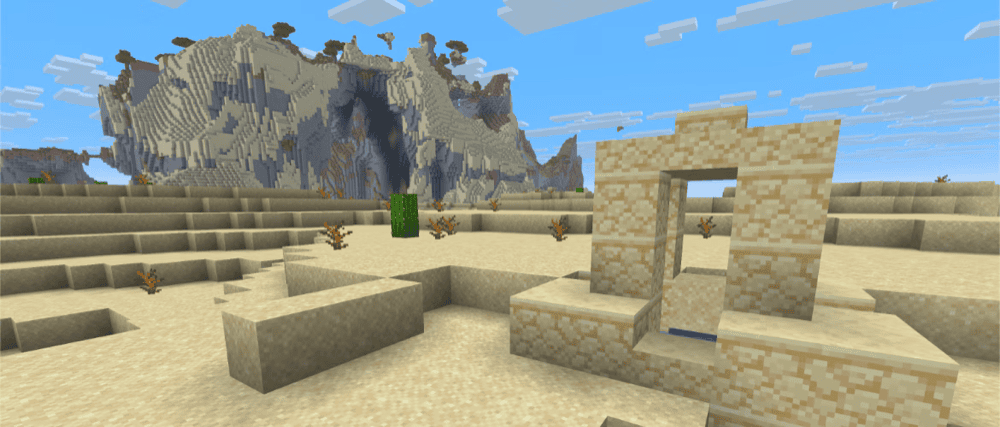
A Desert Well is a small sandstone well that generates in the Desert biome. Wells take some hunting, but each one hides exactly 2 suspicious sand blocks: one just below the water and a second one in the layer beneath that.
Desert Pyramids
A Desert Pyramid is a building in the Desert biome that matches the color of the sand around it, though its pyramid-shaped roof makes it easy to pick out. The suspicious sand sits in a hidden cellar at the back, on either the left or the right side. That cellar is a hole in the floor packed with sand, with some suspicious sand mixed in among the regular blocks.
Suspicious sand is a falling block, which means it falls when the block beneath it is removed and breaks when it lands. Because of this, we recommend digging down one layer at a time from the top, so nothing under a suspicious block gives way first. We also recommend digging at the back of the pyramid rather than in the middle, because its TNT trap (a pressure plate wired to TNT) sits under the center.
Warm Ocean Ruins
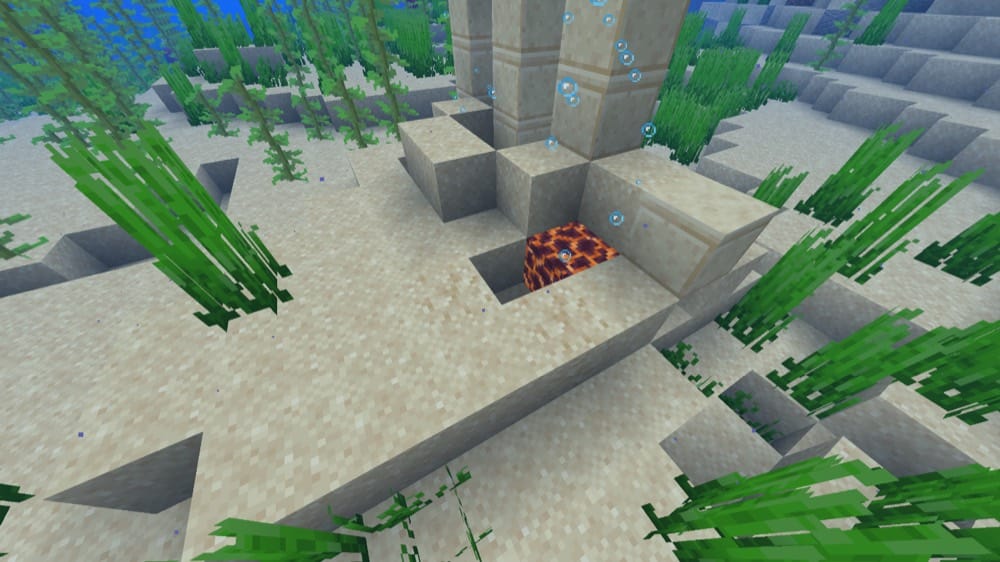
Warm Ocean Ruins are sunken ruins that generate in the Lukewarm Ocean, Warm Ocean, and Deep Lukewarm Ocean biomes. Suspicious sand randomly replaces some of the sand blocks that are part of the ruin itself, so the sand that makes up a ruin deserves a closer look, while the open seabed around it does not.
Finding Sites Faster
If cheats are enabled for your world, two commands can tell you where to head: "/locate structure minecraft:desert_pyramid" for Desert Pyramids and "/locate structure minecraft:ocean_ruin_warm" for Warm Ocean Ruins.
Note: Desert Wells are the exception, since the game does not count them as structures and "/locate" cannot find them.
If you don’t want to use cheats, there is a newer route in Java Edition version 26.3 as well. Some Abandoned Camps hide a secret chest (an oxidized copper chest, often buried below the surface), and that chest can hold an Explorer Map. Of the 7 possible maps, 2 lead to a Desert Pyramid or Warm Ocean Ruins, so a lucky chest can send you straight to a dig site.
Telling It Apart From Regular Sand
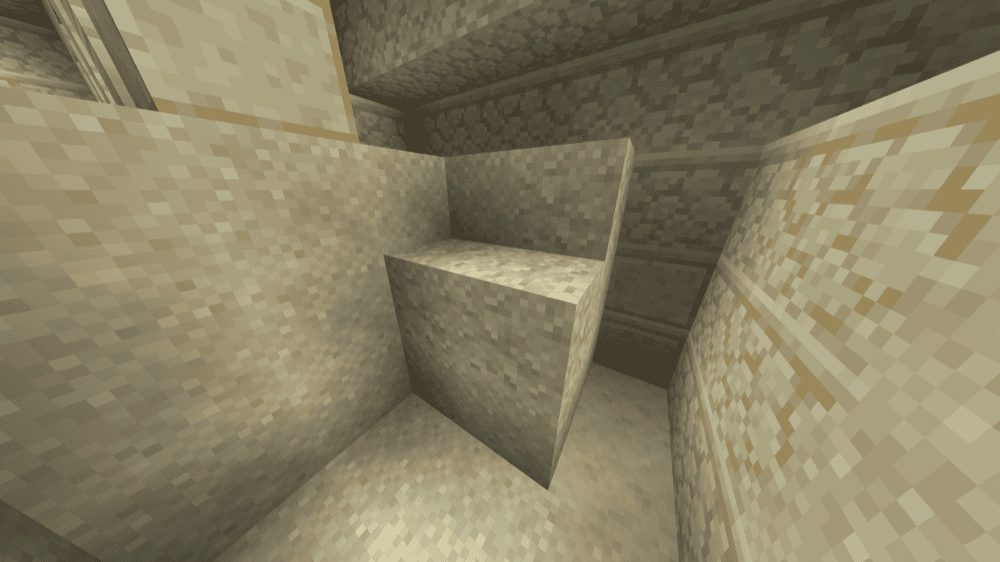
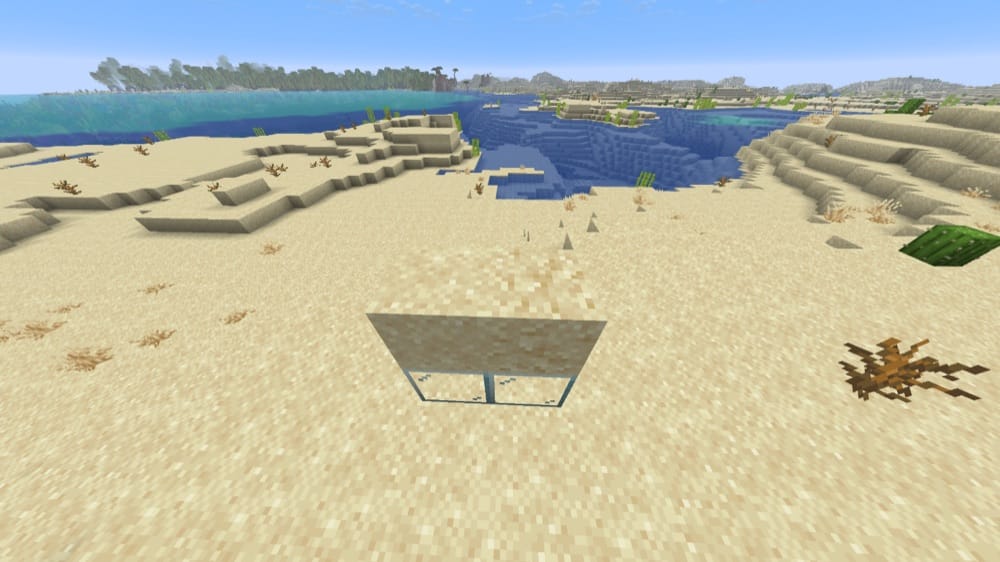
At first glance, suspicious sand passes for regular sand. Up close, though, it lives up to its name: it is a little blotchier, with a few darker tan patches. If the two blocks in the image below look alike to you, the one on the right is the suspicious sand and the one on the left is regular sand. As soon as you start brushing, cracks spread out from the middle like a star, which settles any doubt.
How to Brush Suspicious Sand Step by Step
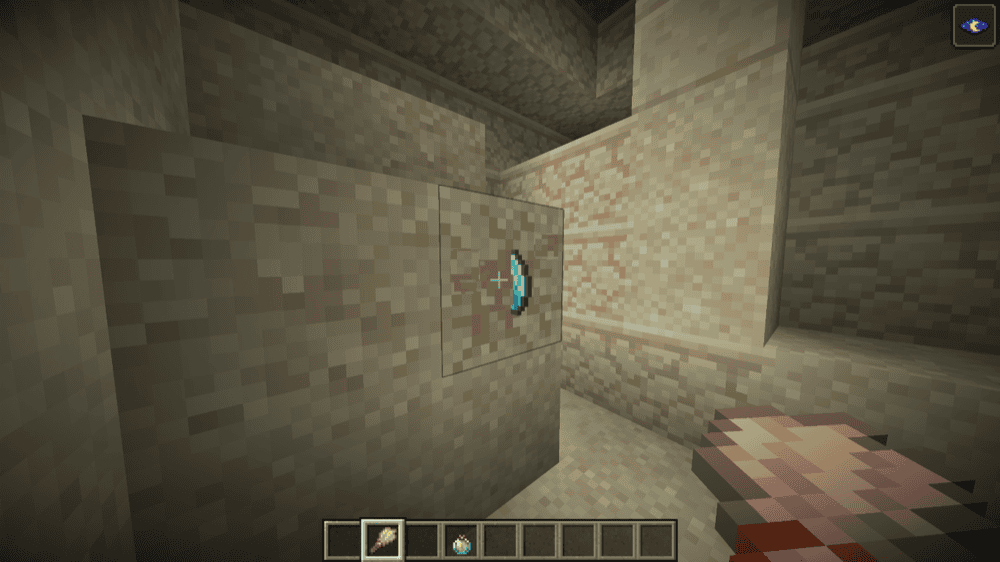
When you are facing a suspicious sand block, brushing it takes only a few steps:
- Select the brush in your hotbar.
- Aim at the side of the block you would like the item to come out of.
- Hold down the use button and keep holding as the cracks spread across the block.
The cracks show how far along you are: the block moves through four stages, from untouched to a large, dark crack with many branches, and about 4.8 seconds of steady brushing finishes the job. The item then pops out, and the block turns into regular sand.
Tip: you can also earn the Respecting the Remnants advancement along the way, as long as you have brushed a natural block and have a pottery sherd (a decorated piece that goes on one side of a decorated pot) in your inventory.
What You Can Find in Suspicious Sand
Every suspicious sand block holds exactly one item, and where the block generated decides what that item might be. Here is what each place has to offer, odds included.
From a Desert Well
Pottery sherds fill half of a Desert Well's loot, split between two designs at 1 in 4 each:
- Arms up pottery sherd;
- Brewer pottery sherd.
The other four are evenly matched, at 1 in 8 each:
- Brick;
- Emerald;
- Stick;
- Suspicious stew (a food that gives one random status effect, good or bad).
From a Desert Pyramid
A Desert Pyramid shares its loot out evenly across 8 items, so every find has a 1 in 8 chance. Four of them are pottery sherds:
- Archer pottery sherd;
- Miner pottery sherd;
- Prize pottery sherd;
- Skull pottery sherd.
The other four are the more practical half, and the diamond is the one to look forward to, since it appears on no other suspicious sand list:
- Diamond;
- TNT;
- Gunpowder (the main ingredient in TNT);
- Emerald.
From Warm Ocean Ruins
Warm Ocean Ruins have the longest drop list, with 10 items split into a common half and a rarer half. The common five each have a 2 in 15 chance to drop an:
- Emerald;
- Wheat;
- Wooden hoe;
- Coal;
- Gold nugget.
The rarer five each have a 1 in 15 chance to drop an:
- Angler pottery sherd;
- Shelter pottery sherd;
- Snort pottery sherd;
- Sniffer egg;
- Iron axe.
The sniffer egg is the real prize here, and Warm Ocean Ruins are the only one of the three places where it can turn up.
Suspicious Sand Mods Worth Digging For
Knowing where suspicious sand hides is only the start, since the fun is finding more of it. The three mods below aim to help with that, from a compass that tracks down structures to an armadillo that goes looking for suspicious blocks – and even a full-on archaeology expansion.
Explorer's Compass
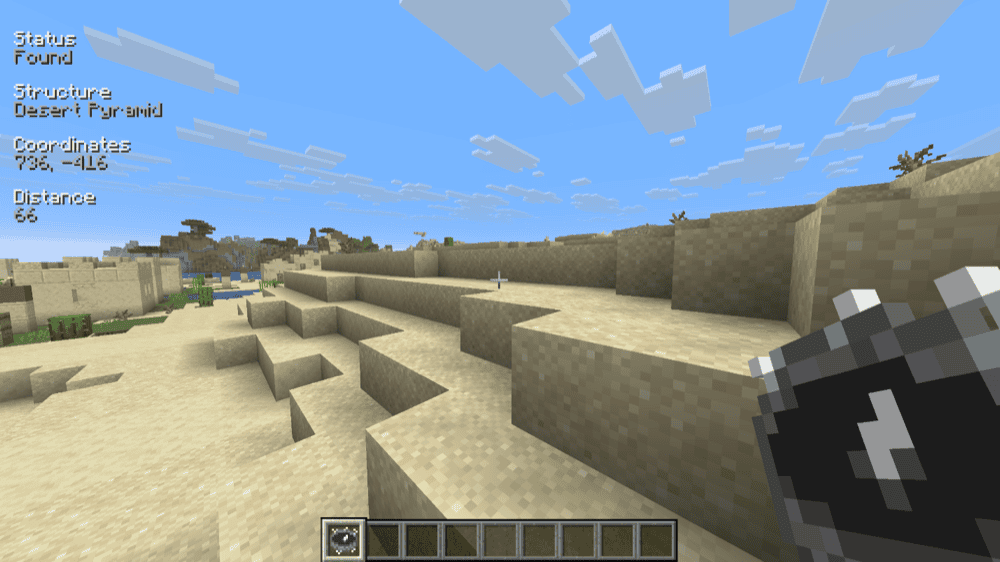
“Explorer's Compass” points the way when you know which structure you want but not where to find it, which makes it a handy item-based alternative to the "/locate" commands mentioned in the “Finding Sites Faster” section of this guide.
The compass is an item that lets you locate structures anywhere in the world. Right-clicking it opens a menu where you pick a single structure or a whole group of structures to search for, and it works with all structures, vanilla and modded included.
The screen shows details about your search as you go. Whenever the compass is not pointing at a structure, it points at the world spawn instead (your world's default spawn point), and right-clicking while Sneaking resets it. The configuration file also lets you adjust things like the search radius (how far out it looks) and which structures the compass should skip.
Better Archeology
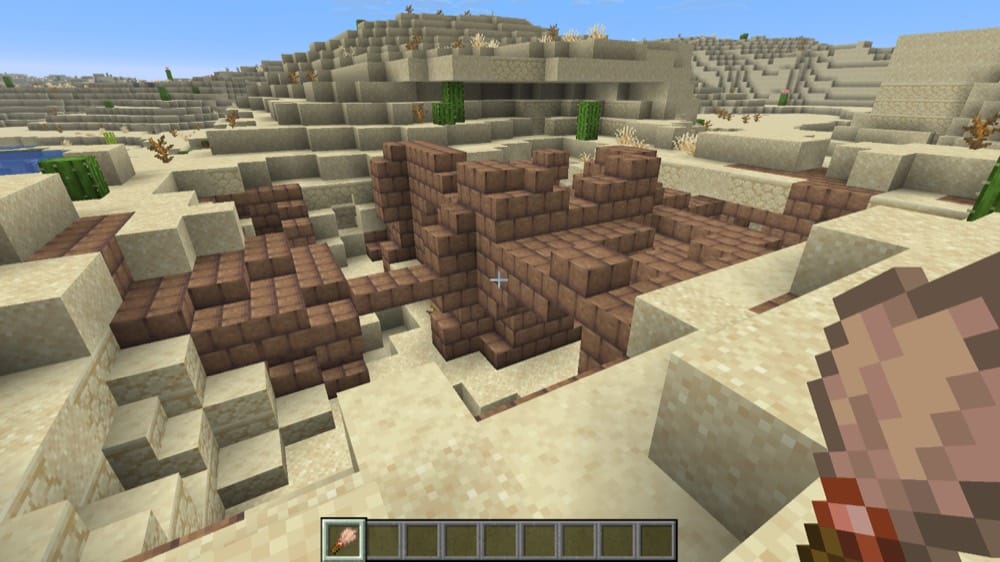
“Better Archeology” starts from the idea that vanilla archaeology played it safe. The mod aims to improve its mechanics and add new things to find while keeping the feel of the base game, and you come across artifacts and fossils by encountering its new structures, such as Jungle Temples, Catacombs, old graves, and fossil sites.
There is now more for your brush to uncover too, from suspicious red sand and dirt to fossiliferous dirt, which hides fossil parts at the fossil sites. Brushing its suspicious blocks can turn up artifact shards, and you piece those together into an Unidentified Artifact to identify at the Archeology Table. The mod also adds sturdier iron and diamond brushes to keep digging with.
Animal Garden - Pink Fairy Armadillo
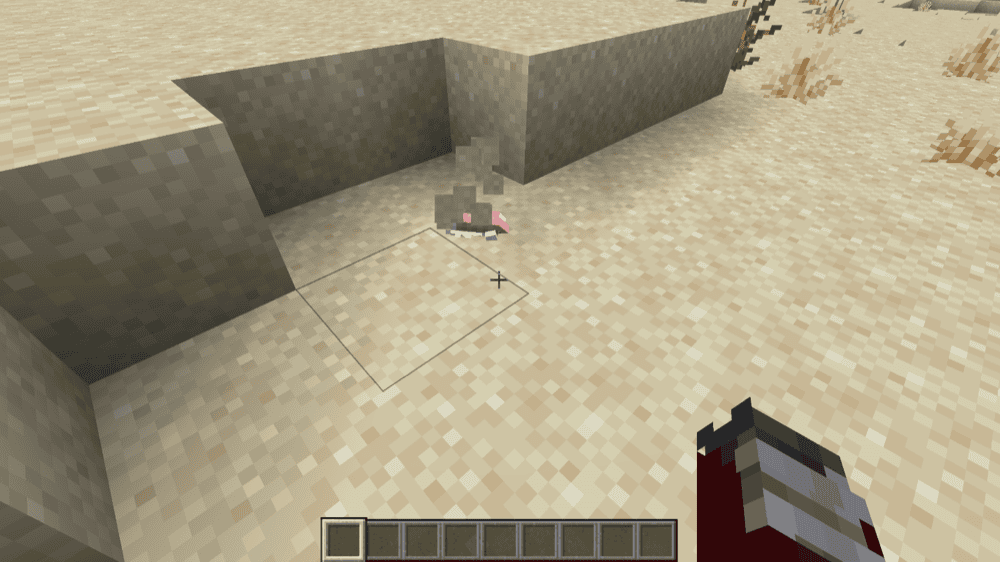
“Animal Garden - Pink Fairy Armadillo” adds a helper that does the sniffing around for you. A brand new mob type, the Pink Fairy Armadillo helps you search for suspicious blocks.
These are rare though and will take a bit of time for you to find, spawning in the Desert, Savanna, and Wooded Badlands biomes. They are also nocturnal (active at night), and you can only walk up to one while Sneaking, because it otherwise will burrow into the ground whenever creatures come near.
Everything starts with spider eyes, which you use to tame, feed, and breed armadillos. After one is tamed, feeding it a spider eye sends it looking for nearby suspicious blocks (both sand and gravel). When it finds something, it walks up to the block and plays its dig animation to show you the location. You can even change which blocks it goes looking for by editing the block tag (a list of blocks the game groups together) in the mod’s data folder.
How to Install Minecraft Mods
You can install the above mods automatically using the CurseForge app or manually by placing the mod files within your game's mods folder. Both methods allow you to easily add custom features and enhancements into your Minecraft experience.
If you want to learn more, you can read our detailed guide on how to install Minecraft mods.
Common Issues and Quick Fixes
I keep brushing, but nothing comes out
Regular sand has nothing to hide and only plays the animation, and a suspicious sand block that a player placed gives nothing when brushed.
Cracks spreading across the face as you brush tell you the block is suspicious, so if none appear, you are likely brushing regular sand. A tried and tested approach is to stick to the sites covered in the “Where to Find Suspicious Sand” section above, since blocks generated there always contain an item.
I broke the suspicious sand and nothing dropped
Mining suspicious sand with a shovel or any other tool destroys it and drops nothing, whatever the tool you happen to use. Even the Silk Touch enchantment does not change that, and the item hidden inside is lost along with the block.
A quick fix for this is to reach for the brush first, and to finish brushing a suspicious block before mining anything around it.
My suspicious sand vanished while I was digging
Going back to the “Desert Pyramids” section, suspicious sand falls and breaks when the block underneath is removed, which is why a block you spotted a moment ago can vanish mid-dig.
One good approach is to stick with the top-down method described in that guide section, and to leave any sand that sits directly under a suspicious block for last.
My loot floated away at Warm Ocean Ruins
Items that drop into water float slowly up toward the surface, and flowing water can push them around, so a find can sometimes drift out of reach.
To prevent this, we recommend picking up the item the moment it appears. Since it comes out of the side you started brushing from, beginning from the sand block face that is easiest to reach can also help.
My game crashes on startup after installing mods
A startup crash usually means one of five things:
- The mod file does not match your Minecraft version.
- The mod was made for a different loader or another version of its loader.
- A required dependency is missing.
- Some of your mods are incompatible with each other.
- If you’re playing on Forge or NeoForge with an AMD graphics card and frequently experiencing crashes, your GPU driver might be outdated. If that’s the case, we recommend installing the latest drivers from the official AMD website.
Additionally, check that you installed the correct Forge, Fabric, Quilt, or NeoForge file for your profile, then look at the mod page for any required files, especially for Fabric API on Fabric profiles and for Quilted Fabric API on Quilt profiles.
Also note that Minecraft mod loaders are their own separate systems, so a Fabric file will not work in a Forge profile, with the same being true for NeoForge or Quilt builds.