Few items in Minecraft have as diverse of a use as books do, despite being made from relatively common and accessible materials. They can decorate a library, hold full, multi-page stories, and are capable of containing some of the most powerful enchantments.
But before you can make the most of what books have to offer, you need to know how to actually make one. In this guide, we’ll share the best, and quickest, way to craft plenty of books, as well as a few mods to spice up your vanilla book gameplay.
How to Craft a Book
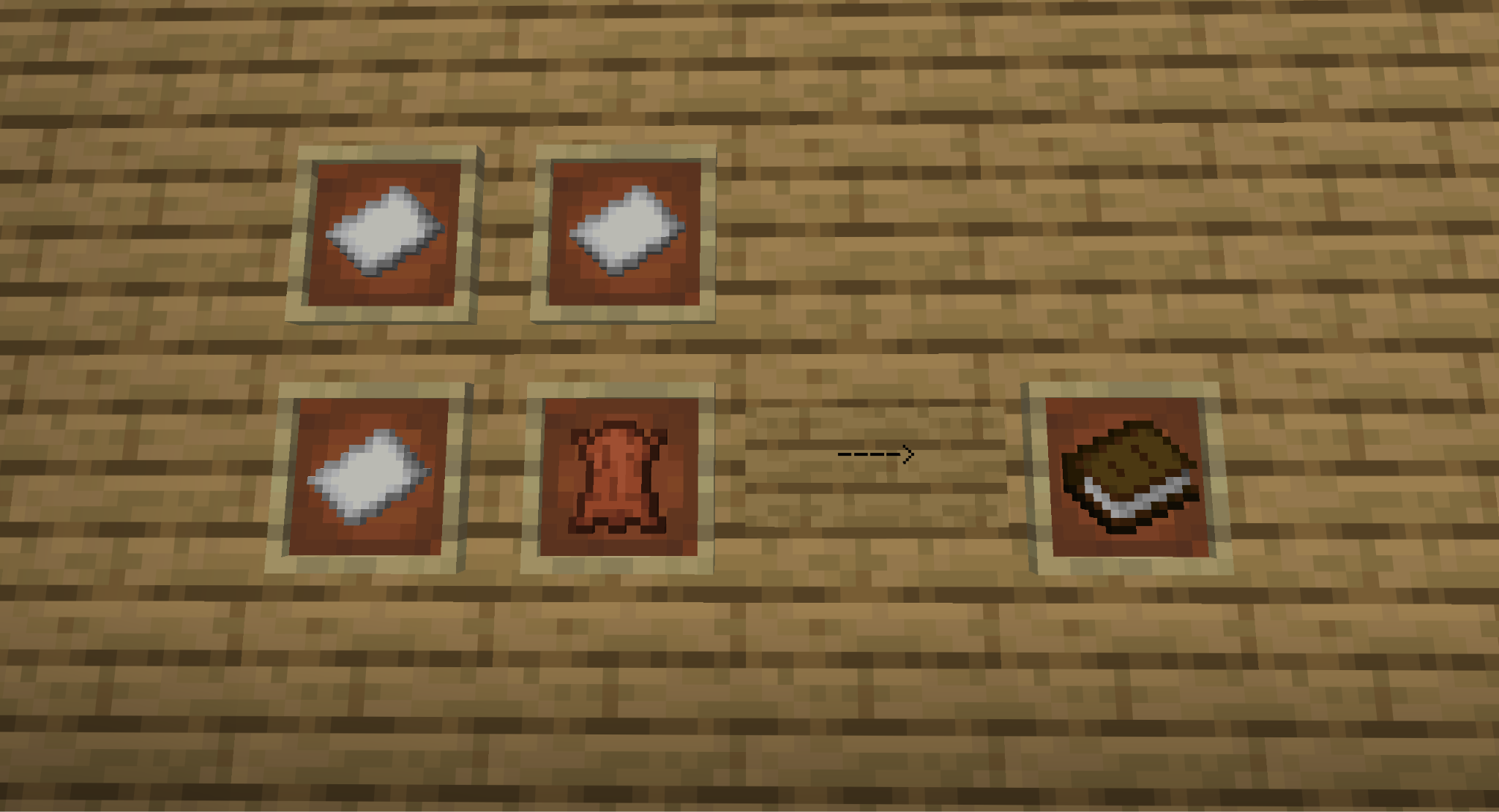
The actual crafting recipe for books is simple: combine one leather piece with three paper pieces in any configuration.
Since it only requires four crafting slots, this means it can be crafted on both a crafting table or in your inventory crafting menu.
The real challenge is getting the items you need.
Getting Enough Paper Pieces
The only reliable source of paper is to craft it from three sugar canes, placed horizontally. This results in three paper pieces, so at least three sugar canes are needed to make one book.
Sugar canes can, fortunately, spawn in any biome in Bedrock Edition and in select biomes in Java Edition, the only requirement being that it should be next to water. Searching along oceans, lakes, and rivers will eventually lead to the discovery of sugar cane. Deserts even have a special modifier, making them six times as likely to spawn near water. This makes desert rivers the best place to find a lot of sugar canes fast.
Sugar cane drops as a block. More sugar cane will grow from any that's planted next to water, making them an extremely easy crop to farm in large quantities.
Getting Enough Leather Pieces
Leather is a mob drop from cows, mooshrooms, horses, mules, donkeys, camels, and hoglins. The most common source of leather is from cows, due to how commonly they can be found in the overworld and how easy they are to breed.
All of these mobs have a 66% chance to drop leather, except for hoglins, which have a 50% chance. This means it will typically take about two cows to get enough leather for one book.
Since books are usually needed in large quantities and leather as a material has a wide variety of uses, we recommend wrangling some cows and starting a large cow range to keep up with your rising leather demand as you progress further into the game.
Minecraft Mods That Make Books Better
The developers aren't the only ones who recognize the utility and convenience of books. The modding community has come up with countless mods that transform books in imaginative and game-changing ways. These mods, for example, are some of our favorites.
XP Tome
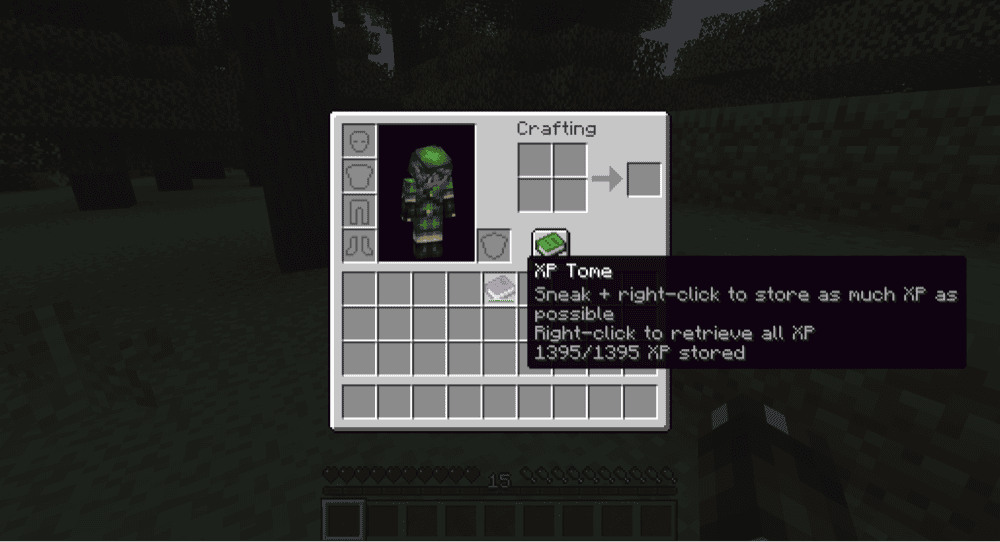
XP, short for Experience, is a valuable resource in Minecraft, acting as the fuel for enchantments, repairs, and more. But there's no way to safely store it away. The “XP Tome” mode changes that by adding in a book that can hold in XP.
By placing the XP Tome in a chest, you can safely store away all that valuable experience for later. You could even share that XP with a friend by letting them take some from the book.
Neko's Enchanted Books
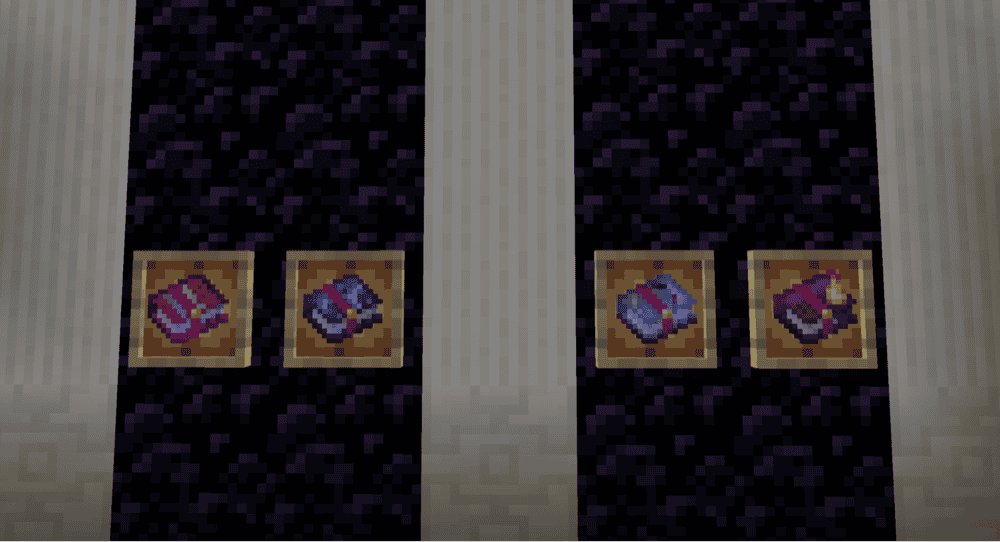
Enchanted books are an amazing way to carefully curate the ultimate set of tools, weapons, and armor for your playthrough. But as you start collecting all the different enchantments, you'll realize how hard it is to tell them all apart.
“Neko's Enchanted Books” mod fixes that by giving each enchanted book a unique sprite based on which enchantment it holds. What used to be a chest full of the same exact image becomes a colorful and well organized storage for enchantments.
Warp Book
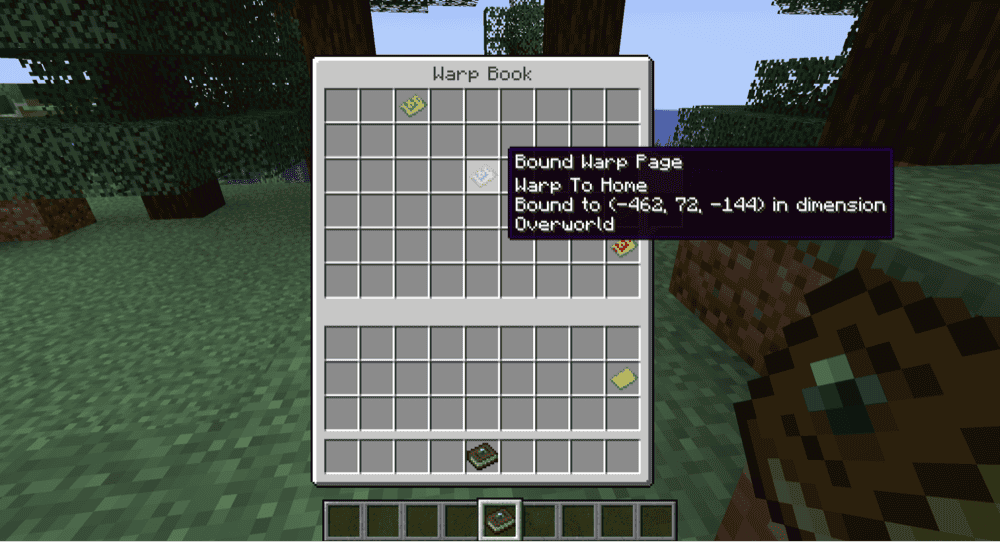
A fun blend of flavor and function, the “Warp Book” mod adds in a handful of different ways to teleport around your Minecraft world. Namely done with pages (though potions and platforms also exist), each page can be activated to teleport to a location. These pages can then be held inside the Warp Book item for convenience.
This is an especially good mod for multiplayer worlds, where you might want to give the players the convenience of teleporting to each other without granting them full teleportation permissions.
How to Install Minecraft Mods
You can install the above mods automatically using the CurseForge app or manually by placing the mod files within your game’s mods folder. Both methods allow you to easily add custom features and enhancements into your vanilla Minecraft experience.If you want to learn more, you can read our detailed guide on how to install Minecraft mods.
Common Issues and Quick Fixes
How do I put an enchantment from a book onto an item?
To put an enchantment on an item from a book, add the item onto an anvil and combine it with the book. This will consume the book and transfer the enchantment onto the item.
If the resulting item is missing the enchantment, this is because it's not compatible with the item. Be sure to check the resulting item before accepting it so you don't waste the book in the process.
Breaking a bookshelf block results in book drops
Bookshelves, when broken, will drop as three books instead of a bookshelf block. You can use those three books (along with six wood planks) to craft a new bookshelf.
You can avoid this by breaking the bookshelf with a Silk Touch-enchanted tool. This will drop the undamaged bookshelf instead.
The Librarian villager won't trade for my books
Villagers have a limited number of times they can make a specific trade. For librarians, they can only buy books from you 12 times. This number refreshes when that villager visits their job block, which can happen up to two times a day.
If they are restrained, make sure they can still access their job block, then wait approximately ten minutes and return to see if their trades are refreshed.