A dispenser is a redstone-powered block that fires projectiles, uses certain items, and places specific blocks or fluids when it gets a signal. It also has 9 inventory slots, so it can store items and use them in the same build.
Crafting one takes 7 cobblestone, a bow, and 1 redstone dust. The recipe is easy to remember once you've done it – and once you've got one placed, there's a lot you can do with it beyond a basic arrow trap.
What You Will Need
- 7 cobblestone
- 1 bow
- 1 redstone dust
Bow durability doesn't matter, so don't waste a good one here. A bow at 1 durability works the same as a brand new one, and enchantments don't carry over to the crafted dispenser. If you're early in a world, the bow is usually the bottleneck – you'll need 3 strings and 3 sticks to craft one, so spider hunting or checking mineshafts for extra strings is the fastest way to get things sorted.
Learning the Dispenser Crafting Recipe
Open a crafting table and place the items in this pattern:
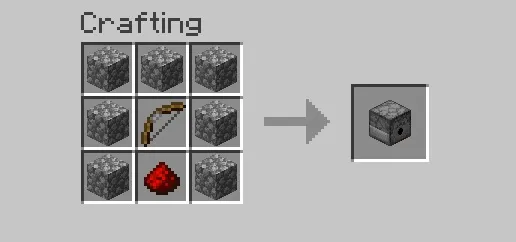
If you end up with a dropper instead of a dispenser, the center slot is probably filled with another item. To get a dispenser, double-check that the bow is in the middle.
How a Dispenser Works
Place a dispenser so its face points where you want it to act. It faces the direction you place it, including up or down. Its mouth (the face with the small holes) is where all the action happens.
A few things are worth knowing before you wire anything up:
- A dispenser fires exactly once per redstone pulse. It doesn't keep firing while a lever stays on. If you want repeated activations, you need a clock circuit that sends repeated pulses.
- When it activates, it picks a random occupied slot from its inventory. If you've loaded multiple item types, you can't predict which one will fire each time.
- It accepts items from hoppers, so restocking is easy to automate.
- It can't push items into adjacent containers – that's what droppers do. A dispenser's job is to use or fire items – not move them between containers.
Note: What a dispenser will ultimately do will depend on the item inside. Arrows fire as projectiles. Water buckets place water. Bone meal fertilizes plants. Fireworks launch. Boats, minecarts, and armor each have their own dispenser behavior, too.
What Can You Build With a Dispenser?
Defenses and Traps
Arrow dispensers are a classic early trap for a reason. Pair one with a pressure plate or another trigger and point it at the path you want to defend. For a vanilla example, jungle pyramids use tripwire-triggered dispenser traps hidden in the hallway.
Farming and Utility
Water bucket dispensers are one of the most useful builds you can make. Trigger one above a crop field to place water on a timer, knock harvested items into a collection channel, or create a flood-and-drain cycle for specific farm designs. Bone meal dispensers speed up plant growth when pointed at a crop and pulsed repeatedly.
There's also a neat trick with armor: place a dispenser facing the spot a player stands and load it with armor pieces. When triggered, it will equip the armor directly. It's a quick gear-up station that works well in multiplayer bases near the entrance.
Adding Base Flavor
Fireworks dispensers are worth building just for celebrations or timed events – wire one to a clock above your base entrance for automatic launches. Boat dispensers pair well with drydock builds if you want to push a boat into the water on demand.
Common Dispenser Mistakes to Avoid
Mixing Up Dispensers and Droppers
Droppers eject items into the world or feed them into adjacent containers. Dispensers actually use items – they fire arrows, place water, launch fireworks, equip armor, etc.. They look nearly identical and sit close together in the crafting menu, so confusing them is common.
Going Haywire with the Wiring
Redstone dust that runs alongside a dispenser but points away from it won't activate it. The signal needs to point into the dispenser, or use a repeater aimed directly at it to be safe. A redstone torch attached directly to the dispenser also won't activate it – you’ll need to put the torch on an adjacent block instead.
Assuming It Will Keep Firing While Powered
A dispenser fires once when it receives a new signal, and it will not keep firing just because the power stays on. Holding a lever on does nothing after that first activation. For this to happen, you’d need a clock circuit for repeated firing.
Mods That Work Well With Dispensers
If you want smarter item placement or cleaner redstone wiring for your dispenser builds, these mods are worth looking at.
Create
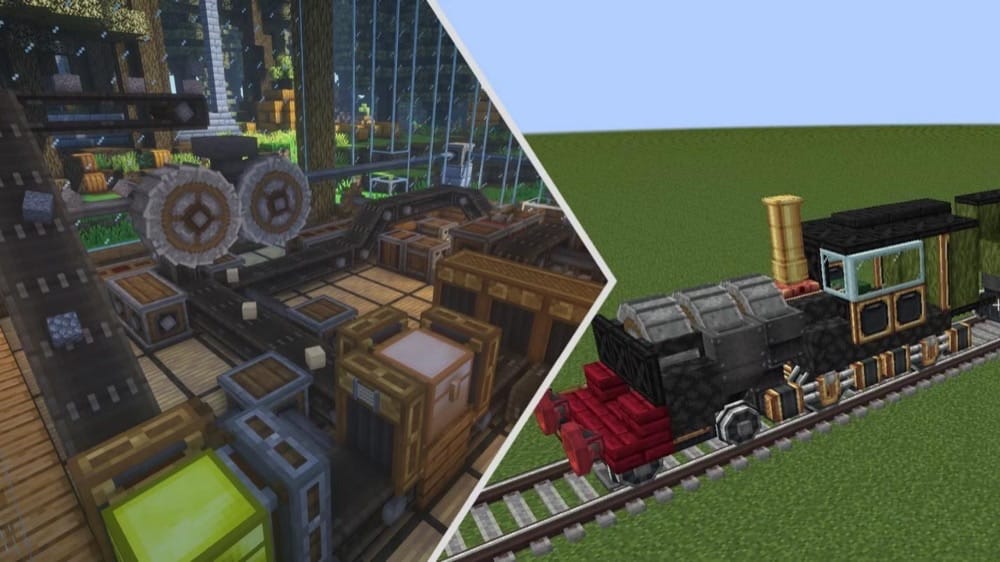
Create is a broad automation and building mod built around mechanical contraptions, rotational power, and in-world machines instead of UI-heavy systems. The Deployer can imitate player actions, use items on blocks or entities, and switch between right-click and left-click behavior. That makes it a strong pick when a vanilla dispenser is too limited to fit the bill.
It also fits well for players who want their automation to feel physical and hands-on. As an added touch, its in-game Ponder system helps explain how the mod’s parts work, and the Deployer gives you a cleaner way to handle certain item-use tasks inside larger contraptions. In a dispenser-focused build, that makes Create less of a direct dispenser upgrade and more of a smart automation companion for setups that need more precise interaction.
Modular Routers
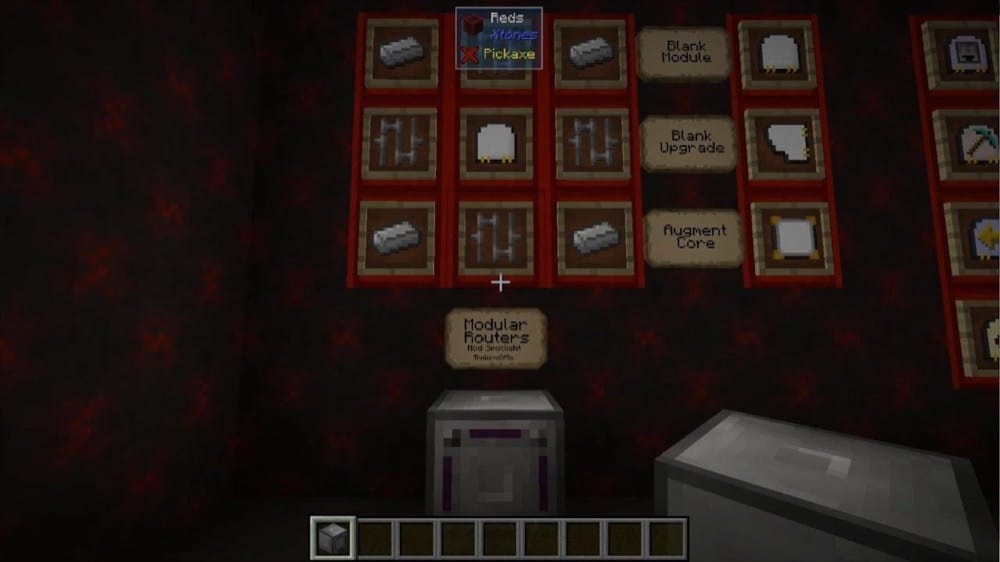
Modular Routers is built around a single Item Router block and a set of plug-in modules that let you move, sort, place, break, drop, absorb, and fling items in different ways. That flexibility makes it a strong fit for dispenser-style automation, especially when you want more control over how items are handled than a vanilla dispenser can offer.
This mod works especially well in builds where a dispenser’s random inventory slot behavior gets in the way. Instead of loading one block with mixed items and hoping the right thing fires, you can set up router modules for more deliberate jobs like placing blocks, breaking them, sending items to inventories, or cleaning up drops. That makes Modular Routers a practical pick for cleaner, more predictable automation around dispenser-based contraptions.
More Red
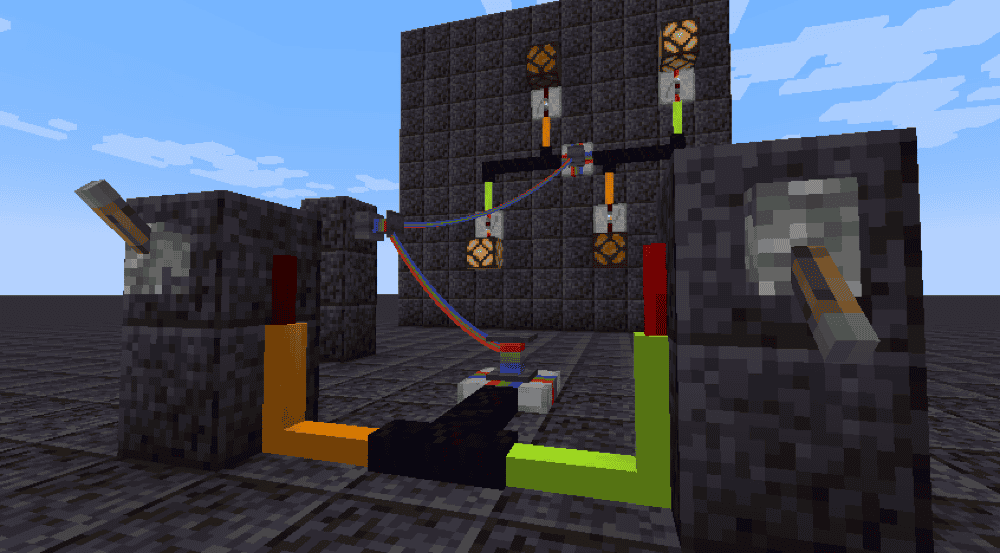
More Red adds redstone wires, logic gates, and item tubes, with a strong focus on cleaner placement and signal control. Its plate-style logic gates can be rotated and mounted onto floors, walls, or ceilings, and its wires and cables can also attach to solid surfaces instead of being limited to the ground. That makes it a very natural fit for dispenser builds where standard redstone dust starts to feel messy or cramped.
This mod is especially useful when you want cleaner dispenser circuits without giving up flexibility. You can route wiring overhead or along walls, keep floors clear, and build more compact trigger logic around traps, farms, or item launchers.
Tiny Redstone
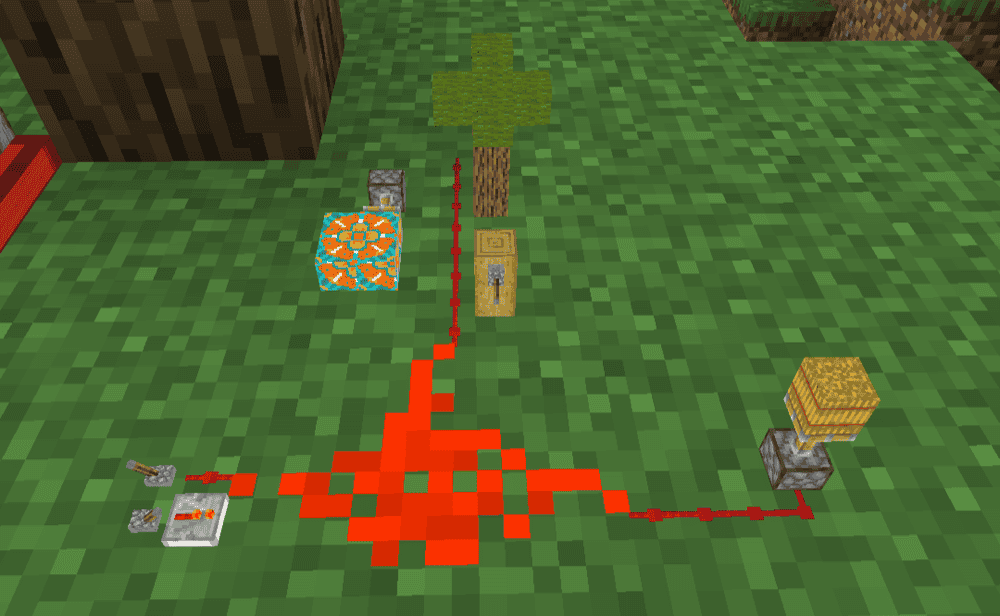
This mod adds tiny redstone components that let you build compact circuits inside a single block space. You can place the pieces together into small redstone setups, move and rotate finished circuits, link them with other circuits, and even copy them onto blueprints to reuse or share later. The project page also notes that each block space can hold up to 512 components in an 8x8x8 grid, which makes it one of the strongest options if you want to shrink large dispenser logic into something much cleaner and denser.
It works especially well for players who like compact redstone without giving up flexibility. Redstone Panels can be rotated and placed in different orientations, so you can mount circuits on walls or ceilings and keep larger builds from turning into a mess of repeaters and dust. For dispenser setups, that makes Tiny Redstone a strong pick when you want to hide timing, pulse, or trigger logic in a much smaller footprint than vanilla usually allows.
Project Red - Transmission
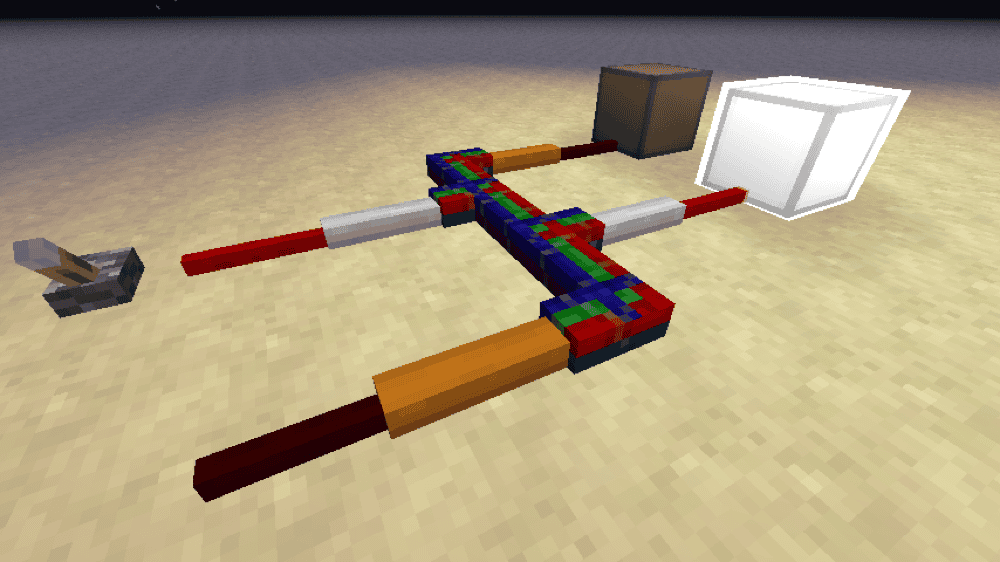
Project Red - Transmission is the wiring-focused module that is part of the larger Project Red series: a collection of mods built to expand redstone circuitry with better wiring, logic, and integrated circuit options. Transmission itself adds redstone wiring that can run up walls, turn corners, and merge into bundled cable, and it is designed to work cleanly with CB Multipart so multiple compatible tiles can share the same block space. That makes it a very strong fit for tighter dispenser circuits where vanilla redstone dust starts taking up too much room.
This mod works especially well in builds that need several separate signal lines in a small area. Instead of spreading dust across the floor and around blocks, you can route cleaner wiring paths and keep your trigger logic more organized.
How to Install Minecraft Mods
You can install the above mods automatically using the CurseForge app or manually by placing the mod files within your game’s mods folder. Both methods allow you to easily add custom features and enhancements into your vanilla Minecraft experience.If you want to learn more, you can read our detailed guide on how to install Minecraft mods.
Common Issues and Quick Fixes
My dispenser is not firing at all
Check the redstone connection. Dust running alongside the dispenser but pointing away won't activate it – the signal always needs to point into it. Using a repeater aimed directly at the dispenser is a reliable test. If that works, then the connection was the issue. Also check whether you've placed a redstone torch on the dispenser itself as that won't activate it. In this case, all you need to do next is to move the torch to an adjacent block instead.
Mi dispenser fires once, then stops during rapid-fire
Your clock rate is probably too fast. If it sends pulses faster than around 5 per second, the dispenser will fire once and then remain stuck in the 'on' position. To fix this, simply slow the clock rate down and it'll start working normally again.
The dispenser releases the wrong item
The dispenser picks a random occupied slot each time it activates. If you've got multiple item types loaded, you can't control which one it fires next. Keep a single item type in the dispenser if you need consistent output, and use a mod like Modular Routers to handle precise item delivery if your build needs more control.
A mod does not load or causes a crash at startup
Check that the file you downloaded matches both your Minecraft version and your mod loader, and install any required dependencies listed on the mod's CurseForge page.
More Red cables are rendering incorrectly
If you are using More Red on Minecraft 1.21.1, there is a known issue where its cables can render incorrectly with Sodium. If that’s your case, the project page recommends using Embeddium instead.