Parrots are small, colorful jungle mobs that can become one of Minecraft’s most distinctive companions. They are not combat pets, but once tamed, they can follow you, ride on your shoulder, and add a bit of personality to exploration.
This guide covers where to find parrots, how to tame them with seeds, how to keep them safe, and which mods add more bird-focused features.
Where to Find Parrots?
Parrots spawn in jungle and bamboo jungle biomes. In Bedrock Edition, they can also spawn in sparse jungles. They're passive, relatively rare, and tend to appear perched on leaves and logs in the mid-canopy rather than on the ground. If you're having trouble spotting them, listen for their sounds – they imitate nearby mobs even in the wild, which can make them a bit confusing to track down the first time.
Note: Wild parrots come in five colors: red, blue, green, cyan, and gray. Color is purely cosmetic and doesn't affect behavior or stats.
What Do Parrots Eat?
Parrots are tamed with seeds. Any of the following would work:
- Wheat seeds
- Melon seeds
- Pumpkin seeds
- Beetroot seeds
- Torchflower seeds
- Pitcher pods
Important: Do not feed a parrot a cookie! Cookies are lethal to parrots in both Java Edition and Bedrock Edition: Java shows poison particles as the parrot dies, while Bedrock applies fatal poison damage outright. This is a long-standing mechanic that catches a lot of new players off guard, so we recommend sticking to seeds only.
How to Tame a Parrot Step by Step
Step 1: Find a Parrot in a Jungle Biome
Head to a jungle or bamboo jungle and scan the tree canopy. Parrots aren't common, so arm yourself with some patience. If you have a lead, it can help keep a found parrot in place while you prepare.
Step 2: Hold Seeds and Right-Click the Parrot
Approach the parrot, hold any of the seeds listed above in your hand, and right-click it. Taming is chance-based – each feeding attempt has roughly a 1-in-10 chance of succeeding, so you'll usually need multiple seeds. Red hearts appearing above the parrot's head mean it worked. Smoke particles mean it didn't – if this happens, simply try again.
Tip: Bring at least a stack of seeds just to be safe.
Step 3: Make It Sit or Follow You
Once tamed, right-clicking the parrot on the ground will cycle between sitting and following behaviors:
- A sitting parrot stays put wherever you last left it.
- A following parrot trails behind you and will teleport to you if it falls too far behind – roughly 12 blocks or more.
Step 4: Get It onto Your Shoulder
With the parrot set to follow you around, wait until it stops moving and then walk directly into it to get the animal comfortably perched on your shoulder. A parrot on your shoulder won't take damage while perched there, but it will dismount in a few situations – taking damage, touching water, sleeping in a bed, or certain falls and ledge transitions can all knock it off.
Tip: You can carry up to two parrots (one on each shoulder) at the same time!
What Are Parrots Used For?
Parrots are mainly used to detect mobs. They do this by imitating the idle sounds of hostile mobs within roughly 20 blocks – so a creeper hiss, zombie groan, or skeleton rattle from a perched parrot means something nearby is worth paying attention to. It's not a perfect alarm (there are occasional false mimics), but it's a genuinely useful signal during cave exploration.
Beyond that, parrots are shoulder companions. They look distinct, they're the only mob that can perch on the player, and carrying two at once is one of the more visually distinctive things you can do in survival mode. They're not combat pets, though – they have only 3 hearts of health and won't fight back – so think of them more as scouts than as guards.
A Note on Vanilla Parrot Limits
Parrots can't be bred in vanilla Minecraft. Each one you tame stays yours unless it dies, gets lost, or is affected by a bug. Wild parrots can be unreliable in terms of persistence – if you find one you want to keep, tame it and set it to sit in a sheltered, enclosed space rather than leaving it loose or trusting a shoulder-perch through a logout. Bedrock Edition has documented cases of tamed parrots disappearing after logout or extended travel, so extra caution is warranted there.
Mods That Work Well with Parrots
Vanilla parrots are simple companions, so mods can expand them in a few useful ways. Some add more bird variety to the world, including parrots and related variants, while others focus directly on vanilla parrots by improving shoulder behavior or adding care, housing, and friendship mechanics.
Exotic Birds
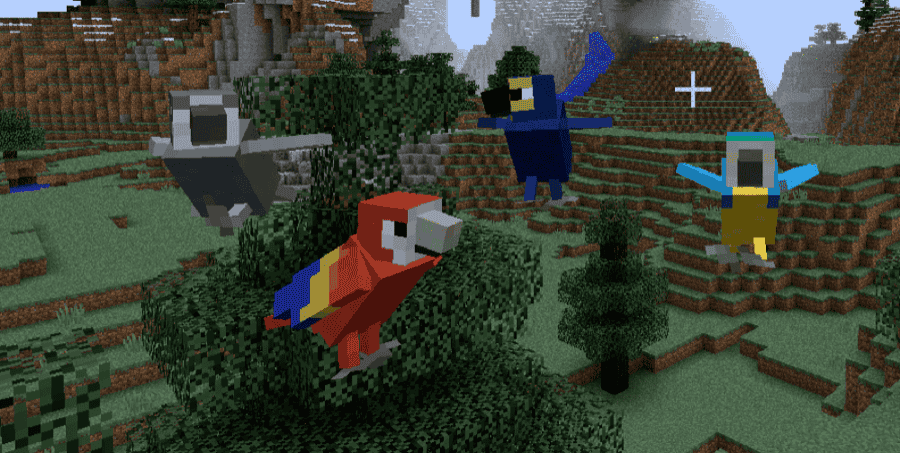
Exotic Birds adds more than 30 bird types to Minecraft, including parrots, with different birds spawning across a variety of biomes. Each bird type can also have multiple species or variants, bringing the total number of birds in the mod above 100.
For a parrot-focused article, the main reason to include it is that it expands the bird side of Minecraft beyond the five vanilla parrot colors. The mod also adds bird eggs, nests, birdcages, an egg incubator, an egg identifier, and a Bird Encyclopedia that shows details such as habitat, favorite food, gender, and taming or breeding items where available.
Persistent Parrots
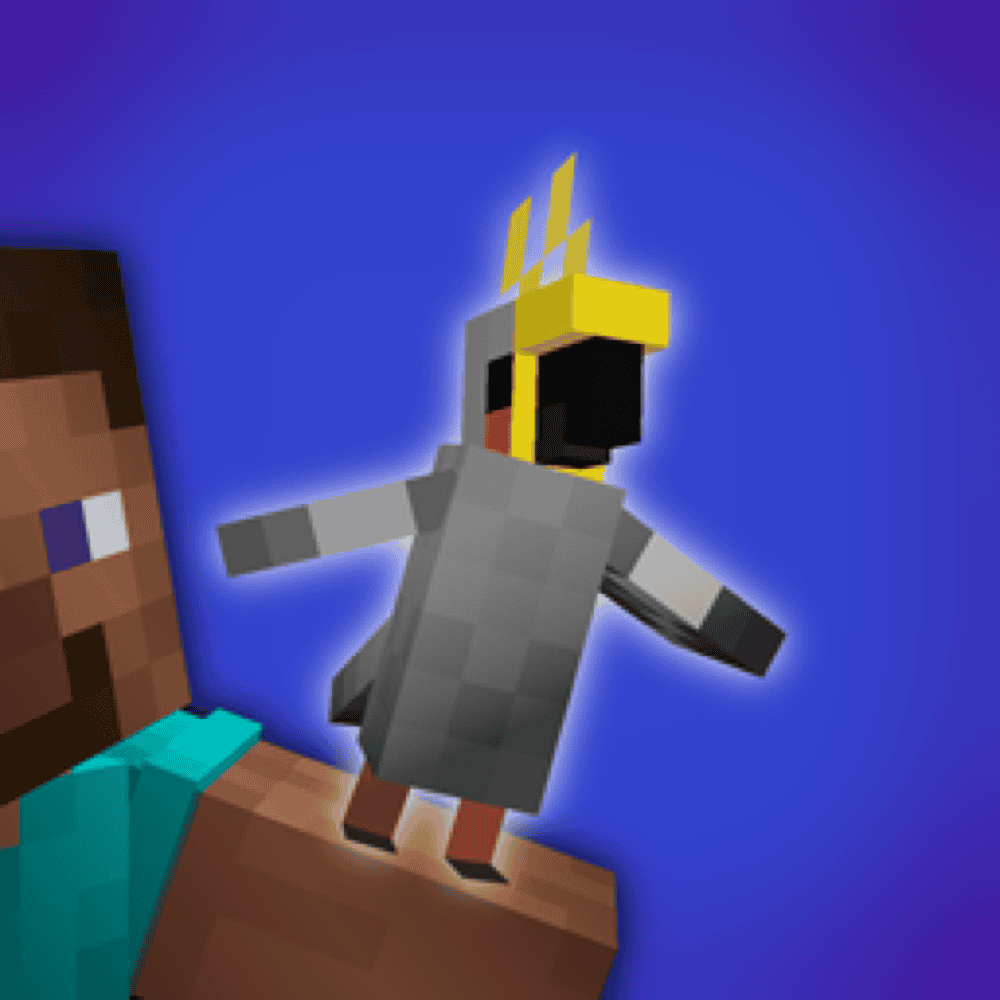
Persistent Parrots changes vanilla shoulder behavior so parrots stay perched more reliably during normal gameplay. Instead of dropping from every small movement or light splash, parrots only dismount in more specific cases, such as when the player is fully submerged in water or takes damage types configured to make parrots jump off.
The mod also adds an intentional dismount shortcut: Sneak and Jump – "Shift" and "Space" by default on keyboard – makes the parrot hop off when you want it to. It is server-side, so in multiplayer only the server needs the mod installed and not every client.
Parrot's Cage
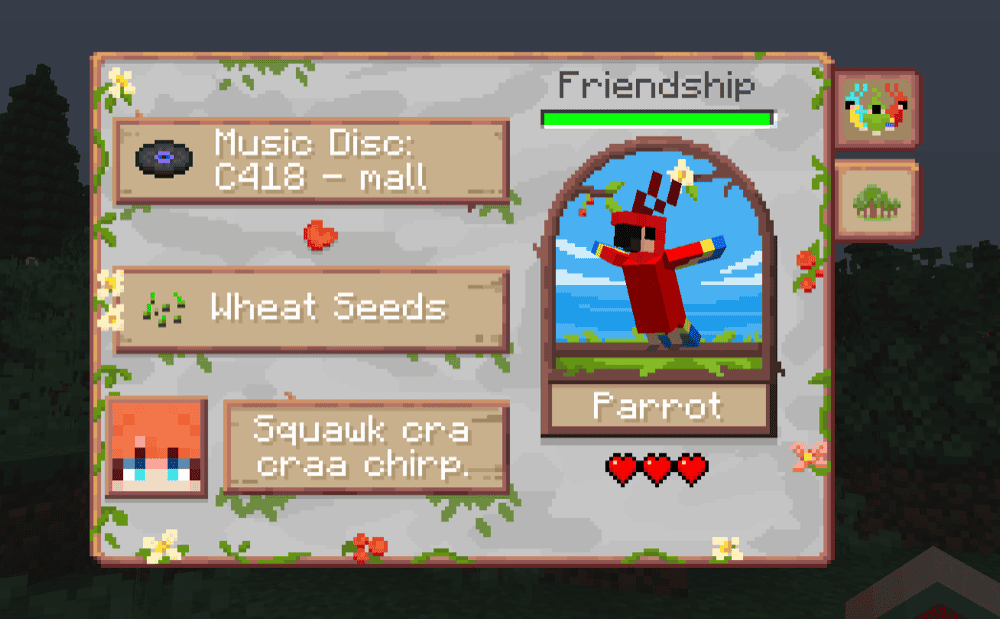
Parrot's Cage adds cage blocks and Tamagotchi-like friendship mechanics for vanilla parrots. It adds five cage types – Basic, Gold, Fancy, Modern, and Christmas – which can be used to keep parrots in a safer, more controlled space instead of leaving them loose around a base.
The mod also adds a Friendship stat that changes based on how you care for the parrot. Playing its favorite music disc, feeding its preferred seed, exploring biomes together, or keeping it on your shoulder can all help maintain that friendship. Each parrot can have different preferences, and sneaking – "Shift" by default on keyboard – while right-clicking the parrot opens a stat screen with details like favorite food, favorite record, favorite player, and explored biomes.
How to Install Minecraft Mods
You can install the above mods automatically using the CurseForge app or manually by placing the mod files within your game's mods folder. Both methods allow you to easily add custom features and enhancements into your vanilla Minecraft experience.
If you want to learn more, you can read our detailed guide on how to install Minecraft mods.
Common Issues and Quick Fixes
The parrot won't tame no matter how many seeds I use
Make sure you're actually holding seeds – wheat seeds, melon seeds, pumpkin seeds, or beetroot seeds – and right-clicking the parrot directly. Taming is chance-based and can take many attempts, so a full stack of seeds isn't excessive to bring. Also check that you're in a jungle biome and not accidentally interacting with a different mob nearby.
I fed it a cookie and the parrot died
That's unfortunately intended behavior. Cookies kill parrots in both Java Edition and Bedrock Edition. Java shows poison particles as the parrot dies, while Bedrock applies fatal poison. There's no way to reverse this in vanilla. For future parrots, stick exclusively to seeds.
My parrot keeps falling off my shoulder
This is the intended vanilla behavior. Taking any damage, touching water, sleeping, or falling certain distances will dismount a shoulder parrot. If this is too frustrating for your playstyle, Persistent Parrots removes most of the accidental dismount triggers while keeping the ones that make most sense. On vanilla, the safest approach is to set the parrot to sit before doing anything risky.
The parrot was sitting but ended up disappearing
A sitting parrot left in an exposed or dangerous area can be killed by mobs, lava, or other hazards. It won't follow you while sitting, so it stays wherever you left it. Check that the spot is safe and enclosed. On Bedrock Edition specifically, there are documented cases of tamed parrots disappearing after logout even when sitting – if you play on Bedrock, keep important parrots in a fully enclosed, sheltered space.
My game crashes on startup after adding a mod
A startup crash after adding a mod usually means something does not match your setup. Check that the mod supports your exact Minecraft version and loader – Forge, Fabric, NeoForge, or Quilt – and make sure any required dependencies are installed too. Missing libraries, wrong loader files, Java/version mismatches, or mod conflicts are common causes.
If the game still crashes, try removing the newest mod you added and launch again. If Minecraft opens normally, that mod or one of its dependencies is likely the problem. You can also check the crash report or latest.log file, since it often points to a missing dependency or incompatible mod.