Tired of living in isolation on your Minecraft world? Perhaps you just want to quickly get your hands on some sweet loot? Or maybe you strive for the life of a humble merchant trading goods for profit. Regardless of your reasons, a village is the best place to go.
But with the endless expanse of a procedurally generated world, finding a village in Minecraft can be tough, especially if you don’t know what to look for. So, save yourself the headache and read on to discover the quickest, easiest ways to locate a village.
Where To Find A Minecraft Village
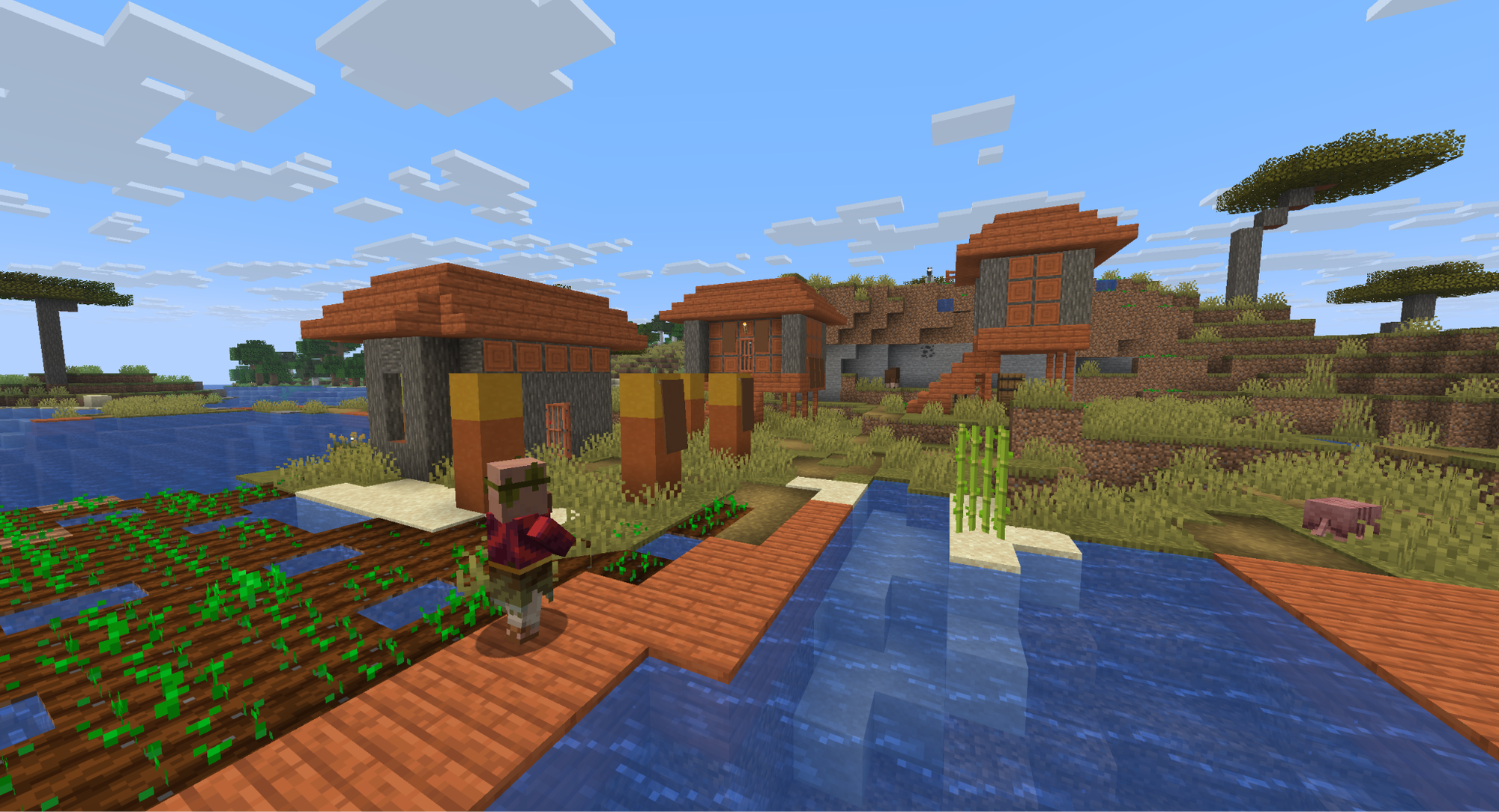
The most common mistake when hunting down a village is by looking in the wrong biomes. In Minecraft, villages will only generate in specific biomes, specifically:
- Plains
- Savannas
- Taigas
- Meadows
- Snowy Plains
- Deserts
The Bedrock Edition of Minecraft slightly expands on that list by also including snowy taiga and sunflower plains biomes into the mix.
Important: there is a 2% chance for any generated village to be an abandoned village instead. These kinds of villages will have ruined versions of the different houses and structures, and will be absent of any villagers. They can be searched for rare items, though.
Cheating Using Console Commands
Want to save yourself the trouble entirely? If you have cheats enabled, you can use a specific command to locate the nearest village. If you want a particular biome, replace “plains” with desert, savanna, snowy, or taiga.
Here’s the command itself: "/locate structure minecraft:village_plains"
The command will then return coordinates. You can either travel to that location manually, or select the green coordinates from the chat window. This will paste a teleportation command into your chat box that will bring you directly there.
How to Use a Village Map
If wandering about isn’t your style, there’s another way to guarantee a village visit. The catch? You usually need another village to do it!
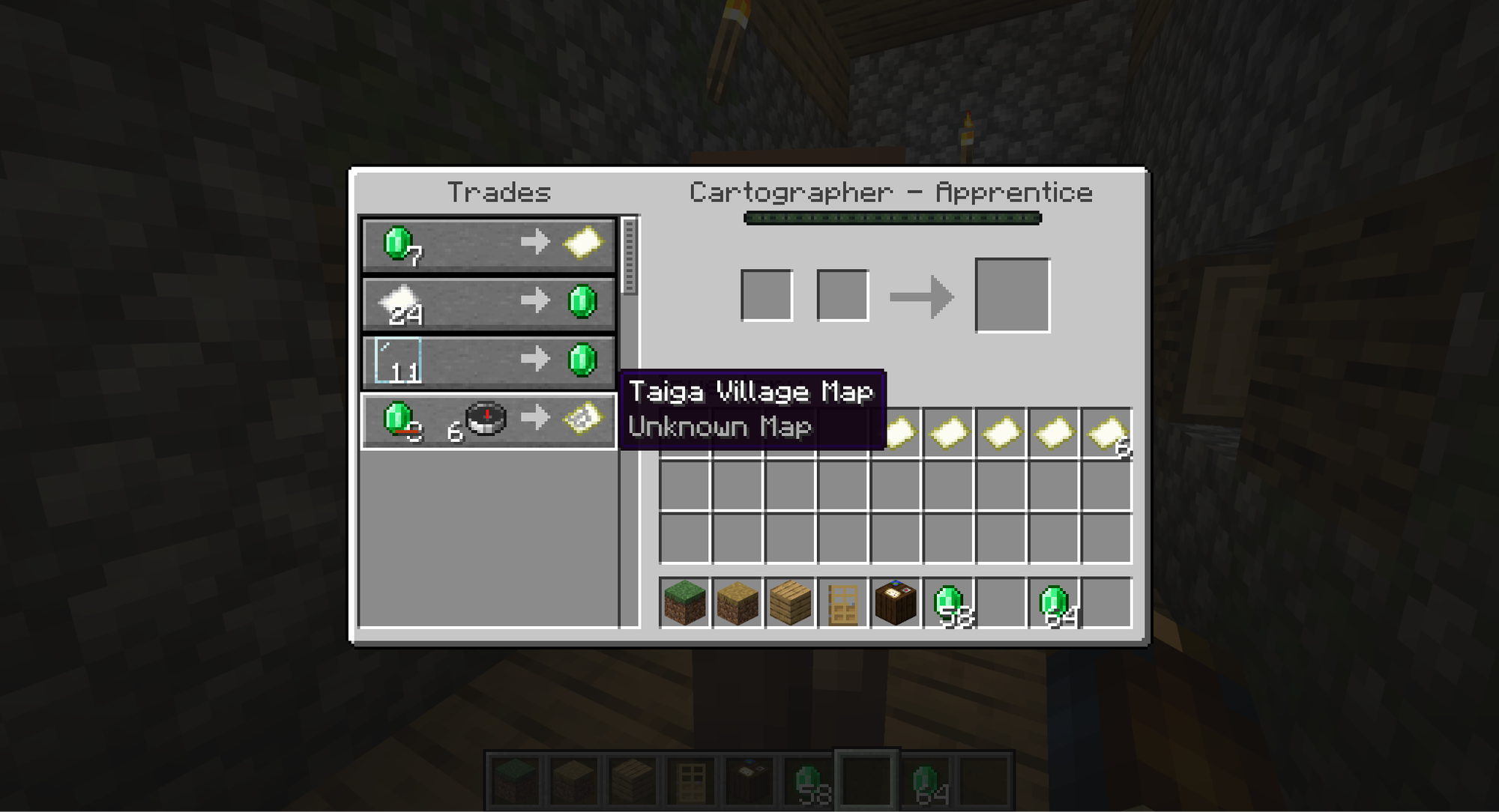
Cartographers, a type of trading villager, will sell explorer’s maps once they reach the apprentice level. Each map will be named after the type of structure they point toward, so look for the maps with “village” in the name.
By default, these maps cost eight emeralds and one compass. Once you have one, activating it will show you a map to a village.
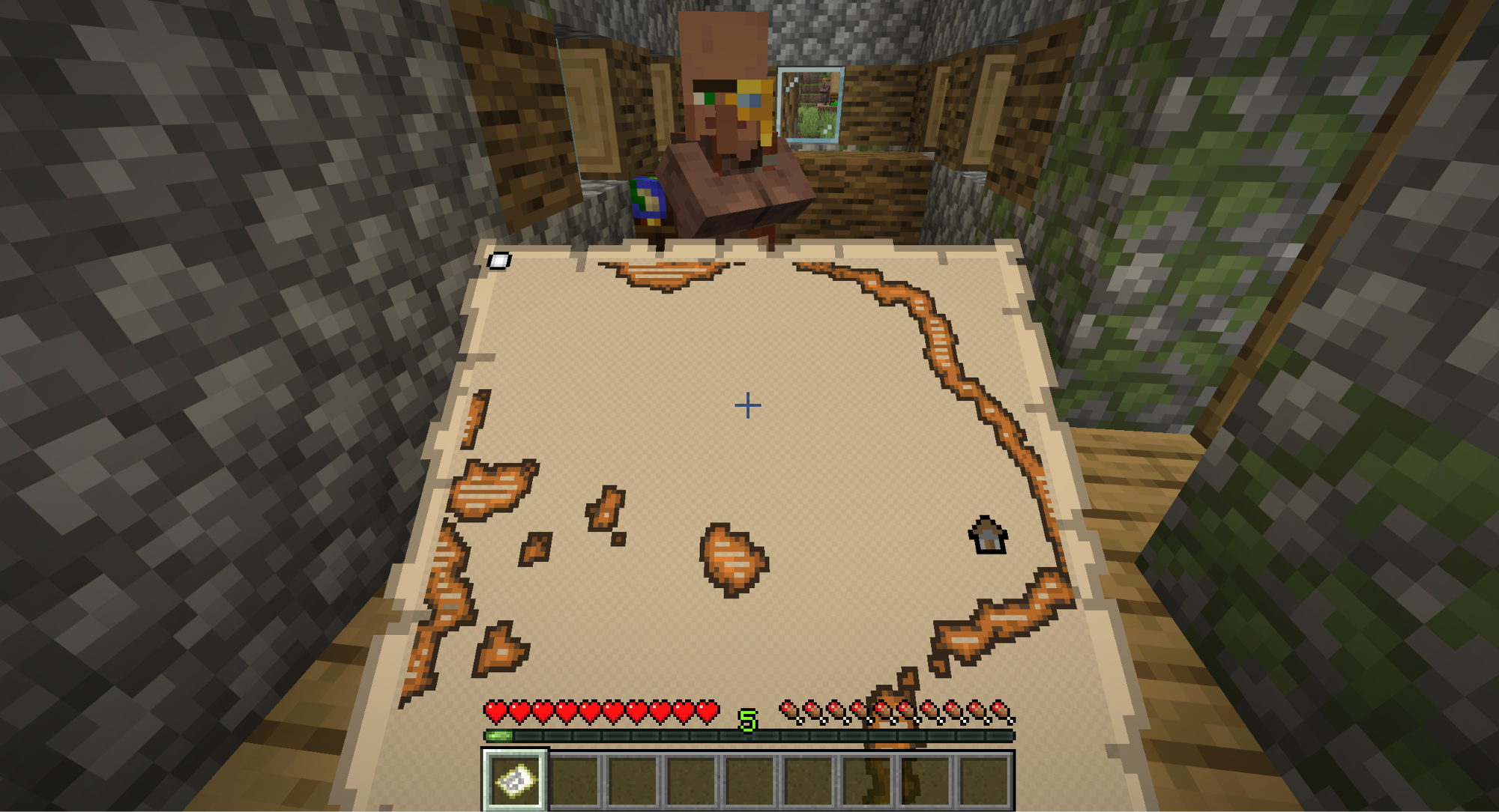
It will likely start semi-complete, with an icon for the village with orange and black lines showing major waterways – nothing more, nothing less. Use the map to pinpoint your location in relation to the village, following its guidance. Eventually, you’ll find a village.
Important: Cartographers will sell the same map every time. If you want a map to a different village, consider finding a different cartographer and buying a new map from them.
Minecraft Mods That Make the Most of Villages
Wanting something more from your village or a more natural way to hone in on existing villages? If so, you’re in luck as Minecraft has countless mods that can augment your game for the better. These mods in particular will really transform how you approach villages within the game, so let’s dive right in.
Towns and Towers
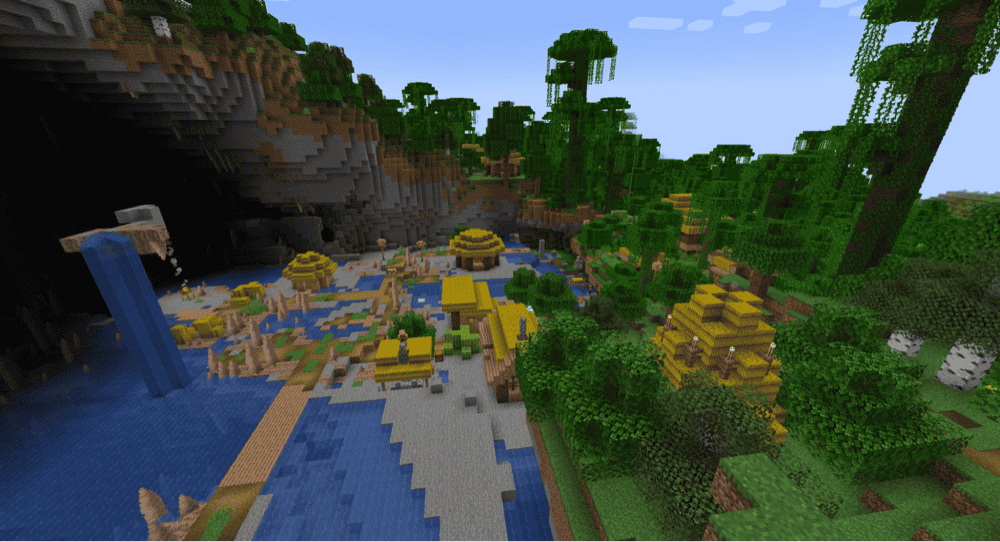
Straightforward but tremendously enriching, the Towns and Towers mod adds more than 50 new structures to the world. Pillager outposts, ships, and wandering trader camps will typically litter the landscape here. The mod also expands which biomes a village can appear in dramatically and each village also features a unique architectural style.
MineColonies
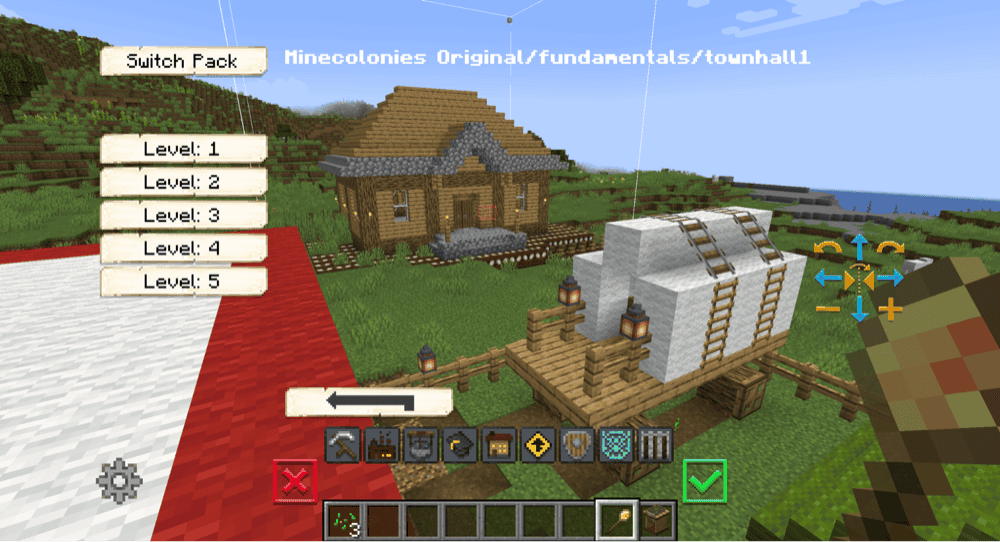
Why hunt down an existing village when you can build your own? The MineColonies mod is an expansive town management system where you settle down and recruit new NPC colonists to fill all the roles a village needs. And they’ll actually do their jobs, too – from cooking and building to farming and crafting, these are just a few of the professions a colonist can hold.
Explorer’s Compass
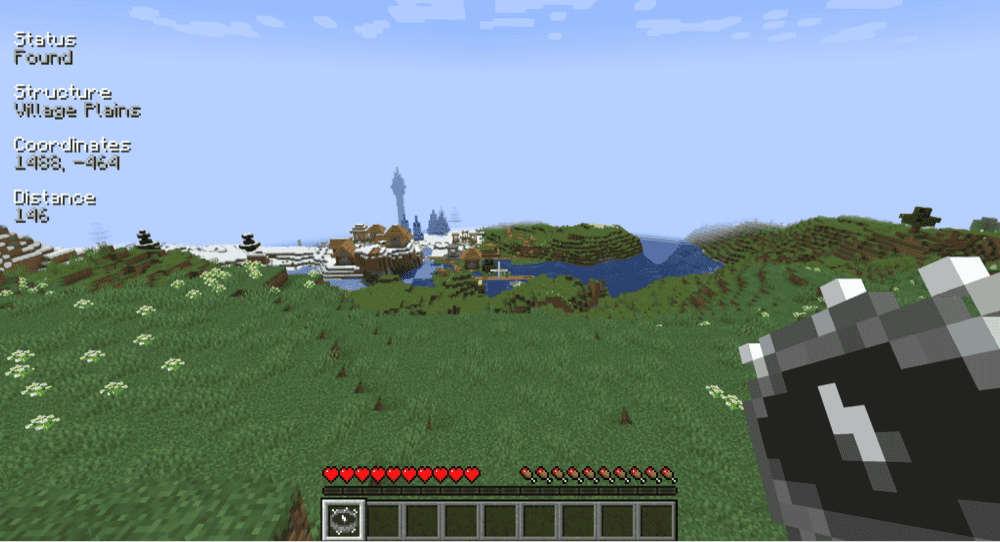
If you want a more natural and integrated way to hunt down your favorite structures, the Explorer’s Compass mod adds a single item – the titular compass. When crafted and activated, you can select any structure in the game and it will point toward the closest one. It’s simple, helpful, and very effective.
How to Install Minecraft Mods
Want to try these out for yourself? You can install any of the mods automatically by using the CurseForge app. Alternatively, you can also manually place the mod files within your game’s mods folder. Both methods allow you to easily add custom features and enhancements into your vanilla Minecraft experience.
If you want to learn more, you can read our detailed guide on how to install Minecraft mods.
Common Issues and Quick Fixes
The villagers in my village have all disappeared
The most common reason for all villagers in an established village disappearing is likely because they were attacked overnight by zombies, skeletons, or other hostile mobs. Look around and see if you can’t find any zombie villagers nearby. You can revive that zombie villager using potions and golden apples and they will then return to the village.
If everyone is gone, then the only way to revitalize the village is to bring in two villagers from somewhere else and have them gradually repopulate it.
A Bad Omen effect is preventing me from entering my village
The Bad Omen effect, given to you by drinking an ominous bottle, is a long-lasting effect that will cause a raid to start as soon as you enter a village. To prevent that, you need to remove the effect.
The effort-free way is to simply wait it out to expire. But with a total runtime of one hour and 40 minutes, that can take a while. Alternatively, using a bucket on a cow to get a bucket of milk, and then drinking that, will remove any status effects you have immediately, including Bad Omen.
My villagers don’t want to have children
If you have a village full of homes and beds, but your villagers still won’t populate any further, then it may be a problem of food supply.
Villagers have a more advanced breeding mechanic than other mobs. They have their own inventory meant for holding food. Only when both villagers hold enough food will they have children. Normally, farmer villagers will farm the food, then go around and give it to other villagers.
If you have mob griefing disabled, however, villagers will not tend to the farms on their own, nor will they pick up any food thrown to them. With no actual access to food, they won’t populate your village.
You can enable mob griefing by typing the following command into your chat and pressing enter: "/gamerule mob_griefing true"
It can also be changed from the "Edit Game Rules" in the "World Options" menu before loading a world.