The sun is dropping, your torches are running low, and the cave you picked for tonight already has a skeleton standing in it. And so, a lot of what makes a base easy to live in is decided before you place the very first block. The spot sets the tone for how you light it, which mobs find you, and what you have within arm’s reach.
To help you choose the ideal nesting place, we've gathered ten base ideas, from a cave carved into solid stone to a tower rising off flat ground. One sits where hostile mobs do not normally spawn, and another blows up the bed you try to sleep in.
Each comes with the materials, build order, and mistakes to avoid, and we'll finish with a few mods for building and decorating.
1. The Cave Base Idea
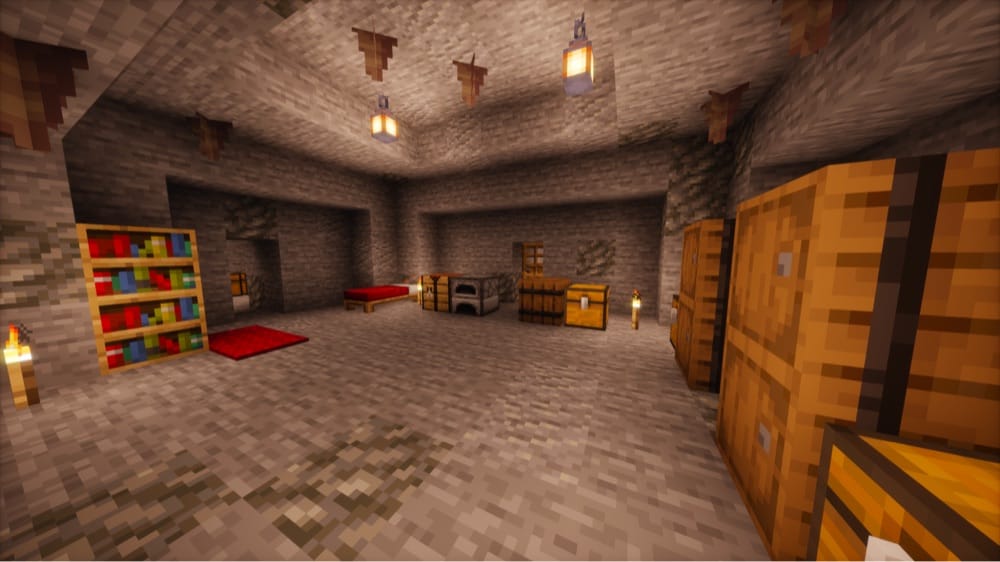
A cave base is the classic answer to a first night, and it holds up long after. Yet it's found underground where sunlight cannot reach it, so the torches you place decide where most hostile mobs can spawn. Once every floor in your rooms has been properly lit up though, they will stop spawning there.
- Materials you will need: a pickaxe, torches or lanterns, cobblestone or dirt for sealing tunnels, a door, a bed, and chests.
- Recommended build order:
- Carve out your rooms.
- Light every floor.
- Seal any passage that leads back into the dark cave.
- Add your bed and storage.
Pro Tip for Your First Cave Base
The Deep Dark, an underground biome covered in sculk, typically stays within the deepslate layer.
The Warden, a blind mob that hunts by vibrations and smell, arrives once you have set off naturally generated sculk shriekers four times, either by stepping on one or by causing vibrations near a sculk sensor beside it.
If you break into sculk, we suggest backing away and building higher.
Common Cave Base Mistakes to Avoid
- Digging too deep to the point where lava can pool in caves from "Y" -10 down and fills open cave space below "Y" -54.
- Leaving one dark nook connected to your rooms, since mobs can spawn there and walk straight in.
2. The Treehouse Base Idea
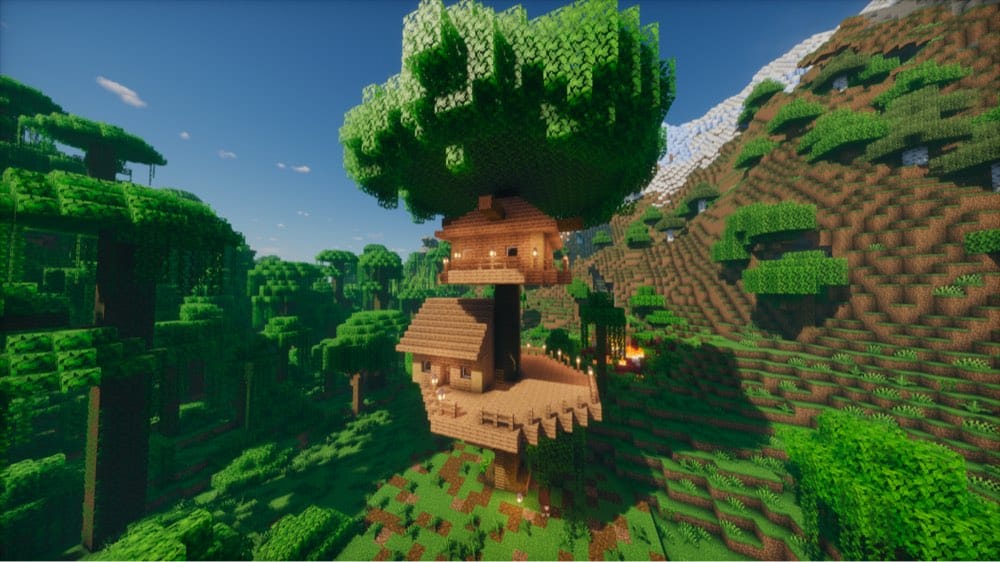
A giant tree arrives with a trunk, a canopy, and plenty of height. The Jungles and Old Growth Taigas biomes grow trees up to about 30 blocks tall, which leaves plenty of room for a platform with rooms stacked above it. Hostile mobs cannot spawn on leaves either, and leaves you place yourself never decay.
- Materials you will need: logs, planks, ladders or scaffolding, lanterns, and either shears or a tool with Silk Touch for collecting leaves.
- Recommended build order:
- Pick a large tree.
- Build the climb first, then the platform, then the walls and roof.
- Finish by lighting the deck.
Pro Tips for Your First Treehouse Base
- In Java Edition, natural leaves decay once they sit more than 6 blocks from a log, so make sure to leave the trunk logs that hold the canopy together.
- Scaffolding makes a quick climb while you build, but every block above breaks if the bottom one does, so we recommend ladders for the permanent route.
Common Treehouse Base Mistakes to Avoid
- Keeping lava or open flames near your walls is risky, since logs, planks, leaves, and wool all burn.
- Building in a Pale Garden. Some of its pale oaks hold creaking hearts that spawn creakings at night – hostile mobs that freeze while you look at them and creep closer when you look away. They cannot be hurt until you break the heart that spawned them.
3. The Mountain Base Idea
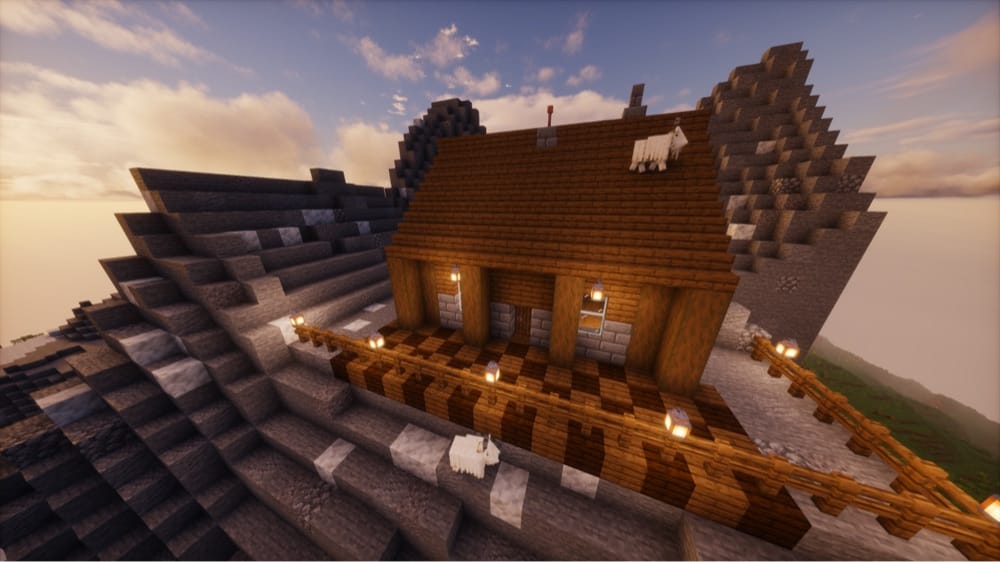
There are several reasons why you would want to erect your base inside a mountain (besides being a really cool thing to do).
For starters, mountains are the place to look for ores, which puts iron for tools and armor and coal for torches and fuel close to your front door. Emerald ore only generates in mountain biomes as well, in addition to the Windswept Hills, Windswept Gravelly Hills, and Windswept Forest biomes, and emeralds are the currency you trade with villagers.
Finally, a typical batch of iron ore peaks at around "Y" 232, and in Stony Peaks biomes iron and coal are exposed on the surface more often than anywhere else. Snowy Slopes, Frozen Peaks, and Jagged Peaks biomes also add goats. You can milk one with a bucket – milk clears every status effect you have and goes into crafting cakes – so it is a handy supply to keep at hand.
- Materials you will need: stone bricks or planks, fences for railings, a bucket, and a lightning rod.
- Recommended build order:
- Pick a ledge or flat shelf.
- Put railings along every edge.
- Build the house.
- Set the lightning rod on top – preferably on a stone block if your roof is made out of planks.
Pro Tip for Your First Mountain Base
Goats ram a still, visible target 4 to 16 blocks away every 30 seconds to 5 minutes, and a hit knocks you back 9 blocks. Because of this, we recommend putting railings along any ledge where you stand still while mining or building.
Common Mountain Base Mistakes to Avoid
- Skipping the lightning rod in rainy biomes like Stony Peaks and Meadow, where thunderstorms can bring lightning.
- Setting the rod directly on a wooden roof, since a struck rod can still set fire to blocks around its tip.
4. The Desert/Badlands Base Idea
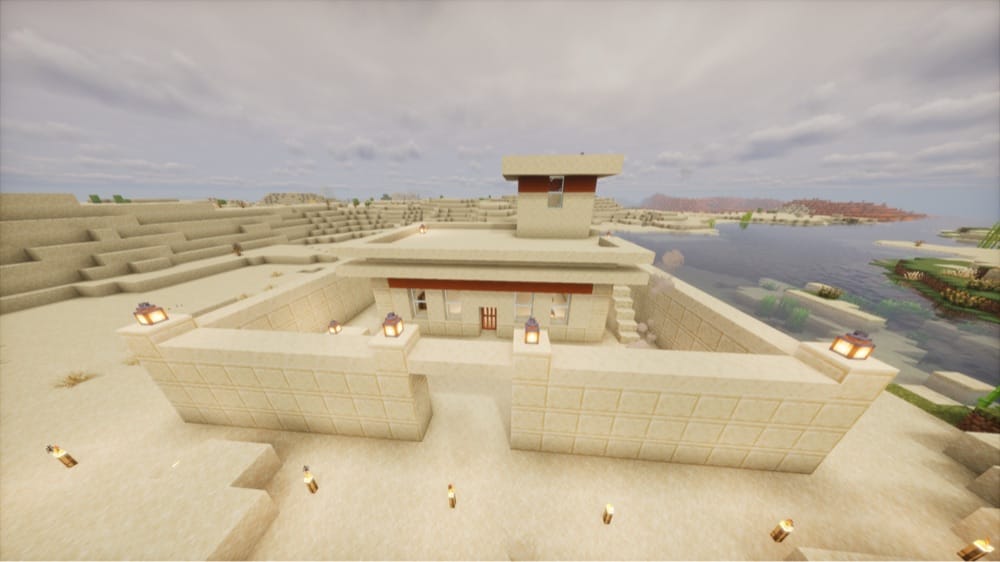
The Desert and the Badlands both stay dry, and with no rain there is no natural lightning either. A Desert gives you sandstone under sand that is usually four blocks deep, while the Badlands bring terracotta in bands of red, orange, yellow, white, light gray, and brown, along with plain terracotta. They also add an extra batch of gold ore between "Y" 32 and 256.
- Materials you will need: sandstone or terracotta, a pickaxe (neither drops anything without one), torches or lanterns, a door, and a bed.
- Recommended build order:
- Set your foundation on the sandstone layer.
- Wall in the perimeter.
- Light the ground outside.
- Add the roof and interior.
Pro Tip for Your First Desert/Badlands Base
Husks and parched – the Desert's versions of zombies and skeletons – do not burn in the sun, and neither do camel husks – the undead version of camels.
For that reason, we recommend walling your base in and lighting the ground nearby, since the ones that spawn near your base overnight can still be waiting there in the morning.
Common Desert/Badlands Base Mistakes to Avoid
- Laying your foundation straight on loose sand, which then falls when the block underneath is removed.
- Counting on daylight to clear out the Desert's undead.
5. The Snowy Base Idea
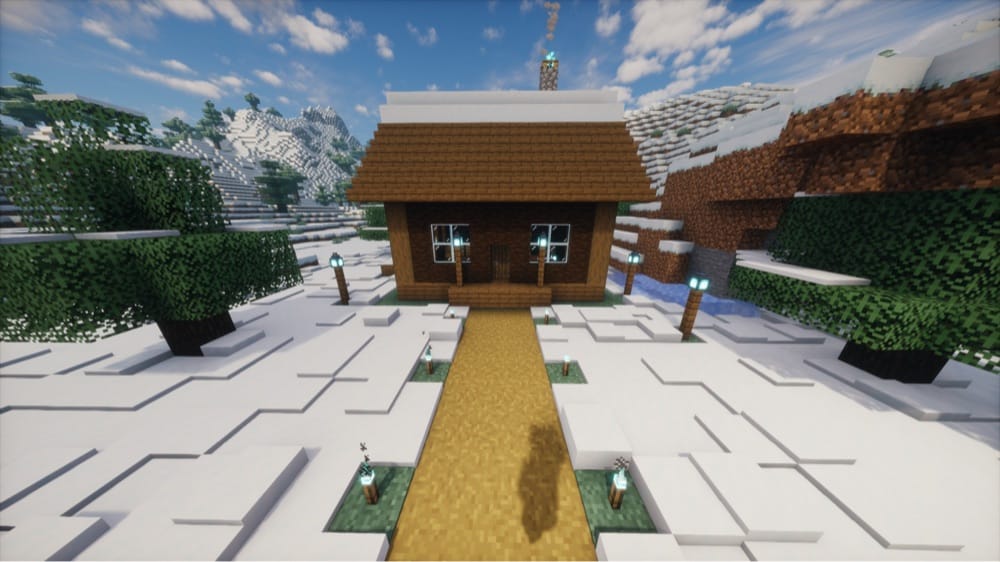
Before you decide this is an amazing idea, you should know that Minecraft torches have somewhat of a catch when being placed in the snow.
Snow layers melt at block light level 12 or more and ice melts above 11, while a torch gives off 14. Soul torches and soul lanterns give off level 10, so they light your base without melting their icy surroundings while still being more than enough to keep most hostile mobs from spawning. Because of this, we recommend using soul torches instead of regular ones.
- Materials you will need: building blocks, a door, a bed, and soul torches or soul lanterns, which are made with soul sand or soul soil found in the Nether.
- Recommended build order:
- Build the shell.
- Light the inside and the ground around it with soul torches or soul lanterns.
Pro Tip for Your First Snowy Base
Igloos in Snowy Plains, Snowy Taiga, and Snowy Slopes already hold a bed, a furnace, and a crafting table, so you can use one as a starter base while you plan your own.
Common Snowy Base Mistakes to Avoid
- Lighting the base with regular torches and watching the snow and ice around them melt away.
- Ignoring strays, which spawn out in the open in Snowy Plains and Ice Spikes. These skeleton variants fire arrows that inflict Slowness – an effect that slows your movement.
6. The Swamp Stilt House Idea
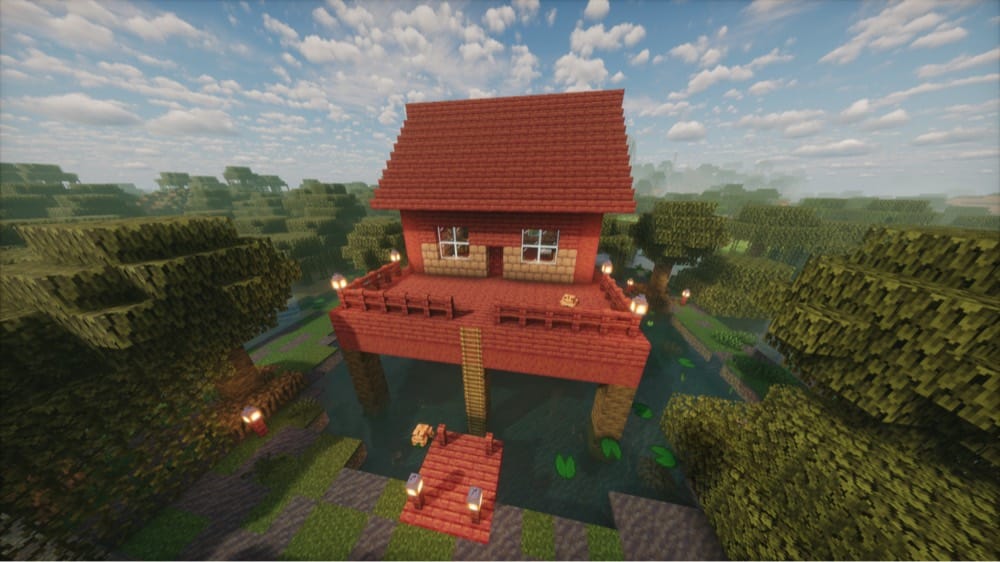
Mangrove Swamps come with their own building materials. Mud and wheat make packed mud, which can then be made into mud bricks, and mangrove roots can hold water even though they are full blocks. Either one makes a good start for a house raised above the shallows.
- Materials you will need: mud and wheat for mud bricks or mangrove planks, plus ladders, lanterns, and a boat.
- Recommended build order:
- Set your posts and floor.
- Enclose the rooms.
- Light the ground below.
Pro Tip for Your First Swamp Stilt House
Slimes spawn in Swamps and Mangrove Swamps between "Y" 51 and 69 at light level 7 or less, most often under a full moon. Lighting the ground below your house and keeping your floor at "Y" 69 or higher stops them from spawning where you live.
Common Swamp Stilt House Mistakes to Avoid
- Forgetting that mobs can spawn on mangrove roots in Java Edition.
- Bogged – a skeleton variant whose arrows inflict the Poison effect (drains your health over time) – spawn at light level 0 in groups of four, so every root and patch of ground around the house needs light.
7. The Tower Base Idea
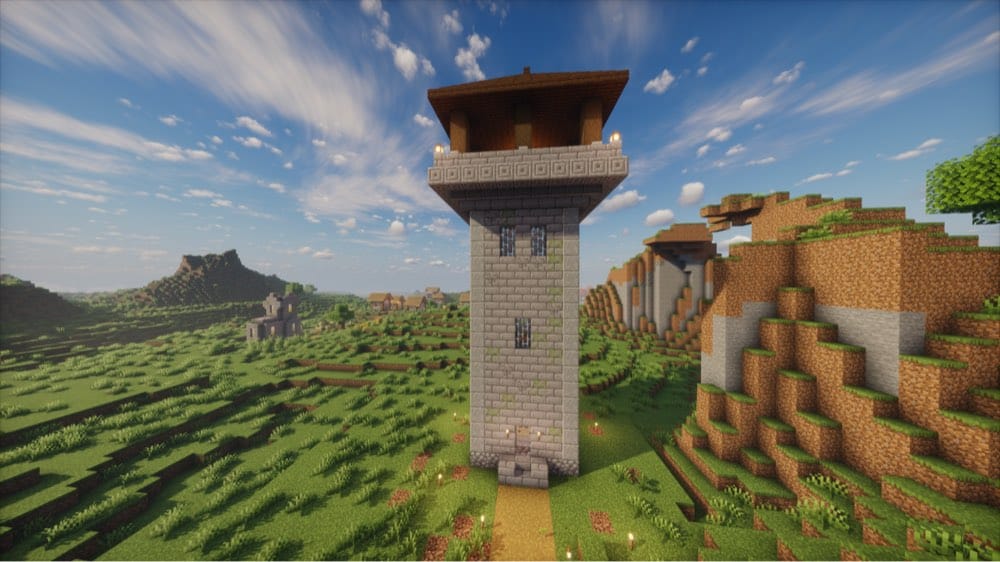
Any patch of flat ground will do for a tower, so it best suits worlds without a standout biome near spawn. The build limit is "Y" 319, which leaves plenty of room to keep going up.
- Materials you will need: stone bricks or cobblestone, an iron door, ladders, torches or lanterns, a bed, and extra blocks for an overhang.
- Recommended build order:
- Lay the footprint.
- Raise the walls with the ladder on the inside.
- Add an outward overhang near the top.
- Finish the roof and the top platform.
Pro Tips for Your First Tower Base
- Spiders scale straight walls but do not climb undersides, so an outward overhang around the top of the tower should keep them from climbing over.
- Skeletons start shooting once you are within 15 blocks and in their line of sight, so a wall around any open platform is a good idea.
Common Tower Base Mistakes to Avoid
- Putting the ladder on the outside. Any mob can climb a ladder it walks into, creepers included, so we recommend running yours up the inside of the tower, behind a door, where mobs outside cannot easily walk into it.
- On Hard difficulty, some zombies can break wooden doors, so an iron door is the safer choice.
8. The Mushroom Island Base Idea
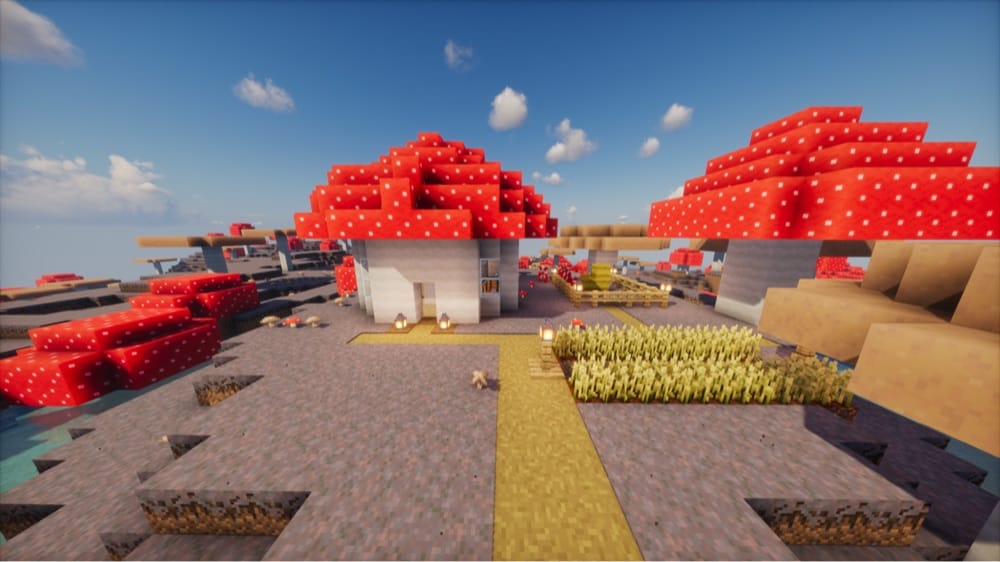
Mushroom Fields cover about 0.14% of the Overworld, making them the third rarest surface biome. They usually show up as islands far from the main landmasses, so you will want a boat and some patience.
The reward is a biome where no hostile mobs normally spawn, neither above nor below ground level. Mooshrooms live here too, and they give you a steady food supply. You can milk one with a bowl to get mushroom stew which restores 6 hunger points, or with a bucket for milk.
- Materials you will need: a boat, building blocks, a bed, bowls and buckets for the mooshrooms, as well as a shovel and a hoe for farming.
- Recommended build order:
- Sail out and pick a spot.
- Put up your house.
- Set up a mooshroom pen.
- Turn patches of mycelium into dirt paths for your crops.
One thing we should note here: the main drawback of a Mushroom Island base is that getting back to a major land again is anything but practical. In practical terms, this means that your resource availability will drastically decrease – rather than increase – as your game progresses.
Pro Tip for Your First Mushroom Island Base
A hoe will not till mycelium directly. The good news is that a shovel turns it into a dirt path, and a hoe can till that.
Top Mushroom Island Base Mistake to Avoid
Treating the island as mob-proof is not a recommended approach. Monster spawners, raids, phantoms, and skeleton horse traps still work there, and a lush cave under the island can also spawn monsters.
9. The Underwater Base Idea
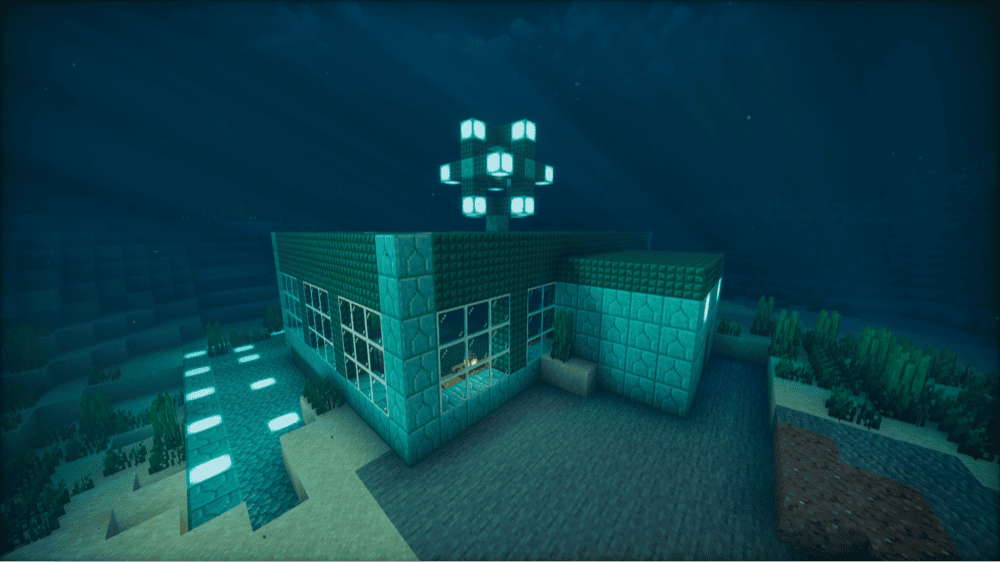
A successful underwater base comes down to sufficient air and light.
In Java Edition, a door placed underwater holds a pocket of air because doors cannot be waterlogged, while a ladder does not. A sponge soaks up water within 6 blocks, and can absorb up to 118 blocks of water, which is also how you drain a room.
If you want a way to keep breathing underwater, check out our detailed guide on how to make a conduit.
- Materials you will need: building blocks, doors, sponges from an Ocean Monument (they arrive wet, so dry them in a furnace first), sea lanterns or glowstone, and a helmet with Respiration (an enchantment that makes your air last longer underwater) or a Water Breathing potion.
- Recommended build order:
- Light the water around your site.
- Build the rooms.
- Place doors for your air pockets.
- Drain them with sponges.
Pro Tips for Your First Underwater Base
- In Java Edition, torches pop off in water, which is why sea lanterns and glowstone are the better choice, since both give off light level 15.
- Drowned zombies spawn in ocean water at light level 0 and only below "Y" 58, so lighting up your site stops them from spawning there.
Top Underwater Base Mistake to Avoid
This would be settling next to an Ocean Monument without dealing with its Elder Guardians, since each one afflicts Mining Fatigue III – an effect which slows your mining speed – on every player within 50 blocks and once per minute.
10. The Nether Base Idea
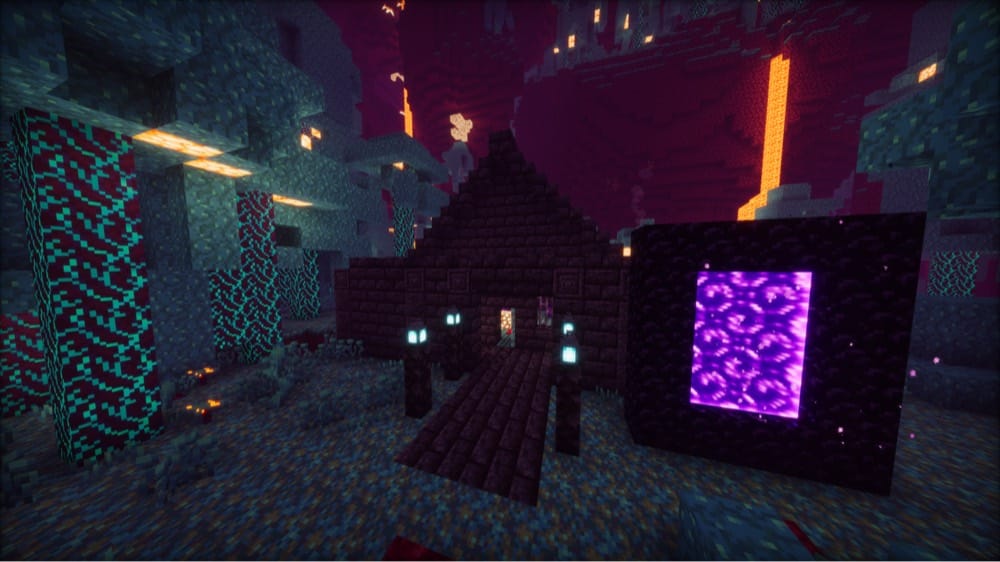
The Nether is a travel shortcut as well as a place to live, since one block there equals eight in the Overworld. Of its five biomes, the Warped Forest is the calmest place to build. Only endermen and striders spawn there naturally, with no ghasts, piglins, or hoglins, though Nether Fortresses and Bastion Remnants inside it can still spawn hostile mobs.
- Materials you will need: cobblestone, blackstone, or Nether bricks, warped planks (they do not burn), a respawn anchor (made from crying obsidian and glowstone), and glowstone blocks to charge it.
- Recommended build order:
- Build near your portal.
- Wall the exposed sides with stone-type blocks.
- Place the respawn anchor, charge it, and use it to set your spawn.
Pro Tip for Your First Nether Base
Beds explode with a power-5 blast in the Nether, so a respawn anchor is the way to set your spawn there. It holds up to 4 charges from glowstone blocks and uses one on every respawn.
Top Nether Base Mistake to Avoid
If we had to name one, it’s using blocks a ghast fireball can break. Ghasts from nearby biomes fire at you from a distance, and their fireballs break netherrack, glass, and planks of any wood but leave cobblestone, blackstone, and Nether bricks standing.
Mods to Build, Furnish, and Otherwise Finish Your Base
Vanilla Minecraft gives you plenty of base ideas, but mods can make them easier to finish and more detailed at that. The five mods below aim to cover the same goals as the builds above: storage that matches your build, proper bridges and roofs, furniture, and decorative blocks.
If you want even more options, check out our list of the best Minecraft building mods.
Storage Drawers
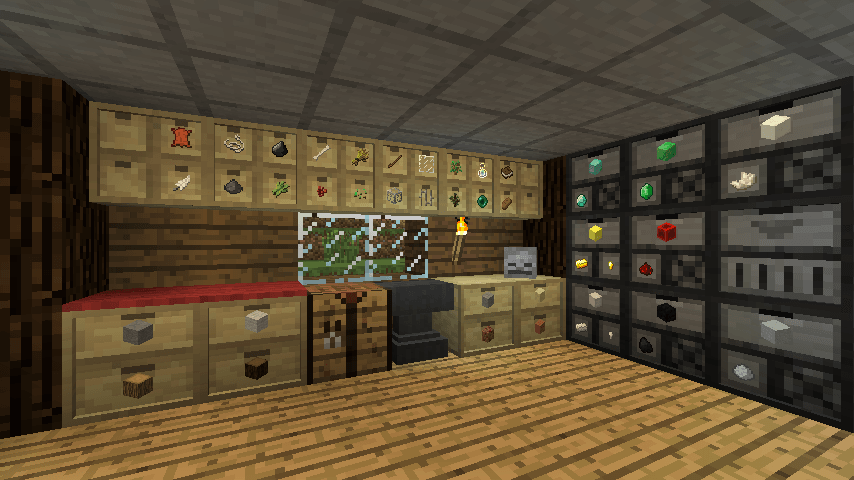
“Storage Drawers” is for the day your chest room turns into a maze of double chests and half-remembered labels.
Instead of a slotted inventory, each drawer holds one kind of item in bulk. Right-click to insert a stack, left-click to take a single item, or hold shift and left-click to take a full stack. Drawers now come in every vanilla plank color, so a storage wall can match the wood in your build, and framed versions can be restyled with different block materials to match the rest of the room.
Capacity is generous, too. Six drawer sizes run from a half-size 2x2 that holds 4 stacks per drawer up to a full-size 1x1 that holds 32, and storage upgrades add even more. Compacting drawers convert items like gold nuggets, ingots, and blocks on their own, while a drawer controller links up any connected drawers within 50 blocks by default and lets you deposit items into the whole network from one spot.
Macaw's Bridges / Macaw's Roofs / Macaw's Furniture
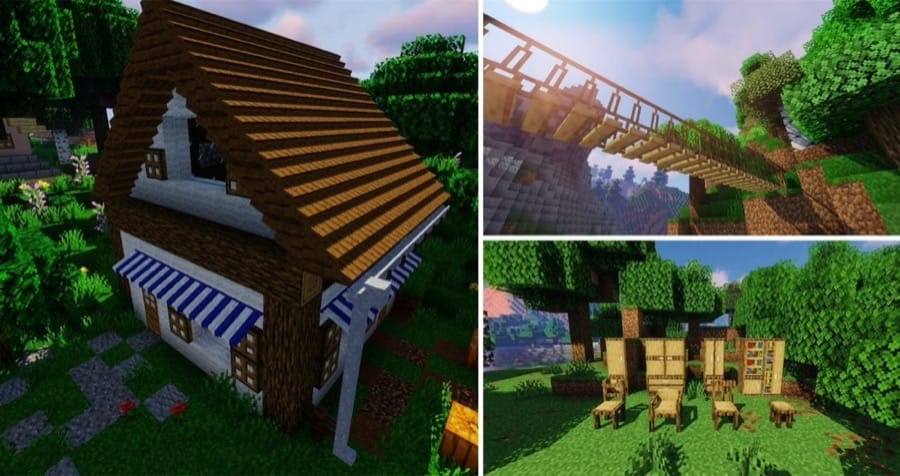
Each of these three mods covers a different part of finishing a build.
- “Macaw's Bridges” adds a variety of bridges, so a walkway across a ravine or between two parts of your base can be a real bridge. If you want an end piece on a bridge that is wider than 2 blocks, make a pair of pliers and right-click the bridge with them.
- “Macaw's Roofs” adds dedicated roof pieces, including steep roofs, lower roofs, and top roofs, so the top of your build reads as a roof instead of rows of stair blocks. Striped awnings and rain gutters come in every color, and the gutters now also fill up when it rains.
- “Macaw's Furniture” is what fills the rooms once the shell is finished. You can stack pieces on top of each other and merge them to make them wider or taller as much as you want, in different wood variations that include stripped ones. Various pieces store your items, and the chairs let you sit down and relax.
Rechiseled
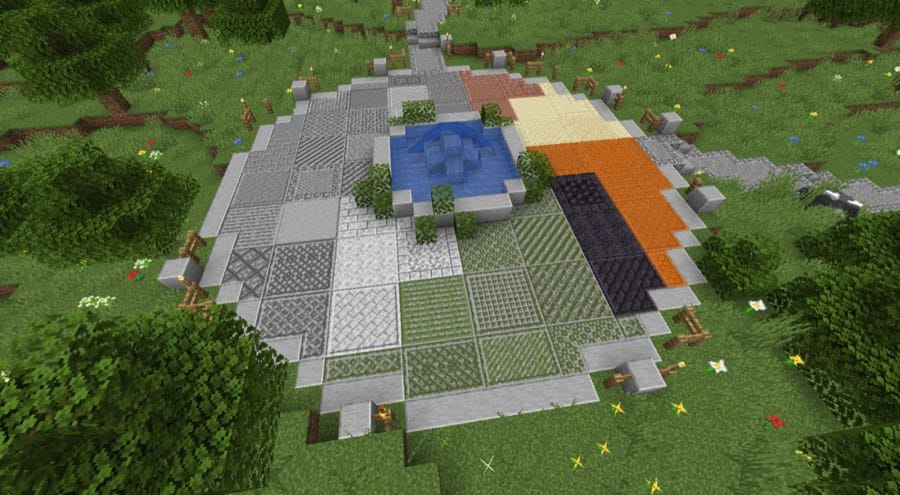
“Rechiseled” gives you one tool for dressing up plain blocks. The mod adds over 600 decorative variants of vanilla blocks with connected textures, and a chisel opens a screen that previews every variant of a block so you can pick the one you want before placing it.
The chisel also works on blocks that are already in the world. Left-click a block to change it to a random variant, or keep a block stored in the chisel to turn the blocks you left-click into that variant. Most variants come with matching stairs and slabs, and the chisel has no durability, so you can redo a whole wall as often as you like.
How to Install Minecraft Mods
You can install the above mods automatically using the CurseForge app or manually by placing the mod files within your game's mods folder. Both methods allow you to easily add custom features and enhancements into your Minecraft experience.
If you want to learn more, you can read our detailed guide on how to install Minecraft mods.
Common Issues and Quick Fixes
My base looks fine up close, but bad from a distance
The silhouette is usually the issue. Flat roofs, flat walls, and a single block type can look unfinished from far away even when the details are right. We recommend mixing at least two block types on every large wall, such as stone bricks framed by log pillars at the corners.
Build the roofline in steps with stairs and slabs, and let it hang over the walls by a block or two. Add depth as well by setting windows one block back and trimming ledges with stairs, slabs, or trapdoors.
For more build projects to try once your base is up, check out our guide on what to build in Minecraft.
Mobs keep spawning inside my base
Most hostile mobs spawn on a spot with a block light level of 0, so we recommend placing torches until every floor block has been at least somewhat illuminated.
If slimes keep appearing underground anyway, you may be standing in a slime chunk – a 16x16 section of the world where slimes spawn regardless of light level. A tried and tested approach is to move the base above "Y" 40, since slimes in slime chunks only spawn below that level.
Conversely, simply walling off the area will only keep out slimes that spawn outside it, because they can still spawn inside your own rooms. All in all, a slime needs a clear space of just over 2 blocks in every direction to spawn, so filling in any spare rooms and tunnels also stops them.
I can't sleep because monsters are nearby
A bed will not let you sleep if a monster is within 8 blocks sideways or 5 blocks up or down in relation to the head of the bed. The solution is to either light and clear any caves or rooms inside that area, or to move the bed.
I keep losing my way back to my base
A normal compass points to the world spawn point and ignores your bed, so it will not lead you home, unless you’ve built your base right on spawn. We recommend writing down your coordinates from the "F3" screen, or using a compass on a lodestone at your base to make it point there.
My game crashes on startup after installing mods
A startup crash usually means one of three things:
- The mod file does not match your Minecraft version.
- The mod was made for a different loader.
- A required dependency is missing.
Check that you installed the correct Forge, Fabric, Quilt, or NeoForge file for your profile, then look at the mod page for any required files, especially for Fabric API on Fabric profiles and for Quilted Fabric API on Quilt profiles.